
CMPS 200 Homework Assignment 5, Fall 2016
American University of Beirut · Introduction to Programming · 3 pages · Dr. Ahmad Dhaini
More CMPS 200 files
- Homework 11 · Fall 2018HomeworkView
- Homework Last Assignment · Fall 2018HomeworkView
- Homework Asst10 · Fall 2017HomeworkView
- Homework 9 · Spring 2017HomeworkView
- Homework Assignment 2 · Fall 2016HomeworkView
- Homework Assignment 6 · Fall 2016HomeworkView
- Homework Assignment 7 · Fall 2016HomeworkView
- Homework 1 · Spring 2016HomeworkView
Show the text of this homework
Faculty of Arts & Sciences
Department of Computer Science
CMPS 200—Introduction to Programming
Assignment 5: Oct. 17, 2016 @ 2:00 pm
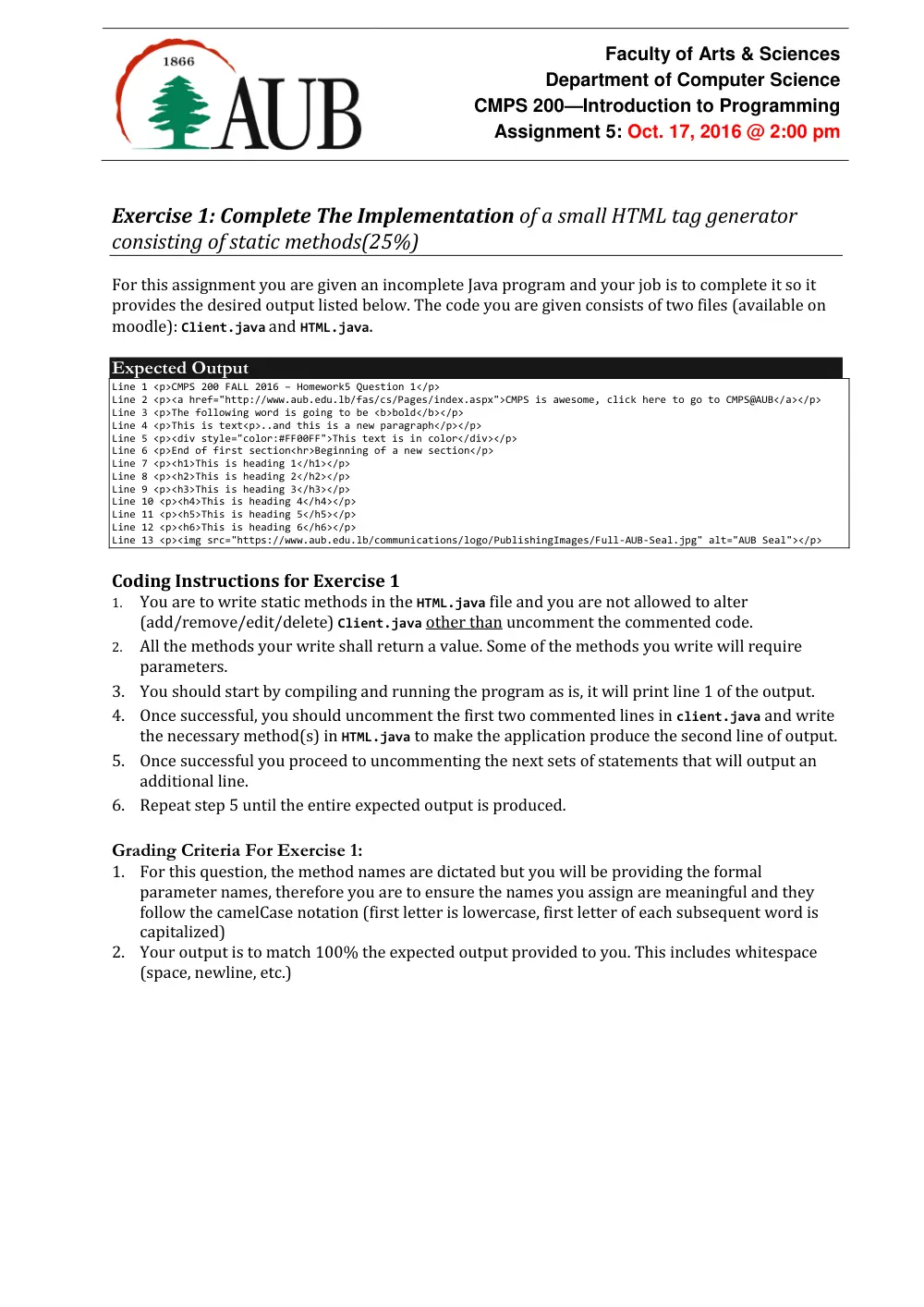
Exercise 1: Complete The Implementation of a small HTML tag generator
consisting of static methods(25%)
For this assignment you are given an incomplete Java program and your job is to complete it so it
provides the desired output listed below. The code you are given consists of two files (available on
moodle): Client.java and HTML.java.
Expected Output
Line 1 <p>CMPS 200 FALL 2016 – Homework5 Question 1</p>
Line 2 <p><a href="http://www.aub.edu.lb/fas/cs/Pages/index.aspx">CMPS is awesome, click here to go to CMPS@AUB</a></p>
Line 3 <p>The following word is going to be <b>bold</b></p>
Line 4 <p>This is text<p>..and this is a new paragraph</p></p>
Line 5 <p><div style="color:#FF00FF">This text is in color</div></p>
Line 6 <p>End of first section<hr>Beginning of a new section</p>
Line 7 <p><h1>This is heading 1</h1></p>
Line 8 <p><h2>This is heading 2</h2></p>
Line 9 <p><h3>This is heading 3</h3></p>
Line 10 <p><h4>This is heading 4</h4></p>
Line 11 <p><h5>This is heading 5</h5></p>
Line 12 <p><h6>This is heading 6</h6></p>
Line 13 <p><img src="https://www.aub.edu.lb/communications/logo/PublishingImages/Full-AUB-Seal.jpg" alt="AUB Seal"></p>
Coding Instructions for Exercise 1
1. You are to write static methods in the HTML.java file and you are not allowed to alter
(add/remove/edit/delete) Client.java other than uncomment the commented code.
2. All the methods your write shall return a value. Some of the methods you write will require
parameters.
3. You should start by compiling and running the program as is, it will print line 1 of the output.
4. Once successful, you should uncomment the first two commented lines in client.java and write
the necessary method(s) in HTML.java to make the application produce the second line of output.
5. Once successful you proceed to uncommenting the next sets of statements that will output an
additional line.
6. Repeat step 5 until the entire expected output is produced.
Grading Criteria For Exercise 1:
1. For this question, the method names are dictated but you will be providing the formal
parameter names, therefore you are to ensure the names you assign are meaningful and they
follow the camelCase notation (first letter is lowercase, first letter of each subsequent word is
capitalized)
2. Your output is to match 100% the expected output provided to you. This includes whitespace
(space, newline, etc.)
Assignment 5
Introduction to Programming (CMPS 200)
Fall 2016-17
2 of 3
Exercise 2: Design and Implement a small utility class with static methods to
compute the area of different geometric shapes(25%)
Write a class Area.java with static methods that compute the surface area of various geometric
shapes. Your class should consist of static methods that require the necessary arguments and return
the area as a double. Your class should include the following methods: circle, ellipse,
rectangle, and triangle each computing the area of the respective shape. You should design
the methods to require the proper parameters for each shape to make it possible (and easy) for you
to compute the area. You can use methods included in the Math library to perform the needed
arithmetic computations.
You must write the proper method calls in the main method to test the foregoing methods.
Exercise 3: Print a monthly calendar(50%)
Write a program Calendar.java that produces calendars as output. Your program should have
a method monthCalendar(int daysInMonth, int startingDayOfWeek) that outputs a
single month’s calendar like the one below where daysInMonth indicates the number of days in
the month, and startingDayOfWeek indicates the day on which the first of the month falls
(0=Sunday, 1=Monday,…,6=Saturday). You can assume daysInMonth’s range to be [28,31] and
startingDayOfWeek’s range to be [0,6].
Coding Rules:
1. Your output must match EXACTLY the expected output shown below.
2. As always we will test your program with different values and expect it to produce the correct
results.
3. To do the proper padding of the numbers you can use the two functions given after the expected
output (you must include them in your code).
4. This problem can be solved with a few lines of code if decision statements were allowed. For
this exercise your code cannot use coding constructs that have not yet been covered in class
(such as if statements).
5. Use helper methods to do repeated work.
Expected Output
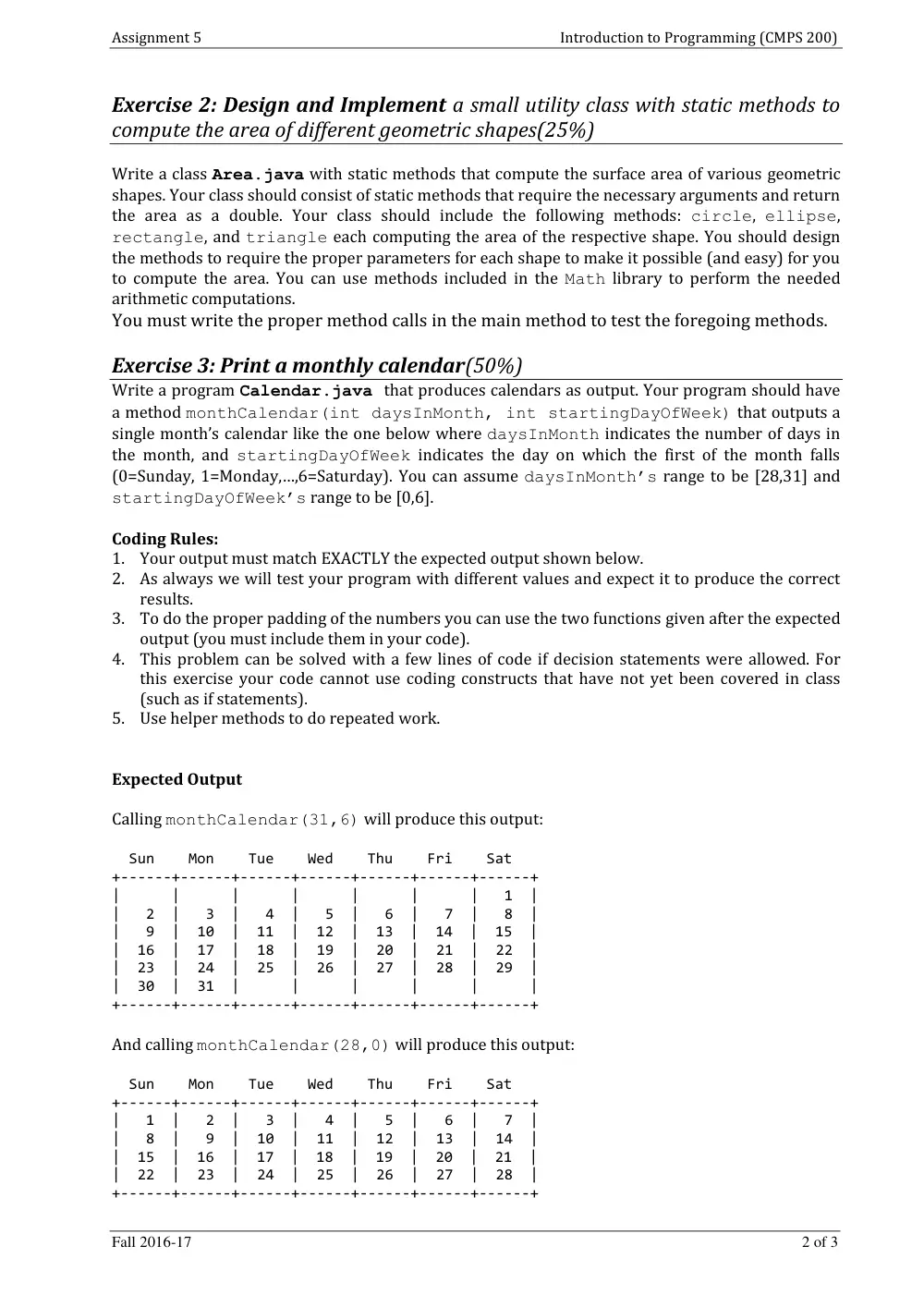
Calling monthCalendar(31,6) will produce this output:
Sun Mon Tue Wed Thu Fri Sat
+------+------+------+------+------+------+------+
| | | | | | | 1 |
| 2 | 3 | 4 | 5 | 6 | 7 | 8 |
| 9 | 10 | 11 | 12 | 13 | 14 | 15 |
| 16 | 17 | 18 | 19 | 20 | 21 | 22 |
| 23 | 24 | 25 | 26 | 27 | 28 | 29 |
| 30 | 31 | | | | | |
+------+------+------+------+------+------+------+
And calling monthCalendar(28,0) will produce this output:
Sun Mon Tue Wed Thu Fri Sat
+------+------+------+------+------+------+------+
| 1 | 2 | 3 | 4 | 5 | 6 | 7 |
| 8 | 9 | 10 | 11 | 12 | 13 | 14 |
| 15 | 16 | 17 | 18 | 19 | 20 | 21 |
| 22 | 23 | 24 | 25 | 26 | 27 | 28 |
+------+------+------+------+------+------+------+
Assignment 5
Introduction to Programming (CMPS 200)
Fall 2016-17
3 of 3
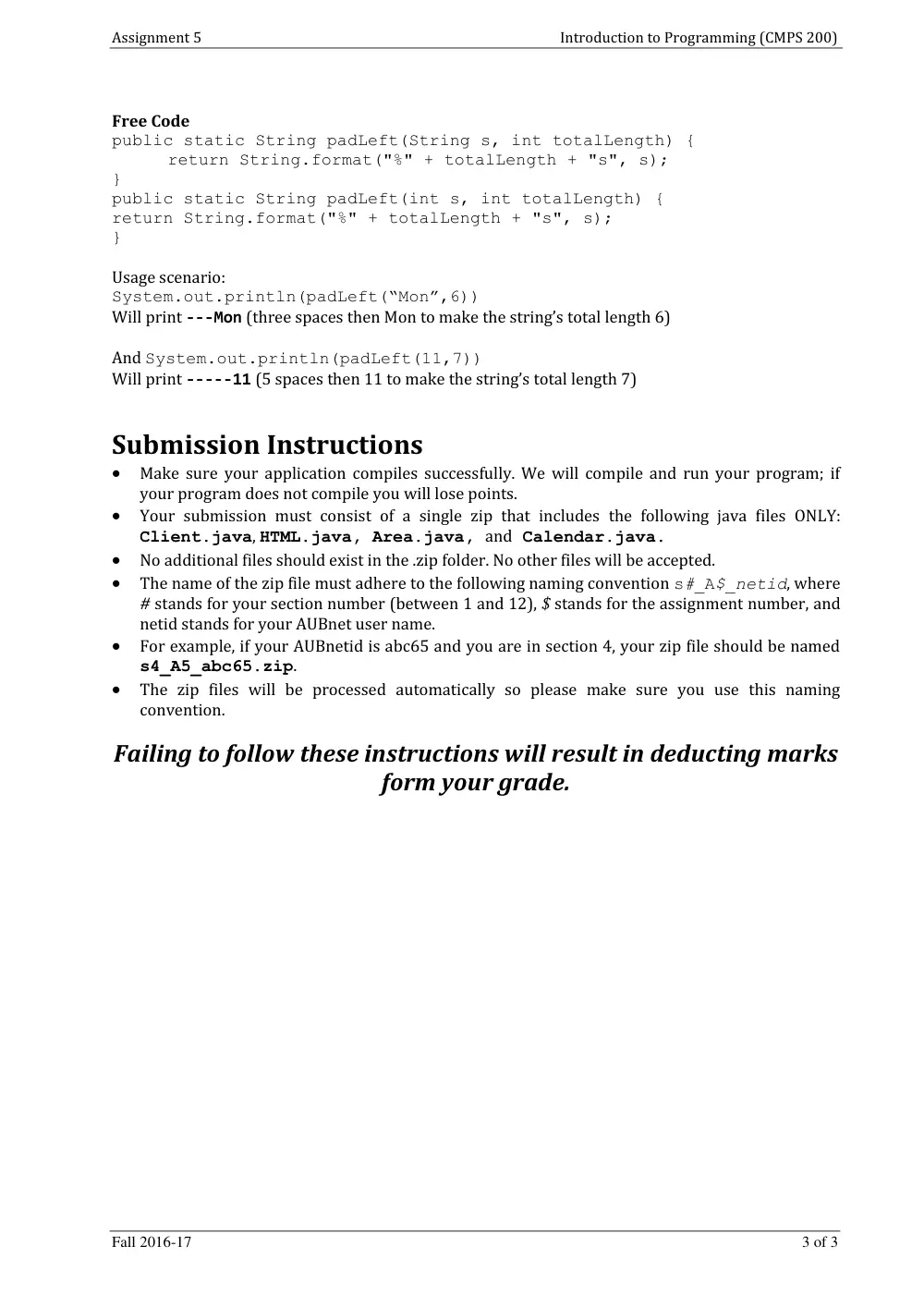
Free Code
public static String padLeft(String s, int totalLength) {
return String.format("%" + totalLength + "s", s);
}
public static String padLeft(int s, int totalLength) {
return String.format("%" + totalLength + "s", s);
}
Usage scenario:
System.out.println(padLeft(“Mon”,6))
Will print ---Mon (three spaces then Mon to make the string’s total length 6)
And System.out.println(padLeft(11,7))
Will print -----11 (5 spaces then 11 to make the string’s total length 7)
Submission Instructions
Make sure your application compiles successfully. We will compile and run your program; if
your program does not compile you will lose points.
Your submission must consist of a single zip that includes the following java files ONLY:
Client.java, HTML.java, Area.java, and Calendar.java.
No additional files should exist in the .zip folder. No other files will be accepted.
The name of the zip file must adhere to the following naming convention s#_A$_netid, where
# stands for your section number (between 1 and 12), $ stands for the assignment number, and
netid stands for your AUBnet user name.
For example, if your AUBnetid is abc65 and you are in section 4, your zip file should be named
s4_A5_abc65.zip.
The zip files will be processed automatically so please make sure you use this naming
convention.
Failing to follow these instructions will result in deducting marks
form your grade.