
CSC 498D Lecture Python
Lebanese American University · Top.CSC- Scripting Languages · 43 pages

Showing the first 10 of 43 pages. Download the PDF to see all of it.
More CSC 498D files
Show the text of this lab
Introduction to Python
For More Information?
http://python.org/
- documentation, tutorials, beginners guide, core distribution, ...
Books include:
• Learning Python by Mark Lutz
• Python Essential Reference by David Beazley
• Python Cookbook, ed. by Martelli, Ravenscroft and Ascher
• (online at http://code.activestate.com/recipes/langs/python/)
• http://wiki.python.org/moin/PythonBooks
Python Videos
http://showmedo.com/videotutorials/python
• “5 Minute Overview (What Does Python Look
Like?)”
• “Introducing the PyDev IDE for Eclipse”
• “Linear Algebra with Numpy”
• And many more
4 Major Versions of Python
• “Python” or “CPython” is written in C/C++
- Version 3.3.3
• “Jython” is written in Java for the JVM
• “IronPython” is written in C# for the .Net
environment
Development Environments
1. PyDev with Eclipse
2. Komodo
3. Emacs
4. Vim
5. TextMate
6. Gedit
7. Idle
8. PIDA (Linux)(VIM Based)
9. NotePad++ (Windows)
10.BlueFish (Linux)
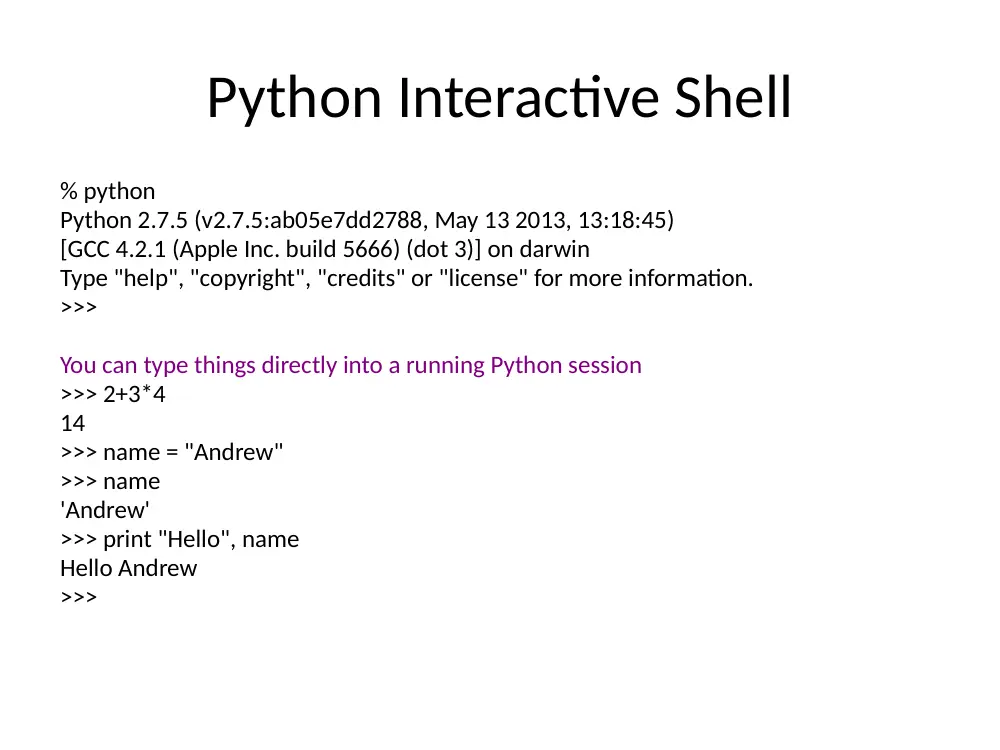
Python Interactive Shell
% python
Python 2.7.5 (v2.7.5:ab05e7dd2788, May 13 2013, 13:18:45)
[GCC 4.2.1 (Apple Inc. build 5666) (dot 3)] on darwin
Type "help", "copyright", "credits" or "license" for more information.
>>>
You can type things directly into a running Python session
>>> 2+3*4
14
>>> name = "Andrew"
>>> name
'Andrew'
>>> print "Hello", name
Hello Andrew
>>>
• Background
• Data Types/Structure
• Control flow
• File I/O
• Modules
• Class
• NLTK
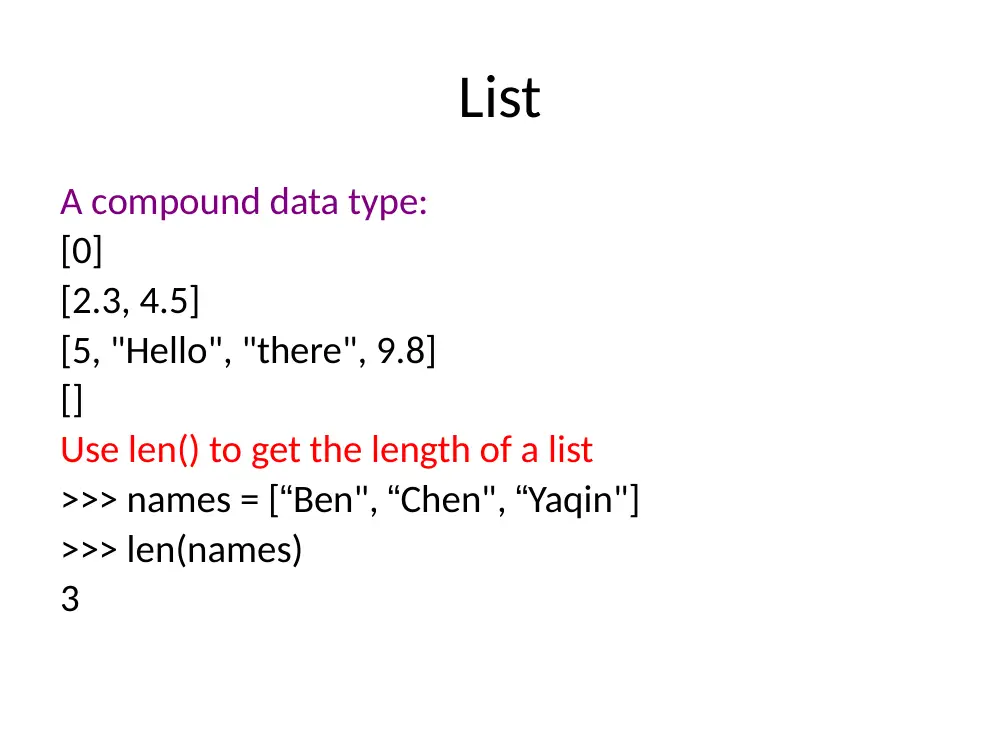
List
A compound data type:
[0]
[2.3, 4.5]
[5, "Hello", "there", 9.8]
[]
Use len() to get the length of a list
>>> names = [“Ben", “Chen", “Yaqin"]
>>> len(names)
3
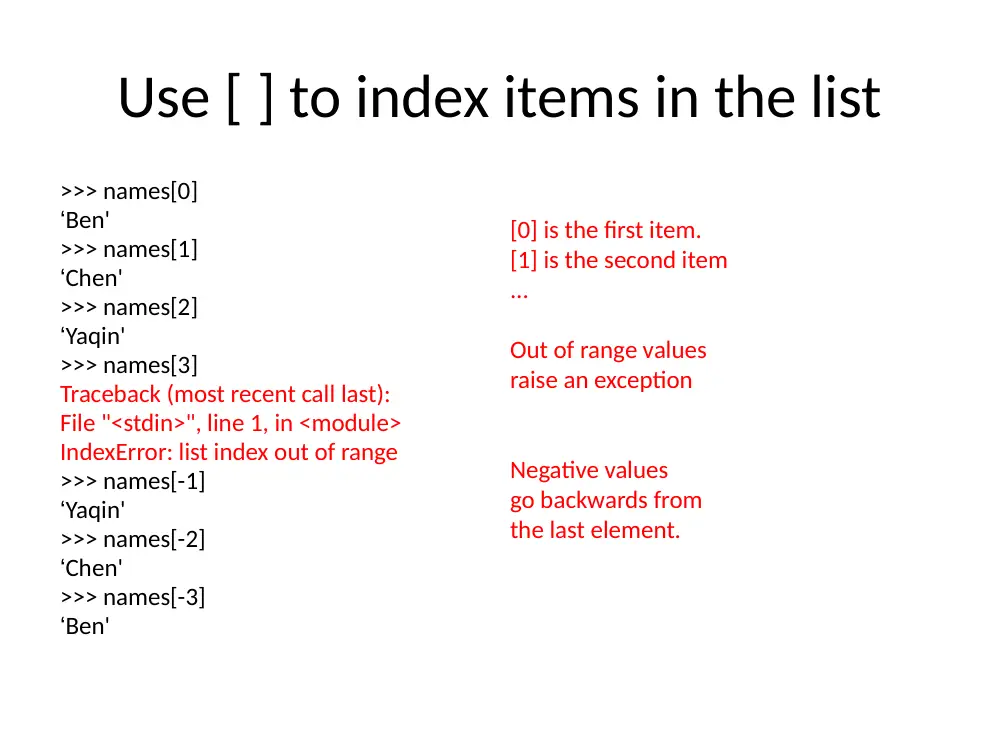
Use [ ] to index items in the list
>>> names[0]
‘Ben'
>>> names[1]
‘Chen'
>>> names[2]
‘Yaqin'
>>> names[3]
Traceback (most recent call last):
File "<stdin>", line 1, in <module>
IndexError: list index out of range
>>> names[-1]
‘Yaqin'
>>> names[-2]
‘Chen'
>>> names[-3]
‘Ben'
[0] is the first item.
[1] is the second item
...
Out of range values
raise an exception
Negative values
go backwards from
the last element.
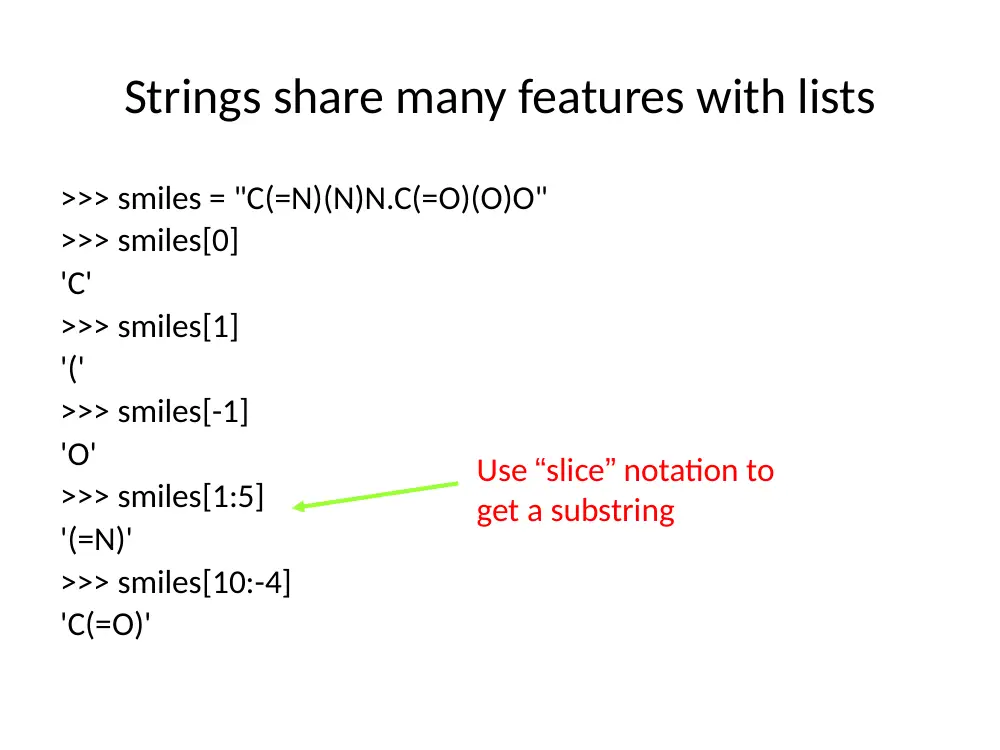
Strings share many features with lists
>>> smiles = "C(=N)(N)N.C(=O)(O)O"
>>> smiles[0]
'C'
>>> smiles[1]
'('
>>> smiles[-1]
'O'
>>> smiles[1:5]
'(=N)'
>>> smiles[10:-4]
'C(=O)'
Use “slice” notation to
get a substring
String Methods: find, split
smiles = "C(=N)(N)N.C(=O)(O)O"
>>> smiles.find("(O)")
15
>>> smiles.find(".")
9
>>> smiles.find(".", 10)
-1
>>> smiles.split(".")
['C(=N)(N)N', 'C(=O)(O)O']
>>>
Use “find” to find the
start of a substring.
Start looking at position 10.
Find returns -1 if it couldn’t
find a match.
Split the string into parts
with “.” as the delimiter
String operators: in, not in
if "Br" in “Brother”:
print "contains brother“
email_address = “clin”
if "@" not in email_address:
email_address += "@brandeis.edu“
String Method: “strip”, “rstrip”, “lstrip” are ways to
remove whitespace or selected characters
>>> line = " # This is a comment line \n"
>>> line.strip()
'# This is a comment line'
>>> line.rstrip()
' # This is a comment line'
>>> line.rstrip("\n")
' # This is a comment line '
>>>
More String methods
email.startswith(“c") endswith(“u”)
True/False
>>> "%s@brandeis.edu" % "clin"
'clin@brandeis.edu'
>>> names = [“Ben", “Chen", “Yaqin"]
>>> ", ".join(names)
‘Ben, Chen, Yaqin‘
>>> “chen".upper()
‘CHEN'
Unexpected things about strings
>>> s = "andrew"
>>> s[0] = "A"
Traceback (most recent call last):
File "<stdin>", line 1, in <module>
TypeError: 'str' object does not support item
assignment
>>> s = "A" + s[1:]
>>> s
'Andrew‘
Strings are read only
“\” is for special characters
\n -> newline
\t -> tab
\\ -> backslash
...
But Windows uses backslash for directories!
filename = "M:\nickel_project\reactive.smi" # DANGER!
filename = "M:\\nickel_project\\reactive.smi" # Better!
filename = "M:/nickel_project/reactive.smi" # Usually works
Lists are mutable - some useful
methods
>>> ids = ["9pti", "2plv", "1crn"]
>>> ids.append("1alm")
>>> ids
['9pti', '2plv', '1crn', '1alm']
>>>ids.extend(L)
Extend the list by appending all the items in the given list; equivalent to a[len(a):] = L.
>>> del ids[0]
>>> ids
['2plv', '1crn', '1alm']
>>> ids.sort()
>>> ids
['1alm', '1crn', '2plv']
>>> ids.reverse()
>>> ids
['2plv', '1crn', '1alm']
>>> ids.insert(0, "9pti")
>>> ids
['9pti', '2plv', '1crn', '1alm']
append an element
remove an element
sort by default order
reverse the elements in a list
insert an element at some
specified position.
(Slower than .append())
Tuples: sort of an immutable list
>>> yellow = (255, 255, 0) # r, g, b
>>> one = (1,)
>>> yellow[0]
>>> yellow[1:]
(255, 0)
>>> yellow[0] = 0
Traceback (most recent call last):
File "<stdin>", line 1, in <module>
TypeError: 'tuple' object does not support item assignment
Very common in string interpolation:
>>> "%s lives in %s at latitude %.1f" % ("Andrew", "Sweden", 57.7056)
'Andrew lives in Sweden at latitude 57.7'
zipping lists together
>>> names
['ben', 'chen', 'yaqin']
>>> gender = [0, 0, 1]
>>> zip(names, gender)
[('ben', 0), ('chen', 0), ('yaqin', 1)]
Dictionaries
• Dictionaries are lookup tables.
• They map from a “key” to a “value”.
symbol_to_name = {
"H": "hydrogen",
"He": "helium",
"Li": "lithium",
"C": "carbon",
"O": "oxygen",
"N": "nitrogen"
}
• Duplicate keys are not allowed
• Duplicate values are just fine
Keys can be any immutable value
numbers, strings, tuples, frozenset,
not list, dictionary, set, ...
atomic_number_to_name = {
1: "hydrogen"
6: "carbon",
7: "nitrogen"
8: "oxygen",
}
nobel_prize_winners = {
(1979, "physics"): ["Glashow", "Salam", "Weinberg"],
(1962, "chemistry"): ["Hodgkin"],
(1984, "biology"): ["McClintock"],
}
A set is an unordered collection
with no duplicate elements.
Dictionary
>>> symbol_to_name["C"]
'carbon'
>>> "O" in symbol_to_name, "U" in symbol_to_name
(True, False)
>>> "oxygen" in symbol_to_name
False
>>> symbol_to_name["P"]
Traceback (most recent call last):
File "<stdin>", line 1, in <module>
KeyError: 'P'
>>> symbol_to_name.get("P", "unknown")
'unknown'
>>> symbol_to_name.get("C", "unknown")
'carbon'
Get the value for a given key
Test if the key exists
(“in” only checks the keys,
not the values.)
[] lookup failures raise an exception.
Use “.get()” if you want
to return a default value.
Some useful dictionary methods
>>> symbol_to_name.keys()
['C', 'H', 'O', 'N', 'Li', 'He']
>>> symbol_to_name.values()
['carbon', 'hydrogen', 'oxygen', 'nitrogen', 'lithium', 'helium']
>>> symbol_to_name.update( {"P": "phosphorous", "S": "sulfur"} )
>>> symbol_to_name.items()
[('C', 'carbon'), ('H', 'hydrogen'), ('O', 'oxygen'), ('N', 'nitrogen'), ('P', 'phosphorous'), ('S',
'sulfur'), ('Li', 'lithium'), ('He', 'helium')]
>>> del symbol_to_name['C']
>>> symbol_to_name
{'H': 'hydrogen', 'O': 'oxygen', 'N': 'nitrogen', 'Li': 'lithium', 'He': 'helium'}
• Background
• Data Types/Structure
list, string, tuple, dictionary
• Control flow
• File I/O
• Modules
• Class
• NLTK
Control Flow
Things that are False
• The boolean value False
• The numbers 0 (integer), 0.0 (float) and 0j (complex).
• The empty string "".
• The empty list [], empty dictionary {} and empty set set().
Things that are True
• The boolean value True
• All non-zero numbers.
• Any string containing at least one character.
• A non-empty data structure.
If
>>> smiles = "BrC1=CC=C(C=C1)NN.Cl"
>>> bool(smiles)
True
>>> not bool(smiles)
False
>>> if not smiles:
... print "The SMILES string is empty"
...
• The “else” case is always optional
Use “elif” to chain subsequent tests
>>> mode = "absolute"
>>> if mode == "canonical":
...
smiles = "canonical"
... elif mode == "isomeric":
...
smiles = "isomeric”
... elif mode == "absolute":
...
smiles = "absolute"
... else:
...
raise TypeError("unknown mode")
...
>>> smiles
' absolute '
>>>
“raise” is the Python way to raise exceptions
Boolean logic
Python expressions can have “and”s and “or”s:
if (ben <= 5 and chen >= 10 or
chen == 500 and ben != 5):
print “Ben and Chen“
Range Test
if (3 <= Time <= 5):
print “Office Hour"
For
>>> names = [“Ben", “Chen", “Yaqin"]
>>> for name in names:
...
print name
...
Ben
Chen
Yaqin
Tuple assignment in for loops
data = [ ("C20H20O3", 308.371),
("C22H20O2", 316.393),
("C24H40N4O2", 416.6),
("C14H25N5O3", 311.38),
("C15H20O2", 232.3181)]
for (formula, mw) in data:
print "The molecular weight of %s is %s" % (formula, mw)
The molecular weight of C20H20O3 is 308.371
The molecular weight of C22H20O2 is 316.393
The molecular weight of C24H40N4O2 is 416.6
The molecular weight of C14H25N5O3 is 311.38
The molecular weight of C15H20O2 is 232.3181
Break, continue
>>> for value in [3, 1, 4, 1, 5, 9, 2]:
...
print "Checking", value
...
if value > 8:
...
print "Exiting for loop"
...
break
...
elif value < 3:
...
print "Ignoring"
...
continue
...
print "The square is", value**2
...
Use “break” to stop
the for loop
Use “continue” to stop
processing the current item
Checking 3
The square is 9
Checking 1
Ignoring
Checking 4
The square is 16
Checking 1
Ignoring
Checking 5
The square is 25
Checking 9
Exiting for loop
>>>
Range()
•
“range” creates a list of numbers in a specified range
•
range([start,] stop[, step]) -> list of integers
•
When step is given, it specifies the increment (or decrement).
>>> range(5)
[0, 1, 2, 3, 4]
>>> range(5, 10)
[5, 6, 7, 8, 9]
>>> range(0, 10, 2)
[0, 2, 4, 6, 8]
How to get every second element in a list?
for i in range(0, len(data), 2):
print data[i]
• Background
• Data Types/Structure
• Control flow
• File I/O
• Modules
• Class
• NLTK
Reading files
>>> f = open(“names.txt")
>>> f.readline()
'Yaqin\n'
Quick Way
>>> lst= [ x for x in open("text.txt","r").readlines() ]
>>> lst
['Chen Lin\n', 'clin@brandeis.edu\n', 'Volen 110\n', 'Office Hour:
Thurs. 3-5\n', '\n', 'Yaqin Yang\n', 'yaqin@brandeis.edu\n',
'Volen 110\n', 'Offiche Hour: Tues. 3-5\n']
Ignore the header?
for (i,line) in enumerate(open(‘text.txt’,"r").readlines()):
if i == 0: continue
print line
Using dictionaries to count
occurrences
>>> for line in open('names.txt'):
... name = line.strip()
... name_count[name] = name_count.get(name,0)+ 1
...
>>> for (name, count) in name_count.items():
... print name, count
...
Chen 3
Ben 3
Yaqin 3
File Output
input_file = open(“in.txt")
output_file = open(“out.txt", "w")
for line in input_file:
output_file.write(line)
“w” = “write mode”
“a” = “append mode”
“wb” = “write in binary”
“r” = “read mode” (default)
“rb” = “read in binary”
“U” = “read files with Unix
or Windows line endings”
• Background
• Data Types/Structure
• Control flow
• File I/O
• Modules
• Class
• NLTK
Modules
• When a Python program starts it only has
access to a basic functions and classes.
(“int”, “dict”, “len”, “sum”, “range”, ...)
• “Modules” contain additional functionality.
• Use “import” to tell Python to load a module.
>>> import math
>>> import nltk
import the math module
>>> import math
>>> math.pi
3.1415926535897931
>>> math.cos(0)
1.0
>>> math.cos(math.pi)
-1.0
>>> dir(math)
['__doc__', '__file__', '__name__', '__package__', 'acos', 'acosh',
'asin', 'asinh', 'atan', 'atan2', 'atanh', 'ceil', 'copysign', 'cos',
'cosh', 'degrees', 'e', 'exp', 'fabs', 'factorial', 'floor', 'fmod',
'frexp', 'fsum', 'hypot', 'isinf', 'isnan', 'ldexp', 'log', 'log10',
'log1p', 'modf', 'pi', 'pow', 'radians', 'sin', 'sinh', 'sqrt', 'tan',
'tanh', 'trunc']
>>> help(math)
>>> help(math.cos)
“import” and “from ... import ...”
>>> import math
math.cos
>>> from math import cos, pi
cos
>>> from math import *
• Background
• Data Types/Structure
• Control flow
• File I/O
• Modules
• Class
• NLTK