
MIS 211 Chapter Chepter 3, Spring 2014
Lebanese American University · ITM - Information Technology Management · 44 pages



Showing the first 10 of 44 pages. Download the PDF to see all of it.
More MIS 211 files
Show the text of this chapter
McGraw-Hill
© 2008 The McGraw-Hill Companies, Inc. All rights reserved.
Chapter 3
Chapter 3
DATABASES AND DATA WAREHOUSES
Building Business Intelligence
Building Business Intelligence
Chapter 3
Chapter 3
DATABASES AND DATA WAREHOUSES
Building Business Intelligence
Building Business Intelligence
3-2
STUDENT LEARNING
OUTCOMES
1.
List and describe the key characteristics of a
relational database.
2.
Define the 5 software components of a DBMS.
3.
List and describe the key characteristics of a data
warehouse.
4.
Define the 4 major types of data-mining tools.
5.
Describe the role of business intelligence.
6.
List key considerations in information ownership.
3-3
CAN COMPANIES KEEP YOUR
PERSONAL INFORMATION PRIVATE
AND SECURE?
Databases are large repositories of detailed
information
Much of that information is personal
Organizations must protect that information from
theft and loss
Many (bad) people want to steal your personal
information from the companies you do business
with
3-4
Big Information Loss Examples
CardSystems (40 million customers)
Citigroup (3.9 million customers)
DSW Shoe Warehouse (1.4 million customers)
Bank of America (1.2 million customers)
Wachovia (676,000 customers)
TJX Companies – perhaps as many as 45.6 million
customers
3-5
Questions
1.
Have you been a victim of identity theft? If so,
what happened?
2.
What can you do to protect yourself from identity
theft?
3.
How many organizations have your credit card
number?
3-6
INTRODUCTION
• Businesses use many IT tools to manage and
organize information for many reasons
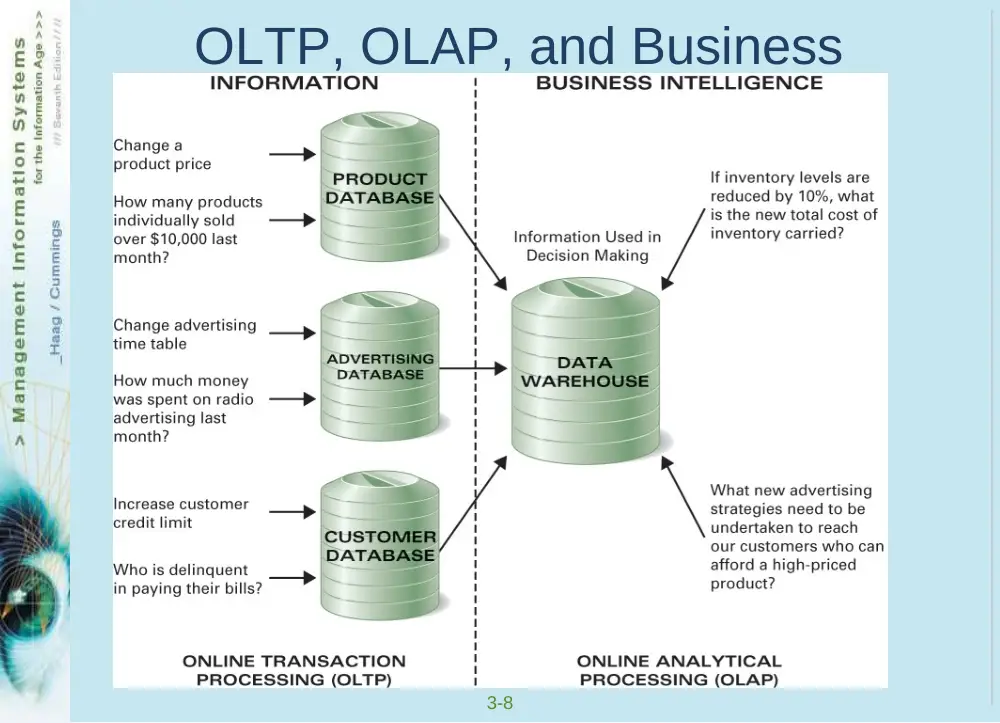
• Online transaction processing (OLTP) –
gathering and processing information and updating
existing information to reflect the processed
information
• Online analytical processing (OLAP) –
manipulation of information to support decision
making
3-7
INTRODUCTION
OLTP
Supports operational processing
Sales orders, accounts receivable, etc
Supported by operational databases & DBMSs
OLAP
Helps build business intelligence
Supported by data warehouses and data-mining tools
3-8
OLTP, OLAP, and Business
Intelligence
3-9
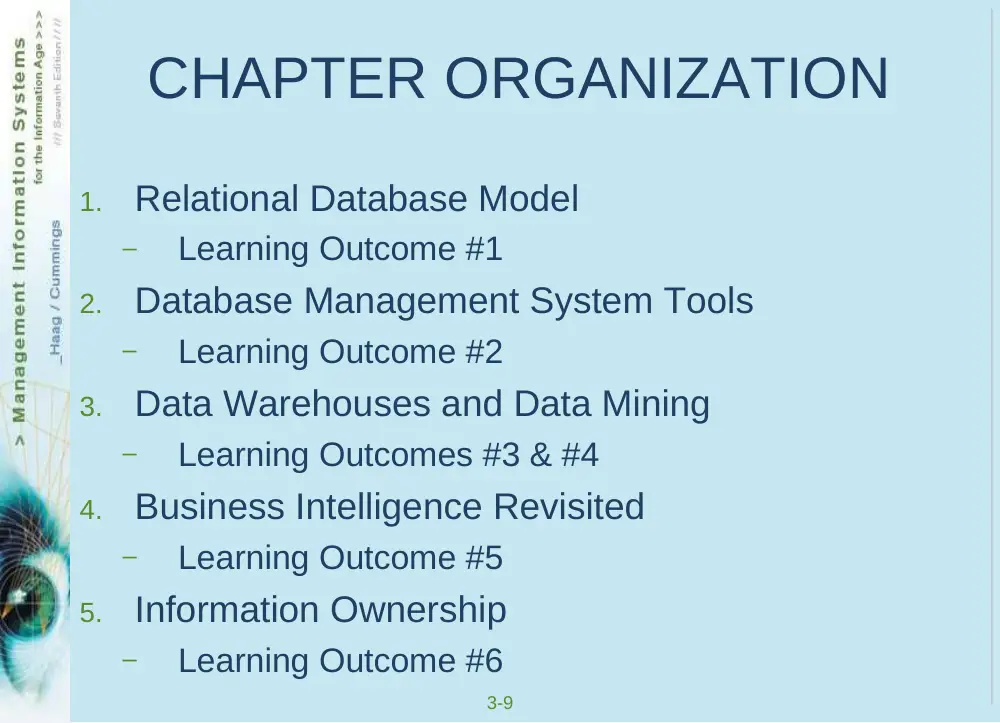
CHAPTER ORGANIZATION
1.
Relational Database Model
–
Learning Outcome #1
2.
Database Management System Tools
–
Learning Outcome #2
3.
Data Warehouses and Data Mining
–
Learning Outcomes #3 & #4
4.
Business Intelligence Revisited
–
Learning Outcome #5
5.
Information Ownership
–
Learning Outcome #6
3-10
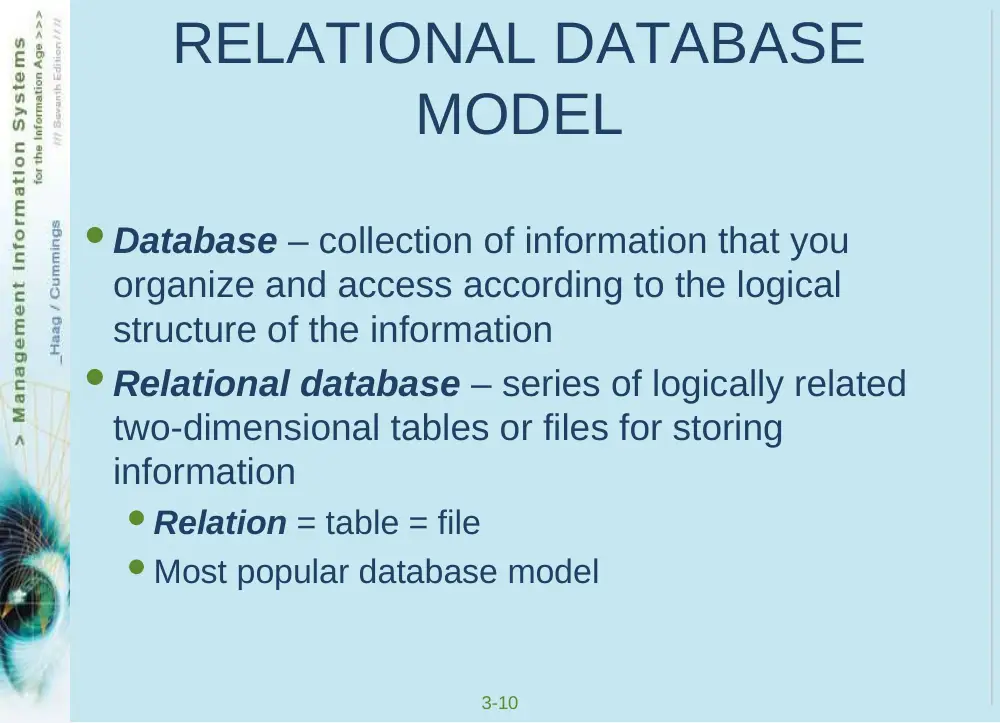
RELATIONAL DATABASE
MODEL
Database – collection of information that you
organize and access according to the logical
structure of the information
Relational database – series of logically related
two-dimensional tables or files for storing
information
Relation = table = file
Most popular database model
3-11
Database Characteristics
Collections of information
Created with logical structures
Include logical ties within the information
Include built-in integrity constraints
3-12
Database – Collection of Information
3-13
Database – Created with Logical
Structures
Data dictionary – contains the logical structure for
the information in a database
Before you can enter information
into a database, you must define
the data dictionary for all the
tables and their fields. For
example, when you create the
Truck table, you must specify that
it will have three pieces of
information and that Date of
Purchase is a field in Date format.
3-14
Database – Logical Ties within the
Information
Primary key – field (or group of fields) that uniquely
describes each record
Foreign key – primary key of one file that appears
in another file
Customer Number is the
primary key for Customer and
appears in Order as a foreign
key
3-15
Database – Logical Ties within the
Information
3-16
Databases – Built-In Integrity
Constraints
Integrity constraints – rules that help ensure the
quality of information
Data dictionary, for example, defines type of
information – numeric, date, and so on
Foreign keys – must be found as primary keys in
another file
E.G., a Customer Number in the Order Table must
also be present in the Customer Table
3-17
DATABASE MANAGEMENT SYSTEM
TOOLS
Database management system
(DBMS) – helps you specify the
logical requirements for a
database and access and use the
information in a database
3-18
5 Components of a DBMS
1.
DBMS engine
2.
Data definition subsystem
3.
Data manipulation subsystem
4.
Application generation subsystem
5.
Data administration subsystem
3-19
DBMS Engine
• DBMS engine – accepts logical requests from other
DBMS subsystems, converts them into the physical
equivalents, and access the database and data
dictionary on a storage device
• Physical view – how information is physically
arranged, stored, and accessed on a storage device
• Logical view – how you need to arrange and
access information to meet your needs
3-20
Data Definition Subsystem
Data definition subsystem – helps you create and
maintain the data dictionary and structure of the
files in a database
The data dictionary helps you define…
Field names
Data types (numeric, etc)
Form (do you need an area code)
Default value
Is an entry required, etc
3-21
Data Manipulation Subsystem
Data manipulation subsystem – helps you add,
change, and delete information in a database and
query it to find valuable information
Most often your primary interface
Includes views, report generators, query-by-
example tools, and structured query language
3-22
View
View – allows you to see the contents of a database
file, make changes, and query it to find information
Binoculars
3-23
Report Generator
Report generator – helps
you quickly define formats
of reports and what
information you want to
see in a report
3-24
Query-by-Example Tool
QBE tool – helps you graphically design the answer
to a question
3-25
Structured Query Language
SQL – standardized fourth-generation query
language found in most DBMSs
Sentence-structure equivalent to QBE
Mostly used by IT professionals
3-26
Application Generation Subsystem
Application generation subsystem – contains
facilities to help you develop transaction-intensive
applications
Mainly used by IT professionals
3-27
Data Administration Subsystem
• Data administration subsystem – helps you
manage the overall database environment by
providing facilities for…
– Backup and recovery
– Security management
– Query optimization
– Reorganization
– Concurrency control
– Change management
3-28
Data Administration Subsystem
Backup and recovery – for backing up information
and restarting (recovering) from a failure
Backup – copy of information on a computer
Recovery – process of reinstalling the backup
information in the even the information was lost
3-29
Data Administration Subsystem
Security management – for CRUD access – create,
read, update, and delete
Query optimization – to minimize response times for
large, complex queries
Reorganization – for physically rearranging the
structure of the information according to how you
most often access it
3-30
Data Administration Subsystem
Concurrency control – what happens if two people
attempt to make changes to the same record
Change management – how will structural changes
impact the overall database
3-31
DATA WAREHOUSES AND DATA
MINING
Help you build and work with
business intelligence and some
forms of knowledge
Data warehouse – collection of
information (from many places)
that supports business analysis
activities and decision making
3-32
Data Warehouse Characteristics
Multidimensional
Rows, columns, and layers
Support decision making, not transaction processing
Contain summaries of information
Not every detail
3-33
Data-Mining Tools
Data-mining tools – software tools you use to
query information in a data warehouse
3-34
Data-Mining Tools
• Query-and-reporting tools – similar to QBE tools,
SQL, and report generators
• Intelligent agents – utilize AI tools to help you
“discover” information and trends
• Multidimensional analysis (MDA tools) – slice-
and-dice techniques for viewing multidimensional
information
• Statistical tools – for applying mathematical models
to data warehouse information
3-35
Data Marts
Data mart – subset of a data warehouse in which
only a focused portion of the data warehouse
information is kept
3-36
Data Warehouse Considerations
Do you really need one, or does your database
environment support all your functions?
Do all employees need a big data warehouse or a
smaller data mart?
How up-to-date must the information be?
What data-mining tools do you need?
3-37
BUSINESS INTELLIGENCE
REVISITED
• Business intelligence (BI) – collective information
about customers, competitors, business partners,
competitive environment, and your internal
operations for making important, effective, and
strategic business decisions
• Hot topic in business today
• Current market is $50 billion and double-digit annual
growth
3-38
BI Objectives
Help people understand
Capabilities of the organization
State of the art trends and future directions of the
market
Technological, demographic, economic, political,
social, and regulatory environments in which the
organization competes
Actions of competitors
3-39
Building Business Intelligence
3-40
Viewing Business Intelligence
Digital dashboard – displays
key information gathered from
several sources in a format
tailored to the needs and wants
of an individual
3-41
INFORMATION OWNERSHIP
Information is a resource you must manage and
organize to help the organization meet its goals and
objectives
You need to consider
Strategic management support
Sharing information with responsibility
Information cleanliness
3-42
Strategic Management Support
• Covered many c-level positions in Chapter 2 for IT
• 2 others in information management
• Data administration – function that plans for,
oversees the development of, and monitors the
information resource
• Database administration – function responsible
for the more technical and operational aspects of
managing organizational information
3-43
Sharing Information
Everyone can share – while not consuming –
information
But someone must “own” it by accepting
responsibility for its quality and accuracy
3-44
Information Cleanliness
Related to ownership and responsibility for quality
and accuracy
No duplicate information
No redundant records with slightly different data,
such as the spelling of a customer name
GIGO – if you have garbage information you get
garbage information for decision making