
EECE 310L Lab 2, Fall 2011
American University of Beirut · Electric Circuits Laboratory · 8 pages


More EECE 310L files
Show the text of this lab
EECE 310L : Electric Circuits Laboratory
Experiment 2
1
A m e r i c a n U n i v e r s i t y o f B e i r u t
Fall 2011
Experiment 2
Equipment and Instruments in the Lab
EECE 310L : Electric Circuits Laboratory
Experiment 2
2
Table of Contents
I.
Objectives .................................................................................................................................................. 3
II.
material and Procedure ....................................................................................................................... 3
A.
BreadBoard .......................................................................................................................... 3
B.
Power Supply ....................................................................................................................... 4
C.
Digital MultiMeter (DMM) ............................................................................................... 5
D.
Function Generator ........................................................................................................... 6
E.
Oscilloscope ......................................................................................................................... 7
III.
Outcomes ................................................................................................................................................... 8
EECE 310L : Electric Circuits Laboratory
Experiment 2
3
I.
OBJECTIVES
In this experiment you will learn the following:
• How to connect circuits using the breadboard.
• How to use the Tektronix PS 280 power supply.
• How to use the Agilent 33120A function generator.
• How to use the Fluke 45 digital multimeter.
• How to use the Tektronix TDS 220 oscilloscope.
II. MATERIAL AND PROCEDURE
A. BREADBOARD
The breadboard is a plastic perforated board on which you will build your circuits. The
breadboard has many strips of metal (usually copper), which run underneath the board.
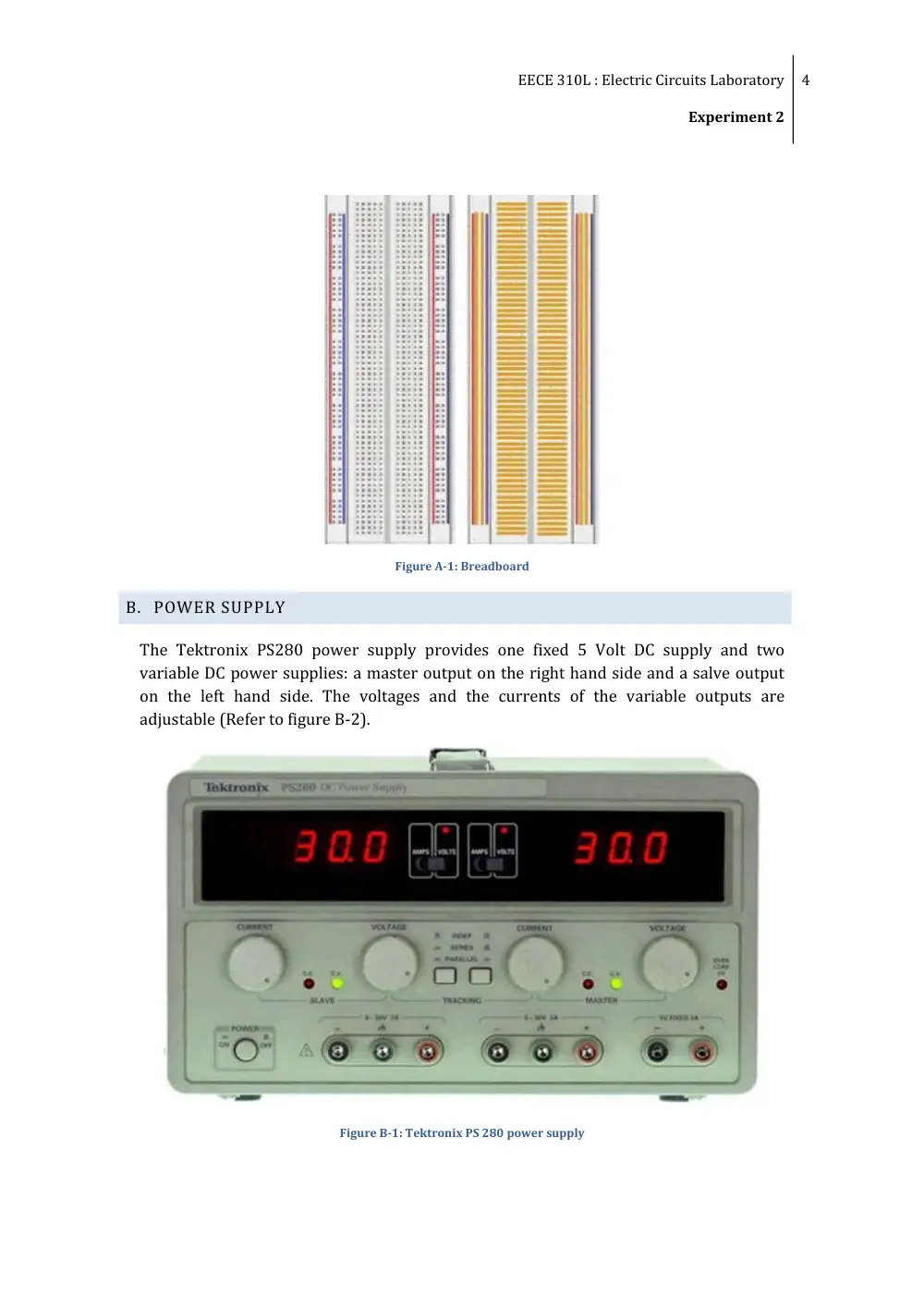
The metal strips are laid out as shown in the figure A-1.
The metal strips connect the holes on the top of the board. This makes it easy to connect
components together to build circuits. To use the breadboard, the legs of components
are placed in the holes (the sockets). The holes are made so that they will hold the
component in place. Each hole is connected to one of the metal strips running
underneath the board.
Each wire forms a node. A node is a point in a circuit where two components are
connected. Connections between different components are formed by putting their legs
in a common node. On the breadboard, a node is the row of holes that are connected by
the strip of metal underneath.
The long top and bottom row of holes are usually used for power supply connections.
The rest of the circuit is built by placing components and connecting them together with
jumper wires. When a path is formed by wires and components from the positive supply
node to the negative supply node, current flows through the path and the circuit comes
alive.
Integrated circuits are placed in the middle of the board so that half of the legs are on
one side of the middle separator and half are on the other side.
EECE 310L : Electric Circuits Laboratory
Experiment 2
4
Figure A-1: Breadboard
B. POWER SUPPLY
The Tektronix PS280 power supply provides one fixed 5 Volt DC supply and two
variable DC power supplies: a master output on the right hand side and a salve output
on the left hand side. The voltages and the currents of the variable outputs are
adjustable (Refer to figure B-2).
Figure B-1: Tektronix PS 280 power supply
EECE 310L : Electric Circuits Laboratory
Experiment 2
5
Procedure
Plug the instrument in the power outlet.
Insert the probes in their proper sockets: black probe in the - (minus) socket and
red probe in the + (plus) socket.
Turn the power supply on and make sure that none of the probes is in contact
with the other probe, as this creates a short-circuit.
When using the variable supplies, you can adjust the voltage with the voltage
knob and the current limit with the current knob for both supplies.
The variable power supplies can be operated in three modes:
Independent, when both push buttons in the middle are depressed.
In series, when the left button is pressed and the right button is depressed.
In parallel when both push buttons are pressed.
C. DIGITAL MULTIMETER (DMM)
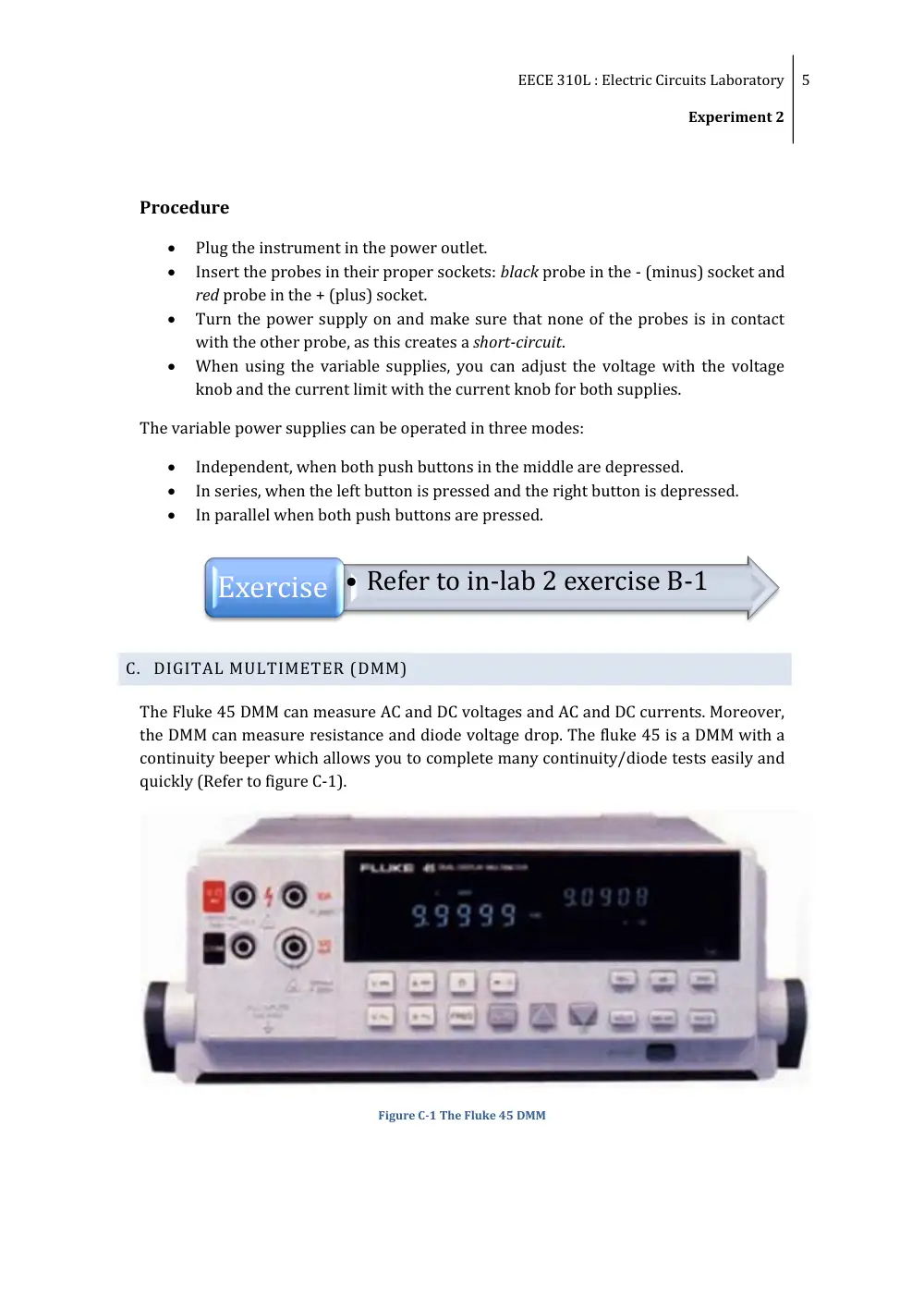
The Fluke 45 DMM can measure AC and DC voltages and AC and DC currents. Moreover,
the DMM can measure resistance and diode voltage drop. The fluke 45 is a DMM with a
continuity beeper which allows you to complete many continuity/diode tests easily and
quickly (Refer to figure C-1).
Figure C-1 The Fluke 45 DMM
Exercise • Refer to in-lab 2 exercise B-1
EECE 310L : Electric Circuits Laboratory
Experiment 2
6
Procedure
Switch the DMM on using the green switch below the front panel.
Plug the probes in the appropriate plugs, according to the measurement you are
going to perform.
Select the type of measurement form the selection push buttons located on the
front panel of the DMM.
The DMM is equipped with an auto scale option that will automatically select the
proper scale for your measurement.
Note: Current measurement is done in series whereas voltage measurement is done
in parallel.
D. FUNCTION GENERATOR
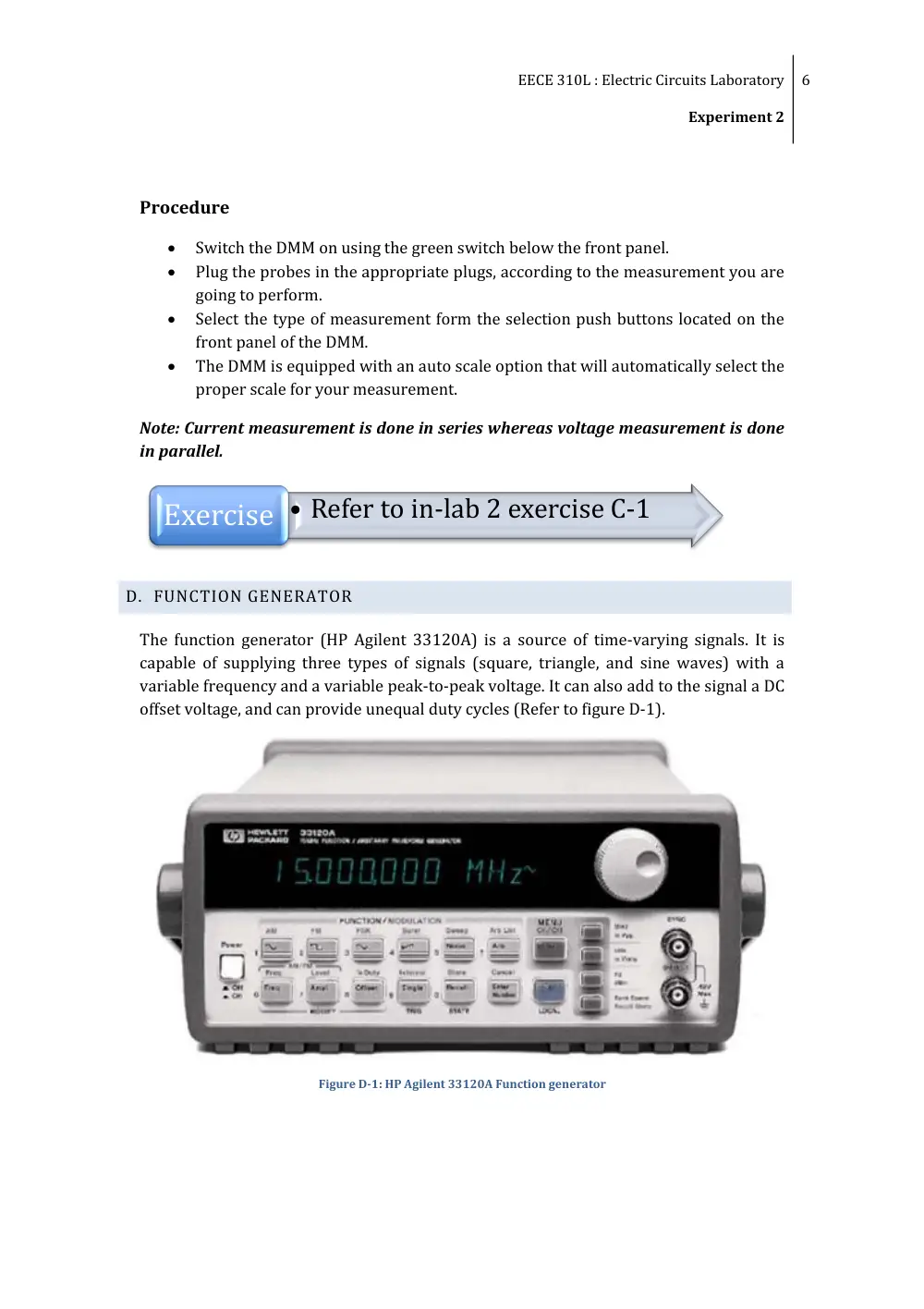
The function generator (HP Agilent 33120A) is a source of time-varying signals. It is
capable of supplying three types of signals (square, triangle, and sine waves) with a
variable frequency and a variable peak-to-peak voltage. It can also add to the signal a DC
offset voltage, and can provide unequal duty cycles (Refer to figure D-1).
Figure D-1: HP Agilent 33120A Function generator
Exercise • Refer to in-lab 2 exercise C-1
EECE 310L : Electric Circuits Laboratory
Experiment 2
7
Procedure
Plug the instrument in the power outlet and turn it on using its on/off power
switch.
Plug the output cable in the lower BNC connector labeled “OUTPUT”.
Select the desired signal type by pressing the appropriate key (sin, square,
triangle.)
Adjust the frequency, amplitude, and DC offset by selecting the appropriate key;
adjust the duty cycle by pressing shift then DC offset.
Numeric values can be changed either using the rotating knob on the screen, or
directly by pressing enter number and then “enter”.
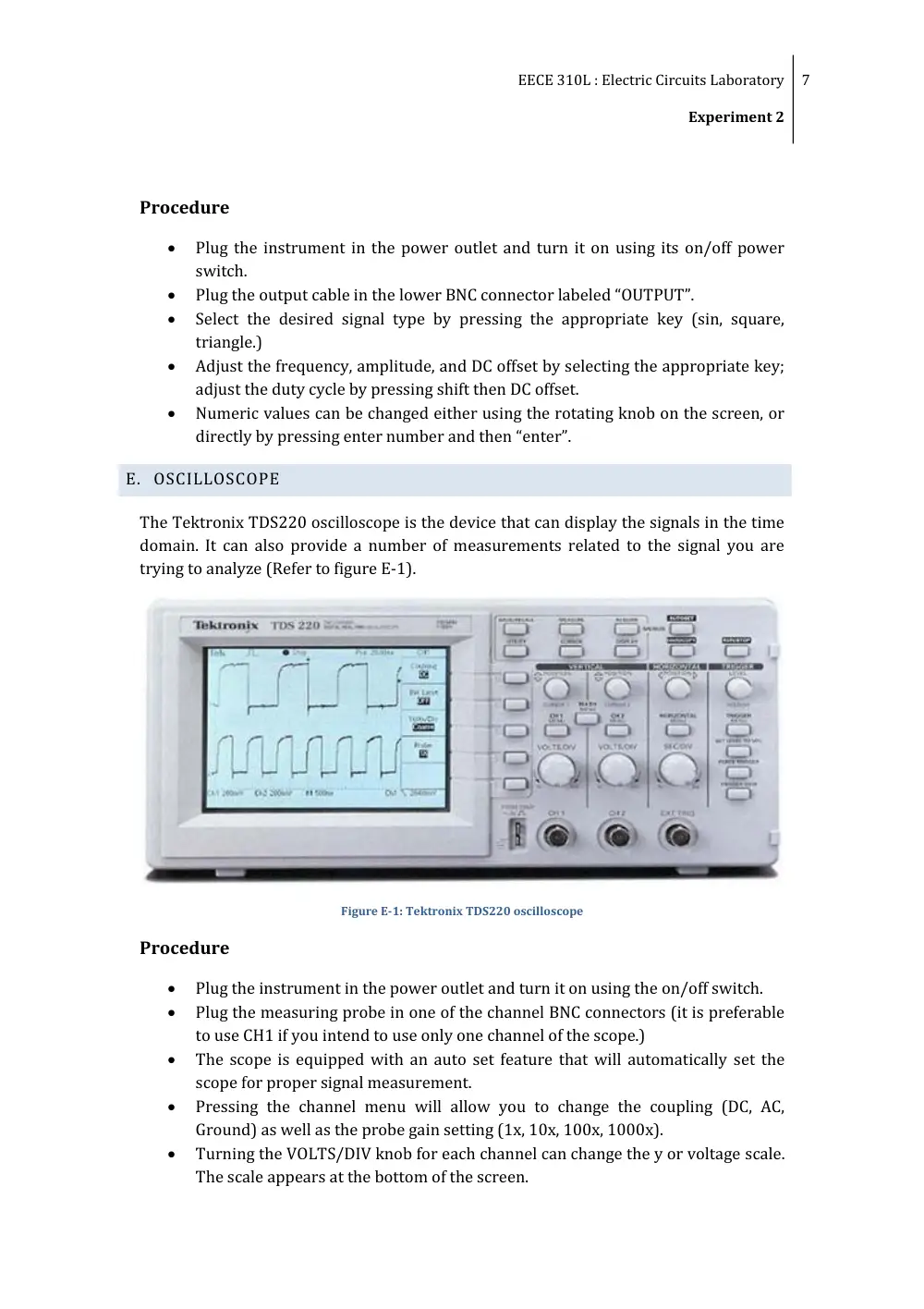
E. OSCILLOSCOPE
The Tektronix TDS220 oscilloscope is the device that can display the signals in the time
domain. It can also provide a number of measurements related to the signal you are
trying to analyze (Refer to figure E-1).
Figure E-1: Tektronix TDS220 oscilloscope
Procedure
Plug the instrument in the power outlet and turn it on using the on/off switch.
Plug the measuring probe in one of the channel BNC connectors (it is preferable
to use CH1 if you intend to use only one channel of the scope.)
The scope is equipped with an auto set feature that will automatically set the
scope for proper signal measurement.
Pressing the channel menu will allow you to change the coupling (DC, AC,
Ground) as well as the probe gain setting (1x, 10x, 100x, 1000x).
Turning the VOLTS/DIV knob for each channel can change the y or voltage scale.
The scale appears at the bottom of the screen.
EECE 310L : Electric Circuits Laboratory
Experiment 2
8
Turning the SEC/DIV knob will change the x or time scale for both channels. The
time scale appears at the bottom of the screen.
The measure function will allow you to directly take a reading from the screen
without the need to count the squares and to multiply by the scale. The following
measurement can be made: Peak-to-peak, RMS, Frequency, Period, and Mean.
III. OUTCOMES
By the end of Experiment II, students:
Should know how to use a breadboard to connect different components and
circuit configurations
Should understand the functionalities of the power supply along with its
different modes
Are familiar with the function generator
Are able to measure different signals’ parameters using Digital Multi-meter and
oscilloscope
Exercise • Refer to in-lab 2 exercise D-1 &E-1