
ENG 206 Final, Spring 2003
American University of Beirut · Technical English · 12 pages



Showing the first 10 of 12 pages. Download the PDF to see all of it.
More ENG 206 files
Show the text of this final exam
RICAN USIYERSITR
LIBR AKY
OF BEIRUT
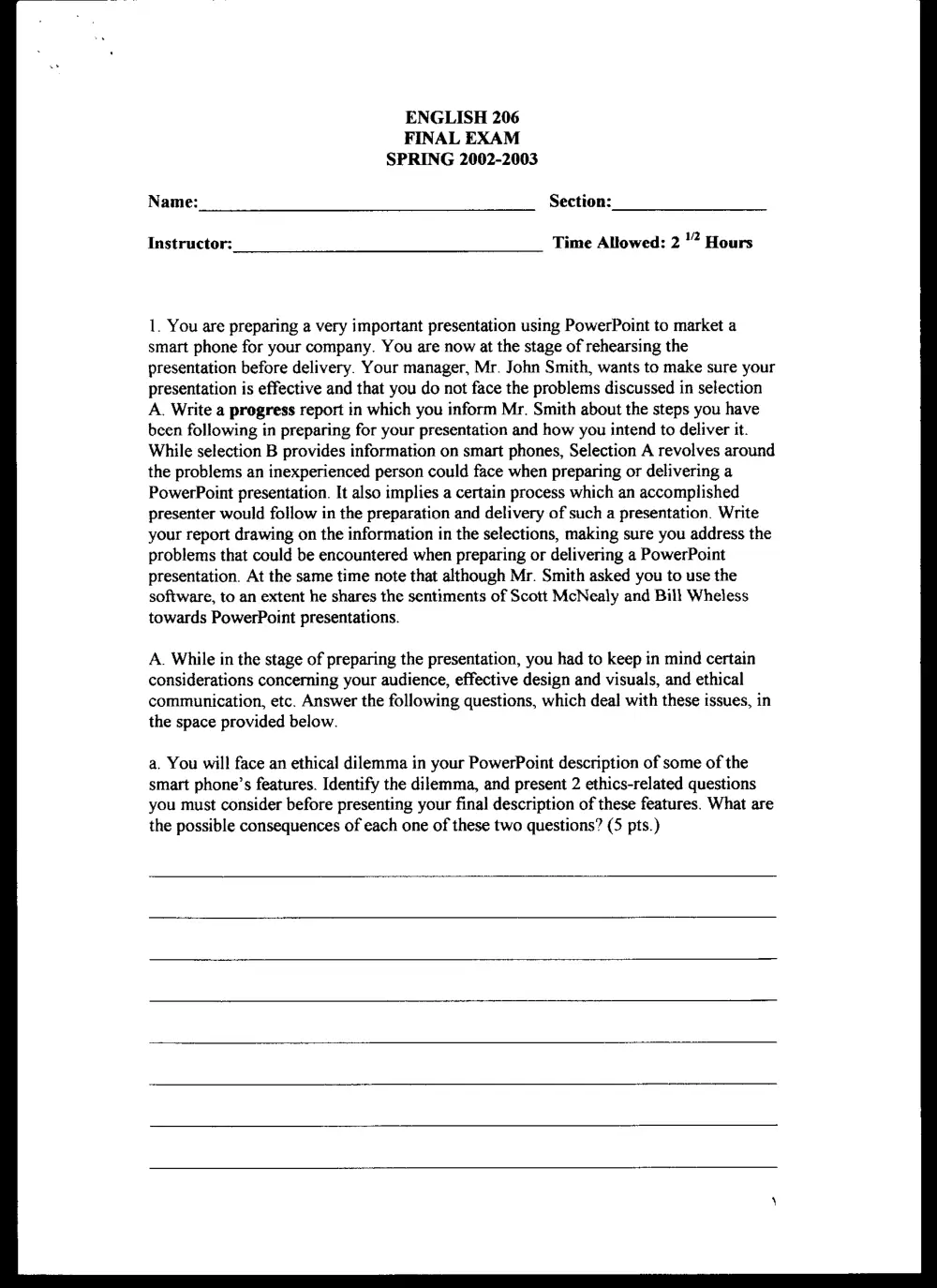
ENGLISH 206
FINAL EXAM
SPRING 2002-2003
Name: Section:
Instructor: Time Allowed: 2 % Hours
PowerPoint: What's wrong with it?
by
REBECCA GANZEL
SELECTION A:
1. It's that nightmare again —- the one in which you're trapped in the Electronic
Presentation from Hell. The familiar darkness presses in, periodically sliced in
half by a fiendish light. Bullet points, about 18 to a slide, swaying in all
directions. You cringe, but the slides keep coming, too fast to read, each with a
new template you half-remember seeing a hundred times before: Infinite Double-
Helixes! A typewriter clatters; brakes squeal. Somewhere in the shadows, a voice
drones on. Strange stick people shake hands and dance around a flowchart.
Typefaces morph into Word Art.
. In the decade or so since it was introduced, Microsoft PowerPoint has quickly
become de rigueur in virtually all business presentations, from the CEO
addressing the board of directors to a salesperson touting a new product. "You
almost wonder now when you walk into a presentation and someone doesn't use
PowerPoint," says Katherine Hutt, who owns a public-relations agency in
Virginia. "You want to ask them, 'Are you from the Dark Ages?”
. But the very success of electronic presentations has inspired a backlash of sorts.
Most companies are reluctant to own up to it, but nearly everyone has heard of a
company somewhere that tried to proscribe or limit the use of presentation
software, whether by banning it as "too formal” for internal communications,
limiting it to the boardroom or going so far as to dictate which colors can and
can't be used. In the most famous on-the-record instance, Sun Microsystems’
president, Scott McNealy, announced in 1997 that PowerPoint was verboten for
his 25,000 employees -- but, Zhe New York Times dryly noted last April, "the ban
was not enforced."
. What's wrong with PowerPoint? The main argument against electronic
presentations is one any teacher would applaud: They divert the attention of both
audience and speaker from the presenter's message to what is essentially a series
ERI Cay TINTVERS:
LIBRARY
OF veinie
10.
ll.
of pictures. The slide show, once peripheral to a presentation (remember "visual
aids"?), has become its center, even its reason for being.
"No one asks for a memo or a report anymore," Fortune reported. "Now it's just,
‘Send me your slides."” When attending a presentation increasingly means sitting
in a darkened room with a brightly lit screen, you hardly notice the human being
standing beside the screen.
The human beings know this, too. McNealy's ostensible reason for banning
PowerPoint was that Sun employees were spending too much time preparing
slides, presumably at the expense of other kinds of preparation. And he had a
point. Like any software program, PowerPoint can be a real time-sucker. If you're
a perfectionist -- and what salesperson angling for a multimillion-dollar account
can afford not to be? -- you could spend hours reordering your slides, fine-tuning
your fonts, resizing your bullets, sampling clip art, experimenting with transitions.
"It's like alcohol in the hands ofa drunk," says Bill Wheless, an executive trainer
and coach in Greenville, S.C., who occasionally has to restrain clients from an
overzealous use of PowerPoint. "What we need is moderation."
Not that he has anything against presentation software. "I think PowerPoint itself
is fabulous -- it does everything that it is designed to do well in the hands of an
accomplished presenter," he says. But when an inexperienced person starts using
it as a crutch, watch out: “PowerPoint is very user-friendly, but it wants you to sit
down and create the whole presentation on PowerPoint." Instead, Wheless says,
presenters should choose visuals only after they have a firm idea of what they're
going to say.
Why are you up there? "The presenter's job is to change an audience -- that's
why you're up there," says Wheless, who was in broadcasting for 20 years before
founding Wheless Communications 10 years ago. "In order to do that, you have to
be your driving agent. Your slides [alone] aren't going to accomplish your goal.
You should use visuals to support a point, to make it interesting, to show things in
a different way, to add emphasis. You need to use them because they make you
more persuasive -- not because you can click a button that says Next Slide."
Others agree that one of PowerPoint's main problems is, ironically, that it's too
easy to use. Katherine Hutt, who has 17 years’ experience in public relations ("I
started back when it was carousels and overheads"), is president of Nautilus
Communications, which she describes as "a virtual agency" in Vienna, Va. She
works with clients to bolster internal and external communications, which almost
always involves electronic slides.
"In inexperienced hands, PowerPoint can be awful," she says. "As with any
software, whether it is good or bad has a lot to do with the person sitting behind
the keyboard. But it's dangerous -- it makes it too easy to think we're [design]
OF betney
experts." Salespeople and engineers shouldn't be wasting their time fiddling with
typefaces and templates, Hutt says: "If you don't have a background in design, go
out and hire someone who does.”
. Still, any presentation that goes beyond 10 minutes needs some sort of visuals,
she says, "or people will go to sleep." She firmly believes listeners will remember
points better if they read them on a screen as well as hear them. And if she can't
use PowerPoint for those visuals, she's likely to use none at all, instead using
some sort of audience interaction (a quiz, for instance) to break up the monotony.
. "Whether you're using slides or overheads, they are still a bunch of stagnant
images,” Hutt says. "I tell my clients, 'Keep it simple, and keep it moving." She's
strongly in favor of corporate-communications guidelines that limit presenters to a
few well-designed templates, arguing that outside presentations are part of a
company's corporate identity: "You don't let employees design their own business
cards -- there's a productivity issue here."
. Appealing to the visual learner For some people, though, the typical corporate
guidelines don't go far enough. If Nick Morgan had his way, for instance, the oft-
quoted rule "Use no more than six words per line on a slide" would become "Use
no words."
. "People say, 'T've been told that most people are visual learners,' and they use this
as an excuse to visually overwhelm the audience,” Morgan says. A Princeton
University professor and former speechwriter who edits the Harvard Management
Communication Letter, a monthly newsletter, he's skeptical of studies that divide
people into visual and auditory learners. When you add kinesthetic leamers (those
who leam through movement) to the mix, he points out, your visual learners are
likely to make up no more than 40 percent of your audience.
16. More to the point, "the research shows that visual learners do not lear from
words; they learn from pictures -- from very simple, bold images, like circles or
rectangles," he says. By contrast, "the vast majority [of PowerPoint slides] are
words, maybe with some lousy clip art. What's the visual element there — the
typeface? Are people supposed to admire the Clarendon Bold?"
. Moreover, by setting up all presentations as a series of slides, "PowerPoint makes
bad habits easy," Morgan says. "Ninety-nine percent of speakers just clean up
their notes and put them onscreen, so it becomes a crutch for a nervous speaker to
get through a presentation. You get the presentation version of Gresham's Law --
bad presentations chasing out good ones.”
. Any good presentation will have the presenter as its prime focus, he says; visuals
should be used sparingly and only to reinforce the speaker's credibility. How
sparingly? To answer this question, Morgan tells the story of a client who started
at a pace of one slide per minute (not unusual in the corporate world, he says) for
a speech that could go up to three hours. After working with him for six months,
Morgan gradually pared the client down to one single slide -- albeit one with six
pictures that could be highlighted in various ways throughout the speech.
. If one slide every three hours seems a bit spartan to you, remember that expecting
an audience to simultaneously absorb information from the ear and the eye is a
demonstrably inefficient way of getting your message across, Morgan says. And
when you add another bad habit, printing your slides and handing them out ahead
of time, "that's the worst sin -- you're asking your audience to do three things at
once.”
. Your slides are not a handout In effect, by encouraging users to move
seamlessly between notes, slides and handouts, PowerPoint sets up novice
speakers to do what most of them want to do anyway: take a back seat to their
visuals.
"So often people [working with PowerPoint} develop what's really a handout,”
says Gayle Brickman, a consultant in Milwaukee. "I help them differentiate
between a handout and presentation slides." Handouts can provide extensive
background, but slides, by contrast, should be brief and to the point; an audience
member should be able to get the gist in one glance.
. "Making slides into your handout is just way too much content," she says.
"People think [audience members] like it because it looks good, but most people
don't."
. Brickman began in sales and taught public speaking before founding her
company. Along the way, she says, "I started to identify what good speakers did.
For a few people, (good speaking] is intuitive, but that's much more rare than
people think. Most of the time, it's trial and error. And I was just horror-struck to
hear how much time people spend preparing a presentation."
. To counteract this, she developed a step-by-step series of worksheets that she uses
with her clients, called "Prepare to Speak." As Wheless does, Brickman stresses
that visuals, and hence PowerPoint, should come quite late in the process of
preparing a speech.
. "PowerPoint can get you in trouble because it's so much fun," she says. "People
are having a good time playing, under the guise of doing work, and they get
sidetracked into unimportant issues. Choosing among all the transitions, all the
backgrounds -- it's like a video game: ‘I'm working on my presentation.” She
thinks that time would be better used going back to the basics -- analyzing what
the audience needs to know and crafting a presentation that gets a few key
messages across.
ERICAN HNIVERSIF
LIBRARY
OF BIRT
26. "The key here is: Does [a visual] aid the clarity of the presentation?” Brickman
says. "If it does, use it; if not, throw it out."
(Ganzel, R. (2000, February 01). PowerPoint: What's wrong with it? Power pointless.)
SELECTION B:
And It Makes Phone Calls Too: The Latest Phones May Be Too Smart For Our
Own Good
by
H. Asher Bolande
1. When your next mobile phone starts ringing, you might be too busy checking e-
mail, playing a video game or flipping through a photo album to actually answer
it. At least that’s what companies like Samsung, Nokia and Microsoft hope. These
firms are now bringing to market the first crop of so-called smart phones--
handsets with big screens that can manage data and run a wide variety of
programs, just like a miniature personal computer. Research and consulting firm
Gartner predicts that smart-phone sales will increase by more than 60% a year
until 2006, when sales of the souped-up cell phones are expected to surpass those
of standard models.
2. Yes, phone innovations are everywhere: color screens and built-in digital cameras
are popping up on lots of new handsets these days. Yet in most cases, these are
just add-ons to the basic phone chassis. Smart phones have a whole different level
of computing power. Packed with new and more powerful chips, they sport up to
32 megabytes of memory and rival personal digital assistants (pdas) in terms of
capabilities. But their real strength comes from operating-system software
developed specifically for mobile handsets by the likes of Microsoft, Symbian and
PalmSource. These systems make smart phones more flexible and programmable;
in short, they make the devices more like a portable PC. New capabilities can be
added by simply installing additional software.
3. Take e-mail. Thanks to wireless Internet connections, early smart-phone models
allow users to access their office inbox while on the go. E-mail attachments such
as Word, Excel or PowerPoint files can even be viewed using models based on
Microsoft’s Smartphone 2002 OS system. And like pdas, smart phones can be
synchronized with PCs, allowing users to conveniently swap everything from
archives to address books between their phones and computers.
4. Most early smart phones also include media software, so users can listen to MP3
songs or watch video clips downloaded from the Intemet. Samsung is readying its
oe 5
Tig
ee, ‘ .
a,
smart phones for global-positioning-system technology, which would bring maps
and real-time location information to the phone’s screen. And once the devices
have the processing power to run the latest encryption technology, smart phones
could finally make good on the much-hyped prospect of secure wireless banking,
stock trading and other commercial transactions.
5. There is, however, a classic chicken-egg conundrum. In most countries smart-
phone users can’t enjoy the full multimedia capabilities of their handsets because
they have to make do with existing mobile services that are much too slow and
expensive. The category really won’t come into its own until operators roll out
speedy third-generation (3G) wireless services, like Hutchinson’s “3” in Europe.
That service has scooped up 60,000 subscribers since it debuted in Italy and
Britain, but it’s far too early to tell if it will end up either popular or profitable.
6. Inthe meantime, there’s some work to do on the product. For one thing, the first
smart phones come at a high price: C300 or C600. Initial models sport crisp color
displays that make accessing information more lively. But those big screens—and
the need to fit big computing engines inside-——make the units bulky compared to
normal mobile phones. Lots of screen space also means more cramped control
panels. It’s clumsy and uncomfortable to input text and navigate programs using
the thumb of the hand that’s holding the phone. And phone keypads are designed
for pushing buttons, not typing, so editing daily diaries or replying to e-mails can
be cumbersome. The software side, too, could use an upgrade. Microsoft and
Symbian haven’t exorcised PC-like demons. For example, smart phones tend to
crash——and having to reset a phone after it freezes won’t please average users.
These are complex devices, and getting the most out of them may require the
patience of a geek. The question is, will consumers be willing to pay that price for
their smarts?
(Bolande, A.H. (2003, April 14).And it makes phone calls too: The latest phones may be too smart for our
own good. Time International, v.161,i 14, p. 57.)
ENGLISH 206
FINAL EXAM
SPRING 2002-2003
Name: Section:
Instructor: Time Allowed: 2 '? Hours
1. You are preparing a very important presentation using PowerPoint to market a
smart phone for your company. You are now at the stage of rehearsing the
presentation before delivery. Your manager, Mr. John Smith, wants to make sure your
presentation is effective and that you do not face the problems discussed in selection
A. Write a progress report in which you inform Mr. Smith about the steps you have
bcen following in preparing for your presentation and how you intend to deliver it.
While selection B provides information on smart phones, Selection A revolves around
the problems an inexperienced person could face when preparing or delivering a
PowerPoint presentation. It also implies a certain process which an accomplished
presenter would follow in the preparation and delivery of such a presentation. Write
your report drawing on the information in the selections, making sure you address the
problems that could be encountered when preparing or delivering a PowerPoint
presentation. At the same time note that although Mr. Smith asked you to use the
software, to an extent he shares the sentiments of Scott McNealy and Bill Wheless
towards PowerPoint presentations.
A. While in the stage of preparing the presentation, you had to keep in mind certain
considerations concerning your audience, effective design and visuals, and ethical
communication, etc. Answer the following questions, which deal with these issues, in
the space provided below.
a. You will face an ethical dilemma in your PowerPoint description of some of the
smart phone’s features. Identify the dilemma, and present 2 ethics-related questions
you must consider before presenting your final description of these features. What are
the possible consequences of each one of these two questions? (5 pts.)
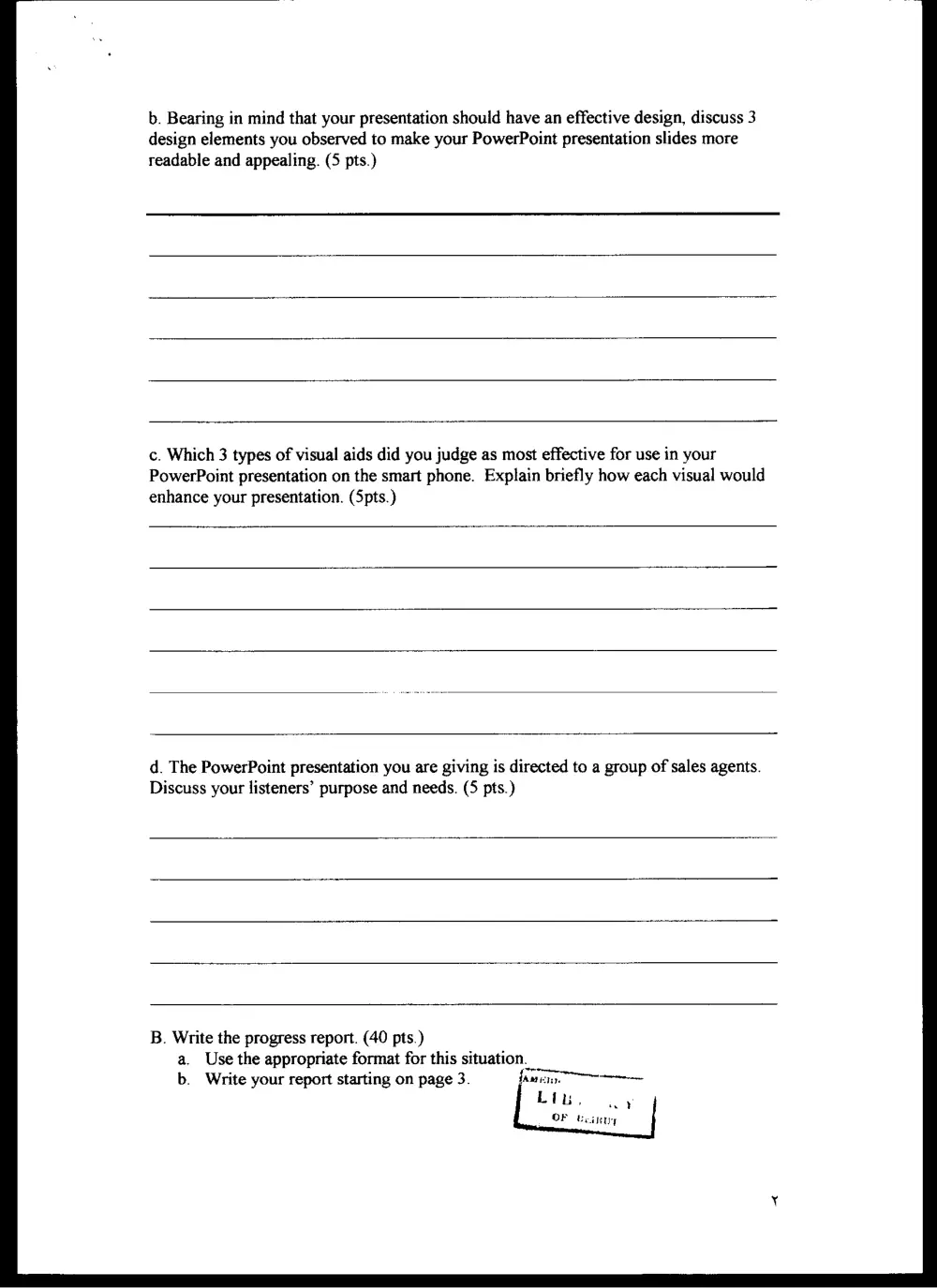
b. Bearing in mind that your presentation should have an effective design, discuss 3
design elements you observed to make your PowerPoint presentation slides more
readable and appealing. (5 pts.)
c. Which 3 types of visual aids did you judge as most effective for use in your
PowerPoint presentation on the smart phone. Explain briefly how each visual would
enhance your presentation. (Spts.)
d. The PowerPoint presentation you are giving is directed to a group of sales agents.
Discuss your listeners’ purpose and needs. (5 pts.)
B. Write the progress report. (40 pts.)
a. Use the appropriate format for this situation
b. Write your report starting on page 3. fatage