
ENG 206 Notes Summary, Fall 2016
American University of Beirut · Technical English · 7 pages · Ms. Haifa Shayto
More ENG 206 files
- Notes Audience Analysis · Spring 2018NotesView
- Syllabus · Summer 2015LabView
- Report Feasibility Report · Fall 2012FileView
- Exam 1 · Spring 2011ExamView
- Report Feasibility Study of BMW's Green Project · Fall 2011ProjectView
- Report · Fall 2011FileView
- Final · Spring 2011Final examView
- Useful File · Spring 2011FileView
Show the text of this notes
Technical Communication
1
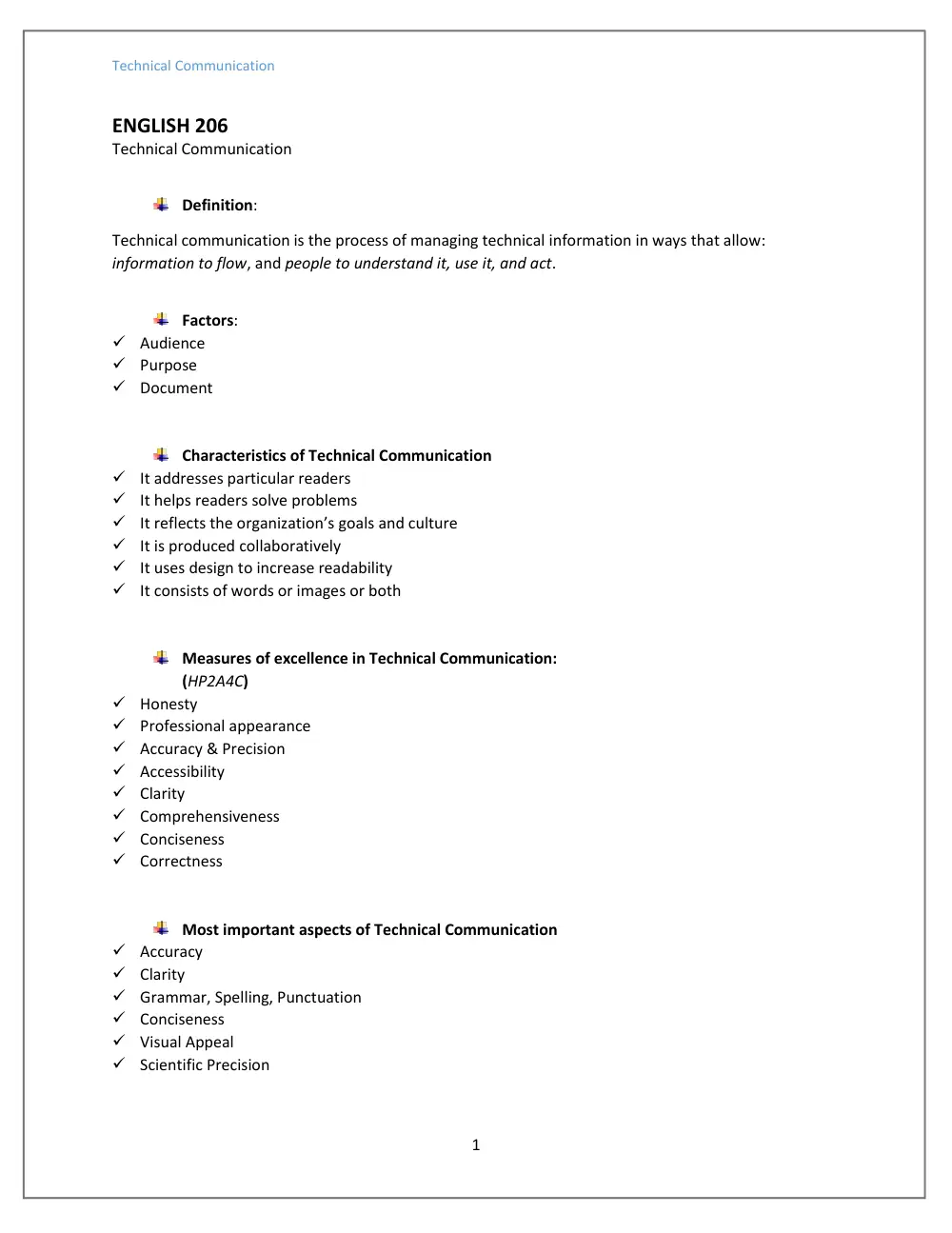
ENGLISH 206
Technical Communication
Definition:
Technical communication is the process of managing technical information in ways that allow:
information to flow, and people to understand it, use it, and act.
Factors:
Audience
Purpose
Document
Characteristics of Technical Communication
It addresses particular readers
It helps readers solve problems
It reflects the organization’s goals and culture
It is produced collaboratively
It uses design to increase readability
It consists of words or images or both
Measures of excellence in Technical Communication:
(HP2A4C)
Honesty
Professional appearance
Accuracy & Precision
Accessibility
Clarity
Comprehensiveness
Conciseness
Correctness
Most important aspects of Technical Communication
Accuracy
Clarity
Grammar, Spelling, Punctuation
Conciseness
Visual Appeal
Scientific Precision
Technical Communication
2
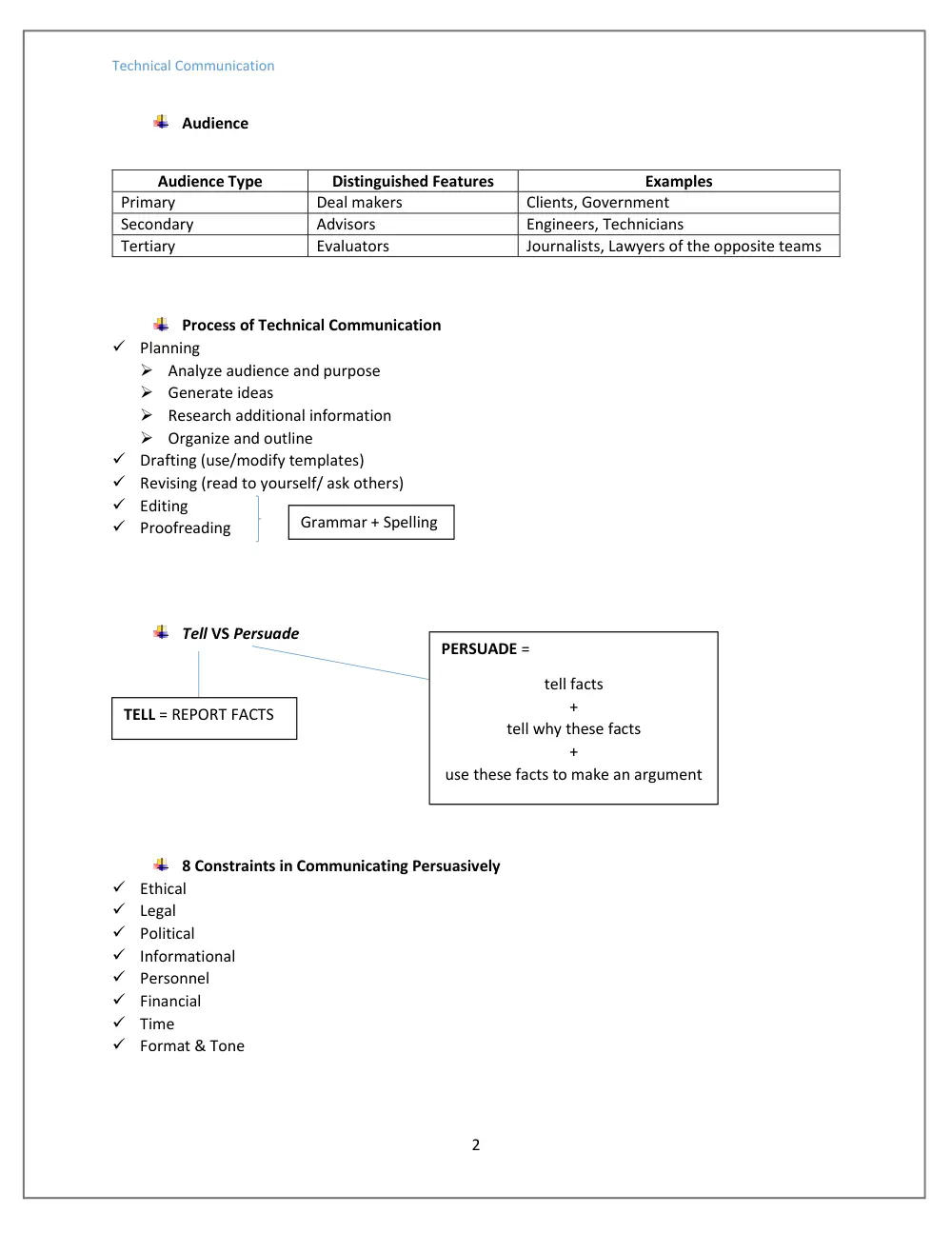
Audience
Audience Type
Distinguished Features
Examples
Primary
Deal makers
Clients, Government
Secondary
Advisors
Engineers, Technicians
Tertiary
Evaluators
Journalists, Lawyers of the opposite teams
Process of Technical Communication
Planning
Analyze audience and purpose
Generate ideas
Research additional information
Organize and outline
Drafting (use/modify templates)
Revising (read to yourself/ ask others)
Editing
Proofreading
Tell VS Persuade
8 Constraints in Communicating Persuasively
Ethical
Legal
Political
Informational
Personnel
Financial
Time
Format & Tone
PERSUADE =
tell facts
+
tell why these facts
+
use these facts to make an argument
TELL = REPORT FACTS
Grammar + Spelling
Technical Communication
3
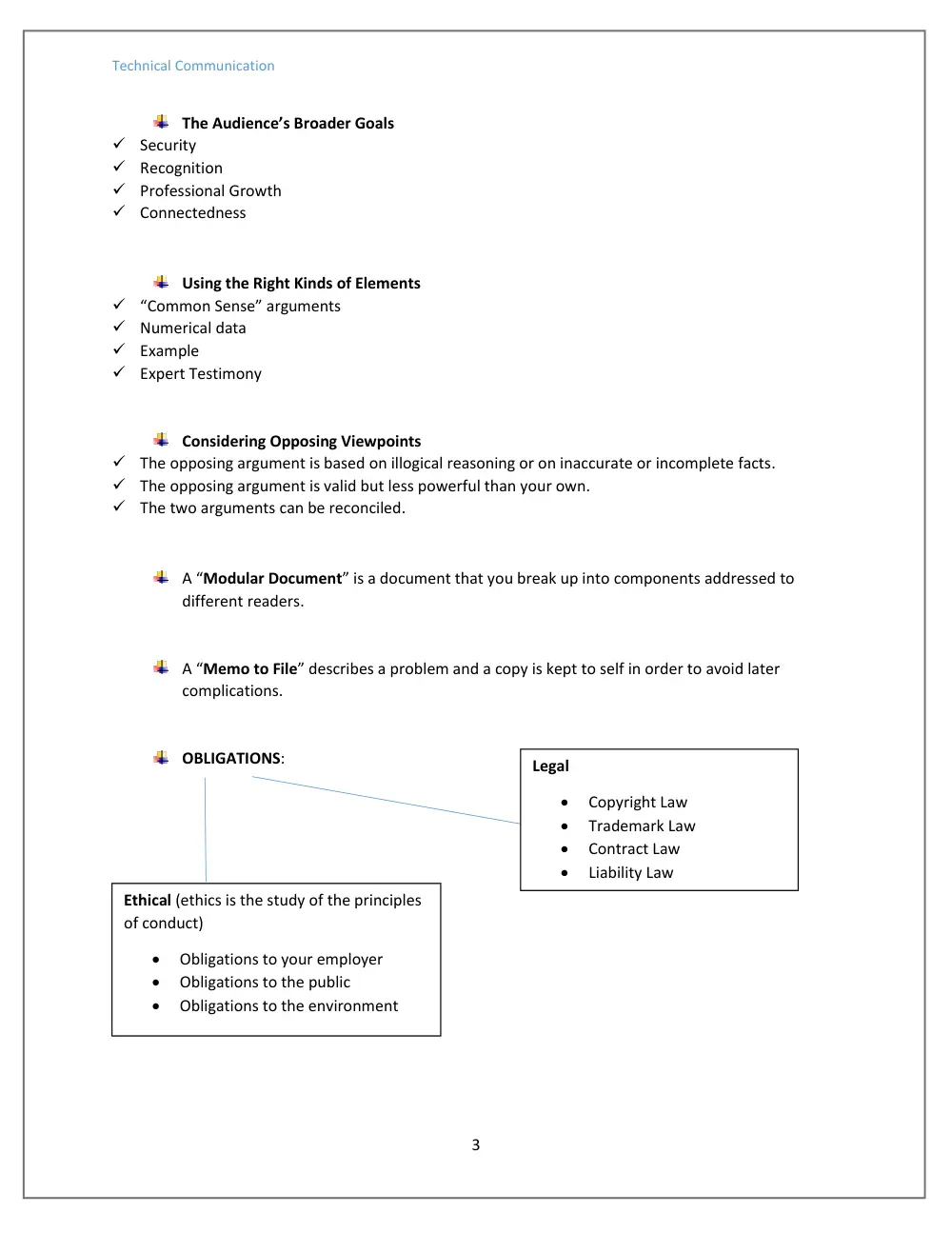
The Audience’s Broader Goals
Security
Recognition
Professional Growth
Connectedness
Using the Right Kinds of Elements
“Common Sense” arguments
Numerical data
Example
Expert Testimony
Considering Opposing Viewpoints
The opposing argument is based on illogical reasoning or on inaccurate or incomplete facts.
The opposing argument is valid but less powerful than your own.
The two arguments can be reconciled.
A “Modular Document” is a document that you break up into components addressed to
different readers.
A “Memo to File” describes a problem and a copy is kept to self in order to avoid later
complications.
OBLIGATIONS:
Ethical (ethics is the study of the principles
of conduct)
Obligations to your employer
Obligations to the public
Obligations to the environment
Legal
Copyright Law
Trademark Law
Contract Law
Liability Law
Technical Communication
4
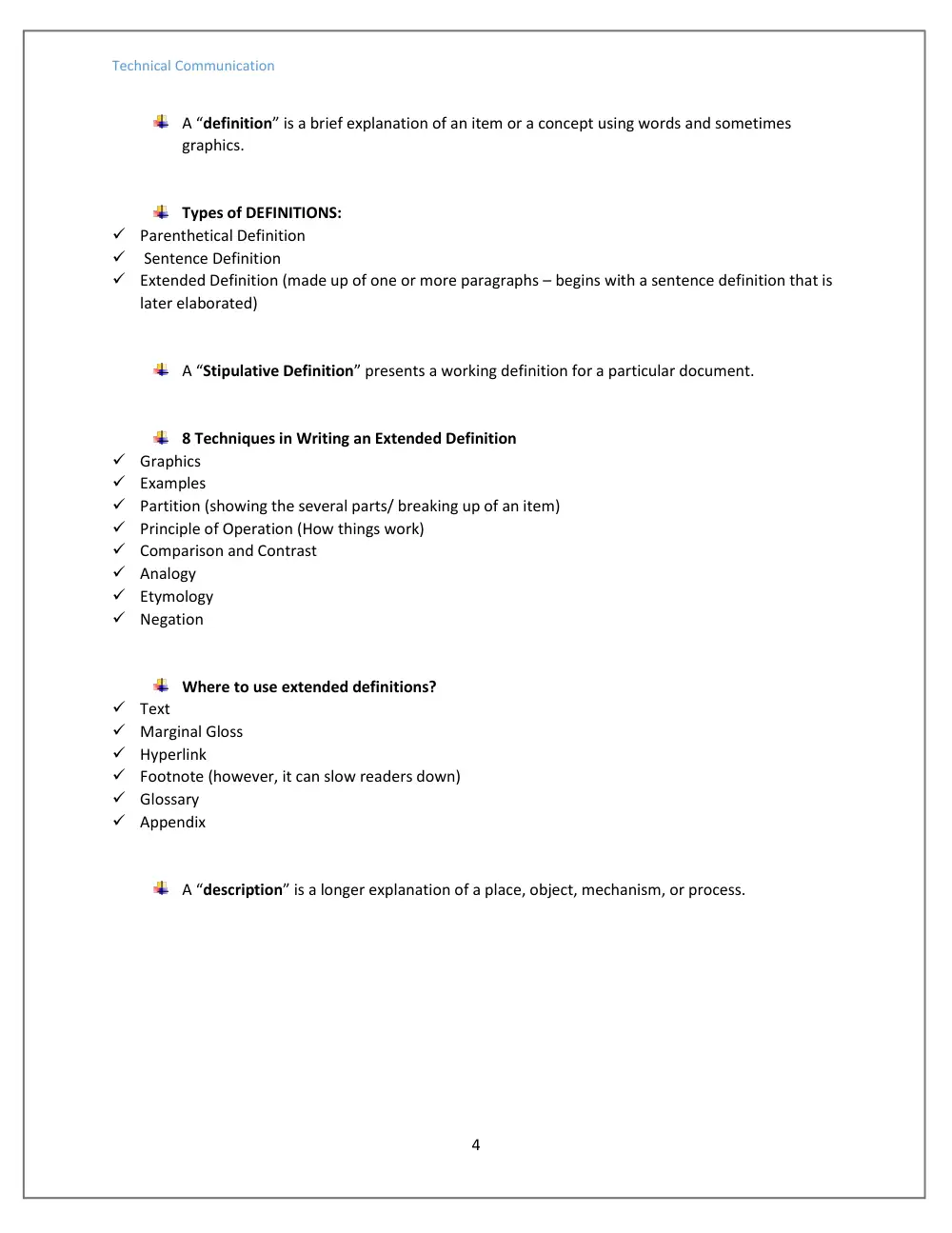
A “definition” is a brief explanation of an item or a concept using words and sometimes
graphics.
Types of DEFINITIONS:
Parenthetical Definition
Sentence Definition
Extended Definition (made up of one or more paragraphs – begins with a sentence definition that is
later elaborated)
A “Stipulative Definition” presents a working definition for a particular document.
8 Techniques in Writing an Extended Definition
Graphics
Examples
Partition (showing the several parts/ breaking up of an item)
Principle of Operation (How things work)
Comparison and Contrast
Analogy
Etymology
Negation
Where to use extended definitions?
Text
Marginal Gloss
Hyperlink
Footnote (however, it can slow readers down)
Glossary
Appendix
A “description” is a longer explanation of a place, object, mechanism, or process.
Technical Communication
5
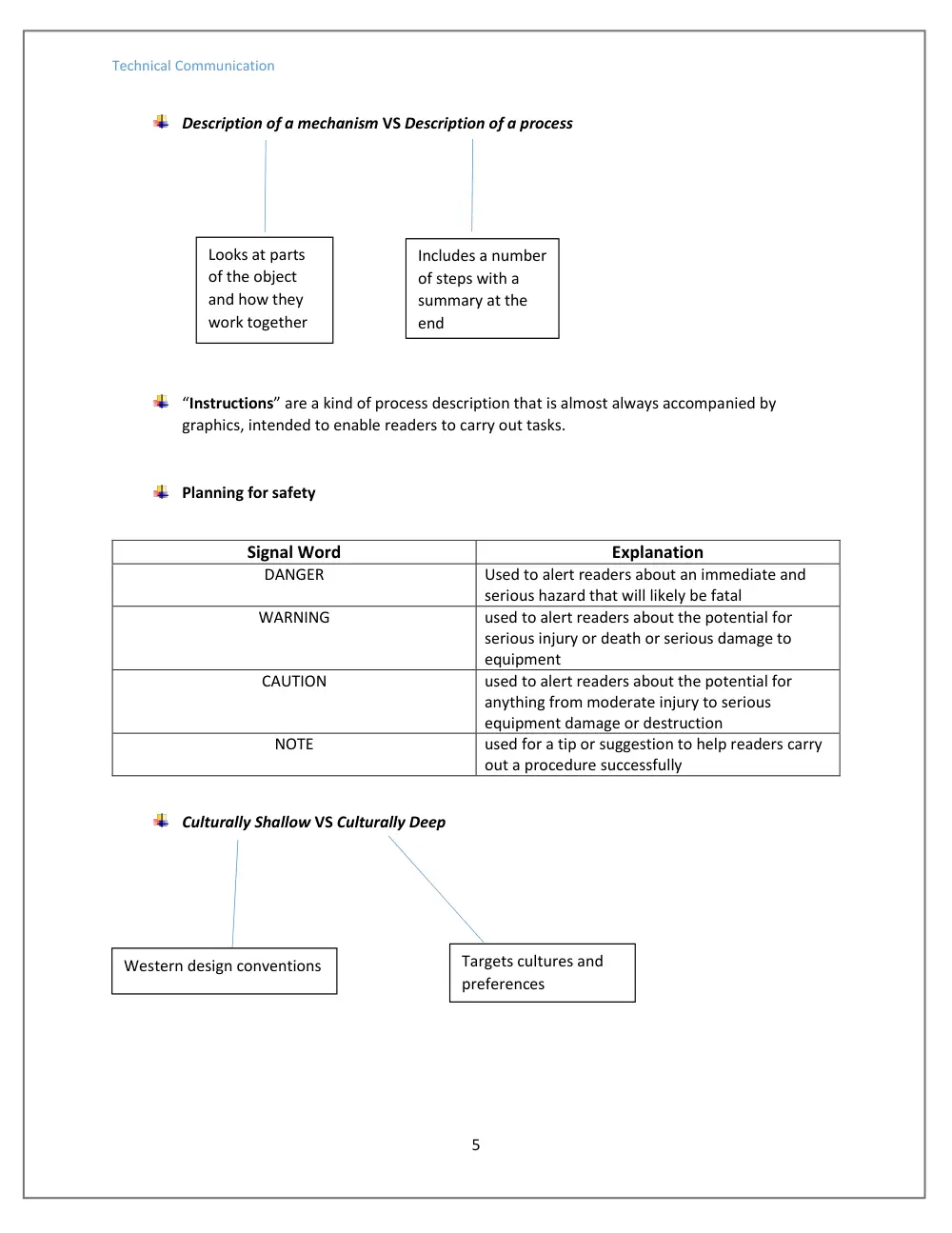
Description of a mechanism VS Description of a process
“Instructions” are a kind of process description that is almost always accompanied by
graphics, intended to enable readers to carry out tasks.
Planning for safety
Signal Word
Explanation
DANGER
Used to alert readers about an immediate and
serious hazard that will likely be fatal
WARNING
used to alert readers about the potential for
serious injury or death or serious damage to
equipment
CAUTION
used to alert readers about the potential for
anything from moderate injury to serious
equipment damage or destruction
NOTE
used for a tip or suggestion to help readers carry
out a procedure successfully
Culturally Shallow VS Culturally Deep
Looks at parts
of the object
and how they
work together
Includes a number
of steps with a
summary at the
end
Western design conventions
Targets cultures and
preferences
Technical Communication
6
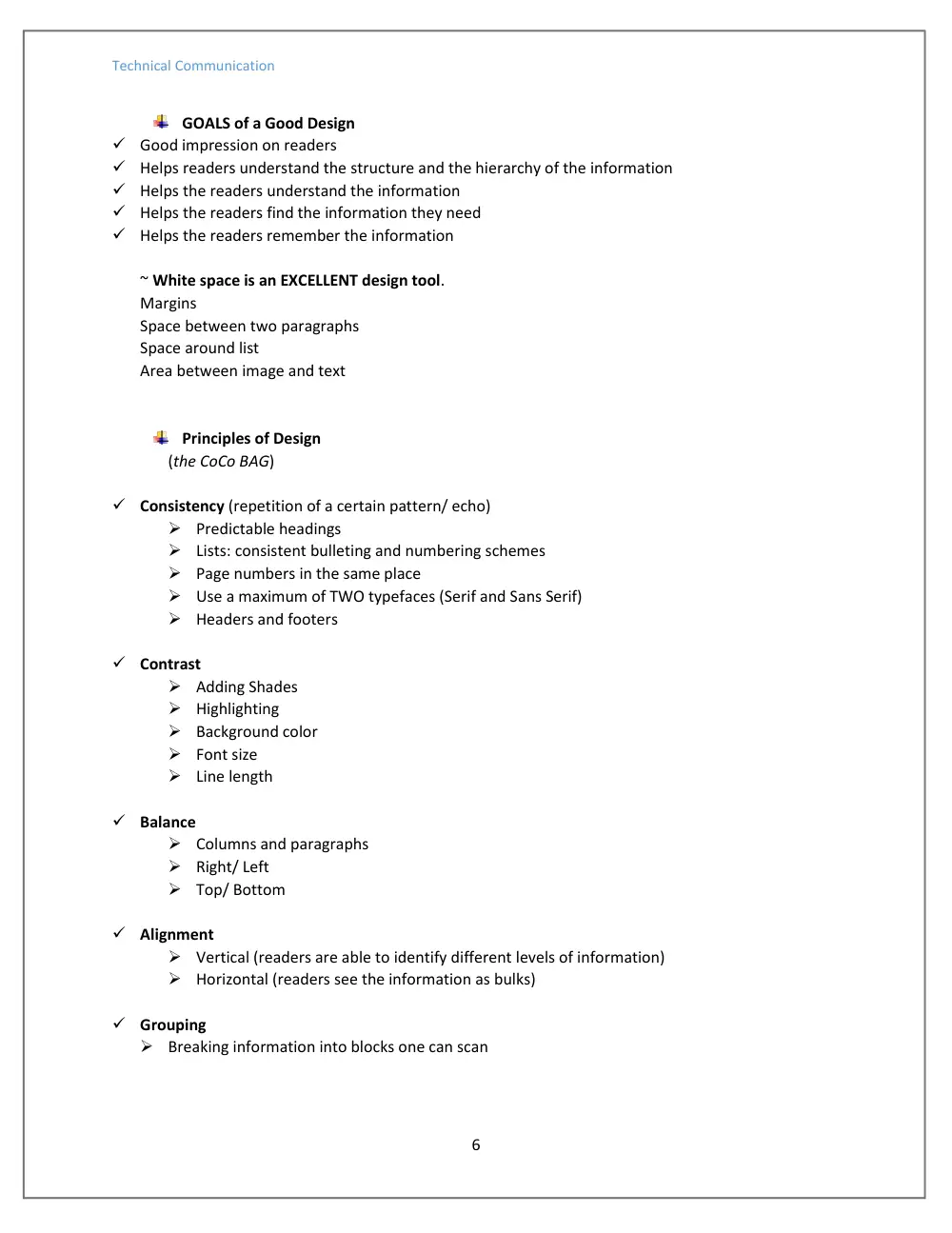
GOALS of a Good Design
Good impression on readers
Helps readers understand the structure and the hierarchy of the information
Helps the readers understand the information
Helps the readers find the information they need
Helps the readers remember the information
~ White space is an EXCELLENT design tool.
Margins
Space between two paragraphs
Space around list
Area between image and text
Principles of Design
(the CoCo BAG)
Consistency (repetition of a certain pattern/ echo)
Predictable headings
Lists: consistent bulleting and numbering schemes
Page numbers in the same place
Use a maximum of TWO typefaces (Serif and Sans Serif)
Headers and footers
Contrast
Adding Shades
Highlighting
Background color
Font size
Line length
Balance
Columns and paragraphs
Right/ Left
Top/ Bottom
Alignment
Vertical (readers are able to identify different levels of information)
Horizontal (readers see the information as bulks)
Grouping
Breaking information into blocks one can scan
Technical Communication
7
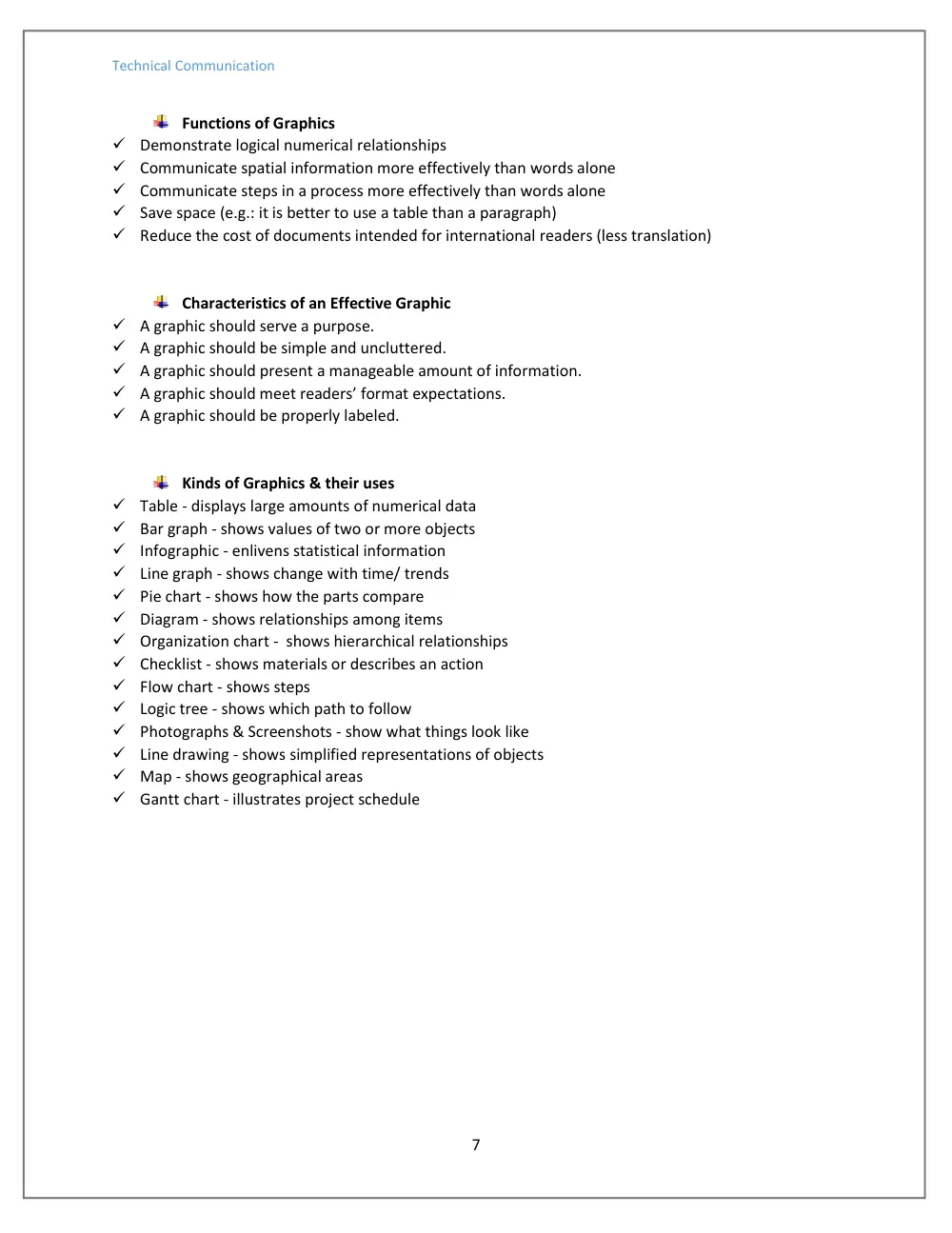
Functions of Graphics
Demonstrate logical numerical relationships
Communicate spatial information more effectively than words alone
Communicate steps in a process more effectively than words alone
Save space (e.g.: it is better to use a table than a paragraph)
Reduce the cost of documents intended for international readers (less translation)
Characteristics of an Effective Graphic
A graphic should serve a purpose.
A graphic should be simple and uncluttered.
A graphic should present a manageable amount of information.
A graphic should meet readers’ format expectations.
A graphic should be properly labeled.
Kinds of Graphics & their uses
Table - displays large amounts of numerical data
Bar graph - shows values of two or more objects
Infographic - enlivens statistical information
Line graph - shows change with time/ trends
Pie chart - shows how the parts compare
Diagram - shows relationships among items
Organization chart - shows hierarchical relationships
Checklist - shows materials or describes an action
Flow chart - shows steps
Logic tree - shows which path to follow
Photographs & Screenshots - show what things look like
Line drawing - shows simplified representations of objects
Map - shows geographical areas
Gantt chart - illustrates project schedule