
CSC 326 Chapter 2, Spring 2016
Lebanese American University · Operating Systems · 41 pages · Dr. Azzam Mourad
Showing the first 10 of 41 pages. Download the PDF to see all of it.
More CSC 326 files
Show the text of this chapter
Silberschatz, Galvin and Gagne ©2013
Operating System Concepts – 9th Edition
Chapter 2: Operating-System
Structures
2.2
Silberschatz, Galvin and Gagne ©2013
Operating System Concepts – 9th Edition
Chapter 2: Operating-System Structures
Operating System Services
User Operating System Interface
System Calls
Types of System Calls
System Programs
Operating System Design and Implementation
Operating System Structure
2.3
Silberschatz, Galvin and Gagne ©2013
Operating System Concepts – 9th Edition
Objectives
To describe the services an operating system provides to
users, processes, and other systems
To discuss the various ways of structuring an operating
system
To explain how operating systems are installed and
customized and how they boot
2.4
Silberschatz, Galvin and Gagne ©2013
Operating System Concepts – 9th Edition
Operating System Services
Operating systems provide an environment for execution of programs
and services to programs and users
One set of operating-system services provides functions that are
helpful to the user:
User interface - Almost all operating systems have a user
interface (UI).
Varies between Command-Line (CLI), Graphics User
Interface (GUI), Batch
Program execution - The system must be able to load a program
into memory and to run that program, end execution, either
normally or abnormally (indicating error)
I/O operations - A running program may require I/O, which may
involve a file or an I/O device
2.5
Silberschatz, Galvin and Gagne ©2013
Operating System Concepts – 9th Edition
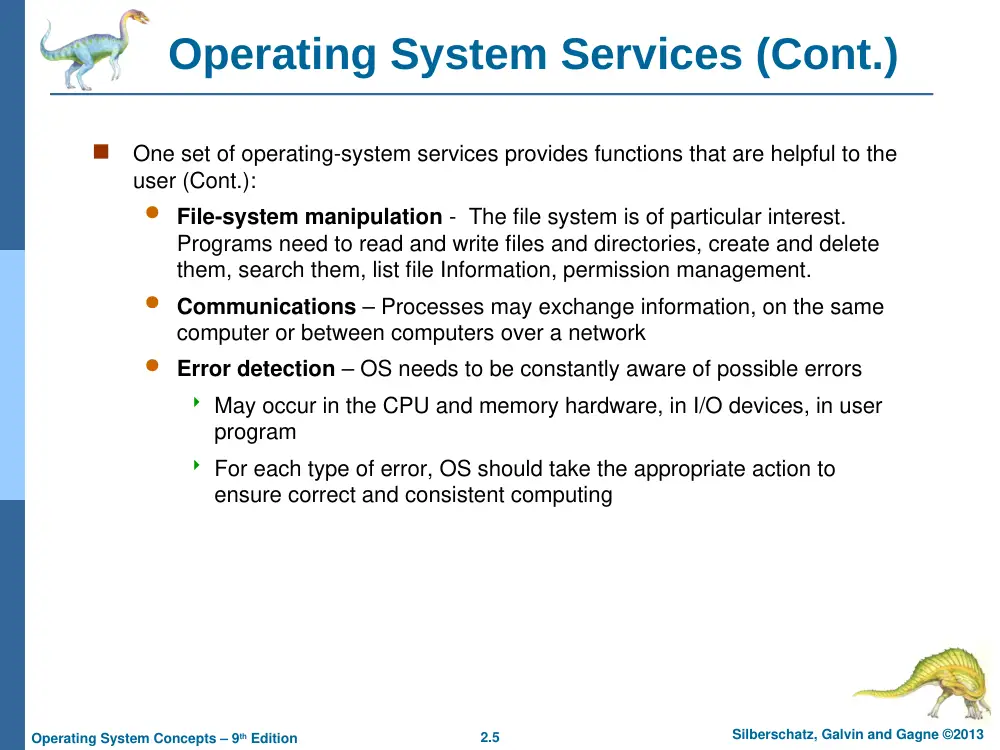
Operating System Services (Cont.)
One set of operating-system services provides functions that are helpful to the
user (Cont.):
File-system manipulation - The file system is of particular interest.
Programs need to read and write files and directories, create and delete
them, search them, list file Information, permission management.
Communications – Processes may exchange information, on the same
computer or between computers over a network
Error detection – OS needs to be constantly aware of possible errors
May occur in the CPU and memory hardware, in I/O devices, in user
program
For each type of error, OS should take the appropriate action to
ensure correct and consistent computing
2.6
Silberschatz, Galvin and Gagne ©2013
Operating System Concepts – 9th Edition
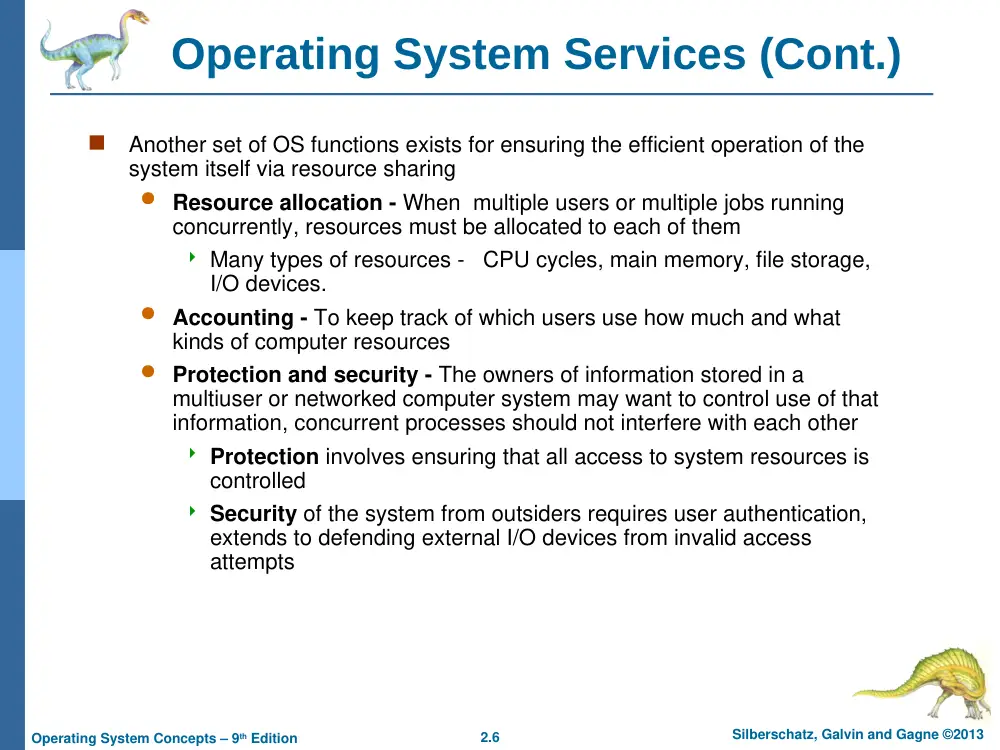
Operating System Services (Cont.)
Another set of OS functions exists for ensuring the efficient operation of the
system itself via resource sharing
Resource allocation - When multiple users or multiple jobs running
concurrently, resources must be allocated to each of them
Many types of resources - CPU cycles, main memory, file storage,
I/O devices.
Accounting - To keep track of which users use how much and what
kinds of computer resources
Protection and security - The owners of information stored in a
multiuser or networked computer system may want to control use of that
information, concurrent processes should not interfere with each other
Protection involves ensuring that all access to system resources is
controlled
Security of the system from outsiders requires user authentication,
extends to defending external I/O devices from invalid access
attempts
2.7
Silberschatz, Galvin and Gagne ©2013
Operating System Concepts – 9th Edition
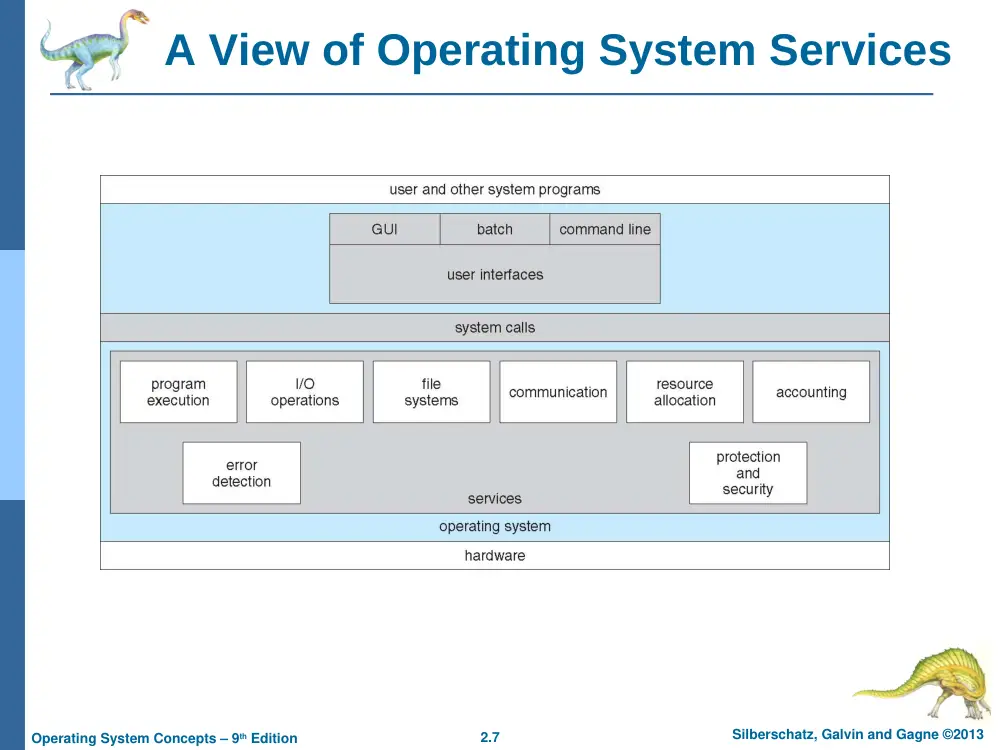
A View of Operating System Services
2.8
Silberschatz, Galvin and Gagne ©2013
Operating System Concepts – 9th Edition
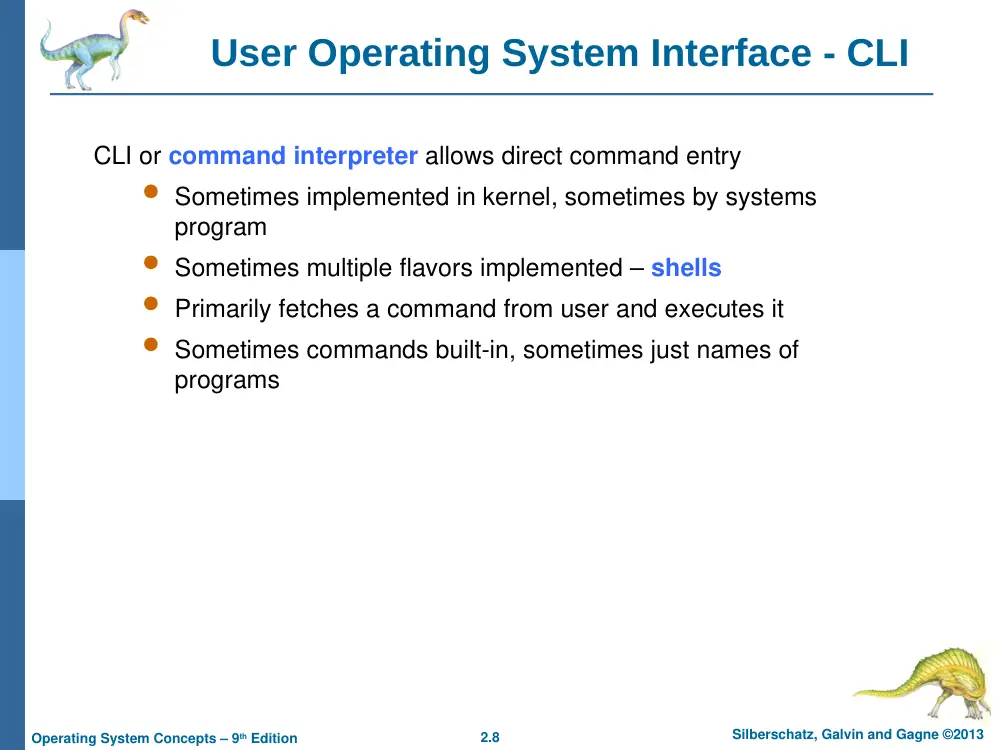
User Operating System Interface - CLI
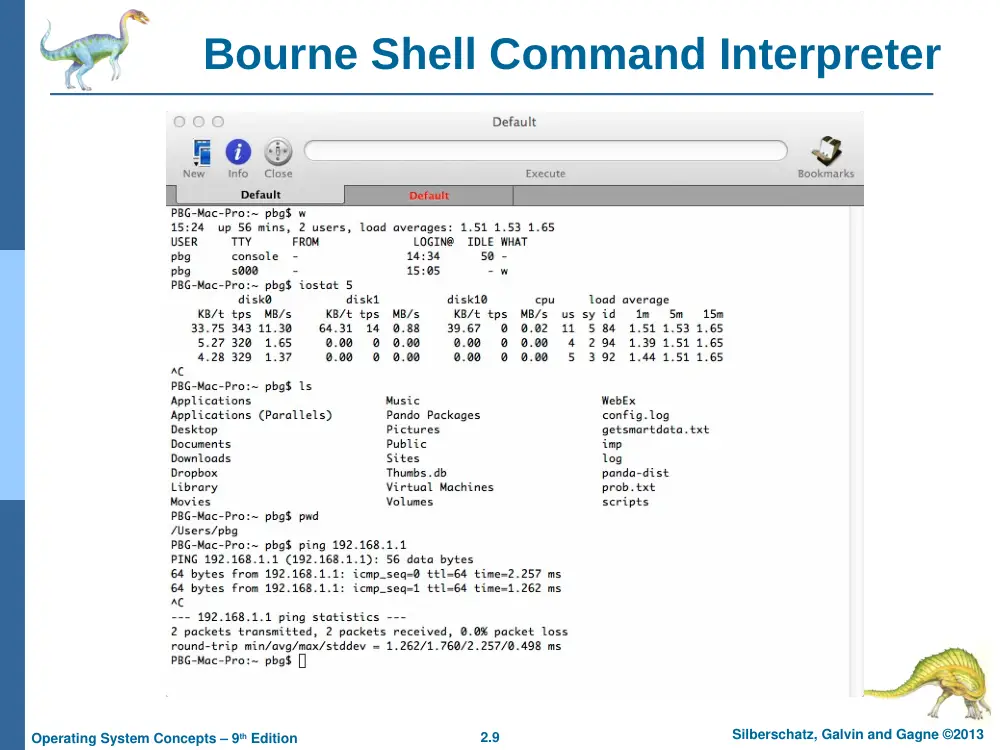
CLI or command interpreter allows direct command entry
Sometimes implemented in kernel, sometimes by systems
program
Sometimes multiple flavors implemented – shells
Primarily fetches a command from user and executes it
Sometimes commands built-in, sometimes just names of
programs
2.9
Silberschatz, Galvin and Gagne ©2013
Operating System Concepts – 9th Edition
Bourne Shell Command Interpreter
2.10
Silberschatz, Galvin and Gagne ©2013
Operating System Concepts – 9th Edition
User Operating System Interface - GUI
User-friendly desktop metaphor interface
Usually mouse, keyboard, and monitor
Icons represent files, programs, actions, etc
Various mouse buttons over objects in the interface cause
various actions (provide information, options, execute function,
open directory (known as a folder)
Many systems now include both CLI and GUI interfaces
Microsoft Windows is GUI with CLI “command” shell
Apple Mac OS X is “Aqua” GUI interface with UNIX kernel
underneath and shells available
Unix and Linux have CLI with optional GUI interfaces (KDE,
GNOME)
2.11
Silberschatz, Galvin and Gagne ©2013
Operating System Concepts – 9th Edition
Touchscreen Interfaces
Touchscreen devices require new
interfaces
Mouse not possible or not desired
Actions and selection based on
gestures
Virtual keyboard for text entry
Voice commands.
2.12
Silberschatz, Galvin and Gagne ©2013
Operating System Concepts – 9th Edition
System Calls
Programming interface to the services provided by the OS
Typically written in a high-level language (C or C++)
Mostly accessed by programs via a high-level
Application Programming Interface (API) rather than
direct system call use
Three most common APIs are Win32 API for Windows,
POSIX API for POSIX-based systems (including virtually
all versions of UNIX, Linux, and Mac OS X), and Java API
for the Java virtual machine (JVM)
Note that the system-call names used throughout this text are
generic
2.13
Silberschatz, Galvin and Gagne ©2013
Operating System Concepts – 9th Edition
Example of System Calls
System call sequence to copy the contents of one file to another file
2.14
Silberschatz, Galvin and Gagne ©2013
Operating System Concepts – 9th Edition
Example of Standard API
2.15
Silberschatz, Galvin and Gagne ©2013
Operating System Concepts – 9th Edition
System Call Implementation
Typically, a number associated with each system call
System-call interface maintains a table indexed according to
these numbers
The system call interface invokes the intended system call in OS
kernel and returns status of the system call and any return values
The caller need know nothing about how the system call is
implemented
Just needs to obey API and understand what OS will do as a
result call
Most details of OS interface hidden from programmer by API
Managed by run-time support library (set of functions built
into libraries included with compiler)
2.16
Silberschatz, Galvin and Gagne ©2013
Operating System Concepts – 9th Edition
API – System Call – OS Relationship
2.17
Silberschatz, Galvin and Gagne ©2013
Operating System Concepts – 9th Edition
Types of System Calls
Process control
create process, terminate process
end, abort
load, execute
get process attributes, set process attributes
wait for time
wait event, signal event
allocate and free memory
Dump memory if error
Debugger for determining bugs, single step execution
Locks for managing access to shared data between processes
2.18
Silberschatz, Galvin and Gagne ©2013
Operating System Concepts – 9th Edition
Types of System Calls
File management
create file, delete file
open, close file
read, write, reposition
get and set file attributes
Device management
request device, release device
read, write, reposition
get device attributes, set device attributes
logically attach or detach devices
2.19
Silberschatz, Galvin and Gagne ©2013
Operating System Concepts – 9th Edition
Types of System Calls (Cont.)
Information maintenance
get time or date, set time or date
get system data, set system data
get and set process, file, or device attributes
Communications
create, delete communication connection
send, receive messages if message passing model to host
name or process name
From client to server
Shared-memory model create and gain access to memory
regions
transfer status information
attach and detach remote devices
2.20
Silberschatz, Galvin and Gagne ©2013
Operating System Concepts – 9th Edition
Types of System Calls (Cont.)
Protection
Control access to resources
Get and set permissions
Allow and deny user access
2.21
Silberschatz, Galvin and Gagne ©2013
Operating System Concepts – 9th Edition
Examples of Windows and Unix System Calls
2.22
Silberschatz, Galvin and Gagne ©2013
Operating System Concepts – 9th Edition
Standard C Library Example
C program invoking printf() library call, which calls write() system call
2.23
Silberschatz, Galvin and Gagne ©2013
Operating System Concepts – 9th Edition
System Programs
Provide a convenient environment for program development and execution
Some of them are simply user interfaces to system calls; others are
considerably more complex
Most users’ view of the operation system is defined by system
programs, not the actual system calls
File management - Create, delete, copy, rename, print, dump, list, and
generally manipulate files and directories
Status information
Some ask the system for info - date, time, amount of available memory,
disk space, number of users
Others provide detailed performance, logging, and debugging
information
Typically, these programs format and print the output to the terminal or
other output devices
Some systems implement a registry - used to store and retrieve
configuration information
2.24
Silberschatz, Galvin and Gagne ©2013
Operating System Concepts – 9th Edition
System Programs (Cont.)
File modification
Text editors to create and modify files
Special commands to search contents of files or perform
transformations of the text
Programming-language support - Compilers, assemblers,
debuggers and interpreters sometimes provided
Program loading and execution- Absolute loaders, relocatable
loaders, linkage editors, and overlay-loaders, debugging systems
for higher-level and machine language
Communications - Provide the mechanism for creating virtual
connections among processes, users, and computer systems
Allow users to send messages to one another’s screens,
browse web pages, send electronic-mail messages, log in
remotely, transfer files from one machine to another
2.25
Silberschatz, Galvin and Gagne ©2013
Operating System Concepts – 9th Edition
System Programs (Cont.)
Background Services
Launch at boot time
Some for system startup, then terminate
Some from system boot to shutdown
Provide facilities like disk checking, process scheduling, error
logging, printing
Known as services, subsystems
Application programs
Don’t pertain to system
Run by users
Not typically considered part of OS
Launched by command line, mouse click, finger poke
2.26
Silberschatz, Galvin and Gagne ©2013
Operating System Concepts – 9th Edition
Operating System Design and Implementation
Design and Implementation of OS not “solvable”, but some
approaches have proven successful
Internal structure of different Operating Systems can vary widely
Start the design by defining goals and specifications
Affected by choice of hardware, type of system
User goals and System goals
User goals – operating system should be convenient to use,
easy to learn, reliable, safe, and fast
System goals – operating system should be easy to design,
implement, and maintain, as well as flexible, reliable, error-free,
and efficient
2.27
Silberschatz, Galvin and Gagne ©2013
Operating System Concepts – 9th Edition
Implementation
Much variation
Early OSes in assembly language
Then system programming languages like Algol, PL/1
Now C, C++
Actually usually a mix of languages
Lowest levels in assembly
Main body in C
Systems programs in C, C++, scripting languages like PERL,
Python, shell scripts
More high-level language easier to port to other hardware
But slower
Emulation can allow an OS to run on non-native hardware
2.28
Silberschatz, Galvin and Gagne ©2013
Operating System Concepts – 9th Edition
Operating System Structure
General-purpose OS is very large program
Various ways to structure ones
Simple structure – MS-DOS
More complex -- UNIX
Layered – an abstrcation
Microkernel -Mach
2.29
Silberschatz, Galvin and Gagne ©2013
Operating System Concepts – 9th Edition
Simple Structure -- MS-DOS
MS-DOS – written to provide the
most functionality in the least
space
Not divided into modules
Although MS-DOS has some
structure, its interfaces and
levels of functionality are not
well separated
2.30
Silberschatz, Galvin and Gagne ©2013
Operating System Concepts – 9th Edition
Non Simple Structure -- UNIX
UNIX – limited by hardware functionality, the original UNIX
operating system had limited structuring. The UNIX OS
consists of two separable parts
Systems programs
The kernel
Consists of everything below the system-call interface
and above the physical hardware
Provides the file system, CPU scheduling, memory
management, and other operating-system functions; a
large number of functions for one level
2.31
Silberschatz, Galvin and Gagne ©2013
Operating System Concepts – 9th Edition
Traditional UNIX System Structure
Beyond simple but not fully layered
2.32
Silberschatz, Galvin and Gagne ©2013
Operating System Concepts – 9th Edition
Layered Approach
The operating system is divided
into a number of layers (levels),
each built on top of lower
layers. The bottom layer (layer
0), is the hardware; the highest
(layer N) is the user interface.
With modularity, layers are
selected such that each uses
functions (operations) and
services of only lower-level
layers
2.33
Silberschatz, Galvin and Gagne ©2013
Operating System Concepts – 9th Edition
Microkernel System Structure
Moves as much from the kernel into user space
Mach example of microkernel
Mac OS X kernel (Darwin) partly based on Mach
Communication takes place between user modules using
message passing
Benefits:
Easier to extend a microkernel
Easier to port the operating system to new architectures
More reliable (less code is running in kernel mode)
Detriments:
Performance overhead of user space to kernel space
communication
2.34
Silberschatz, Galvin and Gagne ©2013
Operating System Concepts – 9th Edition
Microkernel System Structure
2.35
Silberschatz, Galvin and Gagne ©2013
Operating System Concepts – 9th Edition
Modules
Many modern operating systems implement loadable kernel
modules
Uses object-oriented approach
Each core component is separate
Each talks to the others over known interfaces
Each is loadable as needed within the kernel
Overall, similar to layers but with more flexible
Linux, Solaris, etc
2.36
Silberschatz, Galvin and Gagne ©2013
Operating System Concepts – 9th Edition
Solaris Modular Approach
2.37
Silberschatz, Galvin and Gagne ©2013
Operating System Concepts – 9th Edition
Hybrid Systems
Most modern operating systems are actually not one pure model
Hybrid combines multiple approaches to address
performance, security, usability needs
2.38
Silberschatz, Galvin and Gagne ©2013
Operating System Concepts – 9th Edition
iOS
Apple mobile OS for iPhone, iPad
Structured on Mac OS X, added functionality
Does not run OS X applications natively
Also runs on different CPU architecture
(ARM vs. Intel)
Cocoa Touch Objective-C API for
developing apps
Media services layer for graphics, audio,
video
Core services provides cloud computing,
databases
Core operating system, based on Mac OS X
kernel
2.39
Silberschatz, Galvin and Gagne ©2013
Operating System Concepts – 9th Edition
Android
Developed by Open Handset Alliance (mostly Google)
Open Source
Similar stack to IOS
Based on Linux kernel but modified
Provides process, memory, device-driver management
Adds power management
Runtime environment includes core set of libraries and Dalvik
virtual machine
Apps developed in Java plus Android API
Java class files compiled to Java bytecode then translated
to executable than runs in Dalvik VM
Libraries include frameworks for web browser (webkit), database
(SQLite), multimedia
2.40
Silberschatz, Galvin and Gagne ©2013
Operating System Concepts – 9th Edition
Android Architecture
Silberschatz, Galvin and Gagne ©2013
Operating System Concepts – 9th Edition
End of Chapter 2