
EECE 200 Homework, Spring 2008
American University of Beirut · Introduction to Electrical and Computer Engineering · 9 pages


More EECE 200 files
- Homework 2 · Fall 2014HomeworkView
- Homework 1 · Fall 2014HomeworkView
- Homework 1 Sol · Fall 2014Homework · with solutionView
- Homework 1 with Solution · Fall 2014Homework · with solutionView
- Homework 2 Sol · Fall 2014Homework · with solutionView
- Homework 2 with Solution · Fall 2014Homework · with solutionView
- Homework 1 · Fall 2013HomeworkView
- Homework 1 Solution (Fall 2013 · Fall 2013Homework · with solutionView
Show the text of this homework
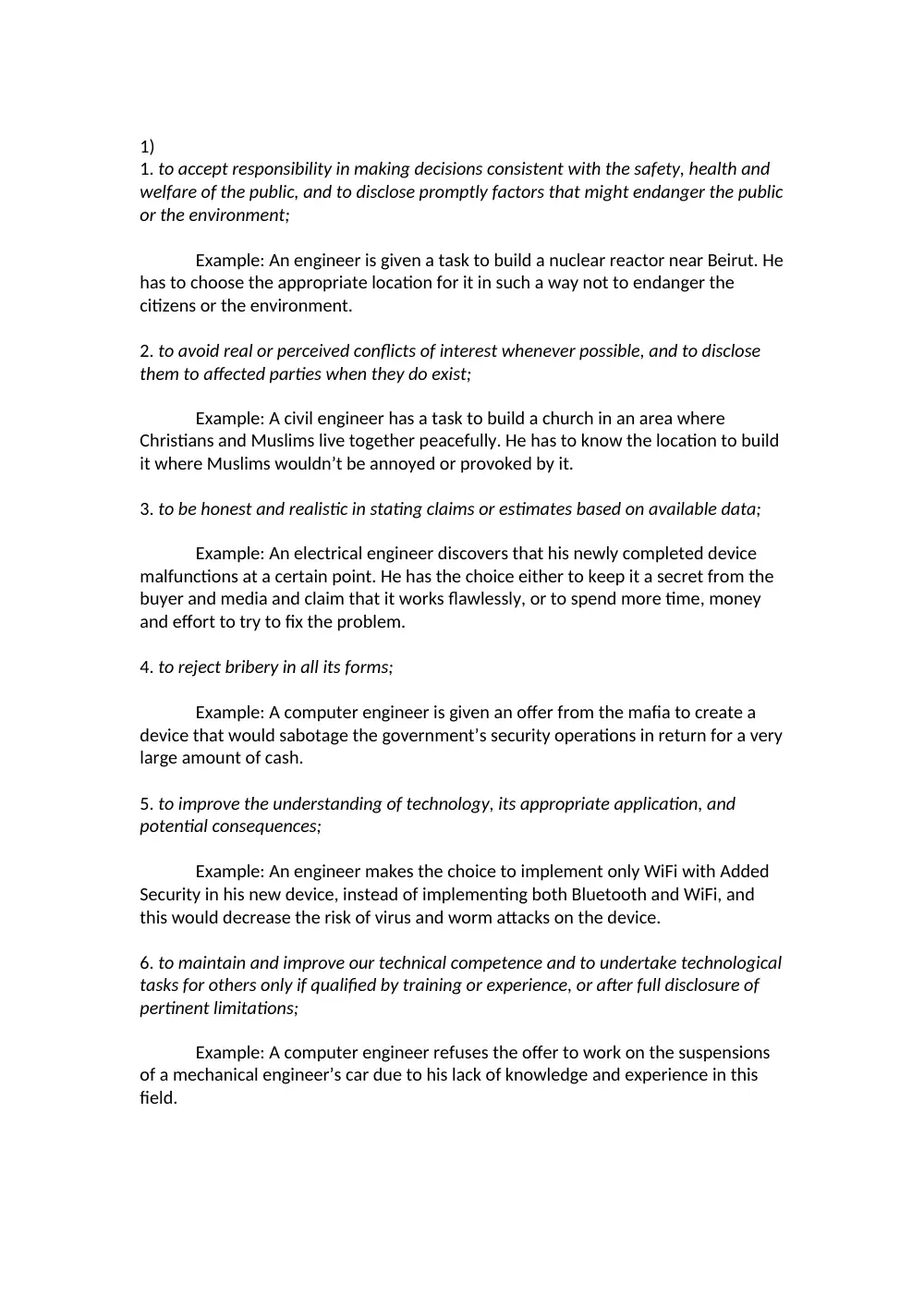
1)
1. to accept responsibility in making decisions consistent with the safety, health and
welfare of the public, and to disclose promptly factors that might endanger the public
or the environment;
Example: An engineer is given a task to build a nuclear reactor near Beirut. He
has to choose the appropriate location for it in such a way not to endanger the
citizens or the environment.
2. to avoid real or perceived conflicts of interest whenever possible, and to disclose
them to affected parties when they do exist;
Example: A civil engineer has a task to build a church in an area where
Christians and Muslims live together peacefully. He has to know the location to build
it where Muslims wouldn’t be annoyed or provoked by it.
3. to be honest and realistic in stating claims or estimates based on available data;
Example: An electrical engineer discovers that his newly completed device
malfunctions at a certain point. He has the choice either to keep it a secret from the
buyer and media and claim that it works flawlessly, or to spend more time, money
and effort to try to fix the problem.
4. to reject bribery in all its forms;
Example: A computer engineer is given an offer from the mafia to create a
device that would sabotage the government’s security operations in return for a very
large amount of cash.
5. to improve the understanding of technology, its appropriate application, and
potential consequences;
Example: An engineer makes the choice to implement only WiFi with Added
Security in his new device, instead of implementing both Bluetooth and WiFi, and
this would decrease the risk of virus and worm attacks on the device.
6. to maintain and improve our technical competence and to undertake technological
tasks for others only if qualified by training or experience, or after full disclosure of
pertinent limitations;
Example: A computer engineer refuses the offer to work on the suspensions
of a mechanical engineer’s car due to his lack of knowledge and experience in this
field.
7. to seek, accept, and offer honest criticism of technical work, to acknowledge and
correct errors, and to credit properly the contributions of others;
Example: A manager gives honest and objective criticism on the work of an
employed engineer which shows the numerous mistakes that engineer made in the
company’s new product.
8. to treat fairly all persons regardless of such factors as race, religion, gender,
disability, age, or national origin;
Example: A software engineer wants to design an operating system which can
also be used by people with physical disabilities, by providing them with an on-
screen magnifier tool and an on-screen keyboard tool.
9. to avoid injuring others, their property, reputation, or employment by false or
malicious action;
Example: An engineer avoids sabotaging his co-worker’s device for making his
own device the only working one.
10. to assist colleagues and co-workers in their professional development and to
support them in following this code of ethics.
Example: An electrical engineer helps his co-worker in the wiring and analysis
of his electronic device, even if it means that he would have to miss out on going on
a trip with his friends.
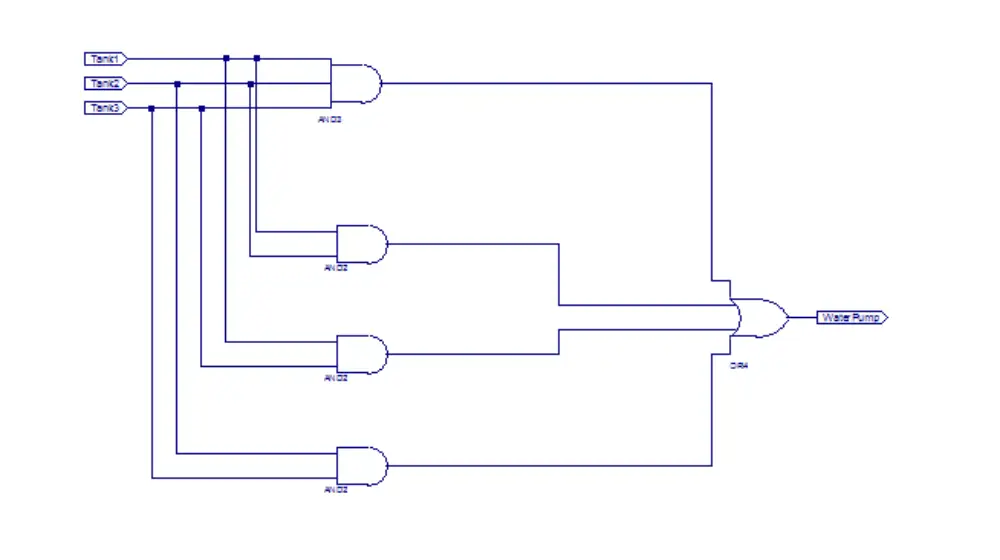
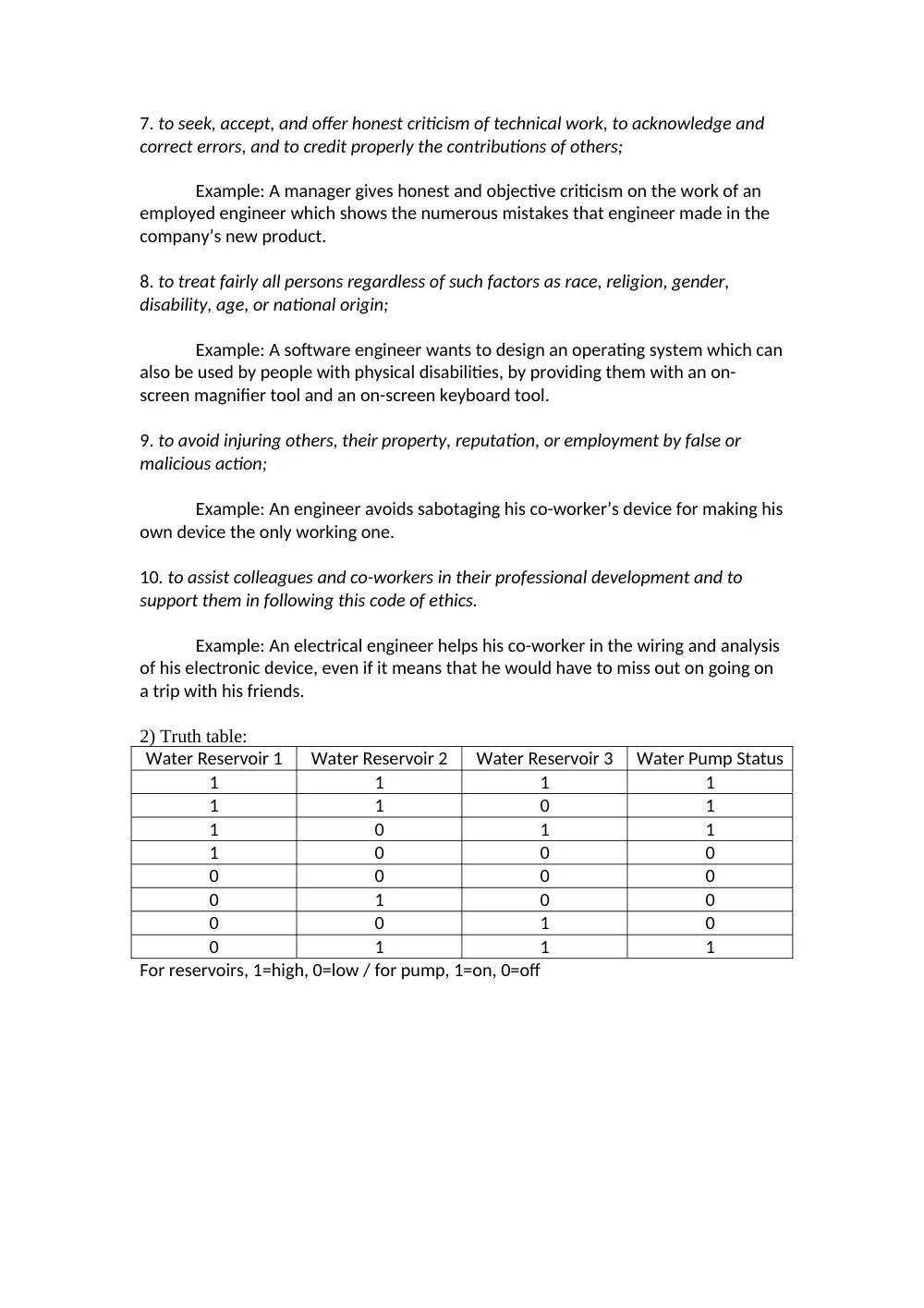
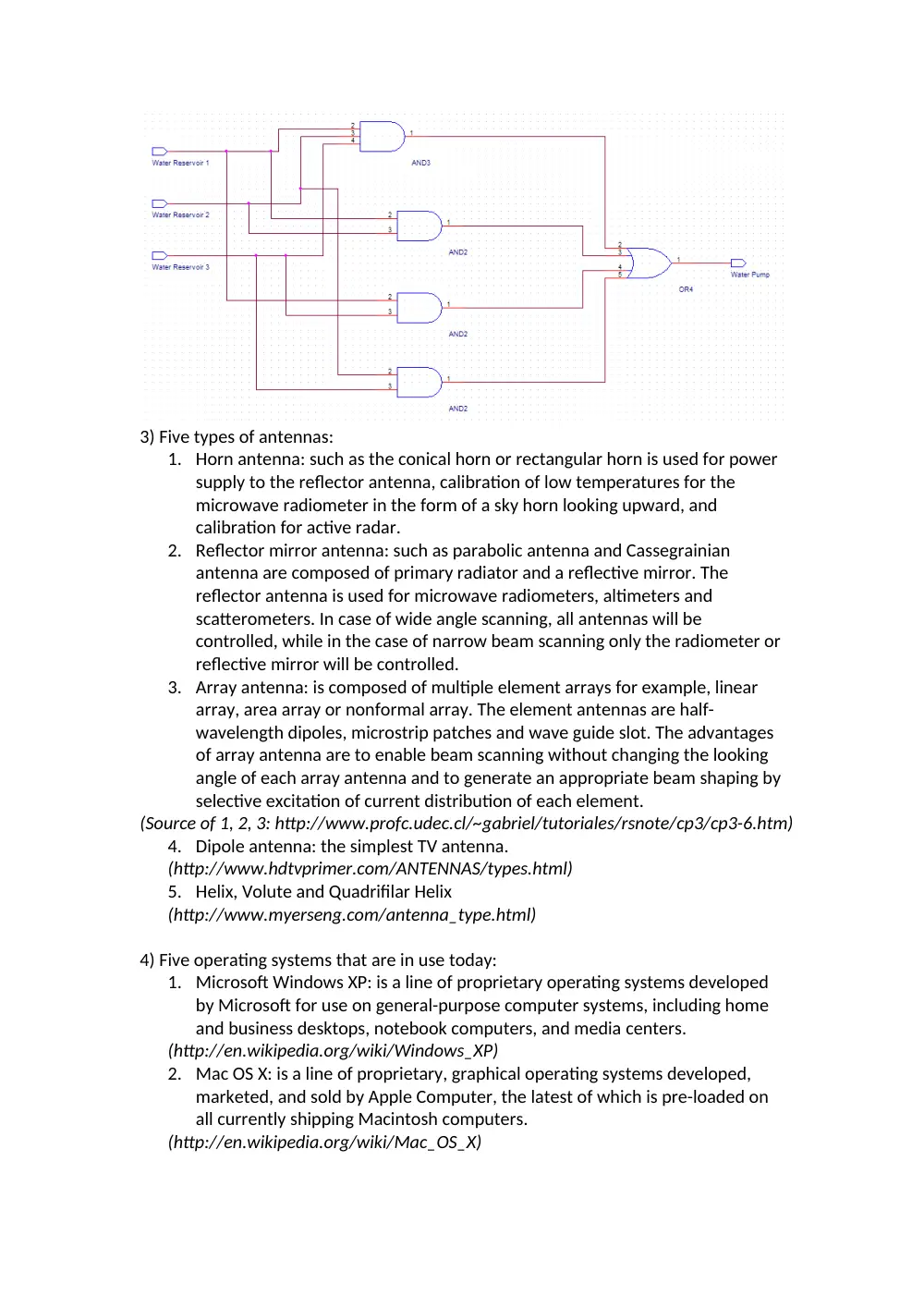
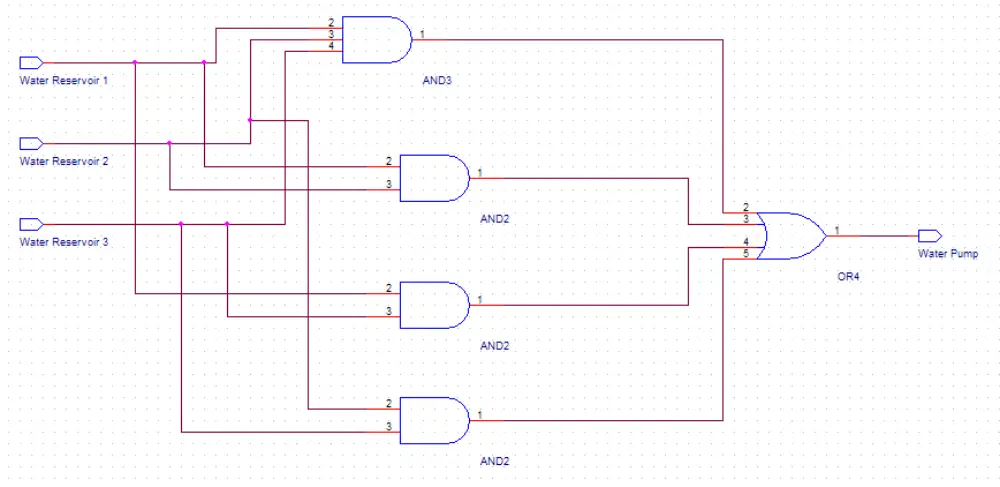
2) Truth table:
Water Reservoir 1
Water Reservoir 2
Water Reservoir 3
Water Pump Status
1
1
1
1
1
1
0
1
1
0
1
1
1
0
0
0
0
0
0
0
0
1
0
0
0
0
1
0
0
1
1
1
For reservoirs, 1=high, 0=low / for pump, 1=on, 0=off
3) Five types of antennas:
1. Horn antenna: such as the conical horn or rectangular horn is used for power
supply to the reflector antenna, calibration of low temperatures for the
microwave radiometer in the form of a sky horn looking upward, and
calibration for active radar.
2. Reflector mirror antenna: such as parabolic antenna and Cassegrainian
antenna are composed of primary radiator and a reflective mirror. The
reflector antenna is used for microwave radiometers, altimeters and
scatterometers. In case of wide angle scanning, all antennas will be
controlled, while in the case of narrow beam scanning only the radiometer or
reflective mirror will be controlled.
3. Array antenna: is composed of multiple element arrays for example, linear
array, area array or nonformal array. The element antennas are half-
wavelength dipoles, microstrip patches and wave guide slot. The advantages
of array antenna are to enable beam scanning without changing the looking
angle of each array antenna and to generate an appropriate beam shaping by
selective excitation of current distribution of each element.
(Source of 1, 2, 3: http://www.profc.udec.cl/~gabriel/tutoriales/rsnote/cp3/cp3-6.htm)
4. Dipole antenna: the simplest TV antenna.
(http://www.hdtvprimer.com/ANTENNAS/types.html)
5. Helix, Volute and Quadrifilar Helix
(http://www.myerseng.com/antenna_type.html)
4) Five operating systems that are in use today:
1. Microsoft Windows XP: is a line of proprietary operating systems developed
by Microsoft for use on general-purpose computer systems, including home
and business desktops, notebook computers, and media centers.
(http://en.wikipedia.org/wiki/Windows_XP)
2. Mac OS X: is a line of proprietary, graphical operating systems developed,
marketed, and sold by Apple Computer, the latest of which is pre-loaded on
all currently shipping Macintosh computers.
(http://en.wikipedia.org/wiki/Mac_OS_X)
3. Unix OS: An operating system co-created by AT&T researchers Dennis Ritchie
and Ken Thompson. Unix is well known for its relative hardware
independence and portable application interfaces.
(http://www.orafaq.com/glossary/faqglosu.htm)
4. Linux OS: is a free Unix-type operating system originally created by Linus
Torvalds with the assistance of developers around the world.
(http://www.linux.org/)
5. Solaris OS: The foundation for Sun systems; delivers a consistent computing
environment from departmental servers up to massive, clustered servers.
(http://www.sun.com/software/index.jsp?cat=Operating%20Systems&tab=3)
Five programming languages that are in use today:
1. Java: An object-oriented programming language that is platform independent
Developed by Sun, Java is widely used on the Web for both client and server
processing.
(http://www.answers.com/java)
2. C: A high-level programming language developed at Bell Labs that is able to
manipulate the computer at a low level like assembly language.
(http://computing-dictionary.thefreedictionary.com/c)
3. C++: An object-oriented version of C that has been widely used to develop
enterprise and commercial applications. It was created by Bjarne Stroustrup.
(http://www.answers.com/topic/c-plus-plus)
4. DATABUS: A high level computer language designed for writing business
oriented applications. It is used to create highly interactive applications that
contain friendly user interfaces, and processing programs.
(http://dmoz.org/Computers/Programming/Languages/desc.html)
5. Pascal: An imperative computer programming language, developed in 1970
by Niklaus Wirth as a language particularly suitable for structured
programming.
(http://en.wikipedia.org/wiki/Pascal_%28programming_language%29)
5) Divide the binary number to 4 parts (8 bits each) and convert each part to
decimal:
1st part: 11000000 => 128+64+0+0+0+0+0+0= 192
2nd part: 10101000 => 128+0+32+0+8+0+0+0= 168
3rd part: 11000110 => 128+64+0+0+0+4+2+0= 198
4th part: 00001010 => 0+0+0+0+8+0+2+0= 10
IP address: 192.168.198.10
6) To read the image:
lenabmp=imread('C:\Documents and Settings\User\Desktop\lena.bmp')
The result is automatically renamed by MATLAB as “lenabmp”
- The size of the image is displayed in the workspace: 512x512px
- To find the light intensity at the specific pixel: intensity=lenabmp(132,100)
MATLAB gives us
intensity = 28
The light intensity at that pixel is 28.
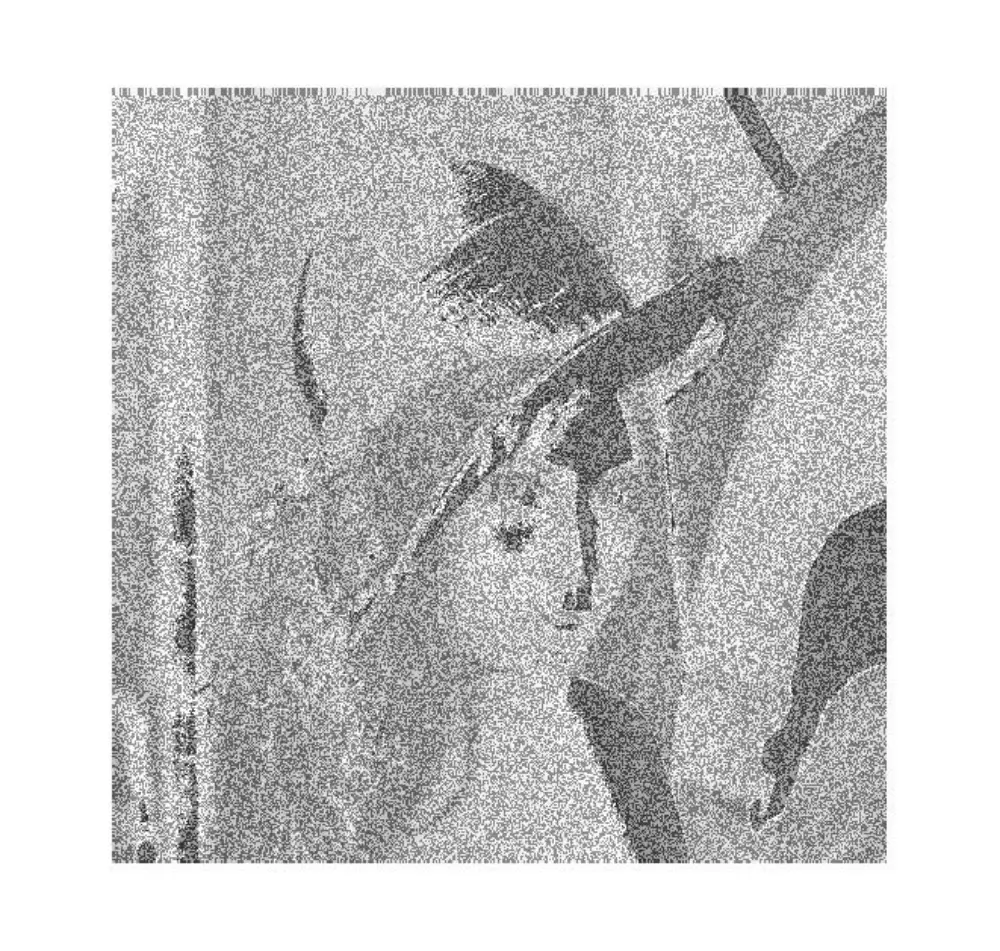
- To make image negative: neglena=255-lenabmp
- To show the negative image: imshow(neglena)
A new window opens, displaying the negative image: