
EECE 310 Homework 2 with Solution, Fall 2007
American University of Beirut · Electronics · 10 pages · with solution


More EECE 310 files
- Homework Spice3 Solution · Summer 2012Homework · with solutionView
- Homework Spice2 Solution · Summer 2012Homework · with solutionView
- Homework Spice1 Solution · Summer 2012Homework · with solutionView
- Homework 1 Solution · Fall 2011Homework · with solutionView
- Homework 2 · Fall 2011HomeworkView
- Homework 1 · Fall 2011HomeworkView
- Homework 1 · Fall 2011HomeworkView
- Homework 1 Solution · Fall 2011Homework · with solutionView
Show the text of this homework
American University of Beirut
DEPARTMENT OF ELECTRICAL AND COMPUTER ENGINEERING
EECE 310 – Electronics
Fall 2007 – 2008
Due Tuesday October 16, 2007
Homework 2
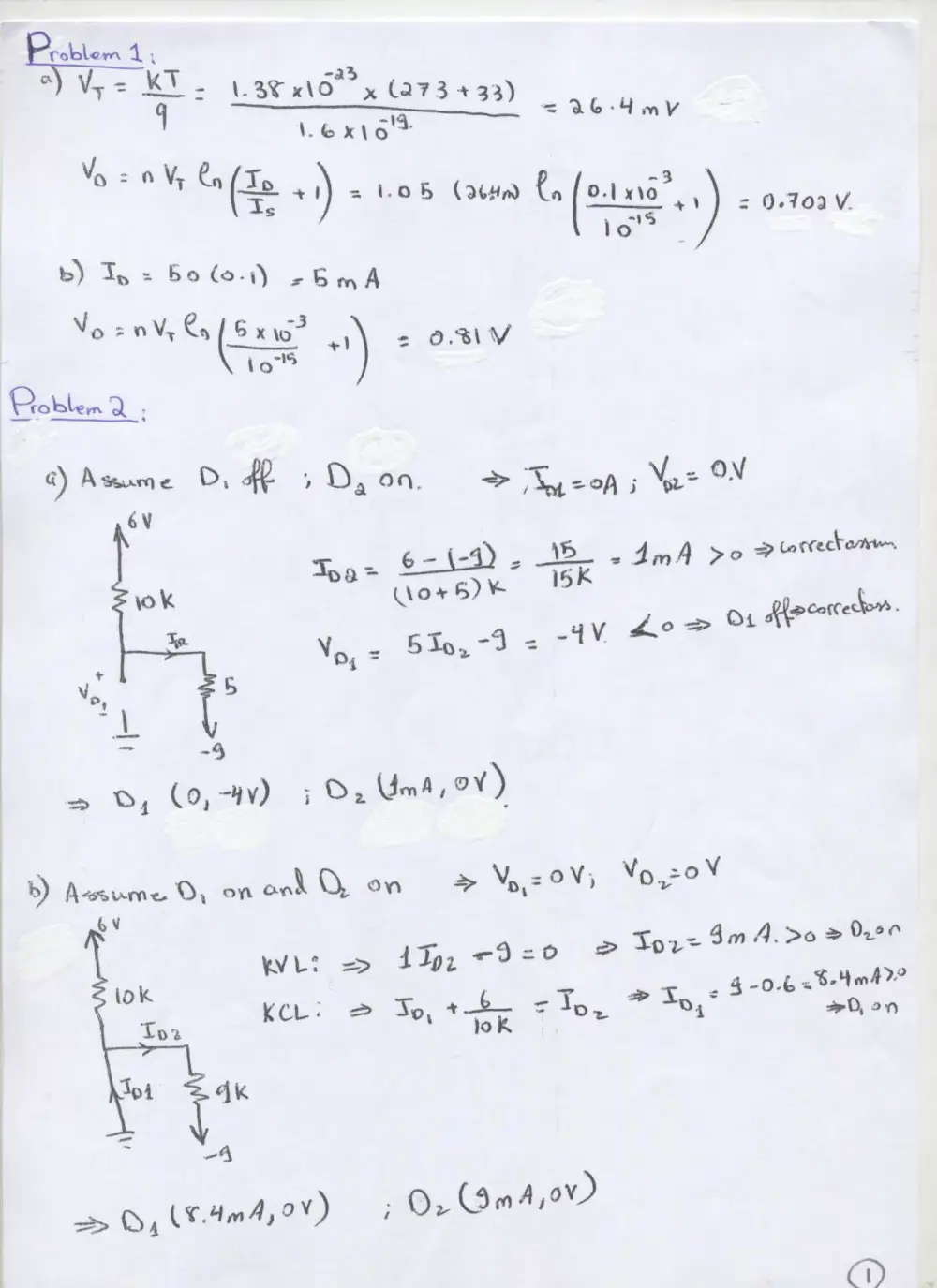
1. A junction diode operating at a temperature of 33 degrees C has IS = 10-15 A and n
= 1.05. (a) What is the diode voltage if the diode current is 0.1 mA? (b) What will be
the diode voltage if the current increases by a factor of 50?
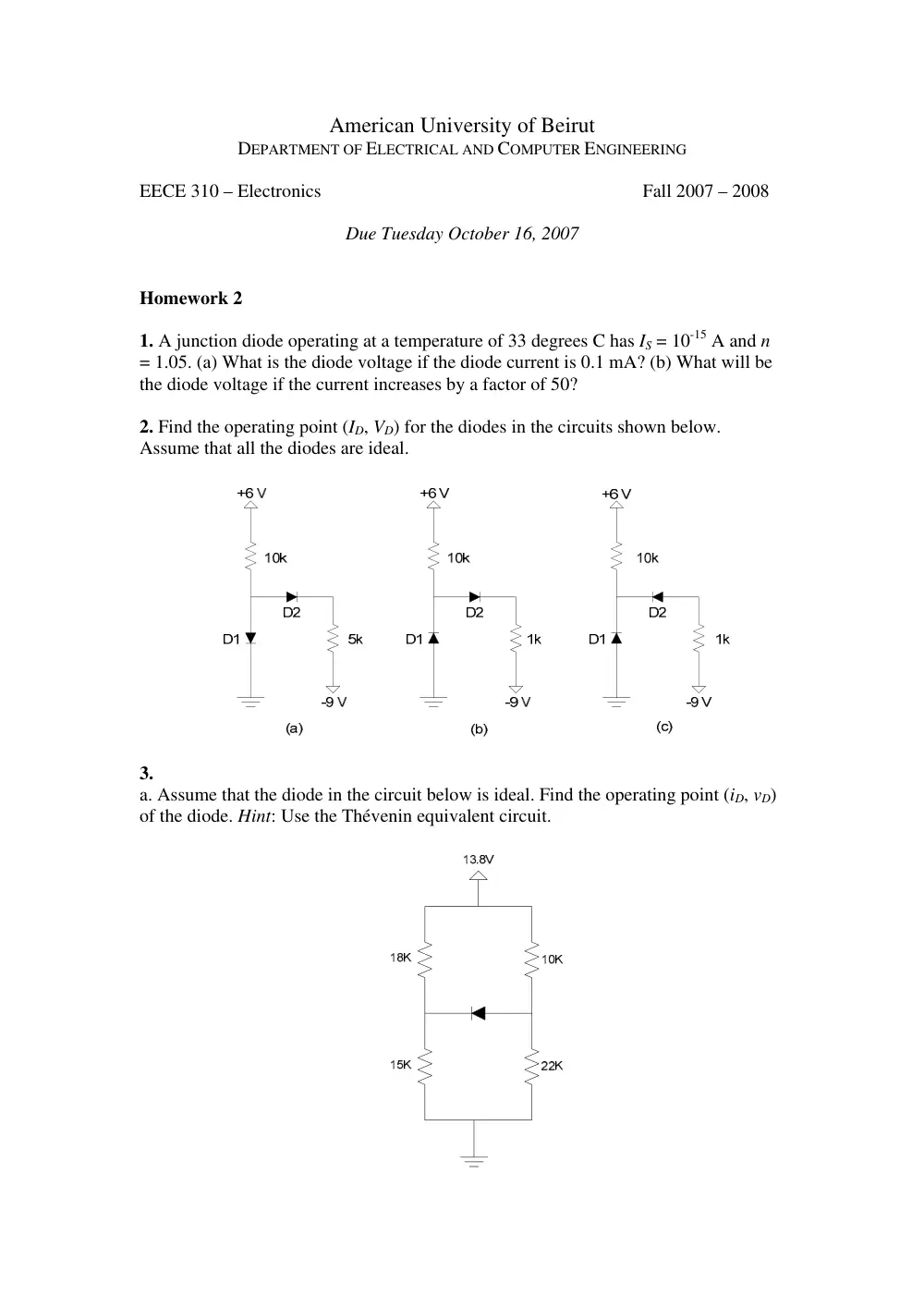
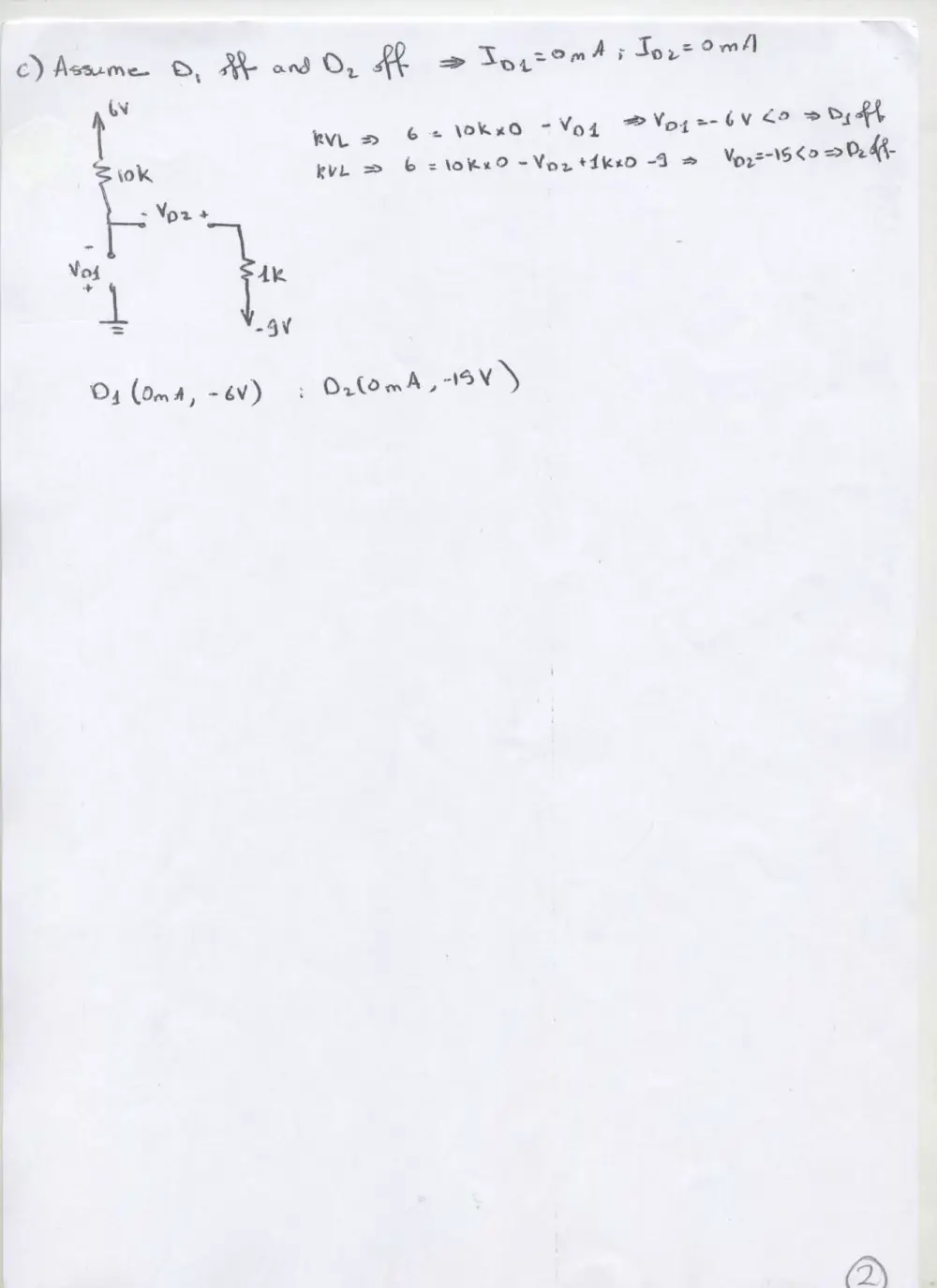
2. Find the operating point (ID, VD) for the diodes in the circuits shown below.
Assume that all the diodes are ideal.
3.
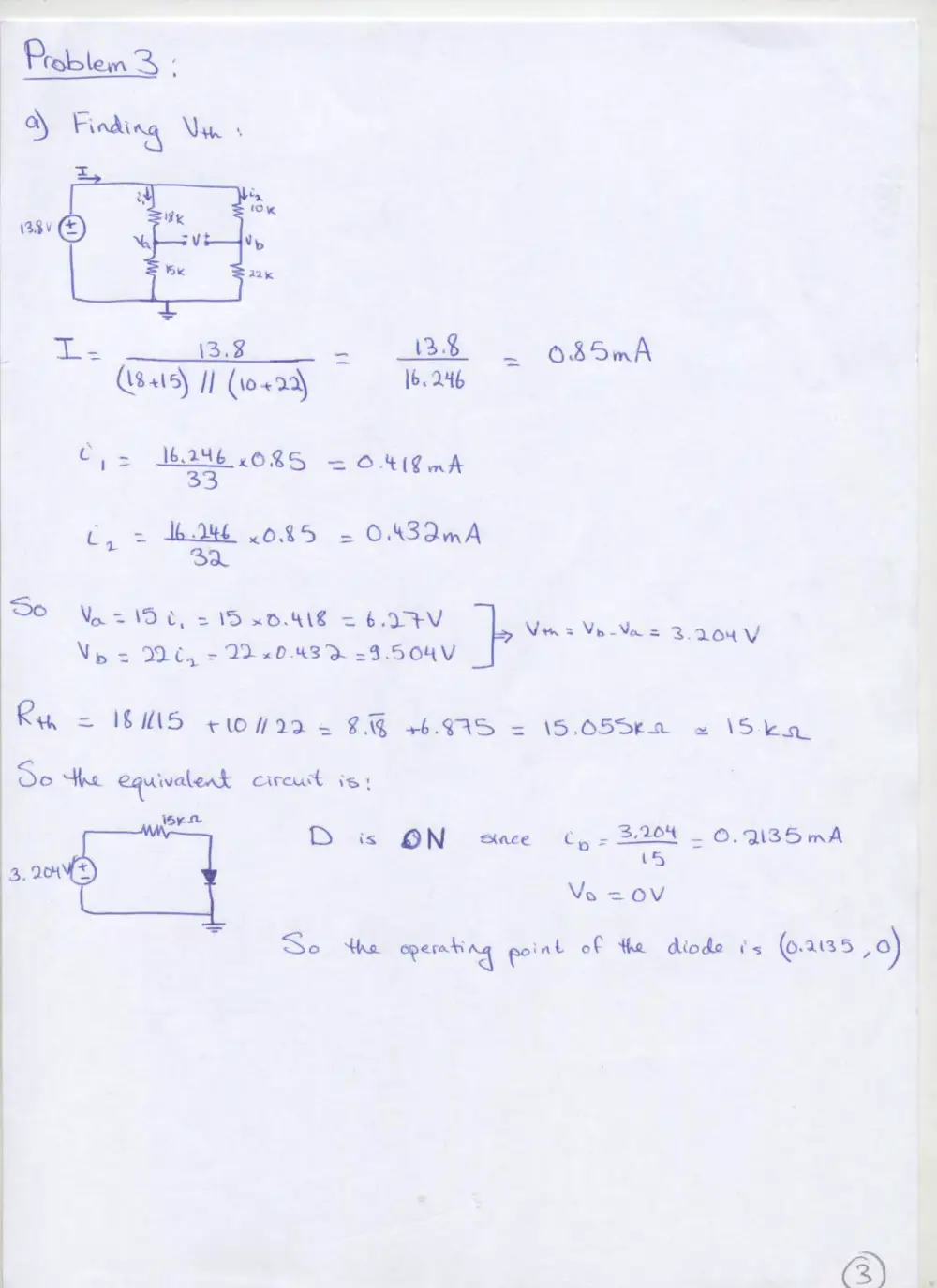
a. Assume that the diode in the circuit below is ideal. Find the operating point (iD, vD)
of the diode. Hint: Use the Thévenin equivalent circuit.
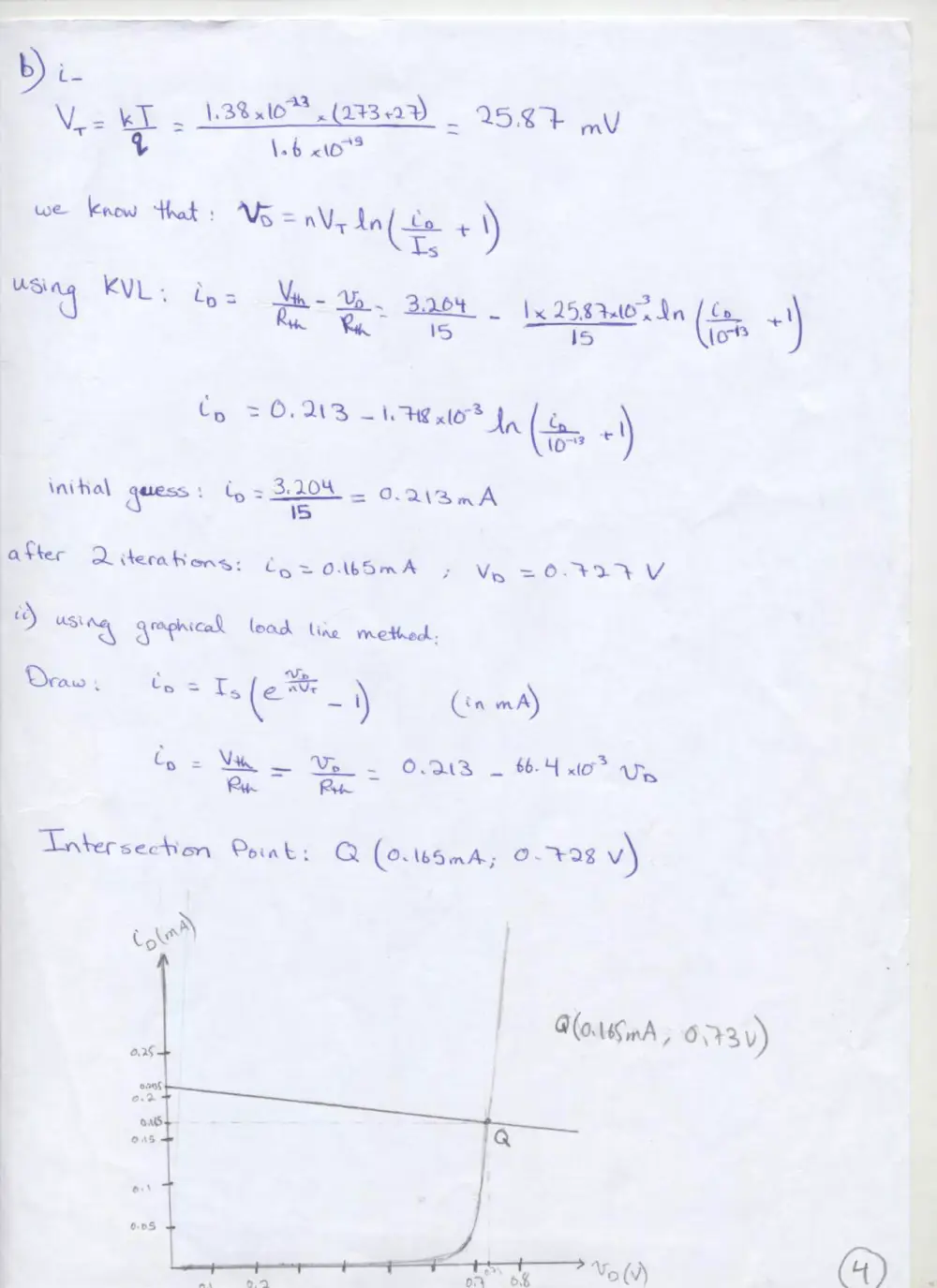
b. Repeat part (a) for a real diode at a temperature of 27 degrees C with n = 1 and
IS = 10-16 A, using:
i. Iterations with an initial guess for iD equal to the value found in part (a)
ii. The graphical load line method.
American University of Beirut
DEPARTMENT OF ELECTRICAL AND COMPUTER ENGINEERING
EECE 310 – Electronics
Fall 2007 – 2008
Due Tuesday October 16, 2007
CAD Assignment 1
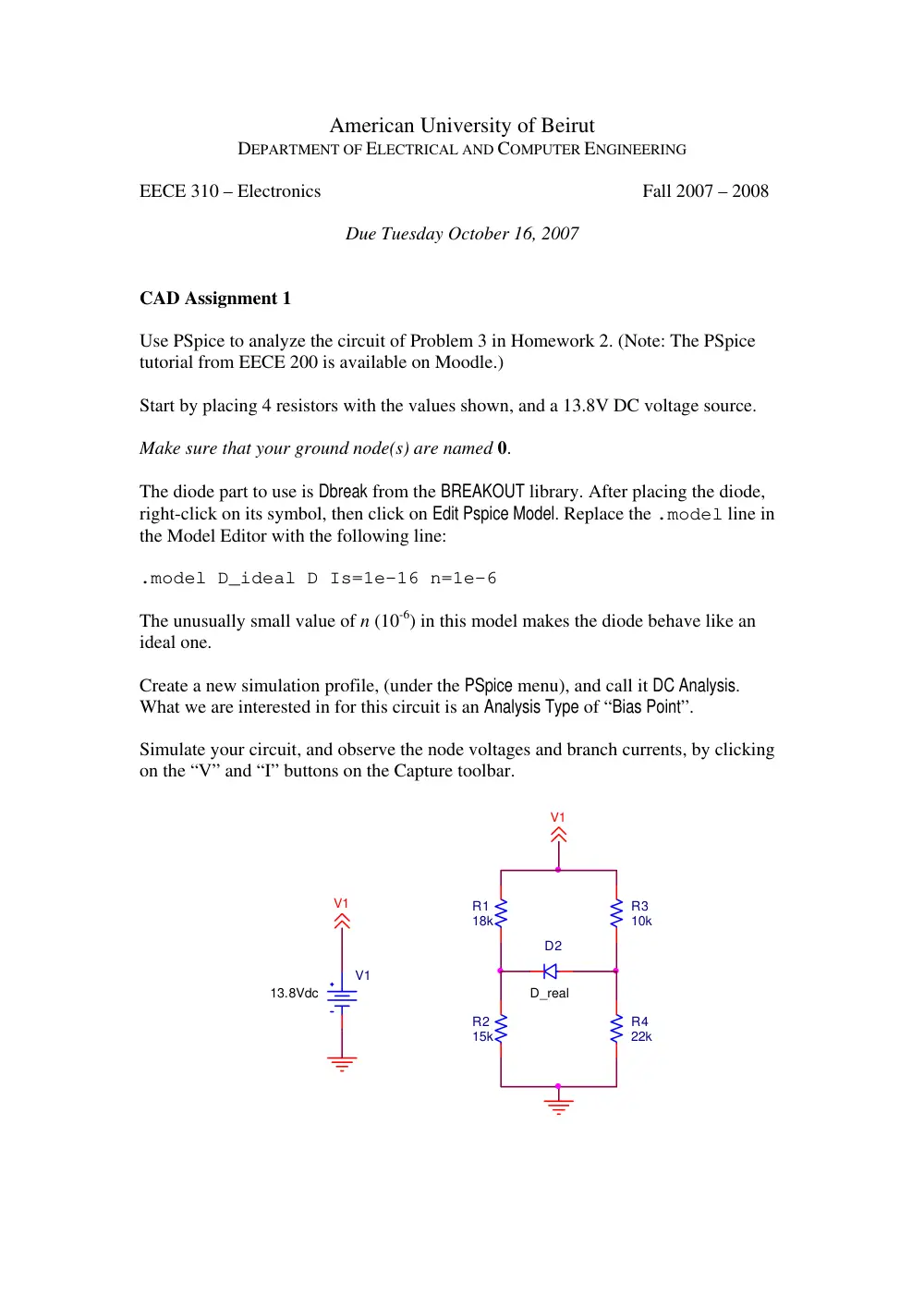
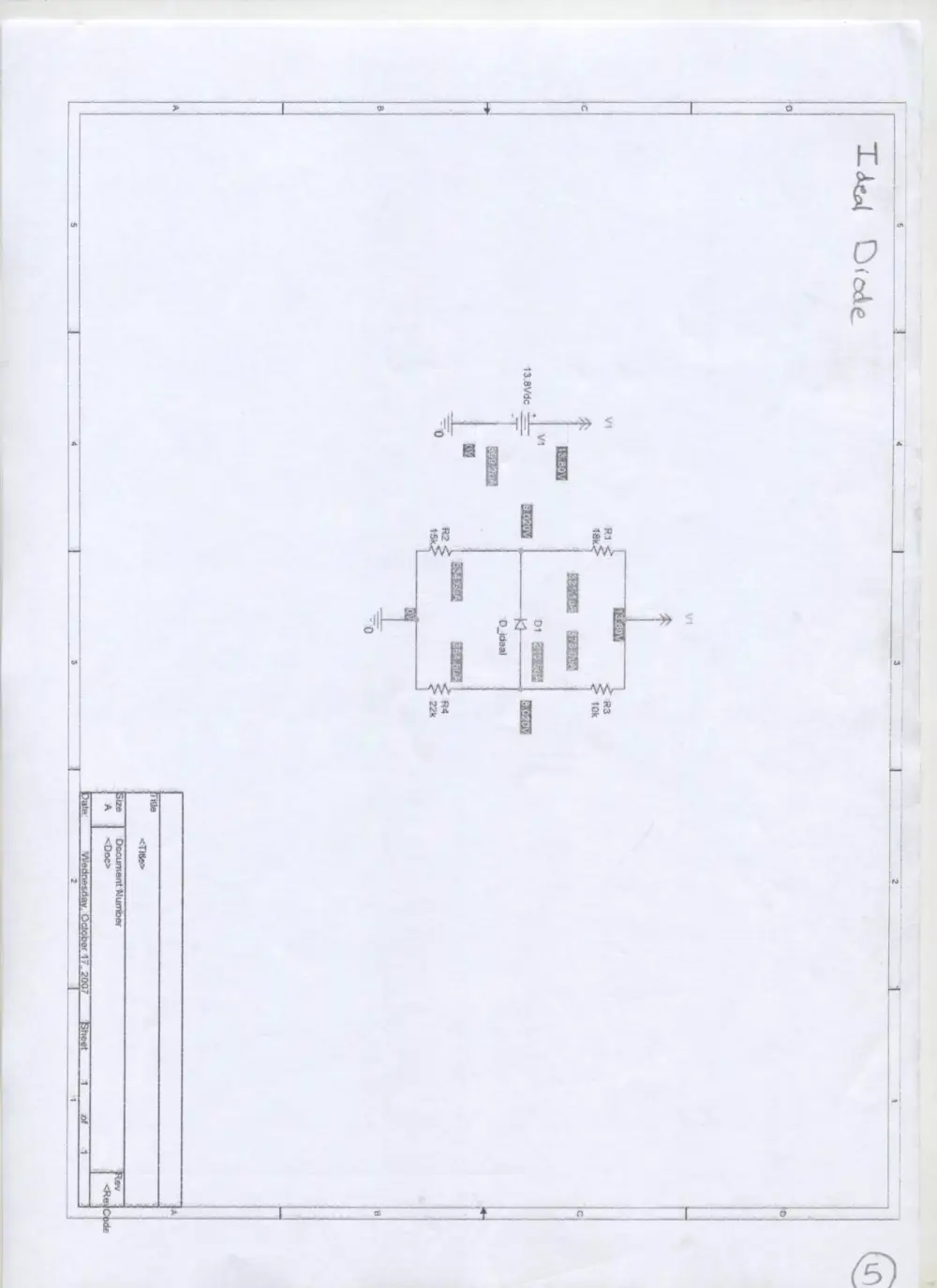
Use PSpice to analyze the circuit of Problem 3 in Homework 2. (Note: The PSpice
tutorial from EECE 200 is available on Moodle.)
Start by placing 4 resistors with the values shown, and a 13.8V DC voltage source.
Make sure that your ground node(s) are named 0.
The diode part to use is Dbreak from the BREAKOUT library. After placing the diode,
right-click on its symbol, then click on Edit Pspice Model. Replace the .model line in
the Model Editor with the following line:
.model D_ideal D Is=1e-16 n=1e-6
The unusually small value of n (10-6) in this model makes the diode behave like an
ideal one.
Create a new simulation profile, (under the PSpice menu), and call it DC Analysis.
What we are interested in for this circuit is an Analysis Type of “Bias Point”.
Simulate your circuit, and observe the node voltages and branch currents, by clicking
on the “V” and “I” buttons on the Capture toolbar.
V1
13.8Vdc
D_real
D2
V1
R2
15k
R1
18k
V1
R3
10k
R4
22k
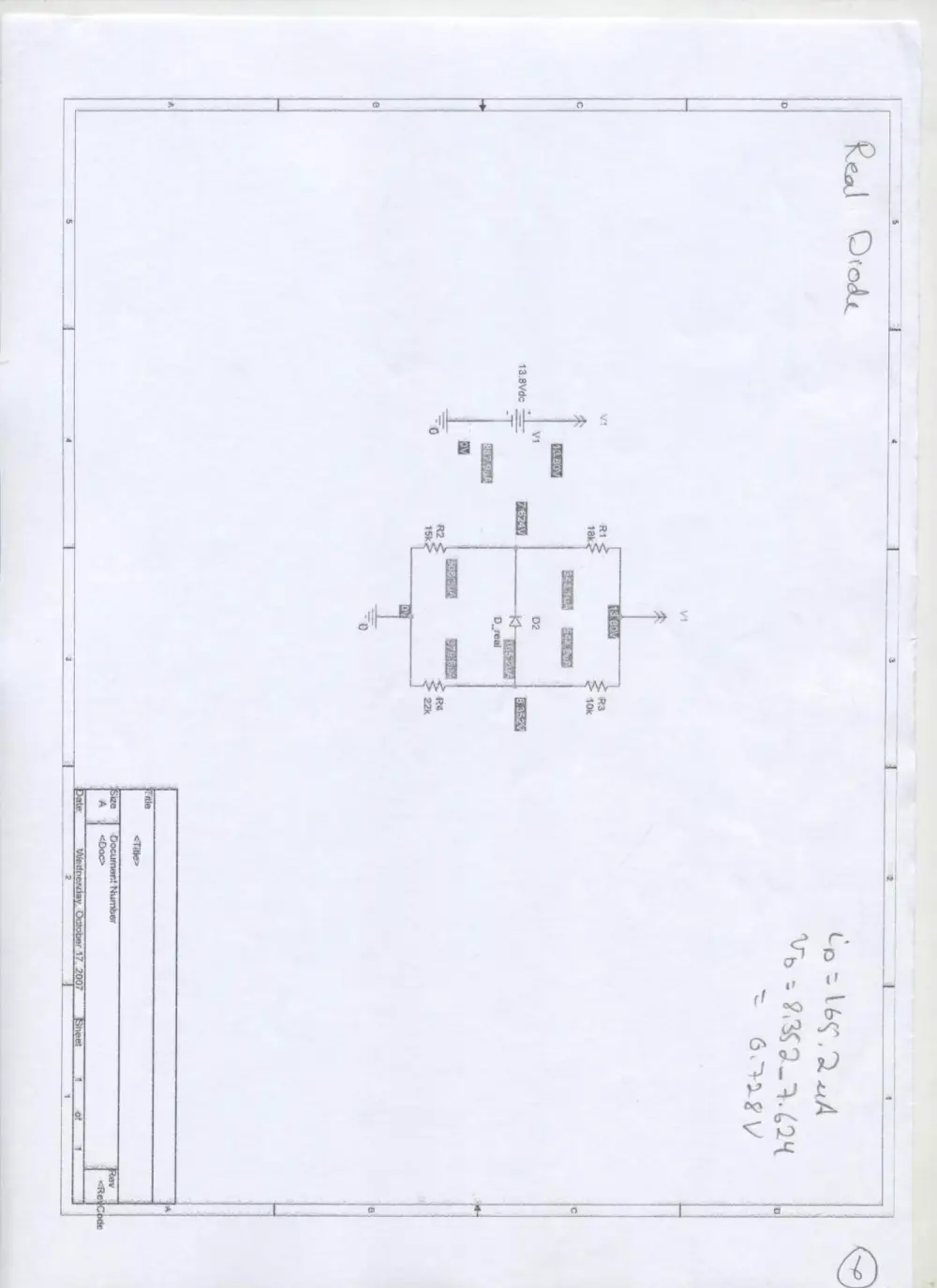
To simulate the circuit now with a real diode, right-click on the diode symbol, then
click on Edit Pspice Model. Replace the .model line in the Model Editor with the
following line:
.model D_real D Is=1e-16 n=1
This value of n = 1 makes the diode behave like a real one, with a value of
IS = 10-16 A.
Simulate your circuit, and observe the node voltages and branch currents, by clicking
on the “V” and “I” buttons on the Capture toolbar.
• Submit a printout of your Capture windows showing the values of currents and
voltages for both cases (ideal diode and real diode).
• List the values of the diode voltage and current for the real diode case, as
obtained from SPICE, and compare them with the values obtained in Problem
3, part (b-i).