
EECE 312L Lab Assignment 2, Fall 2015
American University of Beirut · Circuits and Electronics Lab · 20 pages

Showing the first 10 of 20 pages. Download the PDF to see all of it.
More EECE 312L files
Show the text of this lab
Page 1 of 20
American University of Beirut
Course: EECE 312L
Assignment 2: Rectifier Circuits
Instructor: Dr. Sara Khaddaj
Due Date: Wednesday, November 25th, 1:00 pm
Name and ID: Ali Fakhreddine 201502175
Page 2 of 20
INDEX:
1. Introduction
2. Description of hardware setup
a. Components used
b. Circuit connections
c. Connections between myDAQ acquisition board and the circuit
d. Input and output lines used
e. Photos depicting hardware setup and connections
3. Description of the software setup
a. Modules used and Configurations
4. Testing:
a. 5.6 K-Ohms resistor measurement and a snapshot showing the
result.
b. For the half wave rectifier (Figure A-1), 5 V peak-to-peak, 1 KHz
sinusoidal wave as input.
i. Snapshot of the output (using Scope).
ii. Peak-to-peak output voltage measurement (using Scope).
iii. Measurement of the mean of the output wave (using DMM)
and snapshot.
c. For the Bridge full wave rectifier (Figure A-2), 5 V peak-to-peak, 1
KHz sinusoidal wave as input.
i. Snapshot of the output (using Scope)
ii. Peak-to-peak output voltage measurement (using Scope)
iii. Output wave’s measurement (using DMM) and snapshot.
d. For the Bridge full wave rectifier with filter (Figure A-3), 5 V peak-to-
peak, 1 KHz sinusoidal wave as input.
Page 3 of 20
i.
Snapshot of the output (using Scope)
ii.
Peak-to-peak output voltage measurement (using Scope)
iii.
Measurement of the mean of the output wave (using DMM)
and snapshot.
e. Comparison of the outputs of the three circuit diagram in terms of
shape and mean.
Page 4 of 20
Introduction:
Although diodes have many uses in electrical engineering, their use in the
design of rectifier circuits is the most common. Rectifier circuits are considered
to be the building blocks of DC power supplies that are required to power our
daily electronic devices. What a rectifier circuit does is that it changes an
alternating, or bidirectional current or voltage to a unidirectional one. It is
important to note that there are many types of rectifier circuits, and they range
from the simplest configuration of a rectifier diode and a resistor, to a multiple
of diodes connected to a smoothing capacitor and a resistor. In this assignment,
we shall investigate 3 configurations of the rectifier circuit: diode-resistor, 4
diodes-resistor, and 4 diodes-resistor-capacitor.
Description of hardware setup:
Components used:
LabVIEW Software
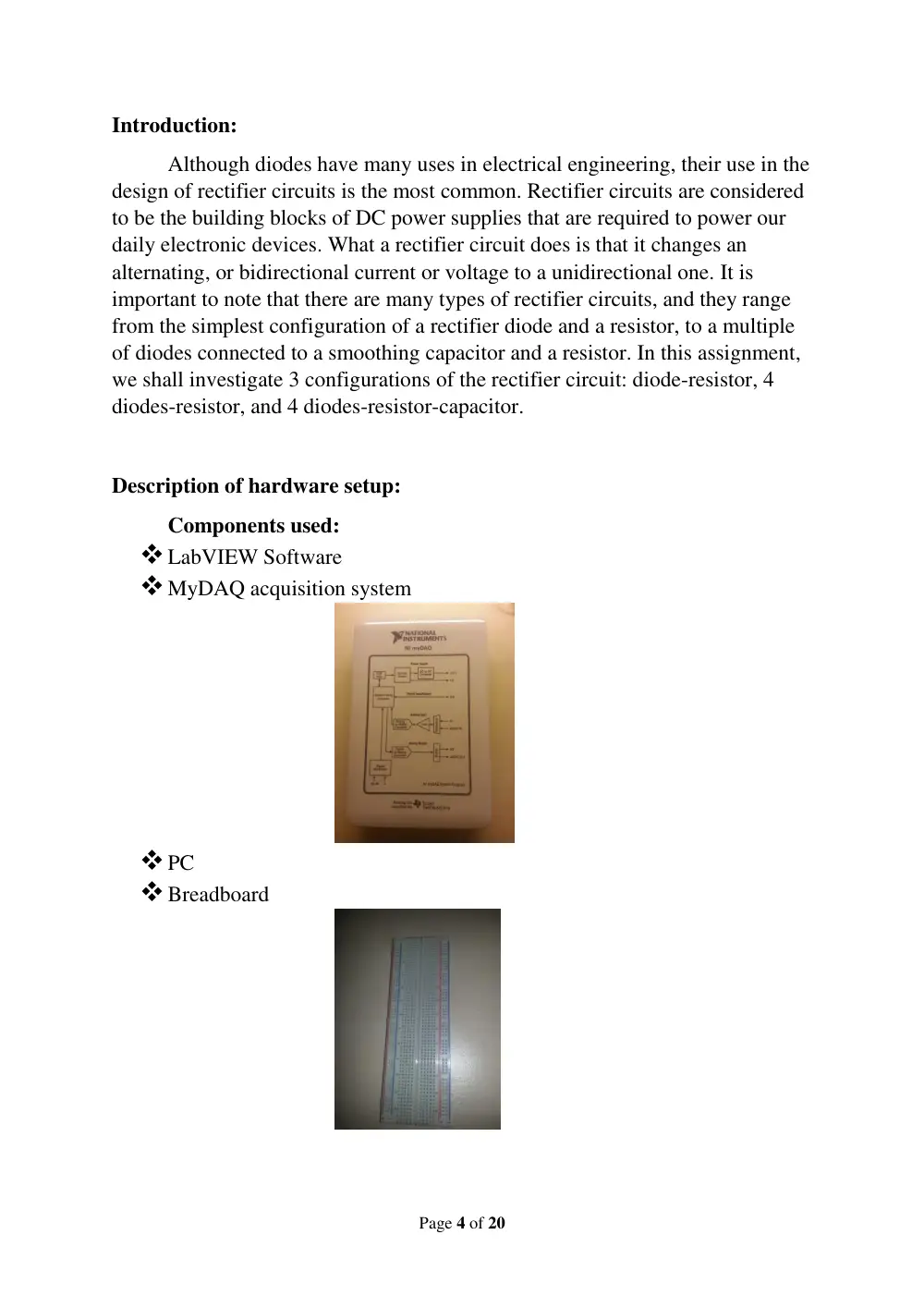
MyDAQ acquisition system
PC
Breadboard
Page 5 of 20
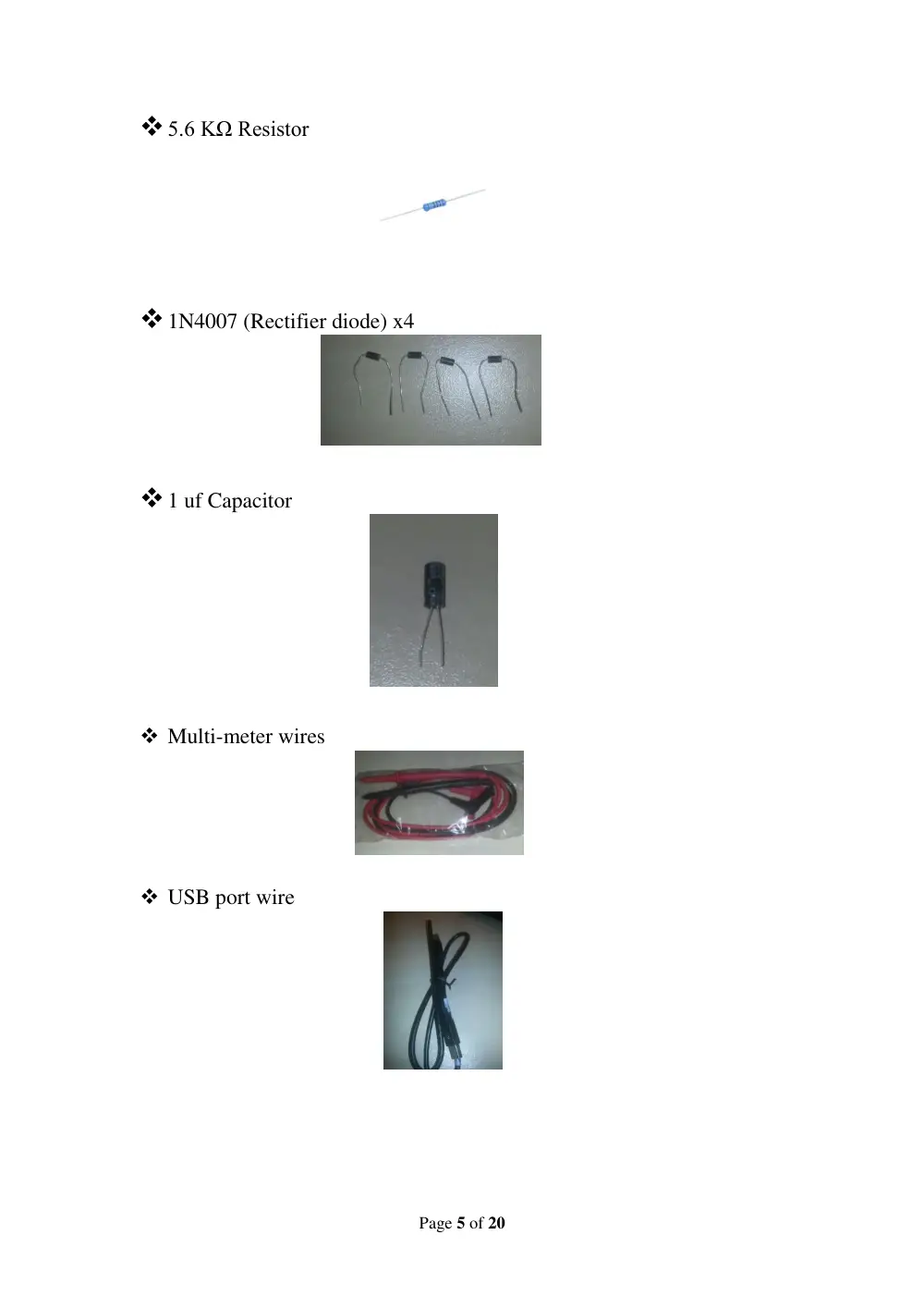
5.6 KΩ Resistor
1N4007 (Rectifier diode) x4
1 uf Capacitor
Multi-meter wires
USB port wire
Page 6 of 20
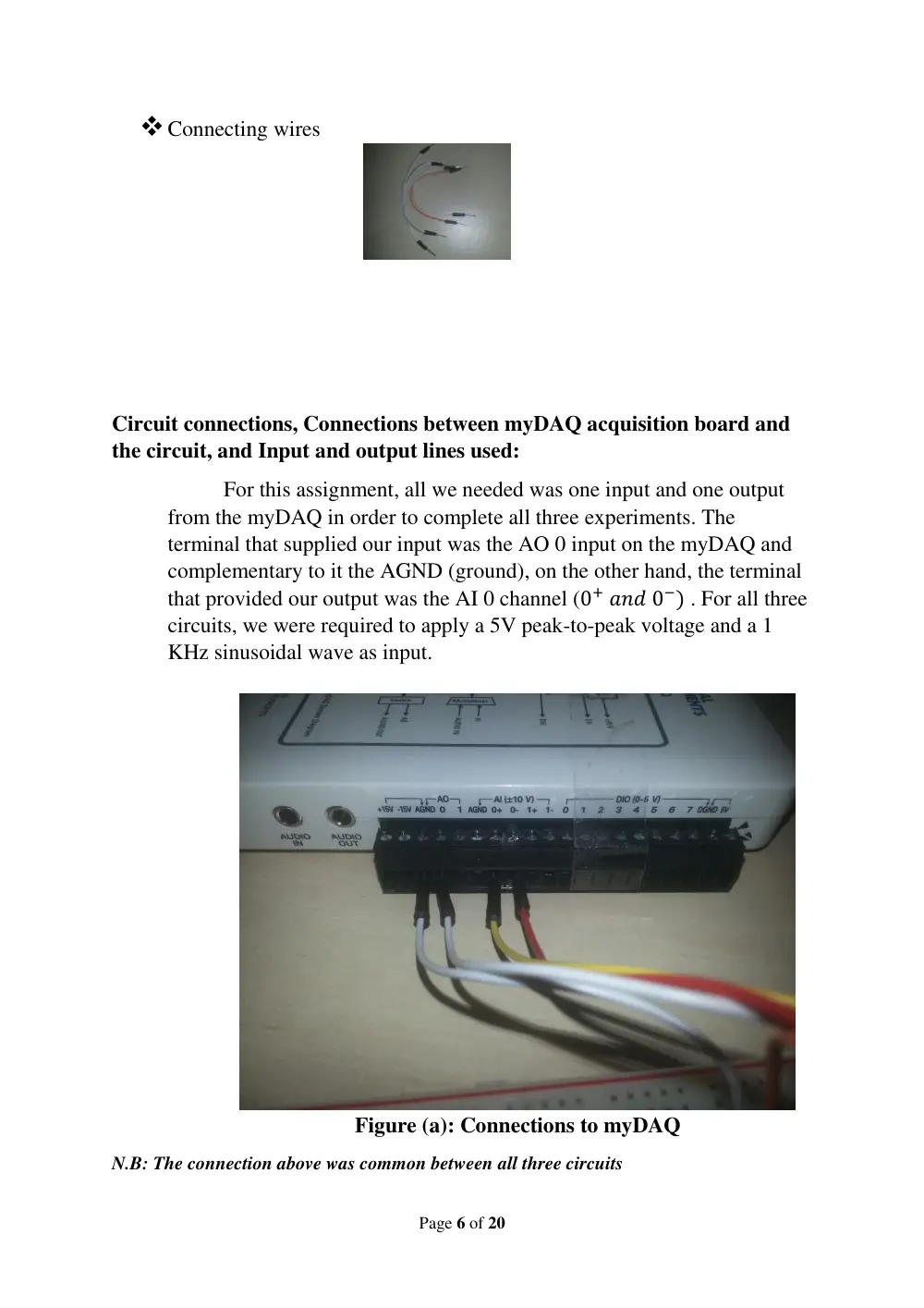
Connecting wires
Circuit connections, Connections between myDAQ acquisition board and
the circuit, and Input and output lines used:
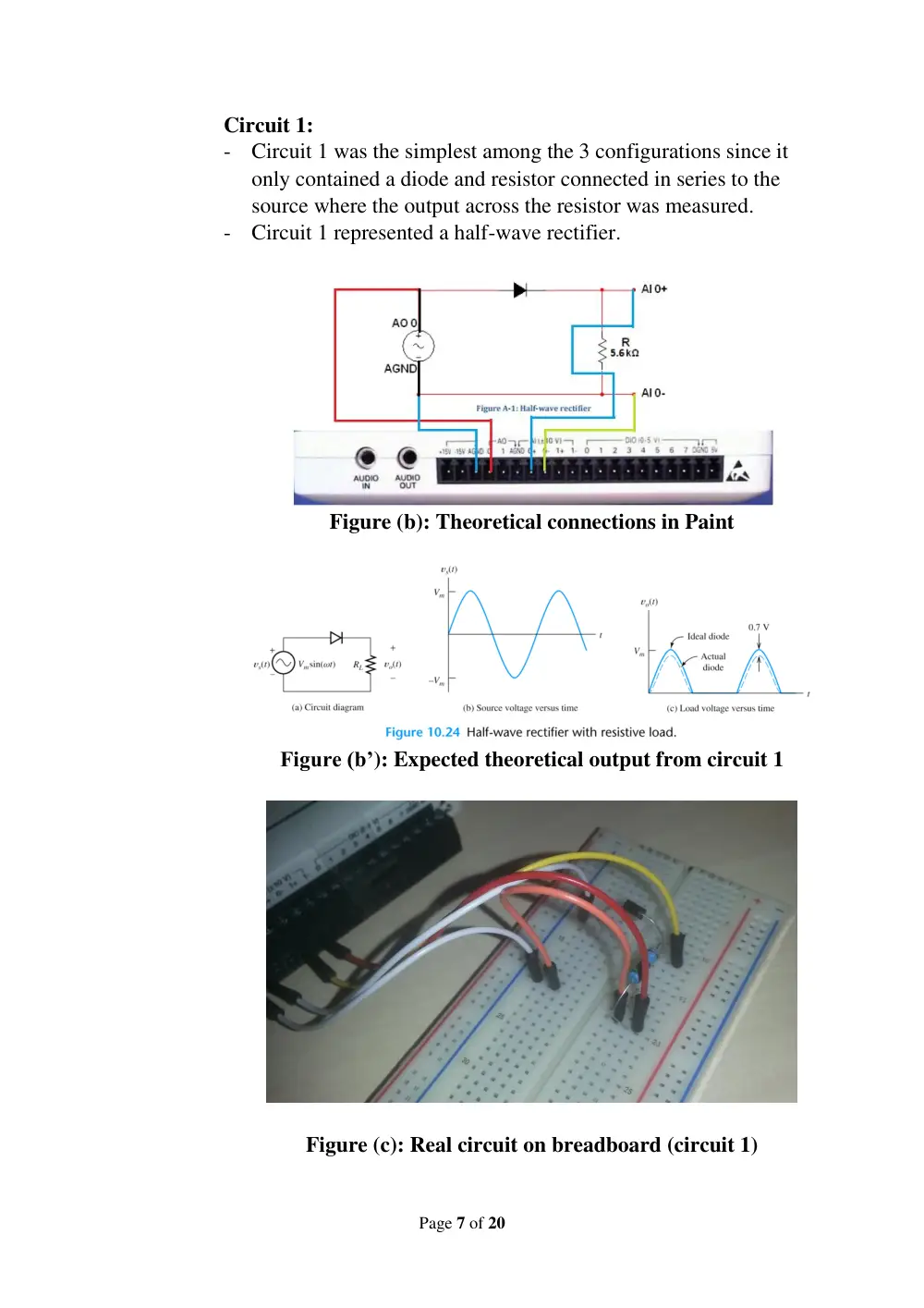
For this assignment, all we needed was one input and one output
from the myDAQ in order to complete all three experiments. The
terminal that supplied our input was the AO 0 input on the myDAQ and
complementary to it the AGND (ground), on the other hand, the terminal
that provided our output was the AI 0 channel (0+ 𝑎𝑛𝑑 0−) . For all three
circuits, we were required to apply a 5V peak-to-peak voltage and a 1
KHz sinusoidal wave as input.
Figure (a): Connections to myDAQ
N.B: The connection above was common between all three circuits
Page 7 of 20
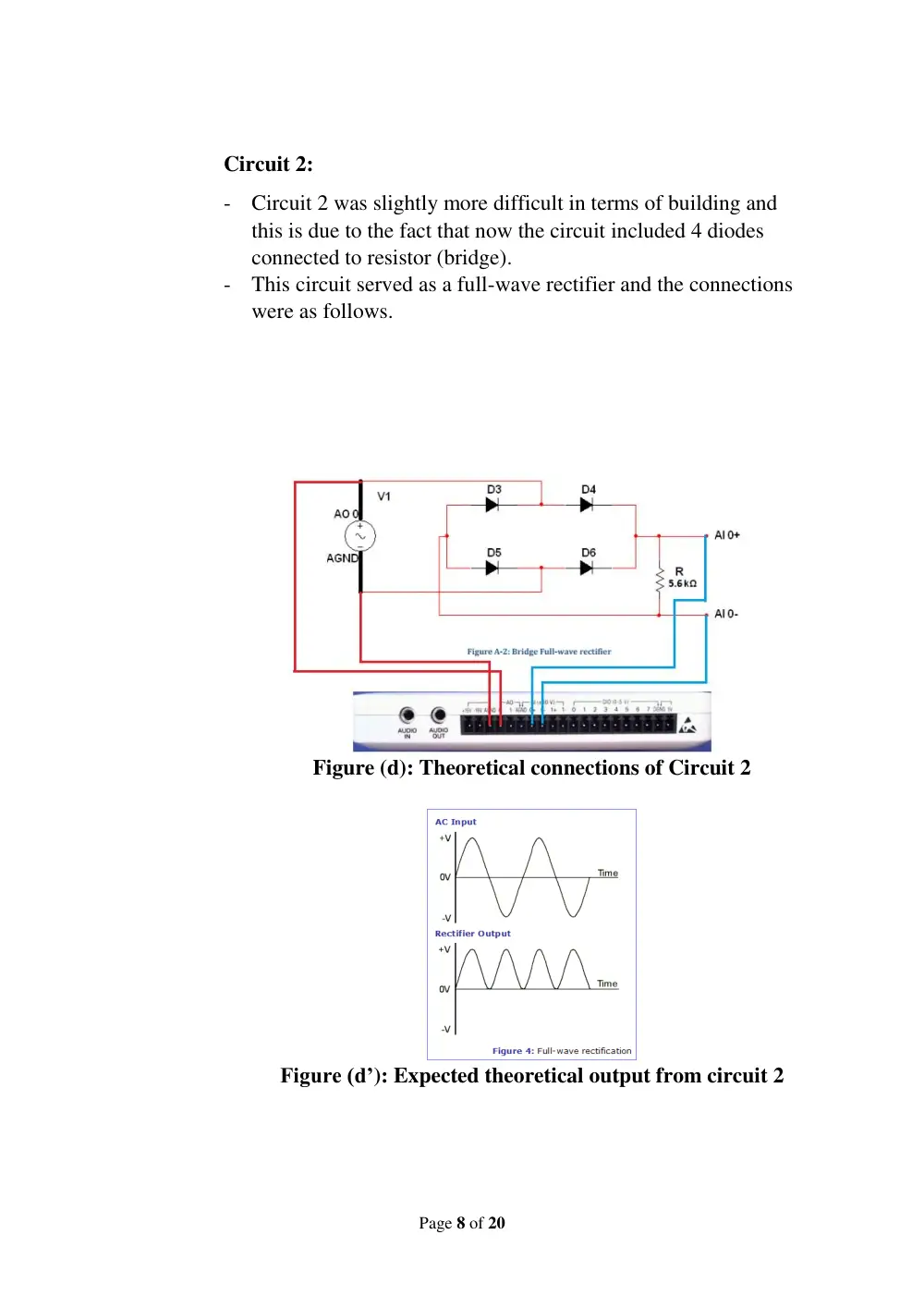
Circuit 1:
- Circuit 1 was the simplest among the 3 configurations since it
only contained a diode and resistor connected in series to the
source where the output across the resistor was measured.
- Circuit 1 represented a half-wave rectifier.
Figure (b): Theoretical connections in Paint
Figure (b’): Expected theoretical output from circuit 1
Figure (c): Real circuit on breadboard (circuit 1)
Page 8 of 20
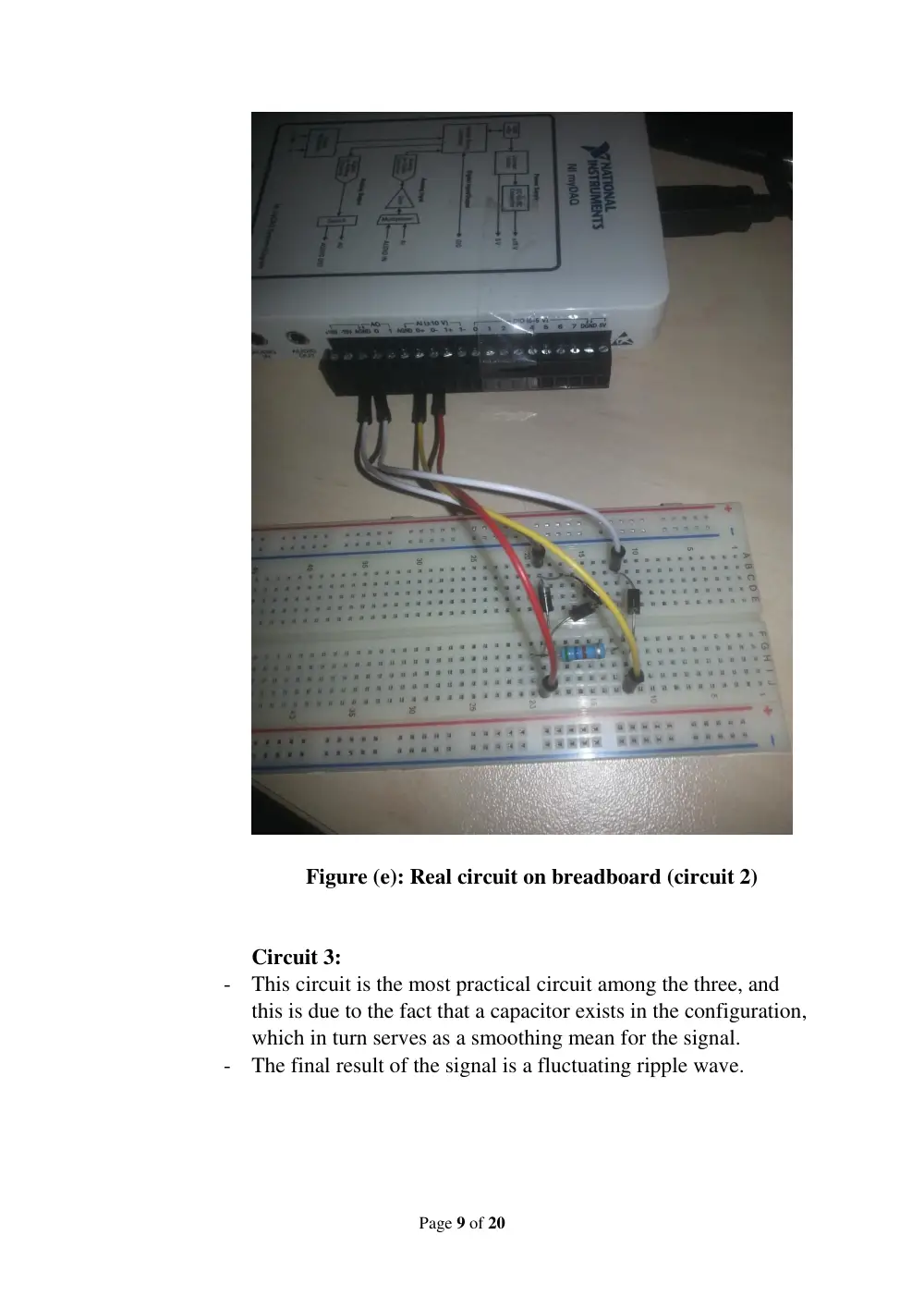
Circuit 2:
- Circuit 2 was slightly more difficult in terms of building and
this is due to the fact that now the circuit included 4 diodes
connected to resistor (bridge).
- This circuit served as a full-wave rectifier and the connections
were as follows.
Figure (d): Theoretical connections of Circuit 2
Figure (d’): Expected theoretical output from circuit 2
Page 9 of 20
Figure (e): Real circuit on breadboard (circuit 2)
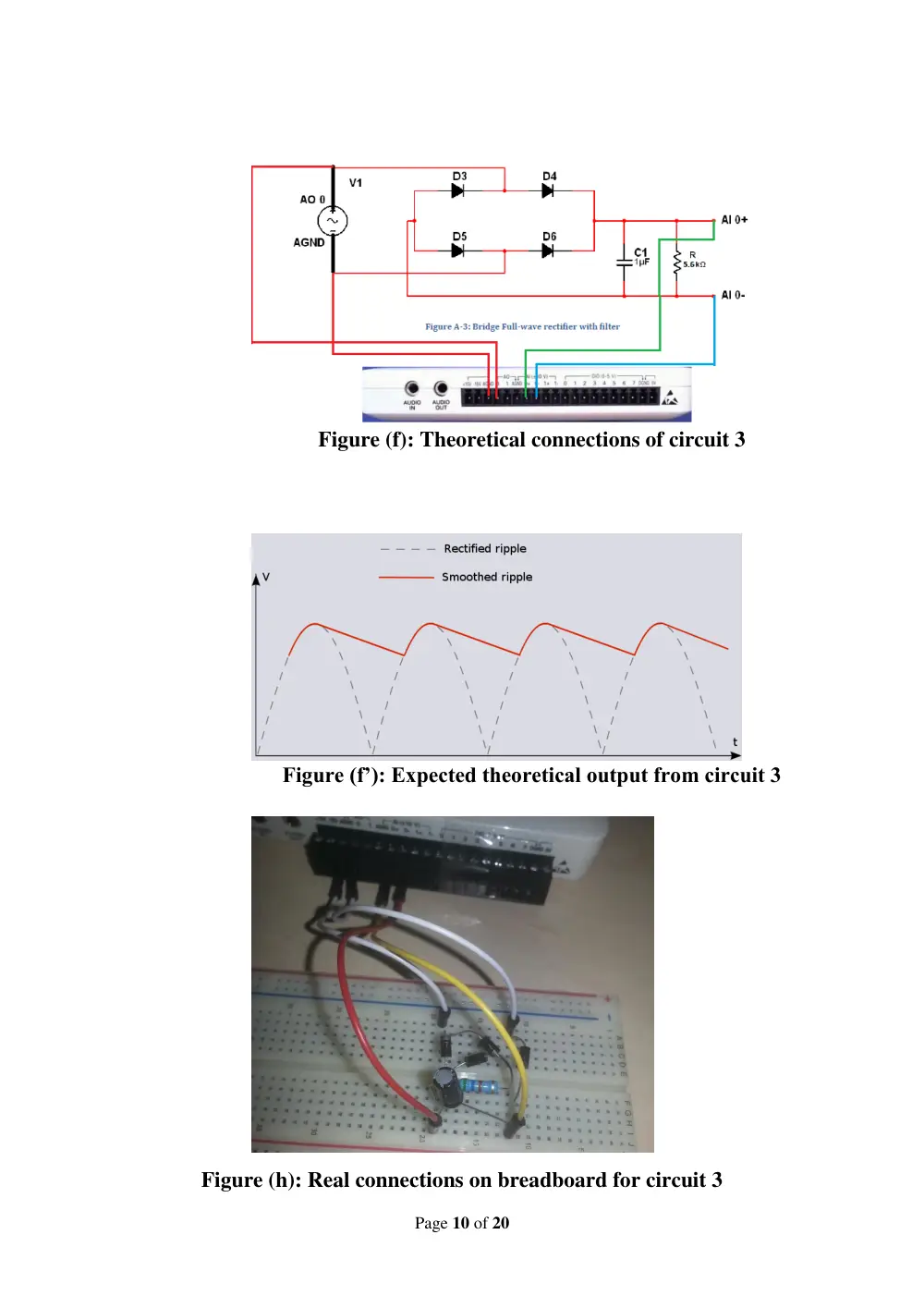
Circuit 3:
- This circuit is the most practical circuit among the three, and
this is due to the fact that a capacitor exists in the configuration,
which in turn serves as a smoothing mean for the signal.
- The final result of the signal is a fluctuating ripple wave.
Page 10 of 20
Figure (f): Theoretical connections of circuit 3
Figure (f’): Expected theoretical output from circuit 3
Figure (h): Real connections on breadboard for circuit 3
Page 11 of 20
Description of the software setup:
b. Modules used and Configurations
FUNCTION GENERATOR (FGEN)
The NI ELVISmx Function Generator (FGEN) generates
standard waveforms with options for the type of output
waveform (sine, square, or triangle), amplitude selection, and
frequency settings.
OSCILLOSCOPE (SCOPE)
The NI ELVISmx Oscilloscope (Scope) displays voltage
data for analysis. This instrument provides the functionality of the
standard desktop oscilloscope found in typical undergraduate
laboratories. The NI ELVISmx Oscilloscope SFP has two channels
and provides scaling and position adjustment knobs along with a
modifiable time-base. The auto-scale feature allows you to adjust
the voltage display scale based on the peak-to-peak voltage of the
AC signal for the best display of the signal. The computer-based
scope display has the ability to use cursors for accurate screen
measurements.
Channel Source: Channels AI 0 and AI 1. Hence, analogue
input lines (AI 0 or AI1) of myDAQ will be used to display the
output signal from the circuit design built on the breadboard (AI
0 in my case).
Page 12 of 20
DIGITAL MULTIMETER (DMM)
NI ELVISmx Digital Multi-meter (DMM) is a stand-alone
instrument2 that controls the basic DMM capabilities of NI
myDAQ. This commonly used instrument can perform the
following types of measurements:
Voltage (DC and AC)
Current (DC and AC)
Resistance
Diode test
Audible continuity
This instrument has the following measurement parameters:
DC voltage: 60 V, 20 V, 2 V, and 200 mV ranges
AC voltage: 20 V, 2 V, and 200 mV ranges
DC current: 1 A, 200 mA, and 20 mA ranges
AC current: 1 A, 200 mA, and 20 mA ranges
Resistance: 20 MΩ, 2 MΩ, 200 KΩ, 20 KΩ, 2 KΩ, and 200
Ω ranges
Diode: 2 V range
We shall use the DMM interface to make voltage and
resistance measurements.
Page 13 of 20
Page 14 of 20
Testing:
a. Measurement of the value of resistance.
b. Half wave rectifier
i.
Output signal using scope:
Page 15 of 20
ii.
Peak-to-peak voltage using cursors:
iii.
The mean output voltage (DC) using DMM:
Page 16 of 20
c. Full-wave rectifier (without capacitor)
i.
Output signal using scope:
ii.
Peak-to-peak voltage using cursors:
Page 17 of 20
iii.
The mean output voltage (DC) using DMM:
Page 18 of 20
d. Full-wave rectifier with smoothing capacitor
i.
Output voltage measurement using Scope:
ii.
The mean output voltage (DC) read from DMM:
Page 19 of 20
e. COMPARISON BETWEEN OUTCOMES OF THE TESTED
CIRCUITS:
After performing the above experiments, it is rather noticeable to us the
fact that the increasing complexity of the circuits speaks for itself when it comes
to the comparison of the results.
For the half wave rectifier, we notice that the output showed a half-sine
wave, in which all the negative part of the signal disappeared making the signal
look unidirectional.
As for the full wave rectifier (without smoothing capacitor), we notice
that all of the output signal is now positive such that the negative part and
positive part of the signal are adjacent to one another.
Considering the full wave rectifier with the smoothing capacitor, we
notice that the signal is a kind of shy horizontal line having small fluctuations
tending to the shape of a DC signal.
The numerical comparison is what we can call the “Meat and Potato” of
the whole purpose of the experiment. Starting from experiment one the peak-to-
peak voltage was 1.976 V (from scope) and as we moved to experiment two the
peak-to-peak voltage went down to 1.456 V, and as we moved further to
experiment three the peak-to-peak voltage went down dramatically to 95.26
mV. As we can see the peak-to-peak voltage is decreasing as we move from one
experiment to the other.
On the other hand, if we consider the mean voltage measurements that
we’ve done using the DMM, we notice that for experiment one 𝑉𝐷𝐶 = 0.6 𝑉,
then it becomes 𝑉𝐷𝐶 = 0.7 𝑉 for experiment two, after which it becomes 𝑉𝐷𝐶 =
1.3 𝑉 for experiment three, which is a relatively high value compared to the
peak-to-peak voltage.
Henceforth, as we further proceed in rectifying the signal, it starts losing
its AC properties, and starts exhibiting DC properties.
Page 20 of 20
References:
-
Documents posted on Moodle
-
EECE 312 Lecture notes: Dr. Lama Hamandi
-
http://www.paleoelectronics.com/2011/03/sidebar-rectification-
and-filtering/
-
http://electronics.stackexchange.com/questions/68526/what-
can-the-source-of-100hz-noise-be