
COE 201 Lecture 2, Fall 2017
Lebanese American University · Computer Proficiency · 24 pages · Ms. Sana Al Hakim

Showing the first 10 of 24 pages. Download the PDF to see all of it.
More COE 201 files
Show the text of this lab
Short Introduction on
Networks
Internet - Basic Search
COE 201- Computer Proficiency
Outline
• Internet Basics
• Web Browser
• IP Address
• DNS
• Protocols
• Firewall
• Proxy
• Search Engines
• Search Optimization
Internet Basics
URL
•
Uniform Resource Locator
•
Unique address of any web document/page
•
Also called domain name or internet address
•
Is entered in the address bar in your browser
To Browse
•
Or to surf
•
follow links in a page/ discover websites and their content.
•
Usually used like "I browse some sites" or "I'm surfing on the net".
Downloads
•
A download is a file you have transferred from another computer to your computer over the
internet.
Links
•
Aka Hyperlink
•
Links one electronic document to another
Web Browser
• Aka browser
• Makes the content on the internet viewable
• Converts the data coming from the internet to the graphical
interface you see.
• Displays all elements of a website at their designated positions.
Example:
• Internet Explorer (IE)
• Mozilla Firefox
• Google Chrome
• Opera
• Safari
Web Browser
Browser’s basic components:
Address Bar:
Most important part of your browser.
You can enter all domain names you want to visit in it.
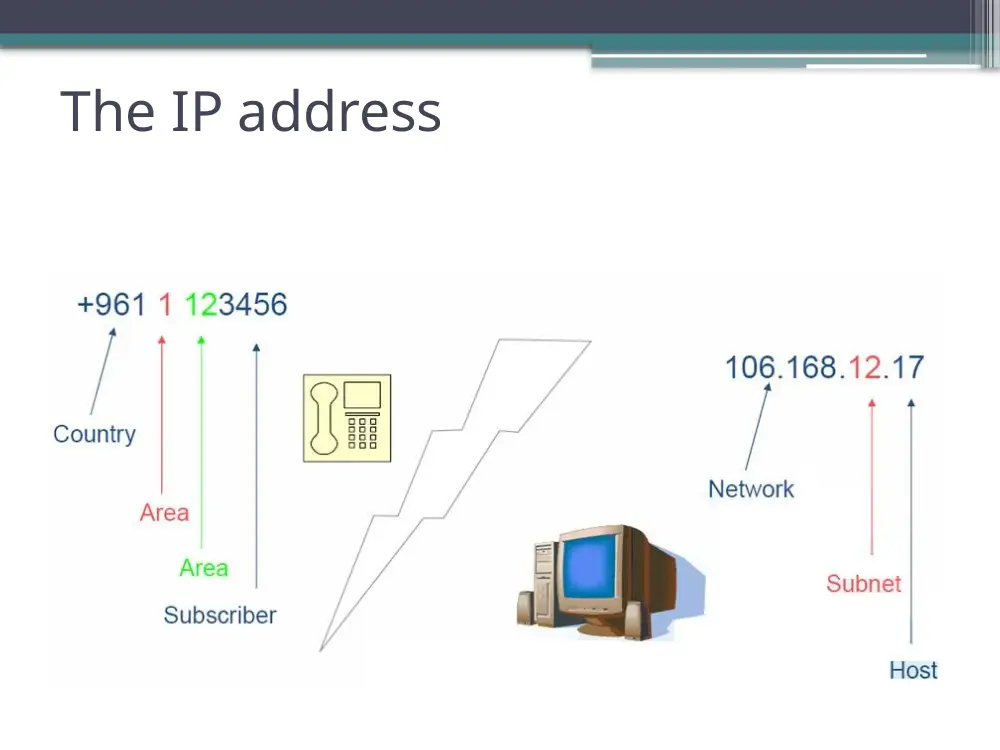
The IP address
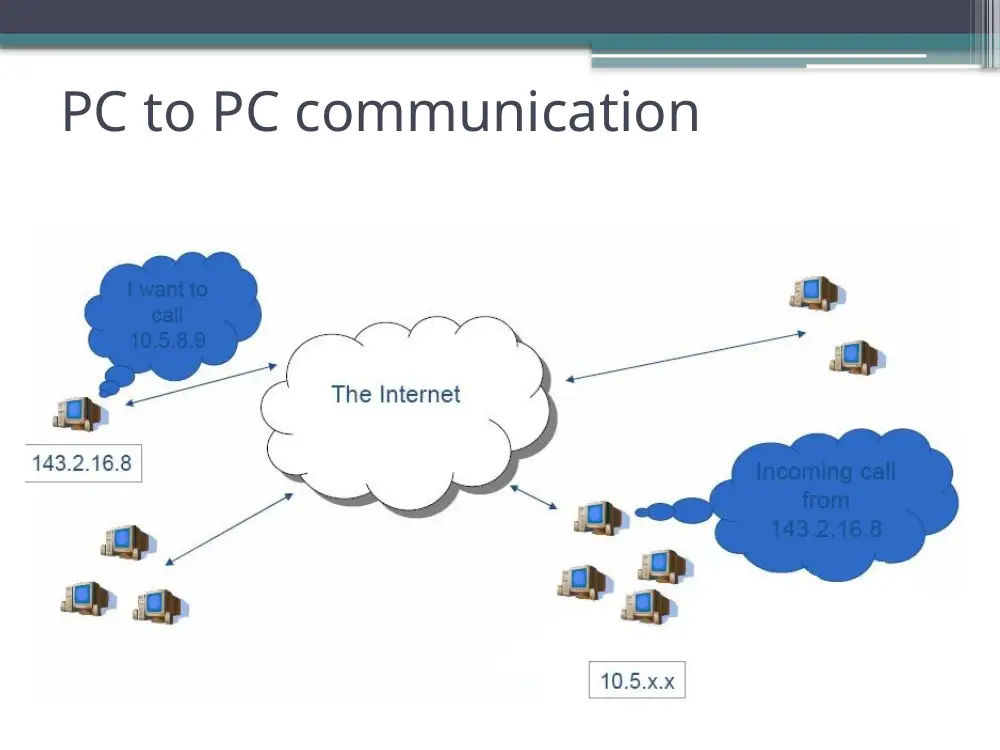
PC to PC communication
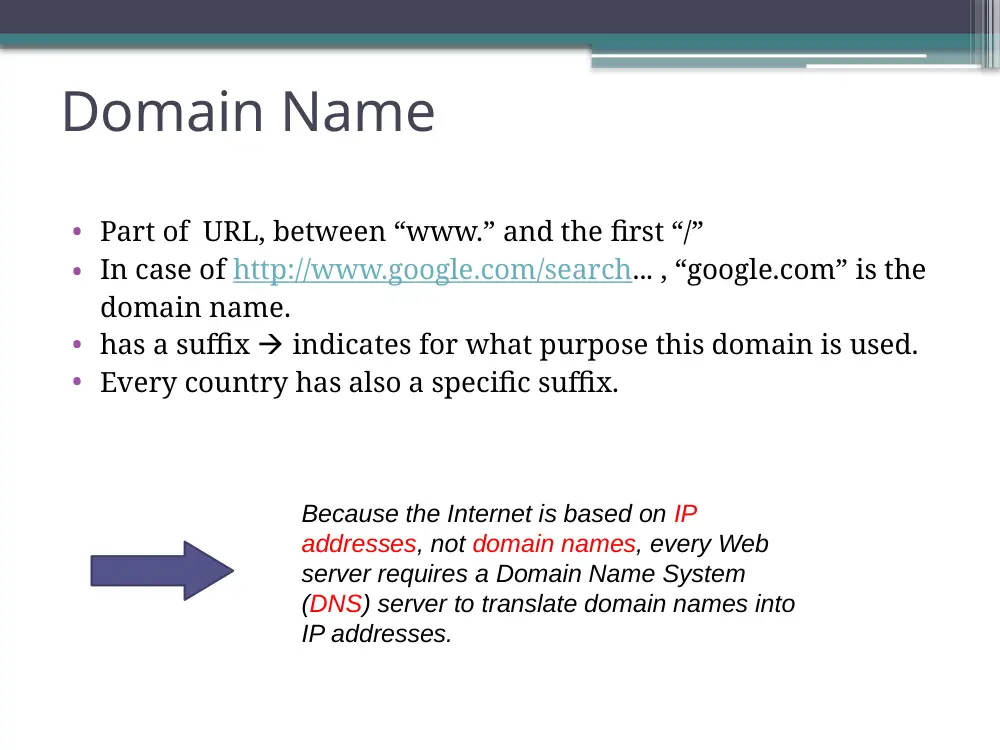
Domain Name
• Part of URL, between “www.” and the first “/”
• In case of http://www.google.com/search... , “google.com” is the
domain name.
• has a suffix indicates for what purpose this domain is used.
• Every country has also a specific suffix.
Because the Internet is based on IP
addresses, not domain names, every Web
server requires a Domain Name System
(DNS) server to translate domain names into
IP addresses.
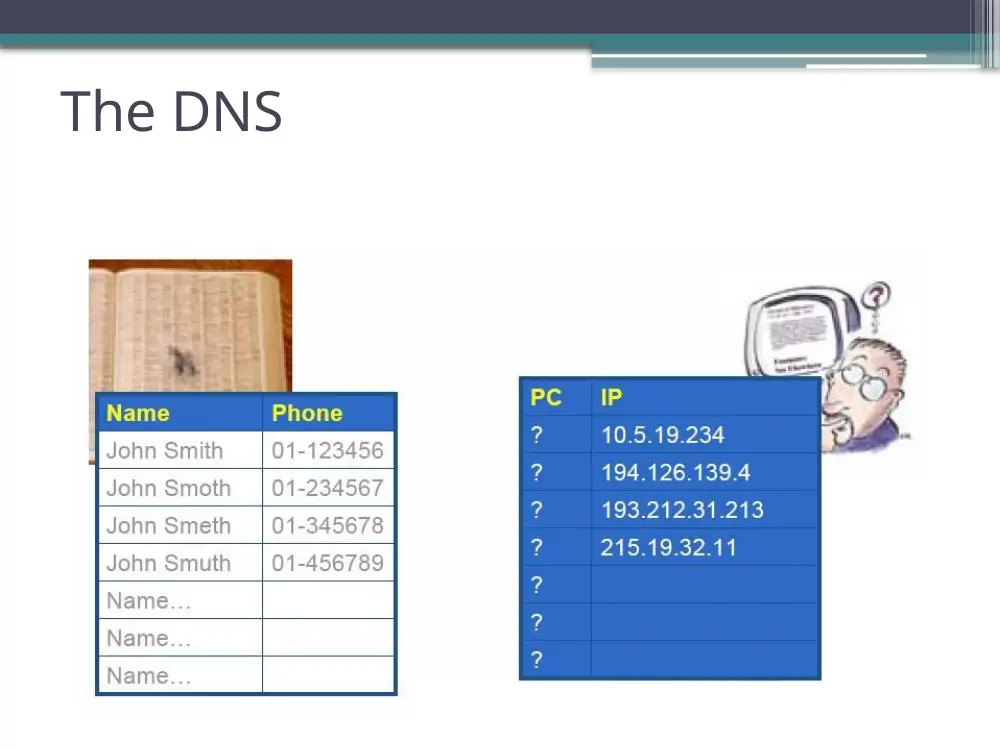
The DNS
The DNS
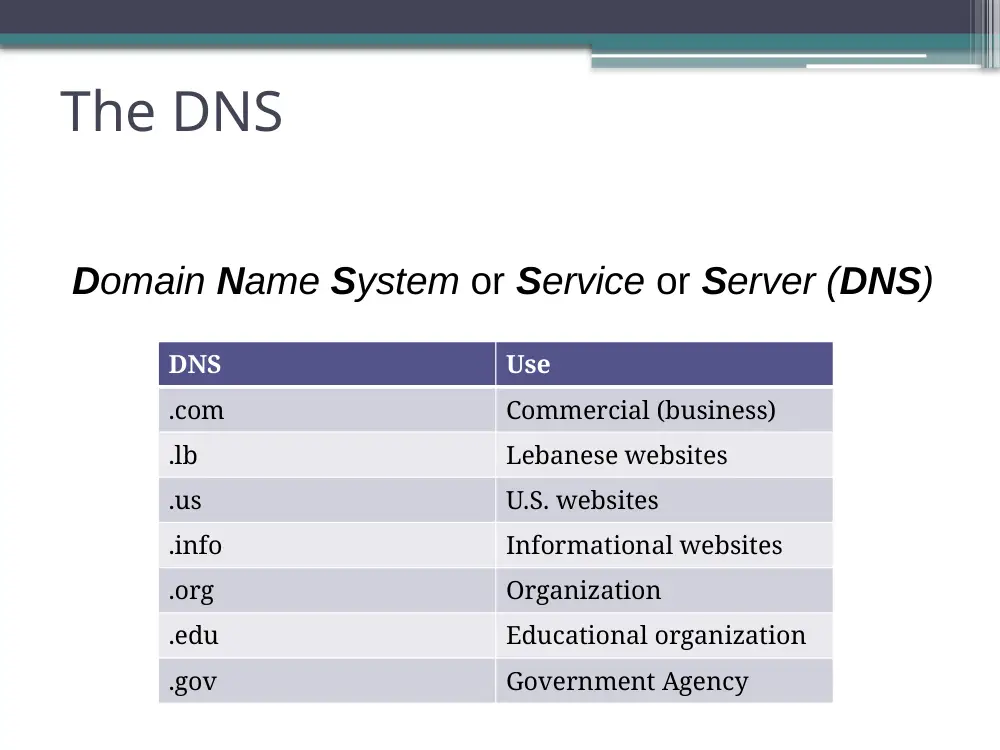
Domain Name System or Service or Server (DNS)
DNS
Use
.com
Commercial (business)
.lb
Lebanese websites
.us
U.S. websites
.info
Informational websites
.org
Organization
.edu
Educational organization
.gov
Government Agency
The DNS (continued)
Services
The DNS (continued)
Protocols
Protocols (Continued)
• Protocols are “languages” that computers use
to communicate with each other.
• A dialed computer should be able to talk the
dialing computer’s protocol.
Protocol = Language
Typical Protocols
Protocol Name
Usage
HTTP
Browsing web pages
FTP
Downloading/ Uploading files
SMTP
Sending e-mail
POP3
Receiving e-mail
Telnet
Remote access
IRC
Chatting
Question!
What happens from the moment you type
an address in your browser window till the
moment the page appears?
The Firewall
Its mission:
• Protects your computer(s) or
network from the outside attacks.
The Proxy
With a firewall, no one can get in
BUT NO ONE can get out!!!
Solution:
The proxy is a door in the firewall
Firewall
Inside
Outside
Search Engines
Three types of search engines:
• Human-powered
• Crawler Based
• Hybrid
NOTE:
No search engine has more than
40% of the total websites available
online!!
Search Engines (continued)
Human -powered:
•
Depends on humans for its listings
•
You submit a short description to the directory for your entire site
•
A search looks for matches only in the descriptions submitted.
•
Changing your web pages has no effect on your listing
Crawler-Based:
•
Such as Google
•
They "crawl" or "spider" the web
•
create their listings automatically, then people search through what they
have found.
•
you change your web pages they find these changes change your
listing.
Search Engines (continued)
"Hybrid Search Engines" Or Mixed Results
• Search engines used to either present:
▫ crawler-based results
▫ human-powered listings.
• Today……
both types of results are presented.
How to Search?
•
“+”
▫ To search for two or more terms on the same page.
▫ Type “+” between the terms
▫ Refers to AND
▫ Example: sun + heat
•
“OR”
▫ To search for either of two (or more) terms on the same page
▫ Type the word OR between the terms
▫ Example: sun OR heat
•
“-”:
▫ To search for pages that include the first term and not the second
▫ Type “-” between the terms
▫ Example: sun -heat
How to Search?(continued)
•
“”
▫ To search for an exact phrase
▫ Enclose the phrase in quotation marks
▫ Example: “sun heat effects”
•
( )
▫ To group parts of your search
▫ Enclose them in parenthesis
▫ Example: sun + (heat OR burn)
This will return pages with both the words sun and heat or both the words sun and burn.
•
*
▫ To search for various forms of a word
▫ Add an asterisk to the end of the word
▫ Example: sun*
This returns pages with the words sun, sunglass, sunburn, sunrise…
Optimizing your search
Let’s try some Google queries:
Keywords
Results
chocolate + cake
93,700,000
chocolate OR cake
1,350,000,000
"chocolate cake"
25,200,000
"cake chocolate"
2,190,000