
COE 212 Problems Chapter 3 Solutions, Fall 2013
Lebanese American University · Engineering Programming · 18 pages · with solution



Showing the first 10 of 18 pages. Download the PDF to see all of it.
More COE 212 files
- Problems Chapter 4 with Solution · Fall 2013Chapter · with solutionView
- Problems Chapter 5 Solutions · Fall 2013Chapter · with solutionView
- Problems Chapter 2 Solutions · Spring 2013Chapter · with solutionView
- Exam 1 · Fall 2017ExamView
- Exam 1 · Fall 2017ExamView
- Final · Fall 2016Final examView
- Exam 2 · Fall 2016ExamView
- Exam 1 · Fall 2016ExamView
Show the text of this chapter
6th Edition, Java Software Solutions
Disclaimer: In what follows, you will find the solutions to the
exercises given in the 6th edition of the book. If you happen to be
using an earlier edition of the book, you should match each one
of the problems presented below to the proper exercise in the
book that you have. So keep in mind that the order in which the
solutions are listed may not agree with the order of the
exercises in your book.
Chapter 3 Exercise Solutions
EX 1.1.
Write a statement that prints the number of characters in a String object called
overview.
System.out.println (overview.length());
EX 1.2.
Write a statement that prints the 8th character of a String object called
introduction.
System.out.println (introduction.charAt(7));
EX 1.3.
Write a declaration for a String variable called change and initialize it to the
characters stored in another String object called original with all 'e'
characters changed to 'j'.
String change = original.replace ('e', 'j');
EX 1.4.
What output is produced by the following code fragment?
String m1, m2, m3;
m1 = "Quest for the Holy Grail";
m2 = m1.toLowerCase();
m3 = m1 + " " + m2;
System.out.println (m3.replace('h', 'z'));
The output produced is:
Quest for tze Holy Grail quest for tze zoly grail
The original string is concatenated with a lowercase version of itself, then all lowercase
‘h’ characters are replaced with ‘z’.
EX 1.5.
What is the effect of the following import statement?
import java.awt.*;
This statement allows the program in which it is written to access all classes (because
of the wildcard *) in the package java.awt without any further reference to the package
name.
EX 1.6.
Assuming that a Random object has been created called generator, what is the
range of the result of each of the following expressions?
a.
generator.nextInt(20)
0 to 19, inclusive
6th Edition, Java Software Solutions
b.
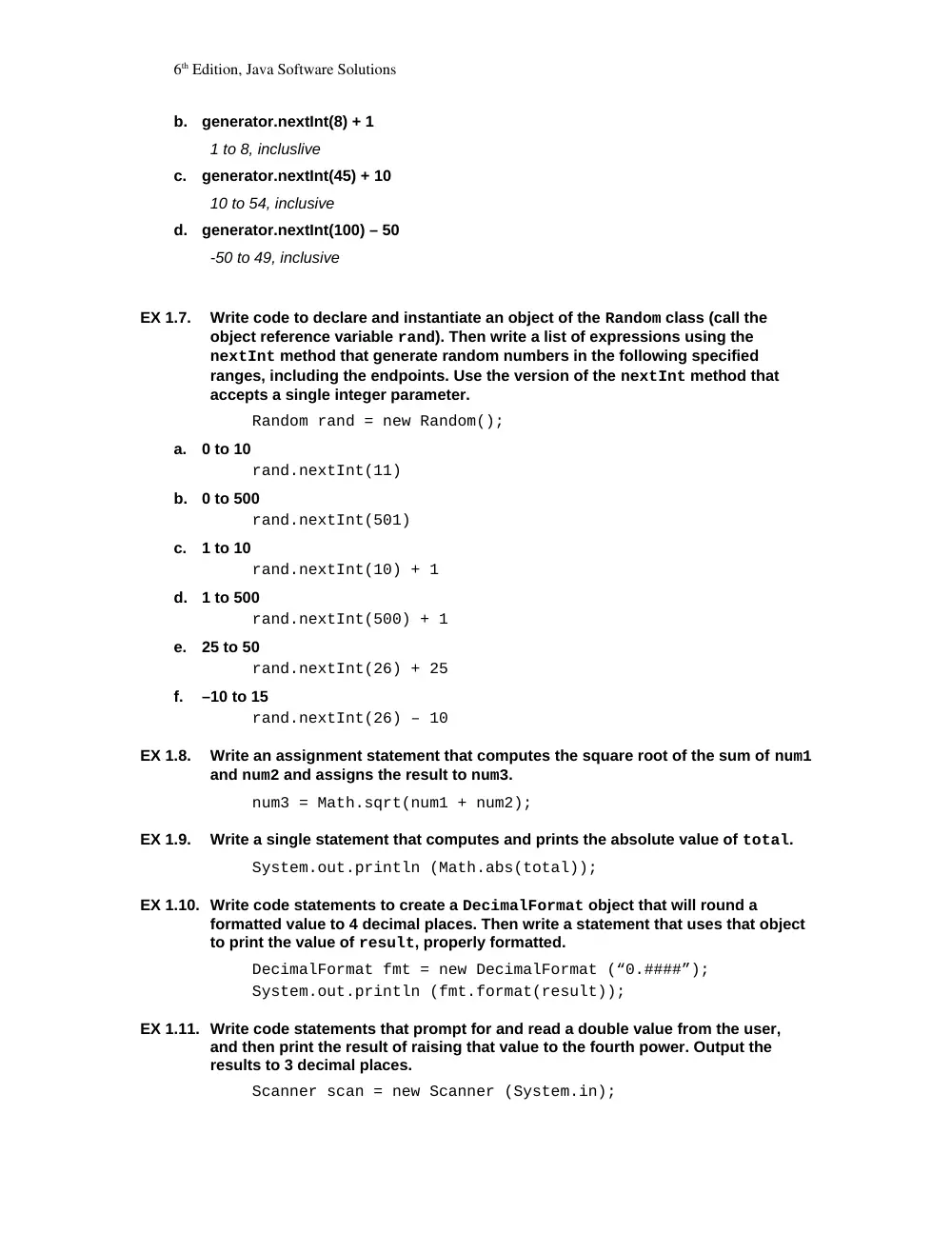
generator.nextInt(8) + 1
1 to 8, incluslive
c.
generator.nextInt(45) + 10
10 to 54, inclusive
d.
generator.nextInt(100) – 50
-50 to 49, inclusive
EX 1.7.
Write code to declare and instantiate an object of the Random class (call the
object reference variable rand). Then write a list of expressions using the
nextInt method that generate random numbers in the following specified
ranges, including the endpoints. Use the version of the nextInt method that
accepts a single integer parameter.
Random rand = new Random();
a.
0 to 10
rand.nextInt(11)
b.
0 to 500
rand.nextInt(501)
c.
1 to 10
rand.nextInt(10) + 1
d.
1 to 500
rand.nextInt(500) + 1
e.
25 to 50
rand.nextInt(26) + 25
f.
–10 to 15
rand.nextInt(26) – 10
EX 1.8.
Write an assignment statement that computes the square root of the sum of num1
and num2 and assigns the result to num3.
num3 = Math.sqrt(num1 + num2);
EX 1.9.
Write a single statement that computes and prints the absolute value of total.
System.out.println (Math.abs(total));
EX 1.10. Write code statements to create a DecimalFormat object that will round a
formatted value to 4 decimal places. Then write a statement that uses that object
to print the value of result, properly formatted.
DecimalFormat fmt = new DecimalFormat (“0.####”);
System.out.println (fmt.format(result));
EX 1.11. Write code statements that prompt for and read a double value from the user,
and then print the result of raising that value to the fourth power. Output the
results to 3 decimal places.
Scanner scan = new Scanner (System.in);
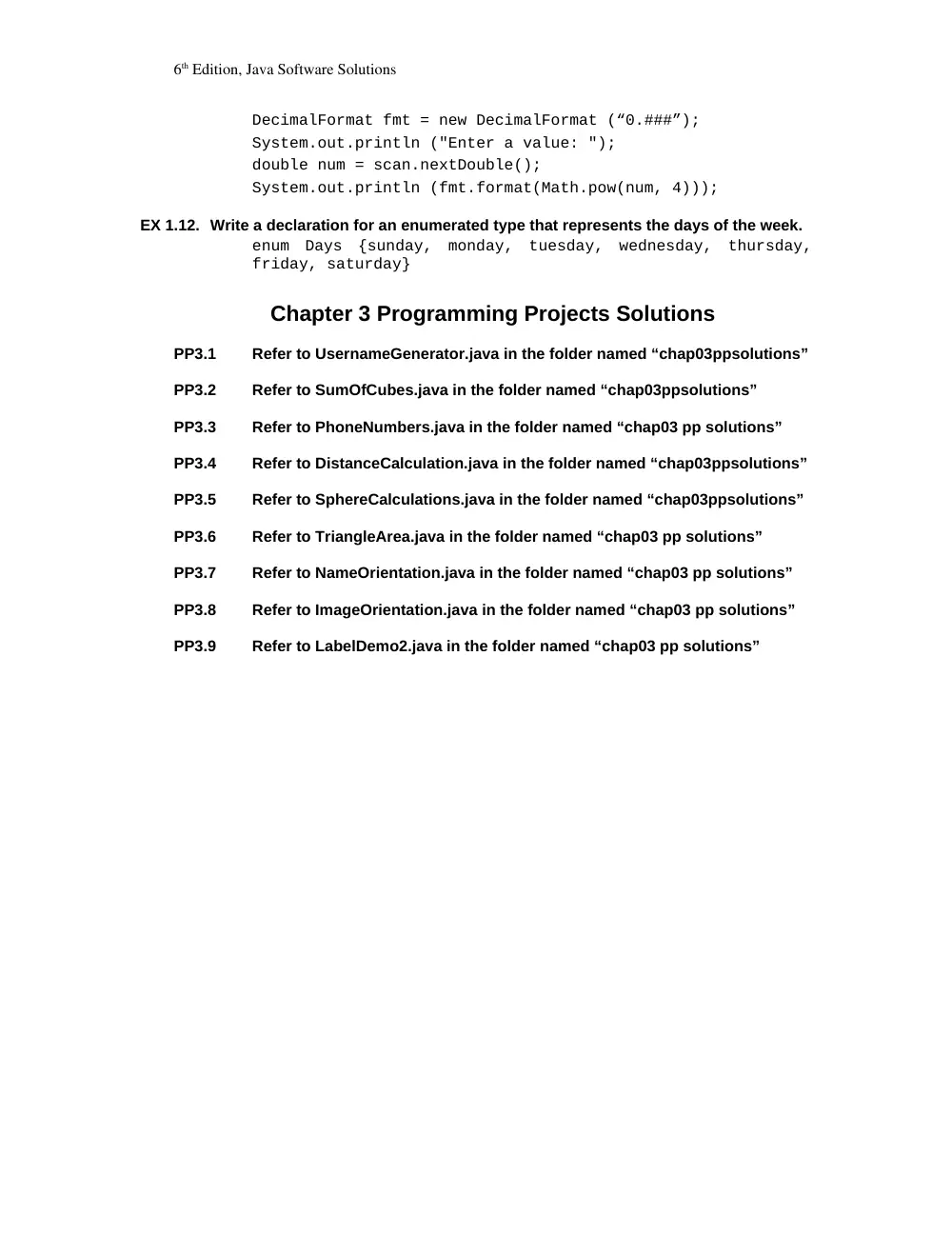
6th Edition, Java Software Solutions
DecimalFormat fmt = new DecimalFormat (“0.###”);
System.out.println ("Enter a value: ");
double num = scan.nextDouble();
System.out.println (fmt.format(Math.pow(num, 4)));
EX 1.12. Write a declaration for an enumerated type that represents the days of the week.
enum Days {sunday, monday, tuesday, wednesday, thursday,
friday, saturday}
Chapter 3 Programming Projects Solutions
PP3.1
Refer to UsernameGenerator.java in the folder named “chap03ppsolutions”
PP3.2
Refer to SumOfCubes.java in the folder named “chap03ppsolutions”
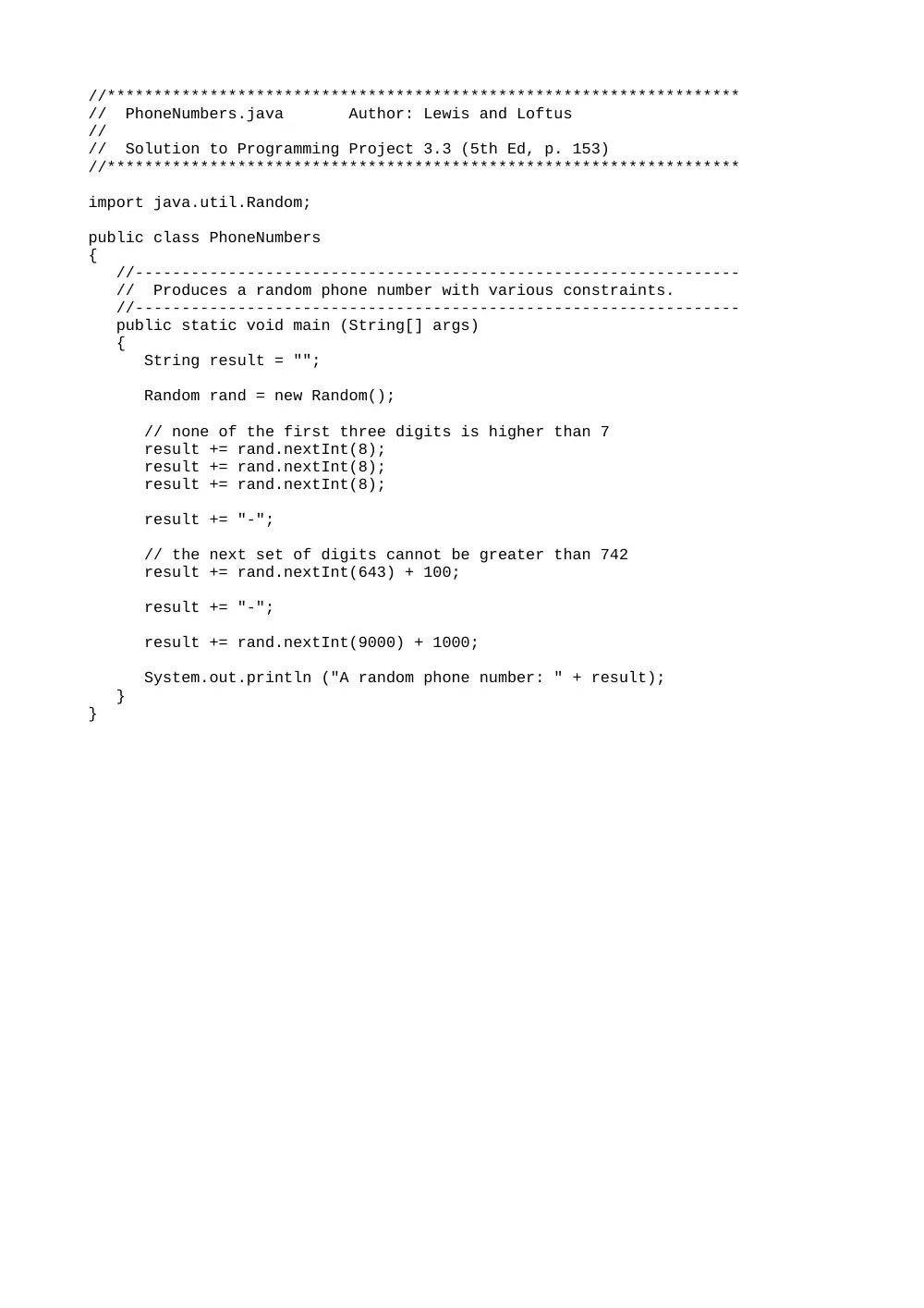
PP3.3
Refer to PhoneNumbers.java in the folder named “chap03 pp solutions”
PP3.4
Refer to DistanceCalculation.java in the folder named “chap03ppsolutions”
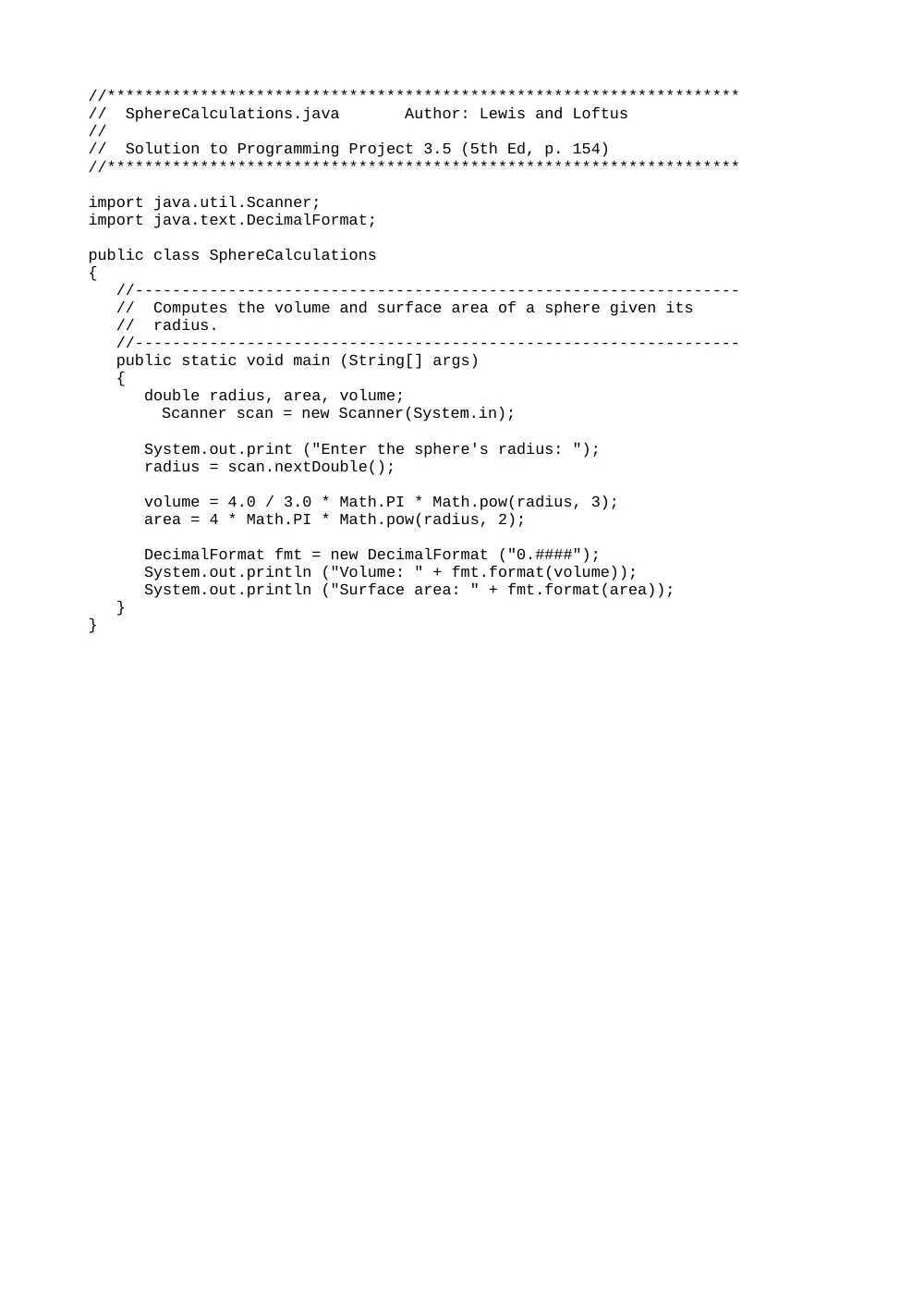
PP3.5
Refer to SphereCalculations.java in the folder named “chap03ppsolutions”
PP3.6
Refer to TriangleArea.java in the folder named “chap03 pp solutions”
PP3.7
Refer to NameOrientation.java in the folder named “chap03 pp solutions”
PP3.8
Refer to ImageOrientation.java in the folder named “chap03 pp solutions”
PP3.9
Refer to LabelDemo2.java in the folder named “chap03 pp solutions”
//********************************************************************
// DistanceCalculation.java Author: Lewis and Loftus
//
// Solution to Programming Project 3.4 (5th Ed, p. 153)
//********************************************************************
import java.util.Scanner;
public class DistanceCalculation
{
//-----------------------------------------------------------------
// Computes the distance between two points using the distance
// formula.
//-----------------------------------------------------------------
public static void main (String[] args)
{
int x1, y1, x2, y2;
double distance;
Scanner scan = new Scanner(System.in);
System.out.println ("Enter the first coordinate values:");
x1 = scan.nextInt();
y1 = scan.nextInt();
System.out.println ("Enter the second coordinate values:");
x2 = scan.nextInt();
y2 = scan.nextInt();
distance = Math.sqrt( Math.pow(x2-x1, 2) + Math.pow(y2-y1, 2) );
System.out.println ("The distance between (" + x1 + "," + y1 +
") and (" + x2 + "," + y2 + ") is " + distance);
}
}
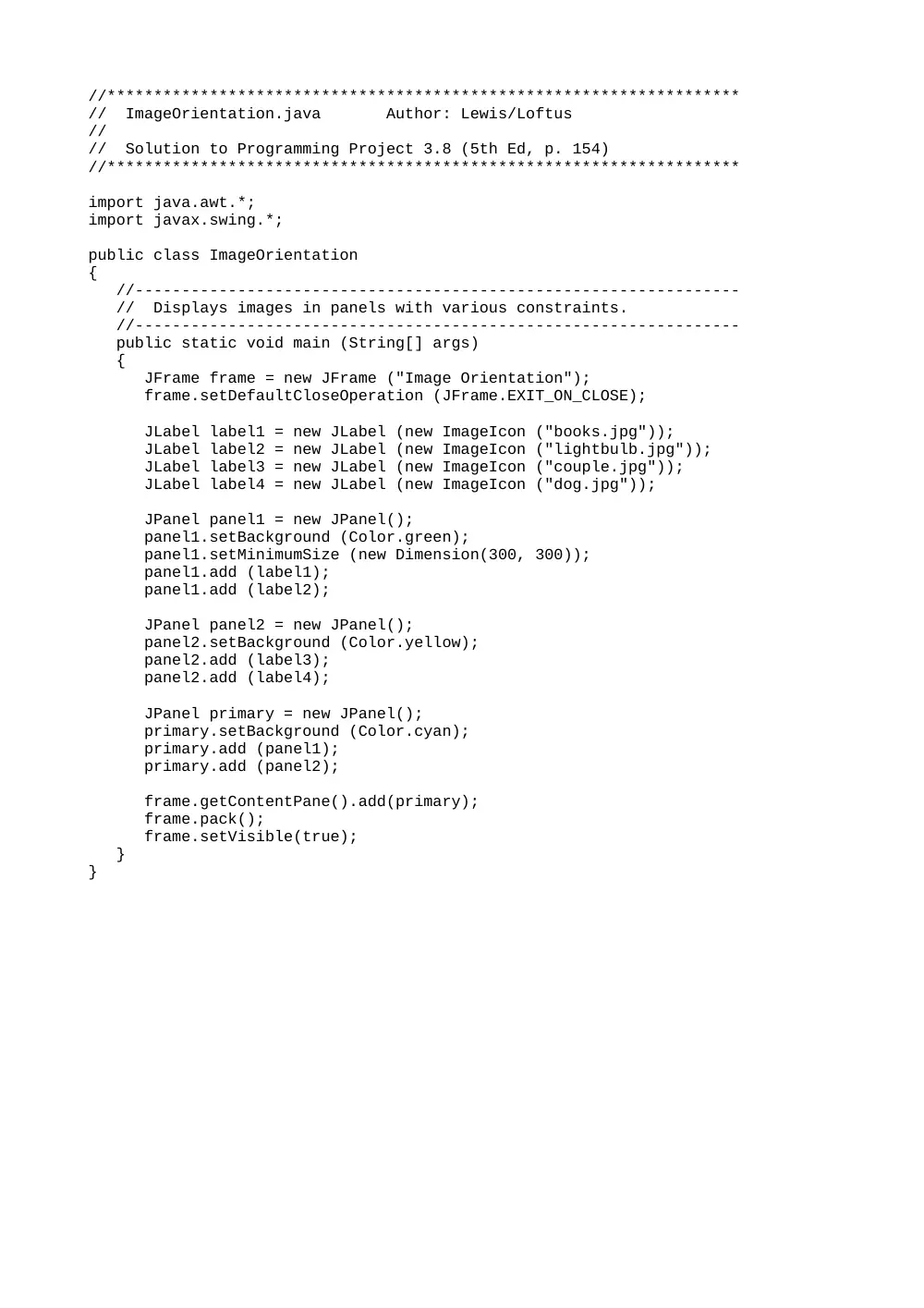
//********************************************************************
// ImageOrientation.java Author: Lewis/Loftus
//
// Solution to Programming Project 3.8 (5th Ed, p. 154)
//********************************************************************
import java.awt.*;
import javax.swing.*;
public class ImageOrientation
{
//-----------------------------------------------------------------
// Displays images in panels with various constraints.
//-----------------------------------------------------------------
public static void main (String[] args)
{
JFrame frame = new JFrame ("Image Orientation");
frame.setDefaultCloseOperation (JFrame.EXIT_ON_CLOSE);
JLabel label1 = new JLabel (new ImageIcon ("books.jpg"));
JLabel label2 = new JLabel (new ImageIcon ("lightbulb.jpg"));
JLabel label3 = new JLabel (new ImageIcon ("couple.jpg"));
JLabel label4 = new JLabel (new ImageIcon ("dog.jpg"));
JPanel panel1 = new JPanel();
panel1.setBackground (Color.green);
panel1.setMinimumSize (new Dimension(300, 300));
panel1.add (label1);
panel1.add (label2);
JPanel panel2 = new JPanel();
panel2.setBackground (Color.yellow);
panel2.add (label3);
panel2.add (label4);
JPanel primary = new JPanel();
primary.setBackground (Color.cyan);
primary.add (panel1);
primary.add (panel2);
frame.getContentPane().add(primary);
frame.pack();
frame.setVisible(true);
}
}
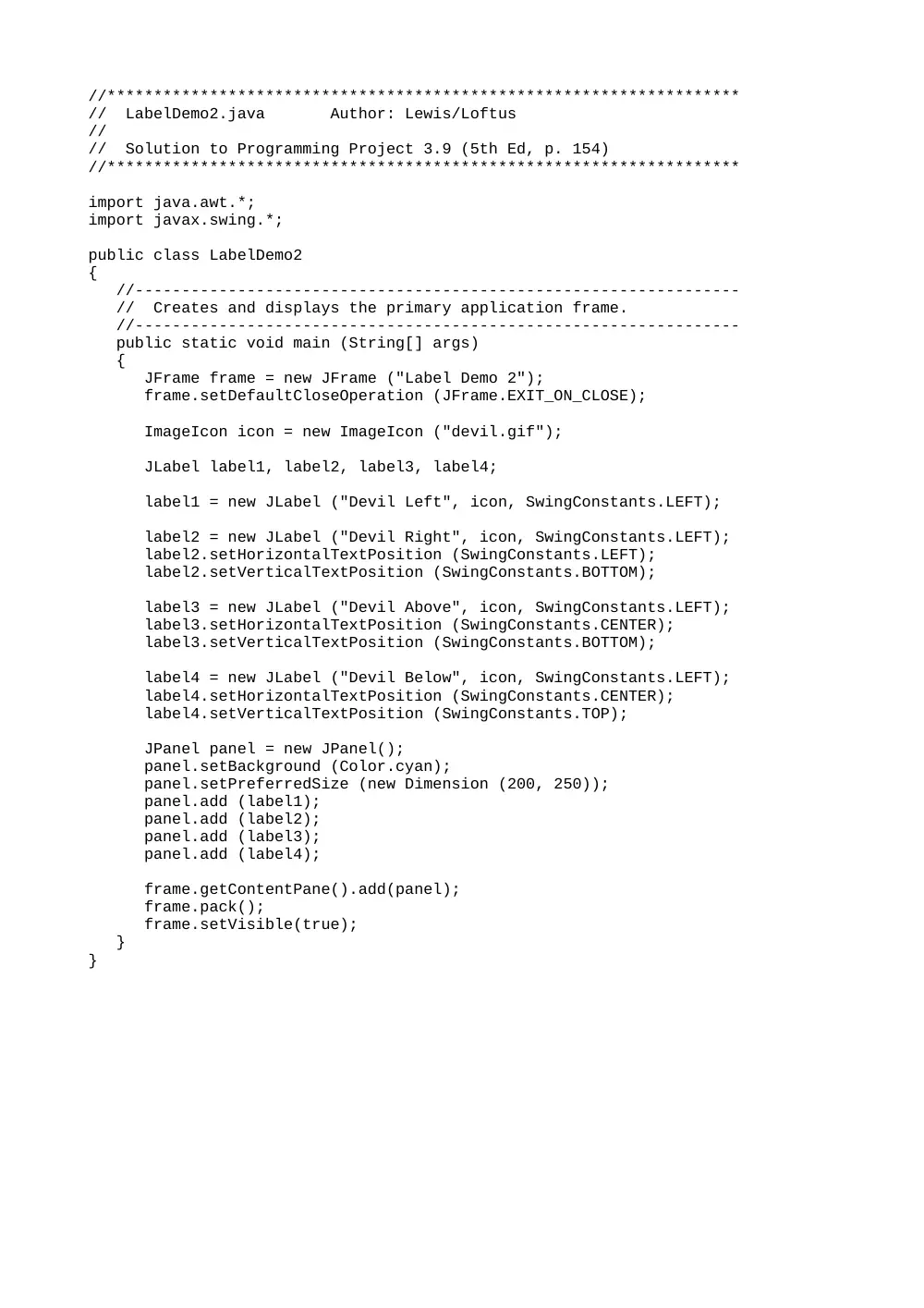
//********************************************************************
// LabelDemo2.java Author: Lewis/Loftus
//
// Solution to Programming Project 3.9 (5th Ed, p. 154)
//********************************************************************
import java.awt.*;
import javax.swing.*;
public class LabelDemo2
{
//-----------------------------------------------------------------
// Creates and displays the primary application frame.
//-----------------------------------------------------------------
public static void main (String[] args)
{
JFrame frame = new JFrame ("Label Demo 2");
frame.setDefaultCloseOperation (JFrame.EXIT_ON_CLOSE);
ImageIcon icon = new ImageIcon ("devil.gif");
JLabel label1, label2, label3, label4;
label1 = new JLabel ("Devil Left", icon, SwingConstants.LEFT);
label2 = new JLabel ("Devil Right", icon, SwingConstants.LEFT);
label2.setHorizontalTextPosition (SwingConstants.LEFT);
label2.setVerticalTextPosition (SwingConstants.BOTTOM);
label3 = new JLabel ("Devil Above", icon, SwingConstants.LEFT);
label3.setHorizontalTextPosition (SwingConstants.CENTER);
label3.setVerticalTextPosition (SwingConstants.BOTTOM);
label4 = new JLabel ("Devil Below", icon, SwingConstants.LEFT);
label4.setHorizontalTextPosition (SwingConstants.CENTER);
label4.setVerticalTextPosition (SwingConstants.TOP);
JPanel panel = new JPanel();
panel.setBackground (Color.cyan);
panel.setPreferredSize (new Dimension (200, 250));
panel.add (label1);
panel.add (label2);
panel.add (label3);
panel.add (label4);
frame.getContentPane().add(panel);
frame.pack();
frame.setVisible(true);
}
}
//********************************************************************
// NameOrientation.java Author: Lewis/Loftus
//
// Solution to Programming Project 3.7 (5th Ed, p. 154)
//********************************************************************
import java.awt.*;
import javax.swing.*;
public class NameOrientation
{
//-----------------------------------------------------------------
// Displays a name such that the orientation of the first and
// last names change with the size of the window.
//-----------------------------------------------------------------
public static void main (String[] args)
{
JFrame frame = new JFrame ("Name Orientation");
frame.setDefaultCloseOperation (JFrame.EXIT_ON_CLOSE);
ImageIcon icon = new ImageIcon ("devil.gif");
JPanel primary = new JPanel();
primary.setBackground (Color.cyan);
primary.setPreferredSize (new Dimension(200, 50));
JLabel firstName = new JLabel ("Elizabeth");
JLabel lastName = new JLabel ("Montgomery");
primary.add (firstName);
primary.add (lastName);
frame.getContentPane().add(primary);
frame.pack();
frame.setVisible(true);
}
}
//********************************************************************
// PhoneNumbers.java Author: Lewis and Loftus
//
// Solution to Programming Project 3.3 (5th Ed, p. 153)
//********************************************************************
import java.util.Random;
public class PhoneNumbers
{
//-----------------------------------------------------------------
// Produces a random phone number with various constraints.
//-----------------------------------------------------------------
public static void main (String[] args)
{
String result = "";
Random rand = new Random();
// none of the first three digits is higher than 7
result += rand.nextInt(8);
result += rand.nextInt(8);
result += rand.nextInt(8);
result += "-";
// the next set of digits cannot be greater than 742
result += rand.nextInt(643) + 100;
result += "-";
result += rand.nextInt(9000) + 1000;
System.out.println ("A random phone number: " + result);
}
}
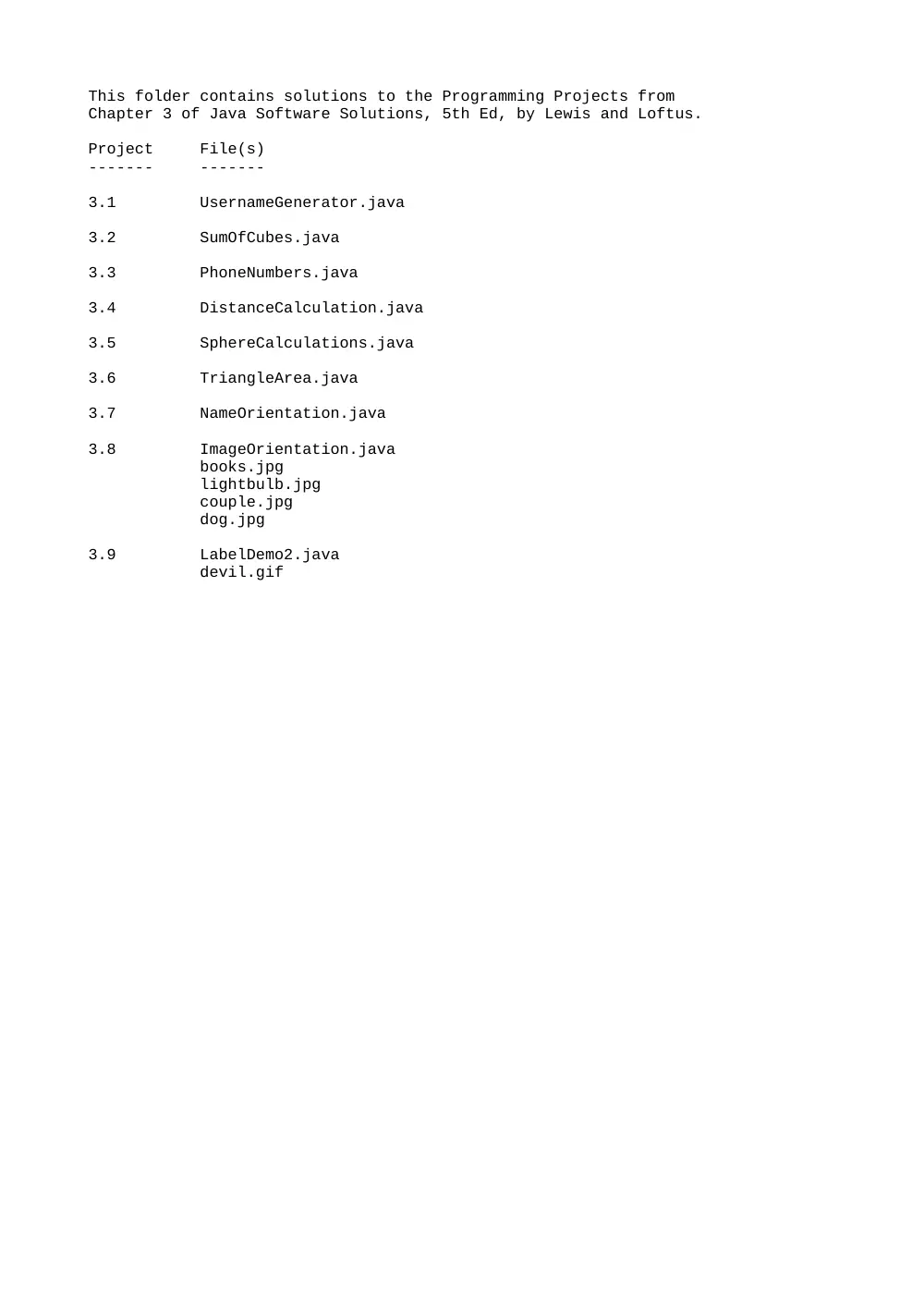
This folder contains solutions to the Programming Projects from
Chapter 3 of Java Software Solutions, 5th Ed, by Lewis and Loftus.
Project File(s)
------- -------
3.1 UsernameGenerator.java
3.2 SumOfCubes.java
3.3 PhoneNumbers.java
3.4 DistanceCalculation.java
3.5 SphereCalculations.java
3.6 TriangleArea.java
3.7 NameOrientation.java
3.8 ImageOrientation.java
books.jpg
lightbulb.jpg
couple.jpg
dog.jpg
3.9 LabelDemo2.java
devil.gif
//********************************************************************
// SphereCalculations.java Author: Lewis and Loftus
//
// Solution to Programming Project 3.5 (5th Ed, p. 154)
//********************************************************************
import java.util.Scanner;
import java.text.DecimalFormat;
public class SphereCalculations
{
//-----------------------------------------------------------------
// Computes the volume and surface area of a sphere given its
// radius.
//-----------------------------------------------------------------
public static void main (String[] args)
{
double radius, area, volume;
Scanner scan = new Scanner(System.in);
System.out.print ("Enter the sphere's radius: ");
radius = scan.nextDouble();
volume = 4.0 / 3.0 * Math.PI * Math.pow(radius, 3);
area = 4 * Math.PI * Math.pow(radius, 2);
DecimalFormat fmt = new DecimalFormat ("0.####");
System.out.println ("Volume: " + fmt.format(volume));
System.out.println ("Surface area: " + fmt.format(area));
}
}
//********************************************************************
// SumOfCubes.java Author: Lewis and Loftus
//
// Solution to Programming Project 3.2 (5th Ed, p. 153)
//********************************************************************
import java.util.Scanner;
public class SumOfCubes
{
//-----------------------------------------------------------------
// Calculates the sum of two cubed integers.
//-----------------------------------------------------------------
public static void main (String[] args)
{
int num1, num2, value;
Scanner scan = new Scanner(System.in);
System.out.print ("Enter two integers: ");
num1 = scan.nextInt();
num2 = scan.nextInt();
value = (int) (Math.pow(num1, 3) + Math.pow(num2, 3));
System.out.println ("Sum of cubes: " + value);
}
}
//********************************************************************
// TriangleArea.java Author: Lewis and Loftus
//
// Solution to Programming Project 3.6 (5th Ed, p. 154)
//********************************************************************
import java.util.Scanner;
import java.text.DecimalFormat;
public class TriangleArea
{
//-----------------------------------------------------------------
// Computes the area of a triangle given the length of each
// side. Uses Heron's formula.
//-----------------------------------------------------------------
public static void main (String[] args)
{
double side1, side2, side3, s, area;
Scanner scan = new Scanner(System.in);
System.out.print ("Enter the length of side 1: ");
side1 = scan.nextDouble();
System.out.print ("Enter the length of side 2: ");
side2 = scan.nextDouble();
System.out.print ("Enter the length of side 3: ");
side3 = scan.nextDouble();
s = (side1 + side2 + side3) / 2; // half of the perimeter
area = Math.sqrt (s * (s-side1) * (s-side2) * (s-side3));
DecimalFormat fmt = new DecimalFormat ("0.###");
System.out.println ("Area: " + fmt.format(area));
}
}
//********************************************************************
// UsernameGenerator.java Author: Lewis and Loftus
//
// Solution to Programming Project 3.1 (5th Ed, p. 153)
//********************************************************************
import java.util.Scanner;
import java.util.Random;
public class UsernameGenerator
{
//-----------------------------------------------------------------
// Produces a username based on the user's first and last names.
// Assumes the last name is at least five characters long (see
// errata).
//-----------------------------------------------------------------
public static void main (String[] args)
{
String first, last, username;
Scanner scan = new Scanner(System.in);
Random rand = new Random();
System.out.print ("Enter your first name: ");
first = scan.nextLine();
System.out.print ("Enter your last name: ");
last = scan.nextLine();
username = first.charAt(0) + last.substring(0, 5) +
(rand.nextInt(90) + 10);
System.out.println ("Username: " + username);
}
}