
COE 212 Problems Chapter 4 with Solution, Fall 2013
Lebanese American University · Engineering Programming · 51 pages · with solution


Showing the first 10 of 51 pages. Download the PDF to see all of it.
More COE 212 files
- Problems Chapter 3 Solutions · Fall 2013Chapter · with solutionView
- Problems Chapter 5 Solutions · Fall 2013Chapter · with solutionView
- Problems Chapter 2 Solutions · Spring 2013Chapter · with solutionView
- Exam 1 · Fall 2017ExamView
- Exam 1 · Fall 2017ExamView
- Final · Fall 2016Final examView
- Exam 2 · Fall 2016ExamView
- Exam 1 · Fall 2016ExamView
Show the text of this chapter
Java Software Solutions, 5th Edtion
Exercise Solutions, Ch. 4
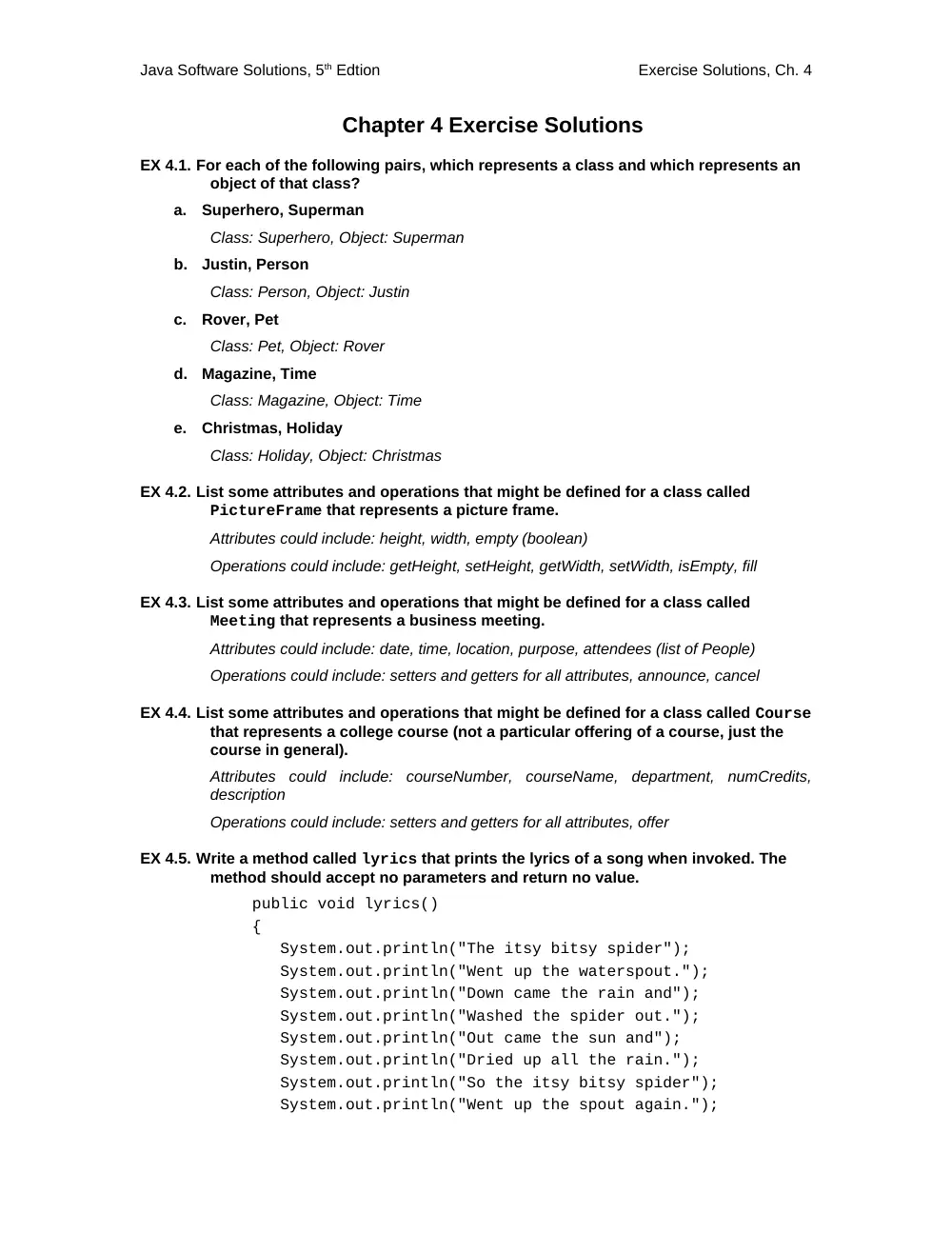
Chapter 4 Exercise Solutions
EX 4.1. For each of the following pairs, which represents a class and which represents an
object of that class?
a.
Superhero, Superman
Class: Superhero, Object: Superman
b.
Justin, Person
Class: Person, Object: Justin
c.
Rover, Pet
Class: Pet, Object: Rover
d.
Magazine, Time
Class: Magazine, Object: Time
e.
Christmas, Holiday
Class: Holiday, Object: Christmas
EX 4.2. List some attributes and operations that might be defined for a class called
PictureFrame that represents a picture frame.
Attributes could include: height, width, empty (boolean)
Operations could include: getHeight, setHeight, getWidth, setWidth, isEmpty, fill
EX 4.3. List some attributes and operations that might be defined for a class called
Meeting that represents a business meeting.
Attributes could include: date, time, location, purpose, attendees (list of People)
Operations could include: setters and getters for all attributes, announce, cancel
EX 4.4. List some attributes and operations that might be defined for a class called Course
that represents a college course (not a particular offering of a course, just the
course in general).
Attributes could include: courseNumber, courseName, department, numCredits,
description
Operations could include: setters and getters for all attributes, offer
EX 4.5. Write a method called lyrics that prints the lyrics of a song when invoked. The
method should accept no parameters and return no value.
public void lyrics()
{
System.out.println("The itsy bitsy spider");
System.out.println("Went up the waterspout.");
System.out.println("Down came the rain and");
System.out.println("Washed the spider out.");
System.out.println("Out came the sun and");
System.out.println("Dried up all the rain.");
System.out.println("So the itsy bitsy spider");
System.out.println("Went up the spout again.");
Java Software Solutions, 5th Edtion
Exercise Solutions, Ch. 4
}
EX 4.6. Write a method called cube that accepts one integer parameter and returns that
value raised to the third power.
public int cube (int num)
{
return Math.pow (num, 3);
}
EX 4.7. Write a method called random100 that returns a random integer in the range of 1 to
100 (inclusive).
public int random100()
{
Random generator = new Random();
return generator.nextInt(100) + 1;
}
EX 4.8. Write a method called randomInRange that accepts two integer parameters
representing a range. The method should return a random integer in the
specified range (inclusive). Assume that the first parameter is greater than the
second.
public int randomInRange (int first, int second)
{
Random generator = new Random();
int range = second – first + 1;
return generator.nextInt(range) + first;
}
EX 4.9. Write a method called randomColor that creates and returns a Color object that
represents a random color. Recall that a Color object can be defined by three
integer values between 0 and 255 representing the contributions of red, green,
and blue (its RGB value).
final int MAX = 256;
public Color randomColor ()
{
Random generator = new Random();
int randRed = generator.nextInt(MAX);
int randGreen = generator.nextInt(MAX);
int randBlue = generator.nextInt(MAX);
return new Color(randRed, randGreen, randBlue);
}
EX 4.10. Draw a UML class diagram that shows the relationships among the classes used
in the Transactions program.
Java Software Solutions, 5th Edtion
Exercise Solutions, Ch. 4
EX 4.11. Draw a UML class diagram that shows the relationships among the classes used
in the PushCounter program.
EX 4.12. Draw a UML class diagram that shows the relationships among the classes used
in the Fahrenheit program.
Java Software Solutions, 5th Edtion
Exercise Solutions, Ch. 4
Chapter 4 Programming Projects Solutions
PP4.1
Refer to Multisphere.java and Sphere.java in “chap04 pp solutions”
PP4.2
Refer to Kennel.java and Dog.java in “chap04 pp solutions”
PP4.3
Refer to BoxTest.java and Box.java in “chap04 pp solutions”
PP4.4
Refer to BoxShelf.java and Book.java in “chap04 pp solutions”
PP4.5
Refer to FlightTest.java and Flight.java in “chap04 pp solutions”
PP4.6
Refer to Lights.java and Bulb.java in “chap04 pp solutions”
PP4.7
Refer to RollingDice2.java, PairOfDice.java and Die.java
PP4.8
Refer to Skyline.java, Building.java and Skyline.html
PP4.9
Refer to DinnerTable.java, Diner.java and DinnerTable.html
PP4.10
Refer to CrayonBox.java, Crayon.java and CrayonBox.html
PP4.11
Refer to NightSky.java, Star.java and NightSky.html
PP4.12
Refer to Fahrenheit.java and FahrenheitGUI.java
PP4.13
Refer to RandomDisplay.java and RandomGUI.java
PP4.14
Refer to IncDec.java and IncDecGUI.java
PP4.15
Refer to TrafficLight.java, TrafficControlPanel.java and
TrafficLightPanel.java
//********************************************************************
// Book.java Author: Lewis and Loftus
//
// Solution to Programming Project 4.4 (5E, p. 203)
//********************************************************************
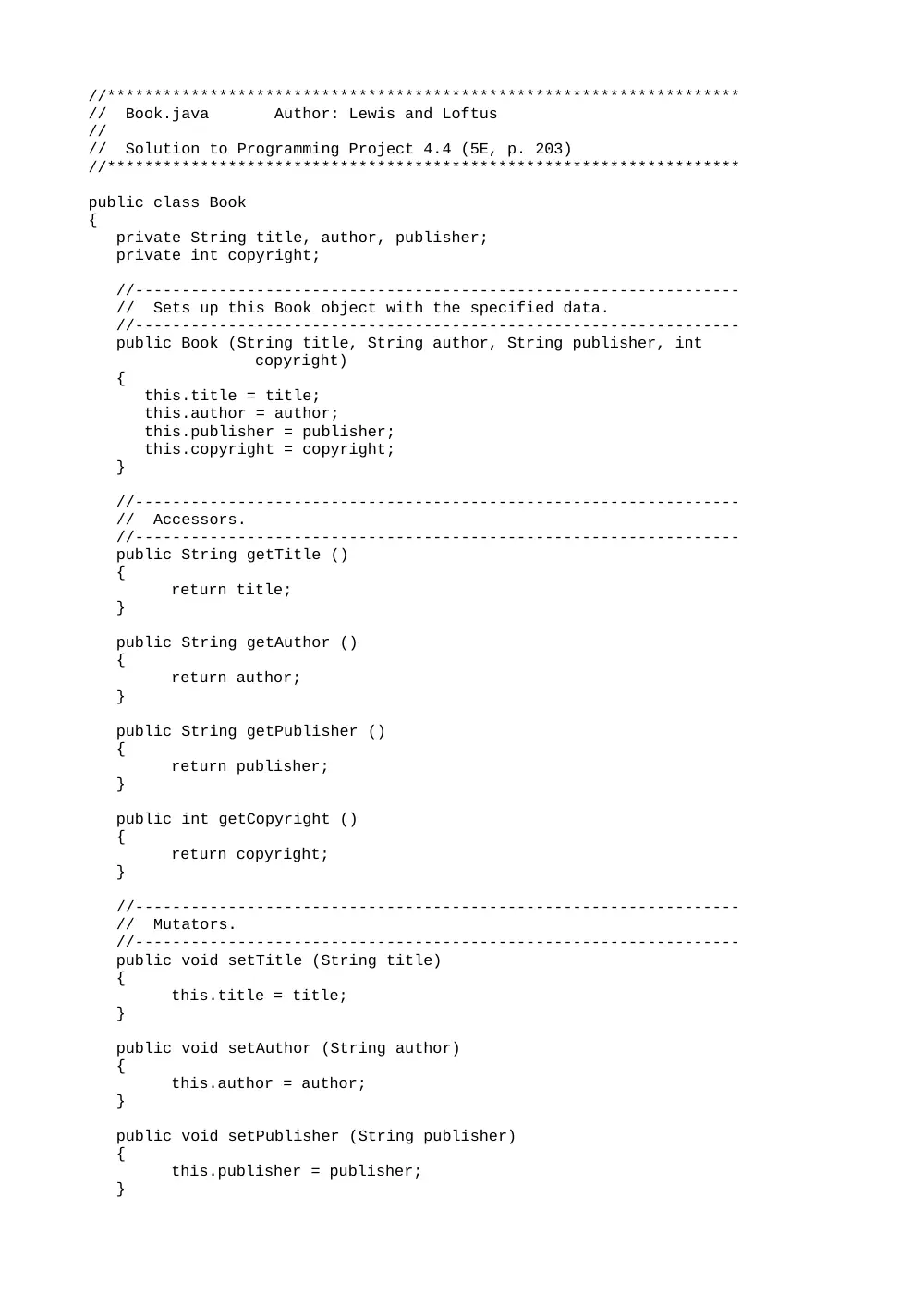
public class Book
{
private String title, author, publisher;
private int copyright;
//-----------------------------------------------------------------
// Sets up this Book object with the specified data.
//-----------------------------------------------------------------
public Book (String title, String author, String publisher, int
copyright)
{
this.title = title;
this.author = author;
this.publisher = publisher;
this.copyright = copyright;
}
//-----------------------------------------------------------------
// Accessors.
//-----------------------------------------------------------------
public String getTitle ()
{
return title;
}
public String getAuthor ()
{
return author;
}
public String getPublisher ()
{
return publisher;
}
public int getCopyright ()
{
return copyright;
}
//-----------------------------------------------------------------
// Mutators.
//-----------------------------------------------------------------
public void setTitle (String title)
{
this.title = title;
}
public void setAuthor (String author)
{
this.author = author;
}
public void setPublisher (String publisher)
{
this.publisher = publisher;
}
public void setCopyright (int copyright)
{
this.copyright = copyright;
}
//-----------------------------------------------------------------
// Returns a string representation of this book.
//-----------------------------------------------------------------
public String toString ()
{
return "Title: " + title + "\nAuthor: " + author + "\nPulbisher: "
+ publisher + "\nCopyright: " + copyright + "\n";
}
}
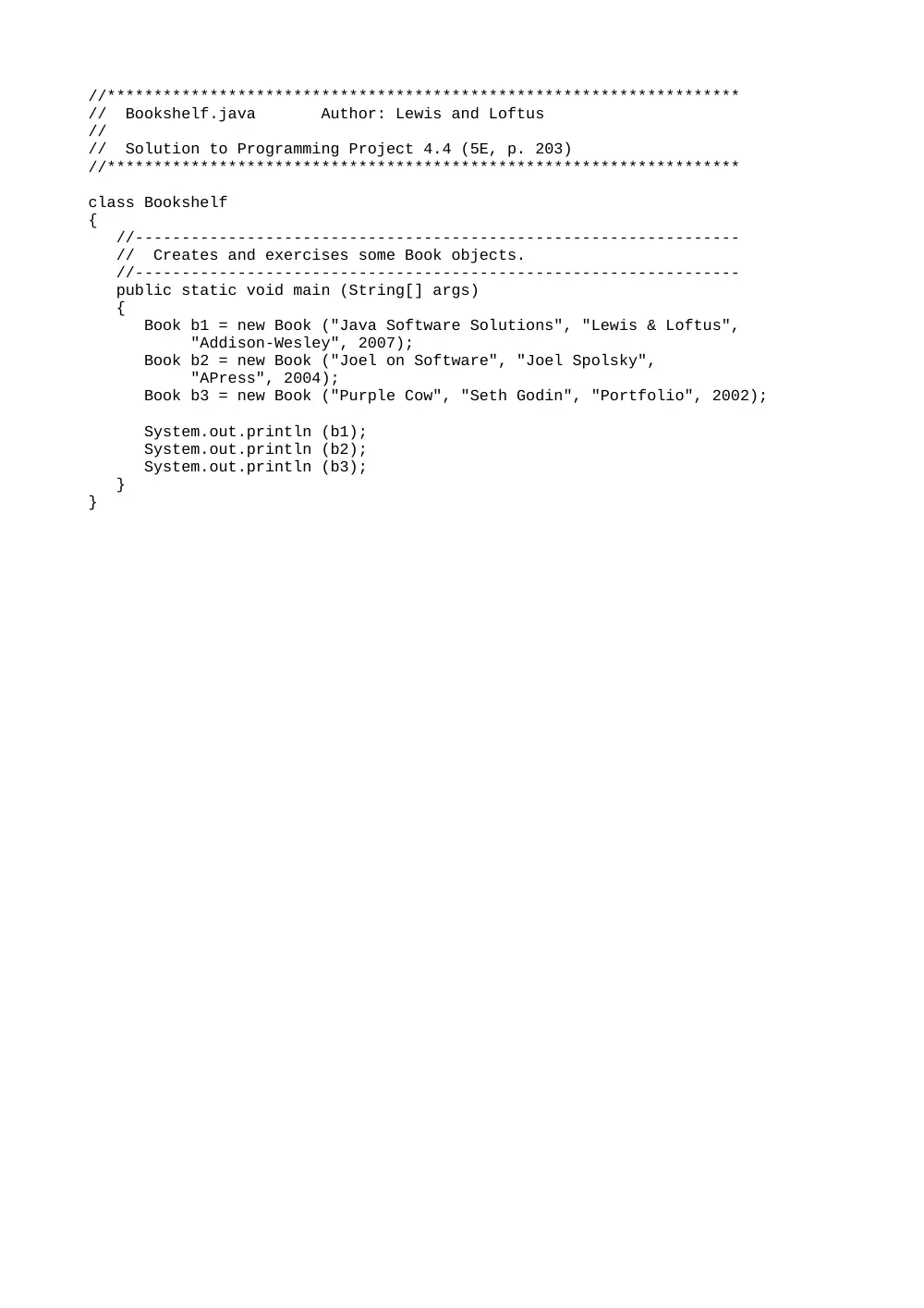
//********************************************************************
// Bookshelf.java Author: Lewis and Loftus
//
// Solution to Programming Project 4.4 (5E, p. 203)
//********************************************************************
class Bookshelf
{
//-----------------------------------------------------------------
// Creates and exercises some Book objects.
//-----------------------------------------------------------------
public static void main (String[] args)
{
Book b1 = new Book ("Java Software Solutions", "Lewis & Loftus",
"Addison-Wesley", 2007);
Book b2 = new Book ("Joel on Software", "Joel Spolsky",
"APress", 2004);
Book b3 = new Book ("Purple Cow", "Seth Godin", "Portfolio", 2002);
System.out.println (b1);
System.out.println (b2);
System.out.println (b3);
}
}
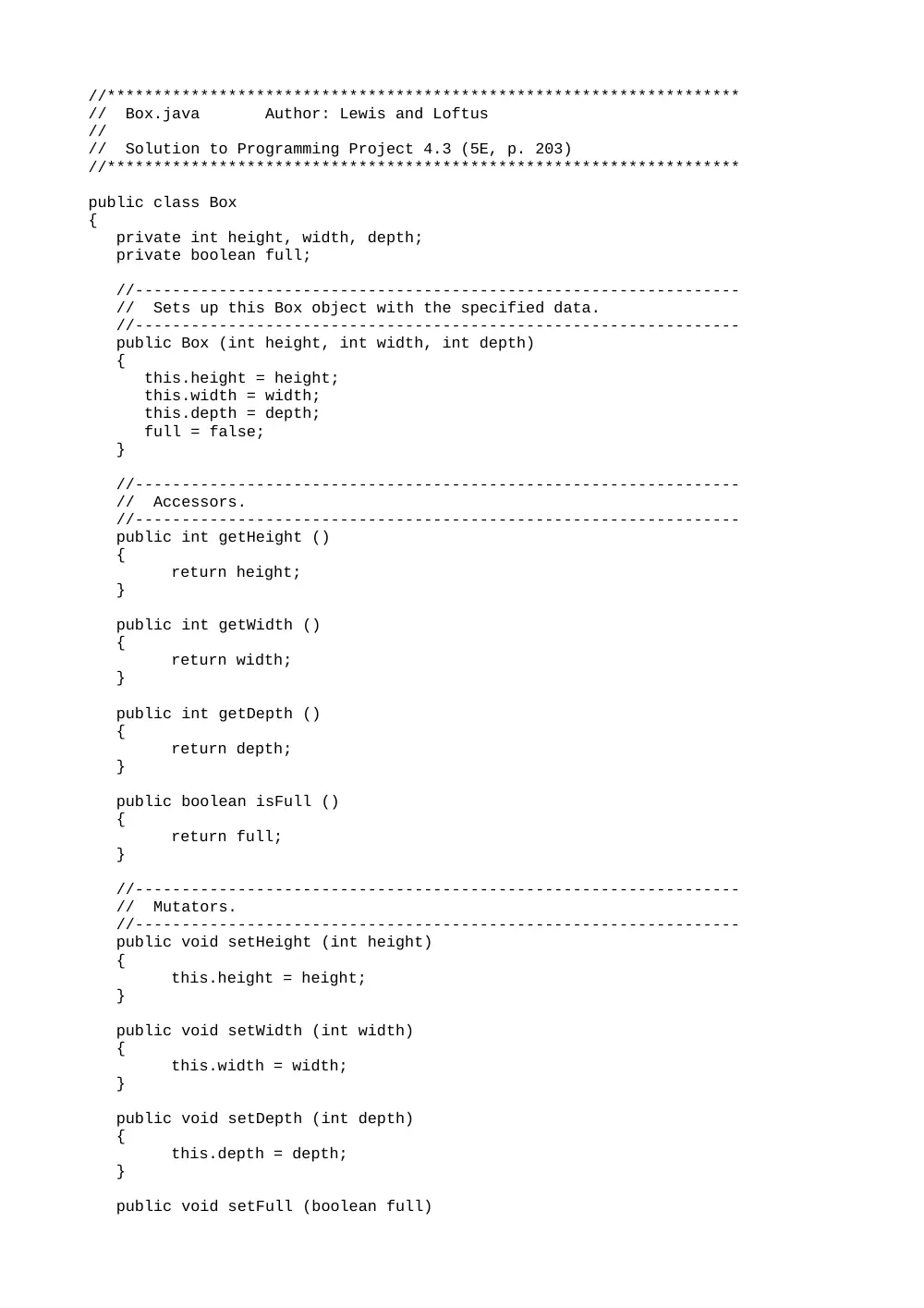
//********************************************************************
// Box.java Author: Lewis and Loftus
//
// Solution to Programming Project 4.3 (5E, p. 203)
//********************************************************************
public class Box
{
private int height, width, depth;
private boolean full;
//-----------------------------------------------------------------
// Sets up this Box object with the specified data.
//-----------------------------------------------------------------
public Box (int height, int width, int depth)
{
this.height = height;
this.width = width;
this.depth = depth;
full = false;
}
//-----------------------------------------------------------------
// Accessors.
//-----------------------------------------------------------------
public int getHeight ()
{
return height;
}
public int getWidth ()
{
return width;
}
public int getDepth ()
{
return depth;
}
public boolean isFull ()
{
return full;
}
//-----------------------------------------------------------------
// Mutators.
//-----------------------------------------------------------------
public void setHeight (int height)
{
this.height = height;
}
public void setWidth (int width)
{
this.width = width;
}
public void setDepth (int depth)
{
this.depth = depth;
}
public void setFull (boolean full)
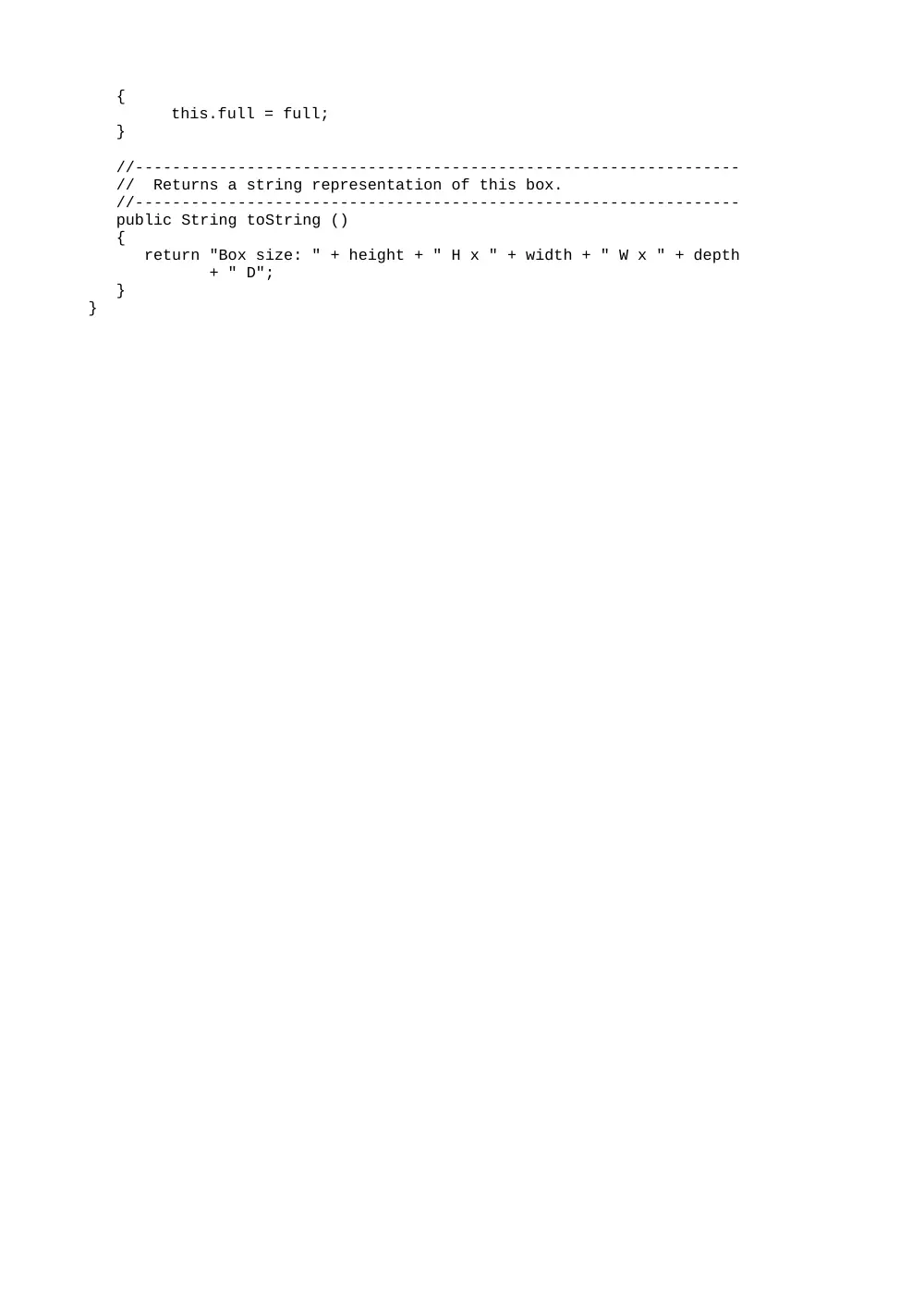
{
this.full = full;
}
//-----------------------------------------------------------------
// Returns a string representation of this box.
//-----------------------------------------------------------------
public String toString ()
{
return "Box size: " + height + " H x " + width + " W x " + depth
+ " D";
}
}
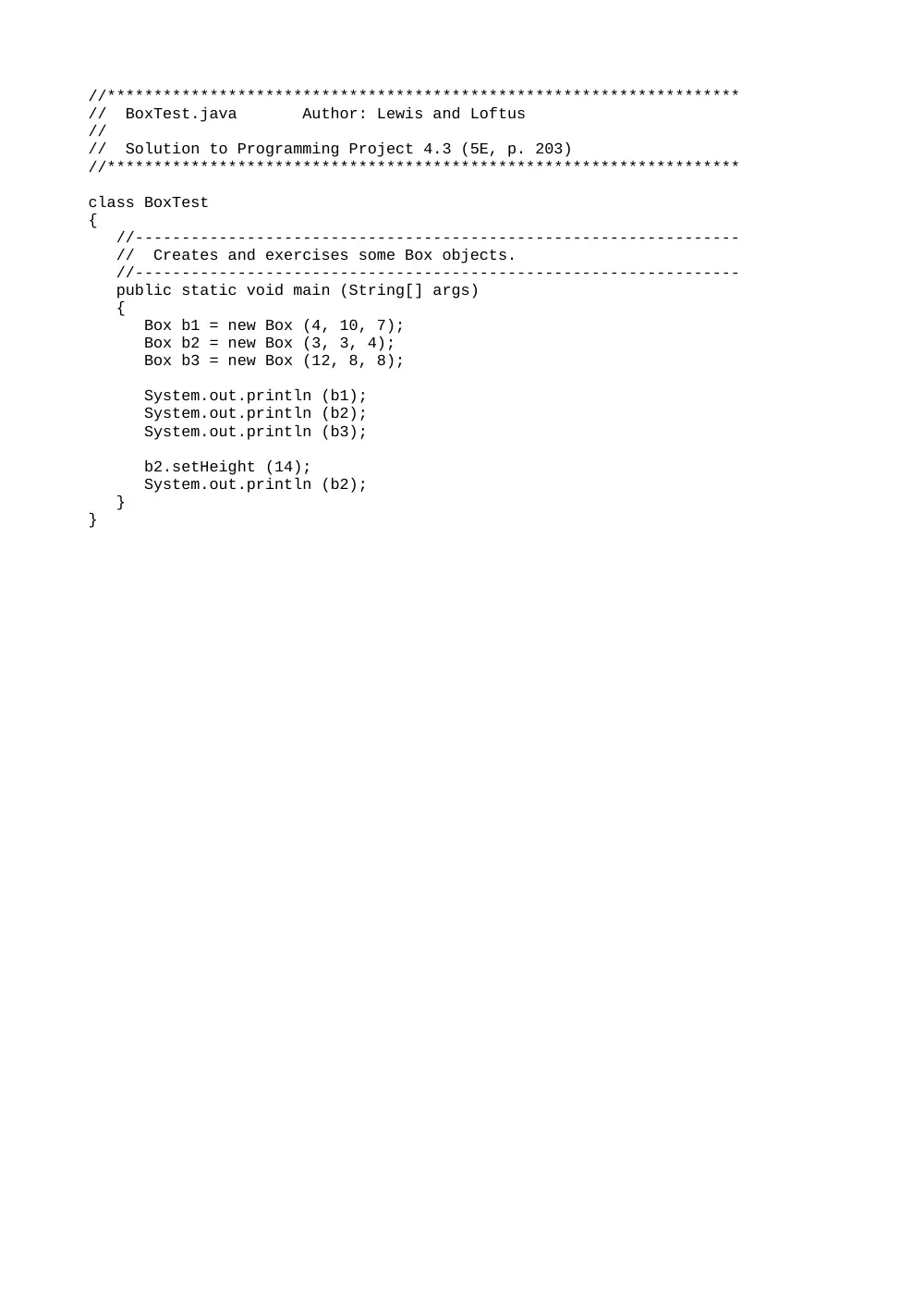
//********************************************************************
// BoxTest.java Author: Lewis and Loftus
//
// Solution to Programming Project 4.3 (5E, p. 203)
//********************************************************************
class BoxTest
{
//-----------------------------------------------------------------
// Creates and exercises some Box objects.
//-----------------------------------------------------------------
public static void main (String[] args)
{
Box b1 = new Box (4, 10, 7);
Box b2 = new Box (3, 3, 4);
Box b3 = new Box (12, 8, 8);
System.out.println (b1);
System.out.println (b2);
System.out.println (b3);
b2.setHeight (14);
System.out.println (b2);
}
}
//********************************************************************
// Building.java Author: Lewis and Loftus
//
// Solution to Programming Project 4.8 (5E, p. 204)
//********************************************************************
import java.awt.Graphics;
import java.awt.Color;
public class Building
{
private final int DEFAULT_WIDTH = 50;
private final int DEFAULT_HEIGHT = 100;
private final int DEFAULT_WINDOWS = 5;
private final int WINDOW_SIZE = 5;
private int width, height, windows;
//-----------------------------------------------------------------
// Sets up this Building based on default values.
//-----------------------------------------------------------------
public Building ()
{
width = DEFAULT_WIDTH;
height = DEFAULT_HEIGHT;
}
//----------------------------------------------------------------
// Constructor: Sets this Building's size.
//----------------------------------------------------------------
public Building (int buildingWidth, int buildingHeight)
{
width = buildingWidth;
height = buildingHeight;
}
//----------------------------------------------------------------
// Returns the width of this building.
//----------------------------------------------------------------
public int getWidth ()
{
return width;
}
//----------------------------------------------------------------
// Draws the building.
//----------------------------------------------------------------
public void draw (Graphics page, int leftedge, int bottom)
{
int winX, winY;
int top = bottom - height;
page.setColor (Color.black);
page.fillRect (leftedge, top, width, height);
// Draw three windows in random locations
page.setColor (Color.yellow);
winX = leftedge + (int) (Math.random() * (width-WINDOW_SIZE));
winY = top + (int) (Math.random() * (height-WINDOW_SIZE));
page.fillRect (winX, winY, WINDOW_SIZE, WINDOW_SIZE);
winX = leftedge + (int) (Math.random() * (width-WINDOW_SIZE));
winY = top + (int) (Math.random() * (height-WINDOW_SIZE));
page.fillRect (winX, winY, WINDOW_SIZE, WINDOW_SIZE);
winX = leftedge + (int) (Math.random() * (width-WINDOW_SIZE));
winY = top + (int) (Math.random() * (height-WINDOW_SIZE));
page.fillRect (winX, winY, WINDOW_SIZE, WINDOW_SIZE);
}
}
//********************************************************************
// Bulb.java Author: Lewis and Loftus
//
// Solution to Programming Project 4.6 (5E, p. 203)
//********************************************************************
public class Bulb
{
private boolean on;
//-----------------------------------------------------------------
// Sets up this Bulb object with the light off.
//-----------------------------------------------------------------
public Bulb ()
{
on = false;
}
//-----------------------------------------------------------------
// Returns true if this bulb is currently on.
//-----------------------------------------------------------------
public boolean isOn ()
{
return on;
}
//-----------------------------------------------------------------
// Sets the "on" status of this bulb.
//-----------------------------------------------------------------
public void setOn (boolean status)
{
on = status;
}
//-----------------------------------------------------------------
// Returns a string representation of this bulb.
//-----------------------------------------------------------------
public String toString ()
{
return "Bulb on: " + on;
}
}
//********************************************************************
// Crayon.java Author: Lewis and Loftus
//
// Solution to Programming Project 4.10 (5E, p. 204)
//********************************************************************
import java.awt.*;
public class Crayon
{
private final int BOTTOM = 150;
private final int WIDTH = 25;
private Color shade;
private int length, location;
//-----------------------------------------------------------------
// Sets up this crayon with the specfied characteristics.
//-----------------------------------------------------------------
public Crayon (Color crayonColor, int crayonLength, int position)
{
shade = crayonColor;
length = crayonLength;
location = position;
}
//-----------------------------------------------------------------
// Draws this crayon.
//-----------------------------------------------------------------
public void draw(Graphics page)
{
page.setColor (shade);
page.fillRect (location, BOTTOM-length, WIDTH, length);
}
}
The Crayon Box Applet:
Object 1
//********************************************************************
// CrayonBox.java Author: Lewis and Loftus
//
// Solution to Programming Project 4.10 (5E, p. 204)
//********************************************************************
import javax.swing.JApplet;
import java.awt.*;
public class CrayonBox extends JApplet
{
private final int APPLET_WIDTH = 350;
private final int APPLET_HEIGHT = 300;
private Crayon c1, c2, c3, c4, c5, c6, c7, c8;
//-----------------------------------------------------------------
// Create several Crayon objects of varying characteristics.
//-----------------------------------------------------------------
public void init()
{
c1 = new Crayon (Color.cyan, 100, 50);
c2 = new Crayon (Color.blue, 75, 80);
c3 = new Crayon (Color.gray, 100, 110);
c4 = new Crayon (Color.green, 90, 140);
c5 = new Crayon (Color.magenta, 82, 170);
c6 = new Crayon (Color.orange, 100, 200);
c7 = new Crayon (Color.pink, 68, 230);
c8 = new Crayon (Color.red, 100, 260);
setBackground (Color.black);
setSize (APPLET_WIDTH, APPLET_HEIGHT);
}
//-----------------------------------------------------------------
// Paints the crayons and the box.
//-----------------------------------------------------------------
public void paint (Graphics page)
{
c1.draw (page);
c2.draw (page);
c3.draw (page);
c4.draw (page);
c5.draw (page);
c6.draw (page);
c7.draw (page);
c8.draw (page);
page.setColor (Color.yellow);
page.fillRect (45, 150, 245, 90);
page.setColor (Color.black);
page.drawString ("Crayola", 150, 200);
}
}
//********************************************************************
// Die.java Author: Lewis and Loftus
//
// Solution to Programming Project 4.7 (JSS 5E, p. 204)
//
// Represents one die (singular of dice) with faces showing values
// between 1 and the number of faces on the die.
//********************************************************************
public class Die
{
private final int MAX = 6; // maximum face value
private int faceValue; // current value showing on the die
//-----------------------------------------------------------------
// Constructor: sets the initial face value.
//-----------------------------------------------------------------
public Die()
{
faceValue = 1;
}
//-----------------------------------------------------------------
// Rolls the die and returns the result.
//-----------------------------------------------------------------
public int roll()
{
faceValue = (int) (Math.random() * MAX) + 1;
return faceValue;
}
//-----------------------------------------------------------------
// Face value mutator.
//-----------------------------------------------------------------
public void setFaceValue (int value)
{
faceValue = value;
}
//-----------------------------------------------------------------
// Face value accessor.
//-----------------------------------------------------------------
public int getFaceValue()
{
return faceValue;
}
//-----------------------------------------------------------------
// Returns a string representation of this die.
//-----------------------------------------------------------------
public String toString()
{
String result = Integer.toString(faceValue);
return result;
}
}
//********************************************************************
// Diner.java Author: Lewis and Loftus
//
// Solution to Programming Project 4.9 (5E, p. 204)
//********************************************************************
import java.awt.Graphics;
import java.awt.Color;
public class Diner
{
private final int DINER_SIZE = 50;
private String name;
private Color gender;
private int locationX, locationY;
//-----------------------------------------------------------------
// Sets up this diner with the specified characteristics.
//-----------------------------------------------------------------
public Diner (String dinerName, Color genderColor, int x, int y)
{
name = dinerName;
gender = genderColor;
locationX = x;
locationY = y;
}
//-----------------------------------------------------------------
// Draws the diner.
//-----------------------------------------------------------------
public void draw (Graphics page)
{
page.setColor (gender);
page.fillOval (locationX, locationY, DINER_SIZE, DINER_SIZE);
page.setColor (Color.black);
page.drawString (name, (locationX+10), (locationY+30));
}
}
The DinnerTable Applet:
Object 1
//********************************************************************
// DinnerTable.java Author: Lewis and Loftus
//
// Solution to Programming Project 4.9 (5E, p. 204)
//********************************************************************
import javax.swing.JApplet;
import java.awt.Graphics;
import java.awt.Color;
public class DinnerTable extends JApplet
{
private final int APPLET_WIDTH = 400;
private final int APPLET_HEIGHT = 300;
private final Color MALE = Color.cyan, FEMALE = Color.pink;
private Diner diner1, diner2, diner3, diner4;
private Diner diner5, diner6, diner7, diner8;
//----------------------------------------------------------------
// Creates diners of various types.
//----------------------------------------------------------------
public void init()
{
diner1 = new Diner ("Matt", MALE, 80, 50);
diner2 = new Diner ("Cathy", FEMALE, 150, 50);
diner3 = new Diner ("Mike", MALE, 220, 50);
diner4 = new Diner ("Jenn", FEMALE, 290, 50);
diner5 = new Diner ("Nick", MALE, 80, 200);
diner6 = new Diner ("Laurie", FEMALE, 150, 200);
diner7 = new Diner ("Brian", MALE, 220, 200);
diner8 = new Diner ("Liz", FEMALE, 290, 200);
setBackground(Color.black);
setSize(APPLET_WIDTH, APPLET_HEIGHT);
}
//----------------------------------------------------------------
// Paints the diners and the table.
//----------------------------------------------------------------
public void paint(Graphics page)
{
page.setColor(Color.gray);
page.fillRect (80, 100, 260, 100);
diner1.draw (page);
diner2.draw (page);
diner3.draw (page);
diner4.draw (page);
diner5.draw (page);
diner6.draw (page);
diner7.draw (page);
diner8.draw (page);
}
}
//********************************************************************
// Dog.java Author: Lewis and Loftus
//
// Solution to Programming Project 4.2 (5E, p. 203)
//********************************************************************
public class Dog
{
private String name;
private int age;
//-----------------------------------------------------------------
// Sets up this Dog object with the specified data.
//-----------------------------------------------------------------
public Dog (String called, int years)
{
name = called;
age = years;
}
//-----------------------------------------------------------------
// Name accessor.
//-----------------------------------------------------------------
public String getName ()
{
return name;
}
//-----------------------------------------------------------------
// Name mutator.
//-----------------------------------------------------------------
public void setName (String called)
{
name = called;
}
//-----------------------------------------------------------------
// Age accessor.
//-----------------------------------------------------------------
public int getAge ()
{
return age;
}
//-----------------------------------------------------------------
// Age mutator.
//-----------------------------------------------------------------
public void setAge (int years)
{
age = years;
}
//-----------------------------------------------------------------
// Computes and returns this dog's age in "person-years".
//-----------------------------------------------------------------
public int personYears ()
{
return age * 7;
}
//-----------------------------------------------------------------
// Returns a string representation of this dog.
//-----------------------------------------------------------------
public String toString ()
{
return "Dog: " + name + " Age: " + age + " Person-Years: "
+ personYears();
}
}
//********************************************************************
// Fahrenheit.java Author: Lewis/Loftus
//
// Solution to Programming Project 4.12 (5E, p. 204)
//********************************************************************
public class Fahrenheit
{
//-----------------------------------------------------------------
// Creates and displays the temperature converter GUI.
//-----------------------------------------------------------------
public static void main (String[] args)
{
FahrenheitGUI converter = new FahrenheitGUI();
converter.display();
}
}
//********************************************************************
// FahrenheitGUI.java Author: Lewis/Loftus
//
// Solution to Programming Project 4.12 (5E, p. 204)
//********************************************************************
import java.awt.Graphics;
import java.awt.Color;
import java.awt.Dimension;
import java.awt.event.*;
import javax.swing.*;
public class FahrenheitGUI
{
private int WIDTH = 300;
private int HEIGHT = 75;
private JFrame frame;
private JPanel panel;
private JLabel inputLabel, outputLabel, resultLabel;
private JTextField fahrenheit;
private JButton convertButton;
//-----------------------------------------------------------------
// Sets up the GUI.
//-----------------------------------------------------------------
public FahrenheitGUI()
{
frame = new JFrame ("Temperature Conversion");
frame.setDefaultCloseOperation (JFrame.EXIT_ON_CLOSE);
inputLabel = new JLabel ("Enter Fahrenheit temperature:");
outputLabel = new JLabel ("Temperature in Celsius: ");
resultLabel = new JLabel ("---");
fahrenheit = new JTextField (5);
fahrenheit.addActionListener (new TempListener());
convertButton = new JButton("Convert");
convertButton.addActionListener (new TempListener());
convertButton.setBackground (Color.yellow);
panel = new JPanel();
panel.setPreferredSize (new Dimension(WIDTH, HEIGHT));
panel.setBackground (Color.yellow);
panel.add (inputLabel);
panel.add (fahrenheit);
panel.add (outputLabel);
panel.add (resultLabel);
panel.add(convertButton);
frame.getContentPane().add (panel);
}
//-----------------------------------------------------------------
// Displays the primary application frame.
//-----------------------------------------------------------------
public void display()
{
frame.pack();
frame.setVisible(true);
}
//*****************************************************************
// Represents an action listener for the temperature input field.
//*****************************************************************
private class TempListener implements ActionListener
{
//--------------------------------------------------------------
// Performs the conversion when the enter key is pressed in
// the text field.
//--------------------------------------------------------------
public void actionPerformed (ActionEvent event)
{
int fahrenheitTemp, celciusTemp;
String text = fahrenheit.getText();
fahrenheitTemp = Integer.parseInt (text);
celciusTemp = (fahrenheitTemp-32) * 5/9;
resultLabel.setText (Integer.toString (celciusTemp));
}
}
}
//********************************************************************
// Flight.java Author: Lewis and Loftus
//
// Solution to Programming Project 4.5 (5E, p. 203)
//********************************************************************
public class Flight
{
private String airline, origin, destination;
private int flightNumber;
//-----------------------------------------------------------------
// Sets up this Flight object with the specified data.
//-----------------------------------------------------------------
public Flight (String airline, String origin, String destination, int
flightNumber)
{
this.airline = airline;
this.origin = origin;
this.destination = destination;
this.flightNumber = flightNumber;
}
//-----------------------------------------------------------------
// Accessors.
//-----------------------------------------------------------------
public String getAirline ()
{
return airline;
}
public String getOrigin ()
{
return origin;
}
public String getDestination ()
{
return destination;
}
public int getFlightNumber ()
{
return flightNumber;
}
//-----------------------------------------------------------------
// Mutators.
//-----------------------------------------------------------------
public void setAirline (String airline)
{
this.airline = airline;
}
public void setOrigin (String origin)
{
this.origin = origin;
}
public void setDestination (String destination)
{
this.destination = destination;
}
public void setFlightNumber (int flightNumber)
{
this.flightNumber = flightNumber;
}
//-----------------------------------------------------------------
// Returns a string representation of this flight.
//-----------------------------------------------------------------
public String toString ()
{
return airline + " " + flightNumber + " -- From: " + origin +
", To: " + destination;
}
}
//********************************************************************
// FlightTest.java Author: Lewis and Loftus
//
// Solution to Programming Project 4.5 (5E, p. 203)
//********************************************************************
class FlightTest
{
//-----------------------------------------------------------------
// Creates and exercises some Flight objects.
//-----------------------------------------------------------------
public static void main (String[] args)
{
Flight f1 = new Flight ("US Air", "Boston", "Los Angeles", 347);
Flight f2 = new Flight ("Delta", "Philadelphia", "London", 212);
Flight f3 = new Flight ("Continental", "Atlanta", "Chicago", 822);
System.out.println (f1);
System.out.println (f2);
System.out.println (f3);
}
}
//********************************************************************
// IncDec.java Author: Lewis/Loftus
//
// Solution to Programming Project 4.14 (5E, p. 204)
//********************************************************************
public class IncDec
{
//-----------------------------------------------------------------
// Creates and displays the increment / decrement GUI.
//-----------------------------------------------------------------
public static void main (String[] args)
{
IncDecGUI id = new IncDecGUI();
id.display();
}
}
//********************************************************************
// IncDecGUI.java Author: Lewis/Loftus
//
// Solution to Programming Project 4.14 (5E, p. 204)
//********************************************************************
import java.awt.Graphics;
import java.awt.Dimension;
import java.awt.event.*;
import javax.swing.*;
public class IncDecGUI
{
private int WIDTH = 100;
private int HEIGHT = 90;
private int INITIAL_NUMBER = 50;
private JFrame frame;
private JPanel panel;
private JLabel numberLabel;
private JButton incButton, decButton;
private int number;
//-----------------------------------------------------------------
// Sets up the GUI.
//-----------------------------------------------------------------
public IncDecGUI()
{
frame = new JFrame ("Random Numbers");
frame.setDefaultCloseOperation (JFrame.EXIT_ON_CLOSE);
number = INITIAL_NUMBER;
numberLabel = new JLabel (String.valueOf(number));
incButton = new JButton("Increment");
incButton.addActionListener (new IncListener());
decButton = new JButton("Decrement");
decButton.addActionListener (new DecListener());
panel = new JPanel();
panel.setPreferredSize (new Dimension(WIDTH, HEIGHT));
panel.add (numberLabel);
panel.add(incButton);
panel.add(decButton);
frame.getContentPane().add (panel);
}
//-----------------------------------------------------------------
// Displays the primary application frame.
//-----------------------------------------------------------------
public void display()
{
frame.pack();
frame.setVisible(true);
}
//*****************************************************************
// Represents an action listener for the increment button.
//*****************************************************************
private class IncListener implements ActionListener
{
//--------------------------------------------------------------
// Increments and displays the current number
//-----------