
CSC 201 Chapter 1- Basic IT Concepts, Fall 2001
Notre Dame University–Louaize · Computers and Their Use · 15 pages

Showing the first 10 of 15 pages. Download the PDF to see all of it.
More CSC 201 files
- Chapter 10- MS Excel 2003 · Spring 2007ChapterView
- Chapter 11- Computer in Everyday Life · Spring 2007ChapterView
- Chapter 12- IT and Society · Spring 2007ChapterView
- Chapter 13- MS Powerpoint 2003 · Spring 2007ChapterView
- Chapter 14- Security, Copyright and Law · Spring 2007ChapterView
- Chapter 15- MS Internet Explorer 6 · Spring 2007ChapterView
- Chapter 16- Programming and Languages · Spring 2007ChapterView
- Chapter 7 · Spring 2007ChapterView
Show the text of this chapter
- CHAPTER 1 –
- CHAPTER 1 –
Basic Concepts of Information
Basic Concepts of Information
Technology
Technology
Overview
Overview
Understand the Basic Concepts of
Understand the Basic Concepts of
Hardware,
Hardware,
Software and Information Technology (IT).
Software and Information Technology (IT).
Hardware
Hardware
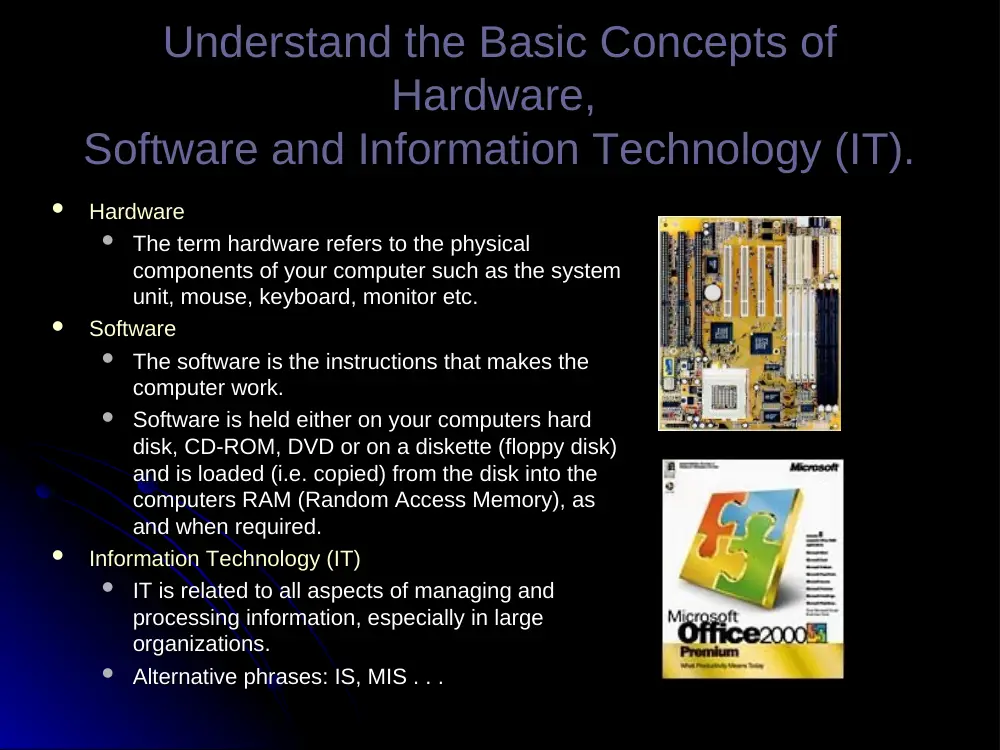
The term hardware refers to the physical
The term hardware refers to the physical
components of your computer such as the system
components of your computer such as the system
unit, mouse, keyboard, monitor etc.
unit, mouse, keyboard, monitor etc.
Software
Software
The software is the instructions that makes the
The software is the instructions that makes the
computer work.
computer work.
Software is held either on your computers hard
Software is held either on your computers hard
disk, CD-ROM, DVD or on a diskette (floppy disk)
disk, CD-ROM, DVD or on a diskette (floppy disk)
and is loaded (i.e. copied) from the disk into the
and is loaded (i.e. copied) from the disk into the
computers RAM (Random Access Memory), as
computers RAM (Random Access Memory), as
and when required.
and when required.
Information Technology (IT)
Information Technology (IT)
IT is related to all aspects of managing and
IT is related to all aspects of managing and
processing information, especially in large
processing information, especially in large
organizations.
organizations.
Alternative phrases: IS, MIS . . .
Alternative phrases: IS, MIS . . .
Types of
Types of
Computers
Computers
Distinguish Between Main frame
Distinguish Between Main frame
Computer, Minicomputer,
Computer, Minicomputer,
Network Computer, PC, and
Network Computer, PC, and
Laptop.
Laptop.
Make sure you understand the following terms:
Make sure you understand the following terms:
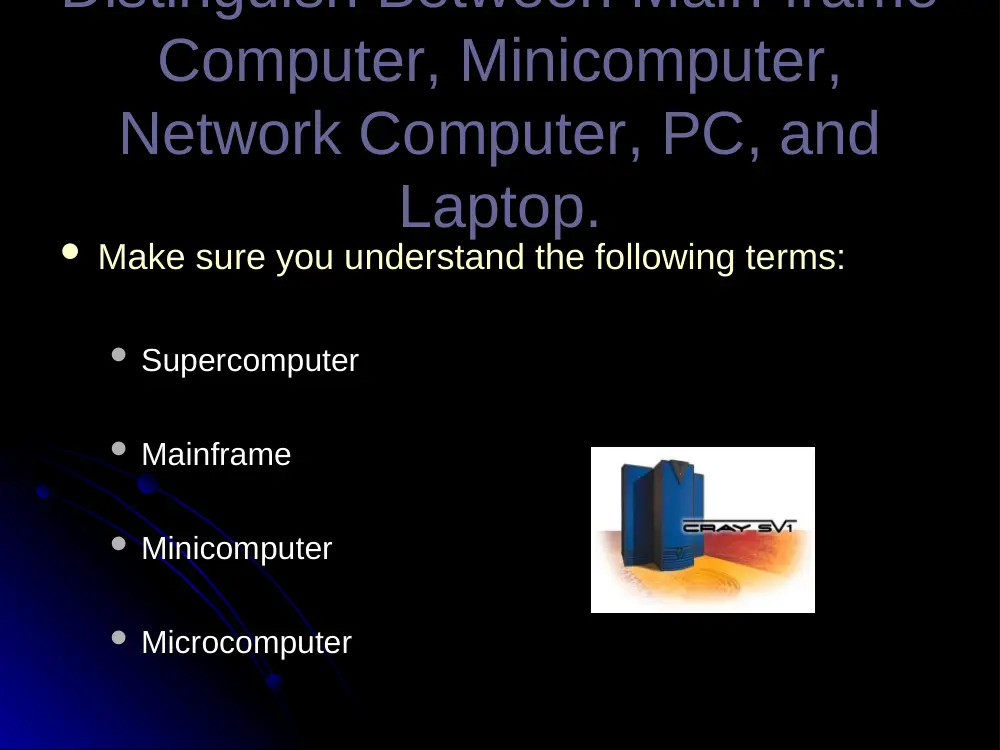
Supercomputer
Supercomputer
Mainframe
Mainframe
Minicomputer
Minicomputer
Microcomputer
Microcomputer
Distinguish Between Computers
Distinguish Between Computers
in Terms
in Terms
of Capacity, Speed, Cost, and
of Capacity, Speed, Cost, and
Typical Users.
Typical Users.
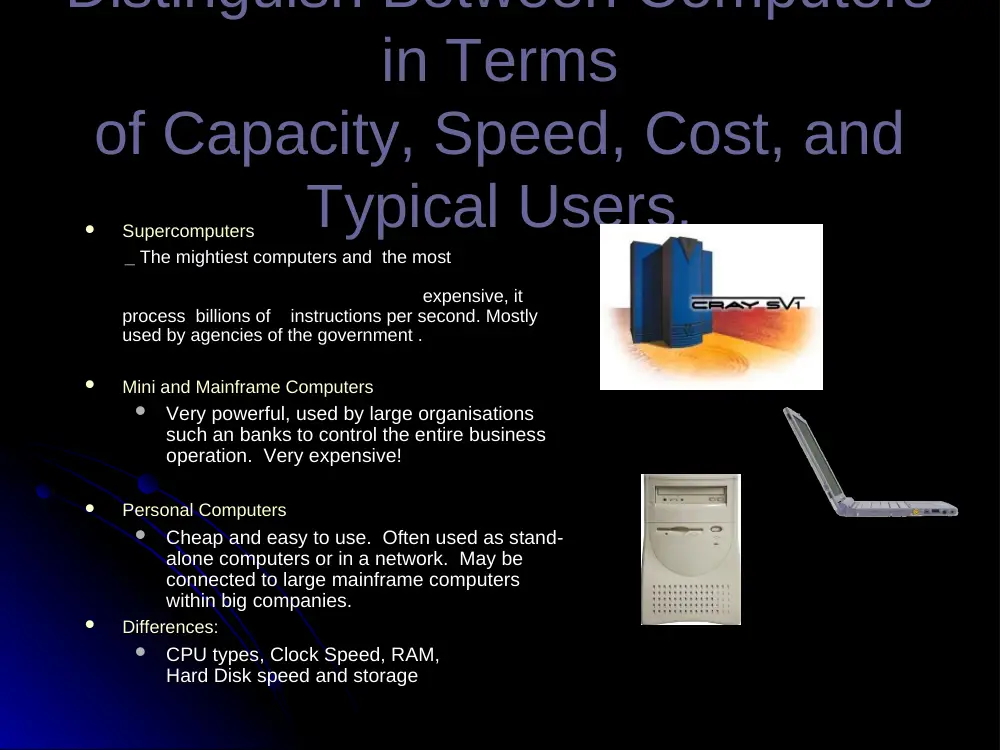
Supercomputers
Supercomputers
__ The mightiest computers and the most
The mightiest computers and the most
expensive, it
expensive, it
process billions of instructions per second. Mostly
process billions of instructions per second. Mostly
used by agencies of the government .
used by agencies of the government .
Mini and Mainframe Computers
Mini and Mainframe Computers
Very powerful, used by large organisations
Very powerful, used by large organisations
such an banks to control the entire business
such an banks to control the entire business
operation. Very expensive!
operation. Very expensive!
Personal Computers
Personal Computers
Cheap and easy to use. Often used as stand-
Cheap and easy to use. Often used as stand-
alone computers or in a network. May be
alone computers or in a network. May be
connected to large mainframe computers
connected to large mainframe computers
within big companies.
within big companies.
Differences:
Differences:
CPU types, Clock Speed, RAM,
CPU types, Clock Speed, RAM,
Hard Disk speed and storage
Hard Disk speed and storage
Understand the Terms
Understand the Terms
Intelligent
Intelligent
and Dumb Terminal.
and Dumb Terminal.
An intelligent terminal, for example a PC:
An intelligent terminal, for example a PC:
Performs a lot of the processing locally
Performs a lot of the processing locally
You could use a PC, linked to a mainframe
You could use a PC, linked to a mainframe
A dumb terminal:
A dumb terminal:
Has very limited processing capabilities
Has very limited processing capabilities
itself, but allows you to connect to a large
itself, but allows you to connect to a large
powerful computer such as a mainframe.
powerful computer such as a mainframe.
When you process your data from the dumb
When you process your data from the dumb
terminal, it is the mainframe at the other
terminal, it is the mainframe at the other
end of the network that is performing all the
end of the network that is performing all the
calculations.
calculations.
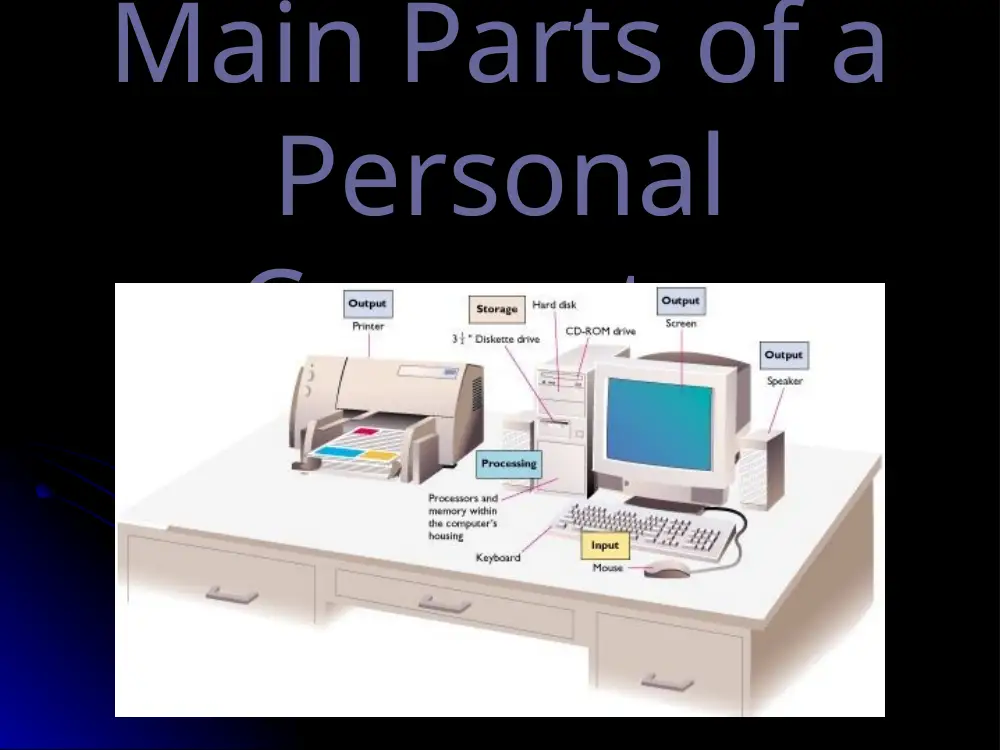
Main Parts of a
Main Parts of a
Personal
Personal
Computer
Computer
Know the Main Parts of a
Know the Main Parts of a
Personal Computer:
Personal Computer:
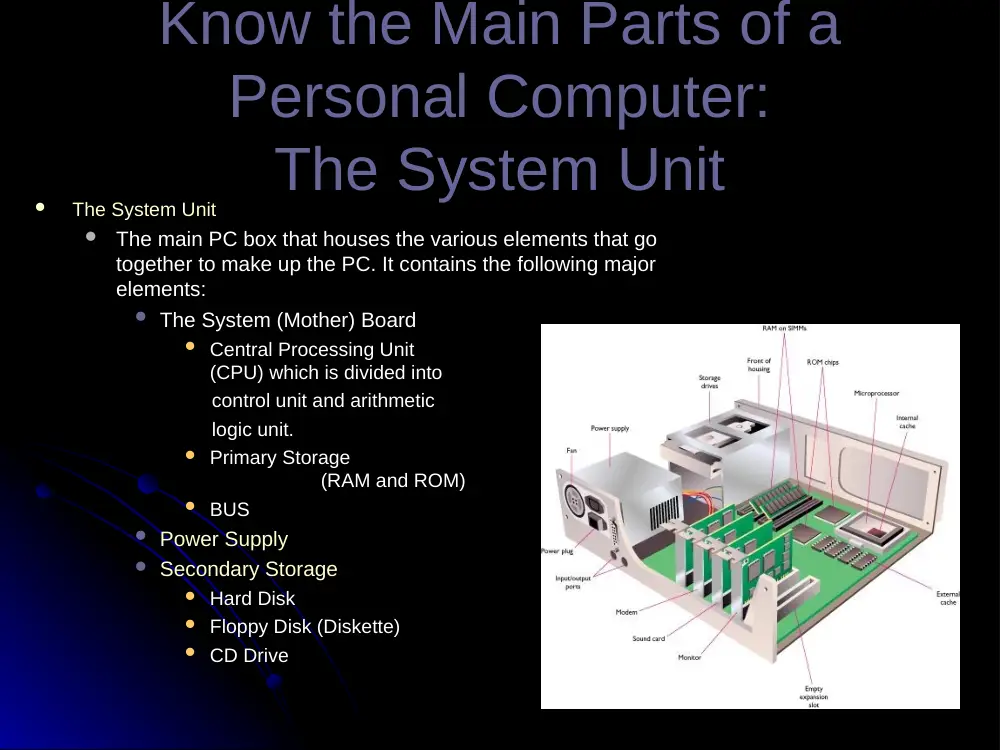
The System Unit
The System Unit
The System Unit
The System Unit
The main PC box that houses the various elements that go
The main PC box that houses the various elements that go
together to make up the PC. It contains the following major
together to make up the PC. It contains the following major
elements:
elements:
The System (Mother) Board
The System (Mother) Board
Central Processing Unit
Central Processing Unit
(CPU) which is divided into
(CPU) which is divided into
control unit and arithmetic
control unit and arithmetic
logic unit.
logic unit.
Primary Storage
Primary Storage
(RAM and ROM)
(RAM and ROM)
BUS
BUS
Power Supply
Power Supply
Secondary Storage
Secondary Storage
Hard Disk
Hard Disk
Floppy Disk (Diskette)
Floppy Disk (Diskette)
CD Drive
CD Drive
Know the Main Parts of a
Know the Main Parts of a
Personal Computer:
Personal Computer:
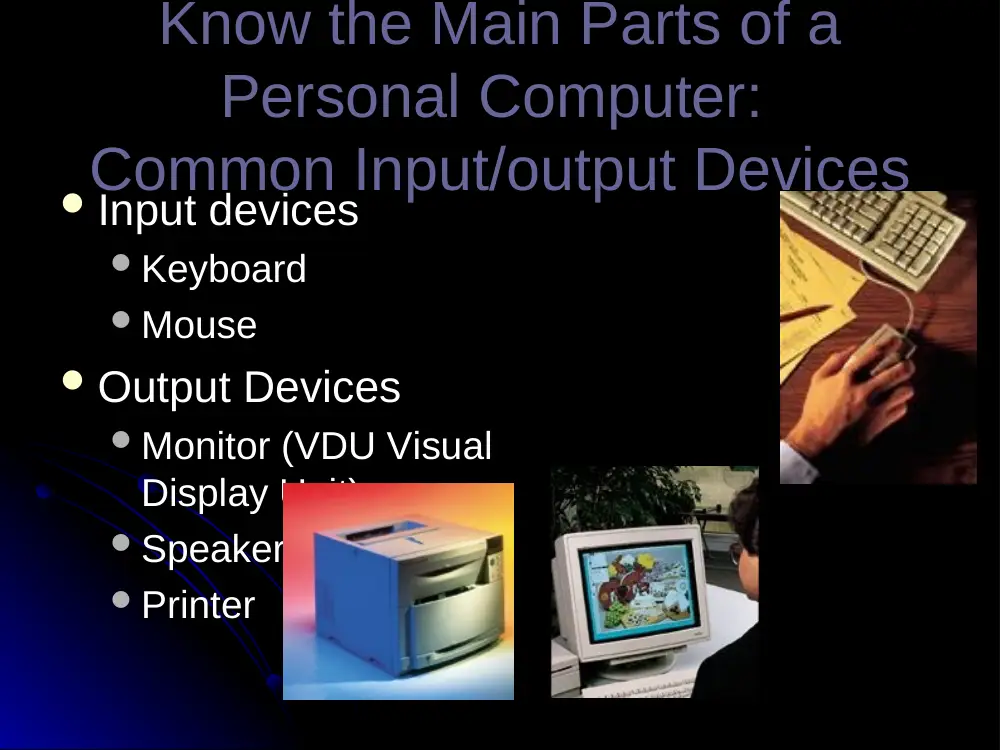
Common Input/output Devices
Common Input/output Devices
Input devices
Input devices
Keyboard
Keyboard
Mouse
Mouse
Output Devices
Output Devices
Monitor (VDU Visual
Monitor (VDU Visual
Display Unit)
Display Unit)
Speakers
Speakers
Printer
Printer
Know the Main Parts of a
Know the Main Parts of a
Personal Computer:
Personal Computer:
Understand the Term
Understand the Term
‘Peripheral Device’
‘Peripheral Device’
A peripheral device is any device that you
A peripheral device is any device that you
can attach to your computer.
can attach to your computer.
Thus you could attach a scanner or modem to
Thus you could attach a scanner or modem to
the back of your system unit.
the back of your system unit.
Sound Cards and Speakers, Modems,
Sound Cards and Speakers, Modems,
Scanners, Recordable CDs, Tape Backup . . .
Scanners, Recordable CDs, Tape Backup . . .
Know the Main Parts of a
Know the Main Parts of a
Personal Computer:
Personal Computer:
Ports
Ports
Ports
Ports
Serial (Old Mouse, Old Net. Connection)
Serial (Old Mouse, Old Net. Connection)
Parallel (Printer Port – LPT)
Parallel (Printer Port – LPT)
AT (Old Keyboard)
AT (Old Keyboard)
PS2 (Mouse & Keyboard)
PS2 (Mouse & Keyboard)
VGA DB9-15 pin (VGA Port)
VGA DB9-15 pin (VGA Port)
USB 1.1 & 2.0 (Scanner, Printer, Digital camera, …)
USB 1.1 & 2.0 (Scanner, Printer, Digital camera, …)
RJ11 (Modem)
RJ11 (Modem)
Firewire or IEEE1394 (Digital Camera 6 & 4 pins)
Firewire or IEEE1394 (Digital Camera 6 & 4 pins)
RJ45 (Network)
RJ45 (Network)
Infrared
Infrared
Wifi (Wireless Network – LAN & WAN)
Wifi (Wireless Network – LAN & WAN)
Bluetooth (Wireless devices)
Bluetooth (Wireless devices)
Know the Main Parts of a
Know the Main Parts of a
Personal Computer:
Personal Computer:
Ports
Ports
Ports
Ports
Serial (Old Mouse, Old Net. Connection)
Serial (Old Mouse, Old Net. Connection)
Parallel (Printer Port – LPT)
Parallel (Printer Port – LPT)
PS2 (Mouse & Keyboard)
PS2 (Mouse & Keyboard)
VGA DB9-15 pin (VGA Port)
VGA DB9-15 pin (VGA Port)
Know the Main Parts of a
Know the Main Parts of a
Personal Computer:
Personal Computer:
Ports
Ports
Ports
Ports
USB 1.1 & 2.0 (Scanner, Printer, Digital
USB 1.1 & 2.0 (Scanner, Printer, Digital
camera, …)
camera, …)
RJ11 (Modem)
RJ11 (Modem)
RJ45 (Network)
RJ45 (Network)
Firewire or IEEE1394
Firewire or IEEE1394
(Digital Camera 6 & 4 pins)
(Digital Camera 6 & 4 pins)
Know the Main Parts of a Personal
Know the Main Parts of a Personal
Computer:
Computer:
Ports Speed
Ports Speed