
EECE 200 Project Proposal, Fall 2009
American University of Beirut · Introduction to Electrical and Computer Engineering · 13 pages

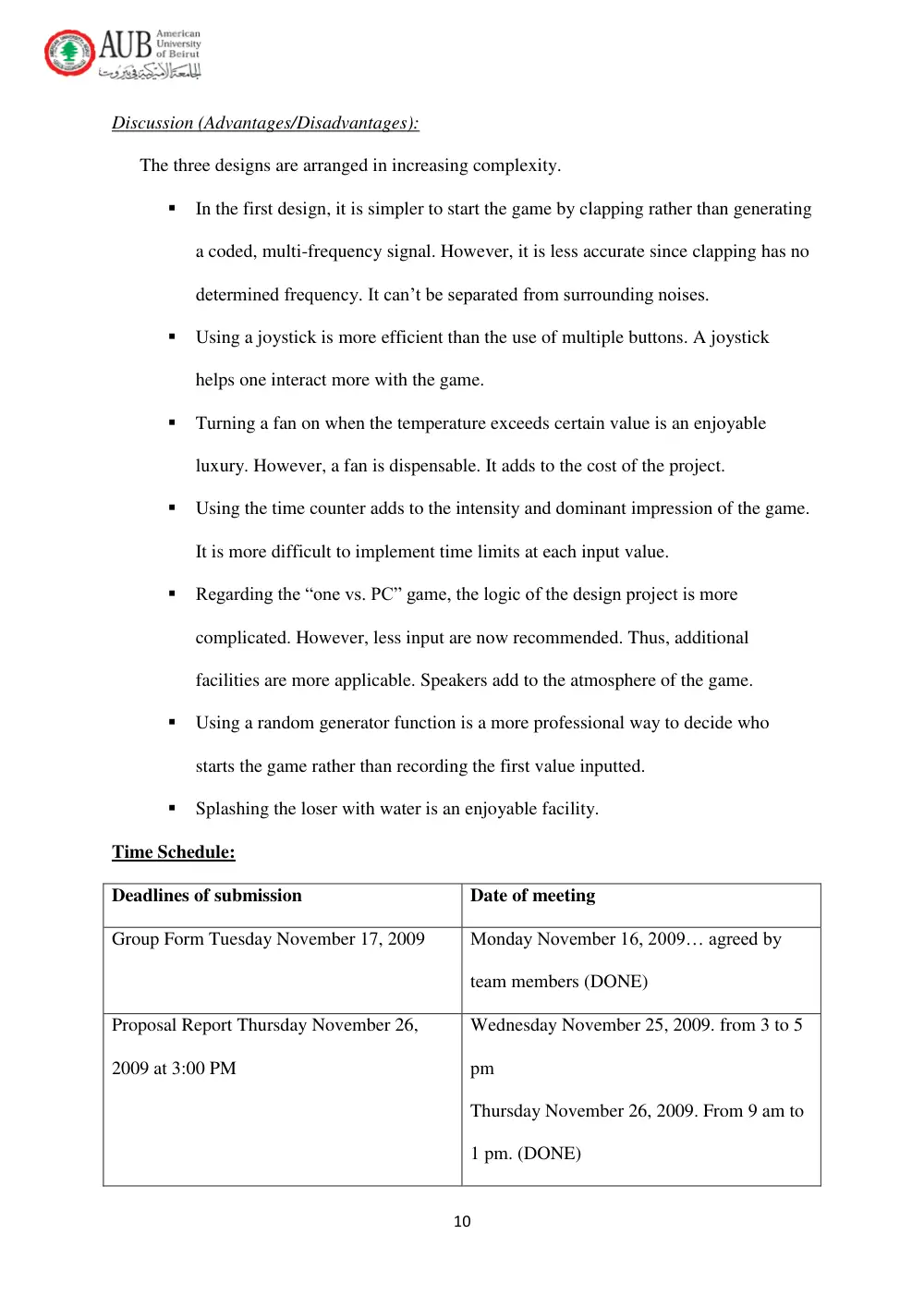
Showing the first 10 of 13 pages. Download the PDF to see all of it.
More EECE 200 files
- Lecture Project Managment · Fall 2013ProjectView
- Project Proposal · Fall 2011ProjectView
- Project Proposal · Fall 2011ProjectView
- Report Design Project · Fall 2010ProjectView
- Project Proposal · Fall 2010ProjectView
- Project · Spring 2008ProjectView
- Project · Spring 2008ProjectView
- Homework 2 · Fall 2014HomeworkView
Show the text of this project
1
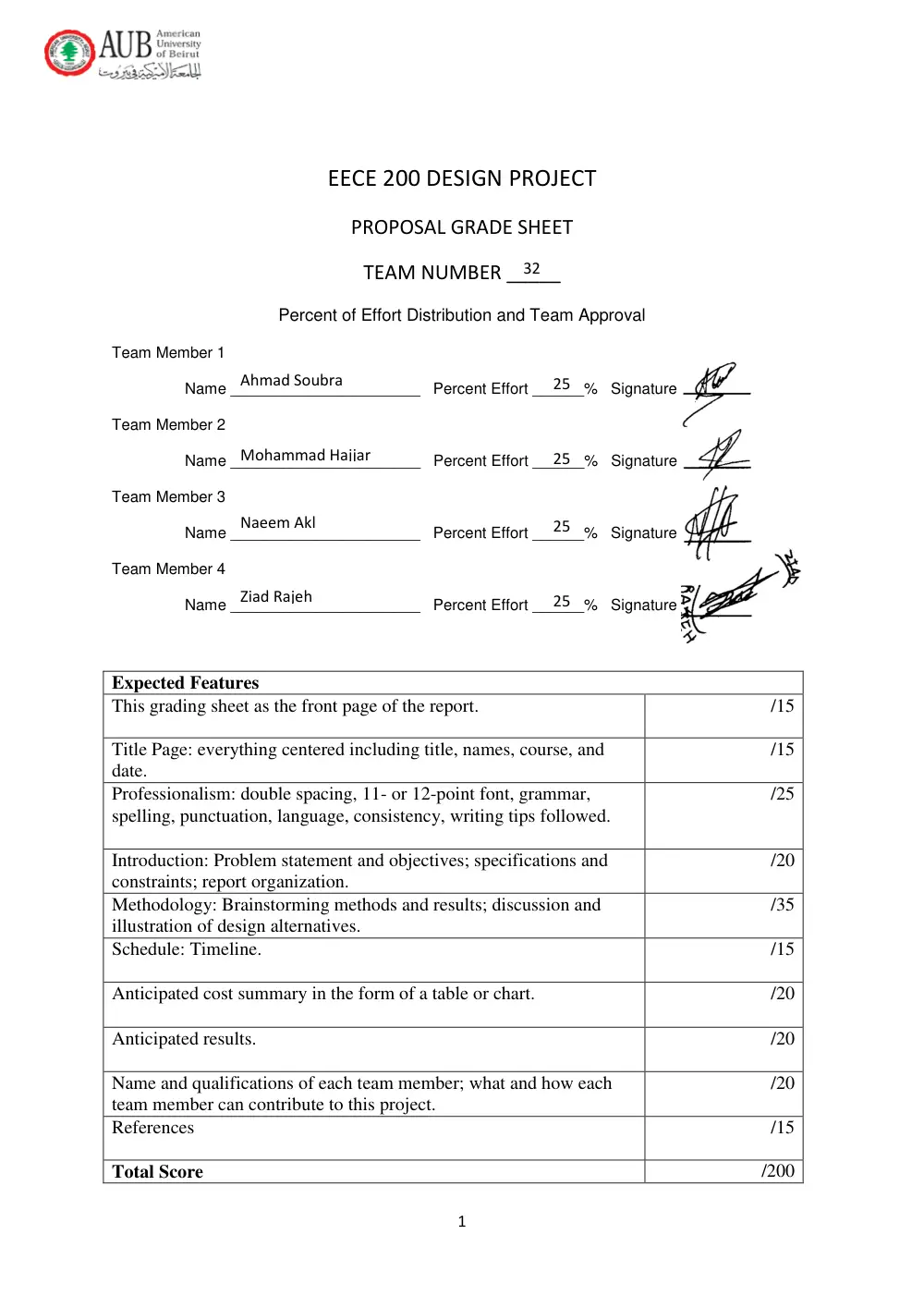
EECE 200 DESIGN PROJECT
PROPOSAL GRADE SHEET
TEAM NUMBER _____
Percent of Effort Distribution and Team Approval
Team Member 1
Name ______________________ Percent Effort ______% Signature ________
Team Member 2
Name ______________________ Percent Effort ______% Signature ________
Team Member 3
Name ______________________ Percent Effort ______% Signature ________
Team Member 4
Name ______________________ Percent Effort ______% Signature ________
Expected Features
This grading sheet as the front page of the report.
/15
Title Page: everything centered including title, names, course, and
date.
/15
Professionalism: double spacing, 11- or 12-point font, grammar,
spelling, punctuation, language, consistency, writing tips followed.
/25
Introduction: Problem statement and objectives; specifications and
constraints; report organization.
/20
Methodology: Brainstorming methods and results; discussion and
illustration of design alternatives.
/35
Schedule: Timeline.
/15
Anticipated cost summary in the form of a table or chart.
/20
Anticipated results.
/20
Name and qualifications of each team member; what and how each
team member can contribute to this project.
/20
References
/15
Total Score
/200
Ahmad Soubra
Mohammad Hajjar
Naeem Akl
Ziad Rajeh
32
25
25
25
25
2
DESIGN PROJECT PROPOSAL
XO GAME
Team number: 32
Ahmad Soubra (Section 5)
Mohammad Hajjar (Section 5)
Naeem Akl (Section 8)
Ziad Rajeh (Section 2)
Course: EECE200
Thursday, November 26th 2009
3
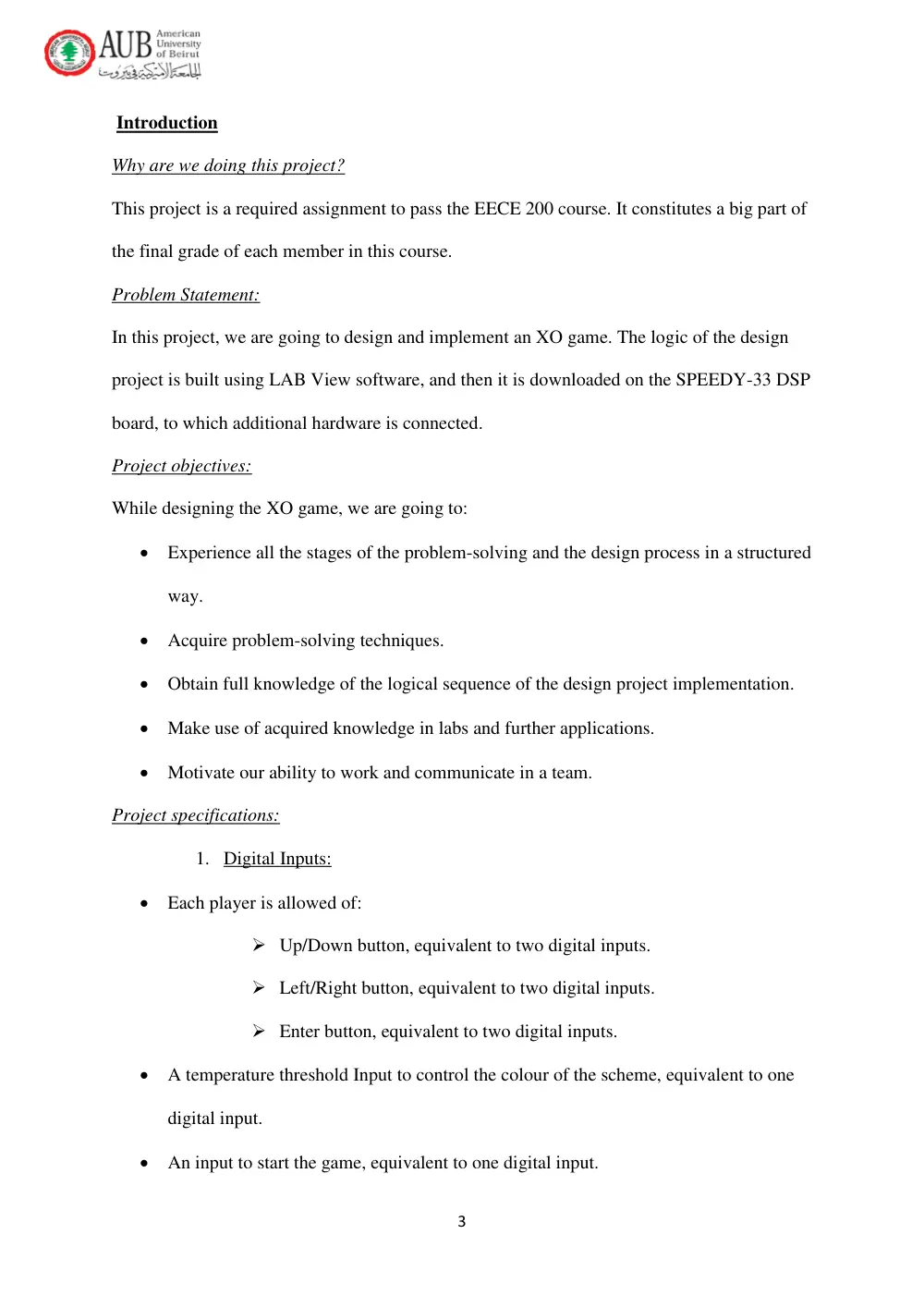
Introduction
Why are we doing this project?
This project is a required assignment to pass the EECE 200 course. It constitutes a big part of
the final grade of each member in this course.
Problem Statement:
In this project, we are going to design and implement an XO game. The logic of the design
project is built using LAB View software, and then it is downloaded on the SPEEDY-33 DSP
board, to which additional hardware is connected.
Project objectives:
While designing the XO game, we are going to:
Experience all the stages of the problem-solving and the design process in a structured
way.
Acquire problem-solving techniques.
Obtain full knowledge of the logical sequence of the design project implementation.
Make use of acquired knowledge in labs and further applications.
Motivate our ability to work and communicate in a team.
Project specifications:
1. Digital Inputs:
Each player is allowed of:
Up/Down button, equivalent to two digital inputs.
Left/Right button, equivalent to two digital inputs.
Enter button, equivalent to two digital inputs.
A temperature threshold Input to control the colour of the scheme, equivalent to one
digital input.
An input to start the game, equivalent to one digital input.
4
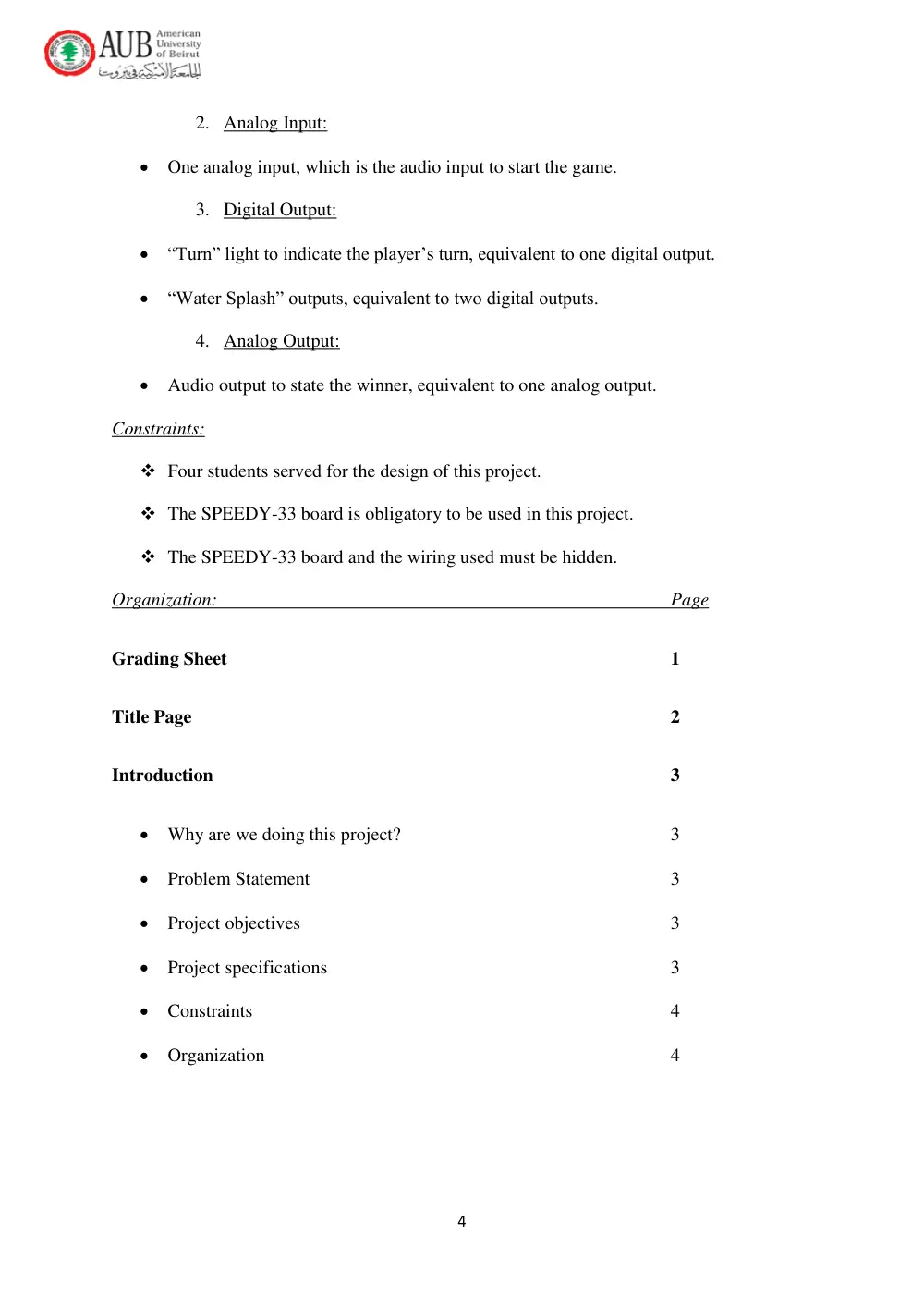
2. Analog Input:
One analog input, which is the audio input to start the game.
3. Digital Output:
“Turn” light to indicate the player’s turn, equivalent to one digital output.
“Water Splash” outputs, equivalent to two digital outputs.
4. Analog Output:
Audio output to state the winner, equivalent to one analog output.
Constraints:
Four students served for the design of this project.
The SPEEDY-33 board is obligatory to be used in this project.
The SPEEDY-33 board and the wiring used must be hidden.
Organization:
Page
Grading Sheet
1
Title Page
2
Introduction
3
Why are we doing this project?
3
Problem Statement
3
Project objectives
3
Project specifications
3
Constraints
4
Organization
4
5
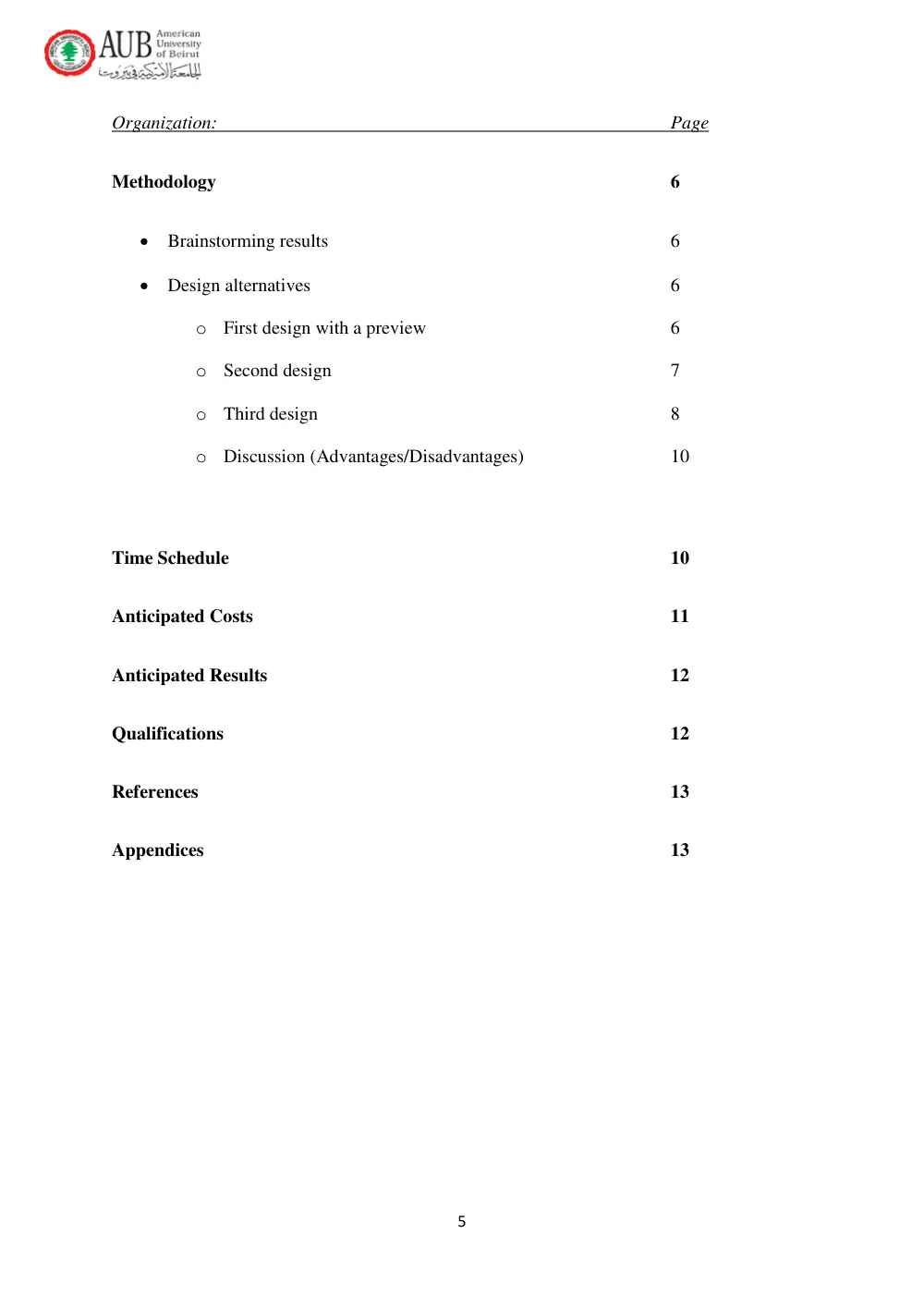
Organization:
Page
Methodology
6
Brainstorming results
6
Design alternatives
6
o First design with a preview
6
o Second design
7
o Third design
8
o Discussion (Advantages/Disadvantages)
10
Time Schedule
10
Anticipated Costs
11
Anticipated Results
12
Qualifications
12
References
13
Appendices
13
6
Methodology:
Brainstorming:
Like any project, our project requires ideas to be useful and creative. The first step in
our project design was to brainstorm as a group. We came up with the following
ideas:
In a 2 players XO game, each player should be able to input an X or an O in
an empty space of a grid. He/She, therefore, needs an input hardware.
The computer screen shows the XO grid. Any graphical interface with used
hardware is executed using LAB View.
There should be a way to start the game. Basically it could be an audio signal.
There should be a point at which the game ends. Either one player wins, or
they reach a deadlock.
A time limit should be set for terminating the game.
A time limit may be set for each data input.
An audio output states the winner.
Water splash outputs.
A temperature sensor records the temperature. The value recorded determines
the background colour.
Design Alternatives:
1. First design:
An audio input (a clap e.g.) of a certain frequency range, previously determined is
detected by the integrated microphone on the SPEEDY board. The system is
processed on.
A button is pressed on the board. A random generator function inside the hardware
produces a random number. The parity of the number decides who starts the game.
7
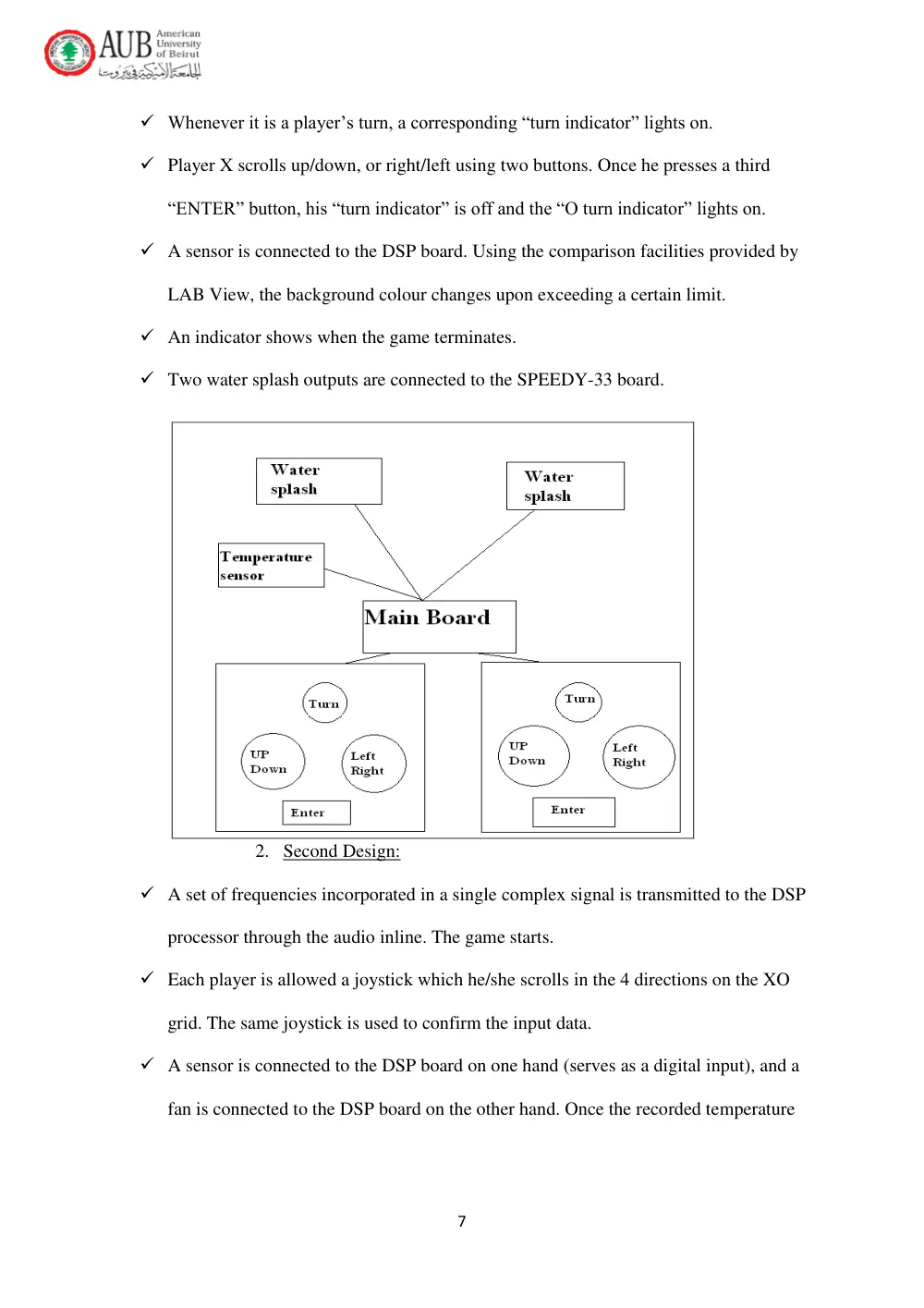
Whenever it is a player’s turn, a corresponding “turn indicator” lights on.
Player X scrolls up/down, or right/left using two buttons. Once he presses a third
“ENTER” button, his “turn indicator” is off and the “O turn indicator” lights on.
A sensor is connected to the DSP board. Using the comparison facilities provided by
LAB View, the background colour changes upon exceeding a certain limit.
An indicator shows when the game terminates.
Two water splash outputs are connected to the SPEEDY-33 board.
2. Second Design:
A set of frequencies incorporated in a single complex signal is transmitted to the DSP
processor through the audio inline. The game starts.
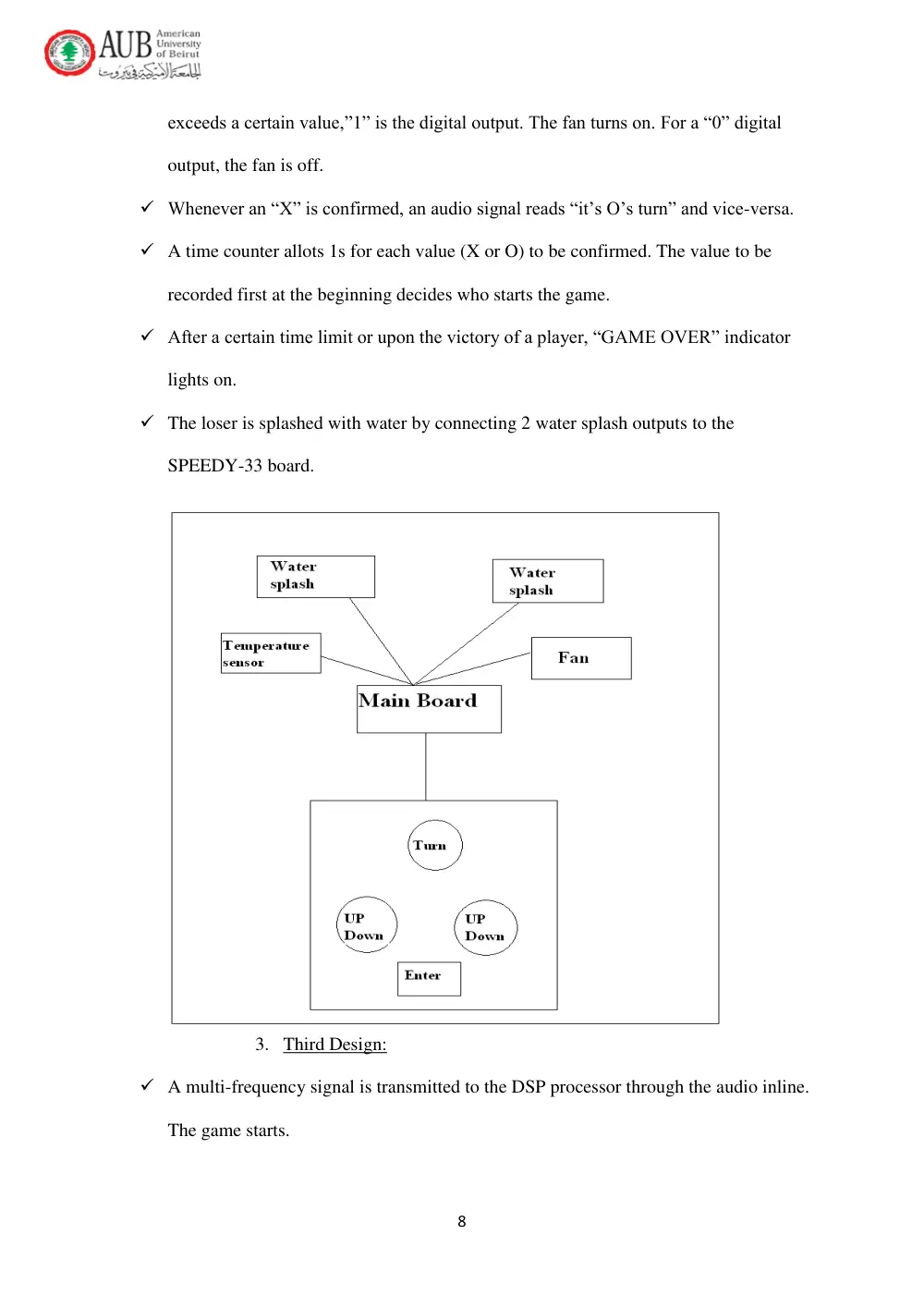
Each player is allowed a joystick which he/she scrolls in the 4 directions on the XO
grid. The same joystick is used to confirm the input data.
A sensor is connected to the DSP board on one hand (serves as a digital input), and a
fan is connected to the DSP board on the other hand. Once the recorded temperature
8
exceeds a certain value,”1” is the digital output. The fan turns on. For a “0” digital
output, the fan is off.
Whenever an “X” is confirmed, an audio signal reads “it’s O’s turn” and vice-versa.
A time counter allots 1s for each value (X or O) to be confirmed. The value to be
recorded first at the beginning decides who starts the game.
After a certain time limit or upon the victory of a player, “GAME OVER” indicator
lights on.
The loser is splashed with water by connecting 2 water splash outputs to the
SPEEDY-33 board.
3. Third Design:
A multi-frequency signal is transmitted to the DSP processor through the audio inline.
The game starts.
9
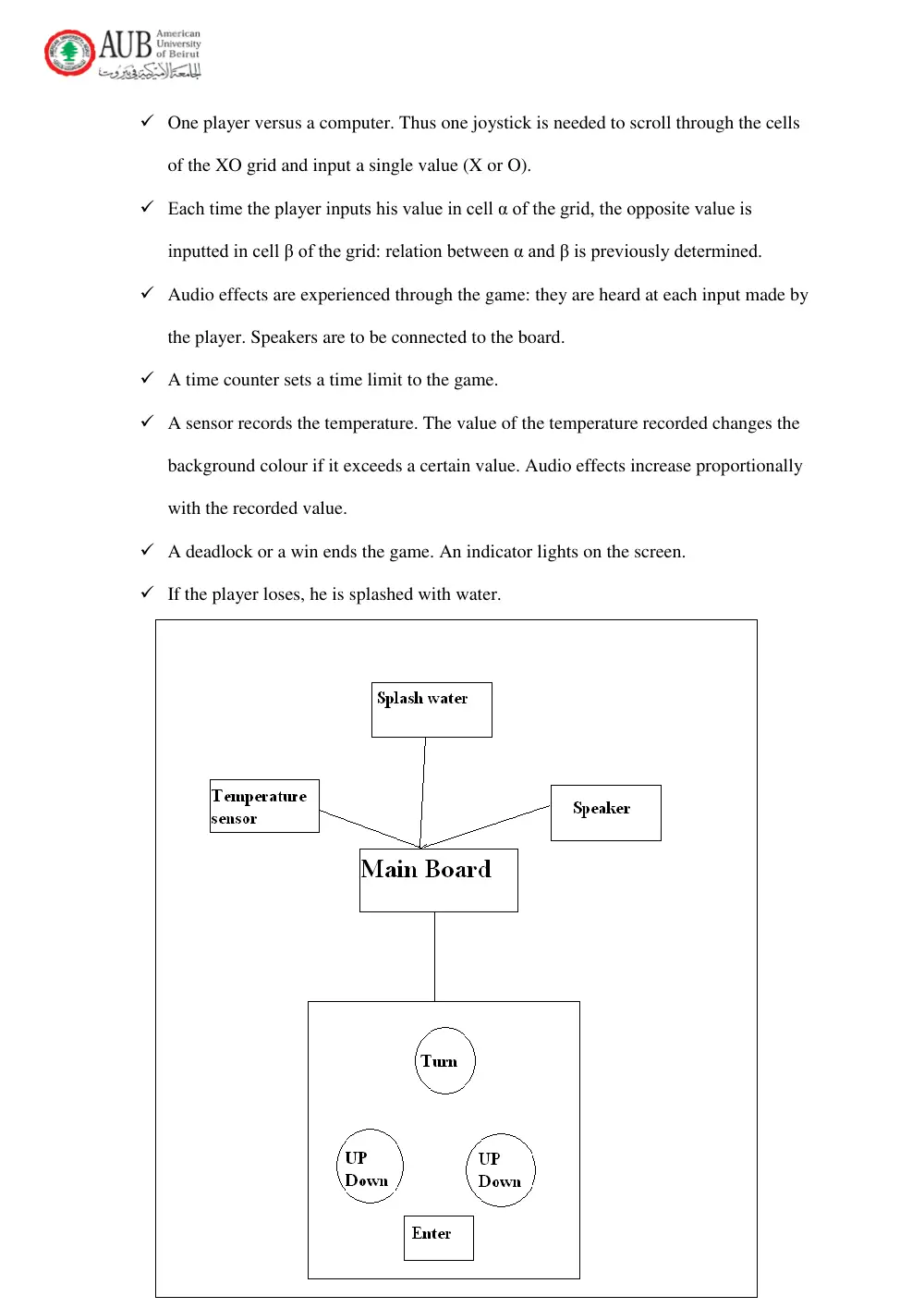
One player versus a computer. Thus one joystick is needed to scroll through the cells
of the XO grid and input a single value (X or O).
Each time the player inputs his value in cell α of the grid, the opposite value is
inputted in cell β of the grid: relation between α and β is previously determined.
Audio effects are experienced through the game: they are heard at each input made by
the player. Speakers are to be connected to the board.
A time counter sets a time limit to the game.
A sensor records the temperature. The value of the temperature recorded changes the
background colour if it exceeds a certain value. Audio effects increase proportionally
with the recorded value.
A deadlock or a win ends the game. An indicator lights on the screen.
If the player loses, he is splashed with water.
10
Discussion (Advantages/Disadvantages):
The three designs are arranged in increasing complexity.
In the first design, it is simpler to start the game by clapping rather than generating
a coded, multi-frequency signal. However, it is less accurate since clapping has no
determined frequency. It can’t be separated from surrounding noises.
Using a joystick is more efficient than the use of multiple buttons. A joystick
helps one interact more with the game.
Turning a fan on when the temperature exceeds certain value is an enjoyable
luxury. However, a fan is dispensable. It adds to the cost of the project.
Using the time counter adds to the intensity and dominant impression of the game.
It is more difficult to implement time limits at each input value.
Regarding the “one vs. PC” game, the logic of the design project is more
complicated. However, less input are now recommended. Thus, additional
facilities are more applicable. Speakers add to the atmosphere of the game.
Using a random generator function is a more professional way to decide who
starts the game rather than recording the first value inputted.
Splashing the loser with water is an enjoyable facility.
Time Schedule:
Deadlines of submission
Date of meeting
Group Form Tuesday November 17, 2009
Monday November 16, 2009… agreed by
team members (DONE)
Proposal Report Thursday November 26,
2009 at 3:00 PM
Wednesday November 25, 2009. from 3 to 5
pm
Thursday November 26, 2009. From 9 am to
1 pm. (DONE)
11
Project Soft Demonstration Tuesday
December 15, 2009 at 9:30 AM
Monday November 30, 2009; Thursday
December 3, 2009; Monday December 7,
2009; Thursday December 10, 2009; Monday
December 14, 2009. (Extra meeting may be
held on Saturday December 12, 2009)
Project Hard Demo and Presentation
Thursday January 14, 2010 at 9:30 AM; &
Project Final Report and Log Book Friday
January 15, 2010 at 3:00 P.M.
Thursday December 17, 2009; Thursday
December 24, 2009; Wednesday January 6,
2010. (Extra meeting: Saturday January 9,
2010 or Monday January 11, 2010).
Anticipated Cost:
Price
Quantity
Total cost
NI-SPEEDY-33
$600
1
$600
Temperature Sensor
$2
1
$2
LED Light
$0.50
5
$2.50
Speakers
$10
1
$10
Wires (5m)
$3
1
$3
Switches
$3
8
$24
Fan
$4
1
$4
Water sprinklers
$5
2
$10
Total estimated cost
$655.50
12
Anticipated Results:
In the end, we are expecting to have an XO game to enjoy. The game initially starts in either
ways stated in the description of each design stated above, and continues by sweeping turns
between the two players “X & O” with respect to the time limit (optional) set for every
player. The temperature sensor will be an indicator that has a specific function for different
designs (background colour, fan, audio effect). The game will end by the victory of one of the
two players (or the PC), or by a draw which will decide the winner according to the sum of
time taken by each player to enter his input. Additional features are available for each design
and will transform this simple game to a more exciting one.
Qualifications:
We, all the group members, will be working as a group in this project. However, equally
distributing work between us, each one according to his experience in a certain domain of
work. Distribution will be in this order:
Name
Qualifications
Allocated Part of
Project
Ahmad Soubra
Good leadership and management skills and an
appropriate English language.
Project Management
Writing Final Report
Mohammad Hajjar Knows to choose the right resources
throughout the process of doing the project
Internet and Library
research
Naeem Akl
Very good English language and have the skill
to organise and present.
Writing the progress
report
Final Presentation
Ziad Rajeh
Good memory of details and acceptable
English language.
Writing Final Report
13
The LAB View design will be a common work between all members, because the lack of
experience in this field among team members and the need of full cooperation in this
particular part of the project, which is the most important one.
References:
http://writing.colostate.edu/guides/documents/proposal/
Costs information:
Kanafani Electronics. Bechara El-Khoury Boulevard, Ministry of Finance building.
Katrangi Electronics (EKT). Corniche El-Mazraa to Ghobeiry - near TSC Plus (BHV
previously) - on the Ali Said El Khansa Street
Appendices:
For more information about LAB View, and how to use it:
http://www.ni.com/pdf/manuals/320999e.pdf