
CSC 212 Chapter 1, Spring 2013
Notre Dame University–Louaize · Program Design and Data Abstraction I · 44 pages
Showing the first 10 of 44 pages. Download the PDF to see all of it.
More CSC 212 files
Show the text of this chapter
2003 Prentice Hall, Inc. All rights reserved.
Introduction
• Hardware
– Physical components that make up your computer
• Software
– Instructions to command computer to perform actions and
make decisions
Chapter 1 – Introduction to Computers and C+
+ Programming
2003 Prentice Hall, Inc. All rights reserved.
What is a Computer?
• Computer
– Device capable of performing computations and making
logical decisions
– Characteristics ( Speed – Reliability – Storage Capacity)
2003 Prentice Hall, Inc. All rights reserved.
Computer Organization
1. Input unit
•
“Receiving” section
•
Obtains information from input devices
–
Keyboard, mouse, microphone, scanner, …
2. Output unit
•
“Shipping” section
•
Takes information processed by computer
•
Places information on output devices
–
Screen, printer, networks, …
–
Information can be used to control other devices
2003 Prentice Hall, Inc. All rights reserved.
Computer Organization
3. Memory unit
•
Rapid access, relatively low capacity “warehouse” section
•
Retains information from input unit
–
Immediately available for processing
•
Retains processed information
–
Until placed on output devices
•
Also known as primary memory or primary storage
•
RAM, ROM, PROM, EPROM, EEPROM
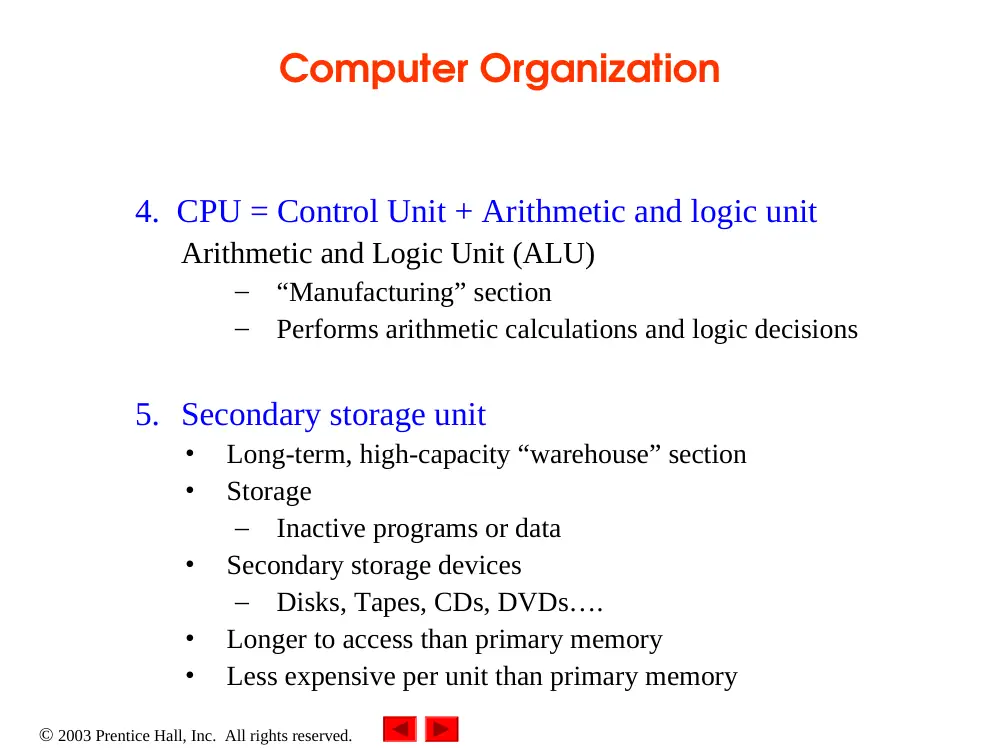
4. CPU = Control Unit + Arithmetic and logic unit
Control Unit (CU)
–
“Administrative” section
–
Supervises and coordinates other sections of the computer
2003 Prentice Hall, Inc. All rights reserved.
Computer Organization
4. CPU = Control Unit + Arithmetic and logic unit
Arithmetic and Logic Unit (ALU)
–
“Manufacturing” section
–
Performs arithmetic calculations and logic decisions
5. Secondary storage unit
•
Long-term, high-capacity “warehouse” section
•
Storage
–
Inactive programs or data
•
Secondary storage devices
–
Disks, Tapes, CDs, DVDs….
•
Longer to access than primary memory
•
Less expensive per unit than primary memory
2003 Prentice Hall, Inc. All rights reserved.
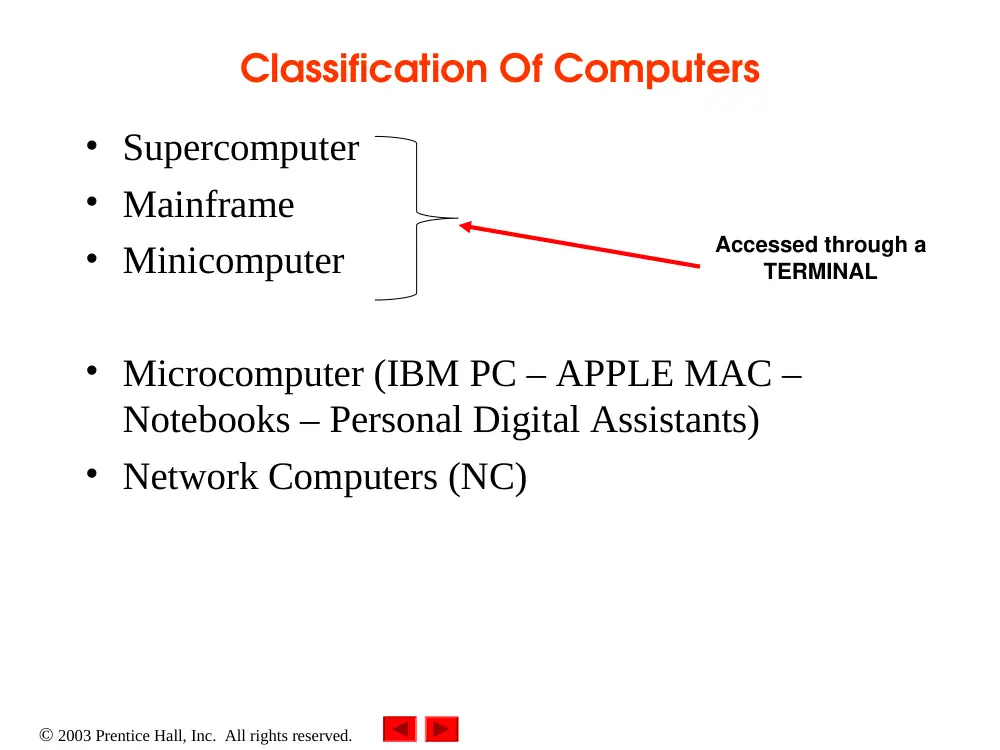
Classification Of Computers
• Supercomputer
• Mainframe
• Minicomputer
• Microcomputer (IBM PC – APPLE MAC –
Notebooks – Personal Digital Assistants)
• Network Computers (NC)
Accessed through a
TERMINAL
2003 Prentice Hall, Inc. All rights reserved.
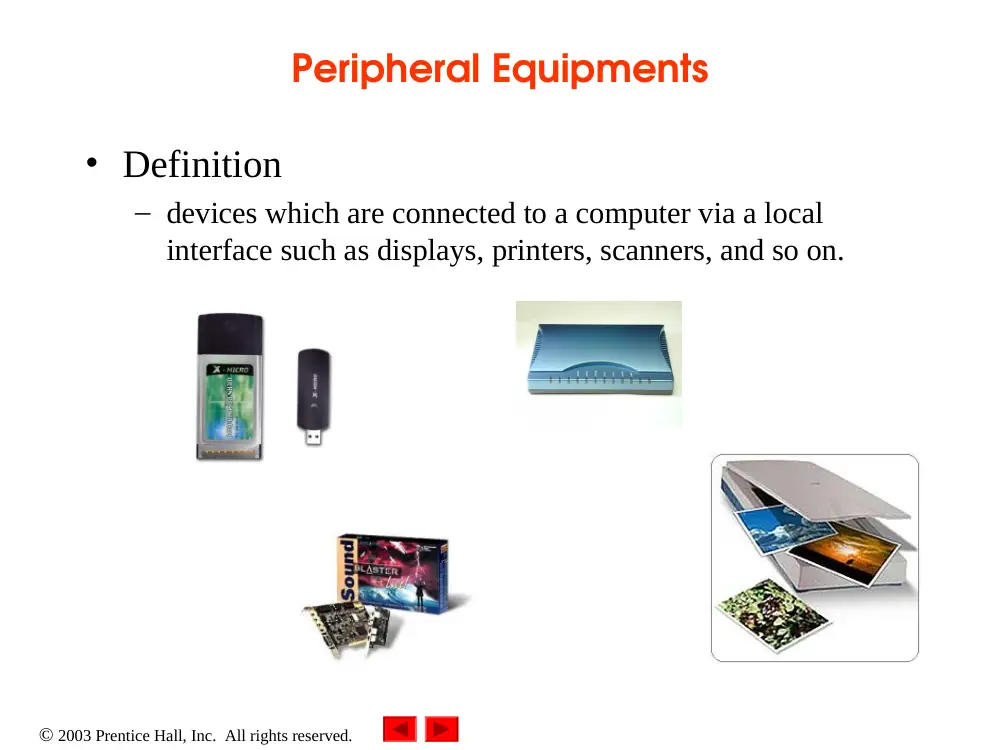
Peripheral Equipments
• Definition
– devices which are connected to a computer via a local
interface such as displays, printers, scanners, and so on.
2003 Prentice Hall, Inc. All rights reserved.
Computer System Configuration
• Centralized
• Decentralized
• Distributed Data Processing
• Network
2003 Prentice Hall, Inc. All rights reserved.
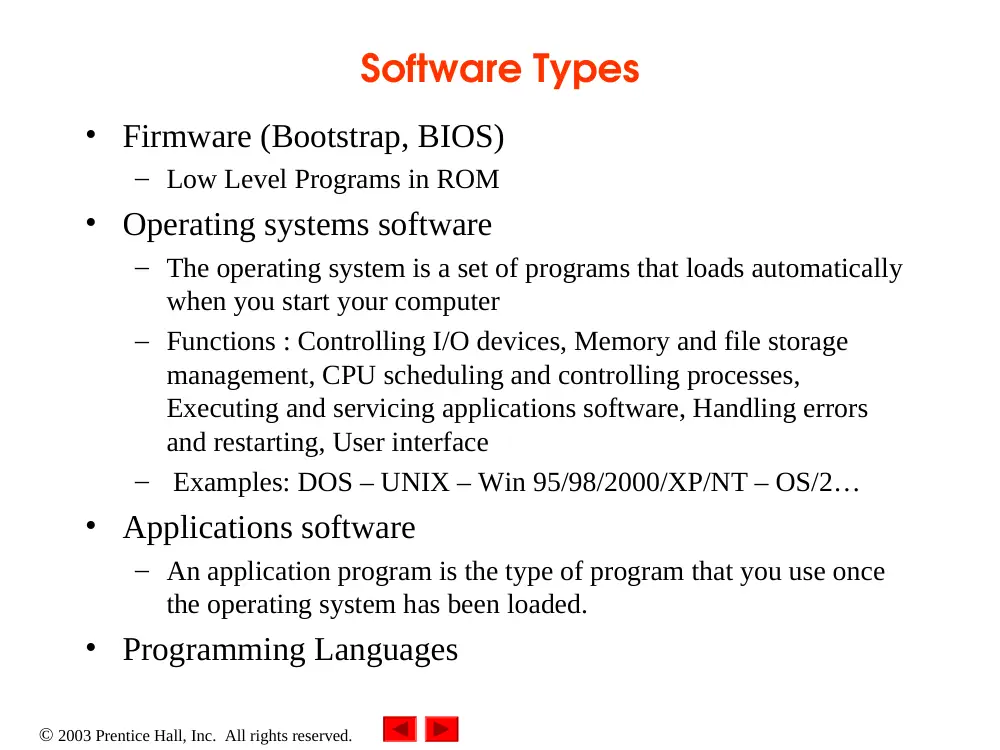
Software Types
• Firmware (Bootstrap, BIOS)
– Low Level Programs in ROM
• Operating systems software
– The operating system is a set of programs that loads automatically
when you start your computer
– Functions : Controlling I/O devices, Memory and file storage
management, CPU scheduling and controlling processes,
Executing and servicing applications software, Handling errors
and restarting, User interface
– Examples: DOS – UNIX – Win 95/98/2000/XP/NT – OS/2…
• Applications software
– An application program is the type of program that you use once
the operating system has been loaded.
• Programming Languages
2003 Prentice Hall, Inc. All rights reserved.
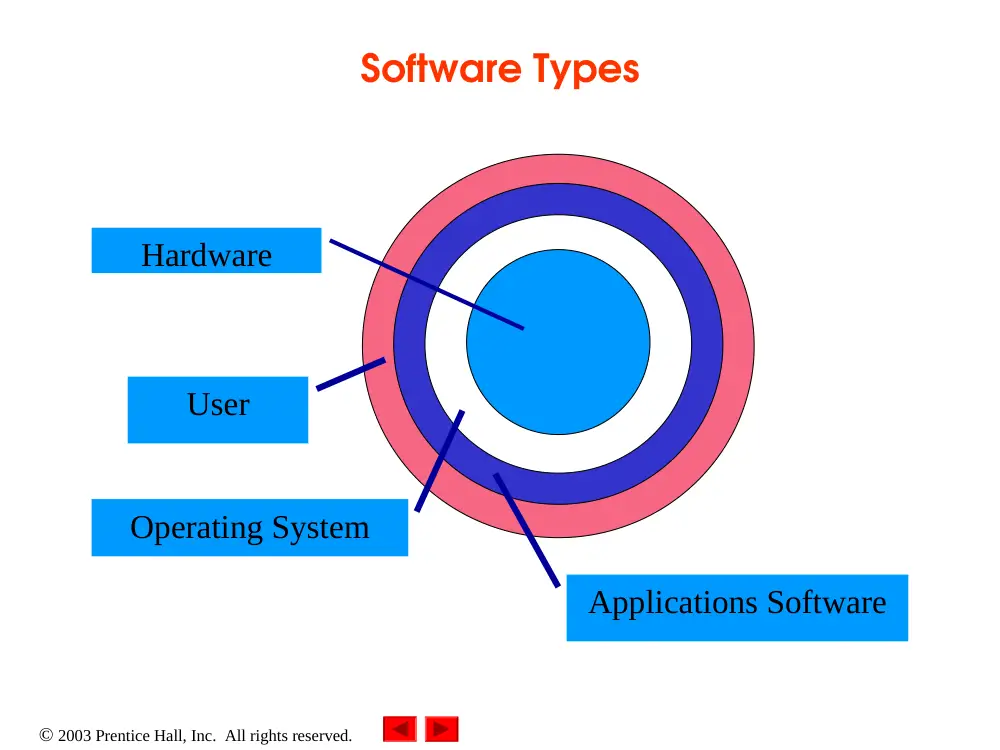
Hardware
Operating System
Applications Software
User
Software Types
2003 Prentice Hall, Inc. All rights reserved.
Levels of Programming Languages
• Described as low level or high level
• It depends on how close they are to the computer
language
• If close their level is low
• If closer to the English-like language their level
is high
• We have 3 levels:
– Machine Language
– Assembly Language
– High level Language
2003 Prentice Hall, Inc. All rights reserved.
Programming Languages
•
Machine language
•
The only language that a computer directly understands
•
Machine-dependent
•
Generally consist of strings of numbers
–
Ultimately 0s and 1s
•
Instruct computers to perform elementary operations
–
One at a time
•
Cumbersome for humans
•
Example:
+1300042774
+1400593419
+1200274027
2003 Prentice Hall, Inc. All rights reserved.
•
Assembly language
•
English-like abbreviations representing elementary computer
operations
•
Clearer to humans
•
Incomprehensible to computers
–
Translator programs (assemblers)
•
Convert to machine language
•
Example:
LOAD
BASEPAY
ADD
OVERPAY
STORE
GROSSPAY
Programming Languages
2003 Prentice Hall, Inc. All rights reserved.
•
High-level languages
•
Similar to everyday English, use common mathematical
notations
•
Single statements accomplish substantial tasks
–
Assembly language requires many instructions to
accomplish simple tasks
•
Need Translator programs (compilers)
–
Convert whole program to machine language
or Interpreter programs
–
Directly execute high-level language programs
•
Example:
grossPay = basePay + overTimePay
Programming Languages
2003 Prentice Hall, Inc. All rights reserved.
Examples of High-level Languages
• FORTRAN
– FORmula TRANslator
– 1954-1957: IBM
– Complex mathematical computations
• Scientific and engineering applications
• COBOL
– COmmon Business Oriented Language
– 1959: computer manufacturers, government and industrial
computer users
– Precise and efficient manipulation of large amounts of data
• Commercial applications
2003 Prentice Hall, Inc. All rights reserved.
Examples of High-Level Languages
• BASIC
– Beginner’s All-Purpose Symbolic Instruction Code
– Mid-1960s for academic use
• Visual Basic
– Developed late 1980s, early 1990s
– Powerful features
• GUI, event handling, object-oriented programming, error handling ….
• Visual Basic .NET
– It is the next generation of Visual Basic
– Designed to be the easiest and most productive tool for
creating .NET applications, including Windows applications, Web
Services, and Web applications
2003 Prentice Hall, Inc. All rights reserved.
Examples of High-Level Languages
• Pascal
– Introduced in 1971
– Named for Blaise Pascal the 17th century French
mathematician
– For academic use
– Less Wordy with few features
2003 Prentice Hall, Inc. All rights reserved.
Examples of High-Level Languages
• C
– Evolved from two other programming languages
• BCPL and B
– “Typeless” languages, for writing OS and compilers.
– C was created by Dennis Ritchie (Bell Laboratories)
• Added data typing, other features compared to B language
– Development language of UNIX
– Hardware independent
• Portable programs
2003 Prentice Hall, Inc. All rights reserved.
Examples of High-Level Languages
• C++
– Extension of C
– Early 1980s: Bjarne Stroustrup (Bell Laboratories)
– “Spruces up” C
– Provides capabilities for object-oriented programming
– Hybrid language
• C-like style
• Object-oriented style
• Both
– C++ standard library
• Rich collections of existing classes and functions
2003 Prentice Hall, Inc. All rights reserved.
Examples of High-Level Languages
• Visual C++
– Microsoft’s implementation of C++
• Includes extensions
• Microsoft Foundation Classes (MFC)
• Common library
– GUI, graphics, networking, multithreading, …
– Shared among Visual Basic, Visual C++, C#
• Visual C ++ under the .NET platform
– Web-based applications
• Distributed to great variety of devices
– Cell phones, desktop computers
– Applications in disparate languages can communicate
2003 Prentice Hall, Inc. All rights reserved.
Examples of High-Level Languages
• C# (.NET)
– Anders Hejlsberg and Scott Wiltamuth (Microsoft)
– Designed specifically for .NET platform
– Roots in C, C++ and Java
• Easy migration to .NET
– Event-driven, fully object-oriented, visual programming
language
– Integrated Development Environment (IDE)
• Create, run, test and debug C# programs
– Language interoperability
2003 Prentice Hall, Inc. All rights reserved.
Examples of High-Level Languages
• Java
– Developped by: Sun Microsystems
– Derived from C++
– Runs on many platforms
– Used for web pages with dynamic and interactive content
– Also used to develop large-scale enterprise applications
– Enhance functionality of web servers
– Provide applications for consumer devices
• Cell phones, pagers, personal digital assistants, …
2003 Prentice Hall, Inc. All rights reserved.
Structured Programming
• Structured programming (1960s)
– Disciplined approach to writing programs
– Clear, easy to test and debug, and easy to modify
– Also known as Procedural Programming
– Major task is divided into smaller tasks
2003 Prentice Hall, Inc. All rights reserved.
Object Oriented Programming
• Objects
– Reusable software components that model real world items
(Student object, Class object, Course object). These objects
have attributes and behaviors.
• In OOP, the code is more understandable, better
organized and easier to maintain than procedural
programming
• OOP favors modularity (Software reuse)
2003 Prentice Hall, Inc. All rights reserved.
Basics of a Typical C++ Environment
• C++ systems consists of :
– Program-development environment
– Language
– C++ Standard Library
2003 Prentice Hall, Inc. All rights reserved.
Basics of a Typical C++ Environment
Phases of C++ Programs:
1. Edit
2. Preprocess
3. Compile
4. Link
5. Load
6. Execute
Loader
Primary
Memory
Program is created in
the editor and stored
on disk.
Preprocessor program
processes the code.
Loader puts program
in memory.
CPU takes each
instruction and
executes it, possibly
storing new data
values as the program
executes.
Compiler
Compiler creates
object code and stores
it on disk.
Linker links the object
code with the libraries,
creates a.out and
stores it on disk
Editor
Preprocessor
Linker
CPU
Primary
Memory
.
.
.
.
.
.
.
.
.
.
.
.
Disk
Disk
Disk
Disk
Disk
2003 Prentice Hall, Inc.
All rights reserved.
Outline
// A first program in C++.
#include <iostream>
using namespace std;
// function main begins program execution
int main()
{
cout << "Welcome to C++!\n";
return 0; // indicate that program ended successfully
} // end function main
Welcome to C++!
Single-line comments.
Preprocessor directive to
include input/output stream
header file <iostream>.
Function main appears
exactly once in every C++
program..
Function main returns an
integer value.
Left brace { begins function
body.
Corresponding right brace }
ends function body.
Statements end with a
semicolon ;.
Name cout belongs to
namespace std.
Stream insertion operator.
Keyword return is one of
several means to exit
function; value 0 indicates
program terminated
successfully.
2003 Prentice Hall, Inc. All rights reserved.
Escape Sequence
Description
\n
Newline. Position the screen cursor to the
beginning of the next line.
\t
Horizontal tab. Move the screen cursor to the next
tab stop.
\r
Carriage return. Position the screen cursor to the
beginning of the current line; do not advance to the
next line.
\a
Alert. Sound the system bell.
\\
Backslash. Used to print a backslash character.
\"
Double quote. Used to print a double quote
character.
2003 Prentice Hall, Inc.
All rights reserved.
Outline
// Printing a line with multiple statements.
#include <iostream>
using namespace std;
// function main begins program execution
int main()
{
cout << "Welcome ";
cout << "to C++!\n";
return 0; // indicate that program ended successfully
} // end function main
Welcome to C++!
Multiple stream insertion
statements produce one line of
output.
2003 Prentice Hall, Inc.
All rights reserved.
Outline
// Printing multiple lines with a single statement
#include <iostream>
using namespace std;
// function main begins program execution
int main()
{
cout << "Welcome\nto\n\nC++!\n";
return 0; // indicate that program ended successfully
} // end function main
Welcome
to
C++!
Using newline characters to
print on multiple lines.
2003 Prentice Hall, Inc. All rights reserved.
Storage Locations and Addresses
• Each memory locations is identified by a number
called Memory Address
• The address doesn’t change but its contents may
change
• A memory address holds a fixed amount of data
2003 Prentice Hall, Inc. All rights reserved.
Variables
• Variables
– Location in memory where value can be stored
– For a programmer a variable is referred to by a name called a
Symbolic Address
– A variable is declared by a name and a data type before being used
data_type varaiable list;
– Common data types
• int - integer numbers
• char - characters
• double - floating point numbers
– Declaring variables
int integer1;
char title;
– Can declare several variables of same type in one declaration
• Comma-separated list
int integer1, integer2, sum;
– You cannot use C++ keywords as variable names.
2003 Prentice Hall, Inc. All rights reserved.
Variables
• Variables
– Variable names
• Valid identifier
– Series of characters (letters, digits, underscores)
– Cannot begin with digit
– Case sensitive
2003 Prentice Hall, Inc.
All rights reserved.
Outline
// Addition program.
#include <iostream>
using namespace std;
// function main begins program execution
int main()
{
int integer1; // first number to be input by user
int integer2; // second number to be input by user
int sum; // variable in which sum will be stored
cout << "Enter first integer\n"; // prompt
cin >> integer1; // read an integer
cout << "Enter second integer\n"; // prompt
cin >> integer2; // read an integer
sum = integer1 + integer2; // assign result to sum
cout << "Sum is " << sum << endl; // print sum
return 0; // indicate that program ended successfully
} // end function main
Declare integer variables.
Use stream extraction
operator with standard input
stream to obtain user input.
Stream manipulator endl
outputs a newline, then
“flushes output buffer.”
Concatenating, chaining or
cascading stream insertion
operations.
Calculations can also be performed in output statements
cout << "Sum is " << integer1 + integer2 << endl;
2003 Prentice Hall, Inc.
All rights reserved.
Outline
Enter first integer
45
Enter second integer
72
Sum is 117
2003 Prentice Hall, Inc. All rights reserved.
Memory Concepts
• Variable names
– Correspond to actual locations in computer's memory
– Every variable has name, type, size and value
– When new value placed into variable, overwrites previous
value
– Reading variables from memory nondestructive
2003 Prentice Hall, Inc. All rights reserved.
Memory Concepts
cin >> integer1;
– Assume user entered 45
cin >> integer2;
– Assume user entered 72
sum = integer1 + integer2;
integer1
45
integer1
45
integer2
72
integer1
45
integer2
72
sum
117
2003 Prentice Hall, Inc. All rights reserved.
Arithmetic
• Arithmetic calculations in C++ use arithmetic
operators (binary operators) like
– *
Multiplication
– /
Division (truncates the remainder if the 2 operands are
integer for example 7 / 5 evaluates to 1)
– %
Modulus operator (returns the remainder of an
integer
division for example 7 % 5 evaluates to 2. If
the
operands are not integer we get a syntax
error)
– + / -
Addition/Subtraction
– ( )
Sets the order of evaluation
2003 Prentice Hall, Inc. All rights reserved.
Arithmetic
• Rules of operator precedence
– Operators in parentheses evaluates first
• Nested/embedded parentheses
– Operators in innermost pair first
– Multiplication, division, modulus comes next
• Operators apply from left to right
– Addition, subtraction applies last
• Operators apply from left to right
Operator(s)
Operation(s)
Order of evaluation (precedence)
()
Parentheses
Evaluated first. If the parentheses are nested, the
expression in the innermost pair is evaluated first. If
there are several pairs of parentheses “on the same level”
(i.e., not nested), they are evaluated left to right.
*, /, or %
Multiplication Division
Modulus
Evaluated second. If there are several, they re
evaluated left to right.
+ or -
Addition
Subtraction
Evaluated last. If there are several, they are
evaluated left to right.
2003 Prentice Hall, Inc. All rights reserved.
Decision Making: Equality and Relational
Operators
• if structure
– Make decision based on truth or falsity of condition
• If condition met, body executed
• Else, body not executed
• Equality and relational operators
– Equality operators
• Same level of precedence
– Relational operators
• Same level of precedence
– Associate left to right
2003 Prentice Hall, Inc. All rights reserved.
1.25 Decision Making: Equality and
Relational Operators
Standard algebraic
equality operator or
relational operator
C++ equality
or relational
operator
Example
of C++
condition
Meaning of
C++ condition
Relational operators
>
>
x > y
x is greater than y
<
<
x < y
x is less than y
>=
x >= y
x is greater than or equal to y
<=
x <= y
x is less than or equal to y
Equality operators
=
==
x == y
x is equal to y
!=
x != y
x is not equal to y
2003 Prentice Hall, Inc.
All rights reserved.
Outline
// Using if statements, relational
// operators, and equality operators.
#include <iostream>
using namespace std;
// function main begins program execution
int main()
{
int num1; // first number to be read from user
int num2; // second number to be read from user
cout << "Enter two integers, and I will tell you\n"
<< "the relationships they satisfy: ";
cin >> num1 >> num2; // read two integers
if ( num1 == num2 )
cout << num1 << " is equal to " << num2 << endl;
if ( num1 != num2 )
cout << num1 << " is not equal to " << num2 << endl;
Declare variables.
if structure compares values
of num1 and num2 to test for
equality.
If condition is true (i.e.,
values are equal), execute this
statement.
if structure compares values
of num1 and num2 to test for
inequality.
If condition is true (i.e.,
values are not equal), execute
this statement.
2003 Prentice Hall, Inc.
All rights reserved.
Outline
if ( num1 < num2 )
cout << num1 << " is less than " << num2 << endl;
if ( num1 > num2 )
cout << num1 << " is greater than " << num2 << endl;
if ( num1 <= num2 )
cout << num1 << " is less than or equal to "
<< num2 << endl;
if ( num1 >= num2 )
cout << num1 << " is greater than or equal to "
<< num2 << endl;
return 0; // indicate that program ended successfully
} // end function main
Enter two integers, and I will tell you
the relationships they satisfy: 22 12
22 is not equal to 12
22 is greater than 12
22 is greater than or equal to 12
Statements may be split over
several lines.
2003 Prentice Hall, Inc. All rights reserved.
Precedence and Associativity of Operations
Operators
Assoc iativity
Type
()
Left to right
Parentheses
* / %
Left to right
Multiplicative
+ -
Left to right
Additive
Left to right
Steam insertion/
extraction
Left to right
Relational
== !=
Left to right
Equqlity
Right to left
Assignment