
CSC 212 Chapter 3, Fall 2013
Notre Dame University–Louaize · Program Design and Data Abstraction I · 80 pages




Showing the first 10 of 80 pages. Download the PDF to see all of it.
More CSC 212 files
Show the text of this chapter
2003 Prentice Hall, Inc. All rights reserved.
1
Introduction
• Use Functions when
– Programs are long and complex
– Performing the same statements frequently
– Sharing a project
• A function is a group of statements that are defined
separately and referenced when needed
Chapter 3 - Functions
2003 Prentice Hall, Inc. All rights reserved.
2
Introduction
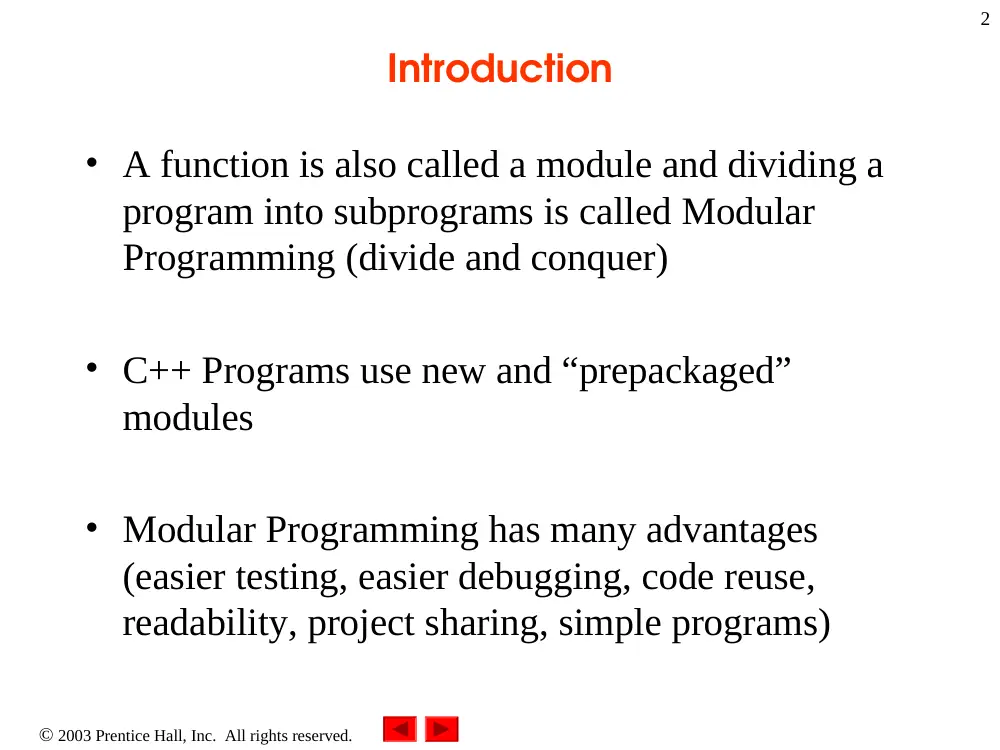
• A function is also called a module and dividing a
program into subprograms is called Modular
Programming (divide and conquer)
• C++ Programs use new and “prepackaged”
modules
• Modular Programming has many advantages
(easier testing, easier debugging, code reuse,
readability, project sharing, simple programs)
2003 Prentice Hall, Inc. All rights reserved.
3
Math Library Functions
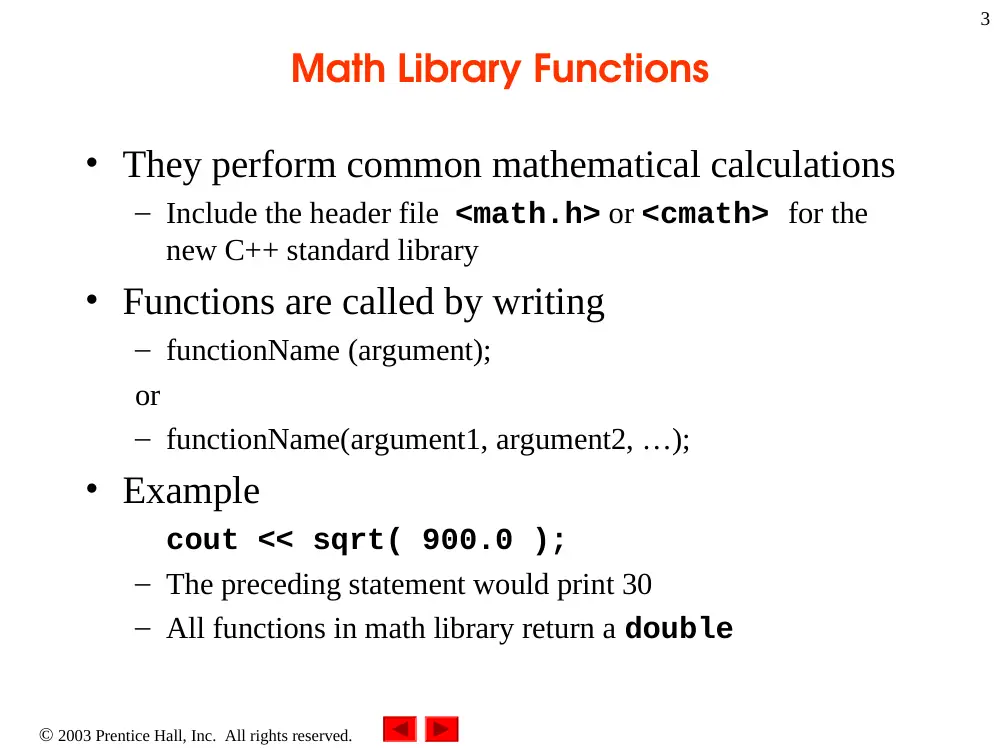
• They perform common mathematical calculations
– Include the header file <math.h> or <cmath> for the
new C++ standard library
• Functions are called by writing
– functionName (argument);
or
– functionName(argument1, argument2, …);
• Example
cout << sqrt( 900.0 );
– The preceding statement would print 30
– All functions in math library return a double
2003 Prentice Hall, Inc. All rights reserved.
4
Math Library Functions
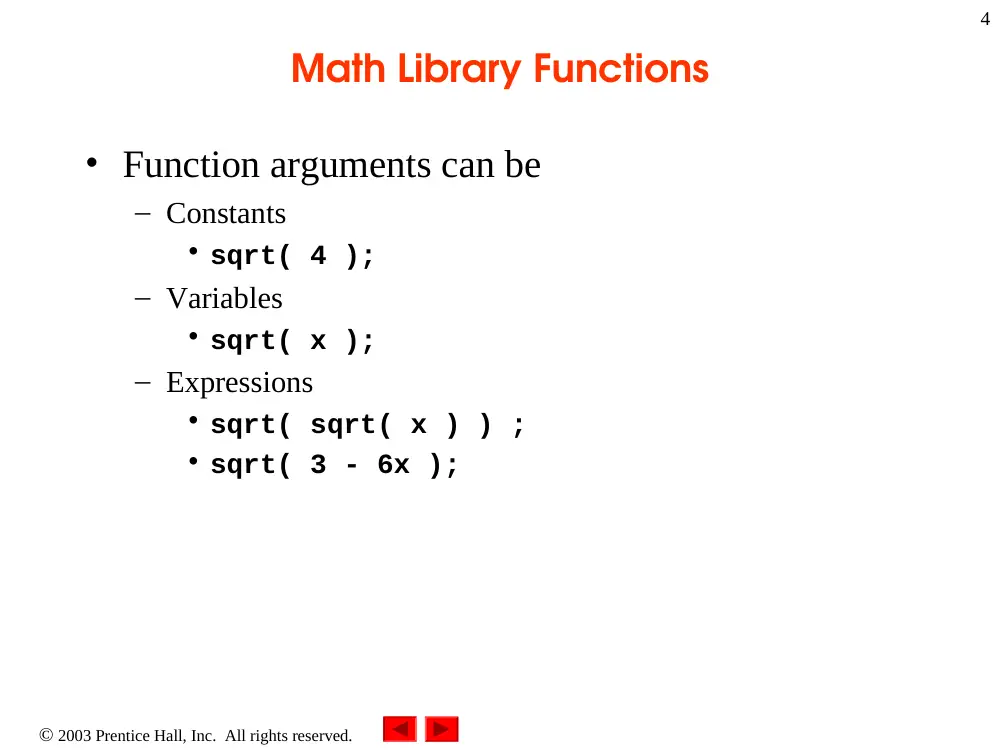
• Function arguments can be
– Constants
• sqrt( 4 );
– Variables
• sqrt( x );
– Expressions
• sqrt( sqrt( x ) ) ;
• sqrt( 3 - 6x );
2003 Prentice Hall, Inc. All rights reserved.
5
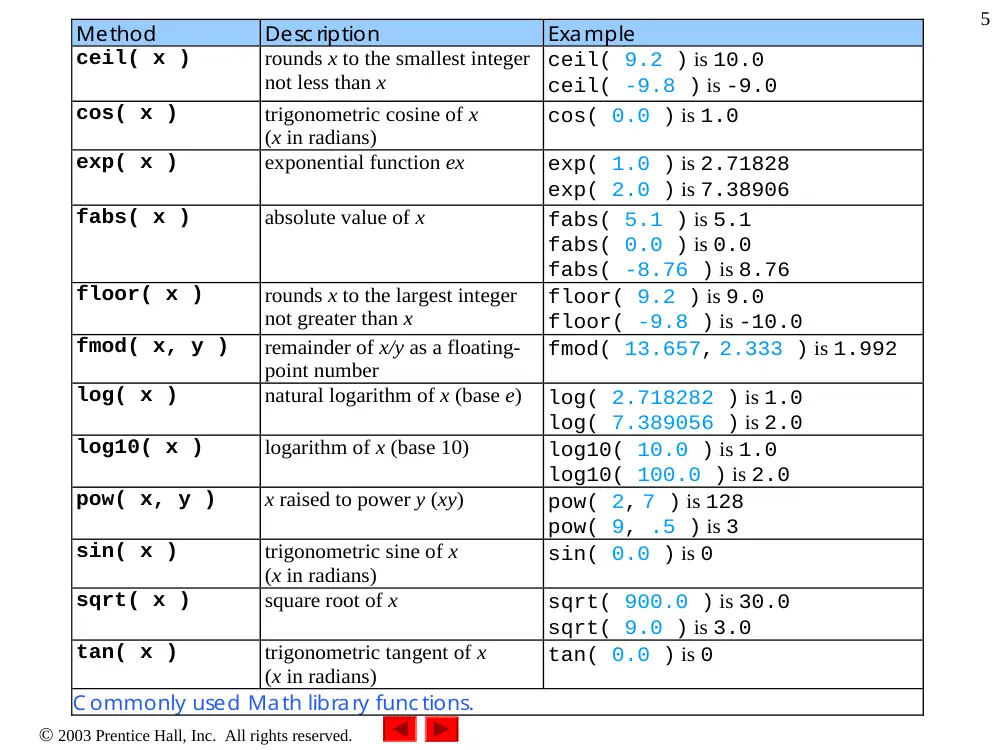
Method
Desc ription
Example
ceil( x )
rounds x to the smallest integer
not less than x
ceil( 9.2 ) is 10.0
ceil( -9.8 ) is -9.0
cos( x )
trigonometric cosine of x
(x in radians)
cos( 0.0 ) is 1.0
exp( x )
exponential function ex
exp( 1.0 ) is 2.71828
exp( 2.0 ) is 7.38906
fabs( x )
absolute value of x
fabs( 5.1 ) is 5.1
fabs( 0.0 ) is 0.0
fabs( -8.76 ) is 8.76
floor( x )
rounds x to the largest integer
not greater than x
floor( 9.2 ) is 9.0
floor( -9.8 ) is -10.0
fmod( x, y )
remainder of x/y as a floating-
point number
fmod( 13.657, 2.333 ) is 1.992
log( x )
natural logarithm of x (base e)
log( 2.718282 ) is 1.0
log( 7.389056 ) is 2.0
log10( x )
logarithm of x (base 10)
log10( 10.0 ) is 1.0
log10( 100.0 ) is 2.0
pow( x, y )
x raised to power y (xy)
pow( 2, 7 ) is 128
pow( 9, .5 ) is 3
sin( x )
trigonometric sine of x
(x in radians)
sin( 0.0 ) is 0
sqrt( x )
square root of x
sqrt( 900.0 ) is 30.0
sqrt( 9.0 ) is 3.0
tan( x )
trigonometric tangent of x
(x in radians)
tan( 0.0 ) is 0
C ommonly used Math library func tions.
2003 Prentice Hall, Inc. All rights reserved.
6
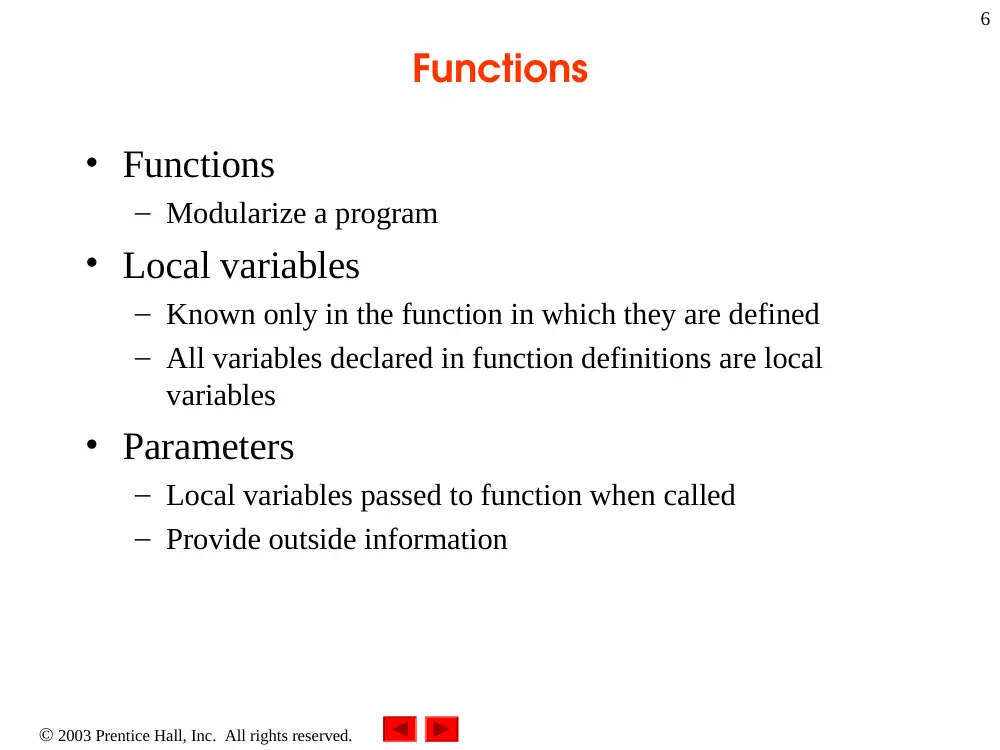
Functions
• Functions
– Modularize a program
• Local variables
– Known only in the function in which they are defined
– All variables declared in function definitions are local
variables
• Parameters
– Local variables passed to function when called
– Provide outside information
2003 Prentice Hall, Inc. All rights reserved.
7
Functions
• Function prototype
– Tells the compiler about argument type, number and order
and also about the return type of the function
– int square( int );
• Function takes an int and returns an int
• Calling/invoking a function
– square(x);
– Parentheses are used in a call to a function
• Pass argument x
• Function gets its own copy of arguments
– After function is finished, it passes back result
2003 Prentice Hall, Inc. All rights reserved.
8
Function Definitions
• Format for function definition
return-value-type function-name( parameter-list )
{
declarations and statements
}
– Parameter list
• Comma separated list of arguments
– Data type needed for each argument
• If no arguments, use void or leave blank
– Return-value-type
• Data type of result returned (use void if nothing returned)
– declarations and statements
• Form the function body
2003 Prentice Hall, Inc. All rights reserved.
9
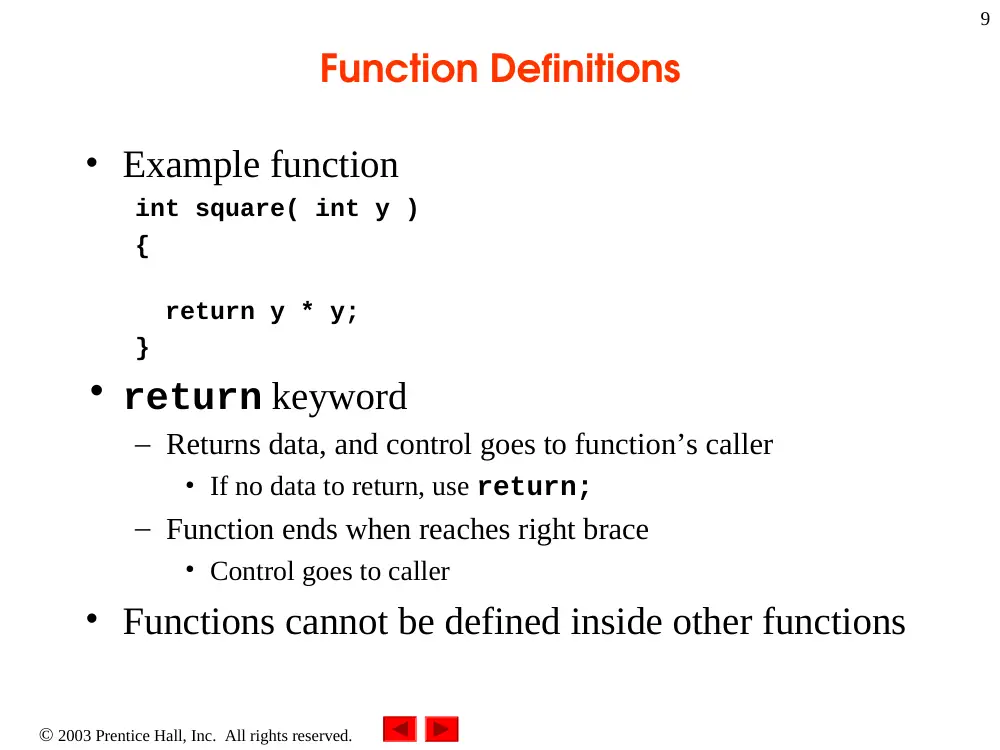
Function Definitions
• Example function
int square( int y )
{
return y * y;
}
• return keyword
– Returns data, and control goes to function’s caller
• If no data to return, use return;
– Function ends when reaches right brace
• Control goes to caller
• Functions cannot be defined inside other functions
2003 Prentice Hall, Inc.
All rights reserved.
Outline
10
// Calculate the square of the integer from 1 to 10
#include <iostream>
using namespace std;
int square( int ); // function prototype
int main()
{
// loop 10 times and calculate and output
// square of x each time
for ( int x = 1; x <= 10; x++ )
cout << square( x ) << " "; // function call
cout << endl;
return 0; // indicates successful termination
} // end main
Parentheses () cause function
to be called. When done, it
returns the result.
Function prototype: specifies
data types of arguments and
return values. square
expects and int, and returns
an int.
2003 Prentice Hall, Inc.
All rights reserved.
Outline
11
// square function definition returns square of an integer
int square( int y ) // y is a copy of argument to function
{
return y * y; // returns square of y as an int
} // end function square
1 4 9 16 25 36 49 64 81 100
Definition of square. y is a
copy of the argument passed.
Returns y * y, or y squared.
2003 Prentice Hall, Inc.
All rights reserved.
Outline
12
// Finding the maximum of three integer numbers.
#include <iostream>
using namespace std;
int maximum( int, int, int ); // function prototype
int main()
{
int number1;
int number2;
int number3;
cout << "Enter three integers: ";
cin >> number1 >> number2 >> number3;
// number1, number2 and number3 are arguments to
// the maximum function call
cout << "Maximum is: "
<< maximum( number1, number2, number3 ) << endl;
return 0; // indicates successful termination
Function maximum takes 3
arguments (all integer) and
returns an integer.
2003 Prentice Hall, Inc.
All rights reserved.
Outline
13
} // end main
// function maximum definition;
// x, y and z are parameters
int maximum( int x, int y, int z )
{
int max = x; // assume x is largest
if ( y > max ) // if y is larger,
max = y; // assign y to max
if ( z > max ) // if z is larger,
max = z; // assign z to max
return max; // max is largest value
} // end function maximum
Comma separated list for
multiple parameters.
2003 Prentice Hall, Inc. All rights reserved.
14
Function Prototypes
• Function prototype contains
– Function name
– Parameters (number and data type)
– Return type (void if returns nothing)
– Only needed if function definition after function call
• Prototype must match function definition
– Function prototype
double maximum( double, double, double );
– Definition
double maximum( double x, double y, double z )
{
…
}
2003 Prentice Hall, Inc. All rights reserved.
15
Function Prototypes
• Function signature
– Part of prototype with name and parameters
• double maximum( double, double, double );
• Argument Coercion
– Force arguments to be of proper type
• Converting int (4) to double (4.0)
cout << sqrt(4)
– Conversion rules
• Arguments usually converted automatically
• Changing from double to int can truncate data
– 3.4 to 3
– Mixed type goes to highest type (promotion)
Function signature
2003 Prentice Hall, Inc. All rights reserved.
16
Function Prototypes
Data types
long double
double
float
unsigned long int
(synonymous with unsigned long)
long int
(synonymous with long)
unsigned int
(synonymous with unsigned)
int
unsigned short int
(synonymous with unsigned short)
short int
(synonymous with short)
unsigned char
char
bool
(false becomes 0, true becomes 1)
Promotion hierarc hy for built-in data types from highest to lowest.
2003 Prentice Hall, Inc. All rights reserved.
17
Header Files
• Header files contain
– Function prototypes
– Definitions of data types and constants
• Header files ending with .h
– Programmer-defined header files
#include “myheader.h”
• Library header files
#include <cmath>
2003 Prentice Hall, Inc. All rights reserved.
18
Random Number Generation
• rand function (<cstdlib> or
<stdlib.h>)
– i = rand();
– Generates unsigned integer between 0 and RAND_MAX
(usually 32767)
• Scaling and shifting
– Modulus (remainder) operator: %
• 10 % 3 is 1
• x % y is between 0 and y – 1
– Example
i = rand() % 6 + 1;
• “Rand() % 6” generates a number between 0 and 5 (scaling)
• “+ 1” makes the range 1 to 6 (shift)
2003 Prentice Hall, Inc. All rights reserved.
19
Random Number Generation
• Next
– Program to show distribution of rand()
– Simulate 6000 rolls of a die
– Print number of 1’s, 2’s, 3’s, etc. rolled
– Should be roughly 1000 of each
2003 Prentice Hall, Inc.
All rights reserved.
Outline
20
// Roll a six-sided die 6000 times.
#include <iostream>
#include <iomanip>
#include <cstdlib> // contains function prototype for rand
using namespace std;
int main()
{
int frequency1 = 0;
int frequency2 = 0;
int frequency3 = 0;
int frequency4 = 0;
int frequency5 = 0;
int frequency6 = 0;
int face; // represents one roll of the die
2003 Prentice Hall, Inc.
All rights reserved.
Outline
21
// loop 6000 times and summarize results
for ( int roll = 1; roll <= 6000; roll++ ) {
face = 1 + rand() % 6; // random number from 1 to 6
// determine face value and increment appropriate counter
switch ( face ) {
case 1: // rolled 1
++frequency1;
break;
case 2: // rolled 2
++frequency2;
break;
case 3: // rolled 3
++frequency3;
break;
case 4: // rolled 4
++frequency4;
break;
case 5: // rolled 5
++frequency5;
break;
2003 Prentice Hall, Inc.
All rights reserved.
Outline
22
case 6: // rolled 6
++frequency6;
break;
default: // invalid value
cout << "Program should never get here!";
} // end switch
} // end for
// display results in tabular format
cout << "Face" << setw( 13 ) << "Frequency"
<< "\n 1" << setw( 13 ) << frequency1
<< "\n 2" << setw( 13 ) << frequency2
<< "\n 3" << setw( 13 ) << frequency3
<< "\n 4" << setw( 13 ) << frequency4
<< "\n 5" << setw( 13 ) << frequency5
<< "\n 6" << setw( 13 ) << frequency6 << endl;
return 0; // indicates successful termination
} // end main
Default case included even
though it should never be
reached. This is a matter of
good coding style
2003 Prentice Hall, Inc.
All rights reserved.
Outline
23
Face Frequency
1 1003
2 1017
3 983
4 994
5 1004
6 999
2003 Prentice Hall, Inc. All rights reserved.
24
Random Number Generation
• Calling rand() repeatedly
– Gives the same sequence of numbers
• Pseudorandom numbers
– Preset sequence of "random" numbers
– Same sequence generated whenever program run
• To get different random sequences
– Provide a seed value
• Like a random starting point in the sequence
• The same seed will give the same sequence
– srand(seed);
• <cstdlib> or <stdlib.h>
• Used before rand() to set the seed
2003 Prentice Hall, Inc.
All rights reserved.
Outline
25
// Shifted, scaled integers produced by 1 + rand() % 6.
#include <iostream>
#include <iomanip>
#include <cstdlib> // contains function prototype for rand
using namespace std;
int main()
{
// loop 20 times
for ( int counter = 1; counter <= 20; counter++ ) {
// pick random number from 1 to 6 and output it
cout << setw( 10 ) << ( 1 + rand() % 6 );
// if counter divisible by 5, begin new line of output
if ( counter % 5 == 0 )
cout << endl;
} // end for structure
Output of rand() scaled and
shifted to be a number
between 1 and 6.
2003 Prentice Hall, Inc.
All rights reserved.
Outline
26
return 0; // indicates successful termination
} // end main
6 6 5 5 6
5 1 1 5 3
6 6 2 4 2
6 2 3 4 1
2003 Prentice Hall, Inc.
All rights reserved.
Outline
27
// Randomizing die-rolling program.
#include <iostream>
#include <iomanip>
// contains prototypes for functions srand and rand
#include <cstdlib>
using namespace std;
// main function begins program execution
int main()
{
unsigned seed;
cout << "Enter seed: ";
cin >> seed;
srand( seed ); // seed random number generator
Setting the seed with
srand().
2003 Prentice Hall, Inc.
All rights reserved.
Outline
28
// loop 10 times
for ( int counter = 1; counter <= 10; counter++ ) {
// pick random number from 1 to 6 and output it
cout << setw( 10 ) << ( 1 + rand() % 6 );
// if counter divisible by 5, begin new line of output
if ( counter % 5 == 0 )
cout << endl;
} // end for
return 0; // indicates successful termination
} // end main
Enter seed: 67
6 1 4 6 2
1 6 1 6 4
Enter seed: 432
4 6 3 1 6
3 1 5 4 2
Enter seed: 67
6 1 4 6 2
1 6 1 6 4
rand() gives the same
sequence if it has the same
initial seed.
2003 Prentice Hall, Inc. All rights reserved.
29
Random Number Generation
• Can use the current time to set the seed
– No need to explicitly set seed every time
– srand( time( 0 ) );
– time( 0 );
• <ctime> or <time.h>
• Returns current time in seconds
• General shifting and scaling
– Number = shiftingValue + rand() % scalingFactor
– shiftingValue = first number in desired range
– scalingFactor = width of desired range
2003 Prentice Hall, Inc. All rights reserved.
30
Example: Game of Chance and Introducing
enum
• Enumeration
– Set of integers with identifiers
enum typeName {constant1, constant2…};
– Constants start at 0 (default), incremented by 1
– Constants need unique names
– Cannot assign integer to enumeration variable
• Must use a previously defined enumeration type
• Example
enum Status {CONTINUE, WON, LOST};
Status enumVar;
enumVar = WON; // cannot do enumVar = 1
2003 Prentice Hall, Inc. All rights reserved.
31
Example: Game of Chance and Introducing
enum
• Enumeration constants can have preset values
enum Months { JAN = 1, FEB, MAR, APR, MAY,
JUN, JUL, AUG, SEP, OCT, NOV, DEC};
– Starts at 1, increments by 1
• Next: craps simulator
– Roll two dice
– 7 or 11 on first throw: player wins
– 2, 3, or 12 on first throw: player loses
– 4, 5, 6, 8, 9, 10
• Value becomes player's "point"
• Player must roll his point before rolling 7 to win
2003 Prentice Hall, Inc.
All rights reserved.
Outline
32
// Craps.
#include <iostream>
#include <stdlib>
#include <time>
using namespace std;
int rollDice( void ); // function prototype
int main()
{
// enumeration constants represent game status
enum Status { CONTINUE, WON, LOST };
int sum;
int myPoint;
Status gameStatus; // can contain CONTINUE, WON or LOST
Function to roll 2 dice and
return the result as an int.
Enumeration to keep track of
the current game.
2003 Prentice Hall, Inc.
All rights reserved.
Outline
33
// randomize random number generator using current time
srand( time( 0 ) );
sum = rollDice(); // first roll of the dice
// determine game status and point based on sum of dice
switch ( sum ) {
// win on first roll
case 7:
case 11:
gameStatus = WON;
break;
// lose on first roll
case 2:
case 3:
case 12:
gameStatus = LOST;
break;
switch statement
determines outcome based on
die roll.
2003 Prentice Hall, Inc.
All rights reserved.
Outline
34
// remember point
default:
gameStatus = CONTINUE;
myPoint = sum;
cout << "Point is " << myPoint << endl;
break; // optional
} // end switch
// while game not complete ...
while ( gameStatus == CONTINUE ) {
sum = rollDice(); // roll dice again
// determine game status
if ( sum == myPoint ) // win by making point
gameStatus = WON;
else
if ( sum == 7 ) // lose by rolling 7
gameStatus = LOST;
} // end while
2003 Prentice Hall, Inc.
All rights reserved.
Outline
35
// display won or lost message
if ( gameStatus == WON )
cout << "Player wins" << endl;
else
cout << "Player loses" << endl;
return 0; // indicates successful termination
} // end main
// roll dice, calculate sum and display results
int rollDice( void )
{
int die1;
int die2;
int workSum;
die1 = 1 + rand() % 6; // pick random die1 value
die2 = 1 + rand() % 6; // pick random die2 value
workSum = die1 + die2; // sum die1 and die2
Function rollDice takes no
arguments, so has void in
the parameter list.
2003 Prentice Hall, Inc.
All rights reserved.
Outline
36
// display results of this roll
cout << "Player rolled " << die1 << " + " << die2
<< " = " << workSum << endl;
return workSum; // return sum of dice
} // end function rollDice
Player rolled 2 + 5 = 7
Player wins
Player rolled 6 + 6 = 12
Player loses
Player rolled 3 + 3 = 6
Point is 6
Player rolled 5 + 3 = 8
Player rolled 4 + 5 = 9
Player rolled 2 + 1 = 3
Player rolled 1 + 5 = 6
Player wins
2003 Prentice Hall, Inc. All rights reserved.
37
More on Variables
• Variables have attributes
– Have seen name, type, size, value
– They also have:
• Storage class
– How long variable exists in memory
• Scope
– Where variable can be referenced in program
• Linkage
– For multiple-file program, which files can use it
2003 Prentice Hall, Inc. All rights reserved.
38
Variables: Storage Classes
• Automatic storage class
– Variable created when program enters its block
– Variable destroyed when program leaves block
– Only local variables of functions can be automatic
• Automatic by default
• keyword auto explicitly declares automatic
– register keyword
• Hint to place variable in high-speed register
• Good for often-used items (loop counters)
– Specify either register or auto, not both
• register int counter = 1;
2003 Prentice Hall, Inc. All rights reserved.
39
Variables: Storage Classes
• Static storage class
– Variables exist for entire program
• For functions, name exists for entire program
– May not be accessible, scope rules still apply (more later)
• static keyword
– Local variables in function
– Keeps value between function calls
– Only known in own function
• extern keyword
– Default for global variables/functions
• Globals: defined outside of a function block
– Known in any function that comes after it
2003 Prentice Hall, Inc. All rights reserved.
40
Variables: Scope Rules
• Scope
– Portion of program where identifier can be used
• File scope
– Defined outside a function, known in all functions
– Global variables, function definitions and prototypes
• Function scope
– Can only be referenced inside defining function
– Only labels, e.g., identifiers with a colon (case:)
2003 Prentice Hall, Inc. All rights reserved.
41
Variables: Scope Rules
• Block scope
– Begins at declaration, ends at right brace }
• Can only be referenced in this range
– Local variables, function parameters
– static variables still have block scope
• Storage class separate from scope
• Function-prototype scope
– Parameter list of prototype
– Names in prototype optional
• Compiler ignores
– In a single prototype, name can be used once
2003 Prentice Hall, Inc.
All rights reserved.
Outline
42
// A scoping example.
#include <iostream>
using namespace std;
void a( void ); // function prototype
void b( void ); // function prototype
void c( void ); // function prototype
int x = 1; // global variable
int main()
{
int x = 5; // local variable to main
cout << "local x in main's outer scope is " << x << endl;
{ // start new scope
int x = 7;
cout << "local x in main's inner scope is " << x << endl;
} // end new scope
cout << "local x in main's outer scope is " << x << endl;
a();
b();
c() ;
a();
b();
c();
cout << "\nlocal x in main is " << x << endl;
return 0; // indicates successful termination
} // end main
2003 Prentice Hall, Inc.
All rights reserved.
Outline
43
void a( void )
{
int x = 25; // initialized each time a is called
cout << endl << "local x in a is " << x
<< " on entering a" << endl;
++x;
cout << "local x in a is " << x
<< " on exiting a" << endl;
} // end function
void b( void )
{
// initialized only first time b is called
static int x = 50;
cout << endl << "local static x is " << x
<< " on entering b" << endl;
++x;
cout << "local static x is " << x
<< " on exiting b" << endl;
} // end function
void c( void )
{
cout << endl << "global x is " << x
<< " on entering c" << endl;
x *= 10;
cout << "global x is " << x
<< " on exiting c" << endl;
} // end function
2003 Prentice Hall, Inc. All rights reserved.
44
Recursion
• Recursive functions
– Functions that call themselves
– Can only solve a base case
• If not base case
– Break problem into smaller problem(s)
– Launch new copy of function to work on the smaller
problem (recursive call/recursive step)
• Slowly converges towards base case
• Function makes call to itself inside the return statement
– Eventually base case gets solved
• Answer works way back up, solves entire problem
2003 Prentice Hall, Inc. All rights reserved.
45
Recursion
• Example: factorial
n! = n * ( n – 1 ) * ( n – 2 ) * … * 1
– Recursive relationship ( n! = n * ( n – 1 )! )
5! = 5 * 4!
4! = 4 * 3!…
– Base case (1! = 0! = 1)
2003 Prentice Hall, Inc.
All rights reserved.
Outline
46
// Recursive factorial function.
#include <iostream>
#include <iomanip>
using namespace std;
unsigned long factorial( unsigned long ); // function prototype
int main()
{
// Loop 10 times. During each iteration, calculate
// factorial( i ) and display result.
for ( int i = 0; i <= 10; i++ )
cout << setw( 2 ) << i << "! = "
<< factorial( i ) << endl;
return 0; // indicates successful termination
} // end main
Data type unsigned long
can hold an integer from 0 to
4 billion.
2003 Prentice Hall, Inc.
All rights reserved.
Outline
47
// recursive definition of function factorial
unsigned long factorial( unsigned long number )
{
// base case
if ( number <= 1 )
return 1;
// recursive step
else
return number * factorial( number - 1 );
} // end function factorial
0! = 1
1! = 1
2! = 2
3! = 6
4! = 24
5! = 120
6! = 720
7! = 5040
8! = 40320
9! = 362880
10! = 3628800
The base case occurs when we
have 0! or 1!. All other
cases must be split up
(recursive step).
2003 Prentice Hall, Inc. All rights reserved.
48
Example Using Recursion: Fibonacci Series
• Fibonacci series: 0, 1, 1, 2, 3, 5, 8...
– Each number sum of two previous ones
– Example of a recursive formula:
• fib(n) = fib(n-1) + fib(n-2)
• C++ code for Fibonacci function
long fibonacci( long n )
{
if ( n == 0 || n == 1 ) // base case
return n;
else
return fibonacci( n - 1 ) +
fibonacci( n – 2 );
}
2003 Prentice Hall, Inc. All rights reserved.
49
Example Using Recursion: Fibonacci Series
f( 3 )
f( 1 )
f( 2 )
f( 1 )
f( 0 )
return 1
return 1
return 0
return
+
+
return
2003 Prentice Hall, Inc. All rights reserved.
50
Example Using Recursion: Fibonacci Series
• Order of operations
– return fibonacci( n - 1 ) + fibonacci( n - 2 );
• Do not know which one executed first
– C++ does not specify
– Only &&, || and ?: guaranteed left-to-right evaluation
• Recursive function calls
– Each level of recursion doubles the number of function calls
• 30th number = 2^30 ~ 4 billion function calls
– Exponential complexity
2003 Prentice Hall, Inc.
All rights reserved.
Outline
51
// Recursive fibonacci function.
#include <iostream>
using namespace std;
unsigned long fibonacci( unsigned long ); // function prototype
int main()
{
unsigned long result, number;
// obtain integer from user
cout << "Enter an integer: ";
cin >> number;
// calculate fibonacci value for number input by user
result = fibonacci( number );
// display result
cout << "Fibonacci(" << number << ") = " << result << endl;
return 0; // indicates successful termination
The Fibonacci numbers get
large very quickly, and are all
non-negative integers. Thus,
we use the unsigned long
data type.
2003 Prentice Hall, Inc.
All rights reserved.
Outline
52
} // end main
// recursive definition of function fibonacci
unsigned long fibonacci( unsigned long n )
{
// base case
if ( n == 0 || n == 1 )
return n;
// recursive step
else
return fibonacci( n - 1 ) + fibonacci( n - 2 );
} // end function fibonacci
Enter an integer: 0
Fibonacci(0) = 0
Enter an integer: 1
Fibonacci(1) = 1
Enter an integer: 2
Fibonacci(2) = 1
Enter an integer: 3
Fibonacci(3) = 2
2003 Prentice Hall, Inc.
All rights reserved.
Outline
53
Enter an integer: 4
Fibonacci(4) = 3
Enter an integer: 5
Fibonacci(5) = 5
Enter an integer: 6
Fibonacci(6) = 8
Enter an integer: 10
Fibonacci(10) = 55
Enter an integer: 20
Fibonacci(20) = 6765
Enter an integer: 30
Fibonacci(30) = 832040
Enter an integer: 35
Fibonacci(35) = 9227465
2003 Prentice Hall, Inc. All rights reserved.
54
Recursion vs. Iteration
// recursive factorial function
unsigned long factorial( unsigned long number )
{
if ( number <= 1 )
return 1;
else
return number * factorial( number - 1 );
}
// factorial function using iteration
unsigned long factorial( unsigned long number )
{
unsigned long fact=1, count;
for (count = 1; count <= number; count++)
fact = fact * count;
return fact;
}
2003 Prentice Hall, Inc. All rights reserved.
55
Recursion vs. Iteration
• Repetition
– Iteration: explicit loop
– Recursion: repeated function calls
• Termination
– Iteration: loop condition fails
– Recursion: base case recognized
• Both can have infinite loops
• Balance between performance (iteration) and good
software engineering (recursion)
2003 Prentice Hall, Inc. All rights reserved.
56
Functions with Empty Parameter Lists
• Empty parameter lists
– void or leave parameter list empty
– Indicates function takes no arguments
– Function print takes no arguments and returns no value
• void print();
• void print( void );
2003 Prentice Hall, Inc.
All rights reserved.
Outline
57
// Functions that take no arguments.
#include <iostream>
using namespace std;
void function1(); // function prototype
void function2( void ); // function prototype
int main()
{
function1(); // call function1 with no arguments
function2(); // call function2 with no arguments
return 0; // indicates successful termination
} // end main
2003 Prentice Hall, Inc.
All rights reserved.
Outline
58
// function1 uses an empty parameter list to specify that
// the function receives no arguments
void function1()
{
cout << "function1 takes no arguments" << endl;
} // end function1
// function2 uses a void parameter list to specify that
// the function receives no arguments
void function2( void )
{
cout << "function2 also takes no arguments" << endl;
} // end function2
function1 takes no arguments
function2 also takes no arguments
2003 Prentice Hall, Inc. All rights reserved.
59
Inline Functions
• Inline functions
– Keyword inline before function definition
– Asks the compiler to copy code into program instead of
making function call
• Reduce function-call overhead
• Compiler can ignore inline
– Good for small, often-used functions
• Example
inline double cube( const double s )
{ return s * s * s; }
– const tells compiler that function does not modify s
2003 Prentice Hall, Inc.
All rights reserved.
Outline
60
#include <iostream>
using namespace std;
// Definition of inline function cube. Definition of function
// appears before function is called, so a function prototype
// is not required. First line of function definition acts as
// the prototype.
inline double cube( const double side )
{
return side * side * side; // calculate cube
} // end function cube
int main()
{
double sideValue;
cout << "Enter the side length of your cube: ";
cin >> sideValue;
// calculate cube of sideValue and display result
cout << "Volume of cube with side "
<< sideValue << " is " << cube( sideValue ) << endl;
return 0; // indicates successful termination
} // end main