
CSC 212 Chapter 2, Spring 2013
Notre Dame University–Louaize · Program Design and Data Abstraction I · 67 pages

Showing the first 10 of 67 pages. Download the PDF to see all of it.
More CSC 212 files
Show the text of this chapter
2003 Prentice Hall, Inc. All rights reserved.
1
• Before writing a program
– Have a thorough understanding of problem
– Carefully plan your approach for solving it
• While writing a program
– Know what “building blocks” are available
– Use good programming principles
Chapter 2– Control Structures
Introduction
2003 Prentice Hall, Inc. All rights reserved.
2
Algorithms
• Computing problems
– They are solved by executing a series of actions in a specific
order
• An algorithm is a procedure determining
– Actions to be executed
– Order to be executed
– Example: recipe
• Program control
– Specifies the order in which statements are executed
2003 Prentice Hall, Inc. All rights reserved.
3
Pseudocode
• Pseudocode
– Artificial, informal language used to develop algorithms
– Similar to everyday English
• Not executed on computers
– Used to think out a program before coding
• Easy to convert into C++ program
– Only executable statements
• No need to declare variables
2003 Prentice Hall, Inc. All rights reserved.
4
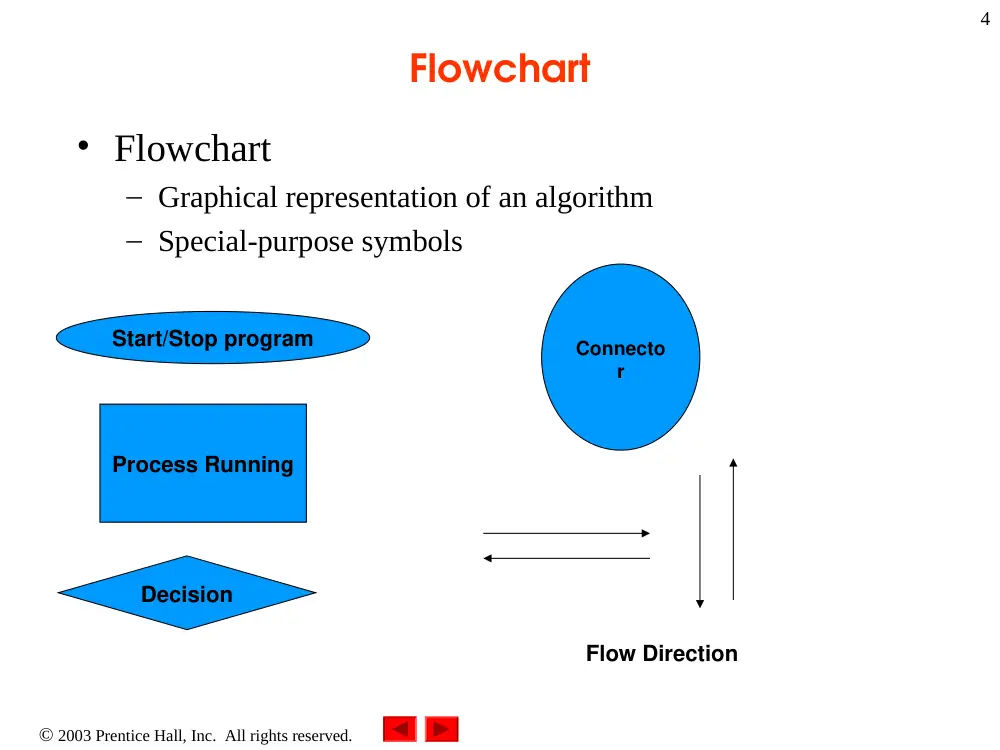
Flowchart
• Flowchart
– Graphical representation of an algorithm
– Special-purpose symbols
Start/Stop program
Process Running
Decision
Connecto
r
Flow Direction
2003 Prentice Hall, Inc. All rights reserved.
5
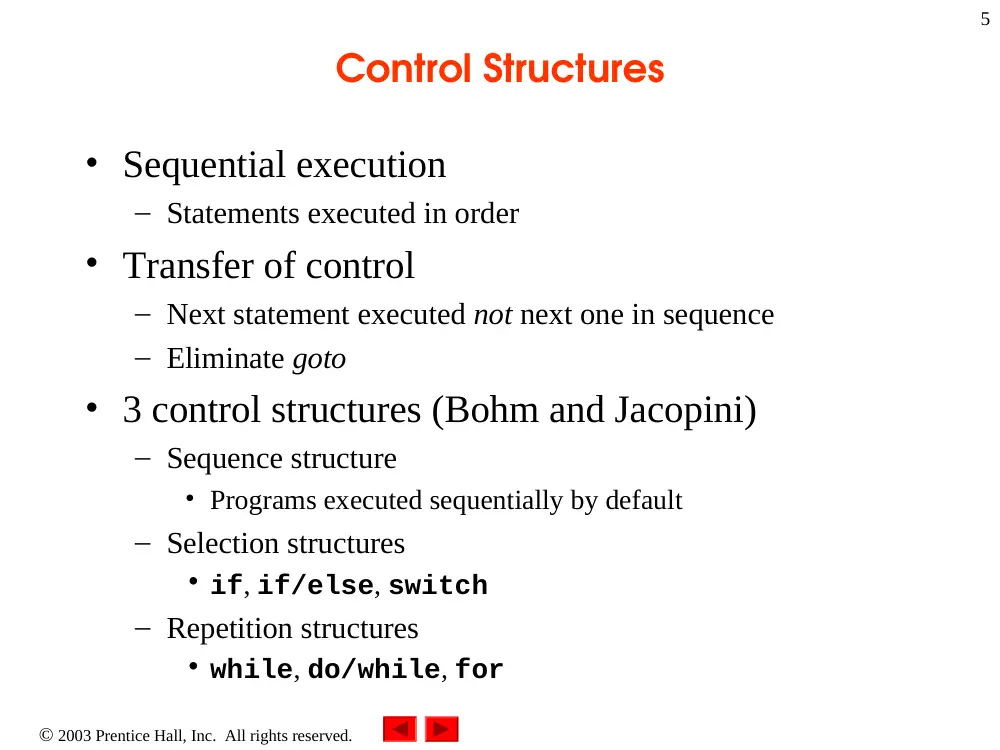
Control Structures
• Sequential execution
– Statements executed in order
• Transfer of control
– Next statement executed not next one in sequence
– Eliminate goto
• 3 control structures (Bohm and Jacopini)
– Sequence structure
• Programs executed sequentially by default
– Selection structures
• if, if/else, switch
– Repetition structures
• while, do/while, for
2003 Prentice Hall, Inc. All rights reserved.
6
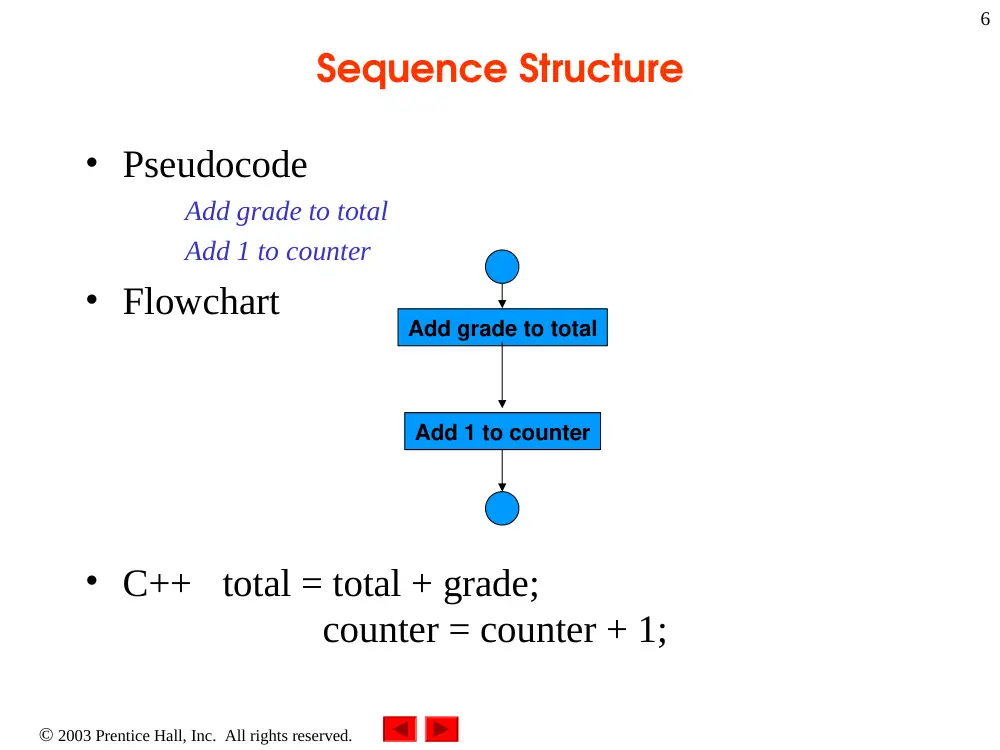
Sequence Structure
• Pseudocode
Add grade to total
Add 1 to counter
• Flowchart
• C++ total = total + grade;
counter = counter + 1;
Add grade to total
Add 1 to counter
2003 Prentice Hall, Inc. All rights reserved.
7
if Selection Structure
• Selection structure
– Choose among alternative courses of action
– Pseudocode example:
If student’s grade is greater than or equal to 60
Print “Passed”
– If the condition is true
• Print statement executed, program continues to next statement
– If the condition is false
• Print statement ignored, program continues
– Indenting makes programs easier to read
• C++ ignores whitespace characters (tabs, spaces, etc.)
2003 Prentice Hall, Inc. All rights reserved.
8
if Selection Structure
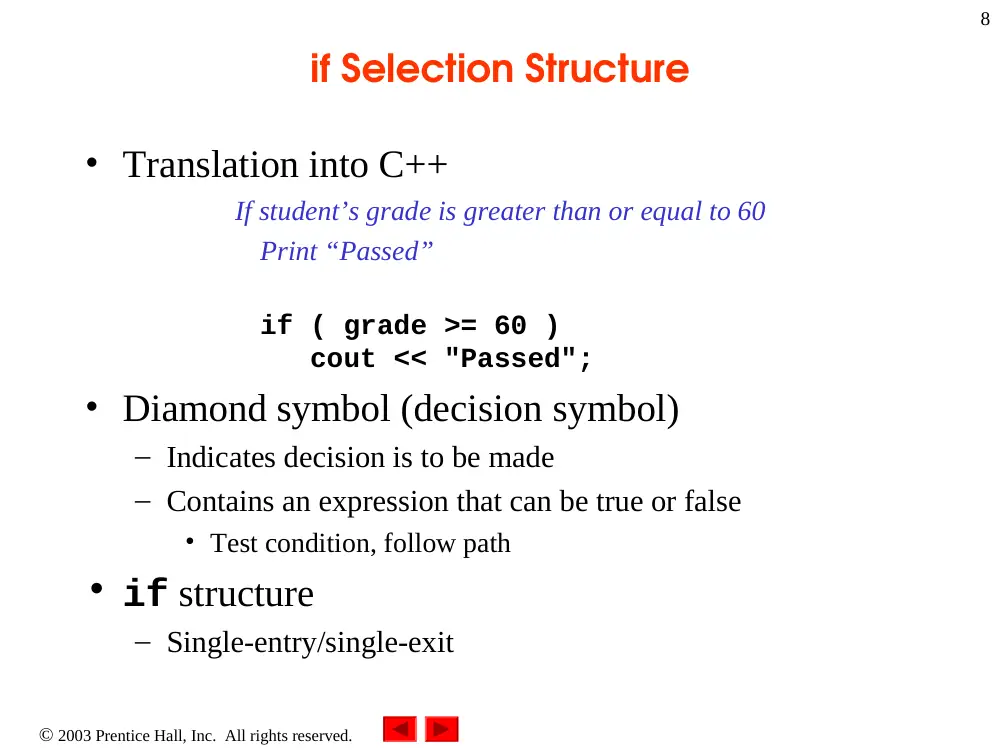
• Translation into C++
If student’s grade is greater than or equal to 60
Print “Passed”
if ( grade >= 60 )
cout << "Passed";
• Diamond symbol (decision symbol)
– Indicates decision is to be made
– Contains an expression that can be true or false
• Test condition, follow path
• if structure
– Single-entry/single-exit
2003 Prentice Hall, Inc. All rights reserved.
9
if Selection Structure
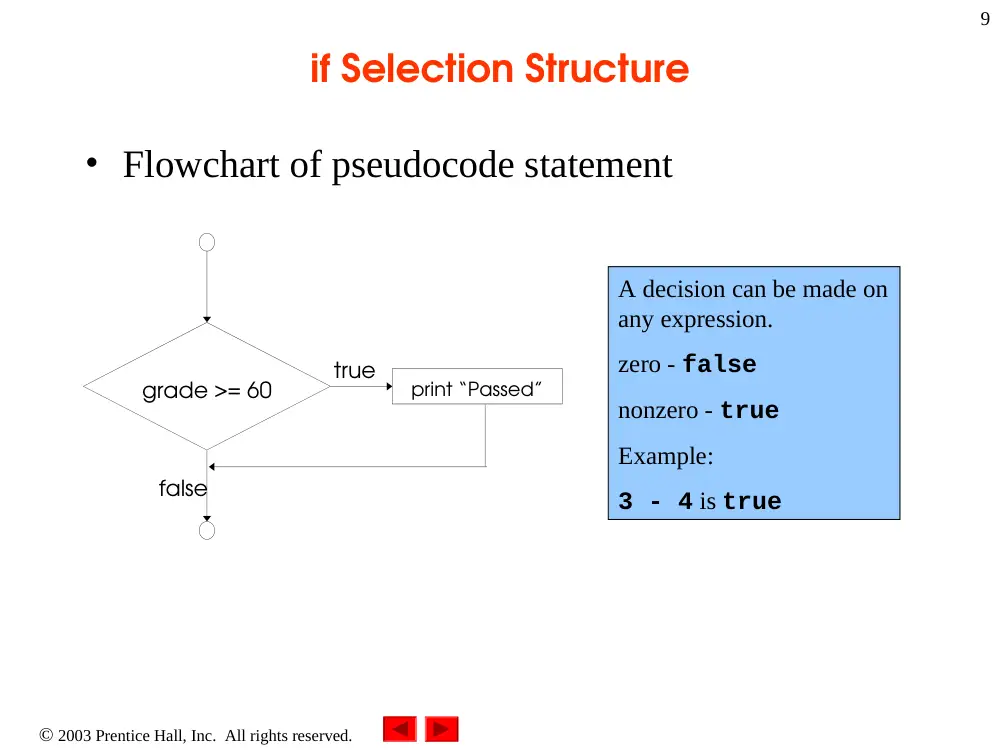
• Flowchart of pseudocode statement
true
false
grade >= 60
print “Passed”
A decision can be made on
any expression.
zero - false
nonzero - true
Example:
3 - 4 is true
2003 Prentice Hall, Inc. All rights reserved.
10
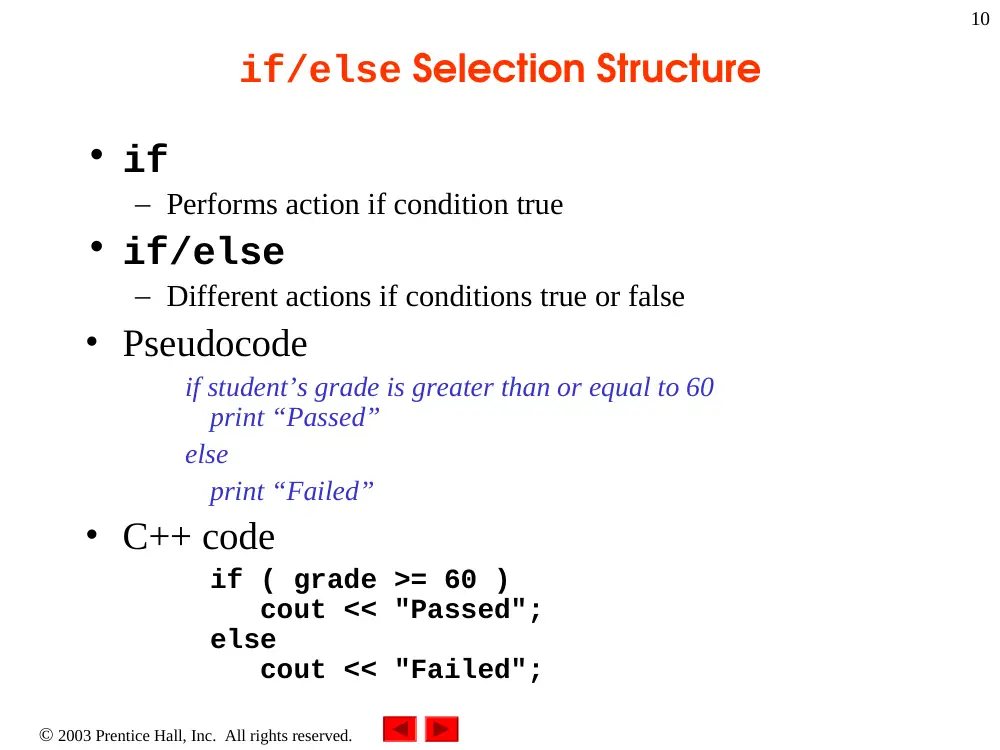
if/else Selection Structure
• if
– Performs action if condition true
• if/else
– Different actions if conditions true or false
• Pseudocode
if student’s grade is greater than or equal to 60
print “Passed”
else
print “Failed”
• C++ code
if ( grade >= 60 )
cout << "Passed";
else
cout << "Failed";
2003 Prentice Hall, Inc. All rights reserved.
11
if/else Selection Structure
• Ternary conditional operator (?:)
– Three arguments (condition, value if true, value if false)
• Code could be written:
cout << ( grade >= 60 ? “Passed” : “Failed” );
true
false
print “Failed”
print “Passed”
grade >= 60
Condition
Value if true
Value if false
2003 Prentice Hall, Inc. All rights reserved.
12
if/else Selection Structure
• Nested if/else structures
– One inside another, test for multiple cases
– Once condition met, other statements skipped
if student’s grade is greater than or equal to 90
Print “A”
else
if student’s grade is greater than or equal to 80
Print “B”
else
if student’s grade is greater than or equal to 70
Print “C”
else
if student’s grade is greater than or equal to 60
Print “D”
else
Print “F”
2003 Prentice Hall, Inc. All rights reserved.
13
if/else Selection Structure
• Example
if ( grade >= 90 ) // 90 and above
cout << "A";
else if ( grade >= 80 ) // 80-89
cout << "B";
else if ( grade >= 70 ) // 70-79
cout << "C";
else if ( grade >= 60 ) // 60-69
cout << "D";
else // less than 60
cout << "F";
2003 Prentice Hall, Inc. All rights reserved.
14
if/else Selection Structure
• Compound statement
– Set of statements within a pair of braces
if ( grade >= 60 )
cout << "Passed.\n";
else {
cout << "Failed.\n";
cout << "You must take this course again.\n";
}
– Without braces,
cout << "You must take this course again.\n";
always executed
• Block
– Set of statements within braces
2003 Prentice Hall, Inc. All rights reserved.
15
while Repetition Structure
• Repetition structure
– Action repeated while some condition remains true
– Psuedocode
while there are more items on my shopping list
Purchase next item and cross it off my list
– while loop repeated until condition becomes false
• Example
int product = 2;
while ( product <= 1000 )
product = 2 * product;
2003 Prentice Hall, Inc. All rights reserved.
16
The while Repetition Structure
• Flowchart of while loop
product <= 1000
product = 2 * product
true
false
2003 Prentice Hall, Inc. All rights reserved.
17
Formulating Algorithms (Counter-Controlled
Repetition)
• Counter-controlled repetition
– Loop repeated until counter reaches certain value
• Definite repetition
– Number of repetitions known
• Example
A class of ten students took a quiz. The grades (integers in
the range 0 to 100) for this quiz are available to you.
Determine the class average on the quiz.
2003 Prentice Hall, Inc. All rights reserved.
18
Formulating Algorithms (Counter-
controlled Repetition)
• Pseudocode for example:
Set total to zero
Set grade counter to one
While grade counter is less than or equal to ten
Input the next grade
Add the grade into the total
Add one to the grade counter
Set the class average to the total divided by ten
Print the class average
• Next: C++ code for this example
2003 Prentice Hall, Inc.
All rights reserved.
Outline
19
// Class average program with counter-controlled repetition.
#include <iostream>
using namespace std;
// function main begins program execution
int main()
{
int total; // sum of grades input by user
int gradeCounter; // number of grade to be entered next
int grade; // grade value
int average; // average of grades
// initialization phase
total = 0; // initialize total
gradeCounter = 1; // initialize loop counter
2003 Prentice Hall, Inc.
All rights reserved.
Outline
20
// processing phase
while ( gradeCounter <= 10 ) { // loop 10 times
cout << "Enter grade: "; // prompt for input
cin >> grade; // read grade from user
total = total + grade; // add grade to total
gradeCounter = gradeCounter + 1; // increment counter
}
// termination phase
average = total / 10; // integer division
// display result
cout << "Class average is " << average << endl;
return 0; // indicate program ended successfully
} // end function main
Enter grade: 98
Enter grade: 76
Enter grade: 71
Enter grade: 87
Enter grade: 83
Enter grade: 90
Enter grade: 57
Enter grade: 79
Enter grade: 82
Enter grade: 94
Class average is 81
The counter gets incremented each
time the loop executes.
Eventually, the counter causes the
loop to end.
2003 Prentice Hall, Inc. All rights reserved.
21
Formulating Algorithms (Sentinel-
Controlled Repetition)
• Suppose problem becomes:
Develop a class-averaging program that will process an
arbitrary number of grades each time the program is run
– Unknown number of students
– How will program know when to end?
• Sentinel value
– Indicates “end of data entry”
– Loop ends when sentinel input
– Sentinel chosen so it cannot be confused with regular input
• -1 in this case
2003 Prentice Hall, Inc. All rights reserved.
22
Formulating Algorithms (Sentinel-
Controlled Repetition)
• Top-down, stepwise refinement
– Begin with pseudocode representation of top
Determine the class average for the quiz
– Divide top into smaller tasks, list in order
Initialize variables
Input, sum and count the quiz grades
Calculate and print the class average
2003 Prentice Hall, Inc. All rights reserved.
23
Formulating Algorithms (Sentinel-Controlled
Repetition)
• Many programs have three phases
– Initialization
• Initializes the program variables
– Processing
• Input data, adjusts program variables
– Termination
• Calculate and print the final results
– Helps break up programs for top-down refinement
2003 Prentice Hall, Inc. All rights reserved.
24
Formulating Algorithms (Sentinel-
Controlled Repetition)
• Refine the initialization phase
Initialize variables
goes to
Initialize total to zero
Initialize counter to zero
• Processing
Input, sum and count the quiz grades
goes to
Input the first grade (possibly the sentinel)
While the user has not as yet entered the sentinel
Add this grade into the running total
Add one to the grade counter
Input the next grade (possibly the sentinel)
2003 Prentice Hall, Inc. All rights reserved.
25
Formulating Algorithms (Sentinel-
Controlled Repetition)
• Termination
Calculate and print the class average
goes to
If the counter is not equal to zero
Set the average to the total divided by the counter
Print the average
Else
Print “No grades were entered”
• Next: C++ program
2003 Prentice Hall, Inc.
All rights reserved.
Outline
26
// Class average program with sentinel-controlled repetition.
#include <iostream>
#include <iomanip>
using namespace std;
// function main begins program execution
int main()
{
int total; // sum of grades
int gradeCounter; // number of grades entered
int grade; // grade value
float average; // number with decimal point for average
// initialization phase
total = 0; // initialize total
gradeCounter = 0; // initialize loop counter
Data type float used to represent
decimal numbers.
2003 Prentice Hall, Inc.
All rights reserved.
Outline
27
// processing phase
// get first grade from user
cout << "Enter grade, -1 to end: "; // prompt for input
cin >> grade; // read grade from user
// loop until sentinel value read from user
while ( grade != -1 ) {
total = total + grade; // add grade to total
gradeCounter = gradeCounter + 1; // increment counter
cout << "Enter grade, -1 to end: "; // prompt for input
cin >> grade; // read next grade
} // end while
// termination phase
// if user entered at least one grade ...
if ( gradeCounter != 0 ) {
// calculate average of all grades entered
average = static_cast< float >( total ) / gradeCounter;
static_cast<float>() treats total as a float
temporarily (casting).
Required because dividing two integers truncates the
remainder.
gradeCounter is an int, but it gets promoted to float.
2003 Prentice Hall, Inc.
All rights reserved.
Outline
28
// display average with two digits of precision
cout << "Class average is " << setprecision( 2 )
<<setiosflags(ios::fixed|ios:showpoint)
<< average << endl;
} // end if part of if/else
else // if no grades were entered, output appropriate message
cout << "No grades were entered" << endl;
return 0; // indicate program ended successfully
} // end function main
Enter grade, -1 to end: 75
Enter grade, -1 to end: 94
Enter grade, -1 to end: 97
Enter grade, -1 to end: 88
Enter grade, -1 to end: 70
Enter grade, -1 to end: 64
Enter grade, -1 to end: 83
Enter grade, -1 to end: 89
Enter grade, -1 to end: -1
Class average is 82.50
setprecision(2)prints two digits past
decimal point if used with fixed (rounded to fit
precision).
Programs that use this must include <iomanip>
fixed forces output to print
in fixed point format (not
scientific notation). Also,
showpoint forces trailing
zeros and decimal point to
print.
2003 Prentice Hall, Inc. All rights reserved.
29
Nested Control Structures
• Problem statement
A college has a list of test results (1 = pass, 2 = fail) for 10
students. Write a program that analyzes the results. If more
than 8 students pass, print "Raise Tuition".
• Notice that
– Program processes 10 results
• Fixed number, use counter-controlled loop
– Two counters can be used
• One counts number that passed
• Another counts number that fail
– Each test result is 1 or 2
• If not 1, assume 2
2003 Prentice Hall, Inc. All rights reserved.
30
Nested Control Structures
• Top level outline
Analyze exam results and decide if tuition should be raised
• First refinement
Initialize variables
Input the ten quiz grades and count passes and failures
Print a summary of the exam results and decide if tuition
should be raised
• Refine
Initialize variables
to
Initialize passes to zero
Initialize failures to zero
Initialize student counter to one
2003 Prentice Hall, Inc. All rights reserved.
31
Nested Control Structures
• Refine
Input the ten quiz grades and count passes and failures
to
While student counter is less than or equal to ten
Input the next exam result
If the student passed
Add one to passes
Else
Add one to failures
Add one to student counter
2003 Prentice Hall, Inc. All rights reserved.
32
Nested Control Structures
• Refine
Print a summary of the exam results and decide if tuition should
be raised
to
Print the number of passes
Print the number of failures
If more than eight students passed
Print “Raise tuition”
• Program next
2003 Prentice Hall, Inc.
All rights reserved.
Outline
33
// Analysis of examination results.
#include <iostream>
using namespace std;
// function main begins program execution
int main()
{
// initialize variables in declarations
int passes = 0; // number of passes
int failures = 0; // number of failures
int studentCounter = 1; // student counter
int result; // one exam result
// process 10 students using counter-controlled loop
while ( studentCounter <= 10 ) {
// prompt user for input and obtain value from user
cout << "Enter result (1 = pass, 2 = fail): ";
cin >> result;
2003 Prentice Hall, Inc.
All rights reserved.
Outline
34
// if result 1, increment passes; if/else nested in while
if ( result == 1 ) // if/else nested in while
passes = passes + 1;
else // if result not 1, increment failures
failures = failures + 1;
// increment studentCounter so loop eventually terminates
studentCounter = studentCounter + 1;
} // end while
// termination phase; display number of passes and failures
cout << "Passed " << passes << endl;
cout << "Failed " << failures << endl;
// if more than eight students passed, print "raise tuition"
if ( passes > 8 )
cout << "Raise tuition " << endl;
return 0; // successful termination
} // end function main
2003 Prentice Hall, Inc. All rights reserved.
35
Assignment Operators
• Assignment expression abbreviations
– Addition assignment operator
c = c + 3; abbreviated to
c += 3;
• Statements of the form
variable = variable operator expression;
can be rewritten as
variable operator= expression;
• Other assignment operators
d -= 4 (d = d - 4)
e *= 5 (e = e * 5)
f /= 3 (f = f / 3)
g %= 9 (g = g % 9)
2003 Prentice Hall, Inc. All rights reserved.
36
Increment and Decrement Operators
• Increment operator (++)
c++ can be used instead of c += 1
• Decrement operator (--)
c-- can be used instead of c -= 1
• Preincrement
• When the operator is used before the variable (++c or ––c)
• Variable is changed, then the expression it is in is evaluated.
• Postincrement
• When the operator is used after the variable (c++ or c--)
• Expression the variable is in executes, then the variable is changed.
2003 Prentice Hall, Inc. All rights reserved.
37
Increment and Decrement Operators
• If c = 5, then
– cout << ++c;
• c is changed to 6, then printed out
– cout << c++;
• Prints out 5 (cout is executed before the increment)
• c then becomes 6
2003 Prentice Hall, Inc. All rights reserved.
38
Increment and Decrement Operators
• When variable not in expression
– Preincrementing and postincrementing have same effect
++c;
cout << c;
and
c++;
cout << c;
are the same
2003 Prentice Hall, Inc.
All rights reserved.
Outline
39
// Preincrementing and postincrementing.
#include <iostream>
using namespace std;
// function main begins program execution
int main()
{
int c; // declare variable
// demonstrate postincrement
c = 5; // assign 5 to c
cout << c << endl; // print 5
cout << c++ << endl; // print 5 then postincrement
cout << c << endl << endl; // print 6
// demonstrate preincrement
c = 5; // assign 5 to c
cout << c << endl; // print 5
cout << ++c << endl; // preincrement then print 6
cout << c << endl; // print 6
return 0; // indicate successful termination
} // end function main
2003 Prentice Hall, Inc. All rights reserved.
40
Essentials of Counter-Controlled
Repetition
• Counter-controlled repetition requires
– Name of control variable/loop counter
– Initial value of control variable
– Condition to test for final value
– Increment/decrement to modify control variable when
looping
2003 Prentice Hall, Inc.
All rights reserved.
Outline
41
// Counter-controlled repetition.
#include <iostream>
using namespace std;
// function main begins program execution
int main()
{
int counter = 1; // initialization
while ( counter <= 10 ) { // repetition condition
cout << counter << endl; // display counter
++counter; // increment
} // end while
return 0; // indicate successful termination
} // end function main
2003 Prentice Hall, Inc. All rights reserved.
42
for Repetition Structure
• General format when using for loops
for ( initialization; LoopContinuationTest;
increment )
statement
• Example
for( int counter = 1; counter <= 10; counter++ )
cout << counter << endl;
– Prints integers from one to ten
No
semicolon
after last
statement
2003 Prentice Hall, Inc.
All rights reserved.
Outline
43
// Counter-controlled repetition with the for structure.
#include <iostream>
using namespace std;
// function main begins program execution
int main()
{
// Initialization, repetition condition and incrementing
// are all included in the for structure header.
for ( int counter = 1; counter <= 10; counter++ )
cout << counter << endl;
return 0; // indicate successful termination
} // end function main
2003 Prentice Hall, Inc. All rights reserved.
44
for Repetition Structure
• for loops can usually be rewritten as while loops
initialization;
while ( loopContinuationTest){
statement
increment;
}
• Initialization and increment
– For multiple variables, use comma-separated lists
for (int i = 0, j = 0; j + i <= 10; j++, i++)
cout << j + i << endl;
2003 Prentice Hall, Inc.
All rights reserved.
Outline
45
// Summation with for.
#include <iostream>
using namespace std;
// function main begins program execution
int main()
{
int sum = 0; // initialize sum
// sum even integers from 2 through 100
for ( int number = 2; number <= 100; number += 2 )
sum += number; // add number to sum
cout << "Sum is " << sum << endl; // output sum
return 0; // successful termination
} // end function main
Sum is 2550
2003 Prentice Hall, Inc. All rights reserved.
46
Examples Using the for Structure
• Program to calculate compound interest
•
Possible case: A person invests $1000.00 in a savings account yielding
5 percent interest. Assuming that all interest is left on deposit in the
account, calculate and print the amount of money in the account at the
end of each year for 10 years. Use the following formula for
determining these amounts:
a = p(1+r)
•
p is the original amount invested (i.e., the principal),
r is the annual interest rate,
n is the number of years and
a is the amount on deposit at the end of the nth year
•
The program presented here will input the amount invested, the
interest rate and the number of years.
n
2003 Prentice Hall, Inc.
All rights reserved.
Outline
47
// Calculating compound interest.
#include <iostream>
#include <iomanip>
#include <cmath> // enables program to use function pow
using namespace std;
// function main begins program execution
int main()
{
double amount;
// amount on deposit
double principal ;
// starting principal
double rate ;
// interest rate
int year;
cout
<< "Enter the Principal:\n";
cin
>> principal;
cout
<< "The rate:\n";
cin
>> rate;
cout
<< "the number of years:\n";
cin
>> year;
cout
<< "Year" << setw(21)
<< "Amount on deposit" << endl;
cout
<< setiosflags(ios::fixed|ios::showpoint)
<< setprecision(2);
2003 Prentice Hall, Inc.
All rights reserved.
Outline
48
// calculate amount on deposit for each of the years
for ( int count = 1; count <=year ; count++ ) {
// calculate new amount for specified year
amount = principal * pow( 1.0 + rate, count );
// output one table row
cout << setw( 4 ) << count
<< setw( 21 ) << amount << endl;
} // end for
return 0; // indicate successful termination
} // end function main
2003 Prentice Hall, Inc. All rights reserved.
49
switch Multiple-Selection Structure
• switch
– Test variable for multiple constant values
– Series of case labels and optional default case
switch ( variable ) {
case value1: // taken if variable == value1
statements
break; // necessary to exit switch
case value2:
case value3:
// taken if variable == value2 or ==
value3
statements
break;
default: // taken if variable matches no other
cases
statements
break;
}
2003 Prentice Hall, Inc. All rights reserved.
50
switch Multiple-Selection Structure
true
false
.
.
.
case a
case a action(s)
break
case b
case b action(s)
break
false
false
case z
case z action(s)
break
true
true
default action(s)
2003 Prentice Hall, Inc. All rights reserved.
51
switch Multiple-Selection Structure
• Example upcoming
– Program to read grades (A-F)
– Display number of each grade entered
• Details about characters
– Single characters typically stored in a char data type
• char a 1-byte integer, so chars can be stored as ints
– Can treat character as int or char
• 97 is the numerical representation of lowercase ‘a’ (ASCII)
• Use single quotes to get numerical representation of character
cout << "The character (" << 'a' << ") has the value "
<< static_cast< int > ( 'a' ) << endl;
Prints
The character (a) has the value 97
2003 Prentice Hall, Inc.
All rights reserved.
Outline
52
// Counting letter grades.
#include <iostream>
using namespace std;
// function main begins program execution
int main()
{
int grade; // one grade
int aCount = 0; // number of As
int bCount = 0; // number of Bs
int cCount = 0; // number of Cs
int dCount = 0; // number of Ds
int fCount = 0; // number of Fs
cout << "Enter the letter grades." << endl
<< "Enter the EOF character to end input." << endl;
2003 Prentice Hall, Inc.
All rights reserved.
Outline
53
// loop until user types end-of-file key sequence
while ( ( grade = cin.get() ) != EOF ) {
// determine which grade was input
switch ( grade ) { // switch structure nested in while
case 'A': // grade was uppercase A
case 'a': // or lowercase a
++aCount; // increment aCount
break; // necessary to exit switch
case 'B': // grade was uppercase B
case 'b': // or lowercase b
++bCount; // increment bCount
break; // exit switch
case 'C': // grade was uppercase C
case 'c': // or lowercase c
++cCount; // increment cCount
break; // exit switch
cin.get() uses dot notation .
This function gets 1 character from
the keyboard (after Enter pressed),
and it is assigned to grade.
cin.get() returns EOF (end-of-
file) after the EOF character is
input, to indicate the end of data.
EOF may be ctrl-d or ctrl-z,
depending on your OS.
Compares grade (an int) to
the numerical representations
of A and a.
break causes switch to end and
the program continues with the first
statement after the switch structure.
Assignment statements have a
value, which is the same as
the variable on the left of the
=. The value of this statement
is the same as the value
returned by cin.get().
This can also be used to
initialize multiple variables:
a = b = c = 0;
2003 Prentice Hall, Inc.
All rights reserved.
Outline
54
case 'D': // grade was uppercase D
case 'd': // or lowercase d
++dCount; // increment dCount
break; // exit switch
case 'F': // grade was uppercase F
case 'f': // or lowercase f
++fCount; // increment fCount
break; // exit switch
case '\n': // ignore newlines,
case '\t': // tabs,
case ' ': // and spaces in input
break; // exit switch
default: // catch all other characters
cout << "Incorrect letter grade entered."
<< " Enter a new grade." << endl;
break; // optional; will exit switch anyway
} // end switch
} // end while
Notice the default statement, which
catches all other cases.
This test is necessary because
Enter is pressed after each
letter grade is input. This adds
a newline character that must
be removed. Likewise, we
want to ignore any
whitespace.
2003 Prentice Hall, Inc.
All rights reserved.
Outline
55
// output summary of results
cout << "\n\nTotals for each letter grade are:"
<< "\nA: " << aCount // display number of A grades
<< "\nB: " << bCount // display number of B grades
<< "\nC: " << cCount // display number of C grades
<< "\nD: " << dCount // display number of D grades
<< "\nF: " << fCount // display number of F grades
<< endl;
return 0; // indicate successful termination
} // end function main
2003 Prentice Hall, Inc.
All rights reserved.
Outline
56
Enter the letter grades.
Enter the EOF character to end input.
a
B
c
C
A
d
f
C
E
Incorrect letter grade entered. Enter a new grade.
D
A
b
^Z
Totals for each letter grade are:
A: 3
B: 2
C: 3
D: 2
F: 1
2003 Prentice Hall, Inc. All rights reserved.
57
do/while Repetition Structure
• Similar to while structure
– Makes loop continuation test at end, not beginning
– Loop body executes at least once
• Format
do {
statement
} while ( condition );
true
false
action(s)
condition
2003 Prentice Hall, Inc.
All rights reserved.
Outline
58
// Using the do/while repetition structure.
#include <iostream>
using namespace std;
// function main begins program execution
int main()
{
int counter = 1; // initialize counter
do {
cout << counter << " "; // display counter
} while ( ++counter <= 10 ); // end do/while
cout << endl;
return 0; // indicate successful termination
} // end function main
1 2 3 4 5 6 7 8 9 10
Notice the preincrement in
loop-continuation test.
2003 Prentice Hall, Inc. All rights reserved.
59
break and continue Statements
• break statement
– Immediate exit from while, for, do/while, switch
– Program continues with first statement after structure
• Common uses
– Escape early from a loop
– Skip the remainder of switch
2003 Prentice Hall, Inc.
All rights reserved.
Outline
60
// Using the break statement in a for structure.
#include <iostream>
using namespace std;
// function main begins program execution
int main()
{
int x; // x declared here so it can be used after the loop
// loop 10 times
for ( x = 1; x <= 10; x++ ) {
// if x is 5, terminate loop
if ( x == 5 )
break; // break loop only if x is 5
cout << x << " "; // display value of x
} // end for
cout << "\nBroke out of loop when x became " << x << endl;
return 0; // indicate successful termination
} // end function main
Exits for structure when
break executed.