
CSI 212 Other, Spring 2012
American University of Science and Technology · Computer Organization And Assembly · 289 pages · Dr. Abbas Tarhini
Showing the first 10 of 289 pages. Download the PDF to see all of it.
More CSI 212 files
- Chapter 1 Slides · Spring 2012ChapterView
- Chapter 2 Slides · Spring 2012ChapterView
- Chapter 3 Slides · Spring 2012ChapterView
- Chapter 4 Slides · Spring 2012ChapterView
- Chapter 5 Slides · Spring 2012ChapterView
- Chapter 6 Slides Part I · Spring 2012ChapterView
- Chapter 6 Slides Part II · Spring 2012ChapterView
- Chapter 7 Slides · Spring 2012ChapterView
Show the text of this file
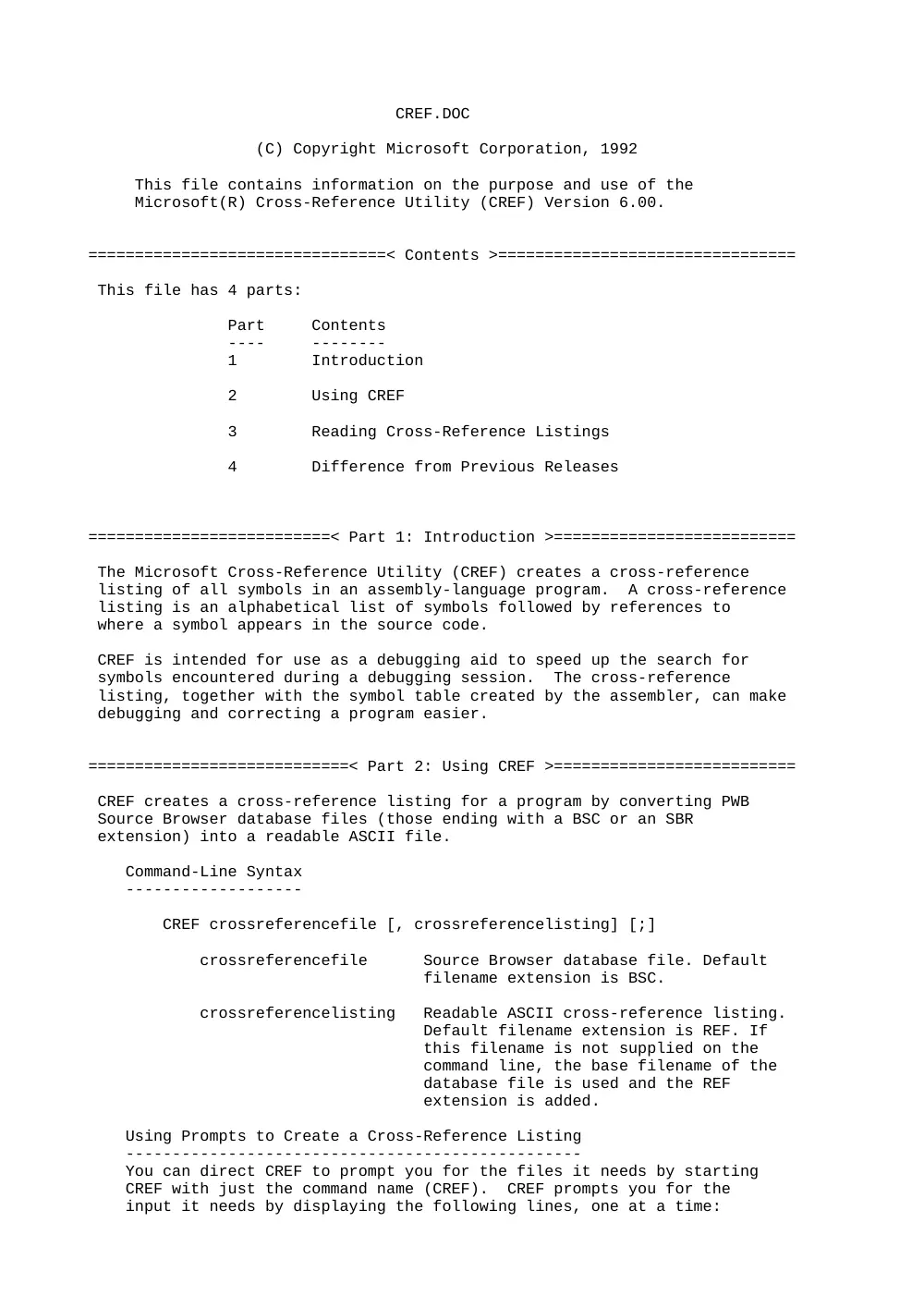
CREF.DOC
(C) Copyright Microsoft Corporation, 1992
This file contains information on the purpose and use of the
Microsoft(R) Cross-Reference Utility (CREF) Version 6.00.
================================< Contents >================================
This file has 4 parts:
Part Contents
---- --------
1 Introduction
2 Using CREF
3 Reading Cross-Reference Listings
4 Difference from Previous Releases
==========================< Part 1: Introduction >==========================
The Microsoft Cross-Reference Utility (CREF) creates a cross-reference
listing of all symbols in an assembly-language program. A cross-reference
listing is an alphabetical list of symbols followed by references to
where a symbol appears in the source code.
CREF is intended for use as a debugging aid to speed up the search for
symbols encountered during a debugging session. The cross-reference
listing, together with the symbol table created by the assembler, can make
debugging and correcting a program easier.
============================< Part 2: Using CREF >==========================
CREF creates a cross-reference listing for a program by converting PWB
Source Browser database files (those ending with a BSC or an SBR
extension) into a readable ASCII file.
Command-Line Syntax
-------------------
CREF crossreferencefile [, crossreferencelisting] [;]
crossreferencefile Source Browser database file. Default
filename extension is BSC.
crossreferencelisting Readable ASCII cross-reference listing.
Default filename extension is REF. If
this filename is not supplied on the
command line, the base filename of the
database file is used and the REF
extension is added.
Using Prompts to Create a Cross-Reference Listing
-------------------------------------------------
You can direct CREF to prompt you for the files it needs by starting
CREF with just the command name (CREF). CREF prompts you for the
input it needs by displaying the following lines, one at a time:
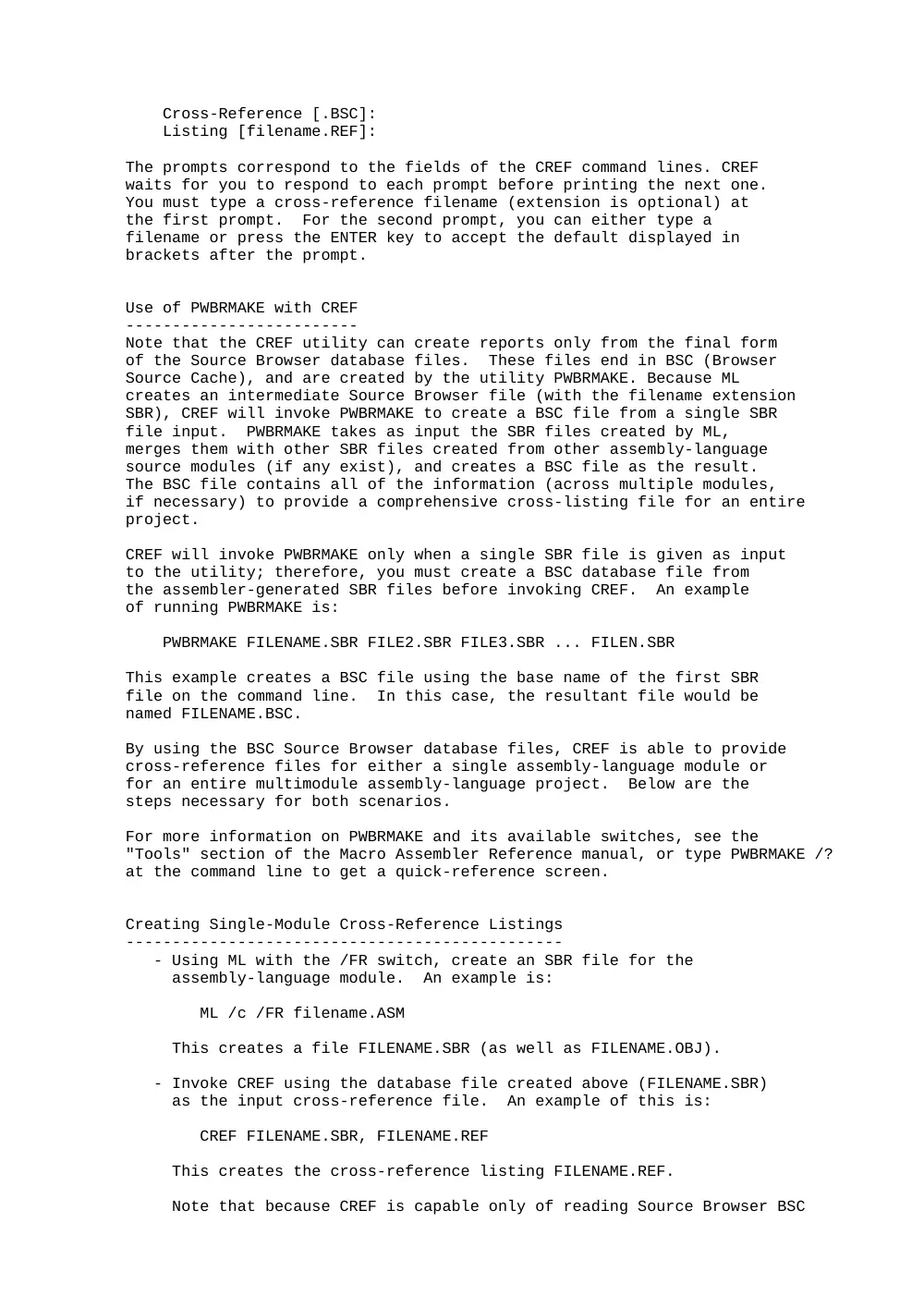
Cross-Reference [.BSC]:
Listing [filename.REF]:
The prompts correspond to the fields of the CREF command lines. CREF
waits for you to respond to each prompt before printing the next one.
You must type a cross-reference filename (extension is optional) at
the first prompt. For the second prompt, you can either type a
filename or press the ENTER key to accept the default displayed in
brackets after the prompt.
Use of PWBRMAKE with CREF
-------------------------
Note that the CREF utility can create reports only from the final form
of the Source Browser database files. These files end in BSC (Browser
Source Cache), and are created by the utility PWBRMAKE. Because ML
creates an intermediate Source Browser file (with the filename extension
SBR), CREF will invoke PWBRMAKE to create a BSC file from a single SBR
file input. PWBRMAKE takes as input the SBR files created by ML,
merges them with other SBR files created from other assembly-language
source modules (if any exist), and creates a BSC file as the result.
The BSC file contains all of the information (across multiple modules,
if necessary) to provide a comprehensive cross-listing file for an entire
project.
CREF will invoke PWBRMAKE only when a single SBR file is given as input
to the utility; therefore, you must create a BSC database file from
the assembler-generated SBR files before invoking CREF. An example
of running PWBRMAKE is:
PWBRMAKE FILENAME.SBR FILE2.SBR FILE3.SBR ... FILEN.SBR
This example creates a BSC file using the base name of the first SBR
file on the command line. In this case, the resultant file would be
named FILENAME.BSC.
By using the BSC Source Browser database files, CREF is able to provide
cross-reference files for either a single assembly-language module or
for an entire multimodule assembly-language project. Below are the
steps necessary for both scenarios.
For more information on PWBRMAKE and its available switches, see the
"Tools" section of the Macro Assembler Reference manual, or type PWBRMAKE /?
at the command line to get a quick-reference screen.
Creating Single-Module Cross-Reference Listings
-----------------------------------------------
- Using ML with the /FR switch, create an SBR file for the
assembly-language module. An example is:
ML /c /FR filename.ASM
This creates a file FILENAME.SBR (as well as FILENAME.OBJ).
- Invoke CREF using the database file created above (FILENAME.SBR)
as the input cross-reference file. An example of this is:
CREF FILENAME.SBR, FILENAME.REF
This creates the cross-reference listing FILENAME.REF.
Note that because CREF is capable only of reading Source Browser BSC
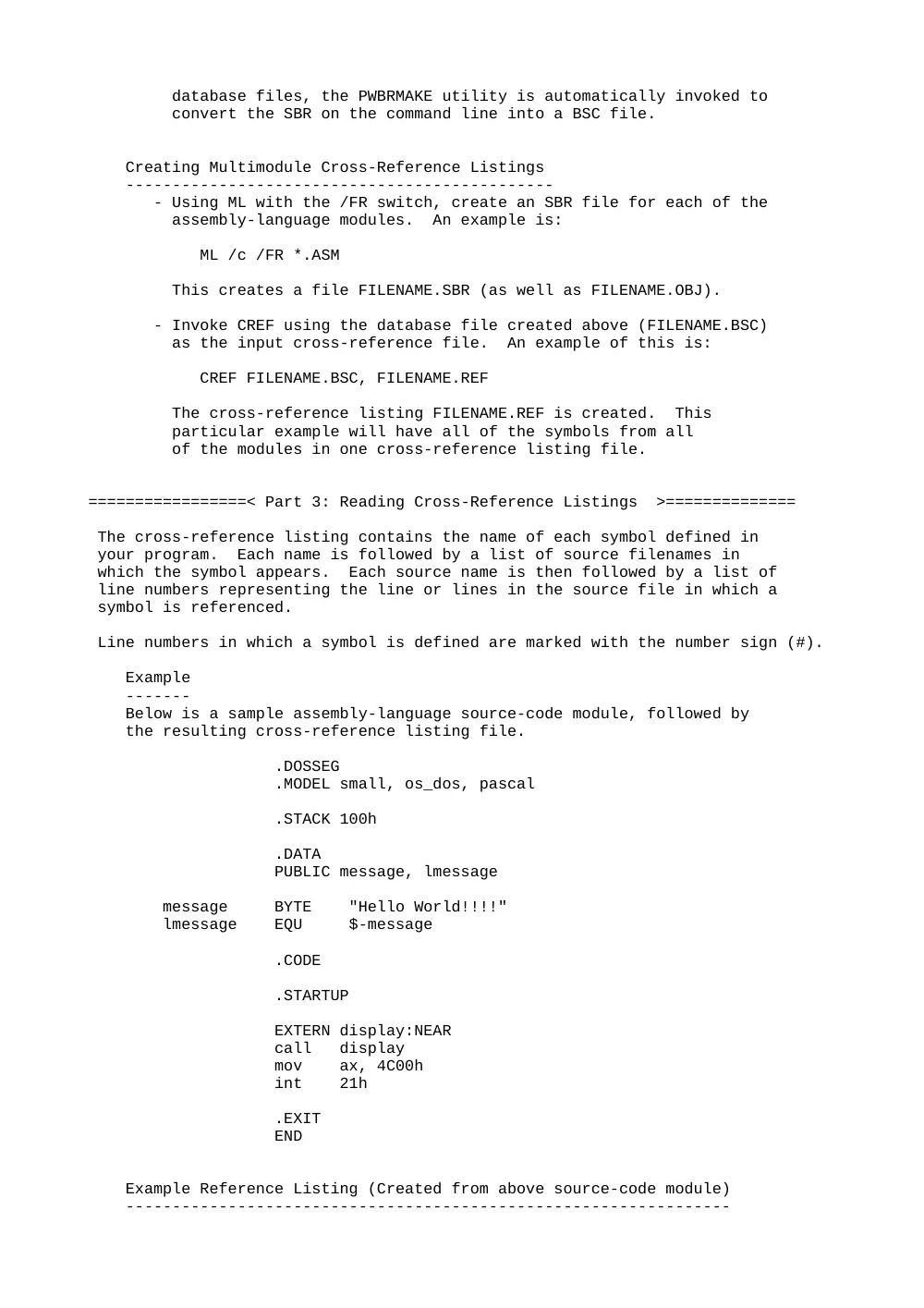
database files, the PWBRMAKE utility is automatically invoked to
convert the SBR on the command line into a BSC file.
Creating Multimodule Cross-Reference Listings
----------------------------------------------
- Using ML with the /FR switch, create an SBR file for each of the
assembly-language modules. An example is:
ML /c /FR *.ASM
This creates a file FILENAME.SBR (as well as FILENAME.OBJ).
- Invoke CREF using the database file created above (FILENAME.BSC)
as the input cross-reference file. An example of this is:
CREF FILENAME.BSC, FILENAME.REF
The cross-reference listing FILENAME.REF is created. This
particular example will have all of the symbols from all
of the modules in one cross-reference listing file.
=================< Part 3: Reading Cross-Reference Listings >==============
The cross-reference listing contains the name of each symbol defined in
your program. Each name is followed by a list of source filenames in
which the symbol appears. Each source name is then followed by a list of
line numbers representing the line or lines in the source file in which a
symbol is referenced.
Line numbers in which a symbol is defined are marked with the number sign (#).
Example
-------
Below is a sample assembly-language source-code module, followed by
the resulting cross-reference listing file.
.DOSSEG
.MODEL small, os_dos, pascal
.STACK 100h
.DATA
PUBLIC message, lmessage
message BYTE "Hello World!!!!"
lmessage EQU $-message
.CODE
.STARTUP
EXTERN display:NEAR
call display
mov ax, 4C00h
int 21h
.EXIT
END
Example Reference Listing (Created from above source-code module)
-----------------------------------------------------------------
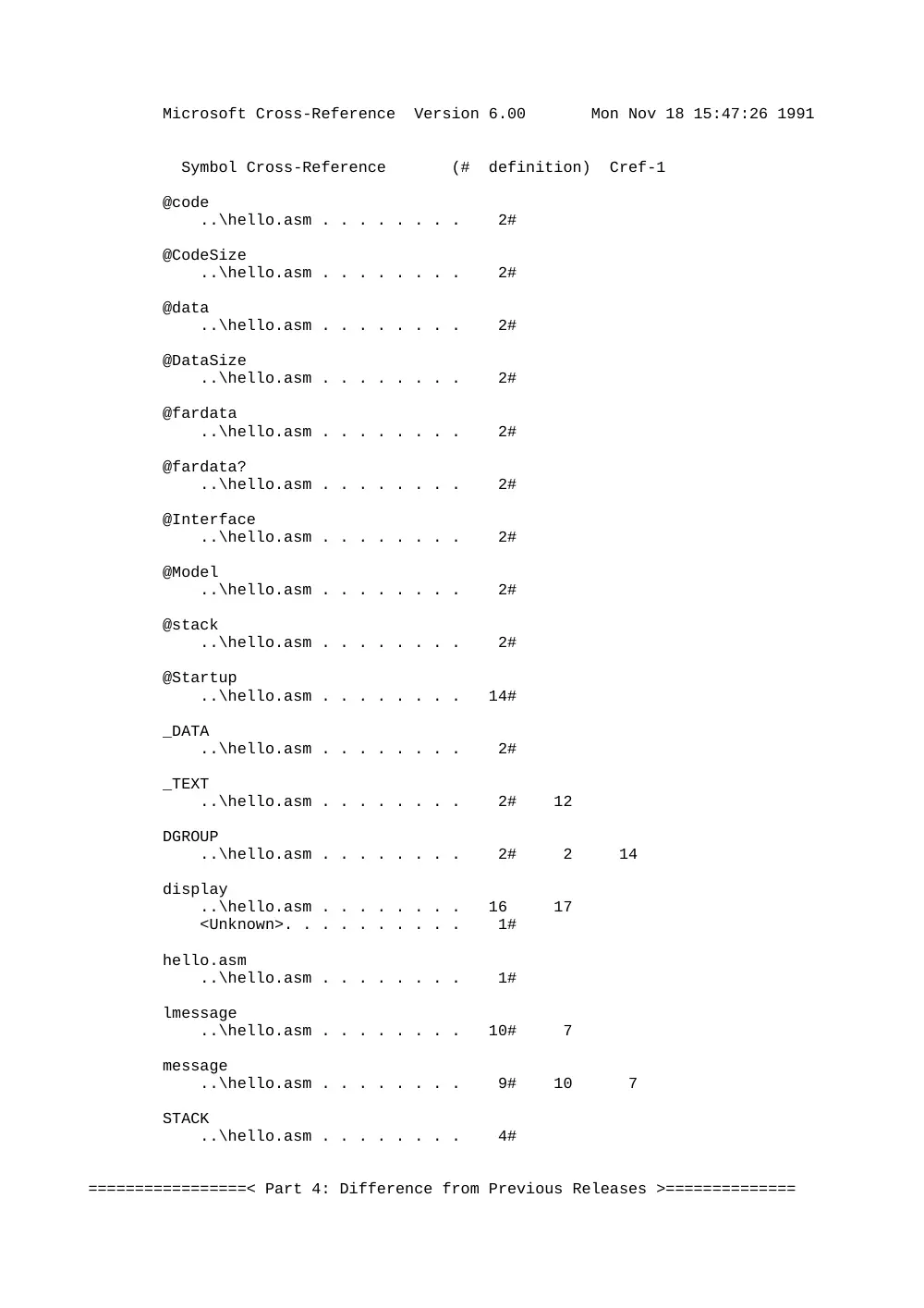
Microsoft Cross-Reference Version 6.00 Mon Nov 18 15:47:26 1991
Symbol Cross-Reference (# definition) Cref-1
@code
..\hello.asm . . . . . . . . 2#
@CodeSize
..\hello.asm . . . . . . . . 2#
@data
..\hello.asm . . . . . . . . 2#
@DataSize
..\hello.asm . . . . . . . . 2#
@fardata
..\hello.asm . . . . . . . . 2#
@fardata?
..\hello.asm . . . . . . . . 2#
@Interface
..\hello.asm . . . . . . . . 2#
@Model
..\hello.asm . . . . . . . . 2#
@stack
..\hello.asm . . . . . . . . 2#
@Startup
..\hello.asm . . . . . . . . 14#
_DATA
..\hello.asm . . . . . . . . 2#
_TEXT
..\hello.asm . . . . . . . . 2# 12
DGROUP
..\hello.asm . . . . . . . . 2# 2 14
display
..\hello.asm . . . . . . . . 16 17
<Unknown>. . . . . . . . . . 1#
hello.asm
..\hello.asm . . . . . . . . 1#
lmessage
..\hello.asm . . . . . . . . 10# 7
message
..\hello.asm . . . . . . . . 9# 10 7
STACK
..\hello.asm . . . . . . . . 4#
=================< Part 4: Difference from Previous Releases >==============
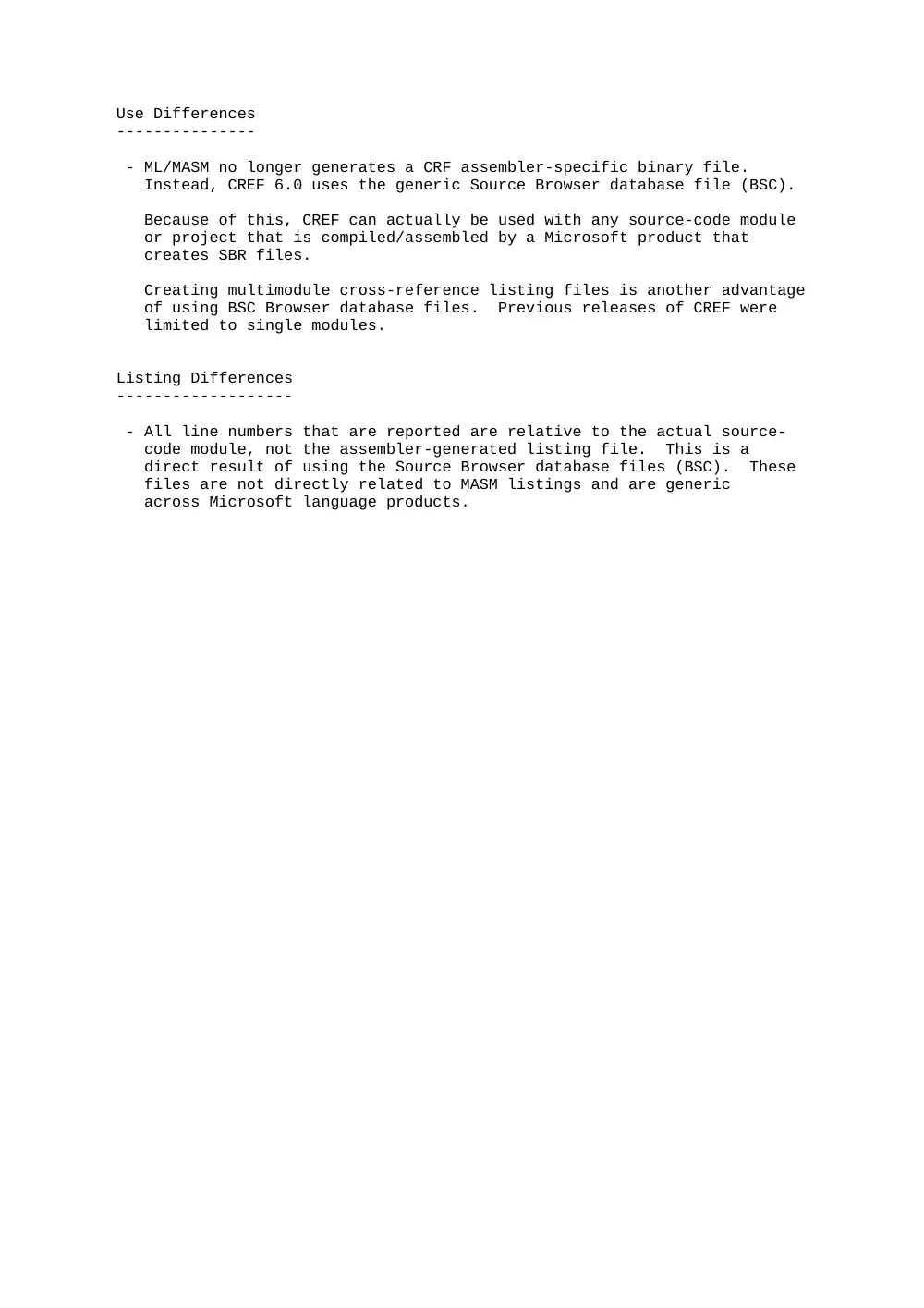
Use Differences
---------------
- ML/MASM no longer generates a CRF assembler-specific binary file.
Instead, CREF 6.0 uses the generic Source Browser database file (BSC).
Because of this, CREF can actually be used with any source-code module
or project that is compiled/assembled by a Microsoft product that
creates SBR files.
Creating multimodule cross-reference listing files is another advantage
of using BSC Browser database files. Previous releases of CREF were
limited to single modules.
Listing Differences
-------------------
- All line numbers that are reported are relative to the actual source-
code module, not the assembler-generated listing file. This is a
direct result of using the Source Browser database files (BSC). These
files are not directly related to MASM listings and are generic
across Microsoft language products.
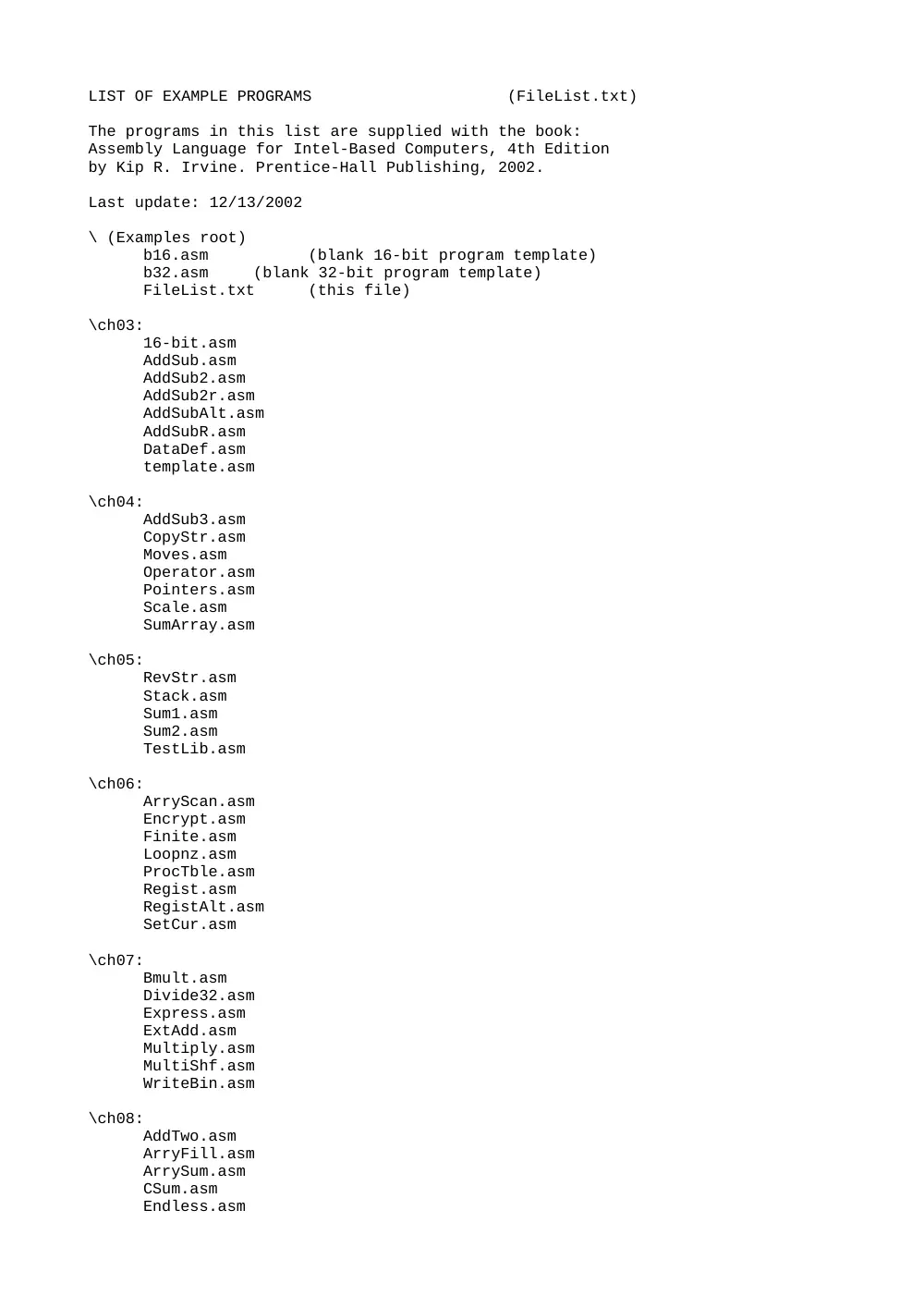
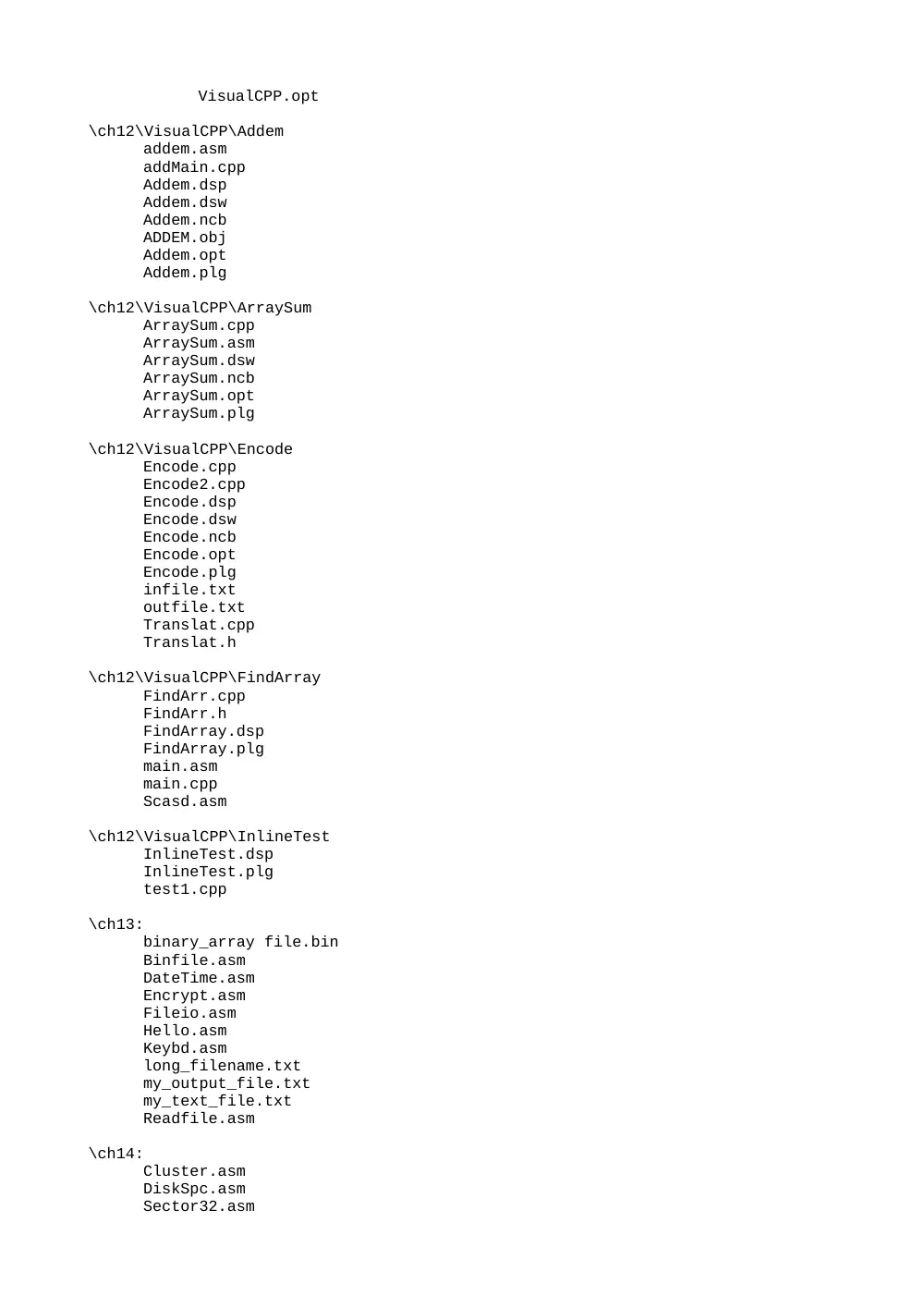
LIST OF EXAMPLE PROGRAMS (FileList.txt)
The programs in this list are supplied with the book:
Assembly Language for Intel-Based Computers, 4th Edition
by Kip R. Irvine. Prentice-Hall Publishing, 2002.
Last update: 12/13/2002
\ (Examples root)
b16.asm
(blank 16-bit program template)
b32.asm
(blank 32-bit program template)
FileList.txt
(this file)
\ch03:
16-bit.asm
AddSub.asm
AddSub2.asm
AddSub2r.asm
AddSubAlt.asm
AddSubR.asm
DataDef.asm
template.asm
\ch04:
AddSub3.asm
CopyStr.asm
Moves.asm
Operator.asm
Pointers.asm
Scale.asm
SumArray.asm
\ch05:
RevStr.asm
Stack.asm
Sum1.asm
Sum2.asm
TestLib.asm
\ch06:
ArryScan.asm
Encrypt.asm
Finite.asm
Loopnz.asm
ProcTble.asm
Regist.asm
RegistAlt.asm
SetCur.asm
\ch07:
Bmult.asm
Divide32.asm
Express.asm
ExtAdd.asm
Multiply.asm
MultiShf.asm
WriteBin.asm
\ch08:
AddTwo.asm
ArryFill.asm
ArrySum.asm
CSum.asm
Endless.asm
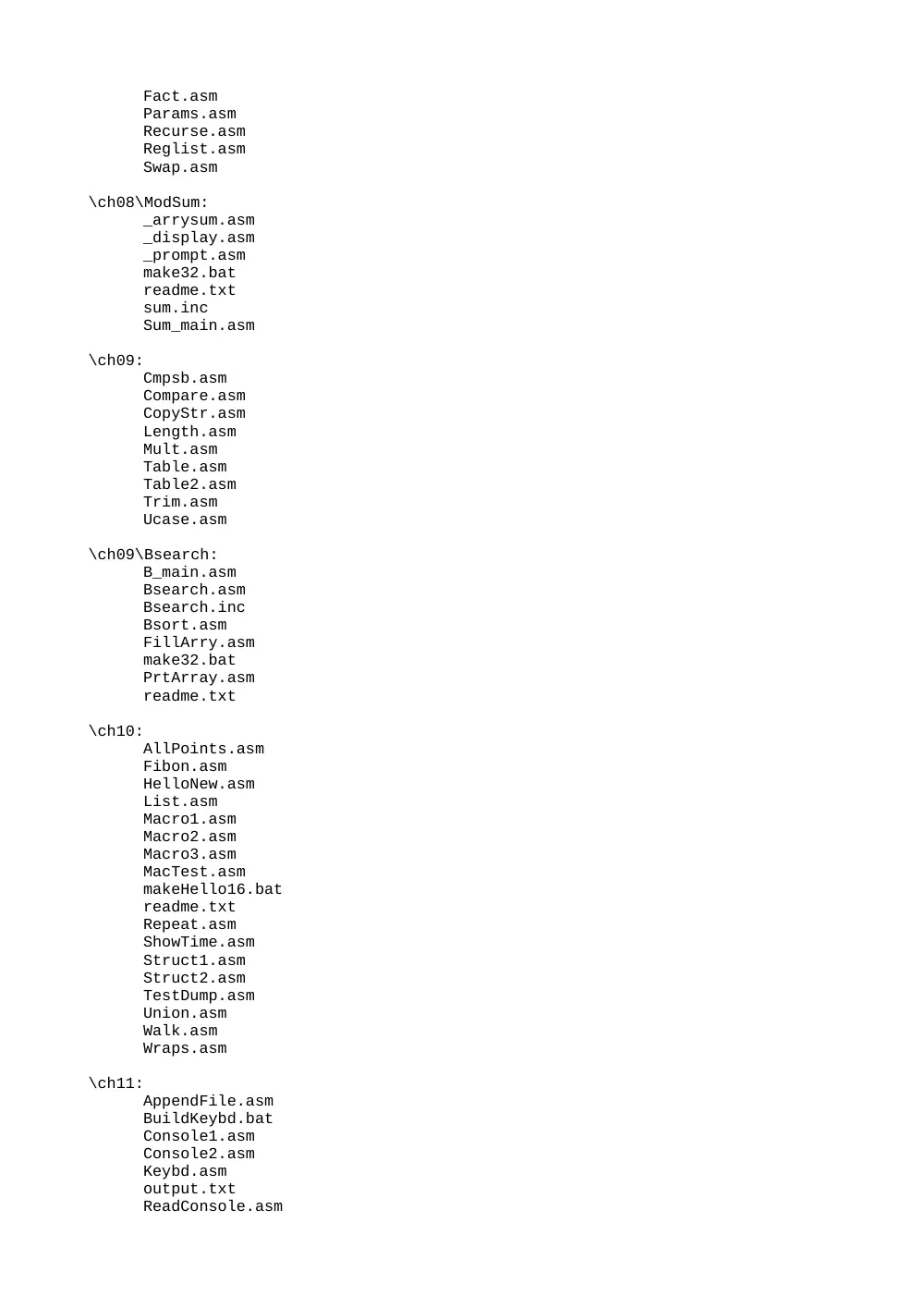
Fact.asm
Params.asm
Recurse.asm
Reglist.asm
Swap.asm
\ch08\ModSum:
_arrysum.asm
_display.asm
_prompt.asm
make32.bat
readme.txt
sum.inc
Sum_main.asm
\ch09:
Cmpsb.asm
Compare.asm
CopyStr.asm
Length.asm
Mult.asm
Table.asm
Table2.asm
Trim.asm
Ucase.asm
\ch09\Bsearch:
B_main.asm
Bsearch.asm
Bsearch.inc
Bsort.asm
FillArry.asm
make32.bat
PrtArray.asm
readme.txt
\ch10:
AllPoints.asm
Fibon.asm
HelloNew.asm
List.asm
Macro1.asm
Macro2.asm
Macro3.asm
MacTest.asm
makeHello16.bat
readme.txt
Repeat.asm
ShowTime.asm
Struct1.asm
Struct2.asm
TestDump.asm
Union.asm
Walk.asm
Wraps.asm
\ch11:
AppendFile.asm
BuildKeybd.bat
Console1.asm
Console2.asm
Keybd.asm
output.txt
ReadConsole.asm
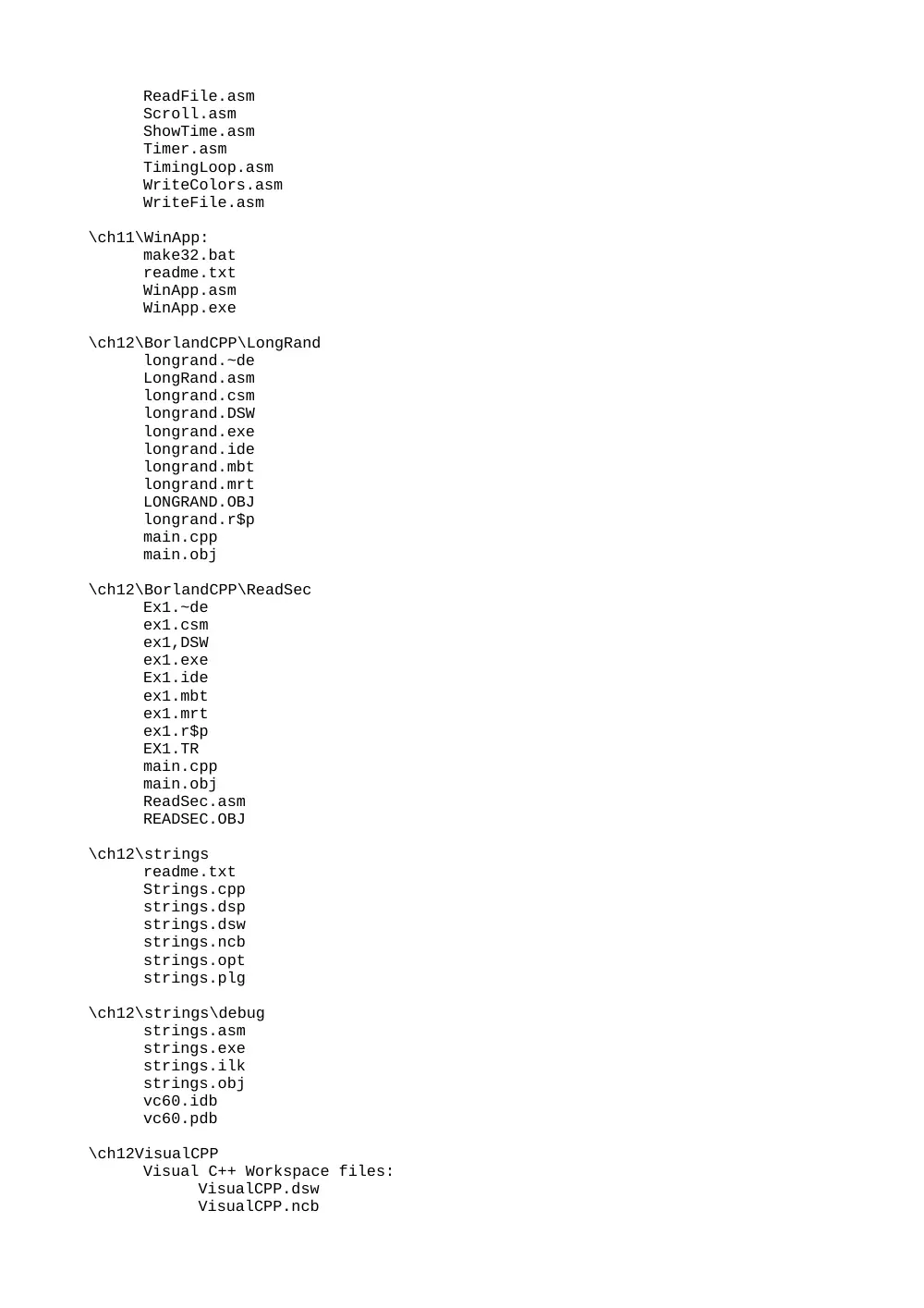
ReadFile.asm
Scroll.asm
ShowTime.asm
Timer.asm
TimingLoop.asm
WriteColors.asm
WriteFile.asm
\ch11\WinApp:
make32.bat
readme.txt
WinApp.asm
WinApp.exe
\ch12\BorlandCPP\LongRand
longrand.~de
LongRand.asm
longrand.csm
longrand.DSW
longrand.exe
longrand.ide
longrand.mbt
longrand.mrt
LONGRAND.OBJ
longrand.r$p
main.cpp
main.obj
\ch12\BorlandCPP\ReadSec
Ex1.~de
ex1.csm
ex1,DSW
ex1.exe
Ex1.ide
ex1.mbt
ex1.mrt
ex1.r$p
EX1.TR
main.cpp
main.obj
ReadSec.asm
READSEC.OBJ
\ch12\strings
readme.txt
Strings.cpp
strings.dsp
strings.dsw
strings.ncb
strings.opt
strings.plg
\ch12\strings\debug
strings.asm
strings.exe
strings.ilk
strings.obj
vc60.idb
vc60.pdb
\ch12VisualCPP
Visual C++ Workspace files:
VisualCPP.dsw
VisualCPP.ncb
VisualCPP.opt
\ch12\VisualCPP\Addem
addem.asm
addMain.cpp
Addem.dsp
Addem.dsw
Addem.ncb
ADDEM.obj
Addem.opt
Addem.plg
\ch12\VisualCPP\ArraySum
ArraySum.cpp
ArraySum.asm
ArraySum.dsw
ArraySum.ncb
ArraySum.opt
ArraySum.plg
\ch12\VisualCPP\Encode
Encode.cpp
Encode2.cpp
Encode.dsp
Encode.dsw
Encode.ncb
Encode.opt
Encode.plg
infile.txt
outfile.txt
Translat.cpp
Translat.h
\ch12\VisualCPP\FindArray
FindArr.cpp
FindArr.h
FindArray.dsp
FindArray.plg
main.asm
main.cpp
Scasd.asm
\ch12\VisualCPP\InlineTest
InlineTest.dsp
InlineTest.plg
test1.cpp
\ch13:
binary_array file.bin
Binfile.asm
DateTime.asm
Encrypt.asm
Fileio.asm
Hello.asm
Keybd.asm
long_filename.txt
my_output_file.txt
my_text_file.txt
Readfile.asm
\ch14:
Cluster.asm
DiskSpc.asm
Sector32.asm
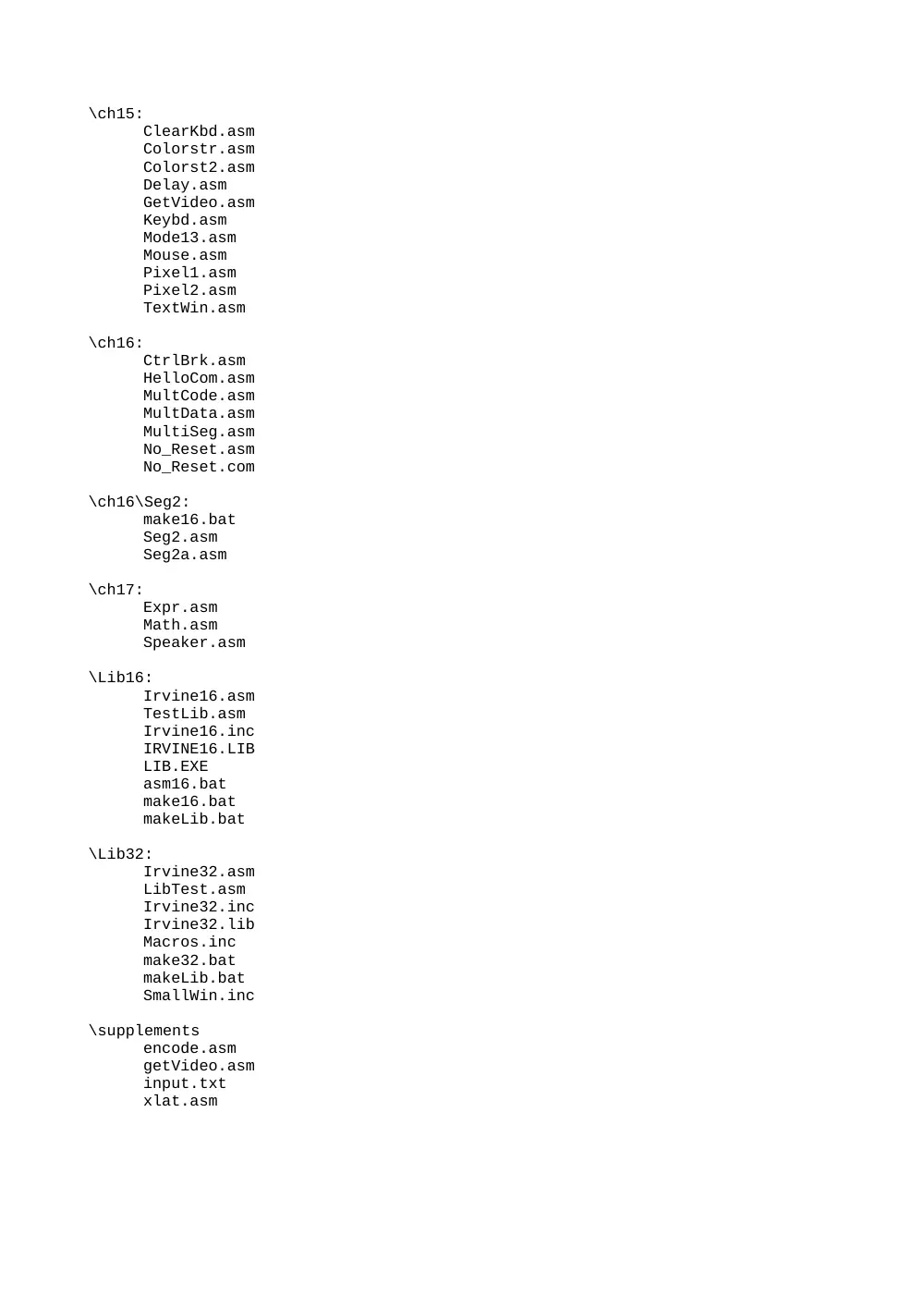
\ch15:
ClearKbd.asm
Colorstr.asm
Colorst2.asm
Delay.asm
GetVideo.asm
Keybd.asm
Mode13.asm
Mouse.asm
Pixel1.asm
Pixel2.asm
TextWin.asm
\ch16:
CtrlBrk.asm
HelloCom.asm
MultCode.asm
MultData.asm
MultiSeg.asm
No_Reset.asm
No_Reset.com
\ch16\Seg2:
make16.bat
Seg2.asm
Seg2a.asm
\ch17:
Expr.asm
Math.asm
Speaker.asm
\Lib16:
Irvine16.asm
TestLib.asm
Irvine16.inc
IRVINE16.LIB
LIB.EXE
asm16.bat
make16.bat
makeLib.bat
\Lib32:
Irvine32.asm
LibTest.asm
Irvine32.inc
Irvine32.lib
Macros.inc
make32.bat
makeLib.bat
SmallWin.inc
\supplements
encode.asm
getVideo.asm
input.txt
xlat.asm
TITLE Link Library Functions
(Irvine16.asm)
Comment @
This library was created exlusively for use with the book,
"Assembly Language for Intel-Based Computers, 4th Edition",
by Kip R. Irvine, 2002.
Copyright 2002, Prentice-Hall Incorporated. No part of this file may be
reproduced, in any form or by any other means, without permission in writing
from the publisher.
Updates to this file will be posted on the book's site:
www.nuvisionmiami.com/books/asm
Recent update history:
10/20/2002: GetMaxXY added. ReadInt fixed so it sets the Overflow flag
(rather than Carry)
10/28/2002: Changed capitalization of GetCommandtail
11/06/2002: Removed ShowRegister macro (it is now mShowRegister, in
Macros.inc)
11/24/2002: ReadString
12/11/2002: Added WriteBinB and WriteHexB. Modified WriteBin and WriteHex.
Acknowledgements:
------------------------------
Most of the code in this library was written by Kip Irvine.
Special thanks to Gerald Cahill for his many insights, suggestions, and bug
fixes!
Also to Courtney Amor, a student at UCLA.
Alphabetical Listing of Procedures
----------------------------------
(Unless otherwise marked, all procedures are documented in Chapter 5.)
ClrScr
Crlf
Delay
DumpMem
DumpRegs
GetCommandtail
GetMaxXY
Added 10/20/2002
GetMseconds Added 10/21/2002
Gotoxy
IsDigit
Random32
Randomize
RandomRange
ReadChar
ReadHex
ReadInt
ReadString
Str_compare Chapter 9
Str_copy
Chapter 9
Str_length
Chapter 9
Str_trim
Chapter 9
Str_ucase
Chapter 9
WaitMsg
WriteBin
WriteChar
WriteDec
WriteHex
WriteInt
WriteString
=================================@
INCLUDE Irvine16.inc
INCLUDE Macros.inc
; Write <count< spaces to standard output
WriteSpace MACRO count
Local spaces
.data
spaces BYTE count dup(' '),0
.code
mov dx,OFFSET spaces
call WriteString
ENDM
; Send a newline sequence to standard output
NewLine MACRO
Local temp
.data
temp BYTE 13,10,0
.code
push dx
mov dx,OFFSET temp
call WriteString
pop dx
ENDM
Comment !
;-------------------------------------
mShowRegister MACRO regName, regVal
Local str
;
; Show a single register value
;-------------------------------------
.data
str BYTE " ®Name=",0
.code
push eax
push edx
; save EDX
mov dx,OFFSET str
call WriteString
pop edx
; must restore EDX now
IF (TYPE regVal) EQ 4
mov eax,regVal
; register value
ELSE
mov eax,0
mov ax,regVal
ENDIF
call WriteHex
pop eax
ENDM
!
;-------------------------------------
ShowFlag MACRO flagName,shiftCount
LOCAL flagStr, flagVal, L1
;
; Display a single flag value
;-------------------------------------
.data
flagStr BYTE " &flagName="
flagVal BYTE ?,0
.code
push ax
push dx
mov ax,flags
; retrieve the flags
mov flagVal,'1'
shr ax,shiftCount
; shift into carry flag
jc L1
mov flagVal,'0'
L1:
mov dx,OFFSET flagStr
; display flag name and value
call WriteString
pop dx
pop ax
ENDM
;--------- END OF MACRO DEFINITIONS ---------------------------
;********************* SHARED DATA AREA **********************
.data?
buffer BYTE 512 dup(?)
;*************************************************************
.code
;------------------------------------------------------
Clrscr PROC
;
; Clears the screen (video page 0) and locates the cursor
; at row 0, column 0.
; Receives: nothing
; Returns: nothing
;-------------------------------------------------------
pusha
mov ax,0600h
; scroll window up
mov cx,0
; upper left corner (0,0)
mov dx,184Fh
; lower right corner (24,79)
mov bh,7
; normal attribute
int 10h
; call BIOS
mov ah,2
; locate cursor at 0,0
mov bh,0
; video page 0
mov dx,0
; row 0, column 0
int 10h
popa
ret
Clrscr ENDP
;-----------------------------------------------------
Crlf PROC
;
; Writes a carriage return / linefeed
; sequence (0Dh,0Ah) to standard output.
;-----------------------------------------------------
NewLine
; invoke a macro
ret
Crlf ENDP
;-----------------------------------------------------------
Delay PROC
;
; Create an n-millisecond delay.
; Receives: EAX = milliseconds
; Returns: nothing
; Remarks: May only used under Windows 95, 98, or ME. Does
; not work under Windows NT, 2000, or XP, because it
; directly accesses hardware ports.
; Source: "The 80x86 IBM PC & Compatible Computers" by
; Mazidi and Mazidi, page 343. Prentice-Hall, 1995.
;-----------------------------------------------------------
MsToMicro = 1000000
; convert ms to microseconds
ClockFrequency = 15085
; microseconds per tick
.code
pushad
; Convert milliseconds to microseconds.
mov ebx,MsToMicro
mul ebx
; Divide by clock frequency of 15.085 microseconds,
; producing the counter for port 61h.
mov ebx,ClockFrequency
div ebx
; eax = counter
mov ecx,eax
; Begin checking port 61h, watching bit 4 toggle
; between 1 and 0 every 15.085 microseconds.
L1:
in al,61h
; read port 61h
and al,10h
; clear all bits except bit 4
cmp al,ah
; has it changed?
je L1
; no: try again
mov ah,al
; yes: save status
dec ecx
cmp ecx,0
; loop finished yet?
ja L1
quit:
popad
ret
Delay ENDP
;---------------------------------------------------
DumpMem PROC
LOCAL unitsize:word, byteCount:word
;
; Writes a range of memory to standard output
; in hexadecimal.
; Receives: SI = starting OFFSET, CX = number of units,
; BX = unit size (1=byte, 2=word, or 4=doubleword)
; Returns: nothing
;---------------------------------------------------
.data
oneSpace BYTE ' ',0
dumpPrompt BYTE 13,10,"Dump of offset ",0
.code
pushad
mov dx,OFFSET dumpPrompt
call WriteString
movzx eax,si
call WriteHex
NewLine
mov byteCount,0
mov unitsize,bx
cmp bx,4
; select output size
je L1
cmp bx,2
je L2
jmp L3
L1:
; doubleword output
mov eax,[si]
call WriteHex
WriteSpace 2
add si,bx
Loop L1
jmp L4
L2:
; word output
mov ax,[si]
; get a word from memory
ror ax,8
; display high byte
call HexByte
ror ax,8
; display low byte
call HexByte
WriteSpace 1
; display 1 space
add si,unitsize
; point to next word
Loop L2
jmp L4
; Byte output: 16 bytes per line
L3:
mov al,[si]
call HexByte
inc byteCount
WriteSpace 1
inc si
; if( byteCount mod 16 == 0 ) call Crlf
mov dx,0
mov ax,byteCount
mov bx,16
div bx
cmp dx,0
jne L3B
NewLine
L3B:
Loop L3
jmp L4
L4:
NewLine
popad
ret
DumpMem ENDP
;--------------------------------------------------
GetCommandtail PROC
;
; Gets a copy of the DOS command tail at PSP:80h.
; Receives: DX contains the offset of the buffer
; that receives a copy of the command tail.
; Returns: CF=1 if the buffer is empty; otherwise,
; CF=0.
; Last update: 10/28/02
;--------------------------------------------------
push es
pusha ; save general registers
mov ah,62h ; get PSP segment address
int 21h
; returned in BX
mov es,bx
; copied to ES
mov si,dx
; point to buffer
mov di,81h ; PSP offset of command tail
mov cx,0
; byte count
mov cl,es:[di-1] ; get length byte
cmp cx,0
; is the tail empty?
je L2
; yes: exit
cld
; no: scan forward
mov al,20h ; space character
repz scasb
; scan for non space
jz L2
; all spaces found
dec di
; non space found
inc cx
L1: mov al,es:[di]
; copy tail to buffer
mov [si],al
; pointed to by DS:SI
inc si
inc di
loop L1
clc
; CF=0 means tail found
jmp L3
L2:
stc
; set carry: no command tail
L3:
mov byte ptr [si],0
; store null byte
popa
; restore registers
pop es
ret
GetCommandtail ENDP
;----------------------------------------------------------------
GetMaxXY PROC
; Returns the current columns (X) and rows (Y) of the console
; window buffer. These values can change while a program is running
; if the user modifies the properties of the application window.
; Receives: nothing
; Returns: DH = rows (Y); DL = columns (X)
; (range of each is 1-255)
;
; Added to the library on 10/20/2002, on the suggestion of Ben Schwartz.
;----------------------------------------------------------------
.data
videoInfo VideoInfoStruc <>
str1 BYTE "Video function 1Bh is not supported",0dh,0ah,0
.code
push ax
push bx
push cx
mov ah,1Bh ; get video information
mov bx,0
; always zero
push ds
pop es
mov di,OFFSET videoInfo
int 10h
cmp al,1Bh
jne notSupported
mov dh,videoInfo.numCharRows
mov dl,BYTE PTR videoInfo.numCharColumns
jmp finished
notSupported:
mov dx,OFFSET str1
call WriteString
finished:
pop cx
pop bx
pop ax
ret
GetMaxXY ENDP
;-------------------------------------------------------
GetMseconds PROC
LOCAL hours:BYTE, minutes:BYTE, seconds:BYTE, hhss:BYTE
;
; Returns the number of milliseconds that have elapsed
; since midnight of the current day.
; Receives: nothing
; Returns: EAX = milliseconds, accurate to 50 milliseconds
;--------------------------------------------------------
.data
timerec TimeRecord <>
mSec DWORD ?
.code
push ebx
push ecx
push edx
; get system time (see Section 13.2.4)
mov ah,2Ch
int 21h
mov hours,ch
mov minutes,cl
mov seconds,dh
mov hhss,dl
; (mSec = hours * 3600000)
movzx eax,hours
mov ebx,3600000
mul ebx
mov mSec,eax
; mSec = mSec + (minutes * 60000)
movzx eax,minutes
mov ebx,60000
mul ebx
add mSec,eax
; mSec = mSec + (seconds * 1000)
movzx eax,seconds
mov ebx,1000
mul ebx
add mSec,eax
; mSec = mSec + (hundredths * 10)
movzx eax,hhss
mov ebx,10
mul ebx
add mSec,eax
; Return mSec in EAX
mov eax,mSec
pop edx
pop ecx
pop ebx
ret
GetMseconds ENDP
;---------------------------------------------------
Gotoxy PROC
;
; Sets the cursor position on video page 0.
; display page.
; Receives: DH,DL = row, column
; Returns: nothing
;---------------------------------------------------
pusha
mov ah,2
mov bh,0
int 10h
popa
ret
Gotoxy ENDP
HexByte PROC
LOCAL theByte:BYTE
; Display the byte in AL in hexadecimal
; Called only by DumpMem. Updated 9/21/01
pusha
mov theByte,al
; save the byte
mov cx,2
HB1:
rol theByte,4
mov al,theByte
and al,0Fh
mov bx,OFFSET xtable
xlat
; insert hex char in the buffer
; and display using WriteString
mov buffer,al
mov [buffer+1],0
mov dx,OFFSET buffer
call WriteString
Loop HB1
popa
ret
HexByte ENDP
;---------------------------------------------------
DumpRegs PROC
;
; Displays EAX, EBX, ECX, EDX, ESI, EDI, EBP, ESP in
; hexadecimal. Also displays the Zero, Sign, Carry, and
; Overflow flags.
; Receives: nothing.
; Returns: nothing.
;
; Warning: do not create any local variables or stack
; parameters, because they will alter the EBP register.
;---------------------------------------------------
.data
flags WORD ?
saveIP WORD ?
saveSP WORD ?
.code
pop saveIP
; get current IP
mov saveSP,sp
; save SP's value at entry
push saveIP ; replace it on stack
push eax
pushfd
; push flags
pushf ; copy flags to a variable
pop flags
NewLine
mShowRegister EAX,EAX
mShowRegister EBX,EBX
mShowRegister ECX,ECX
mShowRegister EDX,EDX
NewLine
mShowRegister ESI,ESI
mShowRegister EDI,EDI
mShowRegister EBP,EBP
movzx eax,saveSP
mShowRegister ESP,EAX
NewLine
movzx eax,saveIP
mShowRegister EIP,EAX
movzx eax,flags
mShowRegister EFL,EAX
; Show the flags
ShowFlag CF,1
ShowFlag SF,8
ShowFlag ZF,7
ShowFlag OF,12
NewLine
NewLine
popfd ; restore flags
pop eax
; restore EAX
ret
DumpRegs ENDP
;-----------------------------------------------
Isdigit PROC
;
; Determines whether the character in AL is a
; valid decimal digit.
; Receives: AL = character
; Returns: ZF=1 if AL contains a valid decimal
; digit; otherwise, ZF=0.
;-----------------------------------------------
cmp al,'0'
jb ID1
cmp al,'9'
ja ID1
test ax,0
; set ZF = 1
ID1: ret
Isdigit ENDP
;--------------------------------------------------------------
RandomRange PROC
;
; Returns an unsigned pseudo-random 32-bit integer
; in EAX, between 0 and n-1. Input parameter:
; EAX = n.
;--------------------------------------------------------------
push bp
mov bp,sp
push ebx
push edx
mov ebx,eax ; maximum value
call Random32 ; eax = random number
mov edx,0
div ebx ; divide by max value
mov eax,edx ; return the remainder
pop edx
pop ebx
pop bp
ret
RandomRange ENDP
;--------------------------------------------------------------
Random32 PROC
;
; Returns an unsigned pseudo-random 32-bit integer
; in EAX,in the range 0 - FFFFFFFFh.
;--------------------------------------------------------------
.data
seed dd 1
.code
push edx
mov eax, 343FDh
imul seed
add eax, 269EC3h
mov seed, eax ; save the seed for the next call
ror eax,8 ; rotate out the lowest digit (10/22/00)
pop edx
ret
Random32 ENDP
;--------------------------------------------------------
Randomize PROC
;
; Re-seeds the random number generator with the current time
; in milliseconds.
; Last update: 10/21/2002
;--------------------------------------------------------
push eax
call GetMseconds
mov seed,eax
pop eax
ret
Randomize ENDP
;---------------------------------------------------------
ReadChar PROC
;
; Reads one character from standard input. The character is
; not echoed on the screen. Waits for the character if none is
; currently in the input buffer.
; Receives: nothing
; Returns: AL = ASCII code
;----------------------------------------------------------
mov ah,1
int 21h
ret
ReadChar ENDP
;--------------------------------------------------------
ReadHex PROC
;
; Reads a 32-bit hexadecimal integer from standard input,
; stopping when the Enter key is pressed.
; Receives: nothing
; Returns: EAX = binary integer value
; Remarks: No error checking performed for bad digits
; or excess digits.
; Last update: 11/7/01
;--------------------------------------------------------
.data
HMAX_DIGITS = 128
Hinputarea BYTE HMAX_DIGITS dup(0),0
xbtable BYTE 0,1,2,3,4,5,6,7,8,9,7 DUP(0FFh),10,11,12,13,14,15
numVal DWORD ?
charVal BYTE ?
.code
push ebx
push ecx
push edx
push esi
mov edx,OFFSET Hinputarea
mov esi,edx
; save in ESI also
mov ecx,HMAX_DIGITS
call ReadString
; input the string
mov ecx,eax
; save length in ECX
; Start to convert the number.
B4: mov numVal,0
; clear accumulator
mov ebx,OFFSET xbtable
; translate table
; Repeat loop for each digit.
B5: mov al,[esi]
; get character from buffer
cmp al,'F'
; lowercase letter?
jbe B6
; no
and al,11011111b
; yes: convert to uppercase
B6:
sub al,30h
; adjust for table
xlat
; translate to binary
mov charVal,al
mov eax,16
; numVal *= 16
mul numVal
mov numVal,eax
movzx eax,charVal ; numVal += charVal
add numVal,eax
inc esi
; point to next digit
loop B5
; repeat, decrement counter
mov eax,numVal
; return binary result
pop esi
pop edx
pop ecx
pop ebx
ret
ReadHex ENDP
;--------------------------------------------------------
ReadInt PROC uses ebx ecx edx esi
LOCAL Lsign:DWORD, saveDigit:DWORD
;
; Reads a 32-bit signed decimal integer from standard
; input, stopping when the Enter key is pressed.
; All valid digits occurring before a non-numeric character
; are converted to the integer value. Leading spaces are
; ignored, and an optional leading + or - sign is permitted.
; Receives: nothing
; Returns: If OF=0, the integer is valid, and EAX = binary value.
; If OF=1, the integer is invalid and EAX = 0.
;
; Credits: Thanks to Courtney Amor, a student at the UCLA Mathematics
; department, for pointing out improvements that have been
; implemented in this version.
; Last update: 10/20/2002
;--------------------------------------------------------
.data
LMAX_DIGITS = 80
Linputarea BYTE LMAX_DIGITS dup(0),0
overflow_msgL BYTE 0dh,0ah,"<32-bit integer overflow>",0
invalid_msgL BYTE "0dh,0ah,<invalid integer>",0
.code
; Input a string of digits using ReadString.
mov edx,offset Linputarea
mov esi,edx
; save offset in ESI
mov ecx,LMAX_DIGITS
call ReadString
mov ecx,eax
; save length in CX
mov Lsign,1
; assume number is positive
cmp ecx,0
; greater than zero?
jne L1
; yes: continue
mov eax,0
; no: set return value
jmp L10
; and exit
; Skip over any leading spaces.
L1:
mov al,[esi]
; get a character from buffer
cmp al,' '
; space character found?
jne L2
; no: check for a sign
inc esi
; yes: point to next char
loop L1
jcxz L8
; quit if all spaces
; Check for a leading sign.
L2:
cmp al,'-'
; minus sign found?
jne L3
; no: look for plus sign
mov Lsign,-1
; yes: sign is negative
dec ecx
; subtract from counter
inc esi
; point to next char
jmp L4
L3:
cmp al,'+'
; plus sign found?
jne L4
; no: must be a digit
inc esi
; yes: skip over the sign
dec ecx
; subtract from counter
; Test the first digit, and exit if it is nonnumeric.
L3A:mov al,[esi]
; get first character
call IsDigit
; is it a digit?
jnz L7A
; no: show error message
; Start to convert the number.
L4:
mov eax,0
; clear accumulator
mov ebx,10
; EBX is the divisor
; Repeat loop for each digit.
L5:
mov dl,[esi]
; get character from buffer
cmp dl,'0'
; character < '0'?
jb L9
cmp dl,'9'
; character > '9'?
ja L9
and edx,0Fh
; no: convert to binary
mov saveDigit,edx
imul ebx
; EDX:EAX = EAX * EBX
mov edx,saveDigit
jo L6
; quit if overflow
add eax,edx
; add new digit to AX
jo L6
; quit if overflow
inc esi
; point to next digit
jmp L5
; get next digit
; Overflow has occured, unlesss EAX = 80000000h
; and the sign is negative:
L6: cmp eax,80000000h
jne L7
cmp Lsign,-1
jne L7
; overflow occurred
jmp L9
; the integer is valid
; Choose "integer overflow" messsage.
L7:
mov edx,OFFSET overflow_msgL
jmp L8
; Choose "invalid integer" message.
L7A:
mov edx,OFFSET invalid_msgL
; Display the error message pointed to by EDX and set the Overflow flag
L8:
call WriteString
call Crlf
mov al,127
add al,1
; set Overflow flag
mov eax,0
; set return value to zero
jmp L10
; and exit
; IMUL leaves the Sign flag in an undeterminate state, so the OR instruction
; determines the sign of the iteger in EAX.
L9: imul Lsign
; EAX = EAX * sign
or eax,eax
; determine the number's sign
L10:ret
ReadInt ENDP
;--------------------------------------------------------
ReadString PROC
; Reads a string from standard input and places the
; characters in a buffer. Reads past end of line,
; and removes the CF/LF from the string.
; Receives: DS:DX points to the input buffer,
; CX = maximum input chars, plus 1.
; Returns: AX = size of the input string.
; Comments: Stops either when Enter (0Dh) is pressed,
; or (CX-1) characters have been read.
;--------------------------------------------------------
push cx
; save registers
push si
push cx
; save digit count again
mov si,dx
; point to input buffer
dec cx
; save room for null byte
L1:
mov ah,1
; function: keyboard input
int 21h
; DOS returns char in AL
cmp al,0Dh
; end of line?
je L2
; yes: exit
mov [si],al
; no: store the character
inc si
; increment buffer pointer
loop L1
; loop until CX=0
L2:
mov byte ptr [si],0
; end with a null byte
pop ax
; original digit count
sub ax,cx
; AX = size of input string
pop si
; restore registers
pop cx
ret
ReadString ENDP
;----------------------------------------------------------
Str_compare PROC USES ax dx si di,
string1:PTR BYTE,
string2:P