
CSC 243 Chapter 6 (switch ), Fall 2014
Lebanese American University · Introduction to Object Oriented Programming · 41 pages

Showing the first 10 of 41 pages. Download the PDF to see all of it.
More CSC 243 files
Show the text of this chapter
Copyright © 2012 Pearson Education, Inc.
Chapter 6
More Conditionals and Loops
Java Software Solutions
Foundations of Program Design
Seventh Edition
John Lewis
William Loftus
More Conditionals and Loops
• Now we can fill in some additional details regarding
Java conditional and repetition statements
• Chapter 6 focuses on:
– the switch statement
– the conditional operator
– the do loop
– the for loop
– drawing with the aid of conditionals and loops
– dialog boxes
Copyright © 2012 Pearson Education, Inc.
Outline
The switch Statement
The Conditional Operator
The do Statement
The for Statement
Drawing with Loops and Conditionals
Dialog Boxes
Copyright © 2012 Pearson Education, Inc.
The switch Statement
• The switch statement provides another way to
decide which statement to execute next
• The switch statement evaluates an expression,
then attempts to match the result to one of several
possible cases
• Each case contains a value and a list of statements
• The flow of control transfers to statement
associated with the first case value that matches
Copyright © 2012 Pearson Education, Inc.
The switch Statement
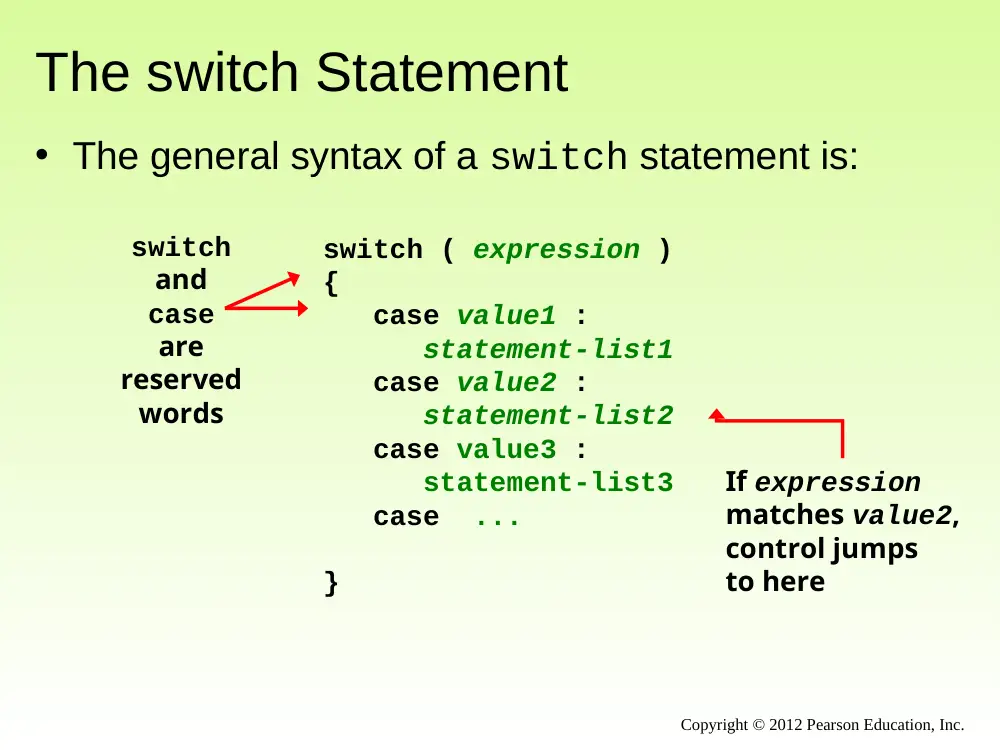
• The general syntax of a switch statement is:
switch ( expression )
{
case value1 :
statement-list1
case value2 :
statement-list2
case value3 :
statement-list3
case ...
}
switch
and
case
are
reserved
words
If expression
matches value2,
control jumps
to here
Copyright © 2012 Pearson Education, Inc.
The switch Statement
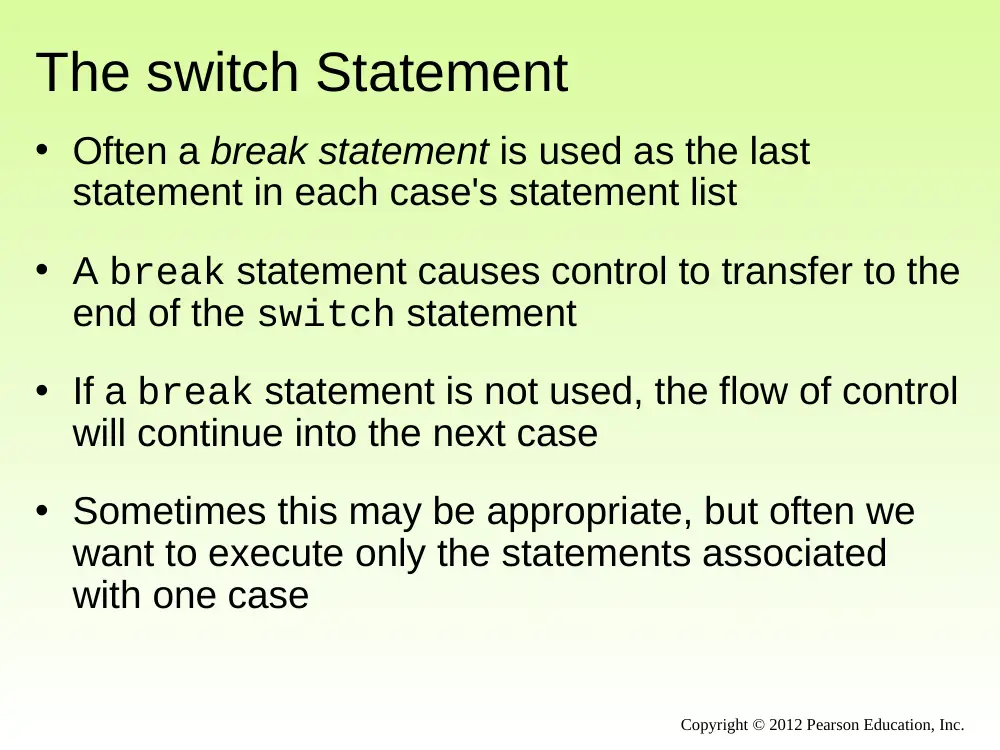
• Often a break statement is used as the last
statement in each case's statement list
• A break statement causes control to transfer to the
end of the switch statement
• If a break statement is not used, the flow of control
will continue into the next case
• Sometimes this may be appropriate, but often we
want to execute only the statements associated
with one case
Copyright © 2012 Pearson Education, Inc.
The switch Statement
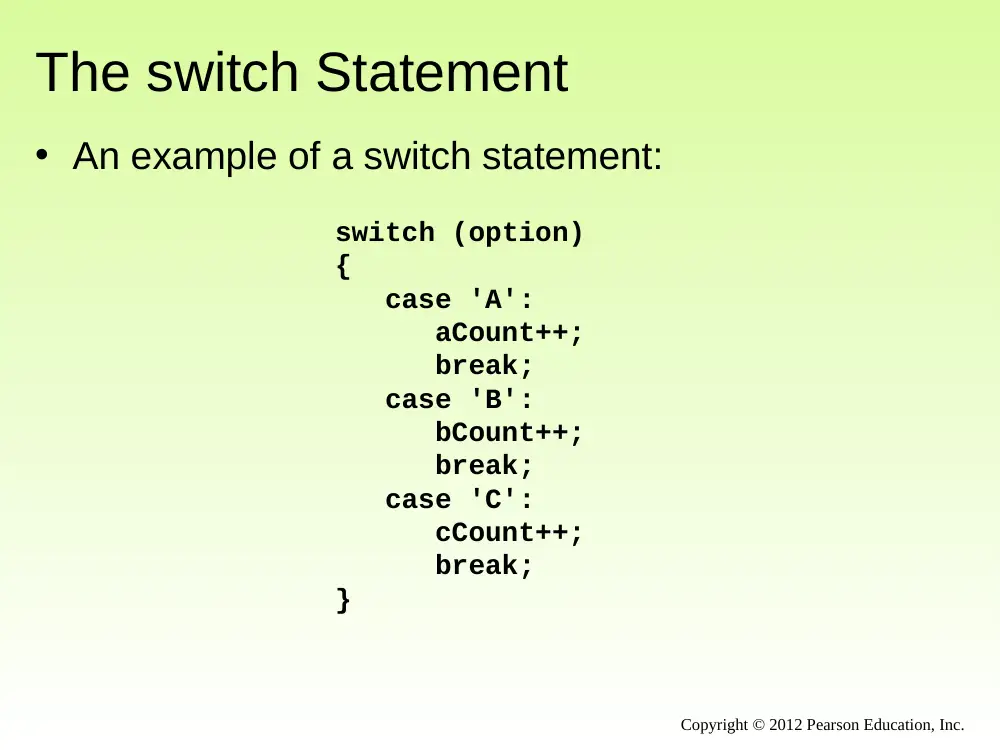
switch (option)
{
case 'A':
aCount++;
break;
case 'B':
bCount++;
break;
case 'C':
cCount++;
break;
}
• An example of a switch statement:
Copyright © 2012 Pearson Education, Inc.
The switch Statement
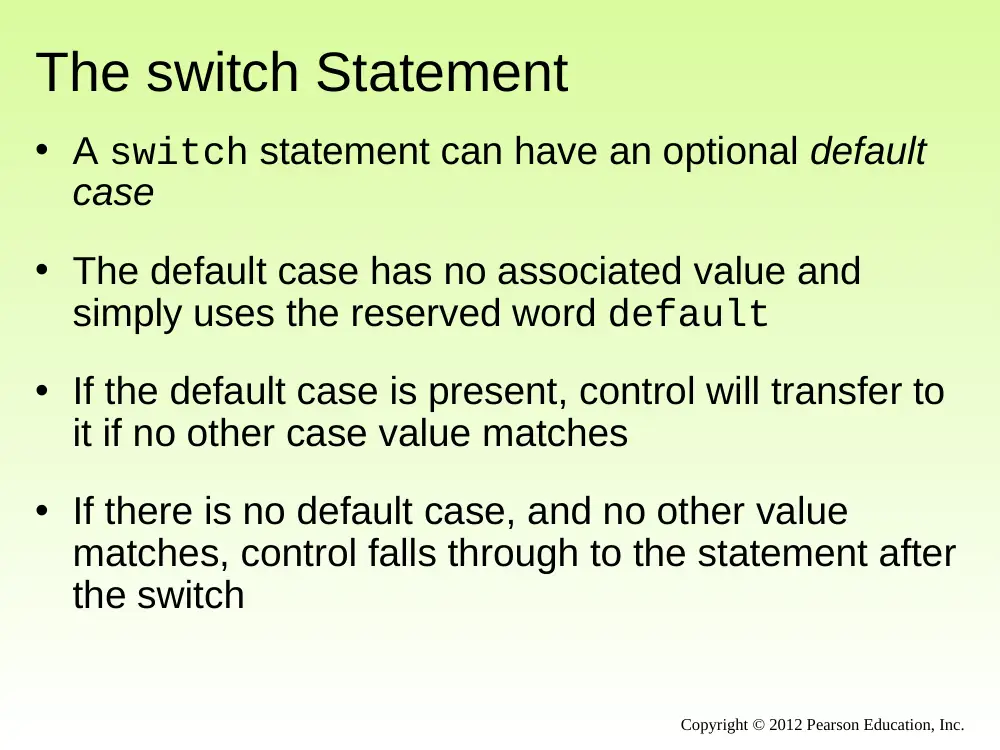
• A switch statement can have an optional default
case
• The default case has no associated value and
simply uses the reserved word default
• If the default case is present, control will transfer to
it if no other case value matches
• If there is no default case, and no other value
matches, control falls through to the statement after
the switch
Copyright © 2012 Pearson Education, Inc.
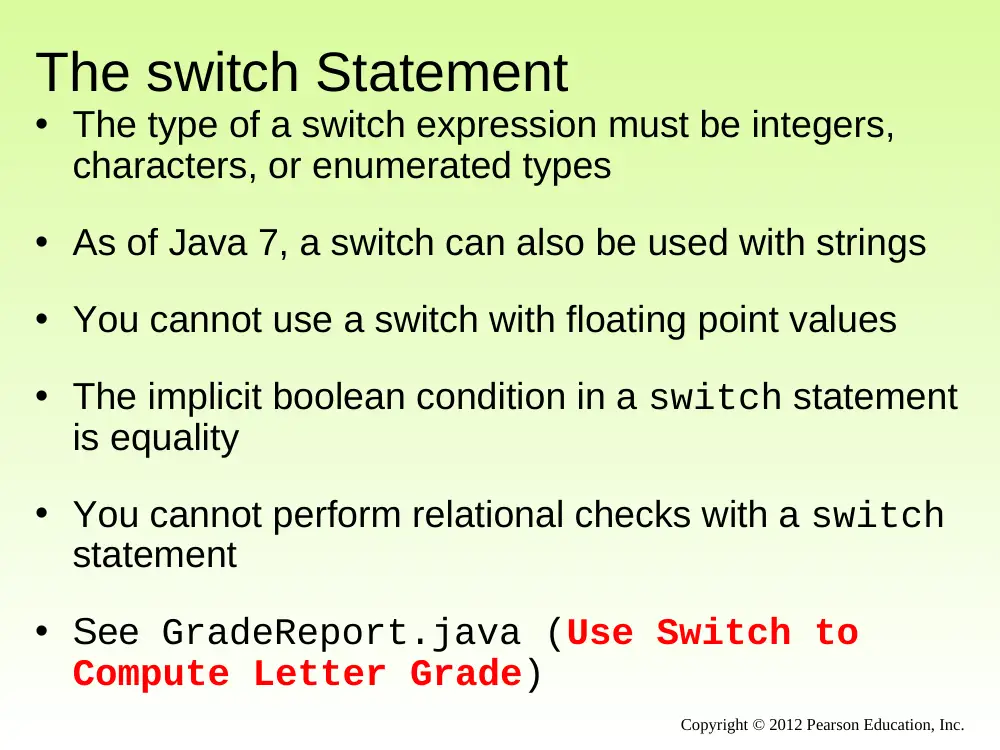
The switch Statement
• The type of a switch expression must be integers,
characters, or enumerated types
• As of Java 7, a switch can also be used with strings
• You cannot use a switch with floating point values
• The implicit boolean condition in a switch statement
is equality
• You cannot perform relational checks with a switch
statement
• See GradeReport.java (Use Switch to
Compute Letter Grade)
Copyright © 2012 Pearson Education, Inc.
Copyright © 2012 Pearson Education, Inc.
//********************************************************************
// GradeReport.java Author: Lewis/Loftus
//
// Demonstrates the use of a switch statement.
//********************************************************************
import java.util.Scanner;
public class GradeReport
{
//-----------------------------------------------------------------
// Reads a grade from the user and prints comments accordingly.
//-----------------------------------------------------------------
public static void main (String[] args)
{
int grade, category;
Scanner scan = new Scanner (System.in);
System.out.print ("Enter a numeric grade (0 to 100): ");
grade = scan.nextInt();
category = grade / 10;
System.out.print ("That grade is ");
continue
Copyright © 2012 Pearson Education, Inc.
continue
switch (category)
{
case 10:
System.out.println ("a perfect score. Well done.");
break;
case 9:
System.out.println ("well above average. Excellent.");
break;
case 8:
System.out.println ("above average. Nice job.");
break;
case 7:
System.out.println ("average.");
break;
case 6:
System.out.println ("below average. You should see the");
System.out.println ("instructor to clarify the material "
+ "presented in class.");
break;
default:
System.out.println ("not passing.");
}
}
}
Copyright © 2012 Pearson Education, Inc.
continue
switch (category)
{
case 10:
System.out.println ("a perfect score. Well done.");
break;
case 9:
System.out.println ("well above average. Excellent.");
break;
case 8:
System.out.println ("above average. Nice job.");
break;
case 7:
System.out.println ("average.");
break;
case 6:
System.out.println ("below average. You should see the");
System.out.println ("instructor to clarify the material "
+ "presented in class.");
break;
default:
System.out.println ("not passing.");
}
}
}
Sample Run
Enter a numeric grade (0 to 100): 91
That grade is well above average. Excellent.
Outline
The switch Statement
The Conditional Operator
The do Statement
The for Statement
Drawing with Loops and Conditionals
Dialog Boxes
Copyright © 2012 Pearson Education, Inc.
The Conditional Operator
• The conditional operator evaluates to one of two
expressions based on a boolean condition
• Its syntax is:
condition ? expression1 : expression2
• If the condition is true, expression1 is
evaluated; if it is false, expression2 is evaluated
• The value of the entire conditional operator is the
value of the selected expression
Copyright © 2012 Pearson Education, Inc.
The Conditional Operator
• The conditional operator is similar to an if-else
statement, except that it is an expression that
returns a value
• For example:
larger = ((num1 > num2) ? num1 : num2);
• If num1 is greater than num2, then num1 is assigned
to larger; otherwise, num2 is assigned to larger
• The conditional operator is ternary because it
requires three operands
Copyright © 2012 Pearson Education, Inc.
The Conditional Operator
• Another example:
• If count equals 1, the "Dime" is printed
• If count is anything other than 1, then "Dimes" is
printed
System.out.println ("Your change is " + count +
((count == 1) ? "Dime" : "Dimes"));
Copyright © 2012 Pearson Education, Inc.
Quick Check
Copyright © 2012 Pearson Education, Inc.
Express the following logic in a succinct manner
using the conditional operator.
if (val <= 10)
System.out.println("It is not greater than 10.");
else
System.out.println("It is greater than 10.");
Quick Check
Copyright © 2012 Pearson Education, Inc.
Express the following logic in a succinct manner
using the conditional operator.
if (val <= 10)
System.out.println("It is not greater than 10.");
else
System.out.println("It is greater than 10.");
System.out.println("It is" +
((val <= 10) ? " not" : "") +
" greater than 10.");
Outline
The switch Statement
The Conditional Operator
The do Statement
The for Statement
Drawing with Loops and Conditionals
Dialog Boxes
Copyright © 2012 Pearson Education, Inc.
The do Statement
• A do statement has the following syntax:
do
{
statement-list;
}
while (condition);
• The statement-list is executed once initially,
and then the condition is evaluated
• The statement is executed repeatedly until the
condition becomes false
Copyright © 2012 Pearson Education, Inc.
Logic of a do Loop
true
condition
evaluated
statement
false
Copyright © 2012 Pearson Education, Inc.
The do Statement
• An example of a do loop:
• The body of a do loop executes at least once
• See ReverseNumber.java
int count = 0;
do
{
count++;
System.out.println (count);
} while (count < 5);
Copyright © 2012 Pearson Education, Inc.
Copyright © 2012 Pearson Education, Inc.
//********************************************************************
// ReverseNumber.java Author: Lewis/Loftus
//
// Demonstrates the use of a do loop.
//********************************************************************
import java.util.Scanner;
public class ReverseNumber
{
//-----------------------------------------------------------------
// Reverses the digits of an integer mathematically.
//-----------------------------------------------------------------
public static void main (String[] args)
{
int number, lastDigit, reverse = 0;
Scanner scan = new Scanner (System.in);
continue
Copyright © 2012 Pearson Education, Inc.
continue
System.out.print ("Enter a positive integer: ");
number = scan.nextInt();
do
{
lastDigit = number % 10;
reverse = (reverse * 10) + lastDigit;
number = number / 10;
}
while (number > 0);
System.out.println ("That number reversed is " + reverse);
}
}
Copyright © 2012 Pearson Education, Inc.
continue
System.out.print ("Enter a positive integer: ");
number = scan.nextInt();
do
{
lastDigit = number % 10;
reverse = (reverse * 10) + lastDigit;
number = number / 10;
}
while (number > 0);
System.out.println ("That number reversed is " + reverse);
}
}
Sample Run
Enter a positive integer: 2896
That number reversed is 6982
Comparing while and do
statement
true
false
condition
evaluated
The while Loop
true
condition
evaluated
statement
false
The do Loop
Copyright © 2012 Pearson Education, Inc.
Outline
The switch Statement
The Conditional Operator
The do Statement
The for Statement
Drawing with Loops and Conditionals
Dialog Boxes
Copyright © 2012 Pearson Education, Inc.
The for Statement
• A for statement has the following syntax:
for ( initialization ; condition ; increment )
statement;
The initialization
is executed once
before the loop begins
The statement is
executed until the
condition becomes false
The increment portion is
executed at the end of each
iteration
Copyright © 2012 Pearson Education, Inc.
Logic of a for loop
statement
true
condition
evaluated
false
increment
initialization
Copyright © 2012 Pearson Education, Inc.
The for Statement
• A for loop is functionally equivalent to the following
while loop structure:
initialization;
while ( condition )
{
statement;
increment;
}
Copyright © 2012 Pearson Education, Inc.
The for Statement
• An example of a for loop:
for (int count=1; count <= 5; count++)
System.out.println (count);
• The initialization section can be used to declare a
variable
• Like a while loop, the condition of a for loop is
tested prior to executing the loop body
• Therefore, the body of a for loop will execute zero
or more times
Copyright © 2012 Pearson Education, Inc.
The for Statement
• The increment section can perform any calculation:
for (int num=100; num > 0; num -= 5)
System.out.println (num);
• A for loop is well suited for executing statements a
specific number of times that can be calculated or
determined in advance
• See Multiples.java
• See Stars.java
Copyright © 2012 Pearson Education, Inc.
Copyright © 2012 Pearson Education, Inc.
//********************************************************************
// Multiples.java Author: Lewis/Loftus
//
// Demonstrates the use of a for loop.
//********************************************************************
import java.util.Scanner;
public class Multiples
{
//-----------------------------------------------------------------
// Prints multiples of a user-specified number up to a user-
// specified limit.
//-----------------------------------------------------------------
public static void main (String[] args)
{
final int PER_LINE = 5;
int value, limit, mult, count = 0;
Scanner scan = new Scanner (System.in);
System.out.print ("Enter a positive value: ");
value = scan.nextInt();
continue
Copyright © 2012 Pearson Education, Inc.
continue
System.out.print ("Enter an upper limit: ");
limit = scan.nextInt();
System.out.println ();
System.out.println ("The multiples of " + value + " between " +
value + " and " + limit + " (inclusive) are:");
for (mult = value; mult <= limit; mult += value)
{
System.out.print (mult + "\t");
// Print a specific number of values per line of output
count++;
if (count % PER_LINE == 0)
System.out.println();
}
}
}
Copyright © 2012 Pearson Education, Inc.
continue
System.out.print ("Enter an upper limit: ");
limit = scan.nextInt();
System.out.println ();
System.out.println ("The multiples of " + value + " between " +
value + " and " + limit + " (inclusive) are:");
for (mult = value; mult <= limit; mult += value)
{
System.out.print (mult + "\t");
// Print a specific number of values per line of output
count++;
if (count % PER_LINE == 0)
System.out.println();
}
}
}
Sample Run
Enter a positive value: 7
Enter an upper limit: 400
The multiples of 7 between 7 and 400 (inclusive) are:
7
14
21
28
35
42
49
56
63
70
77
84
91
98
105
112
119
126
133
140
147
154
161
168
175
182
189
196
203
210
217
224
231
238
245
252
259
266
273
280
287
294
301
308
315
322
329
336
343
350
357
364
371
378
385
392
399
Copyright © 2012 Pearson Education, Inc.
//********************************************************************
// Stars.java Author: Lewis/Loftus
//
// Demonstrates the use of nested for loops.
//********************************************************************
public class Stars
{
//-----------------------------------------------------------------
// Prints a triangle shape using asterisk (star) characters.
//-----------------------------------------------------------------
public static void main (String[] args)
{
final int MAX_ROWS = 10;
for (int row = 1; row <= MAX_ROWS; row++)
{
for (int star = 1; star <= row; star++)
System.out.print ("*");
System.out.println();
}
}
}
Copyright © 2012 Pearson Education, Inc.
//********************************************************************
// Stars.java Author: Lewis/Loftus
//
// Demonstrates the use of nested for loops.
//********************************************************************
public class Stars
{
//-----------------------------------------------------------------
// Prints a triangle shape using asterisk (star) characters.
//-----------------------------------------------------------------
public static void main (String[] args)
{
final int MAX_ROWS = 10;
for (int row = 1; row <= MAX_ROWS; row++)
{
for (int star = 1; star <= row; star++)
System.out.print ("*");
System.out.println();
}
}
}
Output
*
**
***
****
*****
******
*******
********
*********
**********
Quick Check
Copyright © 2012 Pearson Education, Inc.
Write a code fragment that rolls a die 100 times and
counts the number of times a 3 comes up.
Quick Check
Copyright © 2012 Pearson Education, Inc.
Write a code fragment that rolls a die 100 times and
counts the number of times a 3 comes up.
Die die = new Die();
int count = 0;
for (int num=1; num <= 100; num++)
if (die.roll() == 3)
count++;
Sytem.out.println (count);
The for Statement
• Each expression in the header of a for loop is
optional
• If the initialization is left out, no initialization is
performed
• If the condition is left out, it is always considered to
be true, and therefore creates an infinite loop
• If the increment is left out, no increment operation is
performed
Copyright © 2012 Pearson Education, Inc.
Summary
• Chapter 6 focused on:
– the switch statement
– the conditional operator
– the do loop
– the for loop
– drawing with the aid of conditionals and loops
– dialog boxes
Copyright © 2012 Pearson Education, Inc.