
CSC 243 Chapter 1, Spring 2015
Lebanese American University · Introduction to Object Oriented Programming · 16 pages · Dr. Anonymous

Showing the first 10 of 16 pages. Download the PDF to see all of it.
More CSC 243 files
- Chapter 2 · Spring 2015ChapterView
- Chapter 3 · Spring 2015ChapterView
- Chapter 4 · Spring 2015ChapterView
- Chapter 5 · Spring 2015ChapterView
- Chapter 7 Object Oriented Design · Fall 2014ChapterView
- Chapter 6 (switch ) · Fall 2014ChapterView
- Chapter 1 · Spring 2013ChapterView
- Chapter 1 · Fall 2012ChapterView
Show the text of this chapter
Copyright © 2014 Pearson Education, Inc.
Chapter 1
Introduction
Java Software Solutions
Foundations of Program Design
John Lewis
William Loftus
Outline
Computer Processing
Hardware Components
Networks
The Java Programming Language
Program Development
Object-Oriented Programming
Copyright © 2014 Pearson Education, Inc.
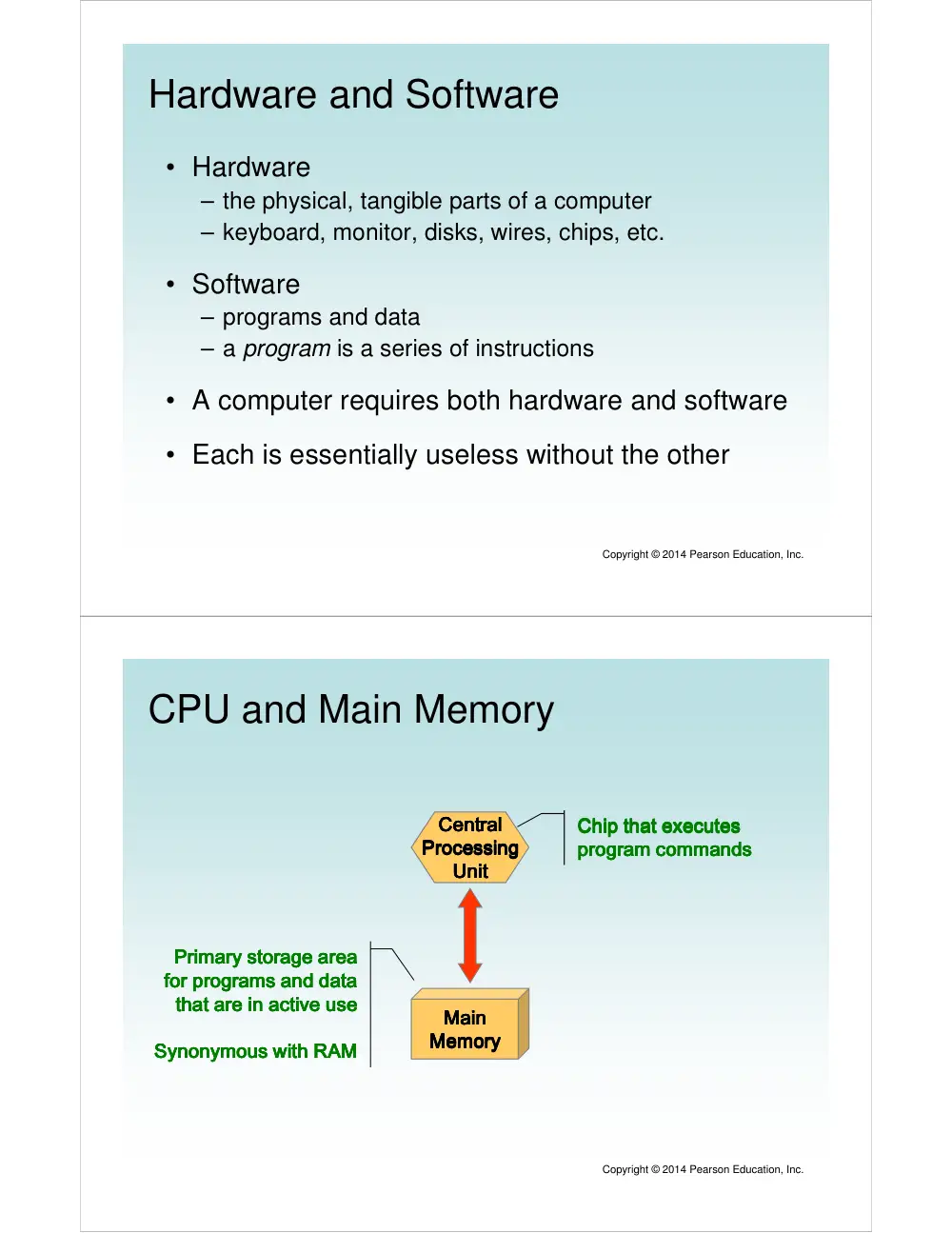
Hardware and Software
• Hardware
– the physical, tangible parts of a computer
– keyboard, monitor, disks, wires, chips, etc.
• Software
– programs and data
– a program is a series of instructions
• A computer requires both hardware and software
• Each is essentially useless without the other
Copyright © 2014 Pearson Education, Inc.
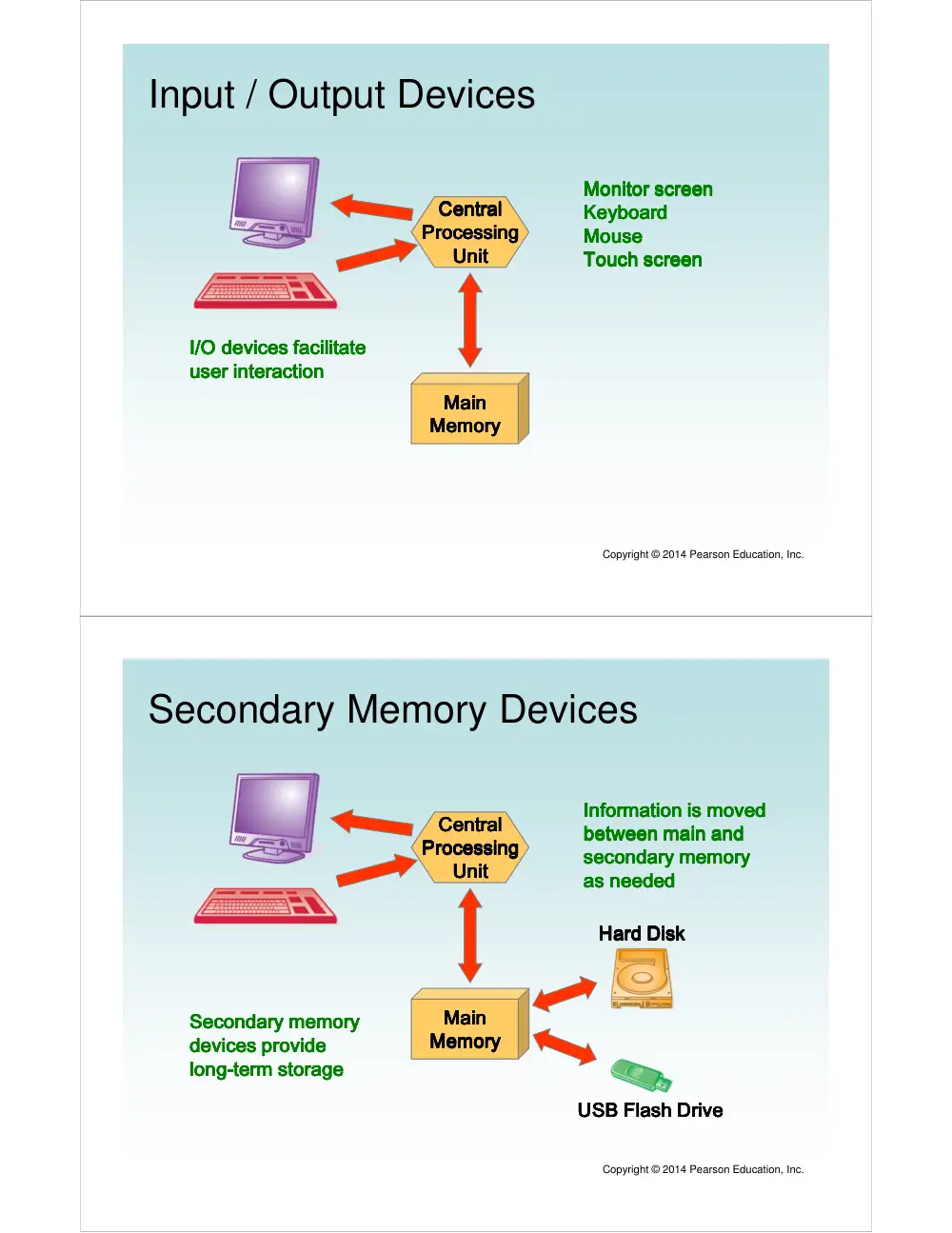
CPU and Main Memory
Central
Central
Central
Central
Processing
Processing
Processing
Processing
Unit
Unit
Unit
Unit
Main
Main
Main
Main
Memory
Memory
Memory
Memory
Chip that executes
Chip that executes
Chip that executes
Chip that executes
program commands
program commands
program commands
program commands
Primary storage area
Primary storage area
Primary storage area
Primary storage area
for programs and data
for programs and data
for programs and data
for programs and data
that are in active use
that are in active use
that are in active use
that are in active use
Synonymous with RAM
Synonymous with RAM
Synonymous with RAM
Synonymous with RAM
Copyright © 2014 Pearson Education, Inc.
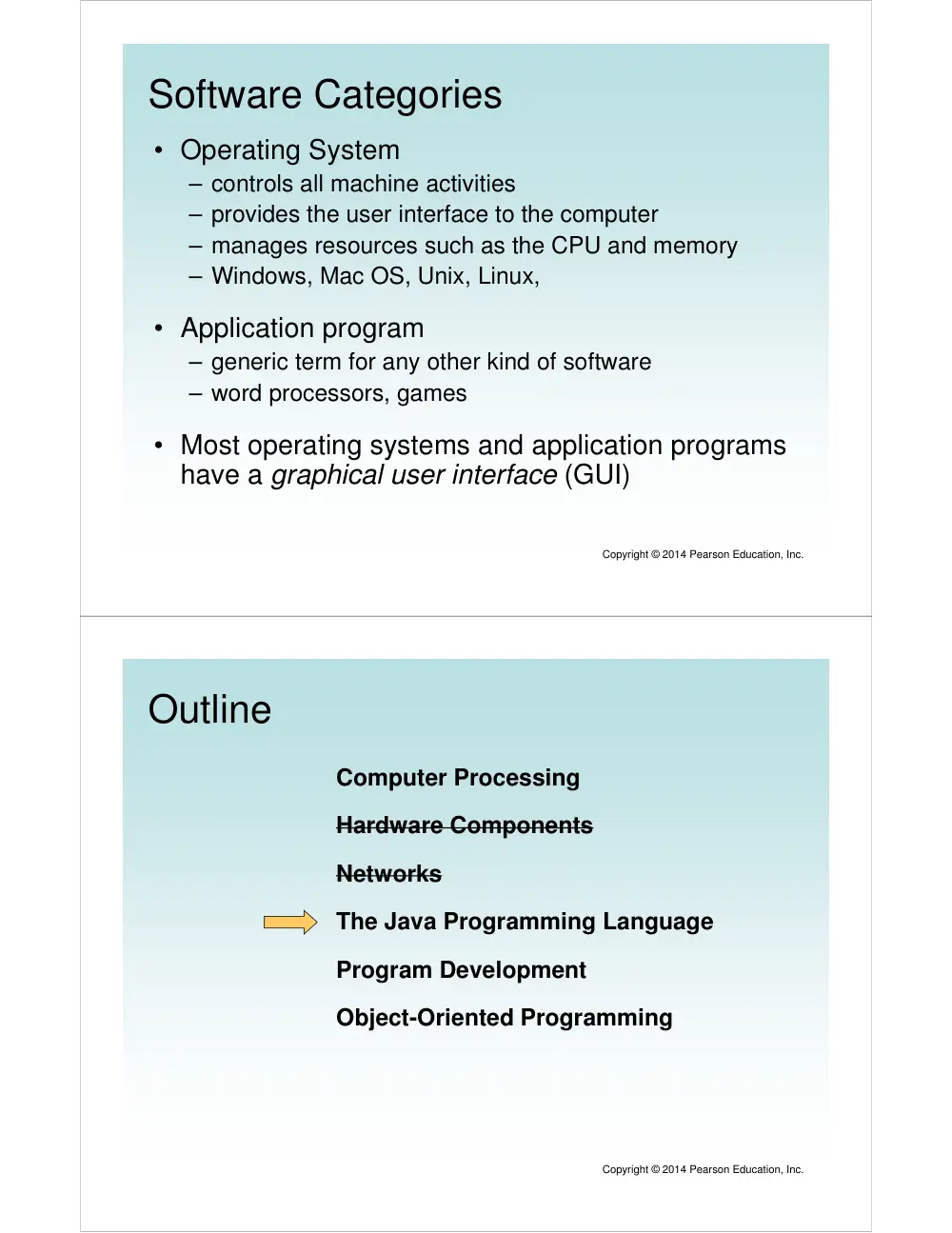
Input / Output Devices
Central
Central
Central
Central
Processing
Processing
Processing
Processing
Unit
Unit
Unit
Unit
Main
Main
Main
Main
Memory
Memory
Memory
Memory
Copyright © 2014 Pearson Education, Inc.
Monitor screen
Monitor screen
Monitor screen
Monitor screen
Keyboard
Keyboard
Keyboard
Keyboard
Mouse
Mouse
Mouse
Mouse
Touch screen
Touch screen
Touch screen
Touch screen
I/O devices facilitate
I/O devices facilitate
I/O devices facilitate
I/O devices facilitate
user interaction
user interaction
user interaction
user interaction
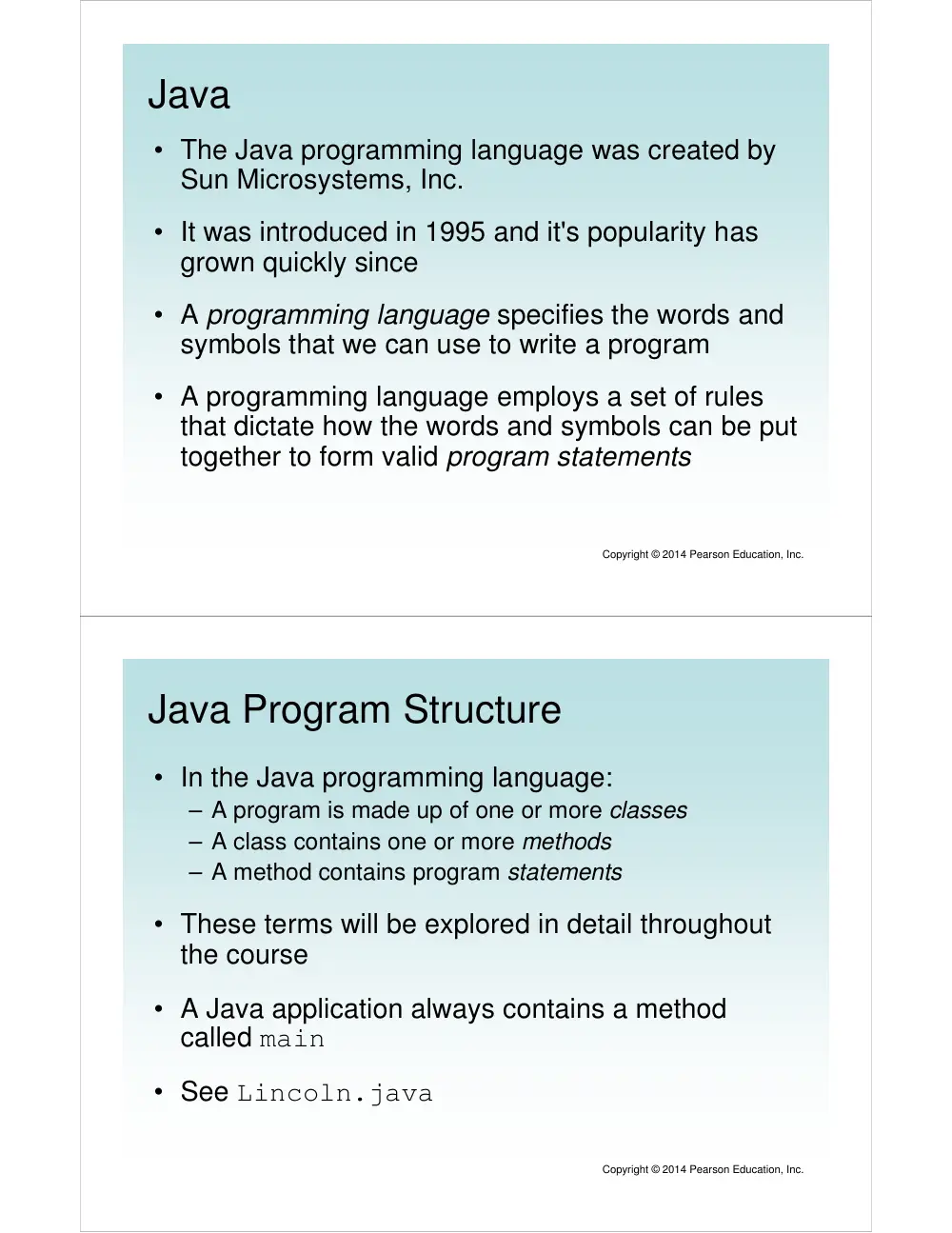
Secondary Memory Devices
Central
Central
Central
Central
Processing
Processing
Processing
Processing
Unit
Unit
Unit
Unit
Main
Main
Main
Main
Memory
Memory
Memory
Memory
Copyright © 2014 Pearson Education, Inc.
Information is moved
Information is moved
Information is moved
Information is moved
between main and
between main and
between main and
between main and
secondary memory
secondary memory
secondary memory
secondary memory
as needed
as needed
as needed
as needed
Hard Disk
Hard Disk
Hard Disk
Hard Disk
USB Flash Drive
USB Flash Drive
USB Flash Drive
USB Flash Drive
Secondary memory
Secondary memory
Secondary memory
Secondary memory
devices provide
devices provide
devices provide
devices provide
long
long
long
long----term storage
term storage
term storage
term storage
Software Categories
• Operating System
– controls all machine activities
– provides the user interface to the computer
– manages resources such as the CPU and memory
– Windows, Mac OS, Unix, Linux,
• Application program
– generic term for any other kind of software
– word processors, games
• Most operating systems and application programs
have a graphical user interface (GUI)
Copyright © 2014 Pearson Education, Inc.
Outline
Computer Processing
Hardware Components
Networks
The Java Programming Language
Program Development
Object-Oriented Programming
Copyright © 2014 Pearson Education, Inc.
Java
• The Java programming language was created by
Sun Microsystems, Inc.
• It was introduced in 1995 and it's popularity has
grown quickly since
• A programming language specifies the words and
symbols that we can use to write a program
• A programming language employs a set of rules
that dictate how the words and symbols can be put
together to form valid program statements
Copyright © 2014 Pearson Education, Inc.
Java Program Structure
• In the Java programming language:
– A program is made up of one or more classes
– A class contains one or more methods
– A method contains program statements
• These terms will be explored in detail throughout
the course
• A Java application always contains a method
called main
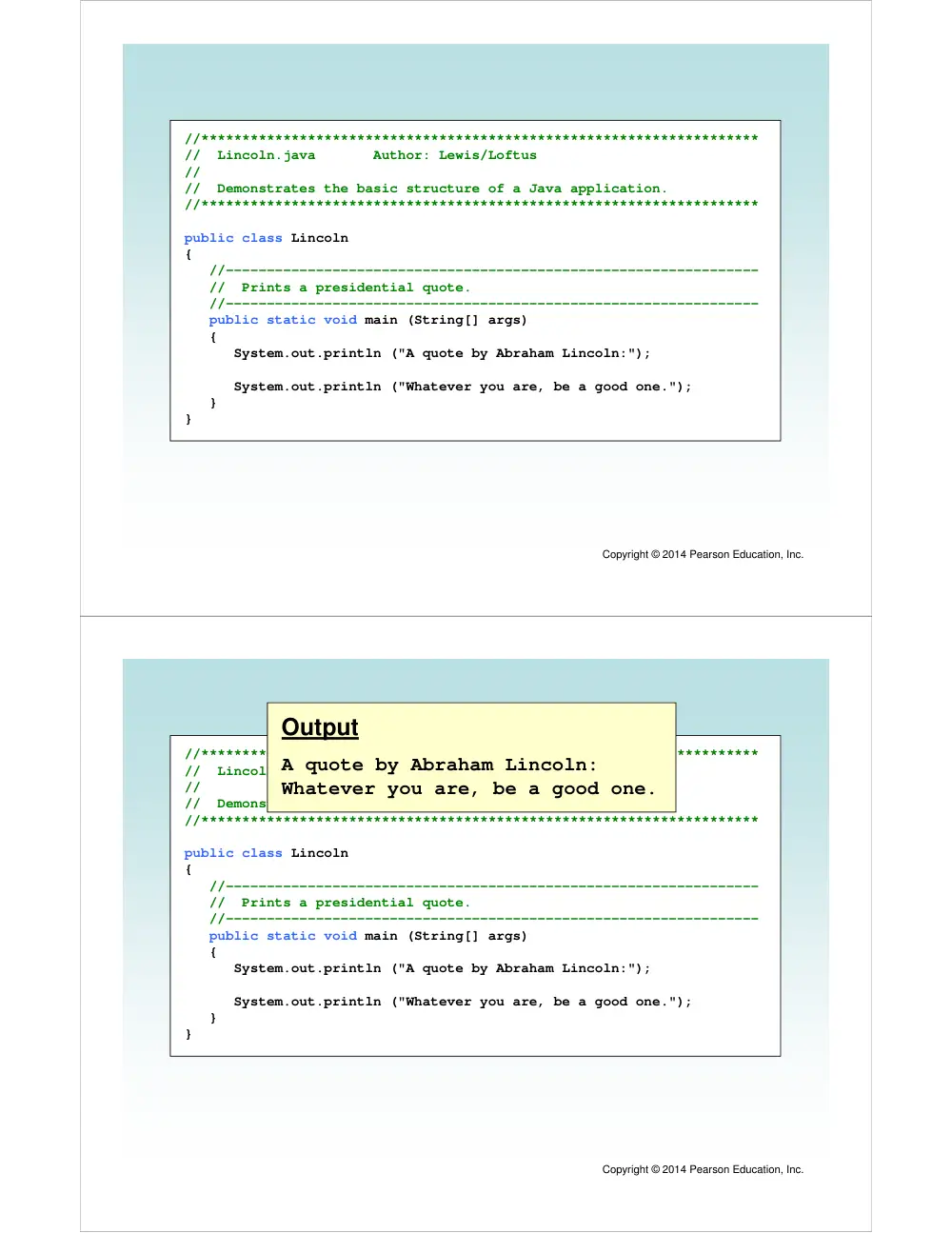
• See Lincoln.java
Copyright © 2014 Pearson Education, Inc.
Copyright © 2014 Pearson Education, Inc.
//********************************************************************
// Lincoln.java Author: Lewis/Loftus
//
// Demonstrates the basic structure of a Java application.
//********************************************************************
public class Lincoln
{
//-----------------------------------------------------------------
// Prints a presidential quote.
//-----------------------------------------------------------------
public static void main (String[] args)
{
System.out.println ("A quote by Abraham Lincoln:");
System.out.println ("Whatever you are, be a good one.");
}
}
Copyright © 2014 Pearson Education, Inc.
//********************************************************************
// Lincoln.java Author: Lewis/Loftus
//
// Demonstrates the basic structure of a Java application.
//********************************************************************
public class Lincoln
{
//-----------------------------------------------------------------
// Prints a presidential quote.
//-----------------------------------------------------------------
public static void main (String[] args)
{
System.out.println ("A quote by Abraham Lincoln:");
System.out.println ("Whatever you are, be a good one.");
}
}
Output
A quote by Abraham Lincoln:
Whatever you are, be a good one.
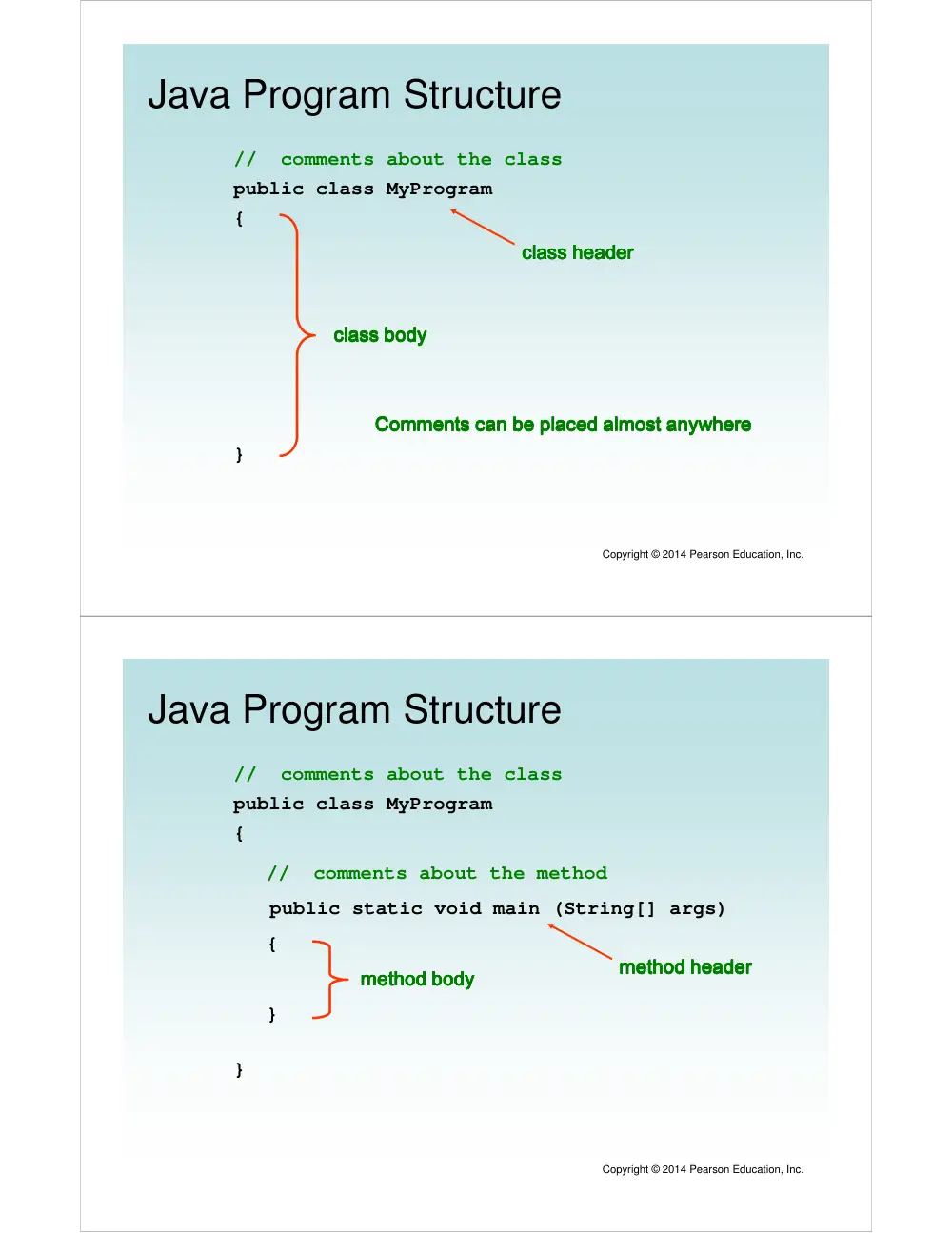
Java Program Structure
public class MyProgram
{
}
// comments about the class
class header
class header
class header
class header
class body
class body
class body
class body
Comments can be placed almost anywhere
Comments can be placed almost anywhere
Comments can be placed almost anywhere
Comments can be placed almost anywhere
Copyright © 2014 Pearson Education, Inc.
Java Program Structure
public class MyProgram
{
}
// comments about the class
public static void main (String[] args)
{
}
// comments about the method
method header
method header
method header
method header
method body
method body
method body
method body
Copyright © 2014 Pearson Education, Inc.
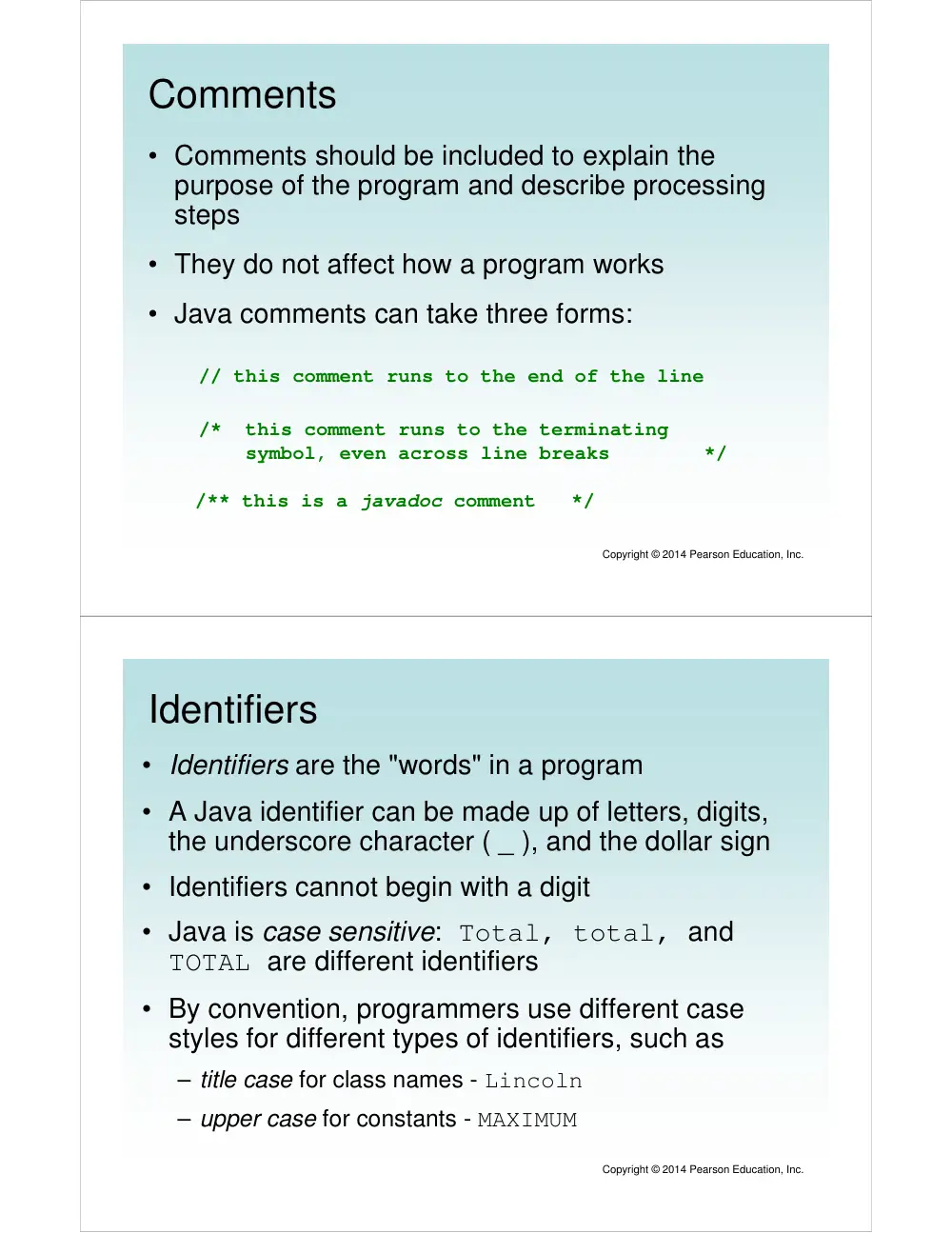
Comments
• Comments should be included to explain the
purpose of the program and describe processing
steps
• They do not affect how a program works
• Java comments can take three forms:
// this comment runs to the end of the line
/* this comment runs to the terminating
symbol, even across line breaks */
/** this is a javadoc comment */
Copyright © 2014 Pearson Education, Inc.
Identifiers
• Identifiers are the "words" in a program
• A Java identifier can be made up of letters, digits,
the underscore character ( _ ), and the dollar sign
• Identifiers cannot begin with a digit
• Java is case sensitive: Total, total, and
TOTAL are different identifiers
• By convention, programmers use different case
styles for different types of identifiers, such as
– title case for class names - Lincoln
– upper case for constants - MAXIMUM
Copyright © 2014 Pearson Education, Inc.
Identifiers
• Sometimes the programmer chooses the
identifer(such as Lincoln)
• Sometimes we are using another programmer's
code, so we use the identifiers that he or she
chose (such as println)
• Often we use special identifiers called reserved
words that already have a predefined meaning in
the language
• A reserved word cannot be used in any other way
Copyright © 2014 Pearson Education, Inc.
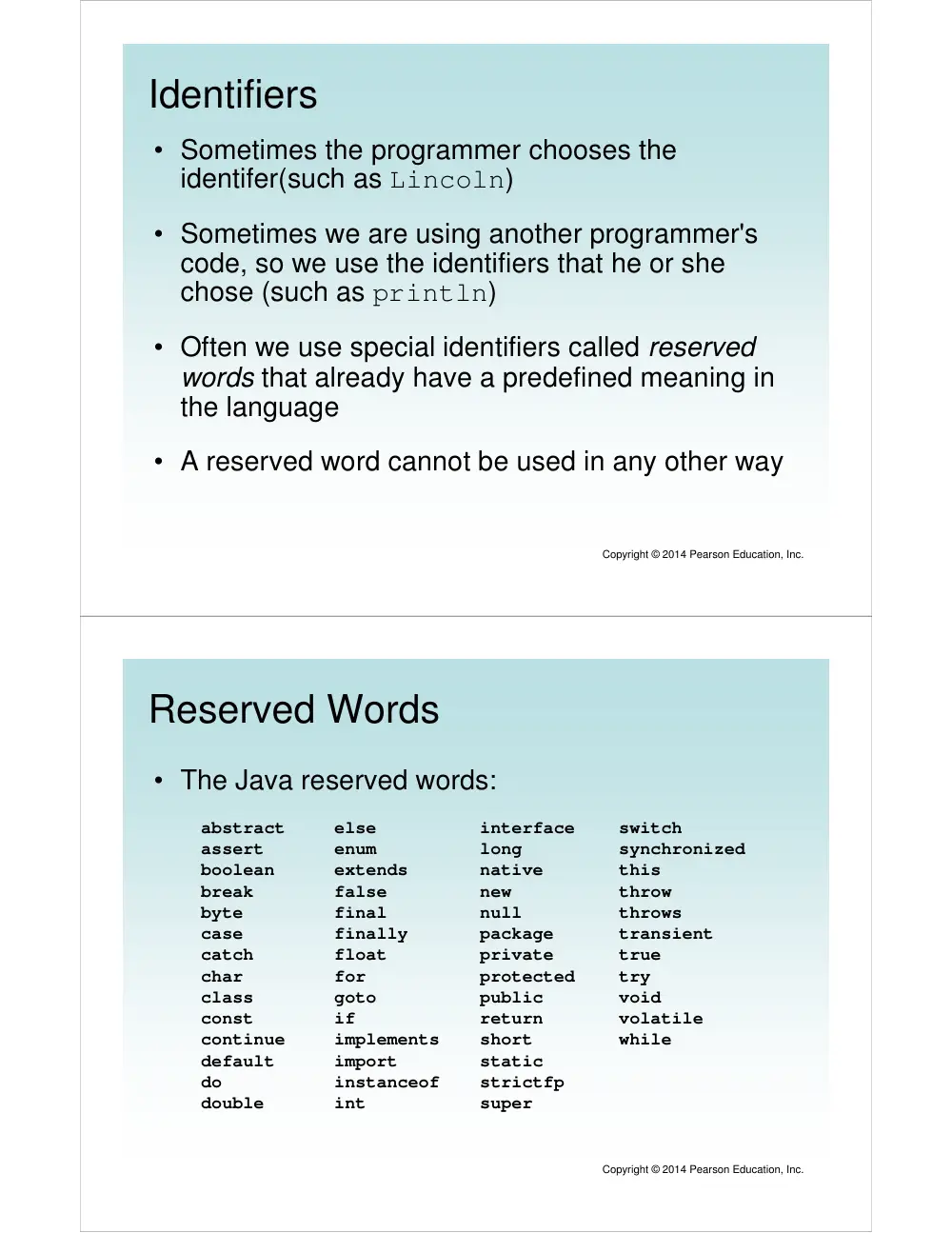
Reserved Words
• The Java reserved words:
abstract
assert
boolean
break
byte
case
catch
char
class
const
continue
default
do
double
else
enum
extends
false
final
finally
float
for
goto
if
implements
import
instanceof
int
interface
long
native
new
null
package
private
protected
public
return
short
static
strictfp
super
switch
synchronized
this
throw
throws
transient
true
try
void
volatile
while
Copyright © 2014 Pearson Education, Inc.
Quick Check
Copyright © 2014 Pearson Education, Inc.
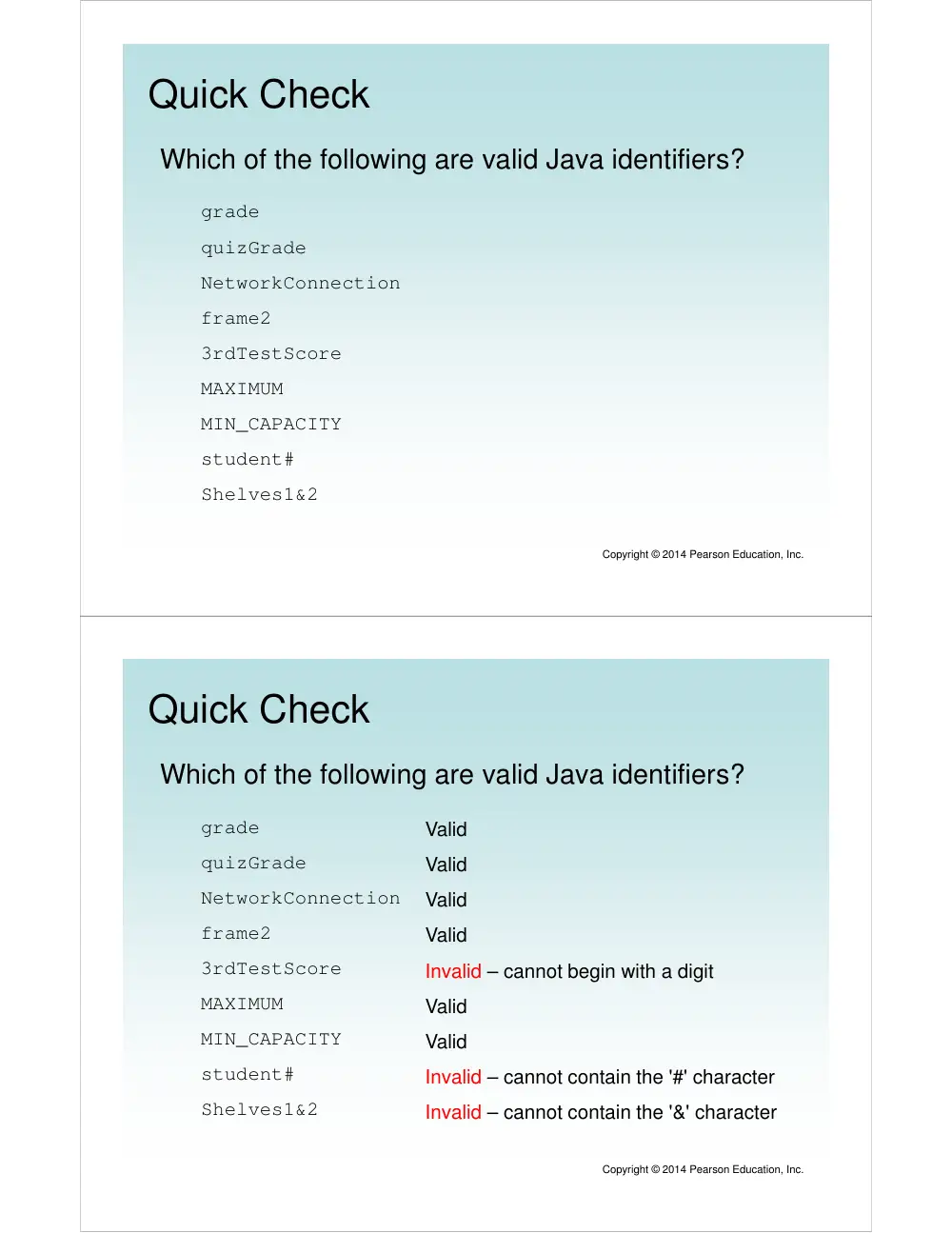
Which of the following are valid Java identifiers?
grade
quizGrade
NetworkConnection
frame2
3rdTestScore
MAXIMUM
MIN_CAPACITY
student#
Shelves1&2
Quick Check
Copyright © 2014 Pearson Education, Inc.
Which of the following are valid Java identifiers?
grade
quizGrade
NetworkConnection
frame2
3rdTestScore
MAXIMUM
MIN_CAPACITY
student#
Shelves1&2
Valid
Valid
Valid
Valid
Invalid – cannot begin with a digit
Valid
Valid
Invalid – cannot contain the '#' character
Invalid – cannot contain the '&' character
White Space
• Spaces, blank lines, and tabs are called white
space
• White space is used to separate words and symbols
in a program
• Extra white space is ignored
• A valid Java program can be formatted many ways
• Programs should be formatted to enhance
readability, using consistent indentation
• See Lincoln2.java and Lincoln3.java
Copyright © 2014 Pearson Education, Inc.
Outline
Computer Processing
Hardware Components
Networks
The Java Programming Language
Program Development
Object-Oriented Programming
Copyright © 2014 Pearson Education, Inc.
Program Development
• The mechanics of developing a program include
several activities:
– writing the program in a specific programming language
(such as Java)
– translating the program into a form that the computer
can execute
– investigating and fixing various types of errors that can
occur
• Software tools can be used to help with all parts
of this process
Copyright © 2014 Pearson Education, Inc.
Language Levels
• There are four programming language levels:
– machine language
– assembly language
– high-level language
– fourth-generation language
• Each type of CPU has its own specific machine
language
• The other levels were created to make it easier for
a human being to read and write programs
Copyright © 2014 Pearson Education, Inc.
Programming Languages
• Each type of CPU executes only a particular
machine language
• A program must be translated into machine
language before it can be executed
• A compiler is a software tool which translates
source code into a specific target language
• Sometimes, that target language is the machine
language for a particular CPU type
• The Java approach is somewhat different
Copyright © 2014 Pearson Education, Inc.
Java Translation
• The Java compiler translates Java source code
into a special representation called bytecode
• Java bytecode is not the machine language for
any traditional CPU
• Bytecode is executed by the Java Virtual Machine
(JVM)
• Therefore Java bytecode is not tied to any
particular machine
• Java is considered to be architecture-neutral
Copyright © 2014 Pearson Education, Inc.
Java Translation
Copyright © 2014 Pearson Education, Inc.
Development Environments
• There are many programs that support the
development of Java software, including:
– Java Development Kit (JDK)
– Eclipse
– NetBeans
– BlueJ
– jGRASP
• Though the details of these environments differ,
the basic compilation and execution process is
essentially the same
Copyright © 2014 Pearson Education, Inc.
Syntax and Semantics
• The syntax rules of a language define how we can
put together symbols, reserved words, and
identifiers to make a valid program
• The semantics of a program statement define
what that statement means (its purpose or role in
a program)
• A program that is syntactically correct is not
necessarily logically (semantically) correct
• A program will always do what we tell it to do, not
what we meant to tell it to do
Copyright © 2014 Pearson Education, Inc.
Errors
• A program can have three types of errors
• The compiler will find syntax errors and other basic
problems (compile-time errors)
– If compile-time errors exist, an executable version of the program is
not created
• A problem can occur during program execution, such as
trying to divide by zero, which causes a program to
terminate abnormally (run-time errors)
• A program may run, but produce incorrect results, perhaps
using an incorrect formula (logical errors)
Copyright © 2014 Pearson Education, Inc.
Basic Program Development
errors?
errors?
Edit and
Edit and
Edit and
Edit and
save program
save program
save program
save program
Compile program
Compile program
Compile program
Compile program
Execute program and
Execute program and
Execute program and
Execute program and
evaluate results
evaluate results
evaluate results
evaluate results
Copyright © 2014 Pearson Education, Inc.