
CSC 320 Lecture Chapter 2, Fall 2012
Lebanese American University · Computer Organisation · 46 pages · Dr. Anonymous



Showing the first 10 of 46 pages. Download the PDF to see all of it.
More CSC 320 files
Show the text of this lab
CSC320: Computer Organization
27 February 2012
Chapter 2 — Instructions: Language of the Computer
1
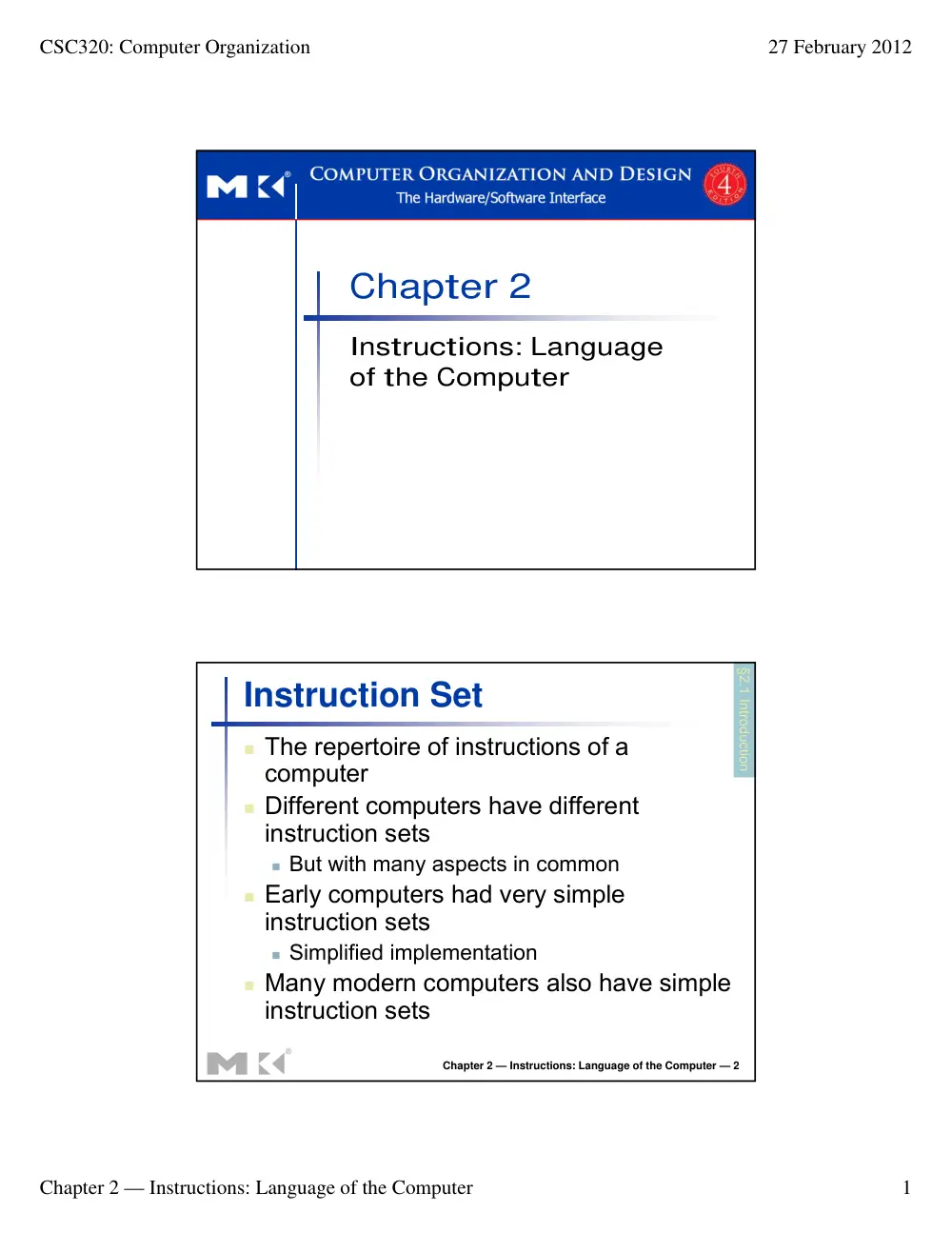
Chapter 2
Instructions: Language
of the Computer
Chapter 2 — Instructions: Language of the Computer — 2
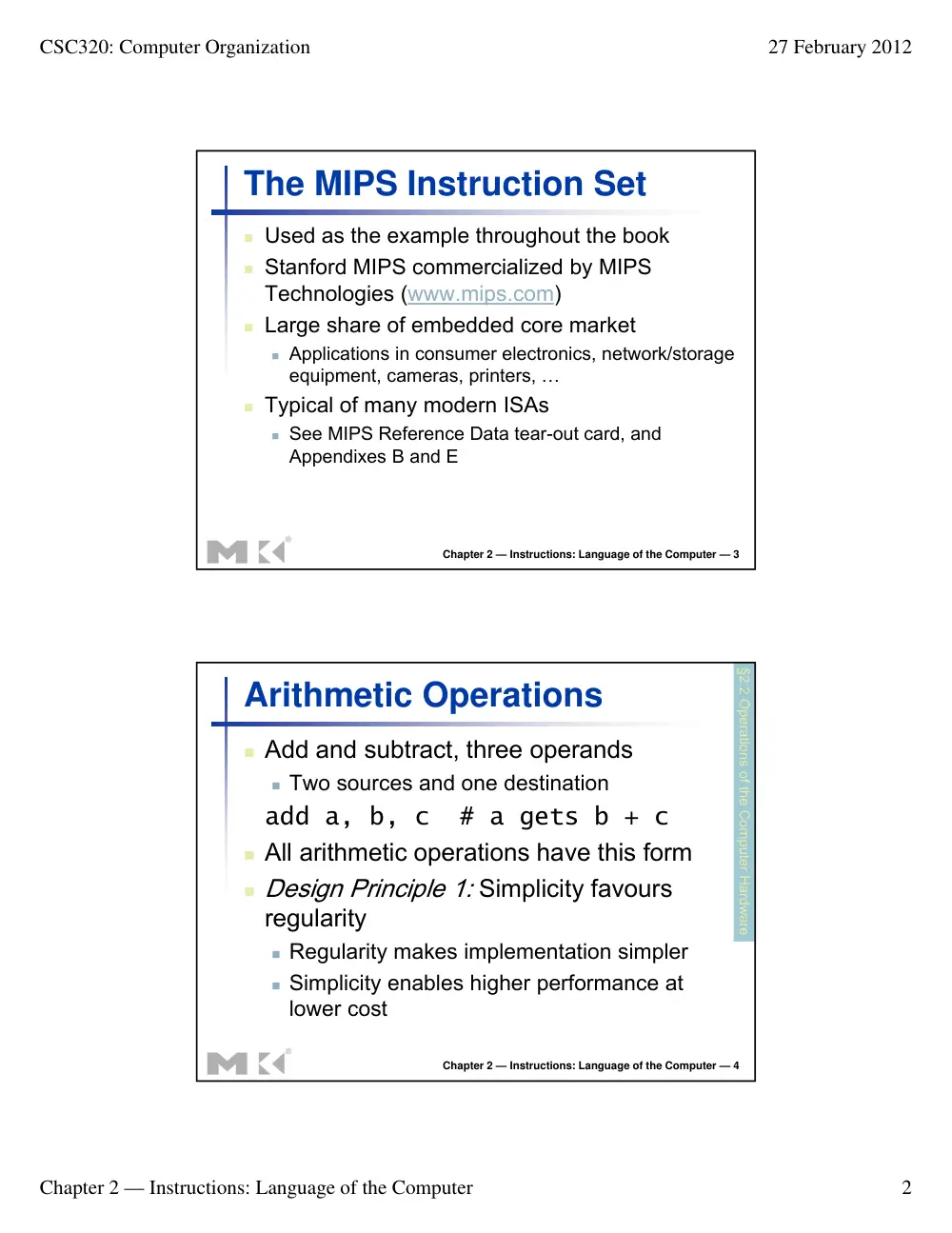
Instruction Set
� The repertoire of instructions of a
computer
� Different computers have different
instruction sets
� But with many aspects in common
� Early computers had very simple
instruction sets
� Simplified implementation
� Many modern computers also have simple
instruction sets
§2.1 Introduction
CSC320: Computer Organization
27 February 2012
Chapter 2 — Instructions: Language of the Computer
2
Chapter 2 — Instructions: Language of the Computer — 3
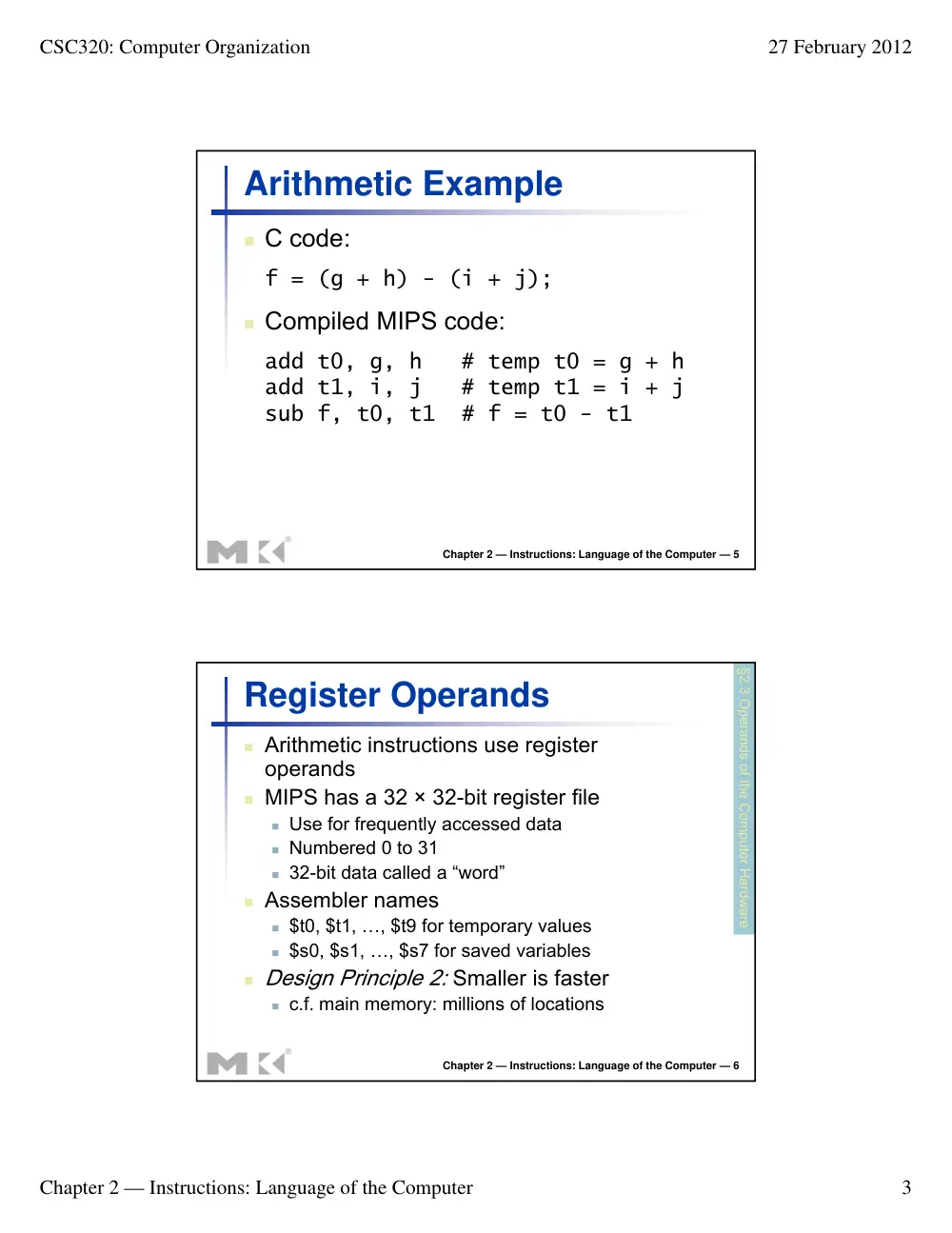
The MIPS Instruction Set
� Used as the example throughout the book
� Stanford MIPS commercialized by MIPS
Technologies (www.mips.com)
� Large share of embedded core market
� Applications in consumer electronics, network/storage
equipment, cameras, printers, …
� Typical of many modern ISAs
� See MIPS Reference Data tear-out card, and
Appendixes B and E
Chapter 2 — Instructions: Language of the Computer — 4
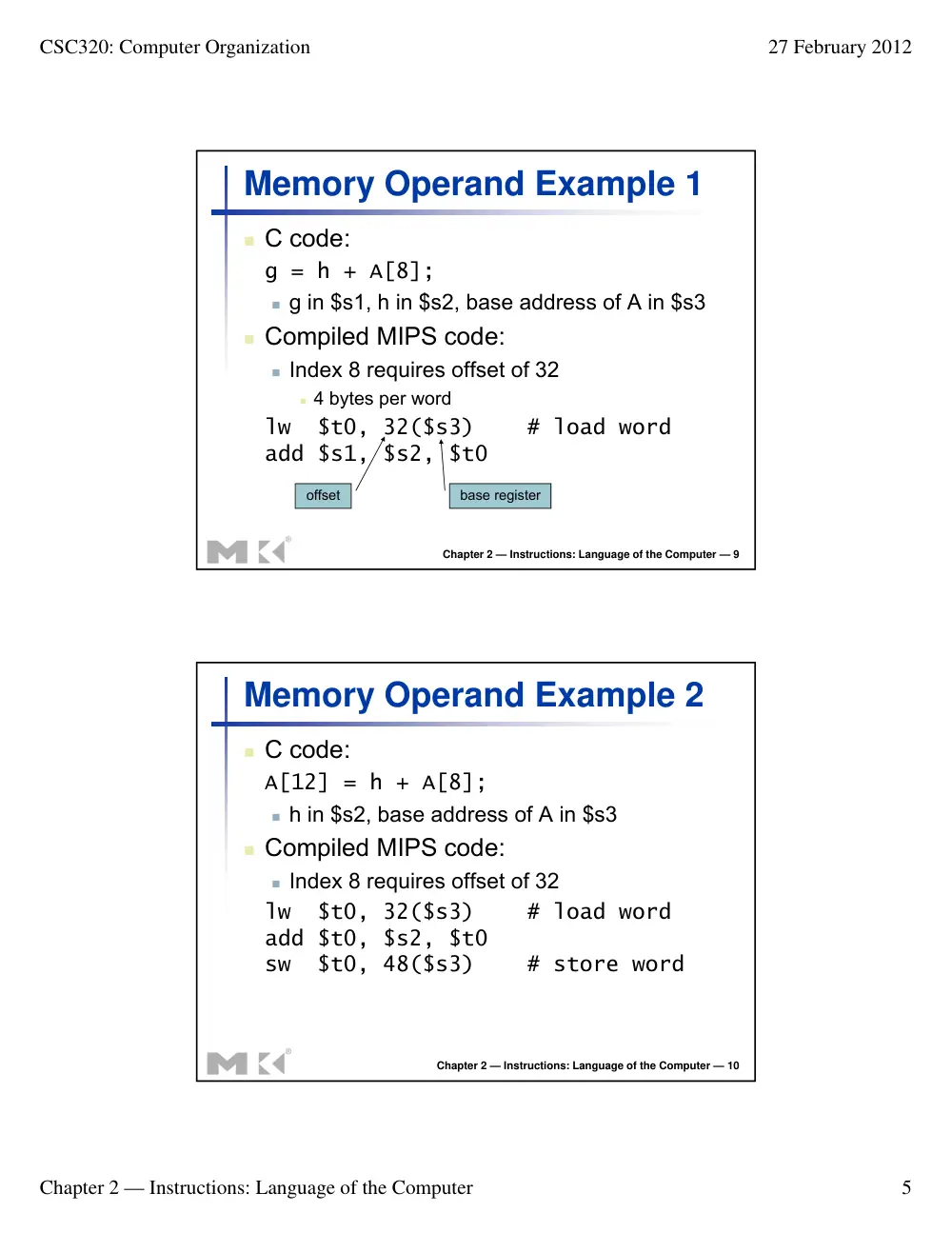
Arithmetic Operations
� Add and subtract, three operands
� Two sources and one destination
add a, b, c # a gets b + c
� All arithmetic operations have this form
� Design Principle 1: Simplicity favours
regularity
� Regularity makes implementation simpler
� Simplicity enables higher performance at
lower cost
§2.2 Operations of the Computer Hardware
CSC320: Computer Organization
27 February 2012
Chapter 2 — Instructions: Language of the Computer
3
Chapter 2 — Instructions: Language of the Computer — 5
Arithmetic Example
� C code:
f = (g + h) - (i + j);
� Compiled MIPS code:
add t0, g, h # temp t0 = g + h
add t1, i, j # temp t1 = i + j
sub f, t0, t1 # f = t0 - t1
Chapter 2 — Instructions: Language of the Computer — 6
Register Operands
� Arithmetic instructions use register
operands
� MIPS has a 32 × 32-bit register file
� Use for frequently accessed data
� Numbered 0 to 31
� 32-bit data called a “word”
� Assembler names
� $t0, $t1, …, $t9 for temporary values
� $s0, $s1, …, $s7 for saved variables
� Design Principle 2: Smaller is faster
� c.f. main memory: millions of locations
§2.3 Operands of the Computer Hardware
CSC320: Computer Organization
27 February 2012
Chapter 2 — Instructions: Language of the Computer
4
Chapter 2 — Instructions: Language of the Computer — 7
Register Operand Example
� C code:
f = (g + h) - (i + j);
� f, …, j in $s0, …, $s4
� Compiled MIPS code:
add $t0, $s1, $s2
add $t1, $s3, $s4
sub $s0, $t0, $t1
Chapter 2 — Instructions: Language of the Computer — 8
Memory Operands
� Main memory used for composite data
� Arrays, structures, dynamic data
� To apply arithmetic operations
� Load values from memory into registers
� Store result from register to memory
� Memory is byte addressed
� Each address identifies an 8-bit byte
� Words are aligned in memory
� Address must be a multiple of 4
� MIPS is Big Endian
� Most-significant byte at least address of a word
� c.f. Little Endian: least-significant byte at least address
CSC320: Computer Organization
27 February 2012
Chapter 2 — Instructions: Language of the Computer
5
Chapter 2 — Instructions: Language of the Computer — 9
Memory Operand Example 1
� C code:
g = h + A[8];
� g in $s1, h in $s2, base address of A in $s3
� Compiled MIPS code:
� Index 8 requires offset of 32
� 4 bytes per word
lw $t0, 32($s3) # load word
add $s1, $s2, $t0
offset
base register
Chapter 2 — Instructions: Language of the Computer — 10
Memory Operand Example 2
� C code:
A[12] = h + A[8];
� h in $s2, base address of A in $s3
� Compiled MIPS code:
� Index 8 requires offset of 32
lw $t0, 32($s3) # load word
add $t0, $s2, $t0
sw $t0, 48($s3) # store word
CSC320: Computer Organization
27 February 2012
Chapter 2 — Instructions: Language of the Computer
6
Chapter 2 — Instructions: Language of the Computer — 11
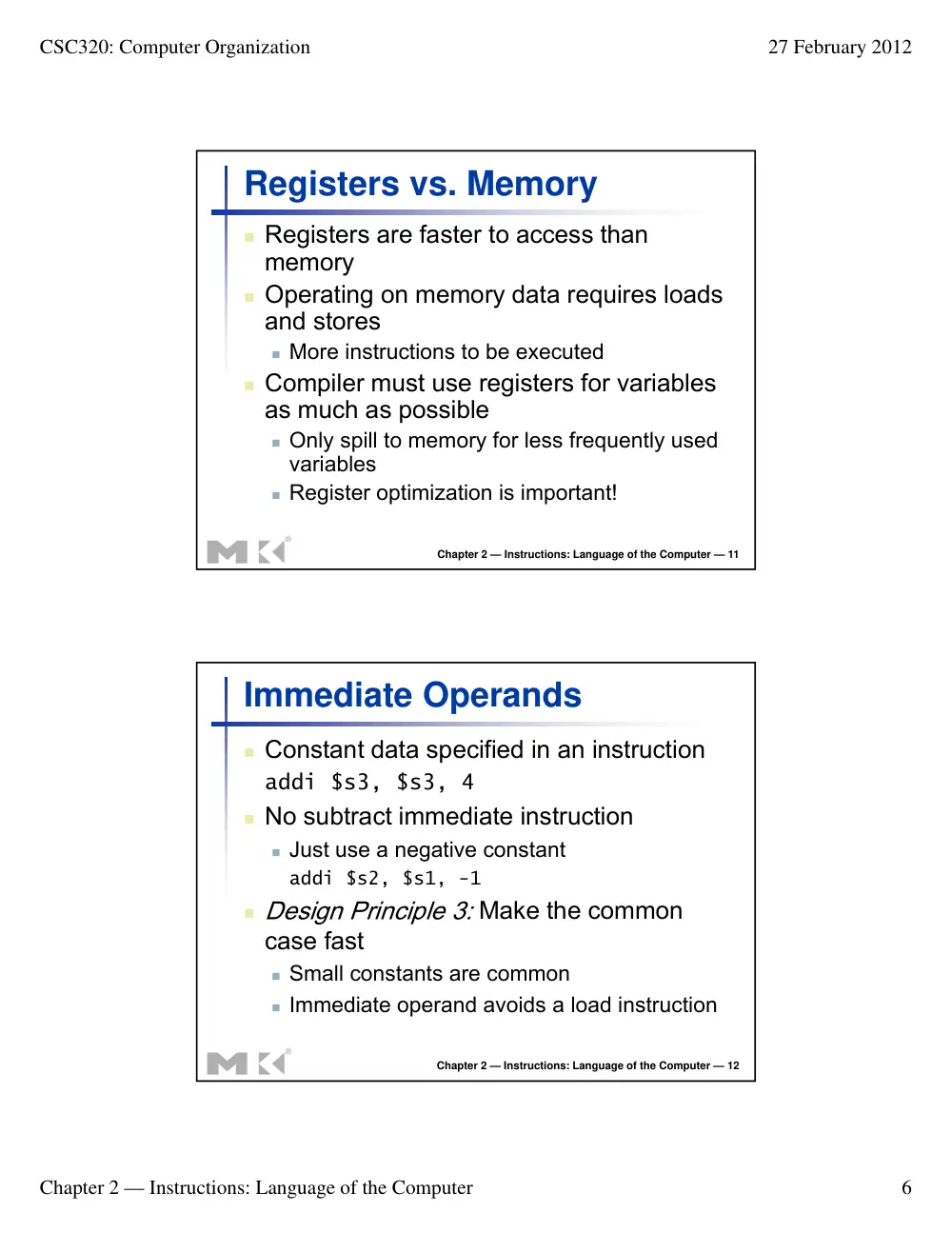
Registers vs. Memory
� Registers are faster to access than
memory
� Operating on memory data requires loads
and stores
� More instructions to be executed
� Compiler must use registers for variables
as much as possible
� Only spill to memory for less frequently used
variables
� Register optimization is important!
Chapter 2 — Instructions: Language of the Computer — 12
Immediate Operands
� Constant data specified in an instruction
addi $s3, $s3, 4
� No subtract immediate instruction
� Just use a negative constant
addi $s2, $s1, -1
� Design Principle 3: Make the common
case fast
� Small constants are common
� Immediate operand avoids a load instruction
CSC320: Computer Organization
27 February 2012
Chapter 2 — Instructions: Language of the Computer
7
Chapter 2 — Instructions: Language of the Computer — 13
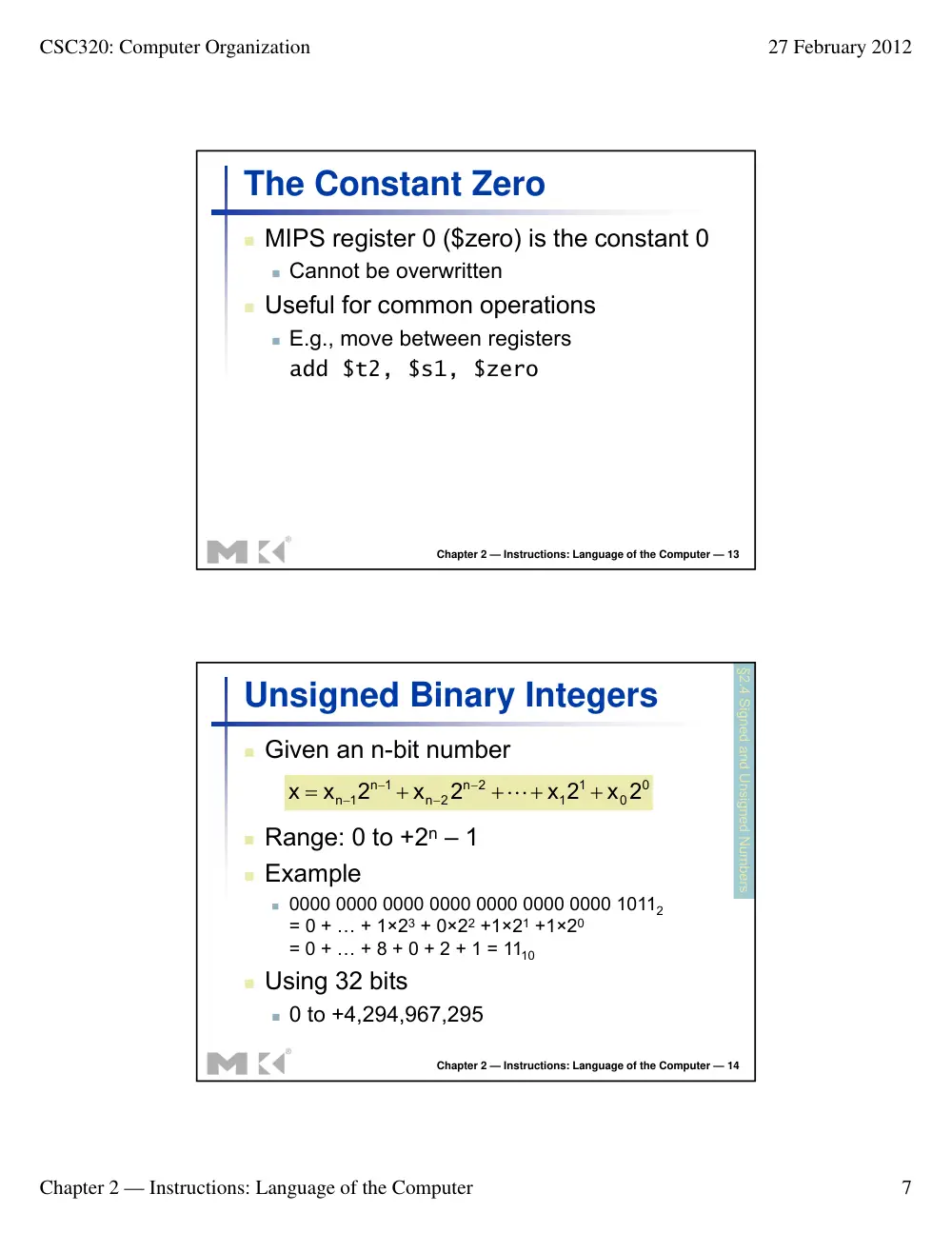
The Constant Zero
� MIPS register 0 ($zero) is the constant 0
� Cannot be overwritten
� Useful for common operations
� E.g., move between registers
add $t2, $s1, $zero
Chapter 2 — Instructions: Language of the Computer — 14
Unsigned Binary Integers
� Given an n-bit number
0
0
1
1
n 2
n 2
n 1
n 1
x 2
x 2
2
x
2
x
x
+
+
+
+
=
−
−
−
−
L
� Range: 0 to +2n – 1
� Example
� 0000 0000 0000 0000 0000 0000 0000 10112
= 0 + … + 1×23 + 0×22 +1×21 +1×20
= 0 + … + 8 + 0 + 2 + 1 = 1110
� Using 32 bits
� 0 to +4,294,967,295
§2.4 Signed and Unsigned Numbers
CSC320: Computer Organization
27 February 2012
Chapter 2 — Instructions: Language of the Computer
8
Chapter 2 — Instructions: Language of the Computer — 15
2s-Complement Signed Integers
� Given an n-bit number
0
0
1
1
n 2
n 2
n 1
n 1
x 2
x 2
2
x
2
x
x
+
+
+
+
= −
−
−
−
−
L
� Range: –2n – 1 to +2n – 1 – 1
� Example
� 1111 1111 1111 1111 1111 1111 1111 11002
= –1×231 + 1×230 + … + 1×22 +0×21 +0×20
= –2,147,483,648 + 2,147,483,644 = –410
� Using 32 bits
� –2,147,483,648 to +2,147,483,647
Chapter 2 — Instructions: Language of the Computer — 16
2s-Complement Signed Integers
� Bit 31 is sign bit
� 1 for negative numbers
� 0 for non-negative numbers
� –(–2n – 1) can’t be represented
� Non-negative numbers have the same unsigned
and 2s-complement representation
� Some specific numbers
�
0: 0000 0000 … 0000
� –1: 1111 1111 … 1111
� Most-negative: 1000 0000 … 0000
� Most-positive:
0111 1111 … 1111
CSC320: Computer Organization
27 February 2012
Chapter 2 — Instructions: Language of the Computer
9
Chapter 2 — Instructions: Language of the Computer — 17
Signed Negation
� Complement and add 1
� Complement means 1 → 0, 0 → 1
x
1
x
1
1111...111
x
x
2
= −
+
= −
=
+
� Example: negate +2
� +2 = 0000 0000 … 00102
� –2 = 1111 1111 … 11012 + 1
= 1111 1111 … 11102
Chapter 2 — Instructions: Language of the Computer — 18
Sign Extension
� Representing a number using more bits
� Preserve the numeric value
� In MIPS instruction set
� addi: extend immediate value
� lb, lh: extend loaded byte/halfword
� beq, bne: extend the displacement
� Replicate the sign bit to the left
� c.f. unsigned values: extend with 0s
� Examples: 8-bit to 16-bit
� +2: 0000 0010 => 0000 0000 0000 0010
� –2: 1111 1110 => 1111 1111 1111 1110
CSC320: Computer Organization
27 February 2012
Chapter 2 — Instructions: Language of the Computer
10
Chapter 2 — Instructions: Language of the Computer — 19
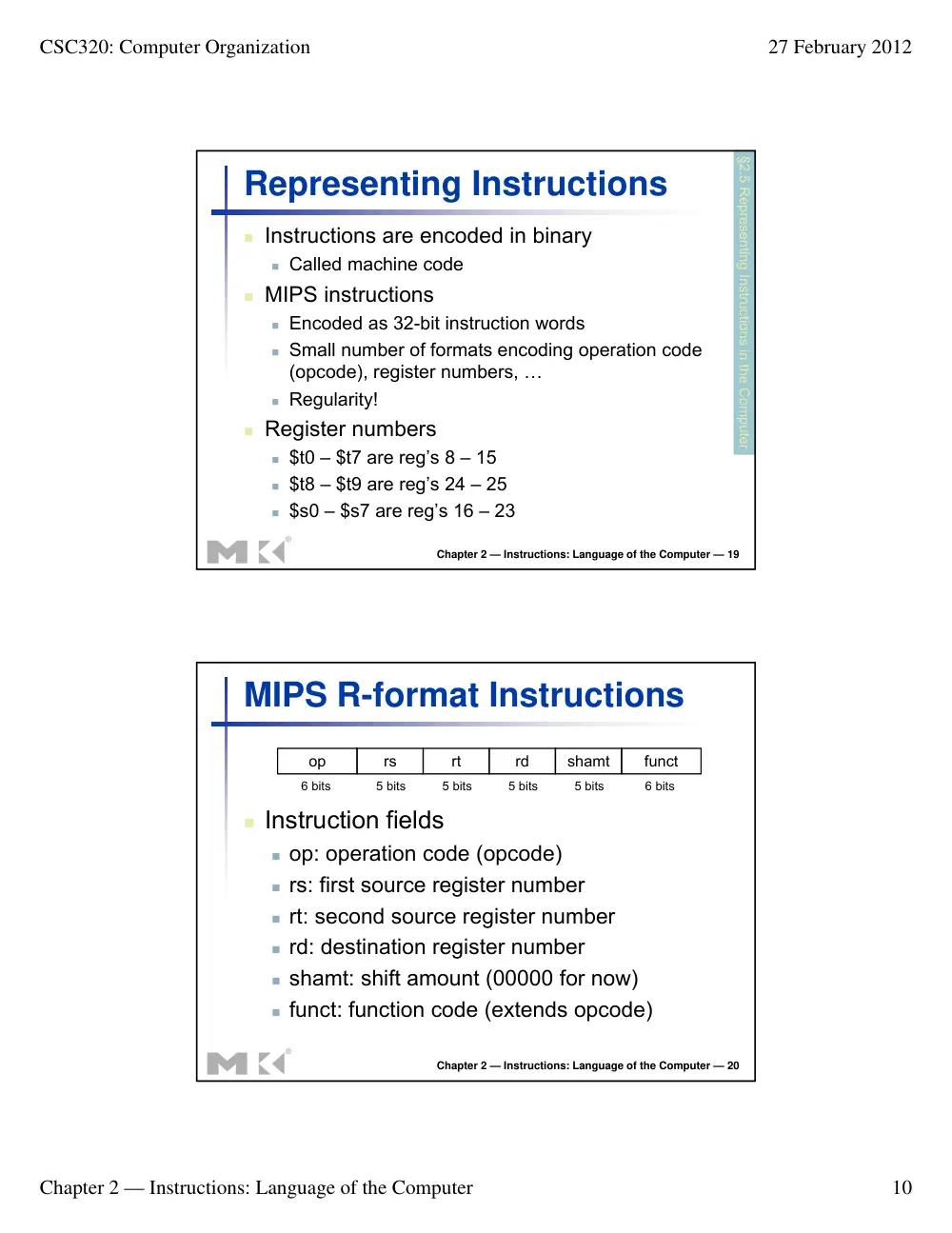
Representing Instructions
� Instructions are encoded in binary
� Called machine code
� MIPS instructions
� Encoded as 32-bit instruction words
� Small number of formats encoding operation code
(opcode), register numbers, …
� Regularity!
� Register numbers
� $t0 – $t7 are reg’s 8 – 15
� $t8 – $t9 are reg’s 24 – 25
� $s0 – $s7 are reg’s 16 – 23
§2.5 Representing Instructions in the Computer
Chapter 2 — Instructions: Language of the Computer — 20
MIPS R-format Instructions
� Instruction fields
� op: operation code (opcode)
� rs: first source register number
� rt: second source register number
� rd: destination register number
� shamt: shift amount (00000 for now)
� funct: function code (extends opcode)
op
rs
rt
rd
shamt
funct
6 bits
6 bits
5 bits
5 bits
5 bits
5 bits
CSC320: Computer Organization
27 February 2012
Chapter 2 — Instructions: Language of the Computer
11
Chapter 2 — Instructions: Language of the Computer — 21
R-format Example
add $t0, $s1, $s2
special
$s1
$s2
$t0
0
add
0
17
18
8
0
32
000000
10001
10010
01000
00000
100000
000000100011001001000000001000002 = 0232402016
op
rs
rt
rd
shamt
funct
6 bits
6 bits
5 bits
5 bits
5 bits
5 bits
Chapter 2 — Instructions: Language of the Computer — 22
Hexadecimal
� Base 16
� Compact representation of bit strings
� 4 bits per hex digit
0
0000
4
0100
8
1000
c
1100
1
0001
5
0101
9
1001
d
1101
2
0010
6
0110
a
1010
e
1110
3
0011
7
0111
b
1011
f
1111
� Example: eca8 6420
� 1110 1100 1010 1000 0110 0100 0010 0000
CSC320: Computer Organization
27 February 2012
Chapter 2 — Instructions: Language of the Computer
12
Chapter 2 — Instructions: Language of the Computer — 23
MIPS I-format Instructions
� Immediate arithmetic and load/store instructions
� rt: destination or source register number
� Constant: –215 to +215 – 1
� Address: offset added to base address in rs
� Design Principle 4: Good design demands good
compromises
� Different formats complicate decoding, but allow 32-bit
instructions uniformly
� Keep formats as similar as possible
op
rs
rt
constant or address
6 bits
5 bits
5 bits
16 bits
Chapter 2 — Instructions: Language of the Computer — 24
Stored Program Computers
� Instructions represented in
binary, just like data
� Instructions and data stored
in memory
� Programs can operate on
programs
� e.g., compilers, linkers, …
� Binary compatibility allows
compiled programs to work
on different computers
� Standardized ISAs
The BIG Picture
CSC320: Computer Organization
27 February 2012
Chapter 2 — Instructions: Language of the Computer
13
Chapter 2 — Instructions: Language of the Computer — 25
Logical Operations
� Instructions for bitwise manipulation
Operation
C
Java
MIPS
Shift left
<<
<<
sll
Shift right
>>
>>>
srl
Bitwise AND
&
&
and, andi
Bitwise OR
|
|
or, ori
Bitwise NOT
~
~
nor
� Useful for extracting and inserting
groups of bits in a word
§2.6 Logical Operations
Chapter 2 — Instructions: Language of the Computer — 26
Shift Operations
� shamt: how many positions to shift
� Shift left logical
� Shift left and fill with 0 bits
� sll by i bits multiplies by 2i
� Shift right logical
� Shift right and fill with 0 bits
� srl by i bits divides by 2i (unsigned only)
op
rs
rt
rd
shamt
funct
6 bits
6 bits
5 bits
5 bits
5 bits
5 bits
CSC320: Computer Organization
27 February 2012
Chapter 2 — Instructions: Language of the Computer
14
Chapter 2 — Instructions: Language of the Computer — 27
AND Operations
� Useful to mask bits in a word
� Select some bits, clear others to 0
and $t0, $t1, $t2
0000 0000 0000 0000 0000 1101 1100 0000
0000 0000 0000 0000 0011 1100 0000 0000
$t2
$t1
0000 0000 0000 0000 0000 1100 0000 0000
$t0
Chapter 2 — Instructions: Language of the Computer — 28
OR Operations
� Useful to include bits in a word
� Set some bits to 1, leave others unchanged
or $t0, $t1, $t2
0000 0000 0000 0000 0000 1101 1100 0000
0000 0000 0000 0000 0011 1100 0000 0000
$t2
$t1
0000 0000 0000 0000 0011 1101 1100 0000
$t0
CSC320: Computer Organization
27 February 2012
Chapter 2 — Instructions: Language of the Computer
15
Chapter 2 — Instructions: Language of the Computer — 29
NOT Operations
� Useful to invert bits in a word
� Change 0 to 1, and 1 to 0
� MIPS has NOR 3-operand instruction
� a NOR b == NOT ( a OR b )
nor $t0, $t1, $zero
0000 0000 0000 0000 0011 1100 0000 0000
$t1
1111 1111 1111 1111 1100 0011 1111 1111
$t0
Register 0: always
read as zero
Chapter 2 — Instructions: Language of the Computer — 30
Conditional Operations
� Branch to a labeled instruction if a
condition is true
� Otherwise, continue sequentially
� beq rs, rt, L1
� if (rs == rt) branch to instruction labeled L1;
� bne rs, rt, L1
� if (rs != rt) branch to instruction labeled L1;
� j L1
� unconditional jump to instruction labeled L1
§2.7 Instructions for Making Decisions
CSC320: Computer Organization
27 February 2012
Chapter 2 — Instructions: Language of the Computer
16
Chapter 2 — Instructions: Language of the Computer — 31
Compiling If Statements
� C code:
if (i==j) f = g+h;
else f = g-h;
� f, g, … in $s0, $s1, …
� Compiled MIPS code:
bne $s3, $s4, Else
add $s0, $s1, $s2
j Exit
Else: sub $s0, $s1, $s2
Exit: …
Assembler calculates addresses
Chapter 2 — Instructions: Language of the Computer — 32
Compiling Loop Statements
� C code:
while (save[i] == k) i += 1;
� i in $s3, k in $s5, address of save in $s6
� Compiled MIPS code:
Loop: sll $t1, $s3, 2
add $t1, $t1, $s6
lw $t0, 0($t1)
bne $t0, $s5, Exit
addi $s3, $s3, 1
j Loop
Exit: …
CSC320: Computer Organization
27 February 2012
Chapter 2 — Instructions: Language of the Computer
17
Chapter 2 — Instructions: Language of the Computer — 33
Basic Blocks
� A basic block is a sequence of instructions
with
� No embedded branches (except at end)
� No branch targets (except at beginning)
� A compiler identifies basic
blocks for optimization
� An advanced processor
can accelerate execution
of basic blocks
Chapter 2 — Instructions: Language of the Computer — 34
More Conditional Operations
� Set result to 1 if a condition is true
� Otherwise, set to 0
� slt rd, rs, rt
� if (rs < rt) rd = 1; else rd = 0;
� slti rt, rs, constant
� if (rs < constant) rt = 1; else rt = 0;
� Use in combination with beq, bne
slt $t0, $s1, $s2 # if ($s1 < $s2)
bne $t0, $zero, L # branch to L
CSC320: Computer Organization
27 February 2012
Chapter 2 — Instructions: Language of the Computer
18
Chapter 2 — Instructions: Language of the Computer — 35
Branch Instruction Design
� Why not blt, bge, etc?
� Hardware for <, ≥, … slower than =, ≠
� Combining with branch involves more work
per instruction, requiring a slower clock
� All instructions penalized!
� beq and bne are the common case
� This is a good design compromise
Chapter 2 — Instructions: Language of the Computer — 36
Signed vs. Unsigned
� Signed comparison: slt, slti
� Unsigned comparison: sltu, sltui
� Example
� $s0 = 1111 1111 1111 1111 1111 1111 1111 1111
� $s1 = 0000 0000 0000 0000 0000 0000 0000 0001
� slt $t0, $s0, $s1 # signed
� –1 < +1 ⇒ $t0 = 1
� sltu $t0, $s0, $s1 # unsigned
� +4,294,967,295 > +1 ⇒ $t0 = 0
CSC320: Computer Organization
27 February 2012
Chapter 2 — Instructions: Language of the Computer
19
Chapter 2 — Instructions: Language of the Computer — 37
Procedure Calling
�
Steps required
1. Place parameters in registers
2. Transfer control to procedure
3. Acquire storage for procedure
4. Perform procedure’s operations
5. Place result in register for caller
6. Return to place of call
§2.8 Supporting Procedures in Computer Hardware
Chapter 2 — Instructions: Language of the Computer — 38
Register Usage
� $a0 – $a3: arguments (reg’s 4 – 7)
� $v0, $v1: result values (reg’s 2 and 3)
� $t0 – $t9: temporaries
� Can be overwritten by callee
� $s0 – $s7: saved
� Must be saved/restored by callee
� $gp: global pointer for static data (reg 28)
� $sp: stack pointer (reg 29)
� $fp: frame pointer (reg 30)
� $ra: return address (reg 31)
CSC320: Computer Organization
27 February 2012
Chapter 2 — Instructions: Language of the Computer
20
Chapter 2 — Instructions: Language of the Computer — 39
Procedure Call Instructions
� Procedure call: jump and link
jal ProcedureLabel
� Address of following instruction put in $ra
� Jumps to target address
� Procedure return: jump register
jr $ra
� Copies $ra to program counter
� Can also be used for computed jumps
� e.g., for case/switch statements
Chapter 2 — Instructions: Language of the Computer — 40
Leaf Procedure Example
� C code:
int leaf_example (int g, h, i, j)
{ int f;
f = (g + h) - (i + j);
return f;
}
� Arguments g, …, j in $a0, …, $a3
� f in $s0 (hence, need to save $s0 on stack)
� Result in $v0
CSC320: Computer Organization
27 February 2012
Chapter 2 — Instructions: Language of the Computer
21
Chapter 2 — Instructions: Language of the Computer — 41
Leaf Procedure Example
� MIPS code:
leaf_example:
addi $sp, $sp, -4
sw $s0, 0($sp)
add $t0, $a0, $a1
add $t1, $a2, $a3
sub $s0, $t0, $t1
add $v0, $s0, $zero
lw $s0, 0($sp)
addi $sp, $sp, 4
jr $ra
Save $s0 on stack
Procedure body
Restore $s0
Result
Return
Chapter 2 — Instructions: Language of the Computer — 42
Non-Leaf Procedures
� Procedures that call other procedures
� For nested call, caller needs to save on the
stack:
� Its return address
� Any arguments and temporaries needed after
the call
� Restore from the stack after the call
CSC320: Computer Organization
27 February 2012
Chapter 2 — Instructions: Language of the Computer
22
Chapter 2 — Instructions: Language of the Computer — 43
Non-Leaf Procedure Example
� C code:
int fact (int n)
{
if (n < 1) return f;
else return n * fact(n - 1);
}
� Argument n in $a0
� Result in $v0
Chapter 2 — Instructions: Language of the Computer — 44
Non-Leaf Procedure Example
� MIPS code:
fact:
addi $sp, $sp, -8 # adjust stack for 2 items
sw $ra, 4($sp) # save return address
sw $a0, 0($sp) # save argument
slti $t0, $a0, 1 # test for n < 1
beq $t0, $zero, L1
addi $v0, $zero, 1 # if so, result is 1
addi $sp, $sp, 8 # pop 2 items from stack
jr $ra # and return
L1: addi $a0, $a0, -1 # else decrement n
jal fact # recursive call
lw $a0, 0($sp) # restore original n
lw $ra, 4($sp) # and return address
addi $sp, $sp, 8 # pop 2 items from stack
mul $v0, $a0, $v0 # multiply to get result
jr $ra # and return
CSC320: Computer Organization
27 February 2012
Chapter 2 — Instructions: Language of the Computer
23
Chapter 2 — Instructions: Language of the Computer — 45
Local Data on the Stack
� Local data allocated by callee
� e.g., C automatic variables
� Procedure frame (activation record)
� Used by some compilers to manage stack storage
Chapter 2 — Instructions: Language of the Computer — 46
Memory Layout
� Text: program code
� Static data: global
variables
� e.g., static variables in C,
constant arrays and strings
� $gp initialized to address
allowing ±offsets into this
segment
� Dynamic data: heap
� E.g., malloc in C, new in
Java
� Stack: automatic storage
CSC320: Computer Organization
27 February 2012
Chapter 2 — Instructions: Language of the Computer
24
Chapter 2 — Instructions: Language of the Computer — 47
Character Data
� Byte-encoded character sets
� ASCII: 128 characters
� 95 graphic, 33 control
� Latin-1: 256 characters
� ASCII, +96 more graphic characters
� Unicode: 32-bit character set
� Used in Java, C++ wide characters, …
� Most of the world’s alphabets, plus symbols
� UTF-8, UTF-16: variable-length encodings
§2.9 Communicating with People
Chapter 2 — Instructions: Language of the Computer — 48
Byte/Halfword Operations
� Could use bitwise operations
� MIPS byte/halfword load/store
� String processing is a common case
lb rt, offset(rs) lh rt, offset(rs)
� Sign extend to 32 bits in rt
lbu rt, offset(rs) lhu rt, offset(rs)
� Zero extend to 32 bits in rt
sb rt, offset(rs) sh rt, offset(rs)
� Store just rightmost byte/halfword
CSC320: Computer Organization
27 February 2012
Chapter 2 — Instructions: Language of the Computer
25
Chapter 2 — Instructions: Language of the Computer — 49
String Copy Example
� C code (naïve):
� Null-terminated string
void strcpy (char x[], char y[])
{ int i;
i = 0;
while ((x[i]=y[i])!='\0')
i += 1;
}
� Addresses of x, y in $a0, $a1
� i in $s0
Chapter 2 — Instructions: Language of the Computer — 50
String Copy Example
� MIPS code:
strcpy:
addi $sp, $sp, -4 # adjust stack for 1 item
sw $s0, 0($sp) # save $s0
add $s0, $zero, $zero # i = 0
L1: add $t1, $s0, $a1 # addr of y[i] in $t1
lbu $t2, 0($t1) # $t2 = y[i]
add $t3, $s0, $a0 # addr of x[i] in $t3
sb $t2, 0($t3) # x[i] = y[i]
beq $t2, $zero, L2 # exit loop if y[i] == 0
addi $s0, $s0, 1 # i = i + 1
j L1 # next iteration of loop
L2: lw $s0, 0($sp) # restore saved $s0
addi $sp, $sp, 4 # pop 1 item from stack
jr $ra # and return
CSC320: Computer Organization
27 February 2012
Chapter 2 — Instructions: Language of the Computer
26
Chapter 2 — Instructions: Language of the Computer — 51
0000 0000 0111 1101 0000 0000 0000 0000
32-bit Constants
� Most constants are small
� 16-bit immediate is sufficient
� For the occasional 32-bit constant
lui rt, constant
� Copies 16-bit constant to left 16 bits of rt
� Clears right 16 bits of rt to 0
lhi $s0, 61
0000 0000 0111 1101 0000 1001 0000 0000
ori $s0, $s0, 2304
§2.10 MIPS Addressing for 32-Bit Immediates and Addresses
Chapter 2 — Instructions: Language of the Computer — 52
Branch Addressing
� Branch instructions specify
� Opcode, two registers, target address
� Most branch targets are near branch
� Forward or backward
op
rs
rt
constant or address
6 bits
5 bits
5 bits
16 bits
� PC-relative addressing
� Target address = PC + offset × 4
� PC already incremented by 4 by this time
CSC320: Computer Organization
27 February 2012
Chapter 2 — Instructions: Language of the Computer
27
Chapter 2 — Instructions: Language of the Computer — 53
Jump Addressing
� Jump (j and jal) targets could be
anywhere in text segment
� Encode full address in instruction
op
address
6 bits
26 bits
� (Pseudo)Direct jump addressing
� Target address = PC31…28 : (address × 4)
Chapter 2 — Instructions: Language of the Computer — 54
Target Addressing Example
� Loop code from earlier example
� Assume Loop at location 80000
Loop: sll $t1, $s3, 2
80000
0
0
19
9
4
0
add $t1, $t1, $s6
80004
0
9
22
9
0
32
lw $t0, 0($t1)
80008
35
9
8
0
bne $t0, $s5, Exit
80012
5
8
21
2
addi $s3, $s3, 1
80016
8
19
19
1
j Loop
80020
2
20000
Exit: …
80024
CSC320: Computer Organization
27 February 2012
Chapter 2 — Instructions: Language of the Computer
28
Chapter 2 — Instructions: Language of the Computer — 55
Branching Far Away
� If branch target is too far to encode with
16-bit offset, assembler rewrites the code
� Example
beq $s0,$s1, L1
↓
bne $s0,$s1, L2
j L1
L2: …
Chapter 2 — Instructions: Language of the Computer — 56
Addressing Mode Summary
CSC320: Computer Organization
27 February 2012
Chapter 2 — Instructions: Language of the Computer
29
Chapter 2 — Instructions: Language of the Computer — 57
Synchronization
� Two processors sharing an area of memory
� P1 writes, then P2 reads
� Data race if P1 and P2 don’t synchronize
� Result depends of order of accesses
� Hardware support required
� Atomic read/write memory operation
� No other access to the location allowed between the
read and write
� Could be a single instruction
� E.g., atomic swap of register ↔ memory
� Or an atomic pair of instructions
§2.11 Parallelism and Instructions: Synchronization
Chapter 2 — Instructions: Language of the Computer — 58
Synchronization in MIPS
� Load linked: ll rt, offset(rs)
� Store conditional: sc rt, offset(rs)
� Succeeds if location not changed since the ll
� Returns 1 in rt
� Fails if location is changed
� Returns 0 in rt
� Example: atomic swap (to test/set lock variable)
try: add $t0,$zero,$s4 ;copy exchange value
ll $t1,0($s1) ;load linked
sc $t0,0($s1) ;store conditional
beq $t0,$zero,try ;branch store fails
add $s4,$zero,$t1 ;put load value in $s4
CSC320: Computer Organization
27 February 2012
Chapter 2 — Instructions: Language of the Computer
30
Chapter 2 — Instructions: Language of the Computer — 59
Translation and Startup
Many compilers produce
object modules directly
Static linking
§2.12 Translating and Starting a Program
Chapter 2 — Instructions: Language of the Computer — 60
Assembler Pseudoinstructions
� Most assembler instructions represent
machine instructions one-to-one
� Pseudoinstructions: figments of the
assembler’s imagination
move $t0, $t1
→
add $t0, $zero, $t1
blt $t0, $t1, L
→ slt $at, $t0, $t1
bne $at, $zero, L
� $at (register 1): assembler temporary
CSC320: Computer Organization
27 February 2012
Chapter 2 — Instructions: Language of the Computer
31
Chapter 2 — Instructions: Language of the Computer — 61
Producing an Object Module
� Assembler (or compiler) translates program into
machine instructions
� Provides information for building a complete
program from the pieces
� Header: described contents of object module
� Text segment: translated instructions
� Static data segment: data allocated for the life of the
program
� Relocation info: for contents that depend on absolute
location of loaded program
� Symbol table: global definitions and external refs
� Debug info: for associating with source code
Chapter 2 — Instructions: Language of the Computer — 62
Linking Object Modules
� Produces an executable image
1. Merges segments
2. Resolve labels (determine their addresses)
3. Patch location-dependent and external refs
� Could leave location dependencies for
fixing by a relocating loader
� But with virtual memory, no need to do this
� Program can be loaded into absolute location
in virtual memory space
CSC320: Computer Organization
27 February 2012
Chapter 2 — Instructions: Language of the Computer
32
Chapter 2 — Instructions: Language of the Computer — 63
Loading a Program
� Load from image file on disk into memory
1. Read header to determine segment sizes
2. Create virtual address space
3. Copy text and initialized data into memory
� Or set page table entries so they can be faulted in
4. Set up arguments on stack
5. Initialize registers (including $sp, $fp, $gp)
6. Jump to startup routine
� Copies arguments to $a0, … and calls main
� When main returns, do exit syscall
Chapter 2 — Instructions: Language of the Computer — 64
Dynamic Linking
� Only link/load library procedure when it is
called
� Requires procedure code to be relocatable
� Avoids image bloat caused by static linking of
all (transitively) referenced libraries
� Automatically picks up new library versions
CSC320: Computer Organization
27 February 2012
Chapter 2 — Instructions: Language of the Computer
33
Chapter 2 — Instructions: Language of the Computer — 65
Lazy Linkage
Indirection table
Stub: Loads routine ID,
Jump to linker/loader
Linker/loader code
Dynamically
mapped code
Chapter 2 — Instructions: Language of the Computer — 66
Starting Java Applications
Simple portable
instruction set for
the JVM
Interprets
bytecodes
Compiles
bytecodes of
“hot” methods
into native
code for host
machine
CSC320: Computer Organization
27 February 2012
Chapter 2 — Instructions: Language of the Computer
34
Chapter 2 — Instructions: Language of the Computer — 67
C Sort Example
� Illustrates use of assembly instructions
for a C bubble sort function
� Swap procedure (leaf)
void swap(int v[], int k)
{
int temp;
temp = v[k];
v[k] = v[k+1];
v[k+1] = temp;
}
� v in $a0, k in $a1, temp in $t0
§2.13 A C Sort Example to Put It All Together
Chapter 2 — Instructions: Language of the Computer — 68
The Procedure Swap
swap: sll $t1, $a1, 2 # $t1 = k * 4
add $t1, $a0, $t1 # $t1 = v+(k*4)
# (address of v[k])
lw $t0, 0($t1) # $t0 (temp) = v[k]
lw $t2, 4($t1) # $t2 = v[k+1]
sw $t2, 0($t1) # v[k] = $t2 (v[k+1])
sw $t0, 4($t1) # v[k+1] = $t0 (temp)
jr $ra # return to calling routine
CSC320: Computer Organization
27 February 2012
Chapter 2 — Instructions: Language of the Computer
35
Chapter 2 — Instructions: Language of the Computer — 69
The Sort Procedure in C
� Non-leaf (calls swap)
void sort (int v[], int n)
{
int i, j;
for (i = 0; i < n; i += 1) {
for (j = i – 1;
j >= 0 && v[j] > v[j + 1];
j -= 1) {
swap(v,j);
}
}
}
� v in $a0, k in $a1, i in $s0, j in $s1
Chapter 2 — Instructions: Language of the Computer — 70
The Procedure Body
move $s2, $a0 # save $a0 into $s2
move $s3, $a1 # save $a1 into $s3
move $s0, $zero # i = 0
for1tst: slt $t0, $s0, $s3 # $t0 = 0 if $s0 ≥ $s3 (i ≥ n)
beq $t0, $zero, exit1 # go to exit1 if $s0 ≥ $s3 (i ≥ n)
addi $s1, $s0, –1 # j = i – 1
for2tst: slti $t0, $s1, 0 # $t0 = 1 if $s1 < 0 (j < 0)
bne $t0, $zero, exit2 # go to exit2 if $s1 < 0 (j < 0)
sll $t1, $s1, 2 # $t1 = j * 4
add $t2, $s2, $t1 # $t2 = v + (j * 4)
lw $t3, 0($t2) # $t3 = v[j]
lw $t4, 4($t2) # $t4 = v[j + 1]
slt $t0, $t4, $t3 # $t0 = 0 if $t4 ≥ $t3
beq $t0, $zero, exit2 # go to exit2 if $t4 ≥ $t3
move $a0, $s2 # 1st param of swap is v (old $a0)
move $a1, $s1 # 2nd param of swap is j
jal swap # call swap procedure
addi $s1, $s1, –1 # j –= 1
j for2tst # jump to test of inner loop
exit2: addi $s0, $s0, 1 # i += 1
j for1tst # jump to test of outer loop
Pass
params
& call
Move
params
Inner loop
Outer loop
Inner loop
Outer loop
CSC320: Computer Organization
27 February 2012
Chapter 2 — Instructions: Language of the Computer
36
Chapter 2 — Instructions: Language of the Computer — 71
sort: addi $sp,$sp, –20 # make room on stack for 5 registers
sw $ra, 16($sp) # save $ra on stack
sw $s3,12($sp) # save $s3 on stack
sw $s2, 8($sp) # save $s2 on stack
sw $s1, 4($sp) # save $s1 on stack
sw $s0, 0($sp) # save $s0 on stack
… # procedure body
…
exit1: lw $s0, 0($sp) # restore $s0 from stack
lw $s1, 4($sp) # restore $s1 from stack
lw $s2, 8($sp) # restore $s2 from stack
lw $s3,12($sp) # restore $s3 from stack
lw $ra,16($sp) # restore $ra from stack
addi $sp,$sp, 20 # restore stack pointer
jr $ra # return to calling routine
The Full Procedure
Chapter 2 — Instructions: Language of the Computer — 72
Effect of Compiler Optimization
0
0.5
1
1.5
2
2.5
3
none
O1
O2
O3
Relative Performance
0
20000
40000
60000
80000
100000
120000
140000
160000
180000
none
O1
O2
O3
Clock Cycles
0
20000
40000
60000
80000
100000
120000
140000
none
O1
O2
O3
Instruction count
0
0.5
1
1.5
2
none
O1
O2
O3
CPI
Compiled with gcc for Pentium 4 under Linux
CSC320: Computer Organization
27 February 2012
Chapter 2 — Instructions: Language of the Computer
37
Chapter 2 — Instructions: Language of the Computer — 73
Effect of Language and Algorithm
0
0.5
1
1.5
2
2.5
3
C/none
C/O1
C/O2
C/O3
Java/int
Java/JIT
Bubblesort Relative Performance
0
0.5
1
1.5
2
2.5
C/none
C/O1
C/O2
C/O3
Java/int
Java/JIT
Quicksort Relative Performance
0
500
1000
1500
2000
2500
3000
C/none
C/O1
C/O2
C/O3
Java/int
Java/JIT
Quicksort vs. Bubblesort Speedup
Chapter 2 — Instructions: Language of the Computer — 74
Lessons Learnt
� Instruction count and CPI are not good
performance indicators in isolation
� Compiler optimizations are sensitive to the
algorithm
� Java/JIT compiled code is significantly
faster than JVM interpreted
� Comparable to optimized C in some case