
CSC 426 Chapter 04, Fall 2011
Notre Dame University–Louaize · Principles of Database Systems · 88 pages · Dr. Maya Samaha




Showing the first 10 of 88 pages. Download the PDF to see all of it.
More CSC 426 files
Show the text of this chapter
Chapter 4
SQL: Data Definition, Constraints, and Basic
Queries and Updates
SQL Data Definition and Data Types
Specifying Constraints in SQL
Basic Retrieval Queries in SQL
INSERT, DELETE, and UPDATE Statements in
SQL
Additional Features of SQL
Chapter 4 Outline
SQL language
◦ Considered one of the major reasons for the
commercial success of relational databases
SQL
◦ Structured Query Language
◦ Statements for data definitions, queries, and updates
(both DDL and DML)
◦ Core specification
◦ Plus specialized extensions
Basic SQL
Terminology:
◦ Table, row, and column used for relational model
terms relation, tuple, and attribute
CREATE statement
◦ Main SQL command for data definition
SQL Data Definition and Data
Types
SQL schema
◦ Identified by a schema name
Schema elements include
◦ Tables, constraints, views, domains, and other
constructs
Each statement in SQL ends with a semicolon
Schema and Catalog Concepts in
SQL
CREATE SCHEMA statement
◦ CREATE SCHEMA COMPANY AUTHORIZATION
‘Jsmith’;
Catalog
◦ Named collection of schemas in an SQL environment
SQL environment
◦ Installation of an SQL-compliant RDBMS on a
computer system
Schema and Catalog Concepts in
SQL (cont’d.)
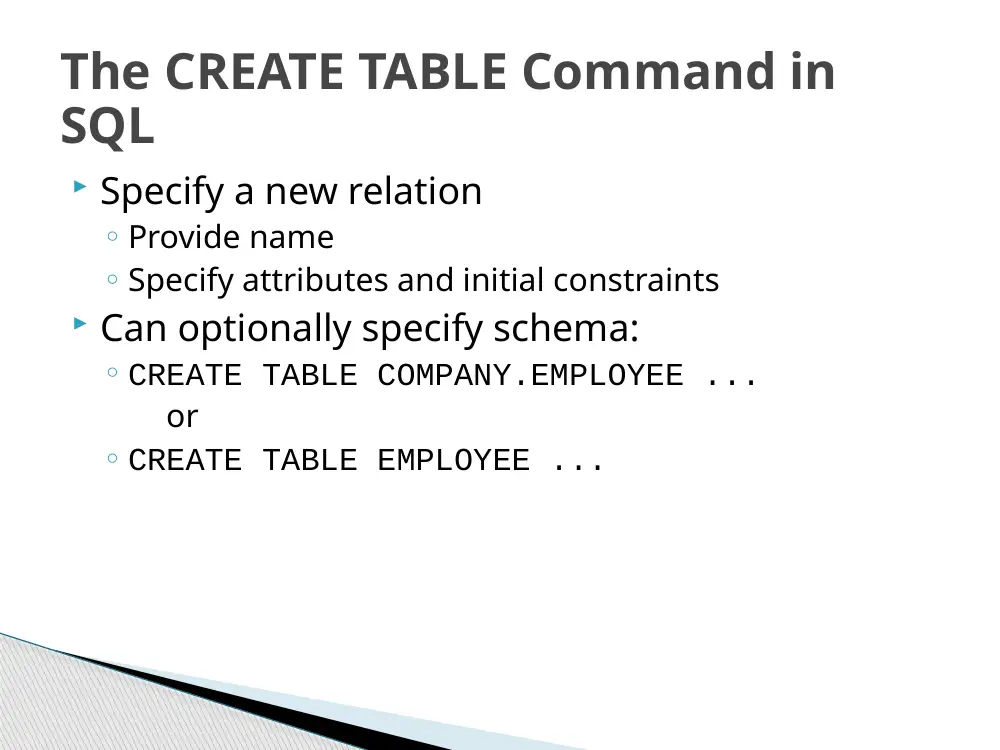
Specify a new relation
◦ Provide name
◦ Specify attributes and initial constraints
Can optionally specify schema:
◦ CREATE TABLE COMPANY.EMPLOYEE ...
or
◦ CREATE TABLE EMPLOYEE ...
The CREATE TABLE Command in
SQL
Base tables (base relations)
◦ Relation and its tuples are actually created and stored
as a file by the DBMS
Virtual relations
◦ Created through the CREATE VIEW statement
The CREATE TABLE Command in SQL
(cont’d.)
Some foreign keys may cause errors
◦ Specified either via:
• Circular references
• Or because they refer to a table that has not yet been
created
The CREATE TABLE Command in SQL
(cont’d.)
Basic data types
◦ Numeric data types
• Integer numbers: INTEGER, INT, and SMALLINT
• Floating-point (real) numbers: FLOAT or REAL, and
DOUBLE PRECISION
◦ Character-string data types
• Fixed length: CHAR(n), CHARACTER(n)
• Varying length: VARCHAR(n), CHAR VARYING(n),
CHARACTER VARYING(n)
Attribute Data Types and Domains
in SQL
◦ Boolean data type
• Values of TRUE or FALSE or NULL
◦ DATE data type
• Ten positions
• Components are YEAR, MONTH, and DAY in the form
YYYY-MM-DD
Attribute Data Types and Domains
in SQL (cont’d.)
Domain
◦ Name used with the attribute specification
◦ Makes it easier to change the data type for a domain
that is used by numerous attributes
◦ Improves schema readability
◦ Example:
• CREATE DOMAIN SSN_TYPE AS CHAR(9);
Attribute Data Types and Domains
in SQL (cont’d.)
Basic constraints:
◦ Key and referential integrity constraints
◦ Restrictions on attribute domains and NULLs
◦ Constraints on individual tuples within a relation
Specifying Constraints in SQL
NOT NULL
◦ NULL is not permitted for a particular attribute
Default value
◦ DEFAULT <value>
CHECK clause
◦ Dnumber INT NOT NULL CHECK (Dnumber > 0
AND Dnumber < 21);
Specifying Attribute Constraints
and Attribute Defaults
PRIMARY KEY clause
◦ Specifies one or more attributes that make up the
primary key of a relation
◦ Dnumber INT PRIMARY KEY;
UNIQUE clause
◦ Specifies alternate (secondary) keys
◦ Dname VARCHAR(15) UNIQUE;
Specifying Key and Referential
Integrity Constraints
FOREIGN KEY clause
◦ Default operation: reject update on violation
◦ Attach referential triggered action clause
• Options include SET NULL, CASCADE, and SET DEFAULT
• Action taken by the DBMS for SET NULL or SET DEFAULT
is the same for both ON DELETE and ON UPDATE
• CASCADE option suitable for “relationship” relations
Specifying Key and Referential
Integrity Constraints (cont’d.)
CHECK clauses at the end of a CREATE TABLE
statement
◦ Apply to each tuple individually
◦ CHECK (Dept_create_date <=
Mgr_start_date);
Specifying Constraints on Tuples
Using CHECK
SELECT statement
◦ One basic statement for retrieving information from a
database
SQL allows a table to have two or more tuples
that are identical in all their attribute values
◦ Unlike relational model
◦ Multiset or bag behavior
Basic Retrieval Queries in SQL
Basic form of the SELECT statement:
The SELECT-FROM-WHERE Structure
of Basic SQL Queries
Query 3.1 All columns, all
rows
List full details of all DVDs.
SELECT catalogNo, title, genre, rating
FROM DVD;
Can use * as an abbreviation for ‘all columns’:
SELECT *
FROM DVD;
23
Query 3.1 All columns, all rows
24
Query 3.2 Specific columns, all
rows
List the catalog number, title and genre of all
DVDs.
SELECT catalogNo, title, genre
FROM DVD;
25
Table 3.2 Specific Columns, All
Rows
26
Query 3.3 Use of DISTINCT
List all DVD genres.
SELECT genres
FROM DVD;
SELECT DISTINCT genres
FROM DVD;
27
Calculated Fields
List the monthly salary for all staff, showing
the staff number, name, position and monthly
salary.
SELECT
staffNo,
name,
position,
salary/12
FROM Staff;
28
Row Selection (WHERE
clause)
Five basic search conditions include:
◦ Comparison : compare the value of one expression
to the value of another.
◦ Range: test whether value falls within a specified
range.
◦ Set membership: test whether the value of an
expression equals one of a set of values.
◦ Pattern match: test whether a string matches a
specified pattern.
◦ Null: test whether a column has a unknown value.
31
Query 3.5 Comparison Search
Condition
List all staff with a salary greater than
$40,000.
SELECT staffNo, name, position, salary
FROM Staff
WHERE salary > 40000;
32
Query
3.6
Range
Search
Condition
List all staff with a salary between $45,000 and
$50,000.
SELECT staffNo, name, position, salary
FROM Staff
WHERE salary >= 45000 AND salary <=
50000;
Here we use the logical operator AND in the
WHERE clause to find the rows in the Staff
table where the value in the salary column is
between $45 000 and $50 000
33
Result
3.6
Range
Search
Condition
34
Query 3.7 Set Membership
List all DVDs in the Sci-Fi or Children
genres.
SELECT catalogNo, title, genres
FROM DVD
WHERE
genre=‘Sci-Fi’
OR
genre=‘Children’;
36
Query 3.7 Set Membership
There is a negated version (NOT IN).
IN does not add much to SQL’s expressive
power. Could have expressed this as:
SELECT catalogNo, title, genre
FROM DVD
WHERE genre IN (‘Sci-Fi’, ‘Children’);
IN is more efficient when set contains many
values.
37
Query
3.8
Pattern
Matching
List all staff whose first name is Sally.
SELECT staffNo, name, position, salary
FROM Staff
WHERE name LIKE ‘Sally%’;
38
Query
3.8
Pattern
Matching
SQL has two special pattern matching
symbols:
◦%: sequence of zero or more characters;
◦_ (underscore): any single character.
LIKE ‘Sally%’ means the first 5 characters
must be Sally followed by anything.
39
Query
3.9
NULL
Search
Condition
List the rentals that have no return date
specified.
SELECT deliveryNo, DVDNo
FROM DVDRental
WHERE dateReturn IS NULL;
Have to test for null explicitly using special
keyword IS NULL (IS NOT NULL).
40
Sorting Results (ORDER BY)
List all DVDs, sorted in descending order of
genre.
SELECT *
FROM DVD
ORDER BY genre DESC;
41
Table
3.10
Single
Column
Ordering
42
We can add a minor ordering clause to sort the
same genres on catalogNo:
ORDER BY genre DESC, catalogNo ASC;
Using
the
SQL
Aggregate
Functions
ISO SQL standard defines five aggregate functions:
COUNT Returns number of values in specified
column.
SUM
Returns sum of values in specified
column.
AVG
Returns average of values in specified
column.
MIN
Returns smallest value in specified
column.
MAX
Returns largest value in specified
column.
43
Using
the
SQL
Aggregate
Functions
Each operates on a single column of a table
and returns a single value.
COUNT, MIN, and MAX apply to numeric
and non-numeric fields, but SUM and AVG
only for numeric fields.
Apart
from
COUNT(*),
each
function
eliminates nulls first and operates only on
remaining non-null values.
44
Using
the
SQL
Aggregate
Functions
COUNT(*) counts all rows of a table,
regardless of whether nulls or duplicate
values occur.
Can use DISTINCT before column name to
eliminate duplicates.
DISTINCT has no effect with MIN/MAX, but
may have with SUM/AVG.
45
Using
the
SQL
Aggregate
Functions
Aggregate functions can be used only in
SELECT list and in HAVING clause.
If SELECT list includes an aggregate function
and there is no GROUP BY clause, SELECT list
cannot reference a column out with an
aggregate function.
For example, following is illegal:
SELECT staffNo, COUNT(salary)
FROM Staff;
46
Query 3.11 Use of COUNT and
SUM
List total number of staff with salary
greater than $40,000 and the sum of their
salaries.
SELECT COUNT(staffNo) AS totalStaff,
SUM(salary) AS totalSalary
FROM Staff
WHERE salary > 40000;
47
Query 3.12 Use of MIN, MAX,
AVG
List
the
minimum,
maximum,
and
average staff salary.
SELECT MIN(salary) AS minSalary,
MAX(salary) AS maxSalary,
AVG(salary) AS avgSalary
FROM Staff;
48
Grouping Results
Use GROUP BY clause to get sub-totals.
SELECT and GROUP BY closely integrated:
each item in SELECT list must be single-
valued per group, and SELECT clause may
only contain:
◦ column names
◦ aggregate functions
◦ constants
◦ expression with combination of above.
49
Grouping Results
All column names in SELECT list must appear
in GROUP BY clause unless used only in an
aggregate function.
If used, WHERE is applied first, then groups
are formed from remaining rows satisfying
predicate.
ISO considers two nulls to be equal for
purposes of GROUP BY.
50
Query 3.13 Use of GROUP BY
Find number of staff working in each
distribution center and the sum of their
salaries.
SELECT dCenterNo, COUNT(staffNo) AS totalStaff,
SUM(salary) AS totalSalary
FROM Staff
GROUP BY dCenterNo
ORDER BY dCenterNo;
51
Grouping Results by Clause
HAVING clause designed for use with
GROUP BY to restrict groups that appear in
final result table.
Similar
to
WHERE,
but
WHERE
filters
individual rows whereas HAVING filters
groups.
Column names in HAVING clause must also
appear in the GROUP BY list or be contained
within an aggregate function.
52
Query 3.1.4 Use of HAVING
For each distribution center with more than
1 member of staff, find number of staff in
each center and sum of their salaries.
SELECT dCenterNo, COUNT(staffNo) AS totalStaff,
SUM(salary) AS totalSalary
FROM Staff
GROUP BY dCenterNo
HAVING COUNT (staffNo) > 1
ORDER BY dCenterNo;
53
Results 3.14 Use of
HAVING
54
Subselects
Some SQL statements can have a SELECT
embedded within them.
A subselect can be used in WHERE and
HAVING clauses of an outer SELECT, where
it is called a subquery or nested query.
Subselects may also appear in INSERT,
UPDATE, and DELETE statements.
55
Query 3.15 Using a subquery
Find staff who work in center at ‘8 Jefferson
Way’.
SELECT staffNo, name, position
FROM Staff
WHERE dCenterNo=(SELECT dCenterNo
FROM DistributionCenter
WHERE dStreet=‘8 Jefferson
Way’);
56
Using a Subquery
Inner
SELECT
finds
distribution
center
number for distribution center at ‘8 Jefferson
Way’ (‘B001’).
Outer SELECT then retrieves details of all
staff who work at this center.
Outer SELECT then becomes:
SELECT staffNo, name, position
FROM Staff
WHERE branchNo = ‘B001’;
57
Results 3.15 Subquery
58
Query 3.16 Subquery with
Aggregate
List all staff whose salary is greater than the
average salary.
SELECT staffNo, name, position
FROM Staff
WHERE salary >
(SELECT AVG(salary)
FROM Staff);
59
Query 3.16 Subquery with
Aggregate
Cannot write ‘WHERE salary > AVG(salary)’
Instead, use subquery to find average salary
(42000), and then use outer SELECT to find
those staff with salary greater than this
average:
SELECT staffNo, name, position
FROM Staff
WHERE salary > 42000;
60
Query 3.16 Result Subquery with
Aggregate
61
Subquery Rules: Key points
ORDER BY clause may not be used in a
subquery (although it may be used in
outermost SELECT).
Subquery SELECT list must consist of a
single column name or expression, except
for subqueries that use EXISTS.
By default, column names refer to table
name in FROM clause of subquery. Can refer
to a table in FROM using an alias.
62
Subquery Rules: Key points
When
subquery
is
an
operand
in
a
comparison, subquery must appear on
right-hand side.
A subquery may not be used as an operand
in an expression.
63