
CSC 316 Chapter 3, Fall 2007
Notre Dame University–Louaize · Computers Security and Their Data · 59 pages
Showing the first 10 of 59 pages. Download the PDF to see all of it.
More CSC 316 files
Show the text of this chapter
Chapter 3
Program Security
2
Outline
� Program Security
� Malicious Logic (for more detail see TB and Virus
Doc)
– Trapdoor, salami attack, Covert Channel
– Virus, Worm, Trojan Horse, Logic Bomb, rabbit, spy, spam
� Detection Techniques (see TB and Virus Doc)
� Examples of worms and viruses (See TB)
� Non Malicious Program errors (See TB)
– Buffer Overflow, Incomplete mediation, TOCTOU
� Preventive measures (see TB)
3
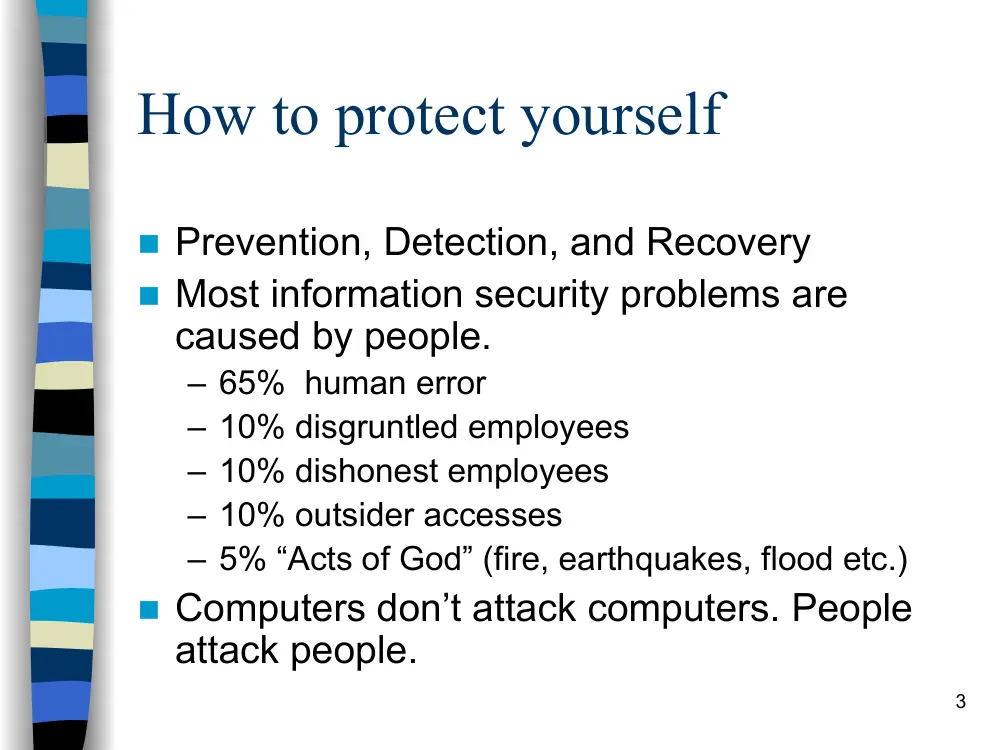
How to protect yourself
� Prevention, Detection, and Recovery
� Most information security problems are
caused by people.
– 65% human error
– 10% disgruntled employees
– 10% dishonest employees
– 10% outsider accesses
– 5% “Acts of God” (fire, earthquakes, flood etc.)
� Computers don’t attack computers. People
attack people.
4
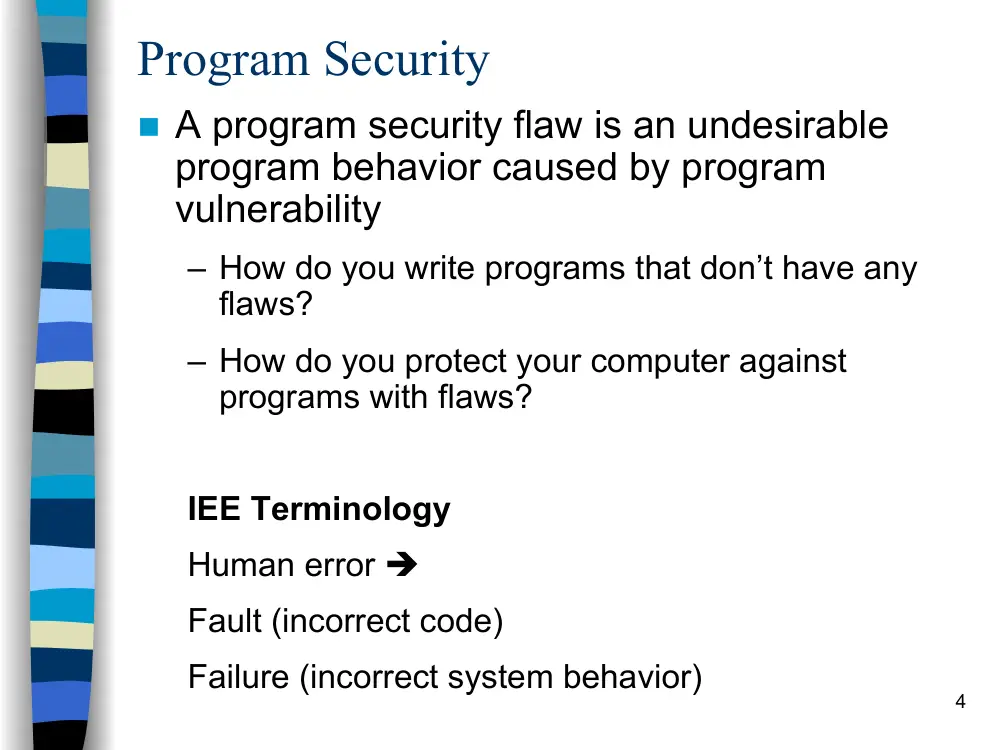
Program Security
� A program security flaw is an undesirable
program behavior caused by program
vulnerability
– How do you write programs that don’t have any
flaws?
– How do you protect your computer against
programs with flaws?
IEE Terminology
Human error �
Fault (incorrect code)
Failure (incorrect system behavior)
5
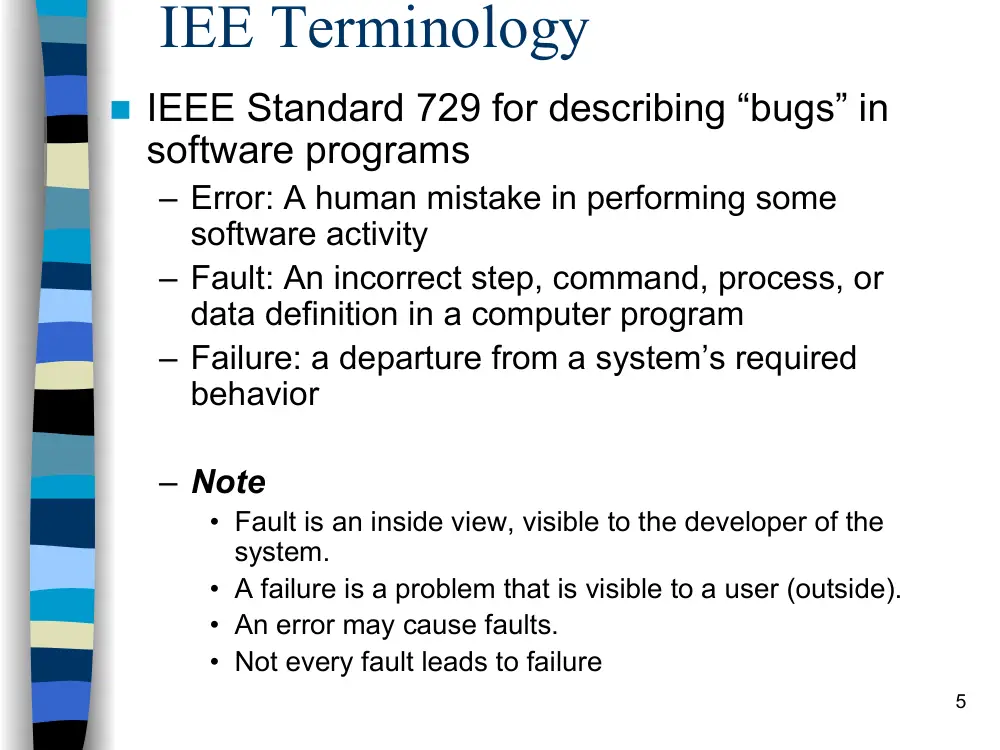
IEE Terminology
� IEEE Standard 729 for describing “bugs” in
software programs
– Error: A human mistake in performing some
software activity
– Fault: An incorrect step, command, process, or
data definition in a computer program
– Failure: a departure from a system’s required
behavior
– Note
• Fault is an inside view, visible to the developer of the
system.
• A failure is a problem that is visible to a user (outside).
• An error may cause faults.
• Not every fault leads to failure
6
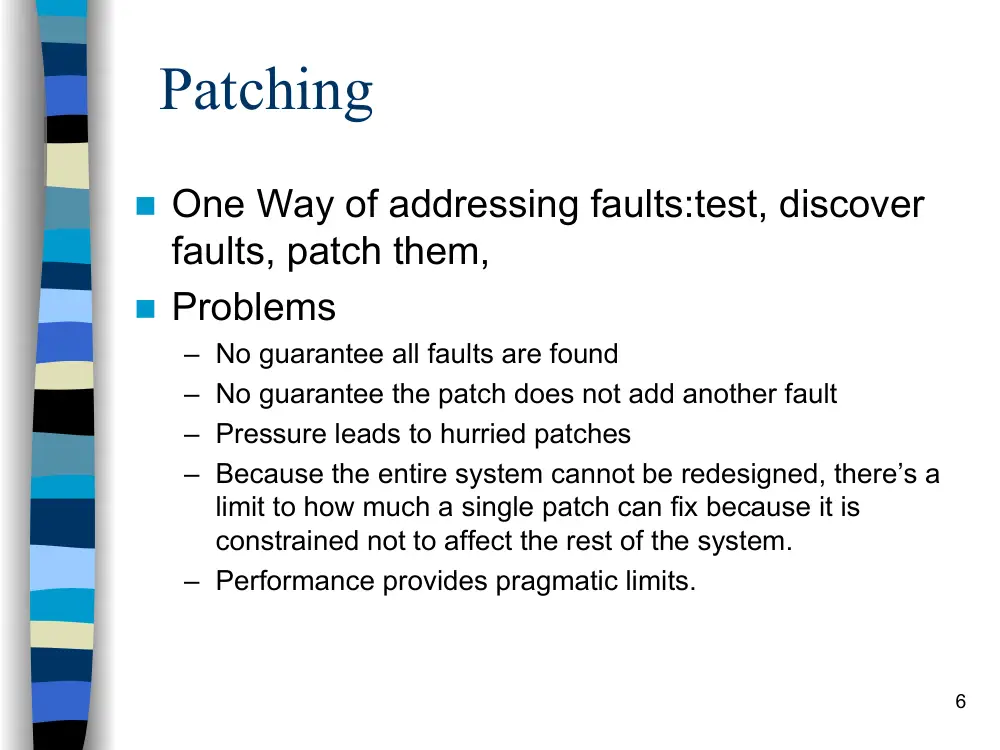
Patching
� One Way of addressing faults:test, discover
faults, patch them,
� Problems
– No guarantee all faults are found
– No guarantee the patch does not add another fault
– Pressure leads to hurried patches
– Because the entire system cannot be redesigned, there’s a
limit to how much a single patch can fix because it is
constrained not to affect the rest of the system.
– Performance provides pragmatic limits.
7
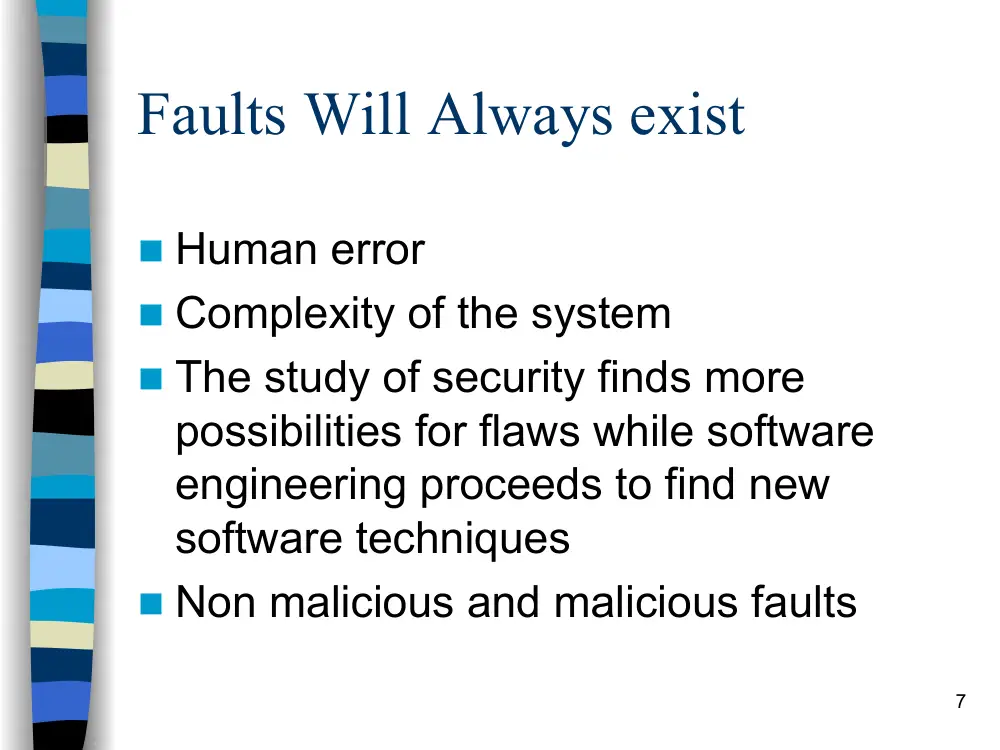
Faults Will Always exist
� Human error
� Complexity of the system
� The study of security finds more
possibilities for flaws while software
engineering proceeds to find new
software techniques
� Non malicious and malicious faults
8
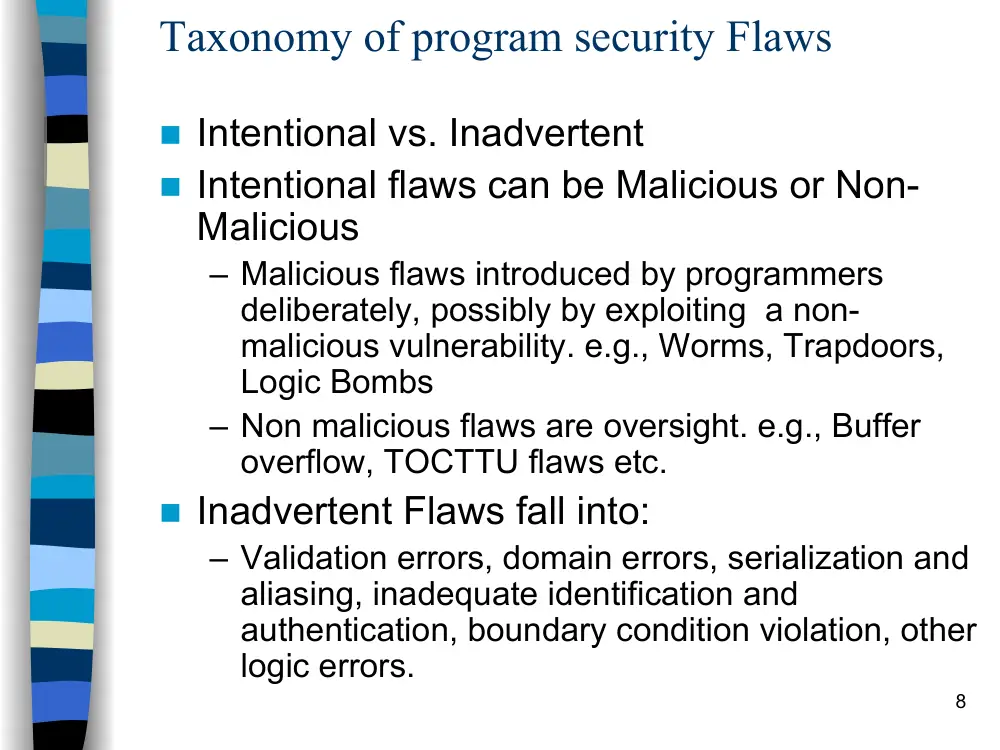
Taxonomy of program security Flaws
� Intentional vs. Inadvertent
� Intentional flaws can be Malicious or Non-
Malicious
– Malicious flaws introduced by programmers
deliberately, possibly by exploiting a non-
malicious vulnerability. e.g., Worms, Trapdoors,
Logic Bombs
– Non malicious flaws are oversight. e.g., Buffer
overflow, TOCTTU flaws etc.
� Inadvertent Flaws fall into:
– Validation errors, domain errors, serialization and
aliasing, inadequate identification and
authentication, boundary condition violation, other
logic errors.
9
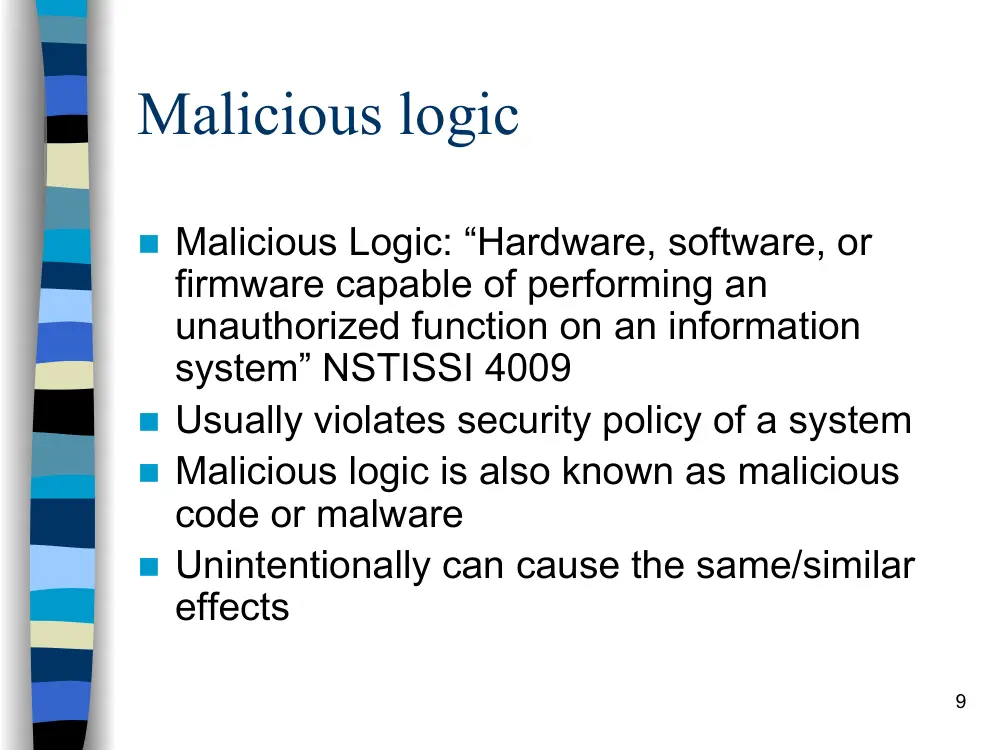
Malicious logic
� Malicious Logic: “Hardware, software, or
firmware capable of performing an
unauthorized function on an information
system” NSTISSI 4009
� Usually violates security policy of a system
� Malicious logic is also known as malicious
code or malware
� Unintentionally can cause the same/similar
effects
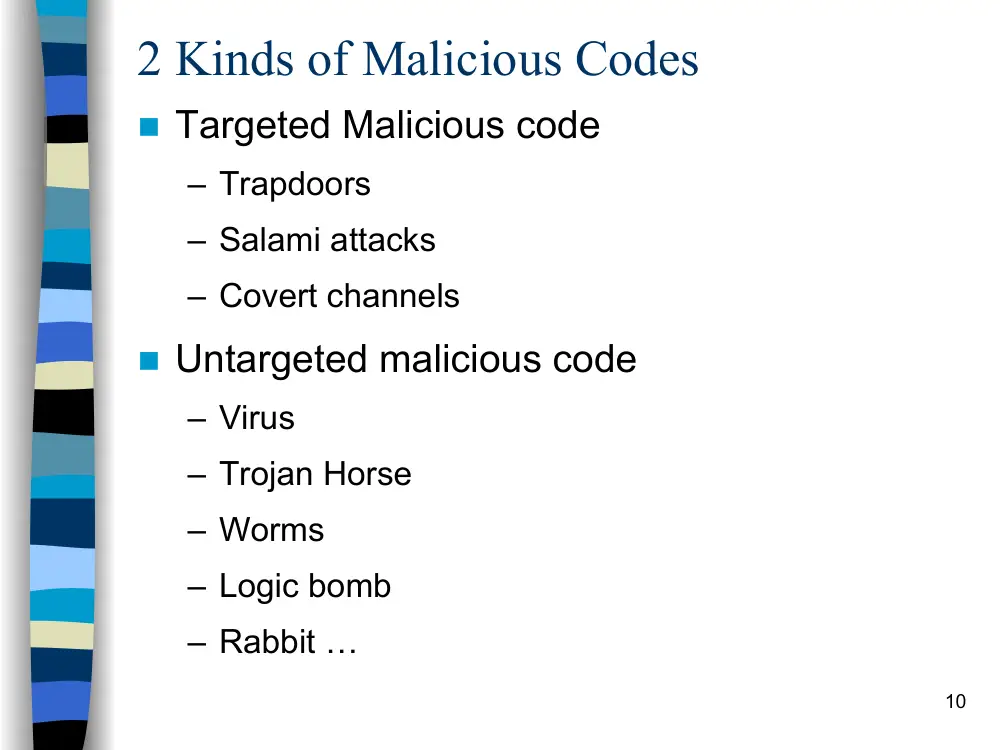
10
2 Kinds of Malicious Codes
� Targeted Malicious code
– Trapdoors
– Salami attacks
– Covert channels
� Untargeted malicious code
– Virus
– Trojan Horse
– Worms
– Logic bomb
– Rabbit …
11
Targeted Malicious Codes
� Trapdoors
A trapdoor is a secret, undocumented entry point into a module
or an alternative means of executing code.
A trapdoor is usually placed in a program during
development, and may be used by a programmer to gain
access to the program when it is placed into production
mode.
Example: the programmer of the program responsible for
accepting ATM machine transactions will put a number 9999
to work for any credit card.
Reasons:
• Intentional – legitimate and malicious purposes (will be called
backdoor), but if used maliciously will be called trapdoor.
• Exploits of faulty code, buffer overflow, format string
12
Targeted Malicious Codes
� Salami attack
� Salami attacks occur in programs that compute
amounts of money.
A small amount of money is shaved from each
computation. Over a numerous number of
transactions this money can make a huge amount.
Example: truncation of fractional cents during
computation of interest
Hard to detect in a large programs except through
code review.
P. 144-145
13
Types of malicious logic
�
Covert Channels
�
a program that leaks information
–
A type of Trojan horse
–
How? In addition to normal, proper
communication channels, a program opens
covert channels to leak information to
unauthorized viewers
–
It requires a programmer inside the
environment and an outsider spy that has
already agreed on the signs sent from the
insider.
14
Types of malicious logic
� Examples of covert channels:
– A programmer who prepares the web pages to be published of the
exchange rates of foreign currencies puts instead of two decimal
positions three and uses the third position to pass to a spy waiting
in the outside how much money to exchange.
– Another example is Steganography which replaces unneeded bits
in image and sound files with secret data
http://www.computerworld.com/securitytopics/security/encryption/st
ory/0,10801,71726,00.html
� Types of covert channels:
– Storage channels pass information by the presence or absence of
objects in storage. For example, a covert channel can signal one
bit of information by whether or not a file is locked.
– Timing channels pass information by the speed at which things
happen. The shared resource is time.
• accept = 1; reject = 0
15
Tools for identifying potential covert channels
� Shared Resource Matrix
– The basis of a covert channel is a shared
resource.
• Finding all shared resources and determining which
processes can write to and read from the resources…
• Looking for implied information flows: 150-160
• Is any of the implied flows “undesirable”?
� Information Flow Analysis based on the syntax
– Types of flows:
• Explicit –
B := A;
• Implicit –
a. B := A; C:= B;
b. if (D == 1) then B:=A;
16
Types of malicious logic
� Virus
– Self replicating code, parasitic (attaches itself to
“good” code)
– Can be
• Resident (attaches itself to memory and can execute
even after its host program terminates)
• Transient (active only while its host is executing)
� Trojan Horses
– Program with covert effects
17
Types of malicious logic
� Worms
• Self replicating, spread through networks
• Stand-alone, not attached to another piece of logic
• Usually uses a bug in the system
• It does not need user interaction
� Worm phases
• Dormant
• Propagation
• Search for other systems to infect
• Establish connection to target remote system
• Replicate self onto remote system
• Triggering
• Execution
18
Types of malicious Logic
Logic Bombs
–
Waits for a trigger condition and “detonates”
–
Ex: Time bomb
�
Rabbit
–
Replicates without limit to exhaust resources
�
Spyware:
–
A computer software that collects personal information about users without their
informed consent.
–
For example logging keystrokes, recording internet web browsing history, or even
scanning documents on the hard disk.
–
The reason can be for example track the victim’s visited websites and then send this
information to an advertising agency, or intercept passwords or credit cards numbers
band use them illegaly.
�
Spamming:
–
Is the abuse of electronic messaging systems to send unsolicited bulk messages,
which are generally undesired. The term is usually used for other than email, for
example: Instant message spam, mobile phone, Usenet messaging …
–
(usually called junk mail)
19
Viruses
� Operation
� Structure
� How they work
� kinds of viruses
20
Virus Operation
� Virus phases:
– Dormant: Waiting on trigger event
– Propagation: Replicating to programs/disks
– Triggering: By event to execute payload
– Execution: Executing payload
21
Structure of a Virus
program V :=
{ goto main;
1234567;
subroutine infect – executable := {loop:
file := get-random-executable-file;
if(first-line-of-file = 1234567) then goto loop
else prepend V to file; }
subroutine do-damage := {whatever damage is to be done}
subroutine trigger-pulled :=
{return true if some condition holds}
main: main-program := {infect-executable;
if trigger-pulled then
do-damage;
goto next;}
next;
}
22
How do viruses work?
� A virus is activated by being executed.
� A virus attaches to a “good” program, the
carrier, by
– Appending
– Surrounding
– Integrating
– Replacing or overwriting
– Space filling
See figures 3-4, 3-5. 3-6 pages 118, 119, 120.
23
Invoking a virus
� Virus invoked because
– It has replaced part of a program code within the
file structure
– It has appended itself to code within a file
– It has overwritten the file in storage
– It has changed the pointer in the file table, so that
it is located instead of a particular file
– It has changed the table of pointers to typical
operating systems parts (Interrupt handler)
24
Virus Logic
� Virus include code to
– Search for files to infect
– Replicate
• Make copy of self or
• Attach to file or boot sector
– Payload (check trigger and do badness)
– Measures to elude detection
• Ideally, should execute quickly then pass control to
infected program’s normal code
• Intercept system calls
• Fool antiviral tools
25
Kinds of viruses (file infectors)
� Infect themselves into executable files (.exe, .com, .bat, .ovl,
.sys…)
� Infecting non-executable files is useless ( even damaging).
� OS dependent
� Infecting non executable files is useless
26
Kinds of viruses (companion
viruses)
� The virus puts itself in a stand alone program with the same
name of a program with a .exe or .bat extension but with a .com
extension
� The order of execution in DOS is .com, .exe, .bat
� If we issue the execution of a file f1 without an extension DOS
searches first for f1.com, then f1.exe, then f1.bat
� The virus is f1.com then calls f1.exe
� Now with the GUI interface it is not found a lot anymore
27
Kinds of viruses (macro viruses)
�
Is a major source of new viral infections
�
Blurs distinction between data and program files making the detection
task much harder
�
Written in macro language
�
Infect documents (as opposed to programs), such as word-processor
documents, spreadsheets, etc.
�
“Attach” by modifying commonly used macros, or start-up macros
–
Popular target is Normal.dot, which is opened when MS Office applications
are executed
�
Spread when documents are transmitted and opened, via disks, file
transfer, e-mail attachments,…
�
Code is platform independent
�
Triggers when user opens or executes macro
�
It is language dependent
28
Kinds of viruses (partition
infectors)
� Infect the partition record on hard disks
� Should be multipartite (infect different kinds)
� The first code to be executed, goes resident, then tries to infect
other places.
� Outside the area controlled by the OS, OS independent
29
Kinds of viruses (Boot sector
virus)
-
Computer starts with firmware testing all hardware and then
initializing a specified OS and transferring control to it.
-
Code copies the OS from disk to memory; starts with bootstrap
loader (for windows it is the 2 programs: MSDOS.sys, IO.sys),
which is a small set of instructions that then copies the rest of
the OS. Initial part of bootstrap loader is contained in boot
sector.
-
Because OS length is not pre-determined, and to allow
flexibility, the bootstrap loader consists of non-contiguous blocks
on disk chained together with pointers.
-
Virus can easily insert itself in the chain, on disk.
-
Very effective, as difficult to detect (OS files hidden, virus
detection not yet activated).
30
Kinds of viruses (java infectors)
� Execution of malicious code by java applets, active X script
� Malicious mobile code
� Currently run in a secure environment called “sand box” where it
can not have any access to the outside
� A hostile applet attempts to exploit system resources in an
inappropriate manner
� The applets can annoy you with a noisy beep, turning the
screen black…
� Once you turn off the computer they will cease to exist
� Currently solved by certified applets
31
Six major detection methods
� Signature scanning
– Recognizes viruses’ unique “signature”: a pre-identified hex
– Functional
– Need to maintain current signature files and scanning engine
refinements
– It has weaknesses of False positives
� Heuristics/Rule based
– Faster than traditional scanners
– Uses a set of rules to effectively parse through files and
identify code
– Uses expert systems or neural networks
– Depends on current rule-set
– Can have false positives and false negatives
32
Six major detection methods
� Integrity checking
– Look for modified files by comparing old and new checksum
– No software updates required
– Requires maintenance of virus free checksums
– Unable to detect passive, active stealth viruses
– Cannot identify viruses by type or name
� Interrupt monitoring
– Attempts to locate and prevent a viruses’ interrupt calls
– Poor system utilization
– Obstructive, because of false positives
� Memory detection
– Depends on recognition of known viruses’ location and code in
memory
� Detection by bait
N.B: detection can be performed on-access or
on-demand
33
Properties of a good signature
� Should always appear in the virus, so there won’t be any false
negatives
� Should not appear in (m)any other files, so there won’t be
(m)any false positives
� Should be reasonably short, for efficient scanning
� For simple viruses like Mini-44, it’s easy to find good signatures.
However Virus writers have responded with…
34
Polymorphic viruses
� Polymorphic = “many forms”
� Goal: Foil virus scanners by changing virus code each time virus
replicates, so that it will be difficult to find a good signature
� Approaches:
– Encrypt virus with random key
• Note: Goals and techniques are different than in the encryption
techniques we studied earlier. XOR with stored key is sufficient.
� “Mutate” virus by making small changes that don’t affect the
semantics of the code
– Nearly 2 billion guises can be evolved from a single code
– Requires algorithm based matching instead of simple string based
matching
– Given two code segments, evaluating their semantic equivalency is
an undecidable problem!
35
Replication of encrypted virus
� Copy decryption engine to infected file (as is)
� Select new key and copy it to the infected file
� For each byte of the encrypted portion of the virus:
– Take decrypted byte
– Encrypt it with the new key
– Copy it to the infected file
� Result: different replicas of virus have different byte patterns, so
difficult to find signature
36
Anti-virus tools’ answer to
encryption
� Select the signature from the unencrypted portion of
the code, I.e. the decryption routine
� Problems:
– Anti-virus tools usually want to determine which virus is
present, not just determine that some virus is present (in
order to “disinfect”).
• Can emulate the decryption then further analyze the
decrypted code
– Virus writers have responded by obscuring the encryption
engine through mutations
� It’s a game of cat and mouse
37
Virus analysis
� Analysis of virus by human expert
– Slow: by the time signature has been extracted, posted to AV tool
• Pre-1995: 6 month to a year for virus to spread world-wide
• mid-90’s: a few months
• Now:days or hours
– Labor-intensive:too many new viruses
• Currently, 8-10 new viruses per day
– Can’t handle epidemics:
• Queue of viruses to be analyzed overflows
• Heavy demand on server that posts signatures & fixes
� Automated analysis, e.g. “Immune System”
– Developed at IBM Research
– Licensed to Symantec
38
Signature Execution
� Virus allowed (encouraged) to replicate in controlled
environment in immune center
� This yields collection of infected files
� In addition, a collection of “clean” files is available
� Machine learning techniques used to find strings that
appear in most infected files and in few clean files,
e.g:
- search files for candidate strings
- Add points if found in infected file
- Subtract points if found in clean file
- Subtract points if infected and not found
-
The chosen signature is the one with a maximum
number of points.
39
Disinfection
� Once virus detected, would like to clean up infected
file
� AV tool must identify virus as well as disinfect file
– Can then supply code to remove the virus
– Requires detailed understanding of how the particular virus
attaches and simply removes it or disables its fuctionning
40
Example 1-The Brain virus
P. 133
� It is one of the earliest viruses (in the 80’s)
� What it does?
– It locates itself into upper memory and then reset the upper
memory bound to itself
– It traps int 19 (disk Read) to point to itself and puts int 19 in
int 6 (initially unused) and pints to it.
� How it spreads?
– It puts itself into the boot sector and 6 other sectors where:
One will contain original boot code
2 remaining of the virus
3 other (replication of the first three)
– makes them as bad sectors
- Every disk read (it will execute) and inspects 5th & 6th byte to
check if they are 1234 ( its signature) drive if it finds it, it
concludes that the disk is already infected, if not it infects it.
�
41
The Morris Worm Incident
P. 134
� 99 lines of code brought down the Internet
(ARPANET by that time) in November 1988
� Robert Morris Jr. Ph.D student, Cornell, wrote
a program that could:
– Connect to another computer, and find and use
one of several vulnerabilities (buffer overflow in
fingered, password cracking etc.) to copy itself to
that second computer.
– Begin to run copy of itself at the new location.
– Both the original code and the copy would then
repeat these actions in an infinite loop to other
computers on the ARPANET (mistake!)
42
Morris Worm or Internet worm
�
How it does this?
�
-
Determine to where it could spread
1.
Tries to find user accounts
2.
Exploit a bug in finger
3.
Use trapdoor in sendmail
�
-
Spread its infection
�
-
Try to remain undiscovered by changing its name to that of standard UNIX command
interpreter.
�
�
What effect it had?
–
Checks whether infected of not, if yes negotiate which infection
continues. However due to a (bug???) all copies of infections
continue resulting in an exhaustion of resources
43
Morris Worm or Internet worm
� 1- Since the Unix password file stored encrypted form is
accessible by anyone, the worm encrypts various popular
passwords and compared their ciphertext against the ciphertext
of the stored password. It tries first the account name, the
owner’s name, then a list of 432 common password (coffee,
coke, help,…) then words from the dictionary.
� 2-
The Bug in the finger was that if it was overflowed, it
executes instructions that had been pushed there as another
part of the buffer overflow, causing the worm to be connected to
a remote shell.
� 3-
The third flaw uses a backdoor in sendmail. This process,
if it runs in debug mode, executes a command string instead of
the destination address.
44
Morris Worm or Internet worm
� Once the worm finds a suitable machine (in any of
the three methods), it will use send 99 lines of code,
to be compiled and then executed on the target
machine. Then will request for the rest of the worm
by sending a one-time password for the rest of the
worm to be encrypted with.
45
Morris Worm or Internet worm
� Suns/VAXes using Berkeley Standard Distribution (BSD) UNIX
fell victim.
– Original estimates: 6000 affected computers.
– Later research: 2,100-2,600 range
� Although no data was destroyed, a great deal of sys-
admin time was spent:
– Rebooting machines and vital network gateways
– Losing email, research time, and the ability to meet
deadlines.
– Cost of system fixes and testing range: $1M-$100M
46
Morris Worm or Internet worm
� Traced to Robert T. Morris, who
– Claimed that the worm was an experimental program containing a bug that
caused it to run rampant
– Was Convicted on January 23, 1990 under the 1986 Computer and Fraud
Act.
– Was Placed on 3-year probation and subjected to a $10K fine, 400 hours of
community service.
– Now is a professor at MIT
� Analysis:
– Worm had the side effect of increasing public awareness of computer
security, and creating a new generation of security consultants.
– But despite the level of spending, increased pubic awareness, and
preparedness, most organizations haven’t significantly tightened security.
47
Example 2-Code red Worm
p. 137
� Released 19-June 2001
� Shut down 360 000 systems in 14 hours
� Exploited a bug in MS IIS to penetrate and spread
� what it did:
– propagates into servers running IIS
–
overflows the buffer of the idq.dll
– then propagates to check the IP address on port 80 to see if
the web server is vulnerable.
� What effect it had?
– From day 1 to 19 it spreads
– From day 20 to 27 it attacks the white house site
(www.whithouse.gov) service)
– From day 28 till end of month nothing
48
Code red Worm
� How it works?
– the worm checks for servers that has IIS then create a
trapdoor by copying a malicious copy of explorer.com and
puts it on c and d. This malicious code first runs the original,
then modifies the system registry to disable certain kinds of
file protection and ensure that some directories have Read,
Write and Execute permissions.
– To propagate, it creates 300 to 600 threads, and tried for 24
to 48 hours to propagate. Afterwards, it reboots the system,
flushes the memory, but leave the trapdoor for later.
49
Example 3-The Bugbear Worm
�
Released on Sept./Oct. 2002
�
A mass-mailing worm, attempting to send itself to
email addresses found on an infected system
�
It also spreads through open network shares and has
the ability to send print jobs to printers found on an
infected network.
�
Once the virus is run, it will attempt to disable various
security products, including many forms of anti-virus
and personal firewall software.
�
It will also attempt to install a backdoor Trojan that
will allow a hacker access to the infected PC.
50
The Bugbear Worm
� It makes use of the “Incorrect MIME Header Can Cause
IE to Execute E-mail Attachment vulnerability” in
Microsoft Internet Explorer (v 5.01 or 5.5 without SP2).
Simply opening or previewing an infected message in a
vulnerable email reader can result in infection.
� More details:
http://us.mcafee.com/root/genericURL_genericLeftNav.asp?gen
ericURL=/common/en-
us/helpcenter/bugbear.asp&genericLeftNav=/VirusInfo/VIL/vil_n
av.asp
51
Hoaxes
� From time to time, you may receive "Virus Warning" emails. These
emails, sent on by well meaning people, while seeming to alert you to
a real virus threat, more often than not are merely hoaxes. Virus
hoaxes are typically alerts that are passed on by naive users who think
they are being helpful. The reality is that most of these warnings are
designed to cause fear or simply confuse people. In some cases such
messages contain instructions that, if followed, can result in damage to
your computer. If you receive a message warning you about viruses, it
is recommended that:
– you do not forward the email;
– you do not follow the instructions contained in the email or
forward the email to others;
– Check with reliable sources, such as CERT, before [usually =
instead of] forwarding such warnings
52
Buffer overflow p. 103-106
� Most common security vulnerability
� Anecdotal notes suggest buffer overflows were known since
sixties
� Take advantage of the lack of array bounds checking in C and
c++ (and other languages) to transfer control to malicious code.
� Despite the fact that this vulnerability is well-known and
preventable, buffer overflow attacks still prevalent
� Lack of bound checking
– Programmers often forget to do bound checking
– C/C++ don’t do bound checking, unlike java
– :unsafe” functions lack bound checking
� Code reuse
– Many unsafe libraries are heavily reused
53
Buffer overflow
- A buffer (array or string) is a space in which data can be held
-
A buffer’s capacity is finite.
-
Example:
char sample [10];
sample [10] = ‘A’;
Or:
For(I=0;I<10;i++)sample[i] = ‘A’;
Sample[i] =‘B’;
read (I);
Sample (I) = “A”;
54
What happens when a buffer
overflows?
� A program that fails to check a buffer overflow may
allow vital code or data to be overwritten
� A buffer may overflow into and change:
– User’s own data structures
– User’s program code
– System data structures
– System program code
� Most common attack is to subvert the function of a
privileged program and take control of the host
55
Incomplete Mediation p. 107
� Failure to perform “sanity checks” or “range checks” on
data
� Occurs when the system accepts an input without testing
its validity
– Ex1: A web site for a bank accepts for customers to dates (begin
and end) to calculate the interest of their accounts between these
dates. A customer inputs a begin date to be Jan-01-1400 or a
character or a negative value.
– Ex2: An ecommerce company that sells items online, accepts the
item no, the qty, and using the price computes the total. The user
updates the total (to be much lesser) and the company does not
re-computes the input.
� Solution: The server should always test any input before
accepting it.
56
Time-of-Check to Time-of-Use
Attacks p. 109
� A delay between checking permission to perform
certain operations and using this permission. Lazy
binding
� Example: A “setuid to root” program is to save data in a file
owned by the user executing the program.
if access is allowed
If file_id is null return;
write file_id
� If the object referred to by filename changes between the two
system calls, though, the second object will be opened even
though its access was never checked
� Serialization or synchronization flaw
57
preventative measures
� General preventative measures:
–
Use COTS (Commercial Off The Shelf )Software
– Always take care during opening of attachments
– Make a recoverable system image
– Make backup copies of executable system files
– Use virus detectors
– Others?
58
Controls
� Controls against program threats
– Development controls
• Emphasis on SDLC
• Modularity, Encapsulation, and Information Hiding
• Peer reviews
• Hazard analysis
• Testing
• Good design
– Configuration Management
� Operating system controls:
– Trusted software
– Mutual suspicion [between programs]
– Confinement [of system resources]
– Access log [or audit trail]
� Administrative controls:
– Standards of program development
– Separation of duties [among employees]
59
Controls Against Program Threats
� Programming controls
Typical software engineering methods: peer reviews, walk-
through, information hiding, independent testing,
configuration management (check-in, check-out, history of
changes, …), formal methods
Process controls
1988: Standard 2167A (DoD)
1990: ISO 9000 – to specify actions to be taken when any system
has quality goals and constraints
1993: CMM (Capability Maturity Model) – to assess the quality of
a software development company
1995: SSE CMM (System Security Engineering CMM) – to
assess the quality of security engineering development
practices (See http://www.sse-cmm.org/)
SSE CMM model v2, 1999