
CSC 316 Chapter 3, Spring 2004
Notre Dame University–Louaize · Computers Security and Their Data · 43 pages · Dr. Victor Sawma
Showing the first 10 of 43 pages. Download the PDF to see all of it.
More CSC 316 files
Show the text of this chapter
Chapter 3
Program Security
V. Sawma, Computer Security and their Data
2
Outline
Non-Malicious Program Errors
Viruses & worms
Targeted Malicious Codes
Trapdoors, Salami attack, Covert channels
Controls Against Program Threats
Programming & process controls
OS controls
Administrative controls
V. Sawma, Computer Security and their Data
3
Program Security
Protection of programs is at the heart of
security in computing. Why?
Program Flaws:
Definition
Two types of program flaws:
Inadvertent human errors
Malicious, intentionally induced flaws
Why can’t we stop all program flaws?
Complexity
Programming and software engineering vs.
security
V. Sawma, Computer Security and their Data
4
Non-Malicious Program
Errors
Occur due to human nature
Unintentional and nonmalicious
Cause program malfunctions
Usually do not lead to security
vulnerabilities
V. Sawma, Computer Security and their Data
5
Non-malicious program
errors
We will consider three classic errors:
Buffer Overflows
Incomplete Mediation
Time-of-Check to Time-of-Use Errors
V. Sawma, Computer Security and their Data
6
Buffer Overflows
The computing equivalent of trying
to pour TWO liters of water into a
one-liter pitch: some water will spill
out and make a mess…
V. Sawma, Computer Security and their Data
7
Buffer Overflows
Buffer space in which data can be
held.
Buffers reside in memory
Memory is finite
Programmers MUST declare the
buffer’s MAXIMUM size. Otherwise,
buffer overflows will occur…
V. Sawma, Computer Security and their Data
8
Buffer Overflows
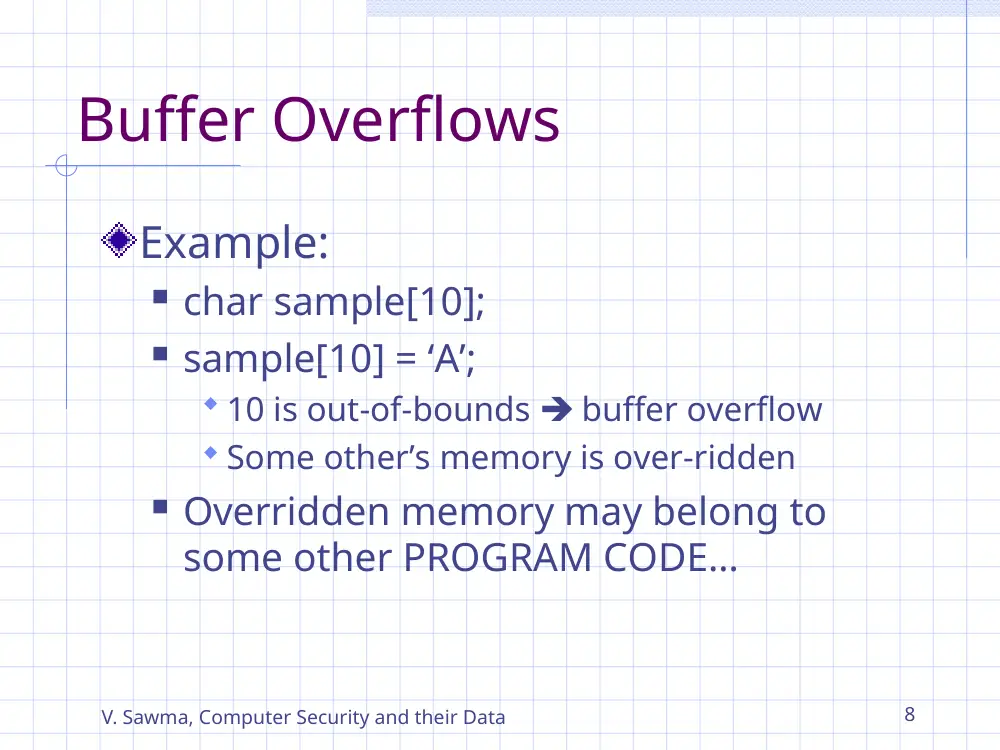
Example:
char sample[10];
sample[10] = ‘A’;
10 is out-of-bounds buffer overflow
Some other’s memory is over-ridden
Overridden memory may belong to
some other PROGRAM CODE…
V. Sawma, Computer Security and their Data
9
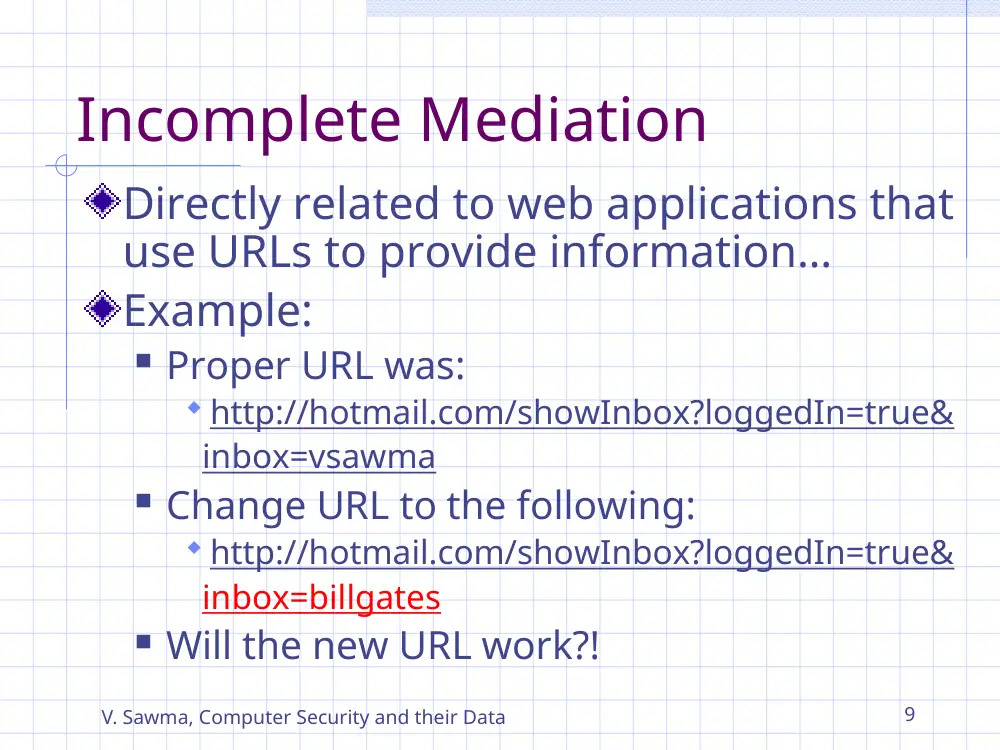
Incomplete Mediation
Directly related to web applications that
use URLs to provide information…
Example:
Proper URL was:
http://hotmail.com/showInbox?loggedIn=true&
inbox=vsawma
Change URL to the following:
http://hotmail.com/showInbox?loggedIn=true&
inbox=billgates
Will the new URL work?!
V. Sawma, Computer Security and their Data
10
Time-of-check to Time-of-
use
Is caused by the fact that access
control verification procedures may
require some time to be performed.
Malicious users may be able to
spoof the system while the system
is verifying user access control
credentials…
V. Sawma, Computer Security and their Data
11
Time-of-check to Time-to-
use
Example:
User presents a ticket to system as follows:
User: vsawma, file: public_database.sql, mode: full-
control
System reads the ticket and checks system access
control policy to determine whether vsawma is
allowed to access public_database.sql in full-
control mode or not. Result: user access is allowed.
While system is checking access, the user will
change the ticket to:
User: vsawma, file: financial_database.sql, mode: full-
control
System returns back and stamps the ticket
providing access to the database without reading
the ticket again.
V. Sawma, Computer Security and their Data
12
Malicious Code
Malicious code can do much harm
Impersonates the user
Inherits permissions of user
Malicious code has been around long
Before viruses were invented
Threats and vulnerabilities exist for
long
Can be seen as malicious code
V. Sawma, Computer Security and their Data
13
Types of Malicious Code
Virus
Attach to programs and propagate
Trojan horse
Unexpected / additional functionality
Logic bomb
Triggers on met condition
Time bomb
Triggers on time
Trapdoor (backdoor)
Unauthorized access to functionality
Worm
Propagates through networks
Rabbit
Replicate to exhaust resources
V. Sawma, Computer Security and their Data
14
Virus vs. Worm
What’s the difference between a virus and
a worm?
A virus attaches itself to another program; a
worm does not.
A virus may rely on a variety of transmission
media; a worm transmit itself across the
network.
Both viruses and worms duplicate themselves
when executed.
V. Sawma, Computer Security and their Data
15
A virus is activated by being executed.
A virus attaches to a “good” program, the
carrier, by
Appending
Surrounding
Integrating
Replacing
How do viruses work?
V. Sawma, Computer Security and their Data
16
Homes for Viruses
A “good” virus is:
Hard to detect
Hard to destroy or deactivate
Spreads infection widely
Can re-infect
Easy to create
Machine independent
Operating system independent
V. Sawma, Computer Security and their Data
17
Boot Sector Viruses
The bootstrap load process
The boot sector
Block chaining: Each block of the
bootstrap is chained to the next block.
A virus may attach itself to any block in
the chain, or may replace the boot sector.
Bootstrap Loader
System initialization
Other
Virus Code
System initialization
Bootstrap Loader
V. Sawma, Computer Security and their Data
18
Other Homes for Viruses
Memory-Resident Viruses
Resident codes/routines (TSR)
Application programs
Example: Word macros
Libraries
Example: DLLs
Compilers, loaders, linkers, debuggers,
antivirus software
Anything else not mentioned in the book?
V. Sawma, Computer Security and their Data
19
Virus Signatures
The signature of a virus is composed of
the following characteristics:
–
Storage patterns
–
Execution patterns (Table 3.2, p.122)
–
Transmission patterns
V. Sawma, Computer Security and their Data
20
Virus Signatures (cont’d)
Storage Patterns
A pattern attached to a file
Invariant position
Same relative position vs. conditional jump
File size
Changed vs. obliterated
Virus scanners can scan for:
Suspicious patterns
virus signatures
Modified checksums
V. Sawma, Computer Security and their Data
21
Virus Signatures (cont’d)
Execution Patterns (table 3-2)
Modify file directory, Write to executable
program file
Rewrite/append data
Intercept interrupt, load into nontransient
memory area
Classify self as “hidden” or “system” file
Many of these are “normal” behaviors
V. Sawma, Computer Security and their Data
22
Virus Signatures (cont’d)
Polymorphic viruses
A virus that can change its appearance. For
example: having two different starting words.
Preventing virus infection (pp.124-126)
Reliable, well-established vendors
Test new software on isolated computer
Retain safe bootable diskette
Retain backup copies of executable files
Use virus detectors
V. Sawma, Computer Security and their Data
23
Brain Virus
What it does?
Seeks to pass infection
Appears to have no effect (test?)
How it spreads?
Uses sector numbers as signatures
If disk is not infected, it infects it
What was learned?
Standard tricks: hiding in boot sector,
intercepting and screening interrupts.
V. Sawma, Computer Security and their Data
24
The Morris Worm
Named after Robert T. Morris Jr.
Nov. 1988
Took advantages of well-known UNIX
flaws: user passwords, finger, sendmail
An irony lead to exhaustion of resources
Positive result: The CERT (Computer
Emergency Response Team) was
established at Carnegie Mellon
University.
V. Sawma, Computer Security and their Data
25
The Bugbear Worm
As recent as Sept./Oct. 2002
A mass-mailing worm, attempting to send itself to
email addresses found on an infected system
It also spreads through open network shares and
has the ability to send print jobs to printers found
on an infected network.
Once the virus is run, it will attempt to disable
various security products, including many forms of
anti-virus and personal firewall software.
It will also attempt to install a backdoor trojan that
will allow a hacker access to the infected PC.
V. Sawma, Computer Security and their Data
26
The Bugbear Worm
It makes use of the “
Incorrect MIME Header Can Cause IE to Execute E-
mail Attachment vulnerability
” in Microsoft Internet Explorer (v 5.01 or 5.5
without SP2). Simply opening or previewing an
infected message in a vulnerable email reader can
result in infection.
More details:
http://us.mcafee.com/root/genericURL_genericLef
tNav.asp?genericURL=/common/en-us/helpcenter
/bugbear.asp&genericLeftNav=/VirusInfo/VIL/vil_n
av.asp
Code Red Virus
The original Code Red virus spread
to 250,000 computers in only 9
hours. This happened on July 9th 2001
Impacts:
Internet speed slows
Web page outages
disruption of applications like e-mail
http://www.isaleh.com/codered/
V. Sawma, Computer Security and their Data
28
Code Red Virus
Two variants of Code Red worm
existed
Windows NT or Windows 2000
operating systems were infected
The most expensive virus in the
history of the Internet
Total damage was estimated to be
about $1.2 billion
http://www.newsfactor.com/perl/story/12668.html
V. Sawma, Computer Security and their Data
29
How the Code Red Virus
spreads
It identifies a target server
It then runs a program that causes a file
to crash on the server
The worm scans for other vulnerable
servers and multiples
It creates additional traffic in the network
other than that coming from outside
Thus the bandwidth is all clogged up
results in slowing down the
communication
V. Sawma, Computer Security and their Data
30
W32 Blaster Worm (MS Blaster)
Exploits the RPC vulnerability on the
windows machine
Copies msblast.exe onto the system
Microsoft Windows NT 4.0
Infects Windows 2000 and Windows XP
Linux, Macintosh, OS/2, UNIX, Windows
95, Windows 98, Windows Me, Windows
NT are not infected
V. Sawma, Computer Security and their Data
31
Nimda virus
Opening or previewing an e-mail, with the
infected file attached, spreads the virus.
User’s using Microsoft Outlook, the virus will send
itself to everyone in that user's Address Book.
The virus can attack "back doors" in web servers,
and possibly even get into webpages.
If a computer user visits one of these infected
webpages, they too will be infected
If one machine on a network is infected, this
computer will look for other systems that it has
access to and infect them also.
http://www.isaleh.com/Nimda/index.html
V. Sawma, Computer Security and their Data
32
Targeted Malicious Codes
Trapdoors (pp.137-139)
A trapdoor is a secret, undocumented
entry point into a module.
A trapdoor is usually placed in a
program during development, and
may be used by a programmer to gain
access to the program when it is placed
into production mode.
Stubs and Drivers
Debugging code
V. Sawma, Computer Security and their Data
33
Trapdoors
Salami attack
salami: a highly seasoned sausage of
pork and beef either dried or fresh
Salami attacks occur in programs that
compute amounts of money.
A small amount of money is shaved
from each computation.
Example: truncation of fractional cents
during computation of interest (p.140)
Hard to detect in a large program
Rounding and truncation
V. Sawma, Computer Security and their Data
34
Covert Channels
Covert channel: a program that leaks
information
A type of Trojan horse
How? In addition to normal, proper
communication channels, a program
opens covert channels to leak information
to unauthorized viewers (Fig. 3-12, p.143)
packet sniffers, network probes, network
monitors, HTTP monitors, protocol analyzers
intrusion detection system ?
V. Sawma, Computer Security and their Data
35
Covert Channels (cont’d)
Examples of covert channels:
Steganography replaces unneeded bits in image and
sound files with secret data. More information:
http://www.computerworld.com/securitytopics/security/encryp
tion/story/0,10801,71726,00.html
Types of covert channels: (pp. 144-150)
Storage channels pass information by the presence or
absence of objects in storage. For example, a covert
channel can signal one bit of information by whether or
not a file is locked. (fig. 3-13 pp. 144)
Timing channels pass information by the speed at which
things happen. The shared resource is time.
accept = 1; reject = 0 (See Fig. 3-15, pp.147)
V. Sawma, Computer Security and their Data
36
Tools for identifying potential covert channels
Shared Resource Matrix (pp. 147-148)
The basis of a covert channel is a shared
resource.
Finding all shared resources and determining which
processes can write to and read from the resources…
Looking for implied information flows: pp.205-206
Is any of the implied flows “undesirable”?
Information Flow Analysis based on the syntax
Types of flows:
Explicit –
B := A;
Implicit –
a. B := A; C:= B;
b. if (D == 1) then B:=A;
More examples: Table 3-5 (pp.149)
V. Sawma, Computer Security and their Data
37
Required
Reading!
Controls Against Program Threats
Programming controls (pp. 151- 170)
Typical software engineering methods:
modularity, encapsulation, peer reviews, walk-
through
information hiding, independent testing
configuration management (check-in, check-out,
history of changes, …)
formal methods, hazard analysis, good design
prediction, static analysis, trusted software
confinement, access log
etc.
V. Sawma, Computer Security and their Data
38
Modularity
Modularization is the process of dividing a task into
subtasks.
Division is done on a logical or functional basis.
Each module performs a separate, independent
part of the task.
Controls Against Program Threats
V. Sawma, Computer Security and their Data
39
With encapsulation, modules interact only through
certain well-defined interfaces. A module is entered
only at specified entry points, and a module interacts
with the fewest other modules possible.
Encapsulation
Controls Against Program Threats
V. Sawma, Computer Security and their Data
40
Information Hiding
The three characteristics of modularity, encapsulation,
and information hiding are fundamental principles of
software engineering. They are good practices for
security because they lead to modules that can be
understood, analyzed, and trusted.
Controls Against Program Threats
V. Sawma, Computer Security and their Data
41
Required
Reading!
Controls Against Program Threats
Administrative controls
1988: Standard 2167A (DoD)
1990: ISO 9000 – to specify actions to be taken when any
system has quality goals and contraints
1993: CMM (Capability Maturity Model) – to assess the
quality of a software development company
1995: SSE CMM (System Security Engineering CMM) – to
assess the quality of security engineering development
practices (See http://www.sse-cmm.org/)
SSE CMM model v2, 1999
V. Sawma, Computer Security and their Data
42
Controls Against Program Threats
OS controls
Chapter 4
Trusted OS
Confined programs
Access logs for auditing
V. Sawma, Computer Security and their Data
43
Summary
Viruses, worms, and targeted Malicious Codes
Controls Against Program Threats
Programming & process controls
OS controls
Administrative controls