
CSC 385 Chapter 22, Fall 2003
Notre Dame University–Louaize · Internet Computing · 21 pages · Dr. Victor Sawma





Showing the first 10 of 21 pages. Download the PDF to see all of it.
More CSC 385 files
Show the text of this chapter
V. Sawma, Internet Computing
1
Chapter 22 - SQL, MySQL, DBI and
ADO
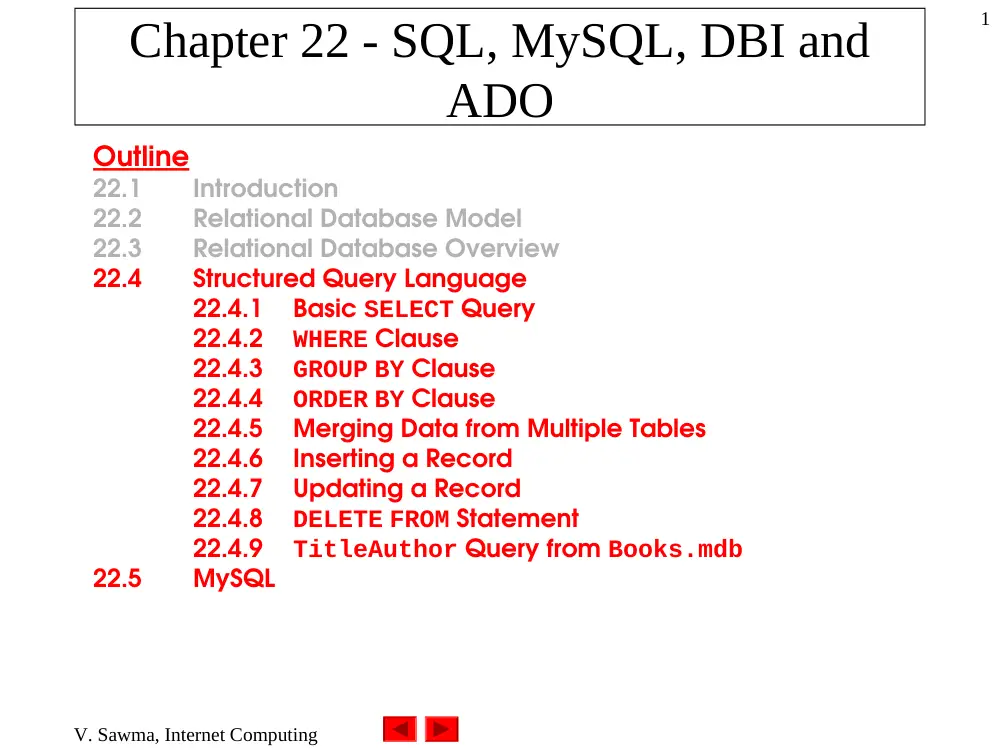
Outline
22.1
Introduction
22.2
Relational Database Model
22.3
Relational Database Overview
22.4
Structured Query Language
22.4.1
Basic SELECT Query
22.4.2
WHERE Clause
22.4.3
GROUP BY Clause
22.4.4
ORDER BY Clause
22.4.5
Merging Data from Multiple Tables
22.4.6
Inserting a Record
22.4.7
Updating a Record
22.4.8
DELETE FROM Statement
22.4.9
TitleAuthor Query from Books.mdb
22.5
MySQL
V. Sawma, Internet Computing
2
Chapter 22 - SQL, MySQL, DBI and
ADO
Outline
22.6
Introduction to DBI
22.6.1
Perl Database Interface
22.6.2
Python DB-API
22.6.3
PHP dbx module
22.7
ActiveX Data Objects (ADO)
22.8
Internet and World Wide Web Resources
V. Sawma, Internet Computing
3
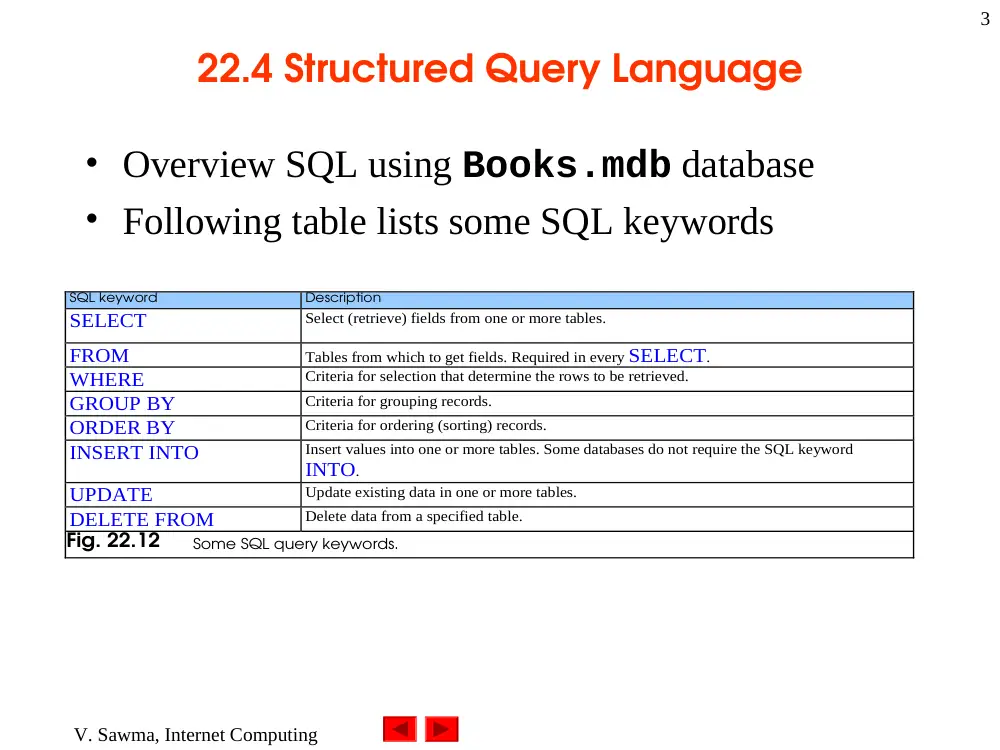
22.4 Structured Query Language
• Overview SQL using Books.mdb database
• Following table lists some SQL keywords
SQL keyword
Description
SELECT
Select (retrieve) fields from one or more tables.
FROM
Tables from which to get fields. Required in every SELECT.
WHERE
Criteria for selection that determine the rows to be retrieved.
GROUP BY
Criteria for grouping records.
ORDER BY
Criteria for ordering (sorting) records.
INSERT INTO
Insert values into one or more tables. Some databases do not require the SQL keyword
INTO.
UPDATE
Update existing data in one or more tables.
DELETE FROM
Delete data from a specified table.
Fig. 22.12
Some SQL query keywords.
V. Sawma, Internet Computing
4
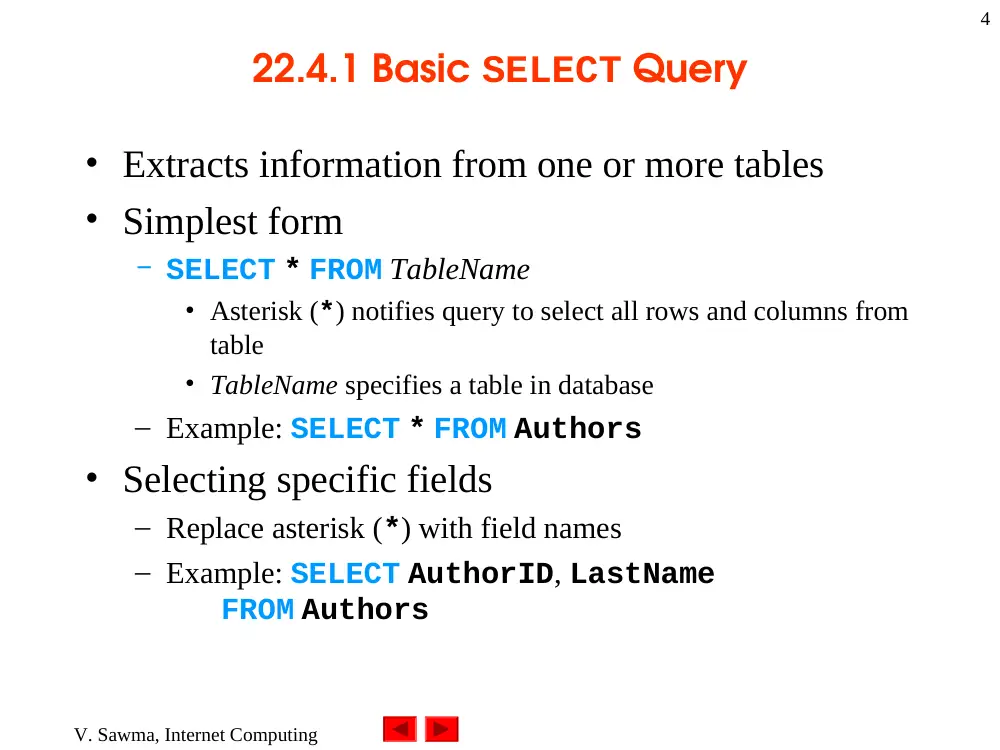
22.4.1 Basic SELECT Query
• Extracts information from one or more tables
• Simplest form
– SELECT * FROM TableName
• Asterisk (*) notifies query to select all rows and columns from
table
• TableName specifies a table in database
– Example: SELECT * FROM Authors
• Selecting specific fields
– Replace asterisk (*) with field names
– Example: SELECT AuthorID, LastName
FROM Authors
V. Sawma, Internet Computing
5
22.4.1 Basic SELECT Query
AuthorID
LastName
1
Deitel
2
Deitel
3
Nieto
4
Steinbuhler
Fig. 22.13
AuthorID and LastName from the Authors table.
V. Sawma, Internet Computing
6
22.4.2 WHERE Clause
• Optional clause in SELECT query
• Selects records satisfying selection criteria
• Basic form
– SELECT fieldName1, fieldName2
FROM TableName WHERE criteria
– Example: SELECT * FROM Authors
WHERE YearBorn > 1960
• Result set contains two authors born after 1960
AuthorID
FirstName
LastName
YearBorn
2
Paul
Deitel
1968
3
Tem
Nieto
1969
Fig. 22.14
Authors from the Authors table born after 1960.
V. Sawma, Internet Computing
7
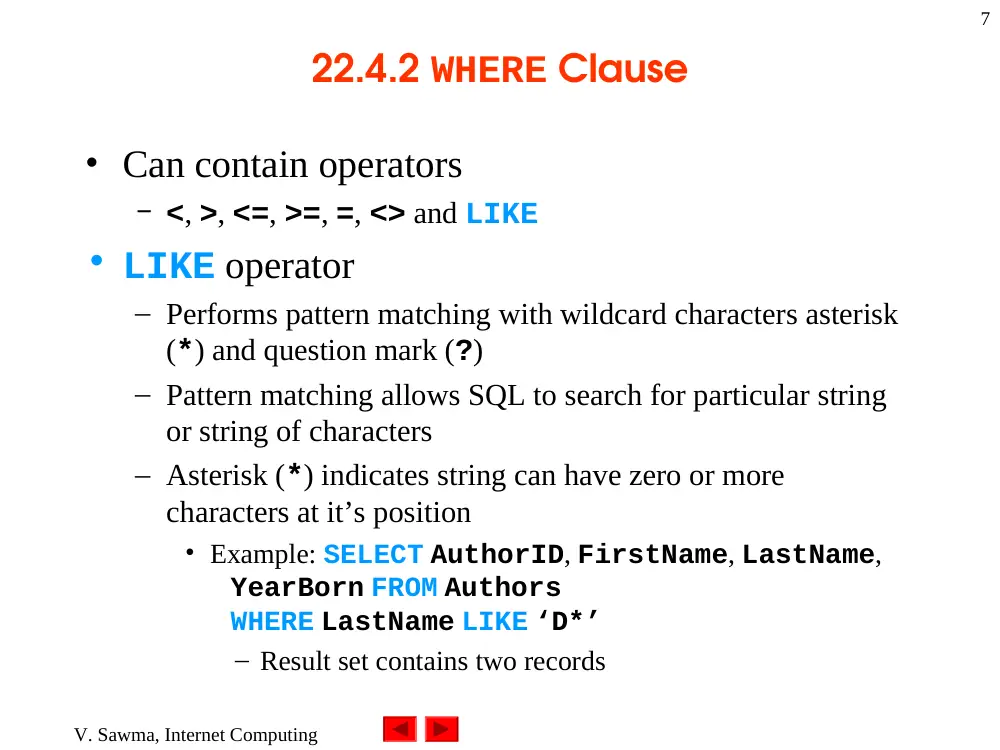
22.4.2 WHERE Clause
• Can contain operators
– <, >, <=, >=, =, <> and LIKE
• LIKE operator
– Performs pattern matching with wildcard characters asterisk
(*) and question mark (?)
– Pattern matching allows SQL to search for particular string
or string of characters
– Asterisk (*) indicates string can have zero or more
characters at it’s position
• Example: SELECT AuthorID, FirstName, LastName,
YearBorn FROM Authors
WHERE LastName LIKE ‘D*’
– Result set contains two records
V. Sawma, Internet Computing
8
22.4.2 WHERE Clause
AuthorID
FirstName
LastName
YearBorn
1
Harvey
Deitel
1946
2
Paul
Deitel
1968
Fig. 22.15
Authors from the Authors table whose last names start with D.
V. Sawma, Internet Computing
9
22.4.2 WHERE Clause
• LIKE operator, cont.
– Question mark (?) indicates single character can occupy it’s
position
• Example: SELECT AuthorID, FirstName, LastName,
YearBorn FROM Authors
WHERE LastName LIKE ‘?i*’
– Result set contains one author
AuthorID
FirstName
LastName
YearBorn
3
Tem
Nieto
1969
Fig. 22.16
Authors from the Authors table whose last names contain i as the second letter.
V. Sawma, Internet Computing
10
22.4.2 WHERE Clause
• Specifying range of characters
– Use [startValue-endValue]
• startValue is first character in range
• endValue is last character in range
V. Sawma, Internet Computing
11
22.4.3 GROUP BY Clause
• Groups result set by a particular column
• Basic form
– SELECT fieldName, COUNT(*) FROM TableName
GROUP BY fieldName
– COUNT returns number of records selected by query
• Example: SELECT AuthorID, COUNT (*) AS Count
FROM AuthorISBN GROUP BY AuthorID
• COUNT (*) AS Count assigns name to column that contains
total count values
AuthorID
Count
1
28
2
28
3
11
4
1
Fig. 22.17
Number of ISBN values associated with each author.
V. Sawma, Internet Computing
12
22.4.3 GROUP BY Clause
• Combining WHERE and GROUP BY clauses
– Example: SELECT AuthorID, COUNT(*) AS Count
FROM AuthorISBN WHERE AuthorID <= 3
GROUP BY AuthorID
• Result set contains three records
AuthorID
Count
1
28
2
28
3
11
Fig. 22.18
Combining WHERE and GROUP BY to retrieve the number of ISBN values associated with
each author.
V. Sawma, Internet Computing
13
22.4.4 ORDER BY Clause
• Sorts result set by given criteria
– In ascending order (ASC) or descending order (DESC)
• Basic form
– SELECT fieldName1, fieldName2 FROM TableName
ORDER BY fieldName ASC
• Can replace ASC with DESC
– Example: SELECT AuthorID, FirstName, LastName,
YearBorn FROM Authors
ORDER BY LastName ASC
AuthorID
FirstName
LastName
YearBorn
1
Harvey
Deitel
1946
2
Paul
Deitel
1968
3
Tem
Nieto
1969
4
Kate
Steinbuhler
Fig. 22.19
Authors from the Authors table in ascending order by LastName.
V. Sawma, Internet Computing
14
22.4.4 ORDER BY Clause
• Basic form, cont.
– To obtain same list in descending order
• Example: SELECT AuthorID, FirstName, LastName,
YearBorn FROM Authors
ORDER BY LastName DESC
AuthorID
FirstName
LastName
YearBorn
4
Kate
Steinbuhler
3
Tem
Nieto
1969
1
Harvey
Deitel
1946
2
Paul
Deitel
1968
Fig. 22.20
Authors from the Authors table in descending order by LastName.
V. Sawma, Internet Computing
15
22.4.4 ORDER BY Clause
• Sorts multiple fields
– Example: SELECT AuthorID, FirstName, LastName,
YearBorn FROM Authors
ORDER BY LastName, FirstName
• ASC keyword is default sorting order, so is optional
• First sorts by last name, then by first name
AuthorID
FirstName
LastName
YearBorn
1
Harvey
Deitel
1946
2
Paul
Deitel
1968
3
Tem
Nieto
1969
4
Kate
Steinbuhler
Fig. 22.21
Authors from the Authors table in ascending order by LastName and by FirstName.
V. Sawma, Internet Computing
16
22.4.4 ORDER BY Clause
• Combining WHERE and ORDER BY clauses
– Example: SELECT ISBN, Title, EditionNumber,
YearPublished, PublisherID FROM Titles
WHERE Title LIKE ‘*How to Program’
ORDER BY Title ASC
• Selects titles ending in “How to Program”
• Sorts them in ascending order
V. Sawma, Internet Computing
17
22.4.4 ORDER BY Clause
ISBN
Title
EditionNumber Year
Published
Publisher
ID
0-13-089572-5
C How to Program
3
2001
1
0-13-089571-7
C++ How to Program
3
2001
1
0-13-528910-6
C++ How to Program
2
1997
1
0-13-028419-X
e-Business and e-Commerce How to
Program
1
2001
1
0-13-016143-8
Internet and World Wide Web How to
Program
1
1999
1
0-13-012507-5
Java How to Program
3
1999
1
0-13-028418-1
Perl How to Program
1
2001
1
0-13-456955-5
Visual Basic 6 How to Program
1
1998
1
0-13-028417-3
XML How to Program
1
2001
1
Fig. 22.22
Portion of the books from the Titles table whose titles end with How to Program, sorted
in ascending order by Title.
V. Sawma, Internet Computing
18
22.4.5 Merging Data from Multiple Tables
• May need to combine data from different tables
• Merging data = joining tables
– Combines records from different tables
– Extracts records common to tables
• Basic form
– SELECT fieldName1, fieldName2
FROM TableName1, TableName2
WHERE TableName1.fieldName = TableName2.fieldName
– WHERE clause specifies fields to be compared from each
table
• Normally represent primary key field in one table and foreign
key field in other table
V. Sawma, Internet Computing
19
22.4.5 Merging Data from Multiple Tables
• Basic Form, cont.
– Example: SELECT FirstName, LastName, ISBN
FROM Authors, AuthorISBN
WHERE Authors.AuthorID =
AuthorISBN.AuthorID
ORDER BY LastName, FirstName
• Merges FirstName and LastName fields from Authors
table with ISBN field from AuthorISBN table
• Result set contains list of authors and ISBN numbers of books
each author wrote
• Sorts in ascending order by LastName and FirstName
V. Sawma, Internet Computing
20
22.4.5 Merging Data from Multiple Tables
FirstName
LastName
ISBN
Harvey
Deitel
0-13-226119-7
Harvey
Deitel
0-13-016143-8
Harvey
Deitel
0-13-085609-6
Harvey
Deitel
0-13-013249-7
Harvey
Deitel
0-13-899394-7
Paul
Deitel
0-13-899394-7
Paul
Deitel
0-13-226119-7
Paul
Deitel
0-13-118043-6
Paul
Deitel
0-13-028418-1
Paul
Deitel
0-13-083055-0
Tem
Nieto
0-13-016143-8
Tem
Nieto
0-13-456955-5
Tem
Nieto
0-13-020522-2
Tem
Nieto
0-13-904947-9
Tem
Nieto
0-13-028419-X
Kate
Steinbuhler
0-13-0323-64-0
Fig. 22.23
Portion of the result set containing authors and ISBN numbers sorted in ascending order by
LastName and FirstName.
V. Sawma, Internet Computing
21
22.4.5 Merging Data from Multiple Tables
• Fully qualified name
– TableName.fieldName specifies fields to be compared
– Fields with same name in tables require “TableName.”
syntax
– Cross database queries require database name before
TableName