
CSC 385 Chapter 22, Fall 2003
Notre Dame University–Louaize · Internet Computing · 20 pages · Dr. Victor Sawma
Showing the first 10 of 20 pages. Download the PDF to see all of it.
More CSC 385 files
Show the text of this chapter
V. Sawma, Internet Computing
1
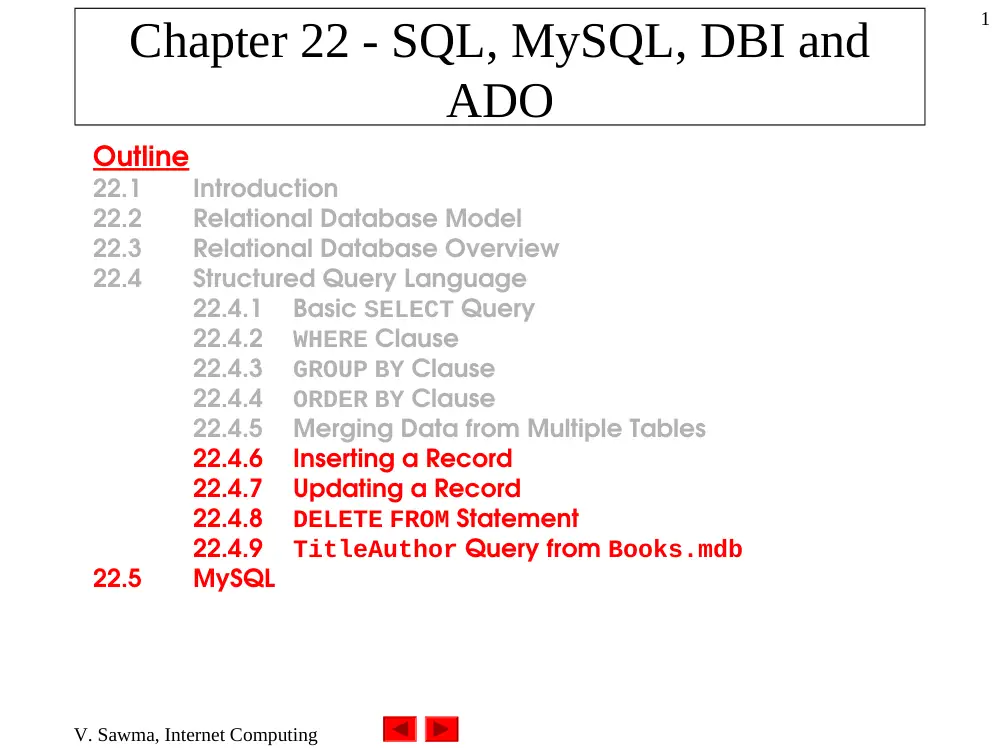
Chapter 22 - SQL, MySQL, DBI and
ADO
Outline
22.1
Introduction
22.2
Relational Database Model
22.3
Relational Database Overview
22.4
Structured Query Language
22.4.1
Basic SELECT Query
22.4.2
WHERE Clause
22.4.3
GROUP BY Clause
22.4.4
ORDER BY Clause
22.4.5
Merging Data from Multiple Tables
22.4.6
Inserting a Record
22.4.7
Updating a Record
22.4.8
DELETE FROM Statement
22.4.9
TitleAuthor Query from Books.mdb
22.5
MySQL
V. Sawma, Internet Computing
2
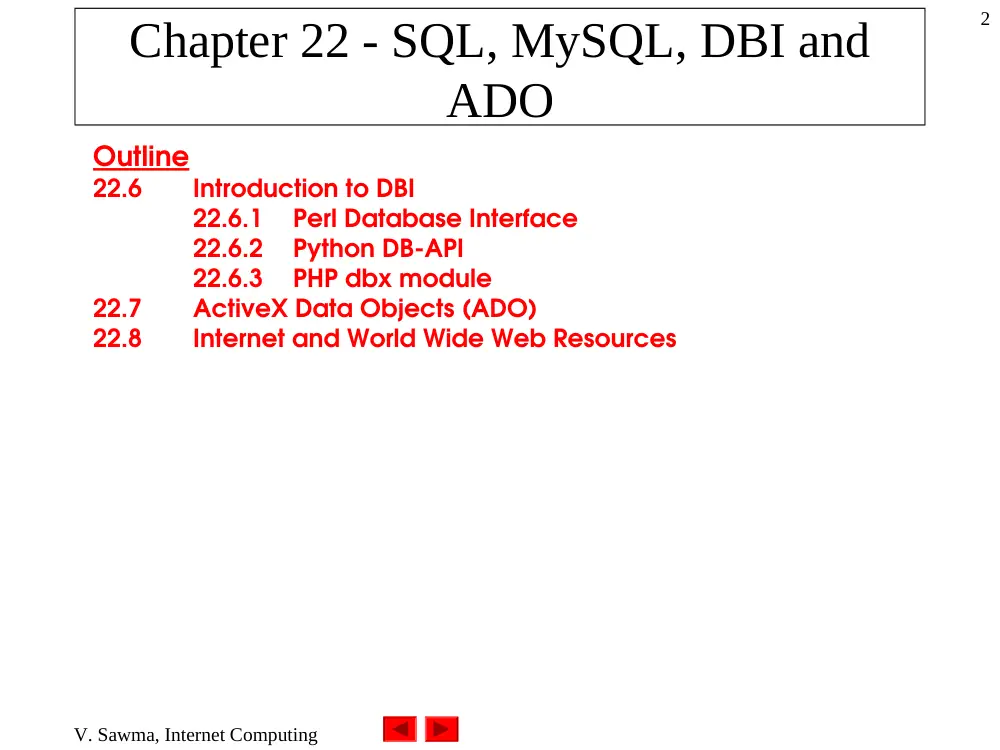
Chapter 22 - SQL, MySQL, DBI and
ADO
Outline
22.6
Introduction to DBI
22.6.1
Perl Database Interface
22.6.2
Python DB-API
22.6.3
PHP dbx module
22.7
ActiveX Data Objects (ADO)
22.8
Internet and World Wide Web Resources
V. Sawma, Internet Computing
3
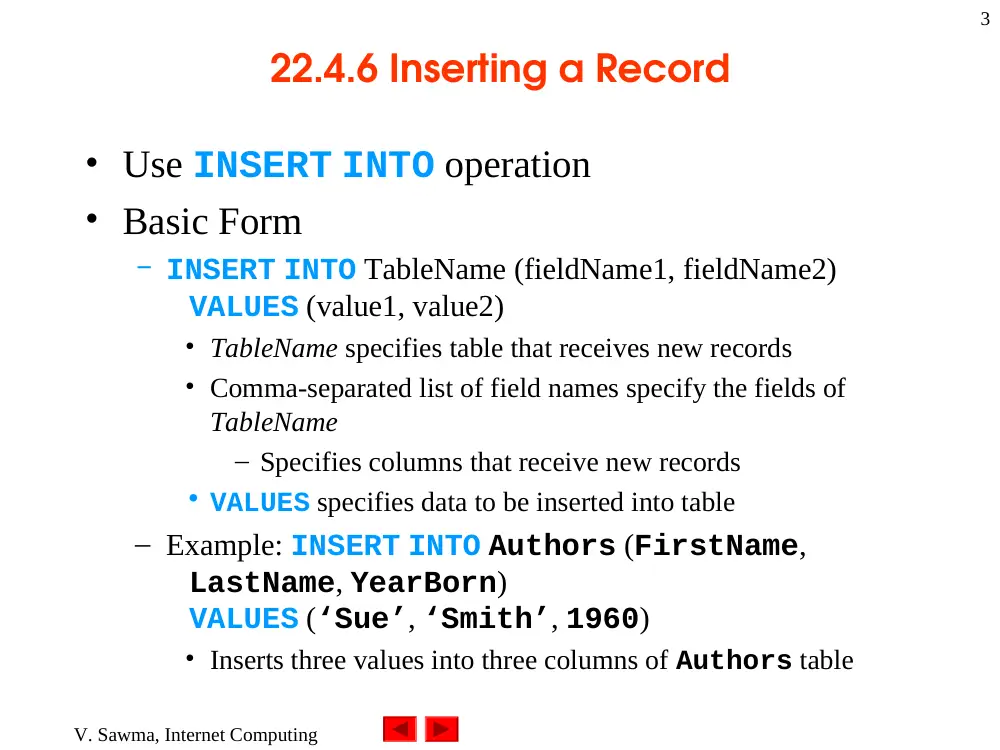
22.4.6 Inserting a Record
• Use INSERT INTO operation
• Basic Form
– INSERT INTO TableName (fieldName1, fieldName2)
VALUES (value1, value2)
• TableName specifies table that receives new records
• Comma-separated list of field names specify the fields of
TableName
– Specifies columns that receive new records
• VALUES specifies data to be inserted into table
– Example: INSERT INTO Authors (FirstName,
LastName, YearBorn)
VALUES (‘Sue’, ‘Smith’, 1960)
• Inserts three values into three columns of Authors table
V. Sawma, Internet Computing
4
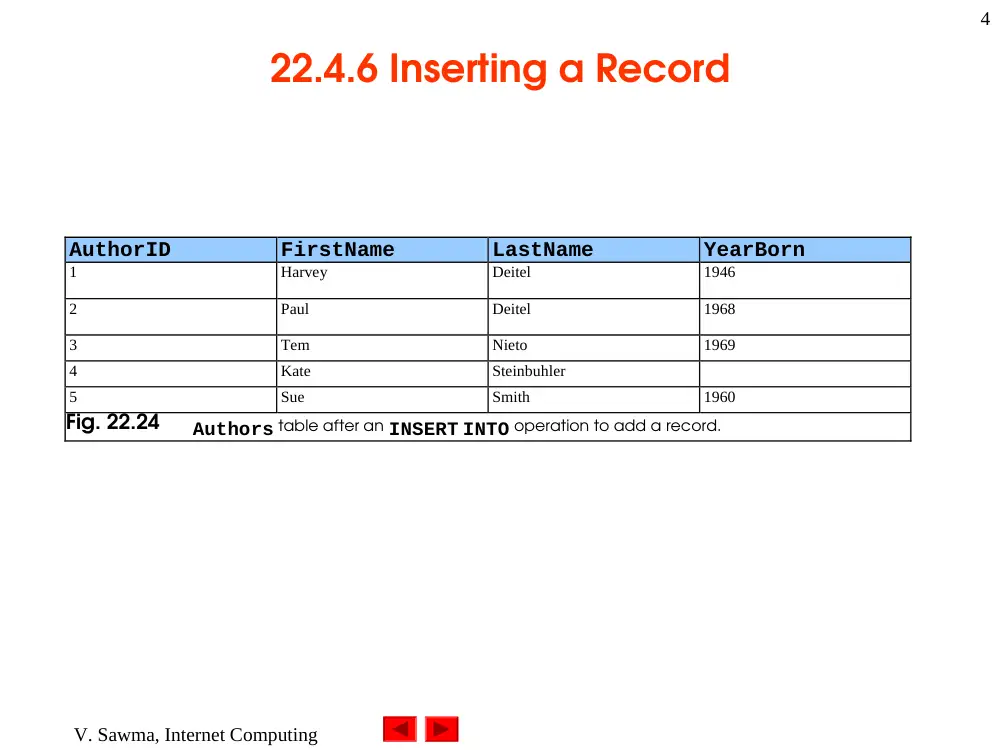
22.4.6 Inserting a Record
AuthorID
FirstName
LastName
YearBorn
1
Harvey
Deitel
1946
2
Paul
Deitel
1968
3
Tem
Nieto
1969
4
Kate
Steinbuhler
5
Sue
Smith
1960
Fig. 22.24
Authors table after an INSERT INTO operation to add a record.
V. Sawma, Internet Computing
5
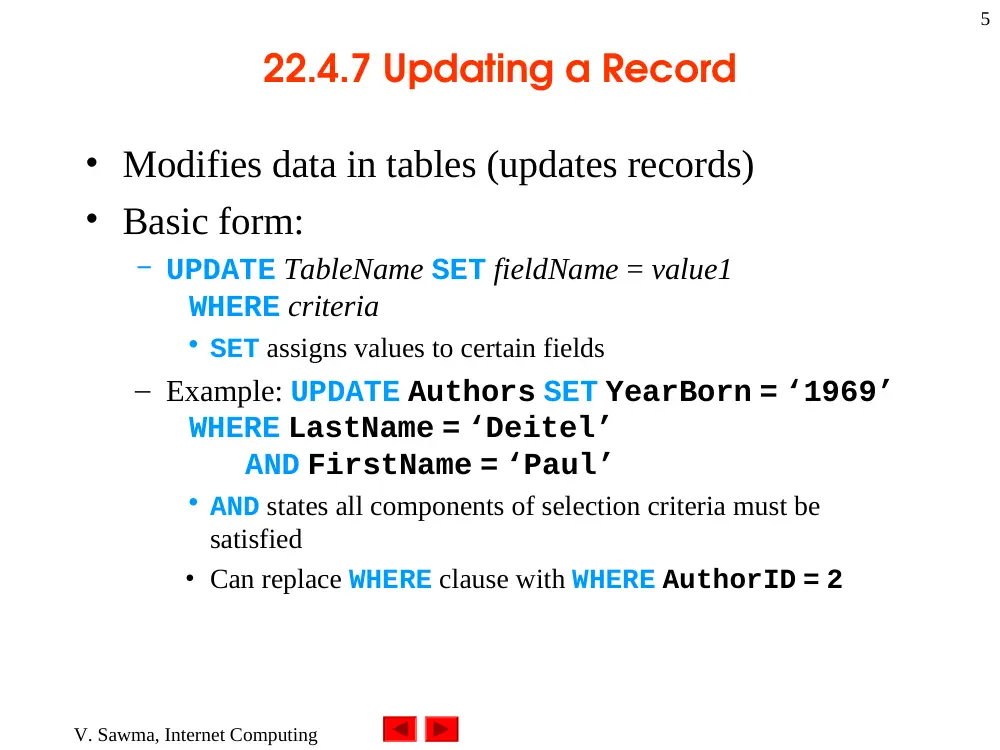
22.4.7 Updating a Record
• Modifies data in tables (updates records)
• Basic form:
– UPDATE TableName SET fieldName = value1
WHERE criteria
• SET assigns values to certain fields
– Example: UPDATE Authors SET YearBorn = ‘1969’
WHERE LastName = ‘Deitel’
AND FirstName = ‘Paul’
• AND states all components of selection criteria must be
satisfied
• Can replace WHERE clause with WHERE AuthorID = 2
V. Sawma, Internet Computing
6
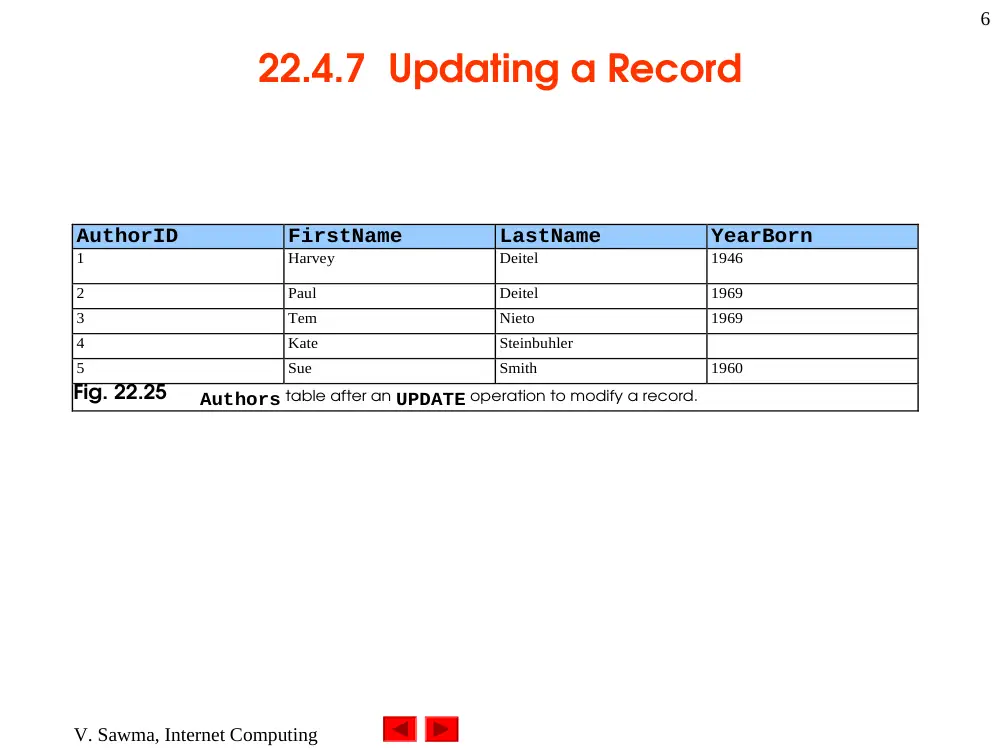
22.4.7 Updating a Record
AuthorID
FirstName
LastName
YearBorn
1
Harvey
Deitel
1946
2
Paul
Deitel
1969
3
Tem
Nieto
1969
4
Kate
Steinbuhler
5
Sue
Smith
1960
Fig. 22.25
Authors table after an UPDATE operation to modify a record.
V. Sawma, Internet Computing
7
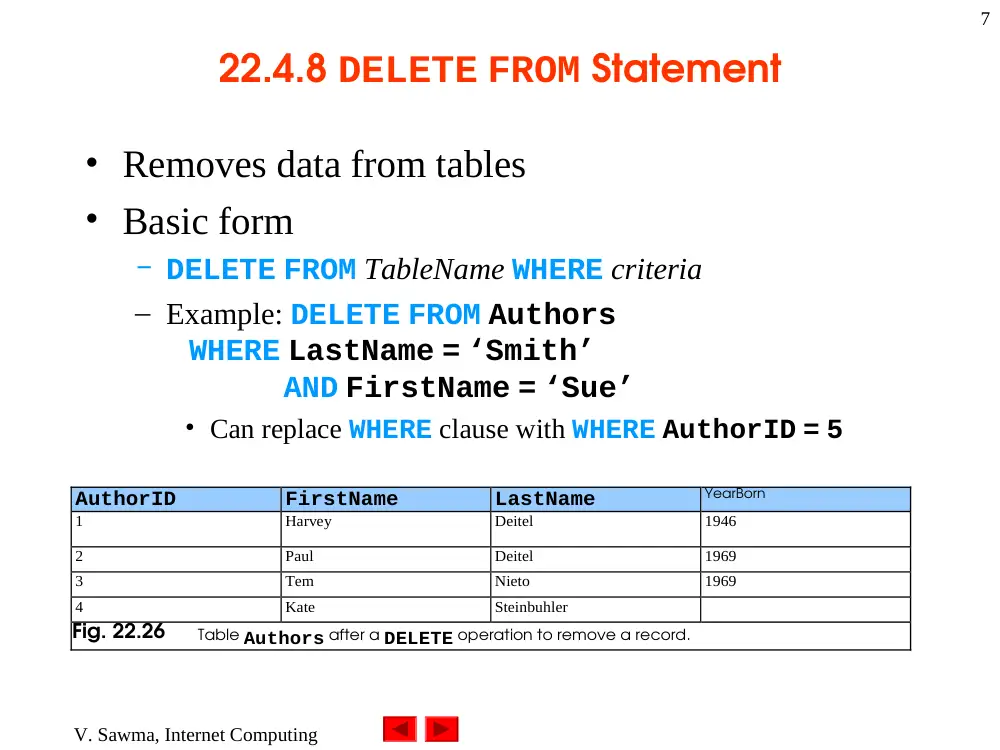
22.4.8 DELETE FROM Statement
• Removes data from tables
• Basic form
– DELETE FROM TableName WHERE criteria
– Example: DELETE FROM Authors
WHERE LastName = ‘Smith’
AND FirstName = ‘Sue’
• Can replace WHERE clause with WHERE AuthorID = 5
AuthorID
FirstName
LastName
YearBorn
1
Harvey
Deitel
1946
2
Paul
Deitel
1969
3
Tem
Nieto
1969
4
Kate
Steinbuhler
Fig. 22.26
Table Authors after a DELETE operation to remove a record.
V. Sawma, Internet Computing
8
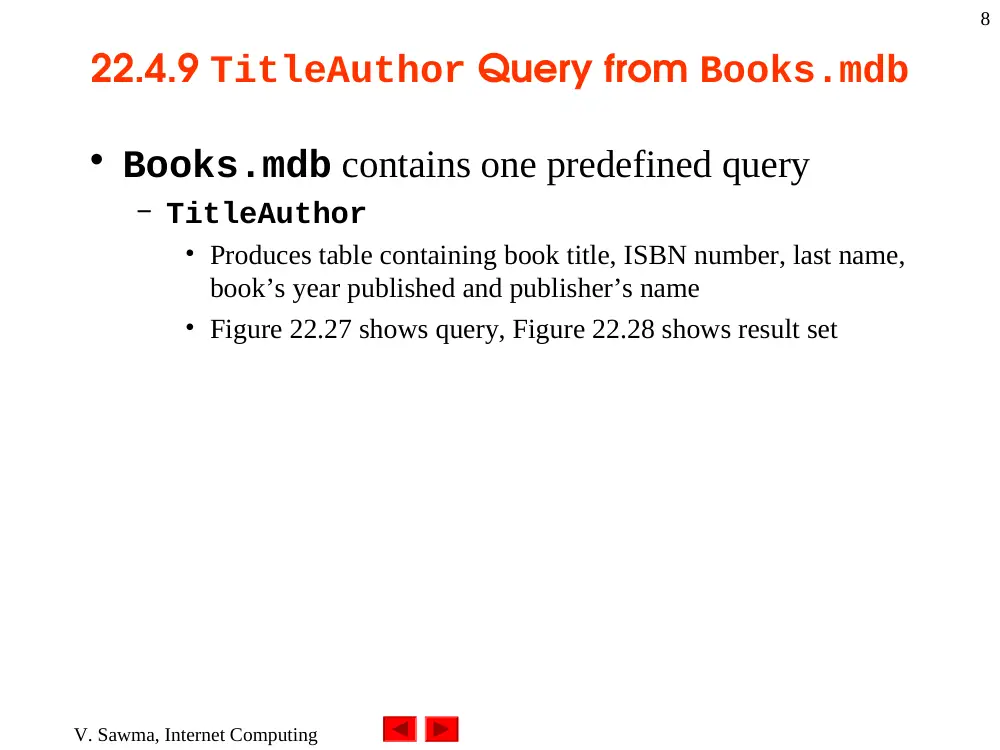
22.4.9 TitleAuthor Query from Books.mdb
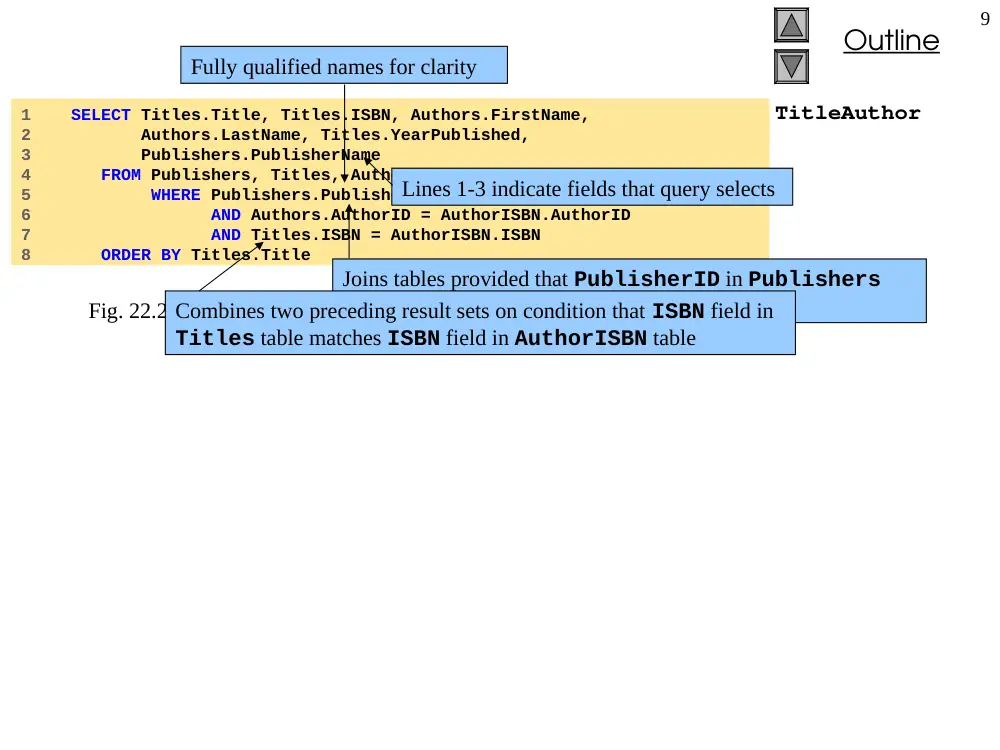
• Books.mdb contains one predefined query
– TitleAuthor
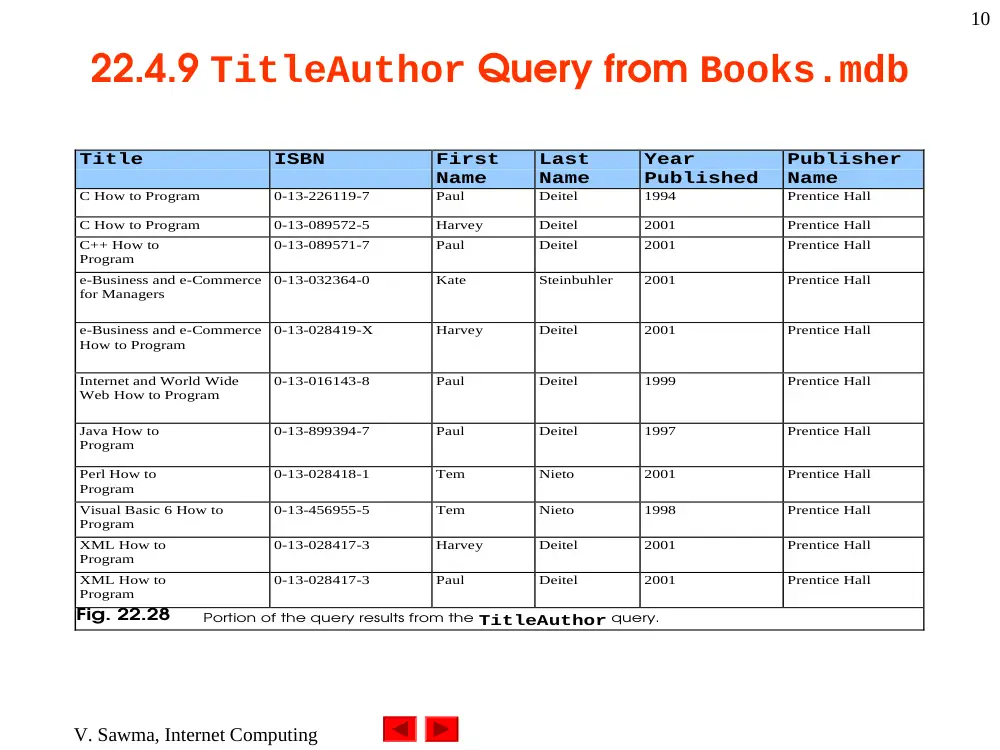
• Produces table containing book title, ISBN number, last name,
book’s year published and publisher’s name
• Figure 22.27 shows query, Figure 22.28 shows result set
Outline
9
TitleAuthor
1 SELECT Titles.Title, Titles.ISBN, Authors.FirstName,
2 Authors.LastName, Titles.YearPublished,
3 Publishers.PublisherName
4 FROM Publishers, Titles, Authors, AuthorISBN
5 WHERE Publishers.PublisherID = Titles.PublisherID
6 AND Authors.AuthorID = AuthorISBN.AuthorID
7 AND Titles.ISBN = AuthorISBN.ISBN
8 ORDER BY Titles.Title
Fig. 22.27 TitleAuthor query from the Books.mdb database.
Fully qualified names for clarity
Lines 1-3 indicate fields that query selects
Joins tables provided that PublisherID in Publishers
table matches PublisherID in Titles table
Combines two preceding result sets on condition that ISBN field in
Titles table matches ISBN field in AuthorISBN table
V. Sawma, Internet Computing
10
22.4.9 TitleAuthor Query from Books.mdb
Title
ISBN
First
Name
Last
Name
Year
Published
Publisher
Name
C How to Program
0-13-226119-7
Paul
Deitel
1994
Prentice Hall
C How to Program
0-13-089572-5
Harvey
Deitel
2001
Prentice Hall
C++ How to
Program
0-13-089571-7
Paul
Deitel
2001
Prentice Hall
e-Business and e-Commerce
for Managers
0-13-032364-0
Kate
Steinbuhler
2001
Prentice Hall
e-Business and e-Commerce
How to Program
0-13-028419-X
Harvey
Deitel
2001
Prentice Hall
Internet and World Wide
Web How to Program
0-13-016143-8
Paul
Deitel
1999
Prentice Hall
Java How to
Program
0-13-899394-7
Paul
Deitel
1997
Prentice Hall
Perl How to
Program
0-13-028418-1
Tem
Nieto
2001
Prentice Hall
Visual Basic 6 How to
Program
0-13-456955-5
Tem
Nieto
1998
Prentice Hall
XML How to
Program
0-13-028417-3
Harvey
Deitel
2001
Prentice Hall
XML How to
Program
0-13-028417-3
Paul
Deitel
2001
Prentice Hall
Fig. 22.28
Portion of the query results from the TitleAuthor query.
V. Sawma, Internet Computing
11
22.5 MySQL
• Pronounced “My Ess Que Ell”
• Robust and scalable RDBMS
• Multiuser, multithreaded server
– Performs multiple commands concurrently
• Uses SQL to interact with data
• Supports various programming languages
– C, C++, Java, Python, Perl, PHP, etc
• Supports various operating systems
– Windows, Linux and Unix
• Access multiple databases with single query
V. Sawma, Internet Computing
12
22.6 Introduction to DBI
• Databases part of distributed applications
– Divides work across multiple computers
• Retrieves result set and displays results
• Driver
– Helps programs access databases
– Each can have different syntax
– Each database requires its own driver
• Interface
– Provides uniform access to all database systems
• Database interface
– Programmatic library for accessing relational database
V. Sawma, Internet Computing
13
22.6.1 Perl Database Interface
• Perl DBI
– Enables users to access relational databases from Perl
programs
– Database independent
– Most widely used interface in Perl
– Uses handles (Fig. 22.29)
• Object-oriented interfaces
• Driver handles, database handles, statement handles
Data Object Handles
Description
Driver Handles
Encapsulates the driver for the database; rarely used in a Perl script.
Database Handles
Encapsulates a specific connection to a database; can send SQL statements to a database.
Statement Handles
Encapsulates specific SQL statements and the results returned from them.
Fig. 22.29
Data object handles for Perl DBI.
V. Sawma, Internet Computing
14
22.6.2 Python DB-API
• Python DB-API
– Database application programming interface
– Portable across several databases
– Consists of Connection and Cursor data objects
• Connection data object (Fig. 22.30)
– Accesses database through four methods
• Cursor data object (Fig. 22.31)
– Manipulates and retrieves data
V. Sawma, Internet Computing
15
22.6.2 Python DB-API
Connection Data Objects
Description
close
Closes the connection to the database.
commit
Commits (saves) a transaction (i.e., interaction with a database through SQL keywords
and commands).
rollback
Exits a pending transaction without saving changes. Returns the user to the beginning
of the transaction.
cursor
Returns a new Cursor object or the current connection.
Fig. 22.30
Connection data objects for Python DB-API.
Cursor Data Objects
Description
rowcount
Returns the number of rows retrieved by the last execute method call.
close
Closes the Cursor object.
execute( operation )
Executes a database query or command. Return values not defined.
executemany( operation,
parameters )
Executes a database query or command against a set of parameters. Return values not
defined.
fetchone
Returns the next row of a query result.
fetchmany( size )
Returns a set of rows—defined in the parameter—for a query result set.
fetchall
Returns all the rows of a query result set.
Fig. 22.31
Some Cursor data objects for PB-API.
V. Sawma, Internet Computing
16
22.6.3 PHP dbx module
• dbx module
– Consists of seven functions that interface to database
modules
– Supports MySQL, PostgreSQL and ODBC databases
dbx functions
Description
dbx_close
Closes an open connection/database.
dbx_connect
Opens a connection/database.
dbx_error
Reports any error messages from the last function call in the module.
dbx_query
Executes a query and returns the results.
dbx_sort
Sorts a result by a custom sort function.
dbx_cmp_asc
Compares two rows and sorts them in ascending order.
dbx_cmp_desc
Compares two rows and sorts them in descending order.
Fig. 22.32
Data objects for PHP dbx modules.
V. Sawma, Internet Computing
17
22.7 ActiveX Data Objects (ADO)
• Microsoft Universal Data Access (UDA)
– Supports high-performance data access to relational,
non-relational and mainframe data sources
– Consists of three primary components
• OLE DB
– Core of UDA architecture
– Provides low-level access to data source
• Open Database Connectivity (ODBC)
– C programming-language library
– Uses SQL to access data
• ActiveX Data Objects
– Simple object modules
– Provide uniform access to data source through OLE DB
V. Sawma, Internet Computing
18
22.7 ActiveX Data Objects (ADO)
ADO
OLE DB
Legacy data
Relational data sources
Application or Browser
Non-relational data sources
ODBC
Fig. 22.33 Microsoft’s UDA architecture.
Field
Parameter
Fields
Error
Parameters
RecordSet
Errors
Command
Connection
Fig. 22.34 Portion of the ADO object model.
V. Sawma, Internet Computing
19
22.7 ActiveX Data Objects (ADO)
• ADO object model
– Provides objects and collections
• Collections
– Containers that hold one or more objects of specific type
– Following table lists some ADO objects and collections
V. Sawma, Internet Computing
20
22.7 ActiveX Data Objects (ADO)
Object/Collection
Description
Connection object
Connects to the data source.
Command object
Contains the query that interacts with the database (the data source) to manipulate data.
Parameter object
Contains information needed by a Command object to query the data source.
Parameters collection
Contains one or more Parameter objects.
Error object
Created when an error occurs while accessing data.
Errors collection
Contains one or more Error objects.
Recordset object
Contains zero or more records that match the database query. Collectively, this group of
records is called a recordset.
Field object
Contains the value (and other attributes) of one data source field.
Fields collection
Contains one or more Field objects.
Property object
Contains a characteristic of an ADO object.
Properties collection
Contains one or more Property objects.
Record object
Contains a single row of a Recordset.
Stream object
Contains a stream of binary data.
Fig. 22.35
Some ADO object and collection types.